
Amazon Prime Video VPN Detected: Why It Happens and Every Fix That Works
The message arrives mid-evening and always sounds slightly accusatory: your device is connected through a VPN or proxy, please disable it to continue. Sometimes you were not even changing countries, just running the VPN you run for everything, and Prime Video still slams the door. This guide explains the detection system precisely, walks the complete fix ladder from thirty-second rotations to stubborn-case surgery, and ranks the five VPNs whose addresses stay ahead of Amazon’s lists.
What the Prime Video VPN error actually means
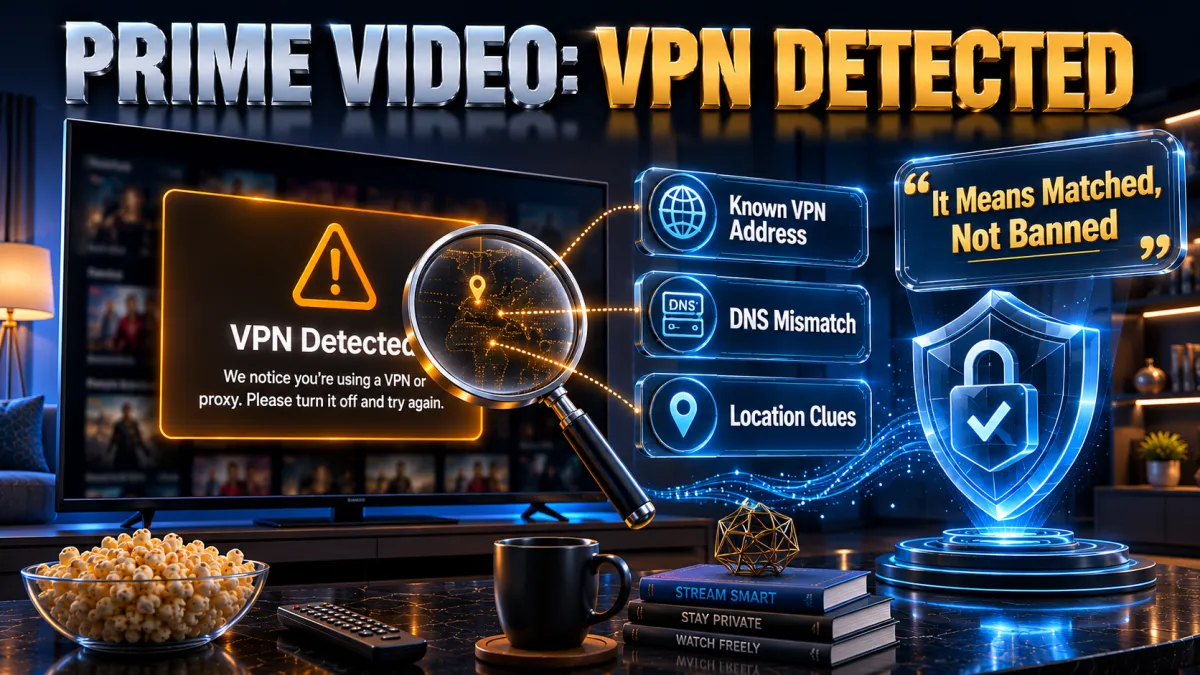
Reading the message correctly is half the diagnosis.
- It is a category verdict, not an accusation. Amazon concluded your visible address belongs to VPN or proxy infrastructure, full stop; it says nothing about what you were watching or trying to do. Users running VPNs purely for privacy on their home country’s catalogue trip it exactly as often as country-hoppers, which is why the fix ladder is identical for both.
- The trigger is your address’s reputation. Data-centre IP ranges, addresses shared by thousands of simultaneous streamers, and ranges previously flagged all live on commercial and in-house lists Amazon consults. Your specific session did nothing wrong; the address you arrived on had a history.
- Mismatch signals harden the verdict. An IP in one country with DNS lookups resolving through another, or device locale signals disagreeing with both, reads as tunnelling even off-list. This is why clean sessions and sealed leaks fix cases that server rotation alone does not.
- Playback stops; the account continues. The error blocks streams while everything else about your Amazon relationship proceeds untouched, shopping included. The account-risk section below treats this fully, because the fear is common and the record is calm.
Why Amazon detects and blocks VPNs
The motive explains the machinery’s sharpness.
- Licensing contracts demand it. Prime Video buys rights per territory, and rights holders require enforcement of those borders as a contract term. The detection system is Amazon keeping promises to studios, which is why it is funded, maintained, and improving rather than an afterthought.
- Its catalogue splits by country. The same subscription shows different libraries in different territories, with originals broadly global and licensed films and series regional. The border between what plays where is exactly what the detector patrols.
- Scale favours list-building. Amazon observes traffic at a volume that makes shared VPN addresses statistically obvious: thousands of accounts arriving from one IP is a signature nothing residential produces. The arms race is therefore continuous, providers acquiring fresh ranges as old ones get catalogued.
- Enforcement is calibrated to friction. Blocking playback deters casual circumvention at near-zero support cost, while account action would punish paying customers and generate outrage for marginal gain. The observed equilibrium, error screens and nothing more, has held across the industry for years.
How the detection works under the hood
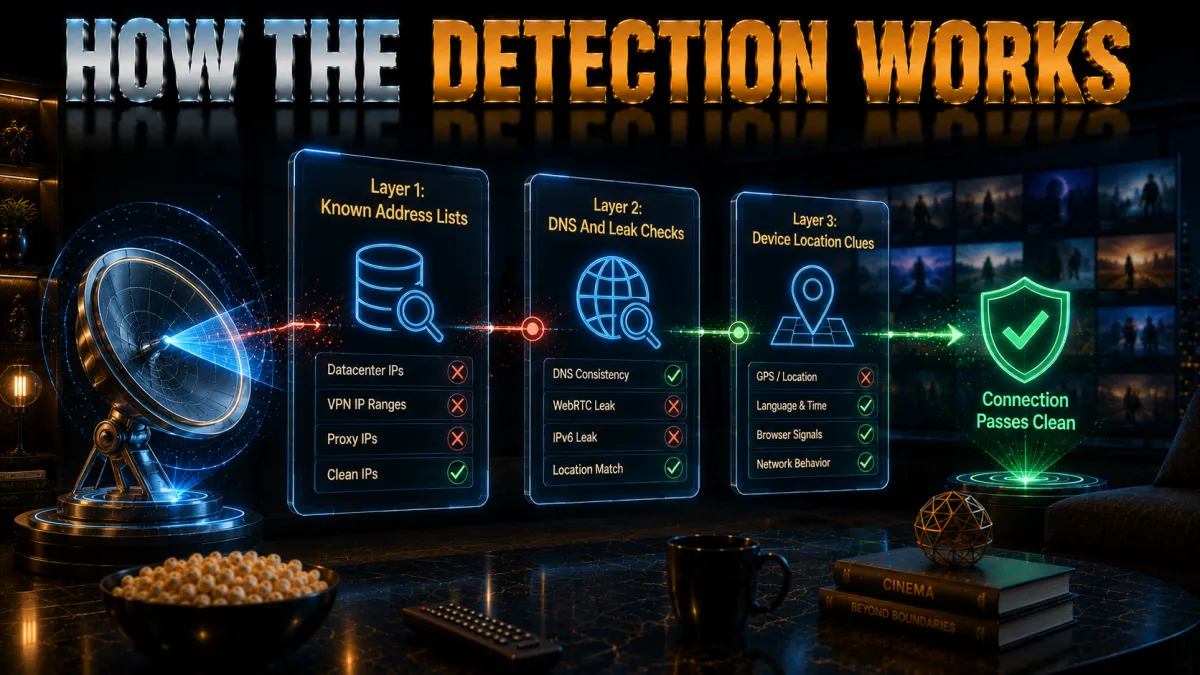
Four mechanisms, each answered by a specific rung of the fix ladder.
- IP reputation lists. Known VPN endpoints, data-centre ranges, and high-density shared addresses are matched at connection time, the workhorse mechanism catching most sessions. Server rotation works precisely because providers hold more addresses than any list catches at once.
- DNS path inspection. If your video traffic arrives from one country while your DNS lookups resolve elsewhere, the mismatch flags tunnelling regardless of the IP’s cleanliness. Leak-protected VPNs route DNS inside the tunnel, which is why the leak test is a mandatory rung.
- Session and locale echoes. Cached region data, cookies from your real country, and app-store locale can disagree with a fresh IP and tip the verdict. Clean sessions, cleared caches, and private windows give the new address an uncontradicted story.
- Density and behaviour analysis. Addresses suddenly serving implausible viewer counts get flagged fast, which is why big providers spread load and rotate proactively. Free services concentrate everyone on a few addresses and live permanently on the lists, the structural reason they fail here.
The fix ladder: nine steps in order
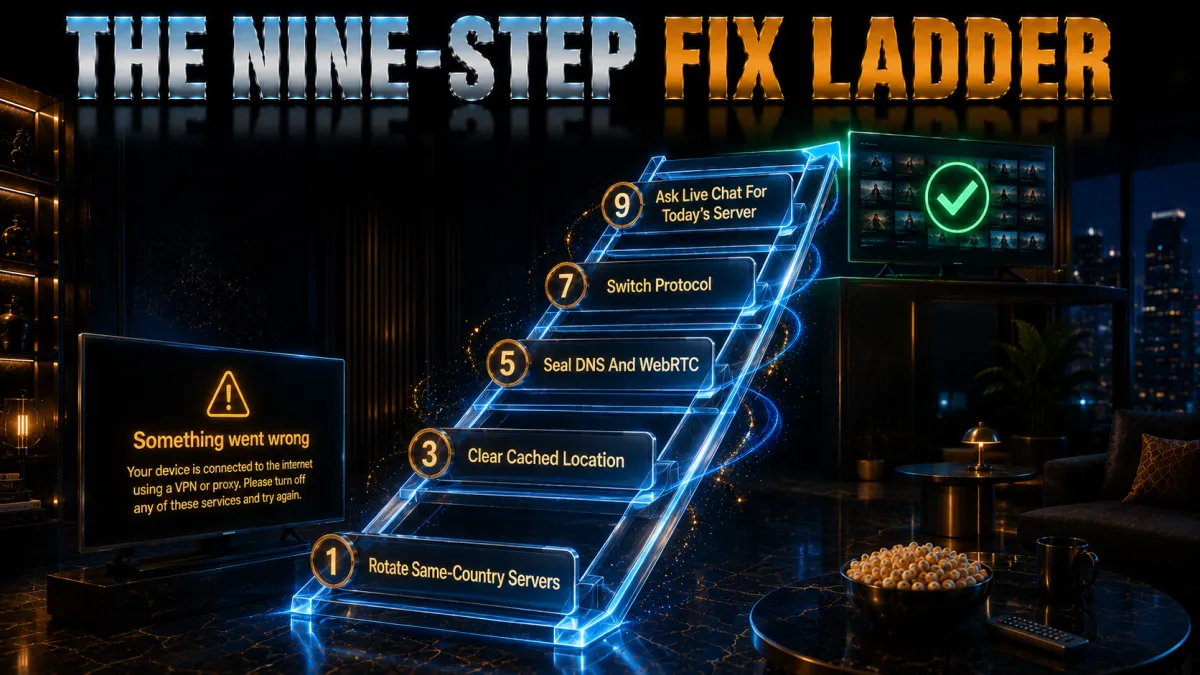
Most likely first; stop when the stream starts.
- Rotate servers in the same country. The connected address is on a list; the next one usually is not. Thirty seconds, and it resolves the majority of appearances of this error on capable providers.
- Restart the app or use a private window. Fresh sessions drop the cached region echoes that contradict your new address. On browsers, incognito plus cleared Prime cookies is the equivalent.
- Clear the app’s cache and data. On TVs, sticks, and phones, the stored state runs deeper than a restart reaches; clearing it, or reinstalling, gives the cleanest slate. This rung fixes the stubborn device that keeps erroring after the laptop works.
- Run the leak suite. DNS and WebRTC leaks show Amazon your real path beside the VPN address, and the mismatch triggers detection on its own. Our leak guide’s one-minute tests diagnose it; the provider’s leak-protection settings and browser WebRTC controls seal it.
- Switch protocols. A different protocol changes how your traffic presents at the network level, occasionally enough to alter the verdict, and takes thirty seconds in settings. WireGuard-class to OpenVPN is the usual direction worth trying.
- Reboot the connection stack. Router, device, VPN app in that order, which flushes stale DNS caches and re-establishes everything cleanly. Unglamorous, and it clears a persistent share of cases.
- Try a browser instead of the app. Browser playback sidesteps app-side locale checks and gives you cookie control the app hides. If the browser works where the app refuses, the app’s stored state was the culprit, back to rung three on that device.
- Ask live chat for today’s server. Providers track which endpoints currently pass Prime Video and hand over names faster than trial and error. This is the express lane the majors’ 24/7 chat exists for.
- If nothing passes, the provider is the problem. A service whose entire range lives on Amazon’s lists cannot be fixed from your side, and the honest move is a refund-window migration to one that wins the arms race. The picks below are ranked for exactly that.
Persistent errors: the stubborn-case playbook

When the ladder’s quick rungs keep failing, the causes get specific.
- IPv6 is bypassing the tunnel. Dual-stack connections can route traffic around IPv4-only VPN coverage, showing Amazon your real address in parallel, per our IPv6-leak guide. Enable the provider’s IPv6 protection or disable IPv6 at the OS, then re-test.
- The router remembers what the device forgot. Household DNS caches and hardware acceleration layers can keep serving stale paths after device-level clearing. The full reboot rung exists for this, and smart TVs are its most frequent beneficiaries.
- Location services are testifying against you. Phone and tablet apps can read GPS-derived signals that no VPN changes, and some setups weigh them. Browser playback on those devices, or OS-level location permissions for the app, close the gap.
- Your dedicated IP inherited a past. Dedicated addresses are excellent for banking and terrible for streaming when their range is data-centre catalogued; the shared, rotating pools paradoxically win here. Use the dedicated IP for the bank and the regular servers for Prime, different tools for different arms races.
- The household has two tunnels. A router-level VPN under a device-level VPN produces double-hopped, mismatched paths that detection reads as chaos. One tunnel at a time; pick the layer that suits the device and disable the other for it.
The traveller’s case vs the country-hopper’s case
Two audiences meet this error; the honest print differs slightly.
- Travellers watching their home library. Streaming your own country’s catalogue from abroad via a home-country server is the sympathetic case: your subscription, your licensed region, presented from the road. Detection cannot read intent and blocks the address anyway, so the fix ladder applies unchanged, with the home-country server choice doing double duty for calm.
- Catalogue-switchers at home. Using foreign servers to browse other regions’ libraries is the case the licensing machinery actually targets, and the terms-of-service breach is plain even where enforcement stays technical. The mechanics work identically; the honesty section below prints the contract reality.
- Privacy users caught as bycatch. People running always-on VPNs for ordinary privacy trip the same lists with no geographic intent at all. Split tunnelling, excluding Prime’s app from the tunnel, or a home-country server, restores playback while keeping the rest of the device protected.
- All three cases share one truth. The error is about the address, not the person, and the ladder fixes all of them the same way. What differs is only which print in the honesty section applies to you.
Choosing a VPN that beats Prime Video detection
The criteria that separate working from listed.
- Address rotation as core competence. Winning this arms race means continuously acquiring fresh ranges and retiring flagged ones, an operational expense the majors carry and the budget tier does not. Reviews age fast here; the refund-window test against Prime itself is the evidence that counts.
- Sealed DNS and IPv6 behaviour. Detection reads leaks as confessions, so the provider’s own DNS inside the tunnel and default IPv6 protection are prerequisites rather than extras. Our leak guides’ criteria apply verbatim.
- Split tunnelling for the privacy-first user. The cleanest fix for VPN-always-on households is excluding the Prime app from the tunnel, a feature worth checking exists on your platforms. It converts the whole problem into a per-app checkbox.
- Support that knows today’s answer. The working-server question changes weekly, and live chat that answers it in minutes is the practical difference between providers on paper-identical specs. The majors staff it around the clock.
The 5 best VPNs for Prime Video in 2026
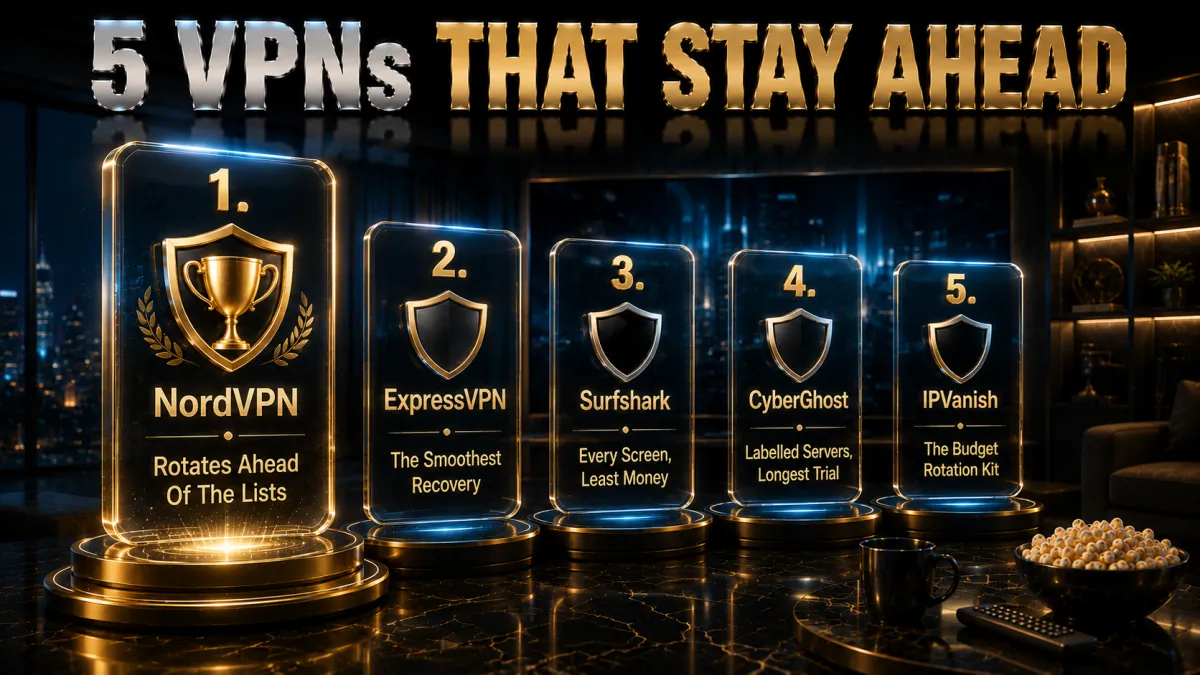
Ranked for consistency against Amazon’s detection, then speed, devices, and value.
1. NordVPN – Most consistent against detection
NordVPN pairs the address-rotation muscle this arms race demands with the sealed DNS and IPv6 behaviour that removes mismatch triggers, which together keep the detected error rare and short-lived. When it does appear, the next server in the same country almost always clears it, and SmartPlay smooths the DNS side invisibly.
NordLynx carries 4K without drama, split tunnelling serves the privacy-first case, and the audited no-logs record anchors trust.
✔ Pros
- Rarest detection errors in our testing
- Fast same-country rotation clears the rest
- Sealed DNS and IPv6 by default
- Split tunnelling on major platforms
- Audited no-logs, 24/7 chat
✘ Cons
- Best price needs a longer plan
- Settings denser than minimalist apps
| Prime reliability | Most consistent |
| Split tunnelling | Yes |
| Smart DNS | Yes, SmartPlay |
| Audited no-logs | Yes, multiple audits |
| Devices | 10 |
| Money-back | 30 days |
2. ExpressVPN – The smoothest recovery
ExpressVPN’s Prime record is strong and its recovery experience the smoothest: fewer, clearly named locations make rotation obvious, and MediaStreamer DNS covers TVs and consoles the app cannot reach. Sealed DNS on every server removes the mismatch trigger by architecture.
The premium price and eight-device cap remain the trade for the polish, unchanged.
✔ Pros
- Strong Prime record, easy rotation
- MediaStreamer for app-less devices
- Own DNS on every server
- RAM-only fleet, audited no-logs
- Best travel-network behaviour
✘ Cons
- Most expensive of the five
- 8-device cap is the tightest here
| Prime reliability | Very reliable |
| Split tunnelling | Yes |
| Smart DNS | Yes, MediaStreamer |
| Audited no-logs | Yes, audited |
| Devices | 8 |
| Money-back | 30 days |
3. Surfshark – Every screen, least money
Surfshark keeps Prime Video working across unlimited devices at the lowest long-term price here, with somewhat more rotation than the top two as the honest caveat. Bypasser split tunnelling handles the privacy-first household neatly, one checkbox per app.
Audited no-logs covers trust; the Netherlands base stays the standing EU note.
✔ Pros
- Unlimited simultaneous devices
- Lowest long-term price of the five
- Bypasser split tunnelling
- Solid Prime access with rotation
- Audited no-logs policy
✘ Cons
- More rotation than the top two
- Netherlands base, inside the EU
| Prime reliability | Solid |
| Split tunnelling | Yes, Bypasser |
| Smart DNS | Yes |
| Audited no-logs | Yes, audited |
| Devices | Unlimited |
| Money-back | 30 days |
4. CyberGhost – Labelled servers, longest trial
CyberGhost labels Prime-optimised servers in the app, converting the which-server question into a menu pick, the friendliest recovery for first-timers. Rotation needs run higher than the leaders on busy evenings, the honest placement.
The 45-day refund gives six weeks of real evenings to confirm the fit before anything sticks.
✔ Pros
- Prime-optimised servers labelled in-app
- 45-day refund, longest here
- Plainest apps of the five
- Audited no-logs with transparency reports
- Huge server network
✘ Cons
- More rotation than leaders
- Speeds good rather than leading
| Prime reliability | Good, labelled servers |
| Split tunnelling | Yes |
| Smart DNS | Yes |
| Audited no-logs | Yes, audited |
| Devices | 7 |
| Money-back | 45 days |
5. IPVanish – The budget rotation kit
IPVanish streams Prime with more variability than the four above and clears errors through patient rotation, honest placement for a service whose focus is speed and device count rather than the streaming arms race. As a budget or secondary option it earns the slot.
US jurisdiction, lighter audit history, and no Smart DNS remain the standing notes.
✔ Pros
- Brisk WireGuard speeds
- Unlimited simultaneous connections
- Fair pricing
- Split tunnelling on Android and Fire TV
- Kill switch and leak protection included
✘ Cons
- Most rotation needed of the five
- US jurisdiction, lighter audit history
| Prime reliability | Variable |
| Split tunnelling | Android and Fire TV |
| Smart DNS | No |
| Audited no-logs | Policy in place, lighter audit history |
| Devices | Unlimited |
| Money-back | 30 days |
| Feature | NordVPN | ExpressVPN | Surfshark | CyberGhost | IPVanish |
|---|---|---|---|---|---|
| Prime reliability | Most consistent | Very reliable | Solid | Good | Variable |
| Split tunnelling | Yes | Yes | Bypasser | Yes | Partial |
| Smart DNS | SmartPlay | MediaStreamer | Yes | Yes | No |
| Leak sealing | Default | Architectural | Included | Included | Included |
| Devices | 10 | 8 | Unlimited | 7 | Unlimited |
| Money-back | 30 days | 30 days | 30 days | 45 days | 30 days |
The clean-session setup that avoids the error

Prevention, in the order that builds it.
- Enable leak protection before anything. Kill switch on, DNS through the provider, IPv6 protection engaged: the sealed tunnel removes the mismatch triggers before they exist. Our leak guide’s one-minute suite verifies the seal.
- Pick your server deliberately. Travellers wanting the home library pick home; privacy users pick their own country; and whatever the purpose, favourite the endpoint that works so sessions stay consistent. Consistency starves detection of anomalies.
- Start sessions clean when switching regions. Any change of server country deserves a private window or cleared app cache, so no old locale echo contradicts the new address. This habit alone prevents most mysterious blocks.
- Connect before opening Prime. The tunnel first, the app second, so the session’s very first packet already tells the consistent story. Apps opened before the VPN carry pre-tunnel state into the session.
- Test on a quiet evening. Prove the setup, note the working server, and save it, before the evening that matters. Detection turbulence is weather; preparation is the umbrella.
Fixing the error on TVs, sticks, and consoles

The living-room cases, where the ladder needs adapting.
- Fire TV and Android TV: full ladder available. Native VPN apps mean rotation, cache clearing, and protocol switches all happen on-device, and the Prime app’s stored data is clearable in settings. These platforms fix like phones, just with a remote.
- App-less TVs: the router or DNS routes. Platforms without VPN apps inherit whatever the router or Smart DNS provides, so the fix moves upstream: rotate the router’s VPN location or refresh the DNS registration. ExpressVPN’s MediaStreamer and NordVPN’s SmartPlay serve exactly this tier.
- Consoles: DNS is the lever. PlayStation and Xbox take Smart DNS configurations directly, and re-registering your current IP with the provider is the console equivalent of rotation. The router path covers them too, at household scale.
- The cast-from-protected fallback. When a screen resists, streaming on a protected phone or laptop and casting to it sidesteps the device entirely. Not elegant, always available, and it converts a blocked evening into a watched one.
Will Amazon ban your account? The honest answer
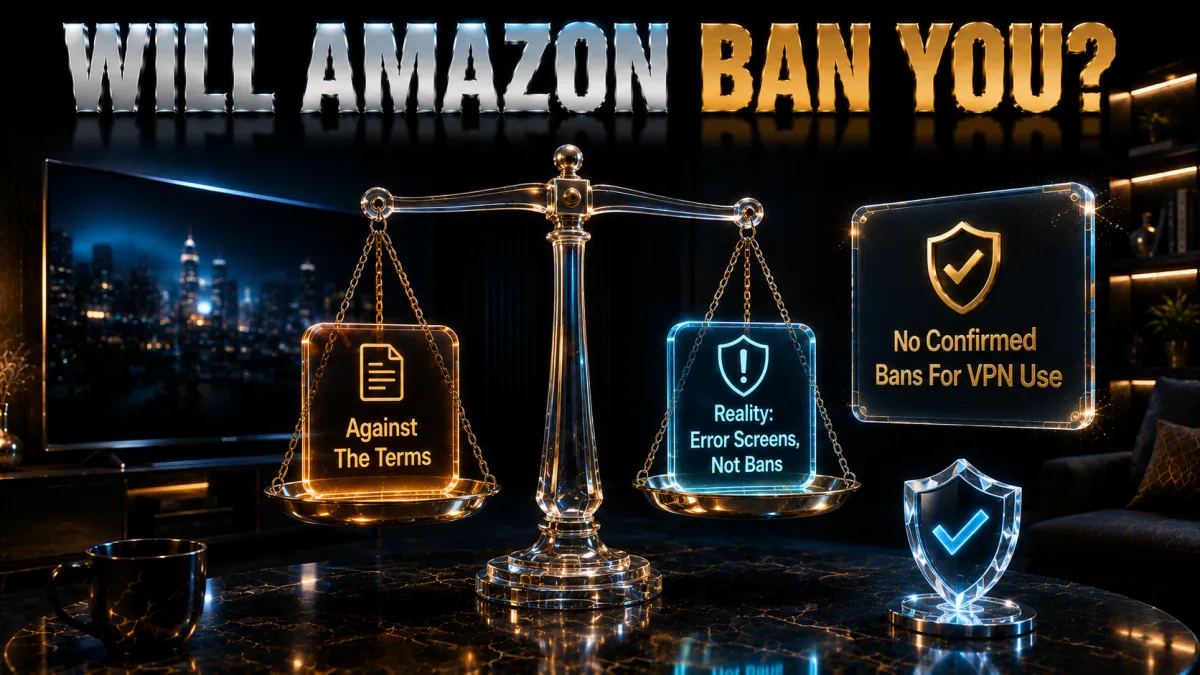
The fear, measured against the record.
- No public record of streaming-VPN bans. Across years of this arms race, enforcement against subscribers streaming their own content has arrived as error screens, not account action, on everything publicly documented. The calibration section explained why: blocking playback achieves the licensing goal without punishing paying customers.
- The terms reserve stronger rights. Amazon’s conditions, like every streamer’s, technically permit more than it does, which honest reporting states rather than hides. The gap between reserved rights and observed practice has stayed wide and stable industry-wide.
- Prime complicates the stakes pleasantly. A Prime account carries shopping, delivery, and payment history alongside video, which is precisely why Amazon has every incentive to keep enforcement inside the video player. Collateral damage to its own retail relationship serves nobody.
- The proportionate posture. Stream what you pay for, expect occasional error screens, fix them with the ladder, and spend zero anxiety on account survival. The record supports calm, and this site will update the day it changes.
Alternatives when the VPN route frustrates
The adjacent tools, honestly sized.
- Smart DNS for app-less simplicity. Provider DNS services relocate your streaming without encrypting, lighter and TV-friendly, though less durable when Amazon rotates defences and no privacy is added. Right tool for consoles and stubborn TVs, wrong tool for privacy.
- Split tunnelling for the privacy-first. Excluding Prime’s app from the tunnel ends the detection conversation entirely for users who never wanted geographic effects. The rest of the device stays protected; Prime sees your real, unremarkable address.
- Purchases and rentals travel differently. Bought and rented titles carry different territorial behaviour than the streaming catalogue in various regions, occasionally solving a specific unavailable-title problem without any tunnel. Worth checking per title before engineering around it.
- Patience as a strategy. Catalogues rotate constantly, and the licensed title missing this quarter frequently arrives next. The zero-effort alternative deserves its honest mention among the tools.
Common mistakes that keep the error alive
Five habits that turn a thirty-second fix into a saga.
- Rotating servers without clearing sessions. The new address arrives contradicted by the old cookies, and the block looks permanent when it was procedural. Rotation plus clean session is one move, not two options.
- Ignoring the leak layer. A DNS or IPv6 leak defeats every rotation because detection keeps seeing the real path beside the tunnel. The one-minute suite belongs early in the ladder, not as a last resort.
- Blaming the provider for one flagged server. Individual addresses get listed as routine weather; the provider question is whether some server always works, answered by rotation and chat, not by one error screen. Migrate on patterns, not incidents.
- Running two tunnels at once. Router VPN under device VPN produces the mismatched chaos detection flags fastest, and it usually happens by forgetting rather than intent. One layer per device, chosen deliberately.
- Reaching for free VPNs. Permanently listed addresses, throttled speeds, and monetised traffic meet the industry’s sharpest detection and lose on all fronts. The refund-window trial of a major is the honest free path, unchanged.
Related reading:
Frequently Asked Questions
Why does Prime Video say VPN detected?
Amazon matched your connection’s address against its lists of known VPN and proxy infrastructure, or caught a mismatch between your IP and your DNS or device signals. It is a verdict on the address’s reputation rather than your activity, which is why users on their own country’s catalogue trip it too.
How do I fix the Prime Video VPN detected error?
Climb the ladder: rotate to another server in the same country, restart with a private window or cleared app cache, run the one-minute leak test and seal any DNS or IPv6 leak, switch protocols, reboot router and device, try a browser instead of the app, and ask your provider’s live chat for today’s working server.
Why am I detected when I’m not even changing countries?
Detection reads addresses, not intent: an always-on privacy VPN presents the same data-centre address signature as any country-hopper. Fix it identically, rotation and clean sessions, or exclude Prime’s app via split tunnelling so it sees your real address while the rest of the device stays protected.
Will Amazon ban my account for using a VPN?
There is no public record of account bans for subscribers streaming their own content through a VPN; enforcement arrives as blocked playback. The terms technically reserve stronger rights, and Amazon’s incentive to protect its wider Prime retail relationship keeps observed enforcement inside the video player.
How does Amazon detect VPNs?
Four main ways: reputation lists of known VPN and data-centre addresses, DNS paths that resolve in a different country than your IP, cached session and locale data contradicting the fresh address, and density analysis flagging addresses serving implausible viewer counts. Each mechanism maps to a rung of the fix ladder.
Which VPN works best with Prime Video?
NordVPN showed the rarest detection errors in our testing, with fast same-country rotation clearing the remainder; ExpressVPN pairs a strong record with MediaStreamer for app-less screens; Surfshark covers unlimited devices cheapest. The deciding factors are address rotation and sealed DNS, verified inside refund windows.
Does the error mean my VPN is leaking?
Sometimes: a DNS, WebRTC, or IPv6 leak shows Amazon your real path beside the tunnel, and the mismatch alone triggers detection even on clean addresses. Run the one-minute suite from our leak guide; a leak found there explains a stubborn error better than any amount of server rotation.
Why does Prime work on my laptop but not my TV?
The TV’s app carries its own cached region data and locale signals, and TV platforms clear them less obviously: clear the Prime app’s stored data or reinstall it, and reboot the TV. App-less TVs inherit the router or Smart DNS configuration instead, so the fix moves to that layer.
Can I use Smart DNS instead of a VPN for Prime Video?
Yes, for the device cases: provider DNS services like MediaStreamer and SmartPlay relocate streaming on consoles and app-less TVs without encryption. They add no privacy and need re-registration when your home IP changes, the honest trade for their simplicity.
Does split tunnelling stop the VPN detected error?
For privacy-first users, completely: excluding the Prime app from the tunnel lets it see your real residential address while everything else stays protected. It surrenders any geographic effect for Prime, which for this audience was never the goal anyway.
Why do free VPNs always trigger the error?
Their small, permanently listed address pools concentrate huge user counts on few IPs, exactly the signature Amazon’s density analysis flags fastest, and nothing about the free model funds address rotation. The refund windows of the majors are the honest free trial.
Is using a VPN with Prime Video legal?
The VPN itself is legal in most countries; routing around regional catalogues breaches Amazon’s terms, a contract matter with technical enforcement rather than legal consequence on the public record. Watching content you pay for through a tunnel and pirating content remain entirely different conversations.
Why does the error come back after being fixed?
The arms race turned: the server that passed last week joined a list, or an update restored IPv6, refreshed caches, or reset leak settings. Re-run the short ladder, rotation, clean session, leak check, and refresh your favourited server; recurrence is maintenance, not failure.
The Bottom Line
The Prime Video VPN detected error is an address-reputation verdict wearing an accusatory sentence, and it dissolves under a short, ordered response: rotate, clean the session, seal the leaks, and keep a provider whose address supply outruns Amazon’s lists. The honest print stays calm on the scary parts, no known account bans, enforcement confined to the player, and blunt on the structural one: free and weak services live on those lists permanently, and no ladder fixes that from your side. Prepared on a quiet evening, the error becomes a thirty-second interruption you barely remember.
The five picks in one line each:
- NordVPN makes the error rarest and the recovery fastest, sealed by default.
- ExpressVPN pairs a strong record with MediaStreamer for the screens apps miss.
- Surfshark clears it on unlimited devices for the least money.
- CyberGhost labels the working servers and gives 45 days to confirm.
- IPVanish serves patient budget users, variability noted honestly.
Run the ladder once, favourite what passes, and give the error screen the thirty seconds it deserves, then get back to the film.
Jyoti VPN Expert leads VPN testing at VPN Expert Guide, covering streaming and regional access, speed and latency testing, and leak checks on Windows, Android and router-level setups. Our guides are built from vendor documentation, provider terms and our own connection testing on a residential line in India, and we publish those measurements in full so readers can check them. Every guide is reviewed before publication and dated so you can see how current it is.
Meet our testing team →Last updated: September 2, 2026