
How to Unblock Netflix with a VPN in 2026: What Works, What Fails, and Why
Netflix looks like one service, but it is really more than 190 different libraries wearing the same logo. Cross a border, or just get placed on the wrong side of a licensing line, and the show you were halfway through vanishes. This guide explains why catalogues differ, how a VPN changes which library you see, why the proxy-detected error happens and how to beat it, where Netflix’s own rules stand, and which five VPNs actually keep up with the cat-and-mouse in 2026.
Why Netflix libraries differ by country

The blocked show is not Netflix being difficult; it is the licensing system underneath all streaming.
- Content rights are sold country by country. Studios license films and shows per territory, often to different buyers in different places. Netflix may hold a title’s rights in one country while a local broadcaster holds them next door, so Netflix legally cannot show it to you there.
- Netflix originals travel; licensed content does not. Shows Netflix owns outright appear nearly everywhere, which is why originals feel universal. The licensed back-catalogue, often the reason people subscribed, is what fractures by border.
- Your apparent location decides your library. Netflix reads the IP address you connect from and serves that country’s catalogue. Same account, same password, different country, different shelf. That single mechanic is what a VPN interacts with.
- Libraries shift constantly. Licences expire and renew monthly, so a title’s home country changes over time. This is why unblocking guides go stale and why the method below focuses on mechanics rather than title lists.
How a VPN changes which Netflix you see
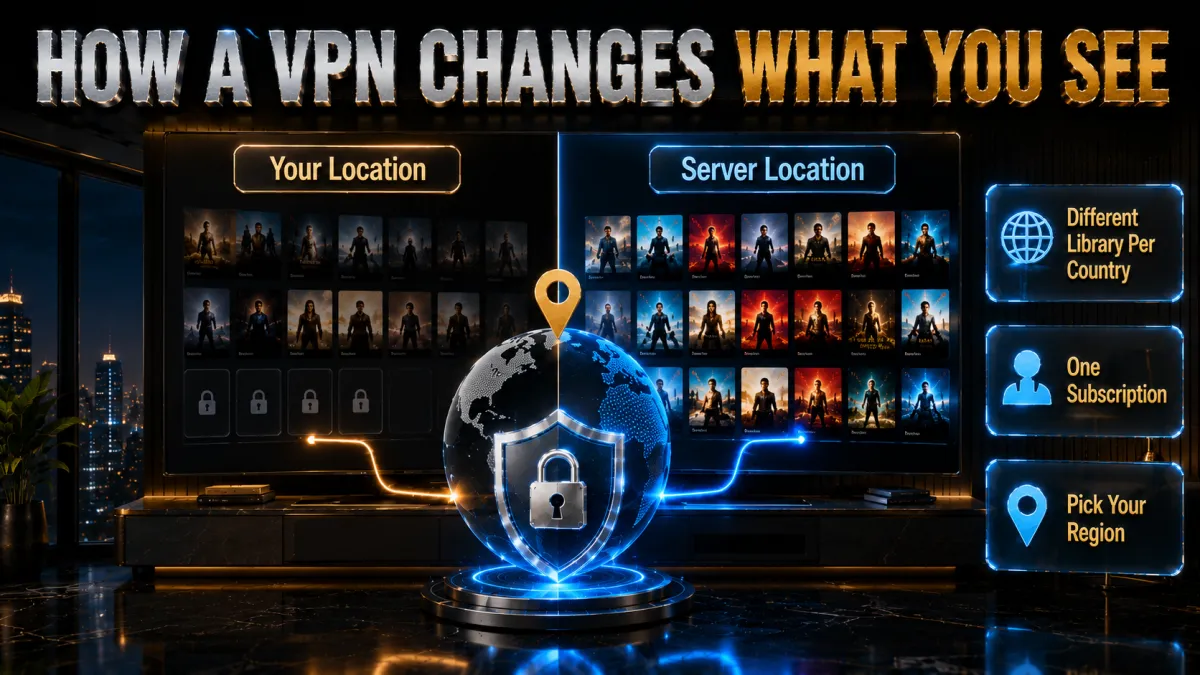
One mechanism, cleanly understood, explains every success and failure you will have.
- Netflix locates you by IP address. Your connection’s address maps to a country, and the app serves that country’s library. There is no separate region setting to change; the address is the setting.
- A VPN gives you an address elsewhere. Connect to a server in another country and Netflix sees that server’s address instead of yours, serving that country’s catalogue: your home library from abroad, or another country’s shelf from your sofa.
- Everything else stays the same. Your account, plan, profile, and watch history follow you; only the available titles change with the apparent country. Billing continues in your original currency and plan.
- The catch is that Netflix fights back. It maintains lists of addresses known to belong to VPN datacentres and blocks streaming from them, which is the entire next section and the real reason VPN choice matters here more than almost anywhere.
The proxy-detected error, explained properly
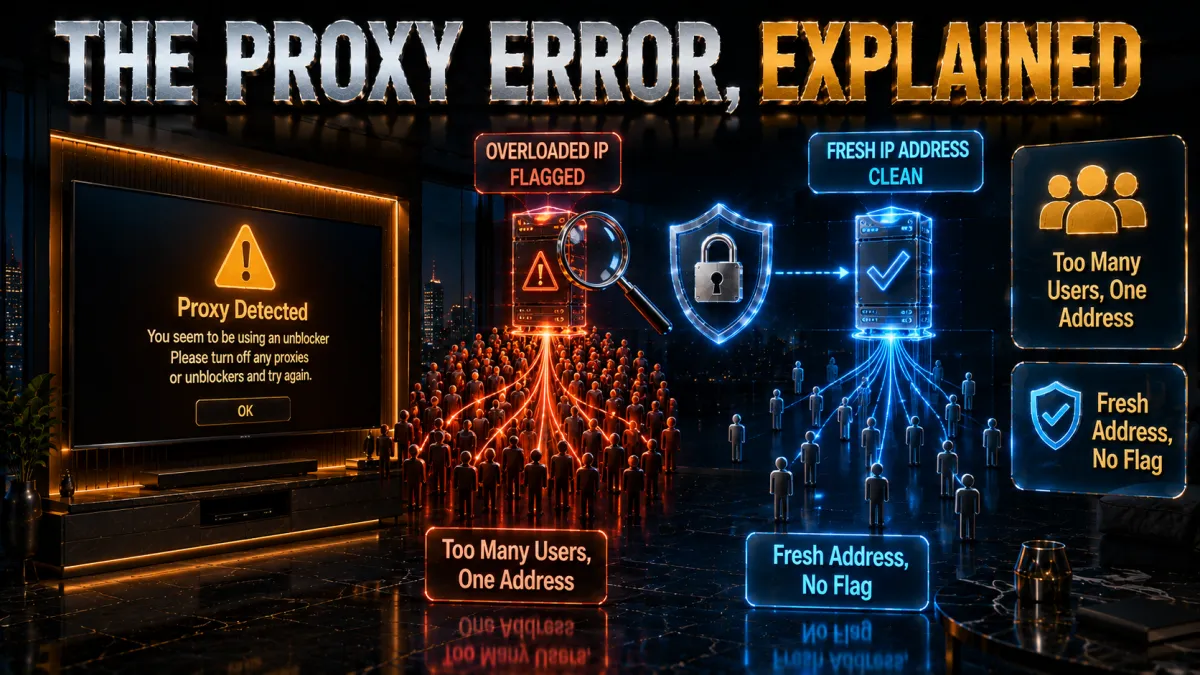
The dreaded message about unblockers and proxies is not a mystery; it is a specific, beatable mechanism.
What the message actually says. The exact wording Netflix shows is: You seem to be using an unblocker or proxy. Please turn off any of these services and try again. On some devices it appears with the error code M7111-5059, and on others it is shortened to a streaming error with no explanation at all. All of these mean the same thing, and none of them mean your account is in trouble. Netflix has simply recognised the address you are connecting from as belonging to a data centre rather than a home.
This is also why people search for how to get Netflix unblocked and find contradictory answers. The fix is rarely to change provider. It is almost always to move to a different server on the provider you already have, because it is the individual address that has been flagged, not the service.
- Netflix blacklists known VPN addresses. Datacentre IP ranges and addresses seen carrying thousands of simultaneous users get flagged as VPN infrastructure, and streams from them get the error screen instead of the show.
- It is an arms race, and pace decides winners. Providers respond by rotating in fresh addresses faster than Netflix catalogues them. The five picks below invest in exactly this churn; cheap and free VPNs cannot afford it, which is why they show the error almost permanently.
- The error is about the address, not you. Nothing is wrong with your account or setup. The specific server you connected through got flagged, and the fix is almost always switching to a different server in the same country.
- Residential-looking exits and smart rotation help. The best providers manage pools that look less like datacentres to detection systems, which is why their success rates stay high even as Netflix’s detection improves.
Netflix’s rules: the honest picture

This section exists because pretending the rules do not exist would make the rest of the guide dishonest.
- The terms of service address this directly. Netflix’s terms say you may view content primarily within the country where you established your account and that Netflix may use technologies to verify your location. Region-shifting with a VPN sits against that language.
- Enforcement, in practice, is technical. Netflix’s visible response is the proxy error: it blocks the stream from flagged addresses. Account suspensions for VPN use are not the observed pattern; losing the stream until you switch servers is.
- Using a VPN with Netflix is not illegal. This is a contract-terms question between you and a streaming service, not a legal one, in most of the world. The distinction matters: the worst realistic outcome is inconvenience, not trouble.
- Travelling with your own library is the softest case. Accessing the home catalogue you already pay for while abroad is the use case closest to the spirit of your subscription, and the one this guide is happiest to help with. Whatever your case, you now have the full picture, which is the point.
What actually makes a Netflix VPN in 2026
Measured against the mechanics above, these are the features that decide success, in order.
- IP pool freshness above everything. A provider that rotates addresses faster than Netflix catalogues them wins; one that does not shows the proxy error. This is invisible on spec sheets and decisive in practice, and it is what the rankings below weigh heaviest.
- Speed for 4K. Ultra HD wants a solid, sustained connection. Modern protocols on nearby servers deliver it easily; congested servers and old protocols buffer.
- Wide country coverage. More countries with working servers means more libraries reachable and more fallback options when one exit gets flagged.
- Smart DNS for devices that cannot run VPN apps. Some TVs and consoles cannot install a VPN; a provider’s smart DNS service shifts their apparent region at router-free simplicity, a genuinely useful extra.
- Simultaneous device headroom. Streaming households run the TV, two phones, and a tablet at once; unlimited-device plans remove the arithmetic.
Getting it working on every screen
The VPN-plus-Netflix combination behaves differently by device, and knowing the map saves an evening.
- Phones, tablets, laptops: trivial. Install the VPN app, connect to the target country, open Netflix. If the app was already open, force-close and reopen it so it re-reads your location.
- Smart TVs and streaming sticks: two good routes. Fire TV and Android TV run native VPN apps from their app stores, the cleanest path. For TVs without VPN support, the provider’s smart DNS feature changes the TV’s apparent region without any app.
- The router route covers everything at once. A VPN configured on a compatible router puts every device in the house behind the chosen country, TVs and consoles included. More setup once, zero setup afterwards.
- Consoles: smart DNS or router. PlayStation and Xbox do not run VPN apps, so the smart DNS and router routes above are the answers there.
How to choose for how you stream
All five picks pass the basic test; match one to your streaming life.
- Maximum reliability across many libraries? NordVPN’s pool freshness and coverage make it the least-friction daily choice.
- Simplest possible experience plus smart DNS? ExpressVPN’s MediaStreamer and one-button apps suit TV-heavy households that hate settings.
- Family streaming on a budget? Surfshark’s unlimited devices at the lowest price wins the household arithmetic outright.
- Want purpose-labelled streaming servers? CyberGhost lists servers optimised per platform and backs the choice with a 45-day window.
- Speed for 4K on many devices? IPVanish delivers sustained throughput and unlimited connections at a fair price, with honest caveats below.
The 5 best VPNs for Netflix in 2026
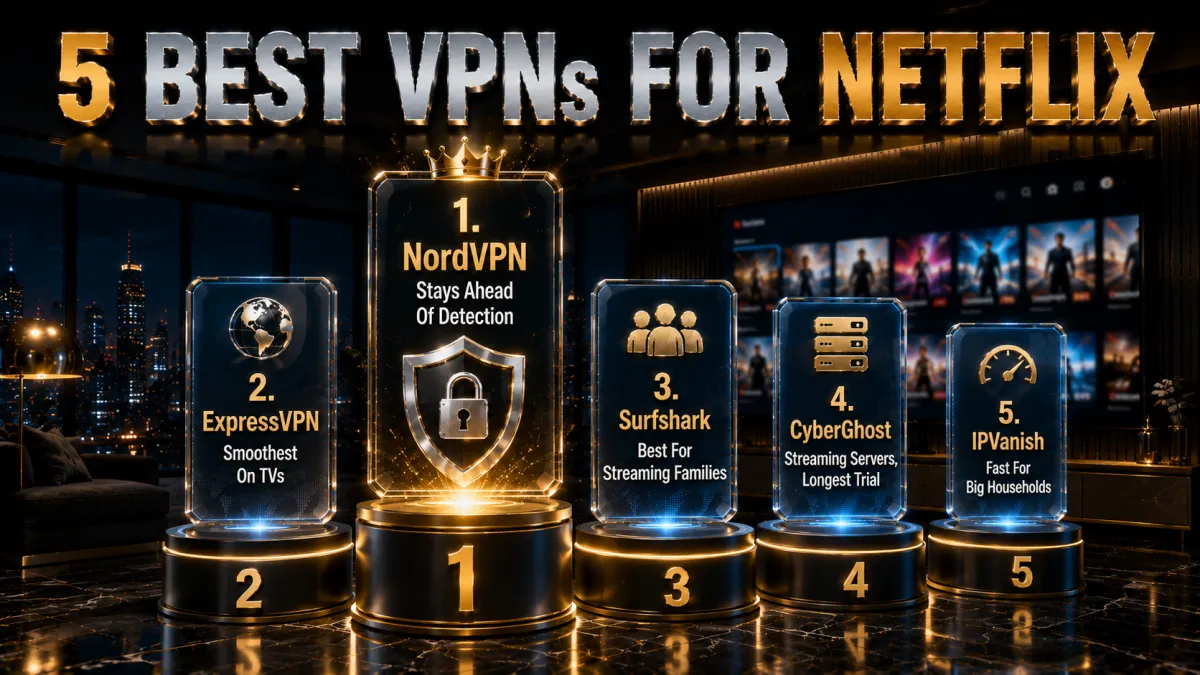
Ranked for the metric that decides everything here: how consistently each provider stays ahead of Netflix’s proxy detection, then 4K speed, coverage, device support, and value.
1. NordVPN – Most reliable Netflix unblocking
NordVPN earns the top spot on the one metric that matters most here: its address pools rotate fast enough that the proxy error stays rare, and when a server does get flagged, the next one over works. Across a large spread of country libraries, it is the pick that most consistently just plays the show.
NordLynx keeps 4K smooth on nearby servers, native apps cover Fire TV and Android TV, and SmartDNS handles the TVs and consoles that cannot run apps. The audited no-logs backbone that leads our privacy rankings carries over unchanged; for streaming it simply means the fast tool is also the trustworthy one.
✔ Pros
- Most consistent past Netflix’s proxy detection
- 4K without buffering on NordLynx
- Native Fire TV and Android TV apps plus SmartDNS
- Wide country coverage for many libraries
- Audited no-logs foundation
✘ Cons
- Best price needs a longer plan
- Occasional server switch still required, as with any VPN
| Smart DNS | SmartDNS included |
| TV apps | Fire TV, Android TV, Apple TV |
| Countries | 110+ |
| Devices | 10 |
| Money-back | 30 days |
2. ExpressVPN – Smoothest on TVs and travel
ExpressVPN is the pick for households where the TV is the main screen and nobody wants settings: its MediaStreamer smart DNS shifts any TV or console’s apparent region without an app, its own apps are the simplest here, and its unblocking success stays consistently high across major libraries.
Travellers get the bonus of its famous connection reliability on hotel Wi-Fi, so the home library follows you abroad without drama. The familiar costs apply: the highest price of the five and an eight-device cap, fair prices for the smoothest overall experience.
✔ Pros
- MediaStreamer covers app-less TVs and consoles
- Simplest apps of the five
- Consistently high unblocking success
- Excellent reliability on travel Wi-Fi
- RAM-only, audited privacy backbone
✘ Cons
- Most expensive of the five
- 8-device cap is the tightest here
| Smart DNS | MediaStreamer included |
| TV apps | Fire TV, Android TV, Apple TV |
| Countries | 100+ |
| Devices | 8 |
| Money-back | 30 days |
3. Surfshark – Best value for streaming families
Surfshark wins the family arithmetic: unlimited simultaneous devices at the lowest long-term price of the five means the living-room TV, both kids’ tablets, and every phone stream on one subscription. Its unblocking success across major libraries is strong, and its own smart DNS covers app-less screens.
Placed honestly: its address pools refresh a half-step behind the top two, so the occasional server switch is slightly more common, and peak-hour speeds trail slightly. For most households the price difference settles the argument comfortably.
✔ Pros
- Lowest long-term price of the five
- Unlimited simultaneous devices
- Smart DNS for app-less TVs
- Strong unblocking across major libraries
- Audited no-logs policy
✘ Cons
- Slightly more server-switching than the top two
- Peak-hour speeds a step behind
| Smart DNS | Included |
| TV apps | Fire TV, Android TV, Apple TV |
| Countries | 100 |
| Devices | Unlimited |
| Money-back | 30 days |
4. CyberGhost – Streaming-labelled servers, longest trial
CyberGhost takes the guesswork out for beginners with servers explicitly labelled for streaming platforms per country: pick the one named for the library you want and press connect. The huge server network keeps nearby options plentiful, and the 45-day money-back guarantee, longest of the five, funds a genuine six-week trial with your actual viewing habits.
The honest placement: its unblocking consistency is good rather than leading, so flagged servers appear somewhat more often than on the top picks, and its speeds suit HD comfortably with 4K depending on server choice. As a friendly, refundable entry into streaming VPNs, it is exactly right.
✔ Pros
- Servers labelled per streaming platform
- 45-day refund, longest here
- Simplest interface for beginners
- Huge server network
- Audited no-logs with transparency reports
✘ Cons
- Unblocking consistency behind the top two
- 4K depends on server choice
| Smart DNS | Included |
| TV apps | Fire TV, Android TV |
| Countries | 100 |
| Devices | 7 |
| Money-back | 45 days |
5. IPVanish – Fast and unlimited for big households
IPVanish brings brisk sustained speeds and unlimited simultaneous connections at a fair price, which keeps 4K smooth and every device in a big household covered. Where its servers pass detection, streaming is fast and pleasant.
Fifth place reflects streaming specifics: its country list is the smallest of the five, limiting which libraries are reachable, and its address pools refresh more slowly, so the proxy error and server-switching visits come more often than on the picks above. For speed-focused households mainly streaming one or two major libraries, it remains fair value.
✔ Pros
- Fast sustained speeds for 4K
- Unlimited simultaneous connections
- Fair pricing
- Simple apps on every platform
- Fire TV app available
✘ Cons
- Smallest country list of the five
- More frequent proxy errors than the leaders
| Smart DNS | No |
| TV apps | Fire TV, Android TV |
| Countries | 50+ |
| Devices | Unlimited |
| Money-back | 30 days |
| Feature | NordVPN | ExpressVPN | Surfshark | CyberGhost | IPVanish |
|---|---|---|---|---|---|
| Unblocking consistency | Excellent | Excellent | Strong | Good | Fair |
| Smart DNS | Yes | MediaStreamer | Yes | Yes | No |
| 4K capability | Excellent | Excellent | Strong | Server-dependent | Excellent |
| Countries | 110+ | 100+ | 100 | 100 | 50+ |
| Devices | 10 | 8 | Unlimited | 7 | Unlimited |
| Money-back | 30 days | 30 days | 30 days | 45 days | 30 days |
Setting it up, step by step

Five minutes from subscription to stream, in the order that avoids the common snags.
- Install the VPN on the device you watch on. Official app store or provider website only. For TVs, install the native app on Fire TV or Android TV, or note the smart DNS route for app-less screens.
- Sign in and pick the target country. Choose a server in the country whose library you want: your home country while travelling, or the library holding the show you are after.
- Force-close Netflix and reopen it. The app caches your location, so a fresh start makes it re-read the new address. On browsers, a hard refresh or a private window does the same.
- Confirm the library switched. Search a title you know lives in the target country. If it appears, you are done; if the proxy error appears instead, switch to another server in the same country and reopen the app.
- Save the working server as a favourite. When a server works, favourite it: consistency beats roulette, and next movie night starts in one tap.
- For TVs without apps, set up smart DNS once. Register your home connection in the provider dashboard, point the TV’s DNS at the given addresses, and the region shifts with no app at all.
Fixing the proxy error when it appears
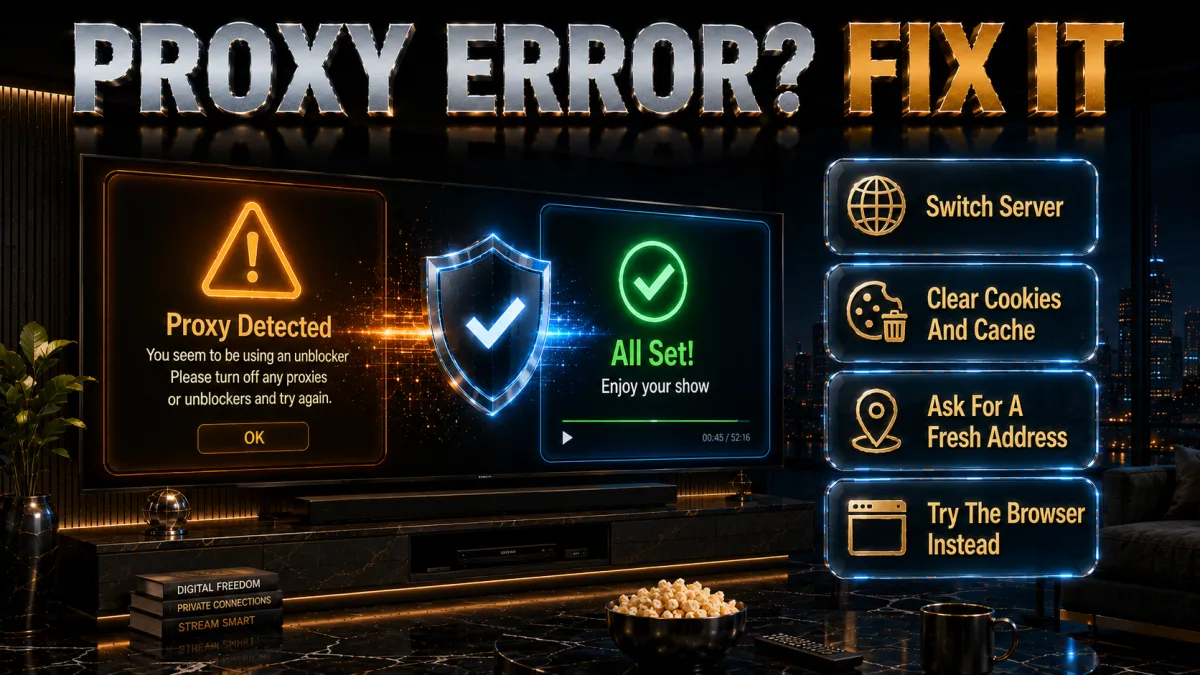
Even with a top pick, the error visits occasionally. This ladder resolves it in minutes.
- Switch servers first, always. The error means that specific address got flagged, nothing more. Another server in the same country resolves the majority of cases immediately.
- Force-close and clear the app’s grip. Reopen Netflix after switching; on browsers, clear the Netflix cookies or use a private window so a cached location token stops contradicting your new address.
- Check for leaks pointing home. If every server fails, your real location may be leaking via DNS or IPv6. Run the provider’s leak test page; enable the app’s leak protection and IPv6 handling if anything shows through.
- Disable smart DNS conflicts. A TV set to smart DNS for one country while the VPN app points at another confuses everything. Run one method per device at a time.
- Update the app and ask support which servers work. Providers push fresh addresses in updates, and live-chat support for the top picks will name currently working servers for a given library on request, a genuinely useful shortcut.
Getting 4K without buffering

The proxy battle gets the attention, but picture quality is won with three simple habits.
- Distance costs bitrate. A server one country over delivers a steadier stream than one across an ocean. When you have library options, prefer the geographically closer one for the same content.
- Modern protocols carry Ultra HD easily. WireGuard-based options like NordLynx leave more than enough headroom on a decent connection. If quality drops, the congested server, not the protocol, is the usual culprit: switch and retest.
- Wired and 5GHz beat crowded 2.4GHz. The last few metres matter for 4K: ethernet to the TV or the 5GHz band removes the flutter that shows up as resolution dips during action scenes.
- Let it settle. Netflix ramps quality over the first minute as it measures the connection. A soft start that sharpens is normal; persistent softness means switch servers.
Common mistakes that keep the error on screen
Nearly every stubborn case in this topic is one of these five.
- Judging a VPN by one flagged server. Every provider has flagged addresses at any moment; the difference is how many alternatives work. Try three servers before concluding anything.
- Leaving the Netflix app open across the switch. The cached location wins until the app restarts. Force-close, reopen, then judge.
- Running free VPNs and expecting otherwise. Free services’ addresses are the first and most permanently flagged on the internet. The free-VPN section below explains why this cannot really be fixed.
- Mixing smart DNS and VPN on the same device. Two location methods fight; the loser is your evening. One method per device.
- Forgetting billing stays home. Shifting libraries does not shift your plan, price, or currency; if a title needs a higher tier for 4K, that is your plan setting, not the VPN.
Free VPNs and Netflix: the shortest section
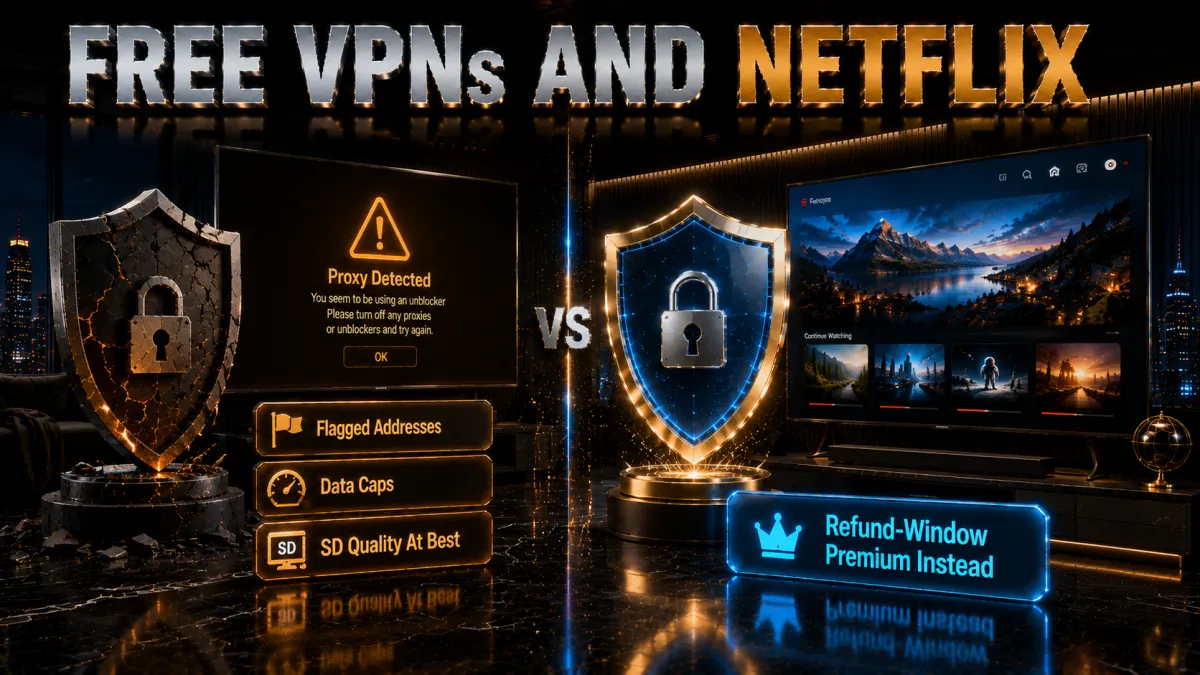
This pairing fails structurally, and it is kinder to say so plainly.
- Free addresses are permanently flagged. Netflix catalogued the major free services’ small, static address pools long ago, and without revenue there is no budget for the constant rotation that beats detection. The proxy error is effectively the product.
- Caps break episodes, let alone seasons. Free-tier data limits die inside one HD film, and throttled speeds buffer standard definition. Streaming is the exact workload free tiers cannot carry.
- The privacy trade runs backwards. Free services historically monetise by logging traffic, which is a strange thing to bolt onto your family’s viewing.
- The honest free route. Every pick above refunds within 30 to 45 days: a full month of premium streaming at zero net cost, decided at the end. That is the free trial worth having.
Related reading:
Frequently Asked Questions
Why does Netflix show different content in different countries?
Licensing: studios sell streaming rights territory by territory, so Netflix holds a title’s rights in some countries while other broadcasters hold them elsewhere. Netflix originals appear nearly everywhere; the licensed catalogue fractures by border, and your apparent IP location decides which shelf you see.
Which VPN works best with Netflix in 2026?
NordVPN is the most consistent: its address pools rotate fast enough to stay ahead of proxy detection, it streams 4K smoothly, and SmartDNS covers app-less TVs. ExpressVPN is the smoothest for TV-first households via MediaStreamer, and Surfshark wins family value with unlimited devices.
Is using a VPN with Netflix illegal?
No, in most of the world it is not a legal matter at all; it is a terms-of-service question between you and Netflix. The terms say viewing is meant for your account’s country and Netflix may verify location; the practical enforcement is the proxy error blocking the stream, not legal or account action against viewers.
Will Netflix ban my account for using a VPN?
Account bans for VPN viewing are not the observed pattern; the enforcement you will actually meet is technical, the proxy error on flagged servers, resolved by switching servers. That said, the terms permit Netflix to act, so the honest framing is: realistic risk is inconvenience, and the rules are what they are.
Why do I get the proxy error even with a paid VPN?
The specific server you connected through is on Netflix’s flagged list; it happens to every provider occasionally. Switch to another server in the same country, force-close and reopen Netflix, and clear cookies in browsers. If every server fails, run a leak test: DNS or IPv6 may be revealing your real location.
Can I watch my home Netflix while travelling abroad?
Yes, and it is the gentlest use case: connect to a server in your home country and your familiar library returns, account and watch history intact. Force-close the app after connecting so it re-reads the location, and favourite the working server for the rest of the trip.
How do I use a VPN with Netflix on a smart TV?
Fire TV and Android TV install the provider’s native app directly. TVs without VPN support use smart DNS: register in the provider dashboard, point the TV’s DNS settings at the given addresses, and the apparent region shifts with no app. A VPN-configured router is the third route, covering every device at once.
Does a VPN slow down Netflix streaming?
Slightly, and imperceptibly on a good setup: modern protocols on a nearby server leave ample headroom for 4K. Buffering almost always traces to a congested server or weak Wi-Fi on the last few metres rather than the tunnel; switching servers and using 5GHz or ethernet fixes most complaints.
What is smart DNS and how is it different from a VPN?
Smart DNS reroutes only the location-lookup part of your traffic, shifting your apparent region without encrypting anything, which makes it ideal for TVs and consoles that cannot run VPN apps and keeps full native speed. It provides no privacy protection; the VPN app remains the right tool on phones and laptops.
Why did a show disappear from my Netflix library?
Its licence in your country expired or moved to another service; this is the licensing churn that reshuffles catalogues monthly. The title may still stream in another country’s library, which a VPN can reach, or it may have moved platforms entirely in your region.
Do free VPNs work with Netflix?
Effectively no: free services’ small static address pools were flagged long ago, and without revenue they cannot fund the constant address rotation that beats detection. Add data caps that die inside one film and the pairing fails structurally. Use a reputable provider’s 30 to 45 day refund window instead.
Can I use one VPN account for Netflix on all my family’s devices?
Yes: Surfshark and IPVanish allow unlimited simultaneous connections, NordVPN covers ten and ExpressVPN eight, and a VPN-configured router counts as a single connection while covering the whole house. Netflix’s own simultaneous-streams limit from your plan tier still applies as normal.
Does this work the same for other streaming services?
The mechanics are identical across major platforms: libraries follow licensing, your IP decides your region, and flagged addresses get blocked, so the same five picks and the same server-switching fixes apply broadly. Each platform tunes its detection differently, which is why a server can work for one service and fail for another; CyberGhost’s platform-labelled servers exist for exactly that reason.
What does the Netflix message about an unblocker or proxy mean?
It means Netflix has recognised the address you are connecting from as belonging to a data centre rather than a home broadband line, so it will not play the stream. The full wording is that you seem to be using an unblocker or proxy, sometimes shown with the code M7111-5059. It is not a warning about your account and nothing has been suspended. Switch to a different server with the same provider and reload, which resolves it most of the time.
How do I get Netflix unblocked if the error keeps coming back?
Work through it in order. Change to another server in the country you want, since one flagged address is the usual cause. Clear the browser cookies or the app cache so the previous location is not remembered. Disable IPv6 if your provider offers that setting. Restart the app rather than just reloading the page. If the same provider fails on every server for a given country, that is the point at which the provider itself is the problem.
The Bottom Line
Netflix unblocking in 2026 is a solved problem with the right tool and an unsolvable one with the wrong tool, because the whole contest is address freshness against Netflix’s detection, fought monthly, invisibly, in the provider’s infrastructure budget. Understand the three mechanics, libraries follow licensing, your IP decides your library, flagged servers throw the proxy error, and every fix in this guide becomes obvious: switch servers, restart the app, keep one location method per device, and favourite what works. And keep the honest frame: this sits against Netflix’s terms with enforcement that is, in practice, a blocked stream rather than anything worse, with travelling on your own library the softest case of all.
The five picks in one line each:
- NordVPN is the most consistent unblocking with 4K speed and SmartDNS, the least-friction daily choice.
- ExpressVPN is the TV-and-travel pick: MediaStreamer for app-less screens and the simplest apps.
- Surfshark wins family value with unlimited devices at the lowest price.
- CyberGhost offers platform-labelled streaming servers and a 45-day trial window.
- IPVanish is the fast unlimited-device option for households on major libraries.
Pick one, run it through its refund window on your actual viewing routine, save the servers that work, and the whole topic shrinks back to what it should be: pressing play.
Jyoti VPN Expert leads VPN testing at VPN Expert Guide, covering streaming and regional access, speed and latency testing, and leak checks on Windows, Android and router-level setups. Our guides are built from vendor documentation, provider terms and our own connection testing on a residential line in India, and we publish those measurements in full so readers can check them. Every guide is reviewed before publication and dated so you can see how current it is.
Meet our testing team →Last updated: September 2, 2026