
Best VPN for Bloggers & Remote Workers in 2026: Work From Anywhere, Safely
Bloggers and remote workers share a network reality most guides ignore: your office is whatever WiFi happens to exist where you sat down, and your livelihood flows through it daily. A VPN turns every borrowed network into a mere carrier, and adds a genuine work tool: seeing your content and ads exactly as readers abroad see them. This guide covers the threats that matter for location-independent work, the features worth paying for, and the five services we recommend.
Why bloggers and remote workers specifically need a VPN

The occupational exposure, named honestly.
- Your office network is a stranger’s network. Cafe, co-working, hotel, and airport WiFi operators, plus everyone else connected, sit in the path of unencrypted traffic, and remote work means living in that path daily. The tunnel is the difference between working in public and working in the open.
- Your logins are your business. CMS admin panels, hosting dashboards, ad accounts, affiliate networks, client portals, banking: a remote career is a keyring of valuable credentials used from untrusted places. Encrypting the transport is the floor, per our public-WiFi guidance, with 2FA covering the rest.
- Client data carries duty. Freelancers and remote employees handle files whose confidentiality clients assume, and stating that transfers ride encrypted tunnels is a professional answer, not paranoia. The client-confidentiality section turns this into practice.
- Bloggers have a second, legitimate use. Checking how posts, SERPs, prices, and ads render in other countries is daily editorial work, and region-switching makes it a two-click task. The geo section covers the workflows.
- Income continuity rides on account health. Platforms flag improbable location jumps, and travellers trip those flags constantly; stable virtual location keeps ad, affiliate, and payment accounts calm, per the standing banking-guide logic. Fewer flags, fewer frozen payouts mid-trip.
VPN types compared for remote work

Which shape of VPN fits which working life.
- Consumer VPN services: the default answer. The apps this guide reviews encrypt everything from each device to audited servers worldwide, fitting freelancers, bloggers, and most remote employees. All five picks are this type, chosen for exactly this life.
- Corporate VPNs: the employer’s tunnel. Company-issued VPNs connect you to the office network under IT’s policies and IT’s visibility, protecting company access rather than your general traffic. Many remote employees sensibly run both: corporate tunnel for work systems, personal VPN for everything else.
- Self-hosted servers: control with caveats. Running your own VPN on a rented server gives you the endpoint but a fixed location, no obfuscation, and an IP that is yours alone, weaker for privacy and hopeless for the geo workflows bloggers want. A project for hobbyists, not a recommendation for professionals.
- Browser proxies and extensions: not VPNs. Extensions move browser traffic only, leaving every other app exposed, per our proxy-versus-VPN guide. Fine for a quick render check, unfit as the daily shield.
- The verdict for this audience. A consumer service from the picks below, plus the corporate tunnel if your employer issues one, covers the remote-work case completely. Everything else is either a subset or a side quest.
The VPN features that matter for bloggers and remote workers

The shortlist this working life actually tests.
- Speed that carries video calls. Meetings are the remote worker’s heartbeat, and calls need low latency more than raw throughput, which nearby servers on modern protocols deliver. The speed section turns this into a testing routine.
- A kill switch you never think about. Hopping between networks all day multiplies reconnection moments, each one a potential leak without the switch, per our kill-switch guidance. Set once on every device, forgotten thereafter.
- Server spread matching your markets. Bloggers need endpoints in the countries their readers live in; travellers need them along their routes. Check the map against your actual geography before subscribing, not after.
- Multi-device allowances for the gadget bag. Laptop, phone, tablet, spare phone: nomad kit adds up, and unlimited-device plans erase the counting. Surfshark and IPVanish own this column, per the table.
- Obfuscation for hostile hotel networks. Some networks recognise and slow VPN protocols; obfuscated modes exist for exactly those evenings. NordVPN, ExpressVPN, and Surfshark carry it, the travel section explains when it earns its keep.
- Audited no-logs, non-negotiable. Your entire professional traffic transits the provider; only independent audits justify that trust, the standing criterion across this site. Client work raises the bar, never lowers it.
Public WiFi workflows that keep you safe

The daily habits that make borrowed networks boring.
- Connect the tunnel before anything else. The VPN comes up before email, chat, or the CMS opens, making the order automatic rather than remembered. Auto-connect on untrusted WiFi, which every pick offers, removes even the remembering.
- Treat captive portals as the one exception. Hotel and cafe login pages must load before the tunnel can rise; open the portal, authenticate, then connect the VPN before real work begins. This thirty-second sequence is the whole art of hotel WiFi.
- Let the kill switch handle the gaps. Moving between networks drops tunnels; the switch turns each drop into silence instead of a burst of exposed traffic. This is precisely the feature’s designed moment.
- Prefer your phone’s hotspot for the sensitive hour. Banking, payroll, and client uploads ride better on your own cellular connection with the tunnel on top, the belt-and-braces pattern from our banking guide. Public WiFi earns the routine work; your hotspot earns the crown jewels.
- Verify with the leak suite when networks feel odd. A minute on our leak-check routine confirms the seal on any suspicious network. Trust is good; verification is a bookmark.
The digital nomad angle: working across borders

What changes when the office changes countries.
- Account stability becomes the main event. Payment processors, ad networks, and banks dislike week-to-week country hops; a consistent home-country server keeps those logins presenting from one place, per the banking guide. This single habit prevents most frozen-account emergencies abroad.
- Hotel and airport networks are the hostile tier. Aggressive middleboxes, ancient routers, and VPN-throttling policies concentrate in hospitality WiFi, which is where ExpressVPN’s automatic obfuscation and TCP-443 fallbacks earn their premium. The traveller’s pick is chosen by its worst-network behaviour.
- Local laws travel with the ground, not the tunnel. VPN legality and content rules vary by country, and the tunnel changes visibility, never legality, this site’s most repeated line. Check the local picture for each base; our country guides cover the majors.
- Download the region’s server list before flying. Landing with the app installed, logged in, and the destination’s nearest servers favourited means the airport WiFi meets a ready tunnel. Preparation is a five-minute gate-lounge task.
- Time-zone your speed expectations. Evening congestion follows local clocks; the nomad testing hour moves with you. The three-server evening test from the speed section re-runs in each new base.
Geo-testing for bloggers: seeing your work as readers see it

The legitimate editorial workflows region-switching unlocks.
- Render checks across markets. Connect to a reader country, load your post, and see the ads, prices, embeds, and consent banners that audience actually gets. Layout surprises and broken embeds show up in minutes instead of in comments.
- Search-result sanity checks. Rankings differ by country, and a quick look from a target market shows how your content actually surfaces there. Treat it as orientation rather than precise rank tracking, which dedicated tools do better.
- Ad and affiliate verification. Seeing which ad creatives and affiliate offers serve in each market catches broken campaigns and mismatched offers early. For monetised blogs this check pays for the subscription by itself.
- Price and availability research. Product prices, catalogue availability, and platform features vary by region, and honest comparison content requires seeing each version. Two clicks per market beats guessing.
- The honesty note for this section. Some platforms’ terms restrict region-switching even for research; the mechanics work as described, and the terms print rides along as everywhere on this site. Editorial checking of your own properties is the clean core of the use case.
How to choose the ideal VPN for your remote setup
Match the pick to your working shape.
- Count your devices and gadgets first. The nomad bag’s full inventory decides whether capped plans fit or unlimited plans win. This one number sorts the table immediately.
- Map servers to your geography. Reader markets for bloggers, travel routes for nomads, home country for account stability: the provider’s map must cover yours. Check before paying; the maps are public.
- Weight worst-network behaviour if you travel. The VPN that shines on home fibre and dies on hotel WiFi fails the nomad test; obfuscation and TCP fallbacks are the tell. Frequent travellers should read the ExpressVPN card first.
- Let audits break ties. Between similar options, deeper independent verification wins, because your whole professional life transits the choice. Marketing adjectives are not evidence.
- Trial inside your real week. Refund windows of 30 to 45 days cover real calls, real uploads, and real cafes; the trial that mirrors your routine is the only review that binds. The deadline in your calendar forces the decision.
The 5 best VPNs for bloggers and remote workers in 2026
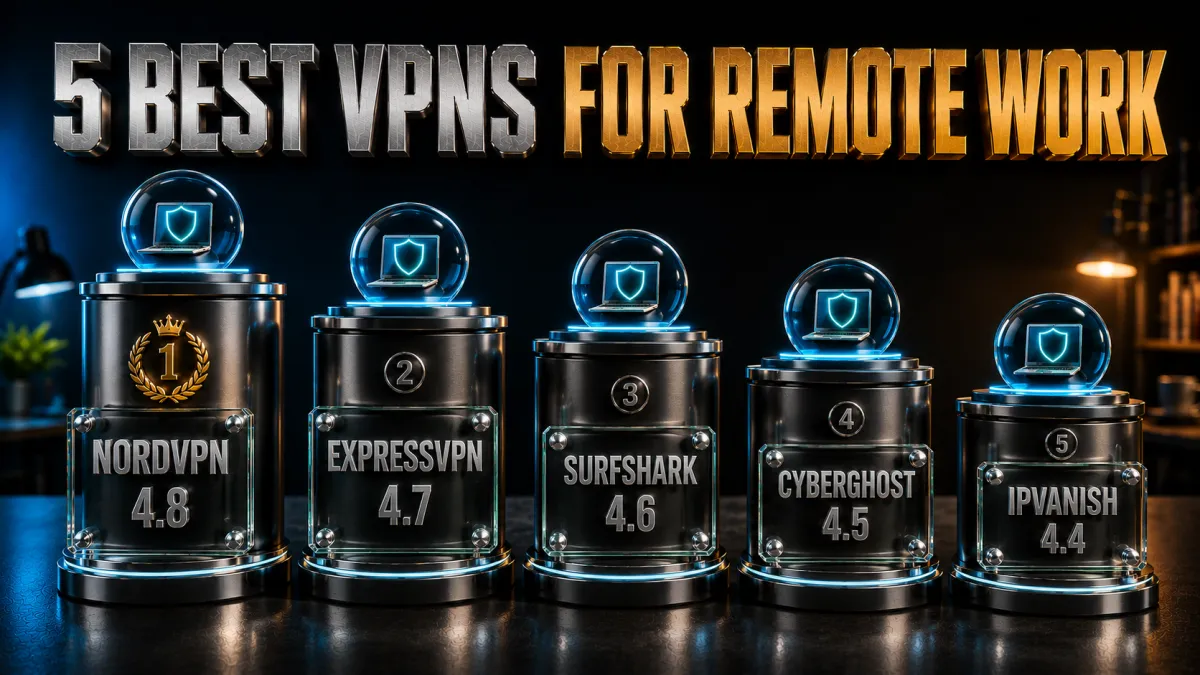
Ranked for call-grade speed, travel resilience, device math, and audited trust.
1. NordVPN – Best overall for remote work
NordVPN hits the remote-work trifecta: NordLynx latency low enough that video calls forget the tunnel exists, multiple independent no-logs audits worthy of client data, and a server map broad enough for any blogger’s market checks. Obfuscated servers cover the hostile-hotel evenings, and Threat Protection filters the sketchy links that fill freelance inboxes.
Ten devices handles most kits; heavy gadget bags should read the Surfshark card.
✔ Pros
- Low-latency speed for daily calls
- Multiple independent no-logs audits
- Broad server map for geo-testing
- Obfuscated servers for travel
- 30-day refund window
✘ Cons
- 10-device cap for heavy gadget bags
- Best price needs a longer plan
| Call quality | Excellent, NordLynx |
| Obfuscation | Yes, dedicated servers |
| Audited no-logs | Yes, multiple audits |
| Jurisdiction | Panama |
| Devices | 10 |
| Money-back | 30 days |
2. ExpressVPN – The traveller’s workhorse
ExpressVPN is the pick whose value appears at check-in: hotel, airport, and conference WiFi that throttles other VPNs gets handled by automatic obfuscation with nothing to configure, and Lightway reconnects through network hops before you notice. RAM-only audited infrastructure carries client-data trust.
The premium price and eight-device cap are the standing trade; frequent travellers pay it gladly.
✔ Pros
- Best hostile-network behaviour here
- Instant Lightway reconnects between networks
- RAM-only audited infrastructure
- Simplest apps of the five
- 30-day refund window
✘ Cons
- Most expensive of the five
- 8-device cap is the tightest here
| Call quality | Excellent, Lightway |
| Obfuscation | Yes, automatic |
| Audited no-logs | Yes, audited |
| Jurisdiction | British Virgin Islands |
| Devices | 8 |
| Money-back | 30 days |
3. Surfshark – Every gadget, one cheap plan
Surfshark erases device counting: laptop, phone, tablet, backup phone, travel router, all on one subscription at the lowest long-term price here, with Camouflage obfuscation for rough networks and an audited no-logs policy underneath. For gadget-heavy nomads and side-hustle bloggers, the value is untouchable.
Speeds sit a step behind the top two, the honest placement, comfortably sufficient for calls and uploads.
✔ Pros
- Unlimited simultaneous devices
- Lowest long-term price of the five
- Camouflage mode for rough networks
- Audited no-logs policy
- 30-day refund window
✘ Cons
- Speeds a step behind the top two
- Netherlands base, inside the EU
| Call quality | Very good, WireGuard |
| Obfuscation | Yes, Camouflage mode |
| Audited no-logs | Yes, audited |
| Jurisdiction | Netherlands |
| Devices | Unlimited |
| Money-back | 30 days |
4. CyberGhost – Six weeks to prove the idea
CyberGhost’s 45-day money-back guarantee spans a proper stretch of real working weeks, cafes, calls, and one trip included, before any money sticks, in the friendliest apps of the five. The huge network covers geo-testing maps generously, and audited no-logs plus transparency reports hold the trust floor.
Honest limit: no dedicated obfuscation mode, so hostile-hotel specialists should look one card up.
✔ Pros
- 45-day refund, longest trial here
- Friendliest apps of the five
- Huge server network for geo checks
- Audited no-logs, transparency reports
- OpenVPN TCP fallback available
✘ Cons
- No dedicated obfuscation mode
- Speeds good rather than leading
| Call quality | Good, WireGuard |
| Obfuscation | No dedicated mode |
| Audited no-logs | Yes, audited |
| Jurisdiction | Romania |
| Devices | 7 |
| Money-back | 45 days |
5. IPVanish – Budget speed for many devices
IPVanish delivers brisk WireGuard speeds and unlimited connections at a fair price, a solid fit for budget setups with many devices, and the Scramble option on OpenVPN covers moderately hostile networks.
The standing honesty: lighter server spread than the four above for wide geo-testing, US jurisdiction, and a lighter independent-audit history, which is why it anchors the list.
✔ Pros
- Brisk WireGuard speeds
- Unlimited simultaneous connections
- Fair pricing
- Scramble option on OpenVPN
- 30-day refund window
✘ Cons
- Lighter spread for geo-testing
- US jurisdiction, lighter audit history
| Call quality | Very good, WireGuard |
| Obfuscation | Scramble option |
| Audited no-logs | Policy in place, lighter audit history |
| Jurisdiction | United States |
| Devices | Unlimited |
| Money-back | 30 days |
| Feature | NordVPN | ExpressVPN | Surfshark | CyberGhost | IPVanish |
|---|---|---|---|---|---|
| Call-grade speed | Leading | Very strong | Solid | Good | Brisk |
| Travel resilience | Strong | Best here | Strong | Basic | Moderate |
| Obfuscation | Dedicated servers | Automatic | Camouflage | None dedicated | Scramble |
| Audited no-logs | Multiple audits | Audited | Audited | Audited | Lighter history |
| Devices | 10 | 8 | Unlimited | 7 | Unlimited |
| Money-back | 30 days | 30 days | 30 days | 45 days | 30 days |
Setting up your remote-work VPN, step by step
From subscription to a proven daily habit in one sitting.
- Subscribe and calendar the refund deadline. The window is your evaluation lab, and the calendar note keeps the decision honest. Thirty to forty-five days covers plenty of real cafes and calls.
- Install on the whole kit from official sources. Laptop, phone, tablet, and the travel router if you run one, provider site or official stores only, per the standing security rule. The device you skip is the device that leaks.
- Enable the kill switch everywhere. Network-hopping days are reconnection days, and the switch turns every gap into silence, per our kill-switch guidance. Add always-on VPN on phones where offered.
- Turn on auto-connect for untrusted WiFi. The tunnel should rise before the first tab opens, without your memory involved. Every pick offers the setting; it is the habit, automated.
- Favourite your working servers. Home-country endpoint for accounts, nearest city for calls, reader markets for geo checks: three favourites cover a blogger’s whole routine. Ten seconds now, saved daily.
- Run the leak suite. Our leak-check guide’s IP, DNS, and WebRTC tests confirm the seal per device in a minute each. Verification beats assumption, especially before client work rides the tunnel.
- Work a real week, then decide. Real calls, real uploads, real cafe afternoons inside the window are the review; the refund clause absorbs a wrong pick. Keep notes, keep the winner.
Client-data confidentiality in practice

Turning the professional duty into simple routine.
- The tunnel is the transport floor. Client files, briefs, and credentials never cross borrowed networks unencrypted once the VPN-first habit holds, which is the baseline any client would expect if they thought to ask. Being able to say so plainly is worth contracts.
- Pair it with encrypted storage and sharing. The VPN protects data in motion; reputable cloud storage and password managers protect it at rest and at handoff. The three together are the freelancer’s whole confidentiality stack.
- Separate client work from personal browsing. A work browser profile behind the tunnel, distinct from personal life, keeps confidentiality conversations clean and cookies untangled. Discipline here costs nothing and reads as professionalism.
- 2FA on every client-adjacent account. The phished-password scenario is the one the tunnel cannot stop, per the honest-limits thread across this site. Two-factor turns that worst day into a non-event.
- Say what you do, briefly. One line in your onboarding doc, connections encrypted via VPN, storage encrypted, 2FA throughout, answers the security question before clients ask it. Small firms win trust with exactly this sentence.
Speed for remote work: calls, uploads, and the honest test
What performance actually means when meetings are the workload.
- Latency rules video calls. Meetings care about round-trip time and jitter more than raw bandwidth, which is why the nearest quality server beats the fastest distant one. Distance is the dial; keep it short on call days.
- Throughput rules uploads. Publishing images, video, and backups leans on bandwidth, where modern protocols to nearby servers cost only a modest slice of line speed. Schedule heavy uploads off the tunnel-hostile hotel hours and life stays smooth.
- The evening test is the real review. Congestion peaks when everyone works and streams at once, so test your shortlist at your actual busiest hour on your actual networks. Per the standing advice: the 3 a.m. benchmark describes a product you will never use.
- Free tiers fail the meeting test first. Caps and throttled free servers turn calls into slideshows by design, per our free-VPN analysis. Refund windows make real services free to trial; there is no working-professional case for the free tier.
Mistakes bloggers and remote workers make with VPNs
The recurring errors, collected for skipping.
- Protecting the laptop and forgetting the phone. Half of remote work happens on mobile, often on the most public networks of the day. Every device in the bag gets the app, or the habit has a hole.
- Working before the tunnel is up. The first minutes on new WiFi are exactly when logins happen; auto-connect exists to close that gap. Set it once, per the setup steps.
- Judging a provider on one bad server. Load varies per endpoint; the three-server evening test is the fair trial. One slow server is a shrug, not a verdict.
- Country-hopping your money accounts. Payment and ad platforms flag improbable jumps; the stable home-country server habit keeps payouts boring, per the nomad section. Consistency is the underrated feature.
- Treating the VPN as full anonymity. Logged-in platforms know you through any tunnel, the standing identity distinction. The VPN moves your network location, not your accounts.
- Letting the refund window lapse unused. The trial only works if the deadline is in the calendar and the decision actually happens. Drift is the expensive default.
A daily VPN workflow that sticks
The routine that makes protection automatic.
- Morning: connect before the inbox. Tunnel up, then email, chat, and CMS, in that order, with auto-connect making the order automatic. The day starts sealed.
- Cafe arrivals: portal, then tunnel, then work. Authenticate the captive portal, raise the VPN, verify the icon, open the client files. Thirty seconds, every time, no exceptions worth making.
- Call hours: nearest server, kill switch on. Latency short, drops silent, meetings uneventful. Switch back to the home-country endpoint for the banking errand afterwards.
- Publishing sessions: geo-check the result. Post live, then two minutes viewing it from a reader market catches broken embeds and odd ads while fixes are cheap. The blogger’s version of proofreading.
- Travel days: pre-flight favourites, landing-ready. Destination servers favourited before boarding means airport WiFi meets a ready tunnel. Preparation compounds; the routine carries the security.
Related reading:
Frequently asked questions
Do remote workers really need a VPN?
If your work touches networks you do not control, cafes, co-working, hotels, airports, the tunnel is baseline equipment, converting each into a mere carrier. The need scales directly with how often your office is borrowed.
Which VPN is best for bloggers?
NordVPN leads our list for the balance of call-grade speed, audited privacy, and a server map wide enough for market checks. Bloggers whose routine leans on travel should weigh ExpressVPN; gadget-heavy setups should price Surfshark first.
Can I use a VPN for client work legally and professionally?
Yes; encrypting client data in transit is standard professional practice, and stating it plainly in onboarding reads as competence. Pair the tunnel with encrypted storage and 2FA, per the confidentiality section, and the duty is covered end to end.
Will a VPN slow down my video calls?
On a nearby server with a modern protocol, calls typically run smoothly, because latency, not raw speed, decides meeting quality and short routes keep it low. Test at your real meeting hours during the refund window; that is the only benchmark that binds.
How do bloggers use VPNs for geo-testing?
Connect to a reader country, then check how posts render, which ads serve, what prices show, and how search surfaces you there. It is orientation-level insight that catches broken embeds and mismatched offers early; mind that some platforms’ terms restrict region-switching beyond checking your own properties.
Should I run my employer’s VPN and my own together?
The common pattern is the corporate tunnel for company systems and your personal VPN for everything else, since the employer’s VPN protects their access under their visibility. Running both, switched by task, keeps each domain in its lane.
What about hotel WiFi that blocks or throttles VPNs?
Hospitality networks are the hostile tier, and obfuscated modes exist for exactly them: ExpressVPN handles it automatically, NordVPN via dedicated servers, Surfshark via Camouflage. OpenVPN TCP on port 443 is the universal fallback when even those struggle.
How many devices can I cover on one plan?
Surfshark and IPVanish allow unlimited simultaneous connections, NordVPN covers ten, ExpressVPN eight, CyberGhost seven. Count the full gadget bag honestly before choosing a capped plan.
Does a VPN protect my income accounts while travelling?
A consistent home-country server keeps banking, ad, and payment logins presenting from one stable location, which prevents most fraud-flag lockouts abroad. It is account stability rather than anonymity, and for nomads it is the killer feature.
Is free VPN enough for occasional remote work?
No; caps and throttles break calls and uploads by design, and free-tier business models monetise the traffic you wanted private. Refund windows of 30 to 45 days make full services free to trial, which retires the free-tier argument entirely.
What is the captive portal trick for cafe WiFi?
Login pages must load before the tunnel can rise, so the sequence is: connect to WiFi, authenticate the portal, raise the VPN, then start work. Thirty seconds, and the one legitimate exception to tunnel-first.
Which VPN has the longest trial for remote workers?
CyberGhost’s 45-day money-back guarantee spans six real working weeks, the longest window here. The other four offer 30 days, all sufficient for the real-week testing this guide prescribes.
What should I test during the refund window?
Your actual calls at actual meeting hours, uploads of real size, the cafes and networks you genuinely use, the leak suite per device, and one support-chat interaction. That week of notes is the only review written for your exact working life.
Can a VPN help with coworking space and shared office networks?
Yes; shared offices are borrowed networks like any cafe, with the added wrinkle that dozens of strangers share them all day, every day. The same tunnel-first habit applies, and a dedicated work profile behind the VPN keeps client traffic sealed from the room.
The Bottom Line
- Borrowed networks are the remote worker’s exposure. The tunnel converts every cafe, hotel, and airport into a mere carrier, which is the whole professional case.
- NordVPN is the all-round pick. Call-grade speed, audit depth, and map breadth cover the remote-work trifecta; ExpressVPN owns the heavy-travel case.
- Gadget bags belong on Surfshark. Unlimited devices at the lowest price erases the counting; CyberGhost’s 45 days suits the cautious start.
- Bloggers get a second tool. Geo-testing your own content across markets is legitimate daily editorial work the same subscription covers.
- The habit is the product. Auto-connect, kill switch, favourite servers, and the refund-window trial turn security into routine rather than resolution.
Work from anywhere is only as good as the network it rides on. Seal the connection, keep the habit boring, and let the location stay the interesting part.
Jyoti VPN Expert leads VPN testing at VPN Expert Guide, covering streaming and regional access, speed and latency testing, and leak checks on Windows, Android and router-level setups. Our guides are built from vendor documentation, provider terms and our own connection testing on a residential line in India, and we publish those measurements in full so readers can check them. Every guide is reviewed before publication and dated so you can see how current it is.
Meet our testing team →Last updated: August 25, 2026