
Best VPN for Netflix India in 2026: Unlock Every Library, Keep Every Show
Netflix enforces different catalogues by country, and India’s library and the US library are not the same. A VPN fixes that in both directions. Here are the providers that actually work.
Why Netflix India needs a VPN in 2026
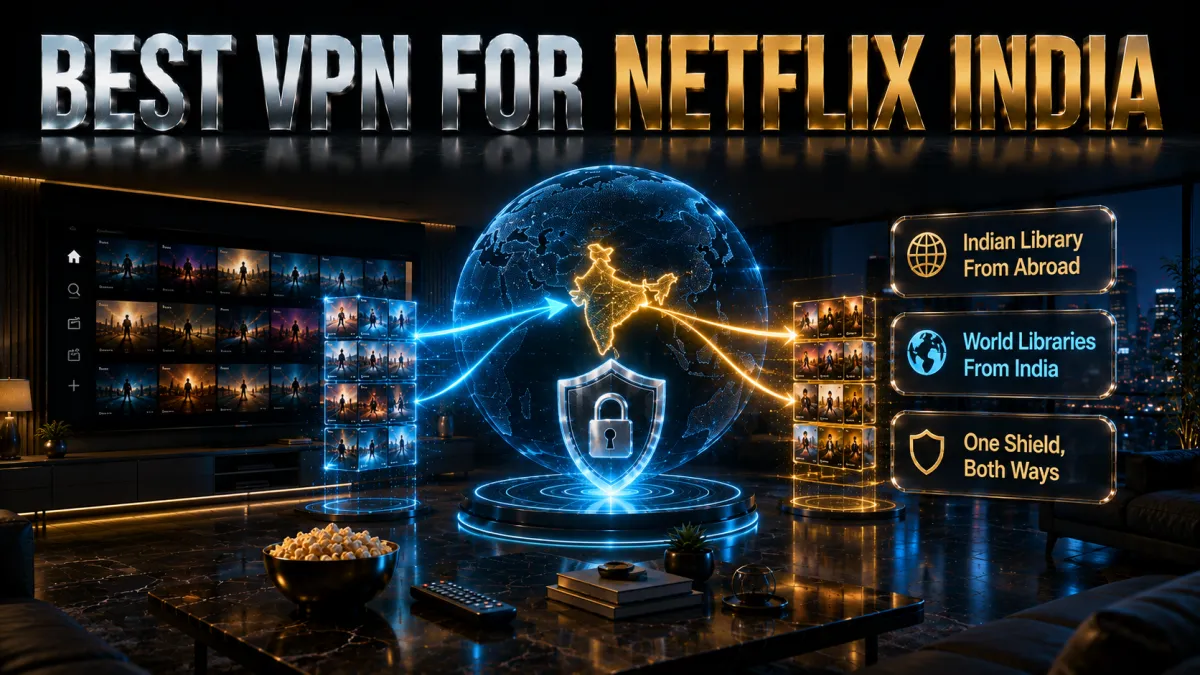
Netflix operates in over 190 countries but does not offer the same content in each one. Every title on the platform is licensed individually, and those licenses are negotiated market by market. The result is that subscribers in different countries pay similar prices but get meaningfully different libraries. A VPN changes your apparent location by routing your connection through a server in the country you select, which causes Netflix to serve you that country’s catalogue instead of your home region’s one.
For Indian users there are two distinct problems a VPN solves, and they pull in opposite directions.
- Accessing the Indian catalogue from abroad. If you are an NRI, a student overseas, or a frequent traveller with an Indian Netflix subscription, connecting from a foreign IP causes Netflix to switch you to that country’s library. Shows and movies licensed exclusively for India disappear. A VPN server with an Indian IP restores your home catalogue instantly regardless of where you physically are.
- Accessing foreign libraries from India. India’s Netflix library is one of the largest in Asia-Pacific, but it is still not the same as the US, UK, Japanese, or Korean libraries. Specific films, anime series, and regional originals that are licensed for other markets are not available on the Indian platform. A VPN server in the target country opens that library for you.
The size difference is not trivial. As of early 2026, the US Netflix library contains roughly 5,890 titles while the Indian library runs to approximately 6,700 titles, meaning India actually has a larger catalogue overall. However the two libraries are not identical in composition. Certain Hollywood titles, anime series, and regional originals that are exclusive to the US, UK, or Japanese platforms are simply absent from the Indian version, and vice versa. A VPN lets you access whichever library has the specific title you want.
How VPNs unblock Netflix India
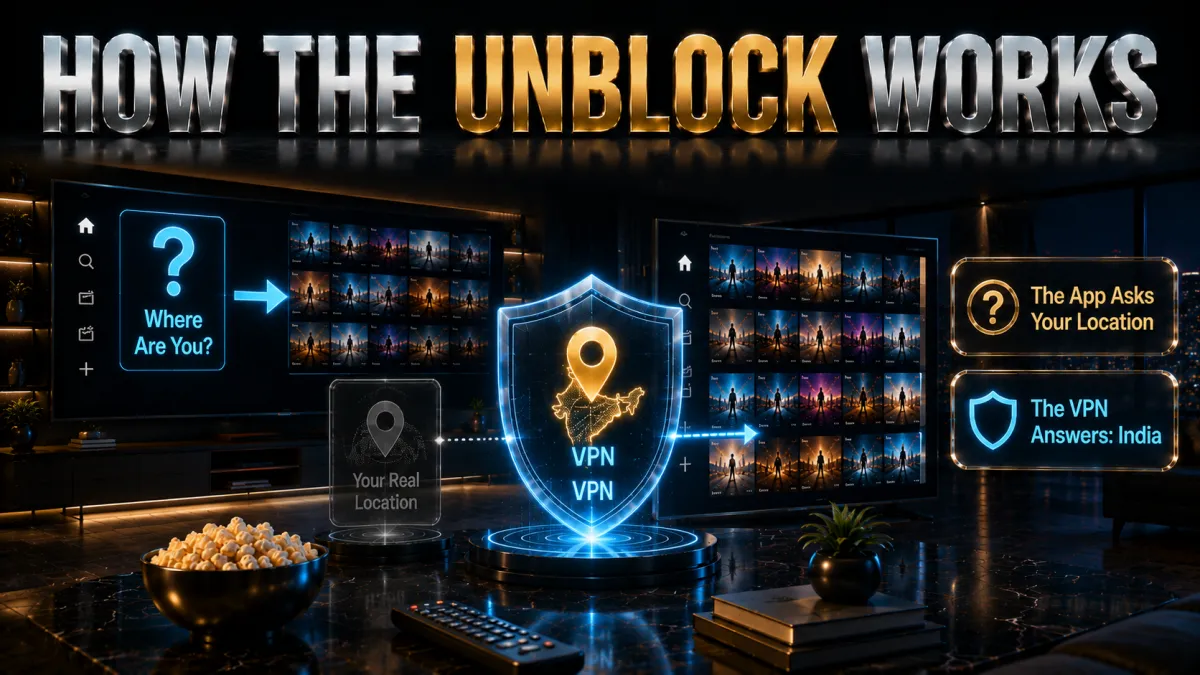
When you connect to Netflix, the platform checks your IP address to determine your location and then serves you the catalogue licensed for that region. A VPN replaces your real IP with the IP of the server you connect to. From Netflix’s perspective you appear to be browsing from wherever that server is located.
- IP replacement. Your device’s real IP, which reveals your actual country to Netflix, is replaced with the VPN server’s IP. Netflix reads the server’s location and loads the corresponding library.
- DNS routing. VPNs route all DNS queries through the encrypted tunnel. This prevents DNS leaks that would reveal your real location even when the main tunnel is functioning correctly.
- Obfuscation. Netflix uses deep packet inspection and other methods to identify VPN traffic and block known VPN IP ranges. Premium providers rotate their IP pools, use dedicated streaming servers, and apply traffic obfuscation to stay ahead of those blocks. Budget and free VPNs rarely invest in this level of maintenance, which is why they fail with Netflix.
- SmartDNS as an alternative. Some providers offer SmartDNS alongside the VPN. This routes only your DNS queries through a proxy rather than encrypting all traffic. It is faster but provides no privacy protection. NordVPN’s SmartPlay combines both approaches automatically.
The practical takeaway is that Netflix unblocking is a moving target. Netflix updates its detection methods continuously, and providers respond by updating their server infrastructure. A provider that maintains this arms race reliably is worth the subscription. One that does not will stop working unpredictably and leave you with a blocked screen at the worst possible moment.
5 best VPNs for Netflix India in 2026

The three picks below were evaluated specifically on Netflix India performance: whether they reliably load the Indian library from a foreign IP, whether they successfully open foreign libraries from an Indian connection, and whether speeds hold up for HD and 4K playback without buffering. All three also pass the broader criteria of audited no-logs policies and strong encryption.
1. NordVPN – Best overall for Netflix India
NordVPN leads for Netflix India on two metrics that matter most: reliability and library breadth. Its SmartPlay technology automatically applies the right combination of VPN and SmartDNS to bypass Netflix’s detection without requiring you to manually switch settings every time Netflix updates its blocklist. The provider unblocks 25+ Netflix libraries including India, US, UK, Canada, Australia, Japan, and Korea. NordLynx, its WireGuard-based protocol, maintains fast enough speeds that 4K Ultra HD streams load without buffering even when you are connecting across significant geographic distances. It operates virtual Indian servers for accessing the Indian catalogue from abroad while keeping your connection outside India’s data retention jurisdiction.
✔ Pros
- SmartPlay handles Netflix detection automatically, no manual configuration needed
- Unblocks 25+ Netflix libraries including all major ones
- NordLynx protocol maintains strong speeds for 4K streaming
- Virtual India servers for accessing Indian catalogue abroad
- Independently audited no-logs policy
- 10 simultaneous device connections
✘ Cons
- Monthly pricing is high if you do not commit to a longer plan
- India servers are virtual, not physical in-country hardware
| Netflix libraries | 25+ including India, US, UK, JP, KR |
| Price from | ~$3/mo (long-term plan) |
| Servers | 7,000+ across 110+ countries |
| Simultaneous devices | 10 |
| Money-back guarantee | 30 days |
2. ExpressVPN – Most reliable, works every time
ExpressVPN has one of the longest track records for Netflix unblocking in the industry. It accesses Netflix libraries across more than 20 countries including the US, UK, Japan, Canada, Australia, France, Germany, India, and Italy. The Lightway protocol keeps speeds strong enough for HD and 4K content. RAM-only server infrastructure means no data is stored on disk, which is a genuine privacy advantage. The apps are simpler and more polished than most competitors, making it the easiest choice for users who want to install, connect, and start watching without spending time in settings menus.
✔ Pros
- Consistent Netflix performance across major libraries including India
- Lightway protocol is fast and battery-efficient on mobile
- RAM-only servers, no data persists on disk
- Simplest apps of the three picks, minimal setup required
- Works on Smart TVs, consoles, and routers
✘ Cons
- More expensive than rivals on long-term plans
- Only 8 simultaneous connections
| Netflix libraries | 20+ including India, US, UK, JP |
| Price from | ~$5/mo (long-term plan) |
| Servers | Across 105 countries |
| Simultaneous devices | 8 |
| Money-back guarantee | 30 days |
3. Surfshark – Best value, 30+ Netflix libraries
Surfshark unblocks over 30 Netflix libraries, the highest count of the three picks, at the lowest long-term subscription price. Unlimited simultaneous device connections on a single subscription is the key differentiator for households where multiple people stream Netflix on separate devices. Virtual India servers are available for accessing the Indian catalogue from abroad. The WireGuard implementation keeps speeds competitive for HD and most 4K content. For Indian users who want to cover every device and access the widest range of Netflix catalogues at the lowest price, Surfshark is the clear value pick.
✔ Pros
- Unblocks 30+ Netflix libraries, the most of the three picks
- Unlimited simultaneous device connections on one subscription
- Lowest long-term price of the three picks
- Virtual India servers for accessing Indian catalogue abroad
- CleanWeb blocks ads during Netflix browsing
✘ Cons
- Speeds on distant servers can dip more noticeably than NordVPN
- Netflix reliability occasionally requires a server switch
| Netflix libraries | 30+ including India, US, UK, AU, JP, KR |
| Price from | ~$2.50/mo (long-term plan) |
| Servers | 3,200+ across 100 countries |
| Simultaneous devices | Unlimited |
| Money-back guarantee | 30 days |
4. CyberGhost, easiest for beginners
CyberGhost is built around streaming, and that makes it an easy recommendation for Netflix. Its Windows, mobile, and TV apps carry servers labeled by streaming service and country, so instead of guessing you can pick a location optimized for a specific Netflix library and connect in one tap. For viewers who switch between the Indian catalog and international ones, that removes the trial-and-error of hunting for a server that still works.
The fundamentals behind the friendly interface are solid. It runs WireGuard for the bandwidth that smooth HD and 4K playback needs, includes DNS-leak protection and a kill switch, and operates from Romania under a strict no-logs policy with no data-retention law hanging over it. Streaming performance is dependable across its large, purpose-tagged fleet.
Its standout is the trial: a 45-day money-back guarantee, far longer than the usual 30, which is genuinely useful for streaming because it gives you weeks to confirm the libraries you actually watch load reliably on your devices before you commit anything.
✔ Pros
- Streaming servers labelled by service
- Beginner-friendly two-way library switching
- Longest 45-day money-back window
- Large network for India and abroad
- Reliable HD and 4K nearby
✘ Cons
- Slower under heavy peak load
- Fewer devices than the value picks
| India library | Yes |
| Foreign libraries | 20+ |
| 4K speed | Good |
| Price from | ~$2 to $3/mo (long-term plan) |
| Simultaneous devices | 7 |
| Money-back guarantee | 45 days |
5. IPVanish, best for many devices
IPVanish is the pick when smooth, fast playback matters more than a long menu of streaming presets. Because it owns and runs its own server network rather than renting capacity, throughput stays steady, which is exactly what buffer-free HD and 4K Netflix streaming depends on, especially in the evenings when home connections get congested.
The unlimited simultaneous connections are a real advantage for a household: one account can cover the living-room TV, a couple of phones, and a laptop all streaming at once without anyone getting logged out. The apps include a kill switch and split tunneling, and WireGuard keeps the overhead low so the VPN is not the bottleneck.
The honest caveats are that IPVanish is less streaming-specialized than CyberGhost, so you may need to try a few servers to find one Netflix accepts, and that it is US-based inside the Five and Nine Eyes alliances. It counters with an independently audited no-logs policy and a 30-day money-back guarantee, and for pure speed across many devices it is strong value.
✔ Pros
- Owns its network for steady 4K speed
- Unlimited simultaneous devices
- Reliable India catalogue access
- Simple, uncluttered apps
- Strong long-term value
✘ Cons
- Fewer foreign libraries than rivals
- US-based, inside the 9 Eyes alliance
| India library | Yes |
| Foreign libraries | 15+ |
| 4K speed | Very good |
| Price from | ~$3 to $4/mo (long-term plan) |
| Simultaneous devices | Unlimited |
| Money-back guarantee | 30 days |
Here is a direct comparison of the three picks on the factors that matter most for Netflix India use.
| Feature | NordVPN | ExpressVPN | Surfshark | CyberGhost | IPVanish |
|---|---|---|---|---|---|
| Best for | Overall reliability | Proven track record | Value + libraries | Beginners | Many devices |
| Netflix libraries | 25+ | 20+ | 30+ | 20+ | 15+ |
| 4K speed | Excellent | Excellent | Very good | Good | Very good |
| India library (from abroad) | Yes | Yes | Yes | Yes | Yes |
| Simultaneous devices | 10 | 8 | Unlimited | 7 | Unlimited |
| Price from | ~$3/mo | ~$5/mo | ~$2.50/mo | ~$2.50/mo | ~$3.50/mo |
| Audited no-logs | Yes | Yes | Yes | Yes | Yes |
| Money-back | 30 days | 30 days | 30 days | 45 days | 30 days |
What is in Netflix India’s library that other regions do not have?

India’s Netflix catalogue is one of the largest in Asia-Pacific, running to approximately 6,700 titles as of early 2026. That is significantly larger than the US library of roughly 5,890 titles. However size alone does not tell the full story. The Indian library is distinct in composition, and certain content available in India is not available on the US, UK, or other major Western platforms.
- Indian original productions. Netflix has invested heavily in Indian originals including Sacred Games, Delhi Crime, Mirzapur, Panchayat, and a growing slate of Tamil, Telugu, Malayalam, and Kannada productions. Many of these are exclusive to the Indian platform or available in India before their international rollout.
- Bollywood catalogue. Netflix India holds a substantial library of Bollywood films, both classic and contemporary, that are not available on the US or UK platforms due to regional licensing arrangements.
- Regional language content. South Indian cinema in Tamil, Telugu, Malayalam, and Kannada is significantly better represented on Netflix India than on any other regional platform. For NRIs wanting to stay connected to regional content, the Indian library is the primary source.
- Content missing from India. Certain titles on Netflix US, UK, and Japan are absent from the Indian catalogue. This includes specific anime series, certain studio catalogue titles licensed to JioHotstar in India rather than to Netflix, and some US and European originals where Indian distribution rights belong to other platforms.
This two-way gap is why Indian users have a genuine need for a VPN that works in both directions. A provider that only claims to unblock US Netflix is only solving half the problem.
How to use a VPN with Netflix India: step by step

The setup process is the same regardless of whether you want to access the Indian library from abroad or open a foreign library from India. The only difference is which server you connect to.
- Choose your VPN. Pick one of the three options above. All three offer 30-day money-back guarantees, so you can test Netflix performance without financial commitment.
- Sign up and download the official app. Get the app from the official app store or the provider’s website. Install it on every device you want to use for Netflix streaming.
- Log in and set your protocol. Use NordLynx on NordVPN, Lightway on ExpressVPN, or WireGuard on Surfshark. These are the fastest options for 4K streaming bandwidth demands.
- Choose the right server for your goal. To access the Indian Netflix library from abroad, connect to a virtual India server. To access US Netflix from India, connect to any US server. For UK, Japan, Korea, or another catalogue, connect to a server in that country.
- Open Netflix in a fresh browser session or app. If you already have Netflix open, close it completely and reopen it after connecting to force Netflix to read your new IP address.
- Clear cookies if the wrong library loads. If Netflix shows your home library instead of the target one, clear your browser cookies and cache, then reload.
- Switch servers if you get a proxy error. Netflix’s proxy error means the specific server IP has been flagged. Switch to a different server in the same country. With NordVPN and ExpressVPN this resolves the issue on the first or second switch almost every time.
Common Netflix VPN problems and how to fix them

Even with a premium VPN, you will occasionally encounter issues specific to Netflix streaming. Most are straightforward to fix once you know what causes them.
- Proxy error message. Netflix has flagged the specific server IP. Switch to a different server in the same country. If multiple servers fail, contact the provider’s live chat and ask which servers are currently working with Netflix.
- Still seeing the wrong library after connecting. Netflix caches location data in your browser session. Clear cookies and cache, then reload. On the Netflix app, log out and log back in while the VPN is active.
- Buffering and slow loads. Switch to a closer server or try a server in a different nearby country if your target library is available there. Ensure you are on WireGuard or equivalent rather than OpenVPN.
- Netflix app shows a different library than the browser. Some devices use hardcoded DNS servers that bypass VPN routing. Fix it by connecting the VPN on your router so all traffic goes through it, or use the VPN provider’s Smart TV app if available.
- 4K content not available in the foreign library. 4K availability depends on your subscription plan. In India the Premium plan at roughly Rs 649 per month is required for 4K. The foreign library’s 4K catalogue also depends on whether the content was produced in 4K for that region.
Which devices work with a VPN for Netflix India?
Netflix is available on virtually every connected device, and a VPN can be configured to work on all of them. The method differs slightly by device category, but all three picks support the full range of platforms Indian users commonly stream on.
- Android phones and tablets. Install the VPN app from Google Play, connect to your chosen server, then open the Netflix app. Android handles VPN routing at the OS level so the Netflix app sees the VPN IP without any additional configuration.
- iPhones and iPads. Install the VPN app from the App Store, grant the VPN profile permission when prompted, connect, and open Netflix. The same server selection rules apply.
- Windows and macOS laptops. Install the desktop app, connect, and open Netflix in your browser or the Netflix desktop app. If Netflix still shows the wrong library after connecting, clear browser cookies before reloading.
- Smart TVs (Samsung, LG, Sony, Android TV). Android TV and Google TV support VPN apps natively via the Play Store. Samsung and LG TVs running their own operating systems do not support VPN apps directly. For these, connect the VPN on your router so every device on the network uses it.
- Amazon Fire Stick and Fire TV. The Amazon Appstore carries apps for all three picks. Install directly on the Fire Stick, connect to your server, and Netflix will use the VPN IP.
- Gaming consoles (PS5, Xbox). Consoles do not support VPN apps natively. Router-level installation is the most reliable solution. Alternatively, share your laptop’s VPN connection as a hotspot and connect the console to it.
- Routers. Installing the VPN on your router protects every device on your home network simultaneously. NordVPN, ExpressVPN, and Surfshark all provide detailed router setup guides.
The simultaneous connection limit matters when multiple people in a household stream Netflix on different devices concurrently. NordVPN allows 10, ExpressVPN allows 8, and Surfshark allows unlimited connections.
VPN vs SmartDNS for Netflix India: which is better?

SmartDNS redirects only your DNS queries through a proxy rather than routing all your traffic through an encrypted tunnel. It is faster because there is no encryption overhead, but it provides zero privacy protection. For most Indian users who want both streaming access and privacy, a VPN is the better choice.
- SmartDNS advantages. No encryption overhead means faster and more responsive connections, particularly on slower internet connections. Works on devices that cannot run VPN apps without router configuration.
- SmartDNS disadvantages. Zero privacy protection. Your ISP can still see all your traffic. Does not work on networks where DNS is locked such as some corporate or mobile data connections.
- VPN advantages. Full encryption protects all traffic including browsing, banking, and downloads alongside streaming. Works across all network types. Provides the same Netflix unblocking with only a marginal speed cost when using WireGuard-based protocols.
- NordVPN SmartPlay. NordVPN’s SmartPlay combines VPN encryption with SmartDNS-style routing automatically. You get privacy protection and streaming optimisation without switching between modes.
Do free VPNs work with Netflix India?
Free VPNs rarely work with Netflix in 2026, and when they do the experience is unreliable. Netflix’s VPN detection has become sophisticated enough that most free VPN IP ranges are permanently blacklisted.
- IP blacklisting. Free VPNs operate small server pools shared by many users. Netflix identifies and blocks these IP ranges quickly and keeps them blocked.
- Speed and data limits. Most free VPNs impose data caps. Streaming one hour of HD Netflix consumes roughly 3 GB. A single evening of Netflix will exhaust most free plan allowances entirely.
- Privacy risk. Some free VPN providers log user activity and sell that data to recover infrastructure costs. Your viewing habits and browsing history may be recorded and monetised.
- No streaming-dedicated servers. Premium providers maintain servers specifically optimised and regularly updated for Netflix. Free tiers do not invest in this maintenance.
The practical solution is to use a paid VPN’s 30-day money-back guarantee as a risk-free trial. You get full access to all servers and features, test Netflix performance thoroughly, and claim a complete refund if not satisfied.
Netflix India plans and pricing in 2026

A VPN lets you access different Netflix catalogues, but the quality of that access depends on your subscription plan. Netflix India offers four plans and the differences matter when streaming through a VPN, particularly for 4K content.
- Mobile plan (roughly Rs 149/month). Streams at 480p on a single mobile device. No HD or 4K access. Sufficient for light phone viewing but not suitable for TV-quality streaming.
- Basic plan (roughly Rs 199/month). Streams at 480p on one device at a time including laptops and TVs. Still no HD. For laptop use this works but picture quality will not match what the catalogue contains.
- Standard plan (roughly Rs 499/month). Full HD 1080p on two devices simultaneously. This is the minimum plan worth pairing with a VPN for a genuinely good streaming experience.
- Premium plan (roughly Rs 649/month). 4K Ultra HD with HDR on four devices simultaneously. If you are using a VPN to access 4K content on foreign Netflix catalogues, this is the plan you need.
Indian Netflix pricing is among the most competitive globally. The Premium plan at Rs 649 per month unlocks 4K on up to four devices, which is strong value compared to the same plan’s pricing in Europe or North America. Combined with a VPN, you effectively access international catalogues at local Indian pricing.
Related reading:
Frequently Asked Questions
Does Netflix India work with a VPN?
Yes. The three picks in this guide, NordVPN, ExpressVPN, and Surfshark, reliably unblock Netflix India from abroad using virtual India servers. They also open US, UK, Japanese, Korean, and other foreign libraries from within India. Netflix actively tries to block VPN traffic, which is why provider choice matters.
Which VPN is best for Netflix India?
NordVPN is the best overall for Netflix India in 2026. Its SmartPlay technology handles Netflix detection automatically, it unblocks 25+ libraries including India, and NordLynx delivers strong speeds for 4K. ExpressVPN is the most consistently reliable alternative. Surfshark unblocks the most libraries (30+) at the lowest price.
Can I access Netflix India from the US or UK?
Yes. Connect to a virtual India server from any of the three picks and Netflix will serve you the Indian catalogue. This works for NRIs, Indian students abroad, and travellers who want to continue watching Indian originals and Bollywood titles exclusive to the India platform.
Can I watch US Netflix from India with a VPN?
Yes. Connect to a US server and Netflix loads the American catalogue. The US library contains roughly 5,890 titles as of 2026, which includes specific Hollywood films, US originals, and content licensed exclusively for the US market that is not on the Indian platform.
Why does Netflix show a proxy error with my VPN?
Netflix has flagged the specific server IP you are using. Switch to a different server in the same country, which usually resolves it immediately. If multiple servers in the same country fail, contact your VPN provider’s live chat and ask which servers are currently working with Netflix.
Will a VPN affect my Netflix streaming quality?
Slightly, but minimally when you use a WireGuard-based protocol and a server that is not too geographically distant. For HD streaming the impact is typically imperceptible. For 4K you want the fastest server available. If you notice buffering, switch to a closer server or check that you are on WireGuard rather than a slower protocol.
Is using a VPN for Netflix India legal?
Using a VPN in India is legal for individual users. Netflix’s terms of service state that you should only access the service from the country where you have established your account. VPN use may technically violate those terms, though enforcement against individual users for library-switching has not been a common practice.
Can I use a free VPN to watch Netflix India?
Rarely with any reliability. Netflix blacklists most free VPN IP ranges, free plans impose data caps that make sustained streaming impractical, and some free providers log user data. Use a paid VPN’s 30-day money-back guarantee for a risk-free trial instead.
How many Netflix libraries can these VPNs unblock?
NordVPN unblocks 25+ Netflix libraries. ExpressVPN accesses 20+ libraries. Surfshark unblocks 30+ libraries, the highest count of the three. All three reliably access the major libraries including India, US, UK, Canada, Australia, Japan, and South Korea.
Does a VPN work with the Netflix app on Android and iOS?
Yes. Install the VPN app on your Android or iOS device, connect to the appropriate server, and then open the Netflix app. The app reads your new IP the same way a browser does. If you see the wrong library, log out of Netflix and log back in while the VPN is still active.
Can I access Netflix India on Smart TV with a VPN?
Yes, but Smart TVs do not always support VPN apps natively. The most reliable method is to install the VPN on your router so all devices on your network, including the Smart TV, use the VPN connection. NordVPN, ExpressVPN, and Surfshark all provide router setup guides.
What is the difference between Netflix India and Netflix US?
The catalogues differ in composition. India’s library runs to approximately 6,700 titles and includes Indian originals, Bollywood, and regional South Indian content not on US Netflix. The US library of roughly 5,890 titles includes specific Hollywood catalogue titles, US originals, and some anime series not licensed for India. A VPN lets you access either catalogue from anywhere.
The Bottom Line
Netflix India and Netflix US are not the same product. They share the platform and the brand but serve different catalogues shaped by licensing agreements that vary by market. Whether you want to watch Indian originals from abroad or access US, UK, or Japanese titles not on the Indian platform, a reliable VPN is the practical solution, and the three providers above consistently deliver it in 2026.
- NordVPN is the best overall pick for Netflix India. Automatic library detection via SmartPlay, 25+ libraries unlocked, and fast speeds for 4K. The right choice if you want zero-configuration reliability.
- ExpressVPN is the most proven option with the longest track record of Netflix reliability and the simplest setup experience.
- Surfshark is the best value pick with 30+ libraries and unlimited device connections at the lowest long-term price.
- CyberGhost is the friendliest entry point, with labelled streaming servers for easy switching and the longest 45-day money-back window.
- IPVanish owns its network for steady 4K on unlimited devices, though it opens fewer foreign libraries than the top picks.
All three offer 30-day money-back guarantees. Sign up, test Netflix performance in both directions, and keep whichever one delivers the libraries and speeds you need. If it does not work to your satisfaction within the window, claim your refund and try the next one.
Ketan VPN Expert covers privacy and security at VPN Expert Guide: VPN protocols, encryption, leak protection and VPN legality. Our privacy guides are checked against ipleak.net and dnsleaktest.com results, and we publish the date of every check so you can see how current it is.
Meet our testing team →Last updated: September 1, 2026