
How to Hide Your Browsing from Your ISP in 2026
Your ISP logs every site you visit, even on HTTPS. Here’s exactly what they can see, and the layered setup (VPN, encrypted DNS, private browser) that makes your activity invisible.
Can Your ISP Really See Everything You Do Online?

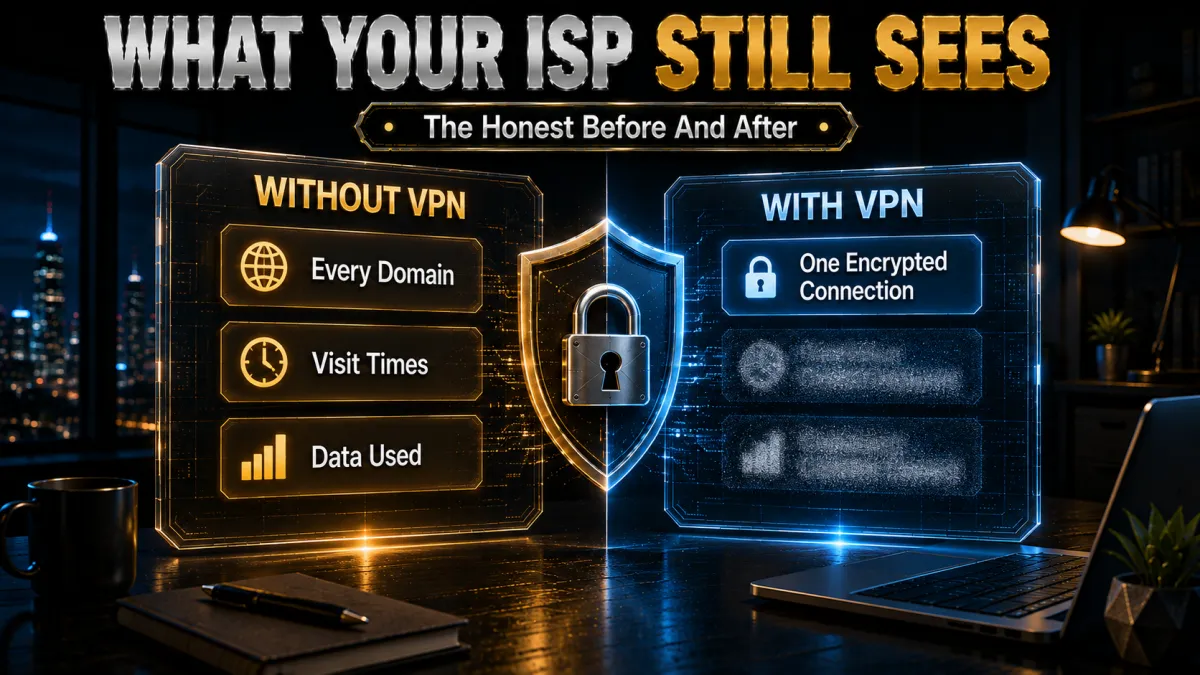
Every request you make travels through your ISP’s servers first. They see which websites you visit, when, for how long, and how much data you transfer. HTTPS helps, your ISP can’t read the content of a page, but it absolutely still sees the domain name of every site you connect to, because that’s handed over in plaintext during the connection (via DNS and the TLS “SNI” field). In practice, that’s a near-complete map of your online life.
What your ISP can see:
- Every website domain you visit, even on HTTPS
- The exact time and duration of each visit
- How much data you upload and download
- Your DNS queries, a complete list of the sites you look up
- Which apps and services you connect to
Why Your ISP Tracks Your Browsing
Your ISP is not a passive pipe. It actively collects your data, and there are real incentives to keep doing so:
- They sell it to advertisers. In the US, ISPs are legally allowed to sell anonymised browsing data. Your habits build a profile that’s bought and sold without your knowledge.
- They throttle your connection. ISPs detect heavy streamers and torrent users and quietly slow their speeds, bandwidth throttling. It’s a big reason your Netflix buffers even on a “fast” plan.
- Governments can demand it. In the UK, the Investigatory Powers Act requires ISPs to store 12 months of browsing history. In the US, ISPs can be compelled to hand over data through legal processes. EU rules vary by country.
Put simply: your ISP knows a lot about you, and profits from knowing more. Hiding your browsing isn’t paranoia, it’s basic digital hygiene.
Which Privacy Tools Actually Hide You? (At a Glance)
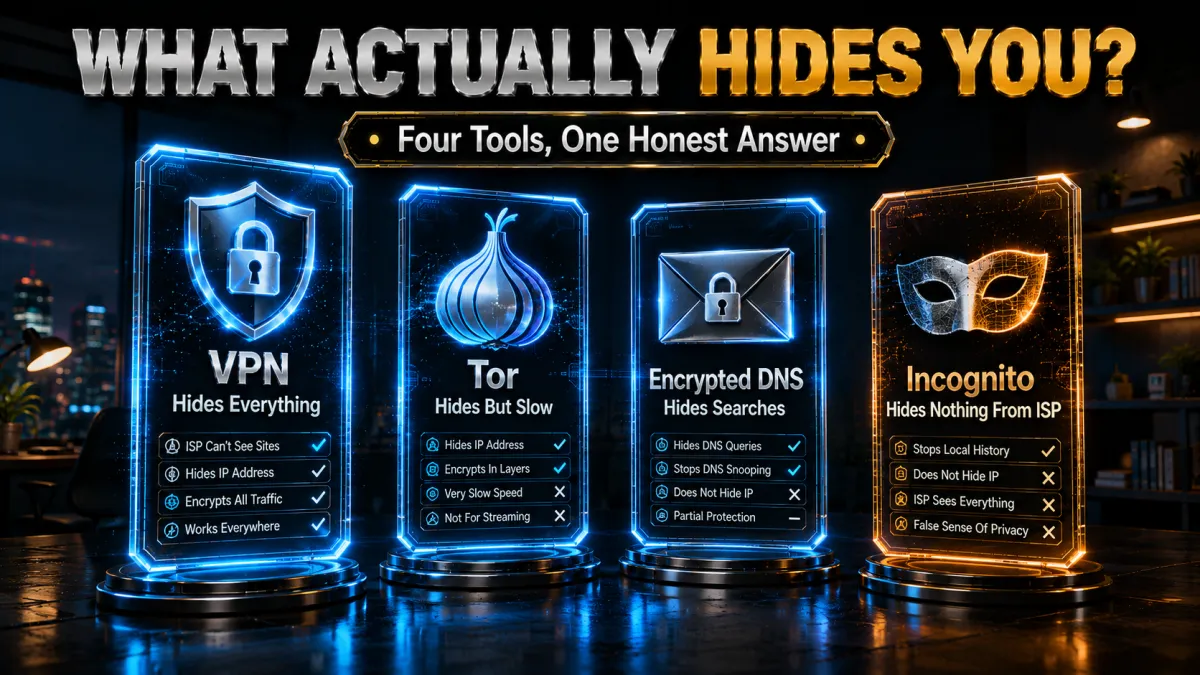
Before the how-to, here’s the honest comparison. Not every “privacy” tool hides your browsing from your ISP, some do nothing at all:
| Method | Hides sites from ISP? | Encrypts traffic? | Best for |
|---|---|---|---|
| VPN | Yes | Yes (all apps) | Everyday, complete privacy |
| Tor | Yes | Yes (browser) | Maximum anonymity, slow |
| Encrypted DNS (DoH) | Partly (hides lookups) | DNS only | A free extra layer |
| Proxy | Rarely | Usually no | Not recommended |
| Incognito mode | No | No | Local history only |
Best Way to Hide Browsing from Your ISP: Use a VPN
A VPN is the most effective privacy tool available in 2026, and the one we recommend first for almost everyone.
How a VPN Hides Your Traffic from Your ISP
All your traffic routes through an encrypted tunnel to a VPN server before reaching the internet. Your ISP sees exactly one thing: a single encrypted connection to a VPN server’s IP address. Everything inside that tunnel, websites, searches, messages, streams, is completely unreadable to them. Your real destination is hidden, and so is the content.
What Your ISP Still Sees When You Use a VPN
Be clear-eyed about the limits. With a VPN on, your ISP can still see:
- That you are using a VPN
- How much data you transfer (never what it contains)
- When you connect and disconnect
That’s it. The part that actually matters, the content and destinations of your browsing, is invisible.
The Best VPNs for Hiding Browsing from Your ISP (2026)
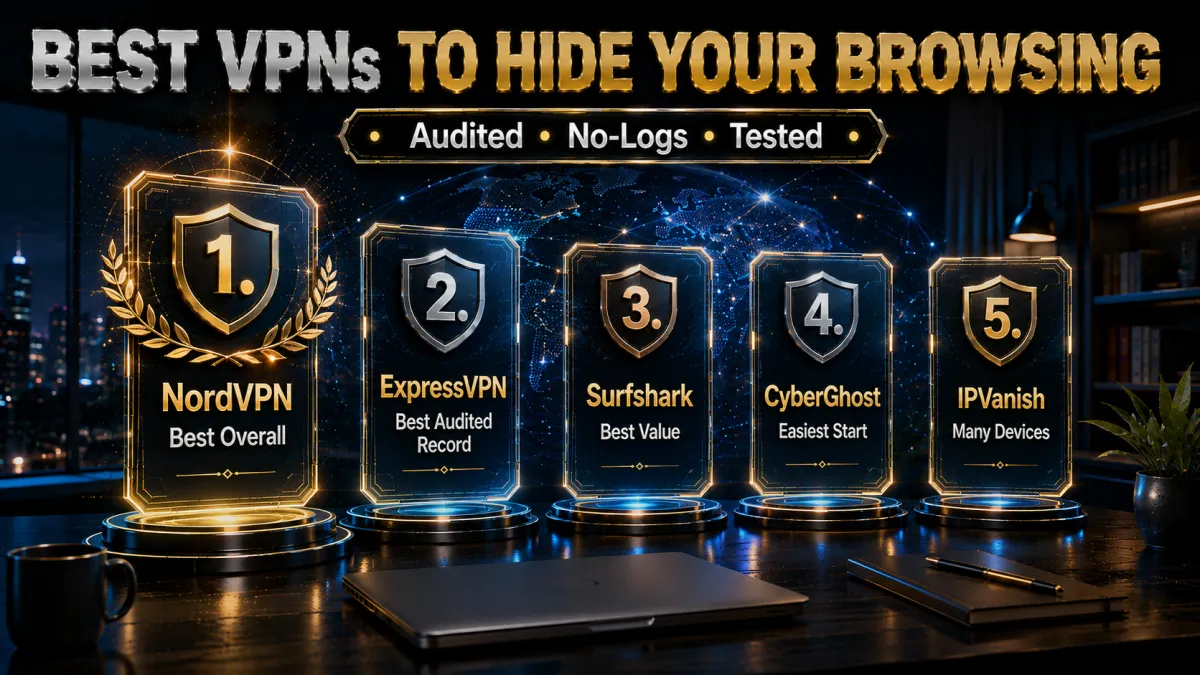
Ranked for privacy: audited no-logs policies, a kill switch, DNS-leak protection, and speed. All three below have independently verified no-logs claims.
1. NordVPN – Best Overall for Privacy
NordVPN pairs the fast NordLynx protocol with a no-logs policy audited multiple times (by Deloitte, among others), plus a kill switch and DNS-leak protection on by default. Its Onion Over VPN feature routes you through Tor with one click, and Threat Protection blocks trackers before they load, a genuinely strong privacy stack for hiding activity from your ISP.
✔ Pros
- Independently audited no-logs (Deloitte)
- Kill switch + DNS-leak protection by default
- Onion Over VPN (Tor in one click)
- Fast NordLynx (WireGuard) protocol
✘ Cons
- Price rises at renewal
- Obfuscation needs a manual toggle
| Price from | ~$4.99/mo (1-year) |
| No-logs | Audited (Deloitte) |
| Key feature | Onion Over VPN + Threat Protection |
| Money-back | 30 days |
2. ExpressVPN – Best Audited Track Record
ExpressVPN’s no-logs policy has been proven in the real world, a server seizure produced no user data because its RAM-only TrustedServer infrastructure keeps nothing on disk. The Lightway protocol is fast and stable, and a kill switch (“Network Lock”) plus DNS-leak protection are standard. It’s the most hands-off, and the most expensive.
✔ Pros
- No-logs proven by server seizure
- RAM-only TrustedServer (nothing on disk)
- Network Lock kill switch by default
- Very consistent, hands-off
✘ Cons
- Most expensive here
- Smaller server count than NordVPN
| Price from | ~$6.67/mo |
| No-logs | Audited + court-proven |
| Key feature | RAM-only TrustedServer |
| Money-back | 30 days |
3. Surfshark – Best Value
At around $2.49/month with unlimited devices, Surfshark covers your whole household on one subscription. Its no-logs policy is independently audited, it runs WireGuard with a kill switch and DNS-leak protection, and CleanWeb blocks ads and trackers. For hiding browsing from your ISP on a budget, it’s the obvious pick.
✔ Pros
- Cheapest of the three (~$2.49/mo)
- Unlimited simultaneous devices
- Audited no-logs + kill switch
- CleanWeb ad/tracker blocking
✘ Cons
- Speeds vary more at peak hours
- Occasional server-switch reconnect delay
| Price from | ~$2.49/mo |
| No-logs | Independently audited |
| Key feature | Unlimited devices + CleanWeb |
| Money-back | 30 days |
4. CyberGhost, easiest for beginners
CyberGhost encrypts all of your traffic so your ISP sees only a single encrypted connection, not the sites you visit. Romania-based with no data-retention law, and it blocks DNS leaks by default.
Beginner-friendly apps and a 45-day money-back window make it the easiest privacy-first starting point of the five.
✔ Pros
- Encrypts all traffic from your ISP
- Romania-based, no data-retention law
- Blocks DNS leaks by default
- Beginner-friendly apps
- 45-day money-back window
✘ Cons
- Slower under heavy peak load
- Fewer devices than the value picks
| Hides from ISP | Yes, full encryption |
| Privacy base | Romania |
| Leak protection | Built-in |
| Price from | ~$2 to $3/mo (long-term plan) |
| Simultaneous devices | 7 |
| Money-back guarantee | 45 days |
5. IPVanish, best for many devices
IPVanish encrypts your traffic to hide browsing from your ISP and runs its own network for steady speed, with unlimited devices on one plan. DNS leak protection is built in.
It is US-based inside the 9 Eyes alliance, which is a weaker privacy jurisdiction than the top picks and CyberGhost, so weigh that if privacy is your priority.
✔ Pros
- Encrypts all traffic from your ISP
- Owns its network for steady speed
- DNS leak protection built in
- Unlimited simultaneous devices
- Strong long-term value
✘ Cons
- US-based, inside the 9 Eyes alliance
- Weaker jurisdiction for privacy
| Hides from ISP | Yes, full encryption |
| Privacy base | United States |
| Leak protection | Built-in |
| Price from | ~$3 to $4/mo (long-term plan) |
| Simultaneous devices | Unlimited |
| Money-back guarantee | 30 days |
How to Set Up a VPN to Hide Your Browsing (5 Minutes)
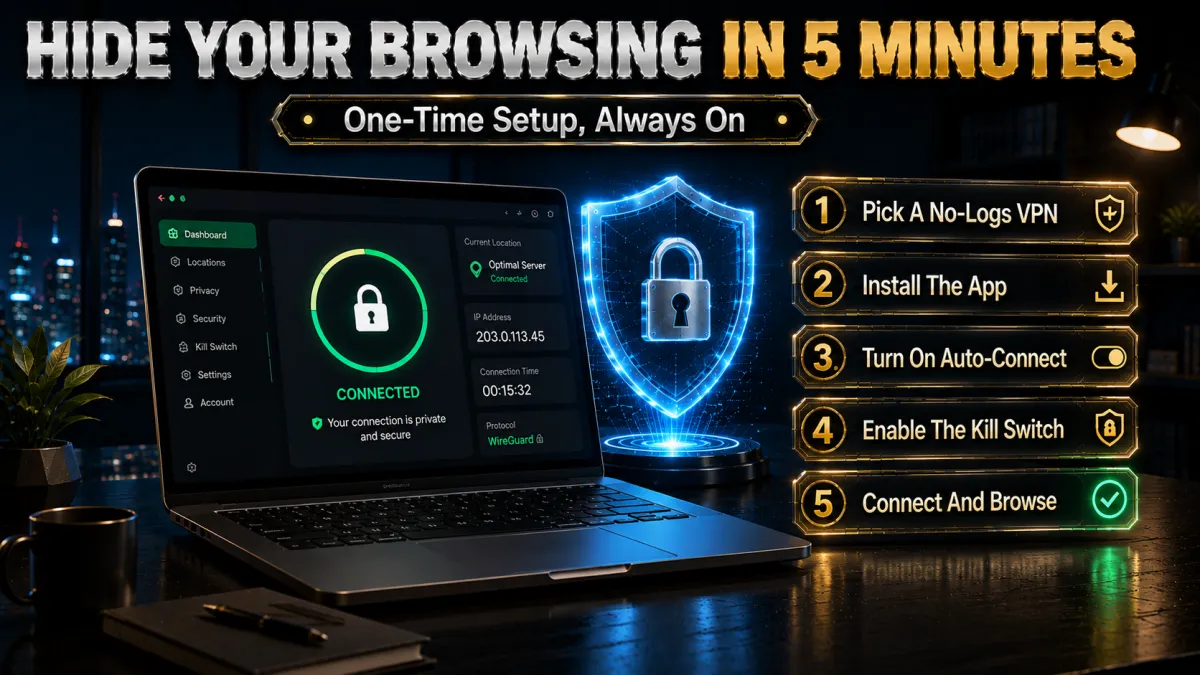
Getting protected is genuinely quick. Follow these steps in order:
- Choose a VPN. NordVPN or Surfshark suit most users; pick from the picks above and start a plan (all have 30-day refunds).
- Download and install the app from the provider’s official site or your device’s app store.
- Sign in and tap Quick Connect. The app auto-selects a fast nearby server and connects in seconds.
- Turn on the kill switch and DNS-leak protection in settings, if they aren’t already on.
- Verify it’s working. Check that your IP changed at whatismyip.com, and run a DNS-leak test at dnsleaktest.com. Both should show the VPN, not your ISP.
Done. Your ISP can no longer read your browsing activity, only that you’re connected to a VPN.
How to Use Tor Browser to Hide Browsing from Your ISP
Tor routes your traffic through multiple volunteer servers worldwide, wrapping it in a fresh layer of encryption at each hop. It’s free, trusted by journalists and activists, and needs zero setup beyond downloading the browser.
Does Tor Completely Hide You from Your ISP?
Not entirely. Your ISP can’t see what you browse, but it can see that you’re connected to the Tor network, and in some countries, that alone attracts attention. Tor is also much slower than a VPN, which makes it impractical for streaming or everyday browsing.
VPN + Tor – The Most Private Combination
For maximum privacy, connect to your VPN first, then open Tor. Your ISP now sees only a VPN connection, not even Tor. Your VPN provider sees only that you connected to Tor, not what you did inside it. NordVPN’s built-in Onion Over VPN handles this automatically with one click, so you get both layers without manual configuration.
Change Your DNS to Stop Your ISP Tracking Your Searches
Even with HTTPS everywhere, your DNS queries still leak to your ISP by default. Every time you type a web address, your device sends a DNS lookup to translate it into an IP, and that lookup goes straight to your ISP’s servers unless you change it. Encrypting DNS closes a major visibility gap, and it’s free.
How to Enable DNS over HTTPS (DoH)
DoH encrypts those lookups completely. Enable it in your browser:
- Chrome: Settings → Privacy and Security → Security → Use secure DNS → Cloudflare (1.1.1.1)
- Firefox: Settings → Privacy & Security → DNS over HTTPS → Max Protection → Cloudflare or NextDNS
- Edge: Settings → Privacy, Search and Services → Security → Use secure DNS → Cloudflare
Best Private DNS Servers in 2026
| Provider | Address | Privacy |
|---|---|---|
| Cloudflare | 1.1.1.1 | Strong, no logs |
| Quad9 | 9.9.9.9 | Excellent, blocks malware |
| NextDNS | Custom | Full control over logging |
Free, takes two minutes, and removes a major source of ISP visibility into your activity, worth doing even alongside a VPN.
Use a Private Browser and Search Engine to Reduce ISP Exposure
Your browser choice doesn’t hide you from your ISP on its own, but it meaningfully shrinks your overall data trail:
- Brave blocks third-party trackers and ads by default, supports DNS over HTTPS natively, and includes a built-in Tor Private Window for high-privacy sessions.
- Firefox with DoH enabled is the most privacy-focused mainstream browser; Mozilla actively advocates for user privacy and the browser is regularly audited.
- DuckDuckGo as your search engine means your queries are never tied to an identity profile. Google stores and monetises your search history; DuckDuckGo doesn’t.
None of these hide your browsing from your ISP alone. But combined with a VPN and encrypted DNS, they complete a strong, layered privacy setup.
How to Hide Browsing from Your ISP on iPhone and Android
Mobile browsing is just as exposed as desktop, sometimes more, because people use phones constantly without thinking about what their carrier logs.
Best VPN Apps for iPhone and Android (2026)
NordVPN and ExpressVPN both have polished, one-tap apps for iOS and Android. Connect once and your browsing is encrypted from both your home Wi-Fi ISP and your mobile carrier, the same protection as desktop, in your pocket.
Does Apple Private Relay Hide You from Your ISP?
Partially. iCloud Private Relay hides your IP and encrypts Safari traffic, but it only works in Safari, doesn’t cover other apps, and Apple doesn’t classify it as a full VPN. For complete mobile protection, a dedicated VPN app is still the answer.
How to Change DNS on Android
Go to Settings → Network & Internet → Private DNS → enter one.one.one.one (Cloudflare) or dns.quad9.net (Quad9). This encrypts DNS queries system-wide, covering every app, not just your browser.
Does Incognito Mode Hide Your Browsing from Your ISP?
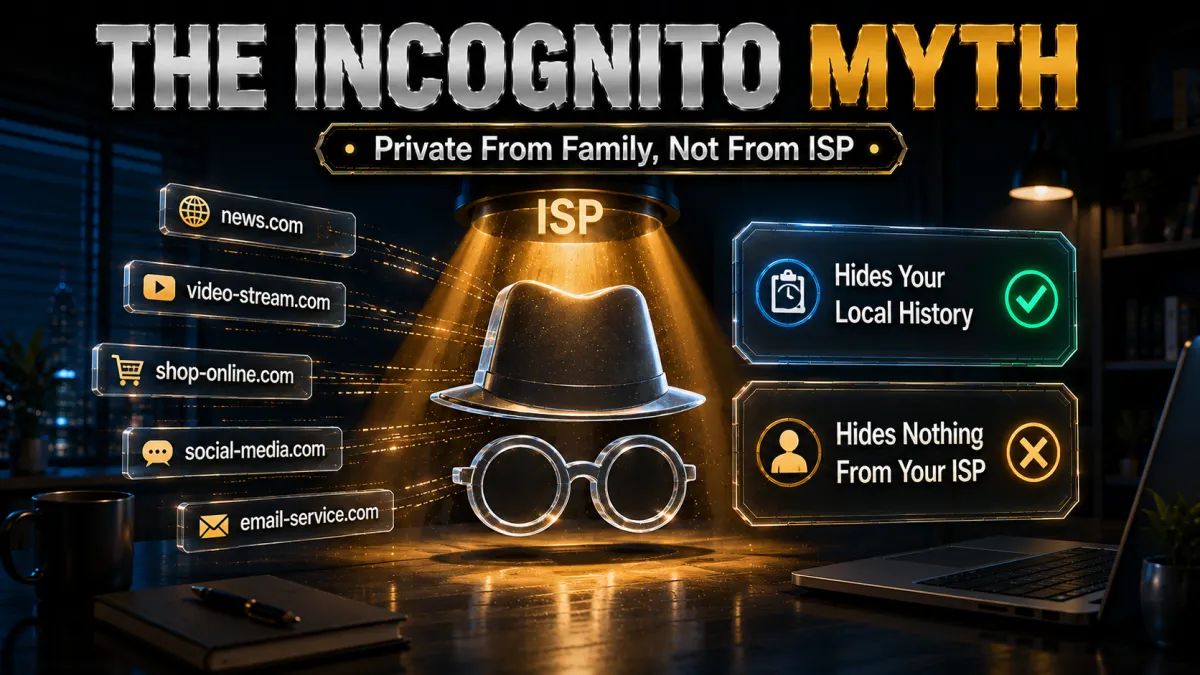
No, and this is the most damaging myth in online privacy. Incognito only stops your browser from saving history on your local device. The moment you open an incognito tab, your ISP sees every website you visit exactly as it would in a normal tab.
What incognito does:
- Prevents history from saving on your device
- Clears cookies when you close the window
- Stops the browser saving passwords and form data
What incognito does NOT do:
- Hide your browsing from your ISP
- Hide your activity from an employer or school network
- Change your IP address
- Protect you from website trackers during that session
The only tools that actually hide your browsing are a VPN, Tor, or encrypted DNS. Incognito is not one of them.
Can Your ISP See Your Browsing If You Use a VPN?
With a reputable VPN and strong encryption running, your ISP cannot see your browsing. It sees only an encrypted connection to a VPN server, nothing inside it. But there are two scenarios where a VPN can partially fail you:
- DNS leak. Your device sends DNS queries outside the VPN tunnel, back to your ISP’s servers, revealing the domains you visit. Always run a DNS-leak test at dnsleaktest.com after connecting.
- VPN drop without a kill switch. If the VPN disconnects mid-session, traffic briefly flows through your ISP unencrypted. A kill switch cuts your internet the instant the VPN drops, preventing any exposure.
NordVPN, ExpressVPN and Surfshark all include DNS-leak protection and a kill switch by default. Enable them in your app settings and confirm with a leak test.
How to Verify Your Browsing Is Actually Hidden
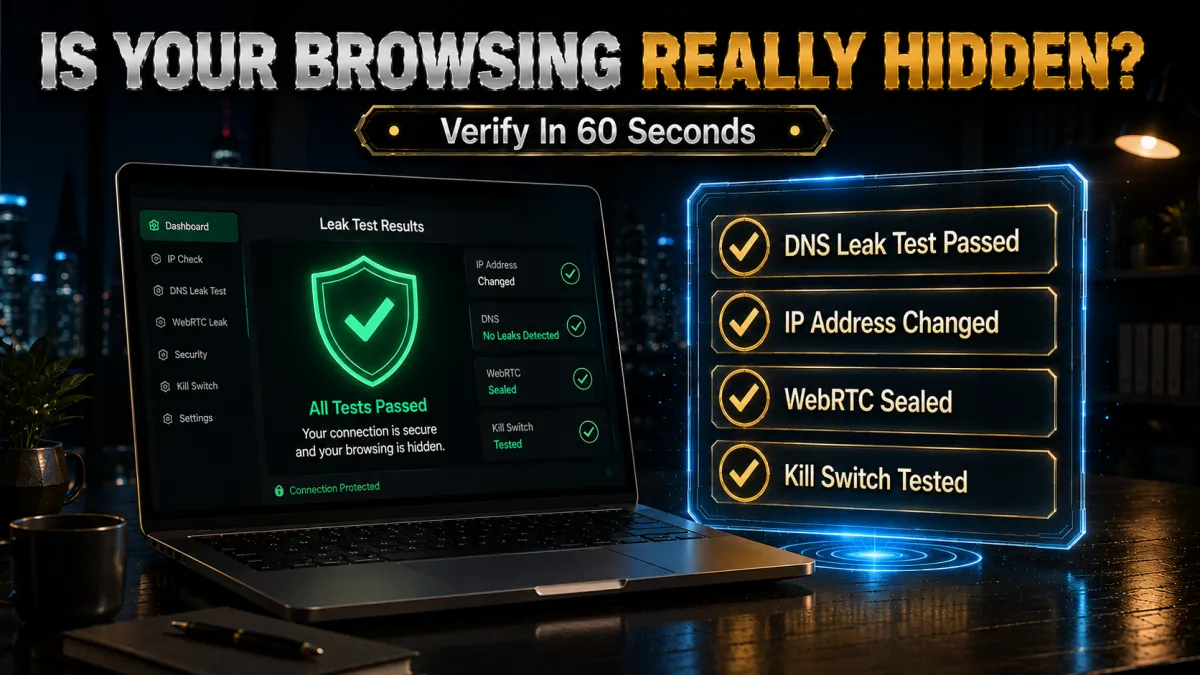
Don’t just trust the “connected” icon, take 60 seconds to confirm the setup works:
- IP check. Visit whatismyip.com while connected. It should show the VPN server’s IP and country, not yours.
- DNS-leak test. Go to dnsleaktest.com and run the extended test. Every server listed should belong to the VPN or your chosen DNS, never your ISP.
- Kill-switch test. With the kill switch on, disconnect the VPN server mid-download. Your internet should cut out entirely until it reconnects, if traffic keeps flowing, the switch isn’t protecting you.
- WebRTC check. Browsers can leak your real IP via WebRTC; run a WebRTC leak test and, if needed, disable WebRTC or use your VPN’s browser extension.
How Long Does Your ISP Store Your Browsing History?
It depends heavily on where you live, which is worth knowing before you decide how much to hide:
| Region | Retention | Notes |
|---|---|---|
| UK | 12 months (by law) | Investigatory Powers Act mandates it |
| EU | Varies by country | No single rule; some countries require months |
| US | No mandated limit | ISPs may keep data as long as they choose |
| India | Provider-side rules apply | CERT-In directions cover providers, not users |
Wherever you are, the takeaway is the same: your history exists somewhere for months by default. Encrypting it means there’s nothing meaningful to store or hand over.
Is It Legal to Hide Your Browsing from Your ISP?
For the vast majority of readers, yes. The US, UK, EU, India, Canada and Australia all permit VPN use and traffic encryption. There’s no law requiring you to let your ISP monitor your browsing, and privacy is a recognised right in most democratic nations.
Exceptions exist. China, the UAE, Russia, Belarus and North Korea restrict or ban unauthorised VPN use, only government-approved VPNs (which offer no real privacy) are permitted. If you travel to any of these countries, check the local rules before connecting. For everyone else, hiding your browsing from your ISP isn’t just legal, it’s a sensible, basic act of digital self-defence.
Privacy Terms, Explained in Plain English
- ISP: your Internet Service Provider, the company that connects you to the internet and can log your activity.
- DNS: the “phone book” that turns a website name into an IP address; by default your lookups go to your ISP.
- DoH (DNS over HTTPS): encrypts those lookups so your ISP can’t read which sites you resolve.
- SNI: a field sent when connecting to an HTTPS site that reveals the domain, one reason HTTPS alone doesn’t fully hide you.
- Kill switch: cuts your internet if the VPN drops, so nothing leaks to your ISP.
- No-logs policy: the VPN doesn’t record what you do; it means the most when independently audited.
- Metadata: data about your activity (times, sizes, destinations) rather than content, a VPN hides most of it from your ISP.
Cover Every Device: Running a VPN on Your Router
A VPN app on your laptop or phone only protects that device. Your ISP still sees everything from your smart TV, games console, streaming stick, and every smart-home gadget on the network. Those devices cannot run a VPN app of their own, so their traffic goes out in the clear with your real IP attached. Moving the VPN one level up, onto the router itself, solves this permanently.
When a VPN runs on your router, every device that connects through it is automatically covered. No per-device setup. No gadget that can leak around the tunnel. It is the only practical way to hide a smart TV’s viewing habits or an IoT device’s constant phone-home traffic from your ISP.
- How router VPN works. You install VPN firmware or configure credentials directly on your router. Every device that joins your Wi-Fi, from a PlayStation to a smart fridge, sends its traffic through the encrypted VPN tunnel automatically, whether or not it has any VPN capability of its own.
- The speed trade-off. Your router’s processor handles encryption for every connected device simultaneously. Entry-level routers cap out quickly. A mid-range router with a dedicated VPN processor handles the load better. If you notice speed drops, the router’s CPU is the first thing to check, not the VPN provider.
- Changing servers is less convenient. On a phone app, switching servers takes one tap. On a router, it means logging into the admin panel and changing credentials. For most households this rarely matters, but it is worth knowing before you commit to the setup.
- Which routers support it. Many stock ISP-provided routers do not support VPN firmware. A dedicated router running OpenWrt, DD-WRT, or Tomato firmware is typically required. Flashrouters sells pre-configured options. ExpressVPN sells its own Aircove router with the VPN built in and managed through a phone app.
- The hybrid approach most people use. Run the VPN on the router for always-on devices (TV, consoles, smart-home) while keeping the VPN app on phones and laptops for flexibility. You get whole-home coverage without giving up the ability to switch servers quickly on personal devices.
How to Tell If Your ISP Is Throttling You
ISP throttling is invisible by design. Your internet connection appears to work. Speed tests pass. But Netflix buffers every evening, game downloads crawl, and your torrent client stalls at peak hours. This is not a server problem or a VPN issue. It is your ISP deliberately slowing specific traffic once it identifies what you are doing. Here is how to confirm it and what to do about it.
- The confirmation test. Run a speed test on the service you think is being throttled, without a VPN. Note the result. Then connect to a VPN and run the exact same test on the same service. If the throttled activity (4K video, a game download, a torrent) suddenly runs faster through the encrypted tunnel, your ISP was slowing that specific traffic. The VPN removes the identification they rely on.
- Why this works as a test. Throttling depends entirely on traffic identification. Your ISP recognises packet patterns: this stream is Netflix, that one is BitTorrent, slow them both down. A VPN encrypts the contents and wraps everything in one uniform encrypted stream. There is nothing left for the ISP to single out by type.
- Additional testing tools. The Internet Health Test (by M-Lab) specifically tests for ISP throttling across interconnects. Google’s video quality report flags whether a provider is degrading video streaming. These give you evidence beyond a simple speed test comparison.
- What a VPN cannot prevent. Your ISP can still see how much total data you transfer and could throttle your entire line if you exceed a data cap. What it can no longer do is punish one specific app or service while leaving others at full speed. For anyone on a plan that silently de-prioritises video or P2P traffic, that distinction alone can justify the VPN subscription cost.
- When to contact your ISP. If a VPN does not improve speeds, the problem is likely not throttling. Check whether you are hitting a monthly data cap, whether the slowdown affects all hours equally, or whether the issue is specific to one server on the service you are using. True throttling almost always follows a time-of-day pattern tied to network load.
What Your ISP Actually Does With Your Browsing Data
ISP tracking sounds abstract until you understand what actually happens to the data. In many countries, including the United States since 2017, ISPs are legally permitted to collect and sell subscriber browsing data without asking for permission. Your data has concrete commercial value, and it flows through several pipelines once it leaves your ISP’s logging systems.
- Advertising profiles. Some providers build targeted advertising profiles from the sites you visit and either inject ads directly into web pages or sell the profile data to advertising networks. Because the ISP sees traffic from every device in your home, the profile is broader than anything a single website or app could build about you.
- Data brokers. ISPs sell aggregated, and sometimes individually identifiable, browsing patterns to data brokers. These brokers combine ISP data with records from other sources: loyalty cards, public records, app data, social media. The resulting profiles follow you across services and can surface in contexts entirely unrelated to your internet use.
- Government and law enforcement requests. ISPs in most countries are legally required to retain connection records for a defined period and to produce them in response to valid legal requests. The retention period varies by country: 12 months in the UK, 6 months in parts of the EU, no federal minimum in the US but state laws vary. Your ISP is the one entity that sees everything, which makes its records uniquely valuable to anyone who wants them.
- What a VPN does to this pipeline. When your traffic runs through a VPN, your ISP is reduced to seeing a single encrypted connection to a VPN server. No destinations, no page contents, no pattern to profile or sell. The record of your browsing that would otherwise feed into advertising and data broker pipelines simply does not exist at the ISP level.
- Why the VPN provider’s no-logs policy matters here. You are not eliminating a record, you are moving trust. From an ISP that profits from your data to a VPN provider whose business model depends on not keeping it. Independently audited no-logs providers are the ones worth that trust. An unaudited claim is just marketing.
Mobile Carriers Track You Too: Supercookies Explained
Everything true of a home ISP applies to your mobile carrier, and in some respects carriers go further. For years, several major carriers injected supercookies into mobile traffic: unique tracking headers silently added to your unencrypted web requests as they passed through the carrier’s network. These were invisible to you and impossible to delete because they lived in the carrier’s infrastructure, not on your phone. Modern HTTPS has largely blunted this specific technique, since encrypted connections cannot have headers injected mid-flight. But the tracking did not stop.
- What your carrier still logs. Every domain you connect to, the timestamps of those connections, and the volume of data transferred are all visible to your carrier regardless of whether you are on Wi-Fi or mobile data. Switching to cellular data does not escape ISP-style tracking. It just changes which company is doing it.
- Location tracking through cell towers. Your carrier knows which cell towers your phone is communicating with at all times. This provides a continuous location log that no VPN can hide, because it is derived from the radio signal itself rather than from your internet traffic. Location data from carriers is regularly sold to data brokers and has been accessed by government agencies. A VPN protects what you browse, not where you physically are.
- Supercookies today. Supercookie injection is less common since HTTPS became the default for most sites, but it has not disappeared entirely. Some carriers still use them on unencrypted connections or in app traffic that does not use HTTPS. A VPN encrypts all traffic before it reaches the carrier’s network, making injection impossible regardless of whether an individual app or site uses HTTPS correctly.
- The VPN on mobile: what it protects. A VPN on your phone means your carrier sees one encrypted tunnel rather than a list of the domains and apps you use. It cannot see whether you are visiting a health forum, a legal services site, a political news source, or anything else. The pattern of your browsing, which has commercial value, is no longer visible at the carrier level.
- Set it to connect automatically. The most effective mobile VPN setup is one that connects automatically whenever you leave trusted Wi-Fi networks. All three picks in this guide support automatic connection on mobile. This removes the human failure point of forgetting to activate it before opening an app.
Split Tunneling: Keep Speed Where You Don’t Need Privacy
Running everything through a VPN is the safest default. But it is not always the most practical, and for some use cases it actively causes problems. Split tunnelling lets you choose which apps or destinations use the encrypted tunnel and which connect directly. Used correctly, it lets you protect the browsing that matters while keeping full speed and local access for the things that do not need encryption.
- Banking apps that flag VPN IPs. Some banks and financial services flag logins from foreign or data-centre IP addresses as suspicious and block them or trigger fraud alerts. Split tunnelling lets you keep the banking app on your direct connection while routing everything else through the VPN. You stay protected where it matters and avoid the inconvenient blocks where it does not.
- Local network access. When the VPN is running, your device is effectively on the VPN provider’s network rather than your home network. Local devices like printers, NAS drives, and smart-home hubs become unreachable because they are on a different subnet. Split tunnelling can exclude local network traffic from the VPN tunnel, keeping those devices accessible while the rest of your traffic stays encrypted.
- Speed-sensitive applications. Video calls, online gaming, and real-time applications add latency through the VPN tunnel that degrades the experience. If you want to hide general browsing but keep a specific game or video call at its best performance, split tunnelling lets you route the sensitive app directly while everything else uses the VPN.
- Regional content access while on VPN. Some services detect and block VPN IP addresses even when you are using them for unrelated reasons. Splitting that specific service off the tunnel while keeping your browser through the VPN lets you use both simultaneously.
HTTPS vs VPN: What Each One Actually Hides From Your ISP
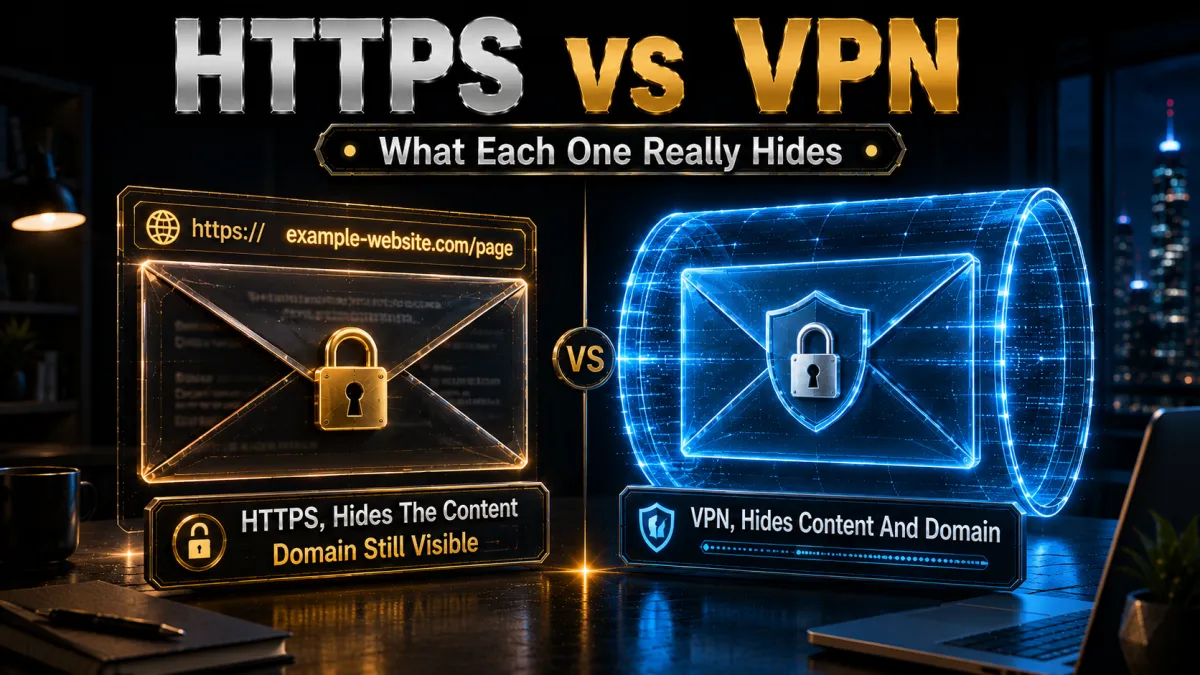
HTTPS and a VPN both use encryption, but they protect different things. Mixing them up leads to a false sense of security. Here is exactly what each one hides from your ISP and what it leaves exposed.
| What your ISP sees | Without VPN (HTTPS only) | With VPN |
|---|---|---|
| Which sites you visit | Yes, visible | Hidden |
| DNS lookups (domain names) | Yes, visible | Hidden |
| Page contents and passwords | Hidden by HTTPS | Hidden |
| How much data you transfer | Yes, visible | Hidden |
| When you are online | Yes, visible | Hidden |
- HTTPS protects content, not destinations. The padlock in your browser encrypts what you do on a site: passwords, form entries, pages you read. Your ISP cannot read your webmail or see which specific article you opened. But it can see that you visited that news site, that bank, or that health forum. For profiling and data-selling purposes, the list of sites you visit is more valuable than the content of any single page.
- A VPN hides the destinations HTTPS leaves exposed. A VPN wraps your entire connection, including the site names and DNS lookups that HTTPS leaves in plain sight, inside one encrypted tunnel to the VPN server. Your ISP sees a single connection to that server and nothing about where your traffic goes afterward.
- You want both, not one or the other. Keep HTTPS-Only mode on in your browser as a baseline. Add a VPN when you want to hide the destinations themselves. Together they leave your ISP with almost nothing meaningful to log or sell.
Related reading:
FAQ: Hiding Browsing from Your ISP
Can my ISP see my browsing history?
Yes, your ISP can see every website domain you visit, how long you stay, and how much data you use, unless you encrypt your connection with a VPN, Tor or encrypted DNS.
How do I stop my ISP from seeing my browsing?
Use a VPN to encrypt your traffic, it routes everything through a private server so your ISP sees only an encrypted connection. Add DNS over HTTPS and a privacy browser for a layered setup.
Does Incognito mode hide my browsing from my ISP?
No. Incognito only stops your browser saving history locally. Your ISP still sees every site you visit. Only a VPN, Tor or encrypted DNS actually hides it.
What’s the best way to hide my activity from my ISP?
A reputable VPN with strong encryption and an audited no-logs policy is the single most effective and reliable method.
Can my ISP see what I search on Google?
They can see you visited google.com. On HTTPS they can’t read the query itself, but they see the DNS lookup. With a VPN or DNS over HTTPS active, even that metadata disappears.
Can my parents see my browsing history through the ISP?
Not directly, ISP logs belong to the ISP. But if they have router access, they may see some DNS activity in router logs. A VPN on your device prevents even that.
Does using mobile data hide browsing from my home ISP?
Yes, but only from your home ISP, your mobile carrier becomes the new ISP and logs your activity instead. A VPN covers both.
How long does my ISP store my browsing history?
In the UK, 12 months by law. It varies across the EU, and in the US there’s no mandated limit, so ISPs may keep it as long as they choose.
Can my ISP see my browsing if I use a proxy?
A basic proxy gives very weak protection, ISPs can often still see the domains you visit, and proxy traffic usually isn’t encrypted. Use a full VPN instead.
Does a VPN hide my browsing on public Wi-Fi too?
Yes. On public Wi-Fi the network operator is effectively your ISP; a VPN encrypts your traffic so neither they nor other users on the network can see what you’re doing.
The Bottom Line
Use a VPN, it’s the single most effective tool for hiding your browsing from your ISP, encrypting everything between your device and the internet so your provider sees nothing meaningful. Pair it with DNS over HTTPS and a privacy browser like Brave or Firefox, and you have a layered setup that defeats the vast majority of ISP tracking methods.
The five picks in one line each:
- NordVPN pairs audited no-logs with private DNS on every server, so your ISP sees only encrypted noise.
- ExpressVPN runs RAM-only servers that wipe on every reboot, leaving nothing to hand over.
- Surfshark hides every device in the house from your ISP on a single plan.
- CyberGhost keeps setup beginner-friendly and gives you 45 days to confirm your ISP sees nothing.
- IPVanish brings unlimited connections and a dependable kill switch for always-on privacy.
And remember the myth-buster: Incognito mode is not a privacy tool. Your ISP sees everything unless you actively encrypt your connection. The good news is that a reliable VPN takes under five minutes to set up, costs as little as $2.49 a month, and is completely legal in most countries. Your browsing history is your business, with the right tools, it stays that way.
Related reading: our best VPN for daily use guide and how to check if your VPN is leaking data.
We may earn a commission if you buy through links on this page, it never affects which VPNs we recommend. Prices and features were correct at the time of writing and can change.
Jyoti VPN Expert leads VPN testing at VPN Expert Guide, covering streaming and regional access, speed and latency testing, and leak checks on Windows, Android and router-level setups. Our guides are built from vendor documentation, provider terms and our own connection testing on a residential line in India, and we publish those measurements in full so readers can check them. Every guide is reviewed before publication and dated so you can see how current it is.
Meet our testing team →Last updated: September 2, 2026