
VPN Not Connecting on School WiFi? Causes and Next Steps
A VPN that will not connect on school or campus WiFi can mean several things: a sign-in page, weak WiFi, a VPN app issue, an account problem, or a deliberate school network restriction. This guide helps you narrow down the cause, understand when policy may apply, and know what details to send campus IT without trying to bypass rules on a network you do not own.
First diagnose why the VPN is not connecting
Not every failed VPN connection means the school is actively blocking your VPN. Use the checks below before you decide what to do next.
| What you see | Most likely cause | Best next step |
|---|---|---|
| Normal websites do not load either | WiFi sign-in page, weak signal, or general network issue | Reconnect, complete the campus WiFi sign-in page, or ask IT |
| One VPN app fails, but other apps work | VPN app, account, server, or protocol problem | Check the exact error, app status, and whether it works on another permitted network |
| The school has its own VPN or remote-access app | The campus may only allow approved access tools | Use the official client and ask IT for the correct settings |
| The VPN works elsewhere but not on campus WiFi | Possible school network restriction or policy rule | Read the acceptable use policy and contact IT instead of trying to bypass controls |
| The VPN fails on every network | Device, account, app, or VPN provider issue | Update the app, try another server, or contact your VPN provider |
When you contact IT, include your device, operating system, VPN or school client name, exact error message, time, whether normal browsing works, and whether the same VPN works on another permitted network. Do not send passwords or private account codes.
If you are choosing a personal VPN for use away from school networks, start with our Best VPN for India guide for India-focused privacy, mobile data, and public WiFi recommendations.
Why schools and universities may block VPNs
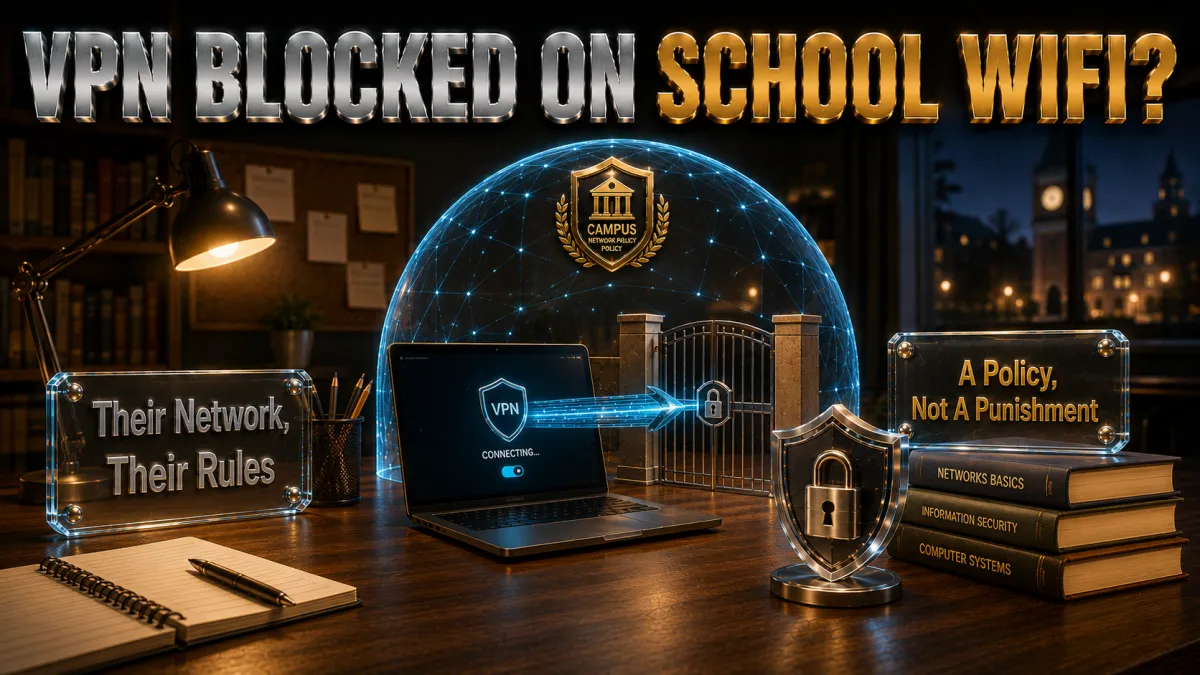
The reasons are mostly deliberate, and worth understanding before anything else.
- Content-filtering obligations. Many schools are legally or contractually required to filter certain categories of content on their networks, particularly where minors are involved, and VPNs route around those filters by design. Blocking VPN traffic is how the institution keeps its filtering obligations intact, which is a compliance requirement, not an arbitrary annoyance.
- Security monitoring and threat defence. Campus IT teams monitor network traffic to catch malware, intrusions, and compromised devices, and encrypted VPN tunnels are opaque to that monitoring. Restricting VPNs preserves the visibility the security team needs to protect every user on the network, including you.
- Bandwidth and resource management. Shared campus networks juggle thousands of users, and VPN traffic, especially to distant servers, can complicate the traffic-shaping that keeps the network usable for everyone. Some blocks are simply about keeping the shared resource fair.
- Acceptable use policy enforcement. Nearly every school network carries an AUP that students agree to, and those documents commonly address VPNs, proxies, and filter circumvention explicitly. The block is often the technical expression of a policy you accepted at enrolment.
- Liability and safeguarding. Institutions carry responsibility for what happens on their networks, and unmonitored encrypted traffic complicates that responsibility. The block is part of how schools manage the duty of care they owe their community.
What a blocked VPN on school WiFi actually means
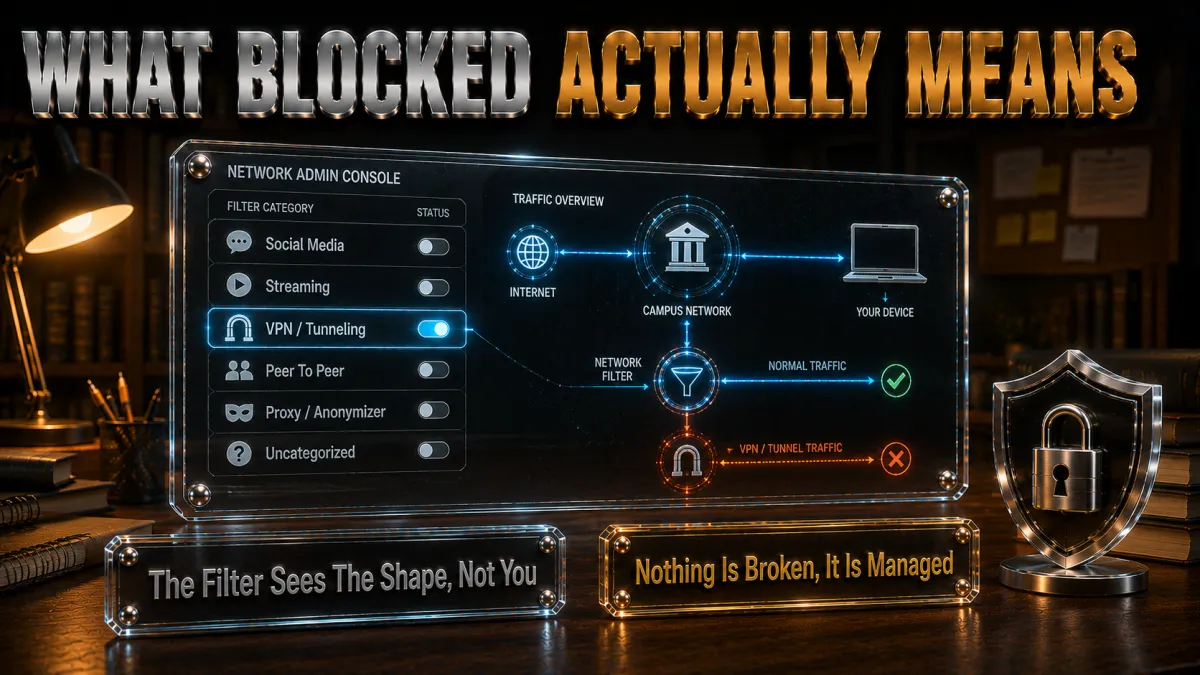
Reading the situation honestly, without the usual spin.
- It means the network is doing its job. A VPN that cannot connect on a managed network is usually a sign the network is configured as intended, not that something is broken. The institution has decided VPN traffic does not belong on its infrastructure, and the technology is enforcing that decision.
- It is the school’s network, not yours. The distinction matters: on your home connection you set the rules, but a school network belongs to the institution, which sets the terms of use. Respecting that boundary is the difference between using a tool and misusing someone else’s property.
- The AUP is the real document to read. Rather than guessing, find your school’s acceptable use policy, usually on the IT or student-services pages, and read what it actually says about VPNs and network use. The policy tells you what is permitted far more reliably than any blog.
- Circumvention carries real consequences. Deliberately defeating a school’s network controls can breach the AUP and lead to disciplinary action, loss of network privileges, or worse, depending on the institution. This guide does not walk you toward that outcome, because the downside is real and the upside is not worth it.
- There is usually a legitimate path to what you need. If a genuinely educational resource is blocked, that is a case IT can often address directly, per the channels section below. The right door is frequently open; it is just not the VPN.
Where a VPN genuinely belongs in a student’s life
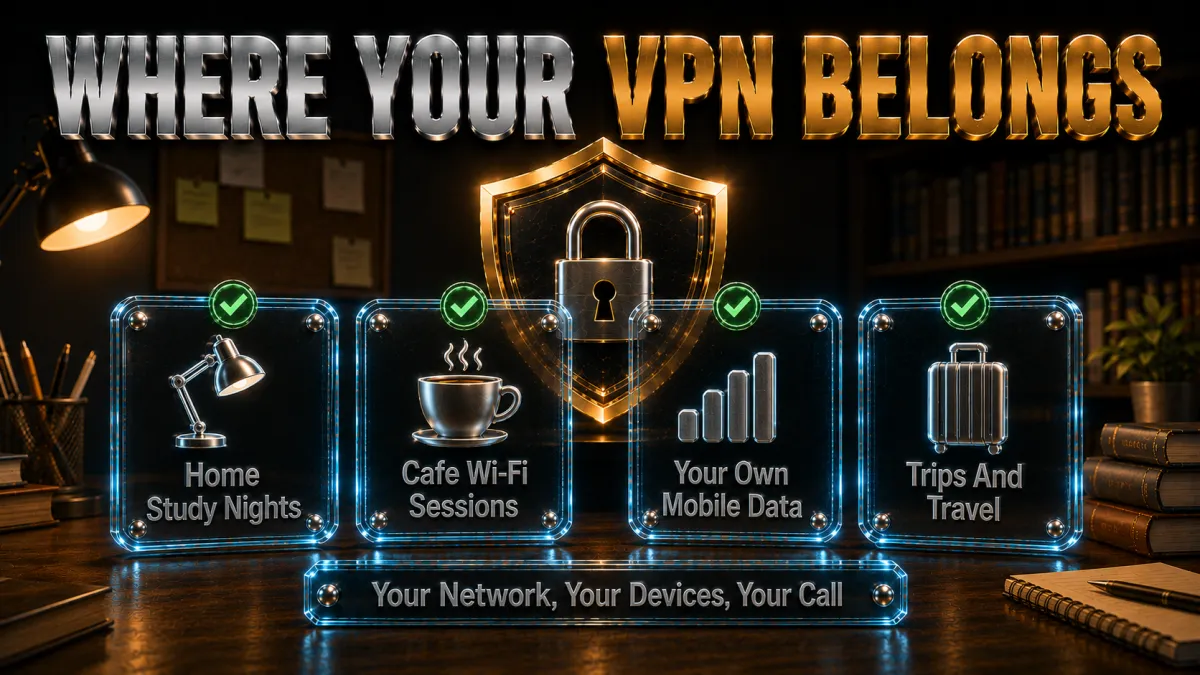
The tool is valuable; it just has a proper place, and that place is your own kit.
- Your home study connection. On your home network, a VPN protects your browsing from your ISP‘s profiling and secures your connection while you research, submit assignments, and access your accounts. This is the cleanest, most legitimate student use case, and it is entirely yours to configure.
- Public WiFi at cafes, libraries, and transit. Study sessions increasingly happen on unsecured public networks, where a VPN converts a risky hotspot into a safe carrier, per our public-WiFi guidance. Protecting your logins on library WiFi is exactly what the tool is for.
- Your personal devices on your own mobile data. On your phone’s cellular connection, away from any managed network, a VPN is yours to run as you see fit for privacy and security. Your data, your rules.
- Protecting accounts and research privacy. Students accumulate valuable logins, email, banking, scholarship portals, and encrypting that traffic on networks you control is sound practice. The account-protection case for a personal VPN is strong and uncontroversial.
- Learning digital literacy properly. Understanding how VPNs, encryption, and DNS actually work is genuinely educational, and running one on your own devices is the best classroom. The knowledge is the point; the school network is not the lab.
The right way to handle a genuinely blocked educational resource
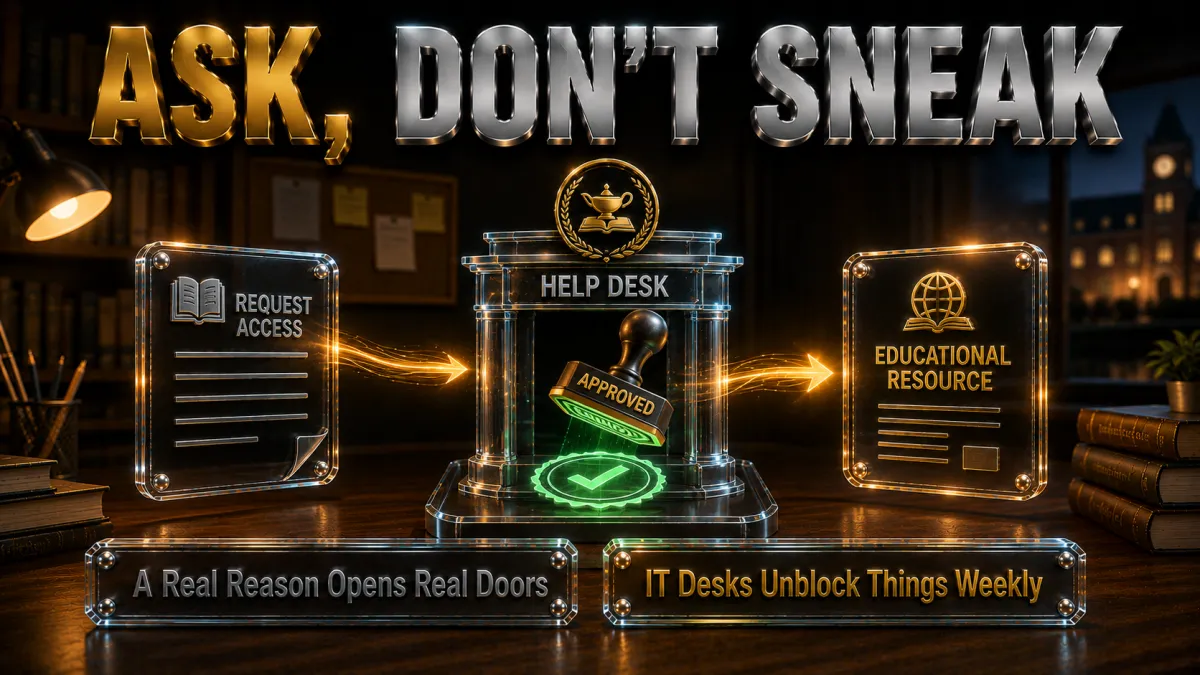
When you actually need access for schoolwork, these are the channels that work.
- Identify exactly what is blocked and why you need it. Note the specific site or resource and the legitimate academic reason you need it. A clear, specific request is far more likely to succeed than a vague complaint about restrictions.
- Read the acceptable use policy first. The AUP often explains the filtering categories and the process for requesting access. Knowing the policy before you ask makes you a credible, easy-to-help requester.
- Contact IT or the library help desk. Campus IT and academic librarians handle exactly these requests routinely, and educational resources caught by overzealous filters are commonly unblocked on request. This is the door that actually opens.
- Involve your instructor or supervisor. If a resource is needed for a course, your instructor can often escalate the request with institutional weight behind it. A faculty endorsement moves things quickly.
- Use official off-network resources. Many institutions provide library proxies, VPN clients for approved academic access, and off-campus portals precisely so students can reach licensed databases legitimately. Ask what official remote-access tools your school already offers.
Setting up your personal VPN the right way (off the school network)
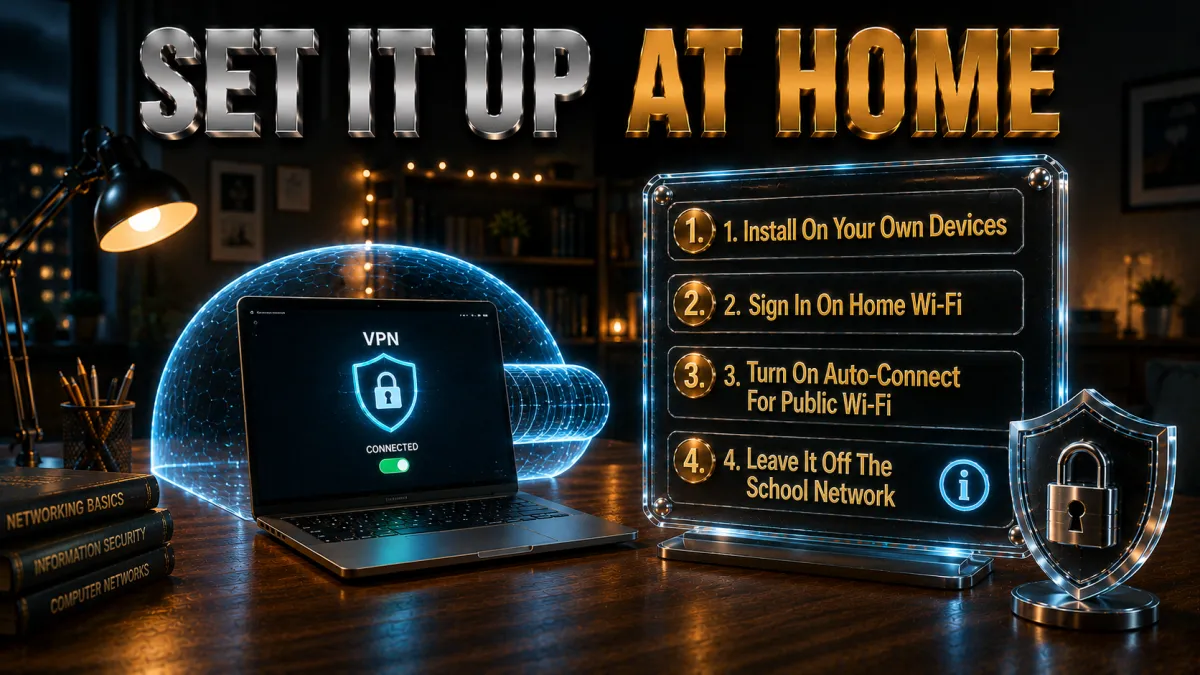
For your own devices and connections, here is the clean setup.
- Choose a reputable audited provider. Pick from services with independent no-logs audits, per the picks section below, so the tool you run on your own traffic is trustworthy. Free unknown apps are the wrong choice, especially for a student’s valuable accounts.
- Install only from official sources. Provider website or official app stores, never third-party mirrors, which is basic security hygiene that matters doubly on a personal budget device.
- Use it on connections you control. Home WiFi, your mobile data, and public hotspots are the right places; your school’s managed network is not. Keeping that boundary clear keeps you on the right side of your AUP.
- Enable the kill switch and verify no leaks. Turn on the kill switch and run our leak-check routine so the protection is real, per our leak-check guide. A tool worth running is worth verifying.
- Learn the settings as you go. Protocols, server choice, and split tunnelling are all worth understanding, and running a VPN on your own kit is the ideal way to build that literacy. The education is a genuine bonus.
How to choose a personal VPN as a student
The criteria that matter most for a student budget and a student’s needs.
- Audited no-logs above all. Your personal traffic and valuable logins deserve a provider whose privacy claims are independently verified, the standing criterion across this site. Trust is the whole point of the tool.
- Genuine value for a tight budget. Students watch every rupee and dollar, so long-term plan pricing and unlimited-device options matter, per the picks below. The cheapest credible option, not the cheapest option, is the target.
- Good performance on ordinary connections. Home study and public WiFi both want a VPN that does not drag, which modern protocols on nearby servers deliver. Test during the refund window on your actual connections.
- Multi-device coverage. Laptop, phone, and tablet is the standard student kit, so device allowances matter, and unlimited-device plans erase the counting. One subscription across your whole kit is the efficient choice.
- A real refund window. The 30-to-45-day guarantees on reputable services let you trial risk-free, which suits a budget that cannot afford a wrong purchase. Try, verify, keep or refund.
The 5 best personal VPNs for students in 2026
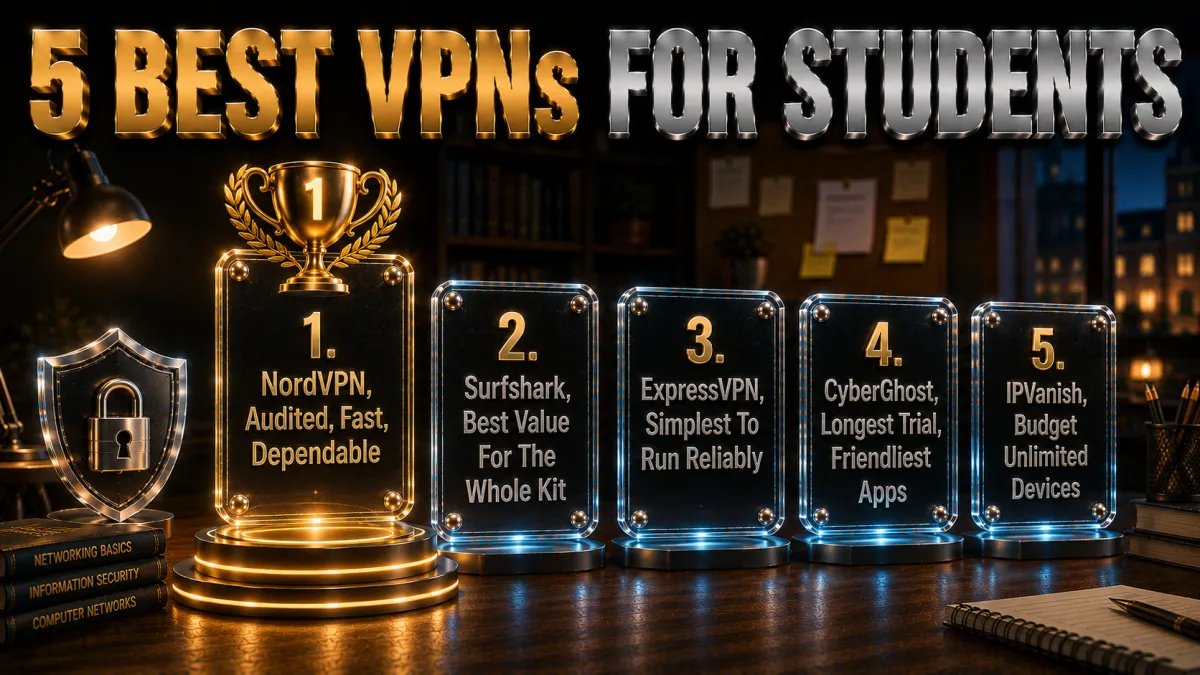
Ranked for audited trust, student-budget value, and everyday performance on connections you control.
1. NordVPN – Best overall for students
NordVPN pairs the deepest audit history here with NordLynx speeds that keep home study and public-WiFi sessions smooth, plus Threat Protection that filters malicious domains, useful for a student clicking through unfamiliar research links. For protecting your own accounts on your own connections, it is the most complete pick.
Ten devices covers a laptop, phone, and tablet with room to spare, and the 30-day window lets you trial it on your home and library connections risk-free.
✔ Pros
- Multiple independent no-logs audits
- NordLynx speed for study sessions
- Threat Protection domain filtering
- Reliable kill switch and leak protection
- 30-day refund window
✘ Cons
- Best price needs a longer plan
- 10-device cap, ample for most students
| Audited no-logs | Yes, multiple audits |
| Best use | Home, public WiFi, personal devices |
| Devices | 10 |
| Jurisdiction | Panama |
| Support | 24/7 live chat |
| Money-back | 30 days |
2. Surfshark – Best value for the whole kit
Surfshark is the student-budget champion: the lowest long-term price here, unlimited simultaneous devices so your whole kit and your roommates’ too are covered on one plan, and an audited no-logs policy underneath. For a tight budget that still wants credible protection, the value is unmatched.
Speeds sit a step behind the top pick, an honest placement, and remain comfortable for study, streaming, and calls on home and public networks.
✔ Pros
- Lowest long-term price of the five
- Unlimited simultaneous devices
- Audited no-logs policy
- CleanWeb ad and tracker blocking
- 30-day refund window
✘ Cons
- Speeds a step behind NordVPN
- Best price needs the long plan
| Audited no-logs | Yes, audited |
| Best use | Whole-kit coverage on a budget |
| Devices | Unlimited |
| Jurisdiction | Netherlands |
| Support | 24/7 live chat |
| Money-back | 30 days |
3. ExpressVPN – Simplest to run reliably
ExpressVPN is the pick for students who want privacy that just works: the simplest apps of the five, RAM-only audited infrastructure, and rock-solid reliability on home and public WiFi. If you would rather not fiddle with settings, this is the smoothest experience.
The honest trade is price: it is the most expensive here, and the eight-device cap suits a personal kit rather than a shared household.
✔ Pros
- Simplest apps to run reliably
- RAM-only audited infrastructure
- Excellent everyday reliability
- Strong, consistent speeds
- 30-day refund window
✘ Cons
- Most expensive of the five
- 8-device cap
| Audited no-logs | Yes, audited |
| Best use | Set-and-forget personal privacy |
| Devices | 8 |
| Jurisdiction | British Virgin Islands |
| Support | 24/7 live chat |
| Money-back | 30 days |
4. CyberGhost – Longest trial, friendliest apps
CyberGhost’s 45-day money-back guarantee is the longest here, giving a student six full weeks to trial the tool across home, library, and cafe connections before committing, all in the plainest-language apps of the five. The huge network and audited no-logs policy round out a beginner-friendly package.
Speeds rate good rather than leading, and seven devices covers a personal kit comfortably.
✔ Pros
- 45-day refund, longest trial here
- Plainest apps for beginners
- Huge server network
- Audited no-logs, transparency reports
- Budget-friendly long plans
✘ Cons
- Speeds good rather than leading
- 7-device cap is the tightest here
| Audited no-logs | Yes, audited |
| Best use | Beginners wanting a long, safe trial |
| Devices | 7 |
| Jurisdiction | Romania |
| Support | 24/7 live chat |
| Money-back | 45 days |
5. IPVanish – Budget unlimited devices
IPVanish offers brisk WireGuard speeds and unlimited connections at a fair price, a solid budget option for a student with several devices to cover on home and public networks.
The standing honesty: US jurisdiction and a lighter independent-audit history than the four above, which is why it anchors the list rather than leading it.
✔ Pros
- Brisk WireGuard speeds
- Unlimited simultaneous connections
- Fair pricing for students
- Straightforward apps
- 30-day refund window
✘ Cons
- US jurisdiction, lighter audit history
- Fewer privacy extras than the top four
| Audited no-logs | Policy in place, lighter audit history |
| Best use | Budget coverage for many devices |
| Devices | Unlimited |
| Jurisdiction | United States |
| Support | 24/7 live chat |
| Money-back | 30 days |
| Feature | NordVPN | ExpressVPN | Surfshark | CyberGhost | IPVanish |
|---|---|---|---|---|---|
| Audited no-logs | Multiple audits | Audited | Audited | Audited | Lighter history |
| Student value | Strong | Premium price | Best value | Good | Good |
| Devices | 10 | 8 | Unlimited | 7 | Unlimited |
| Everyday speed | Leading | Very strong | Solid | Good | Brisk |
| Trial window | 30 days | 30 days | 30 days | 45 days | 30 days |
| Ease of use | Easy | Simplest | Easy | Simplest | Easy |
Understanding your acceptable use policy
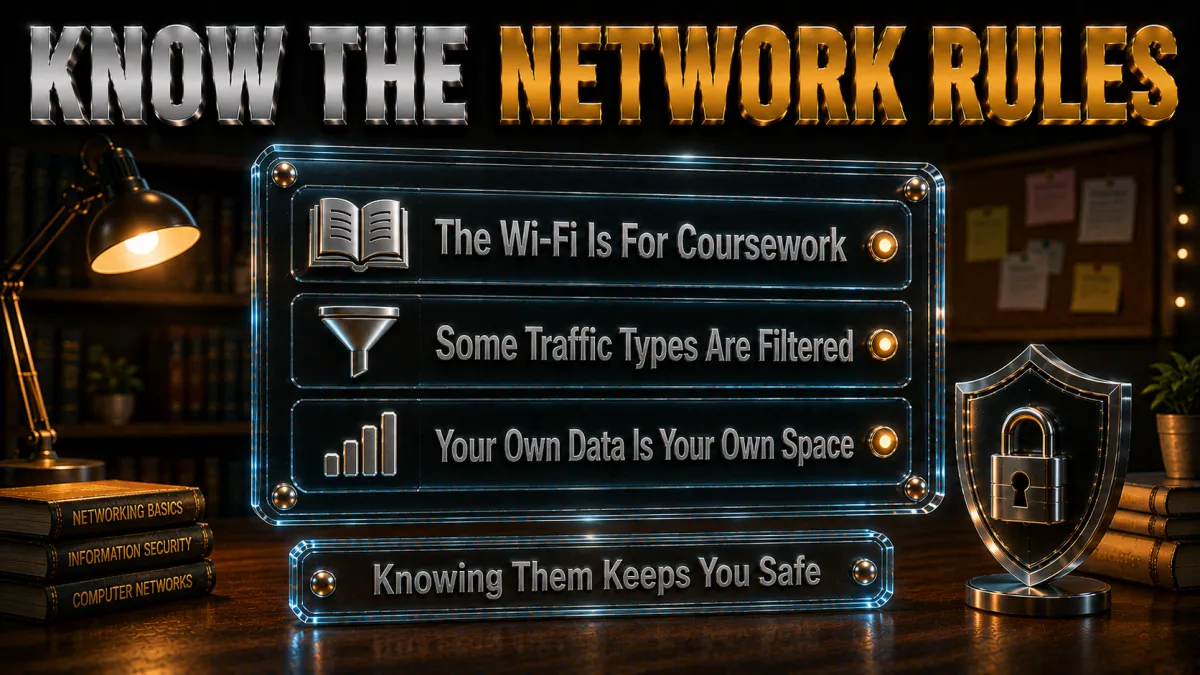
The document that actually governs what you can do, worth ten minutes of your time.
- Every managed network has one. Schools, universities, and workplaces publish acceptable use policies that spell out permitted and prohibited network activity, and you almost certainly agreed to yours at enrolment. It is the rulebook, and it is usually a short read.
- VPNs and proxies are commonly addressed. Most AUPs mention filter circumvention, VPNs, and proxies directly, so the policy tells you plainly where your institution stands. Guessing is unnecessary when the answer is written down.
- It explains the request process. Good AUPs describe how to ask for access to blocked resources you legitimately need, which is the constructive path this guide keeps pointing toward. The policy is often the map to the right door.
- Breaching it has consequences. AUPs also list the penalties for violations, from warnings to loss of network access to formal discipline. Reading them is how you understand what is genuinely at stake, and why circumvention is a poor trade.
- When in doubt, ask IT. If the policy is unclear, the IT or student-services team will explain it, and asking is always safer than assuming. A two-minute email beats a disciplinary meeting.
Privacy habits that protect students everywhere
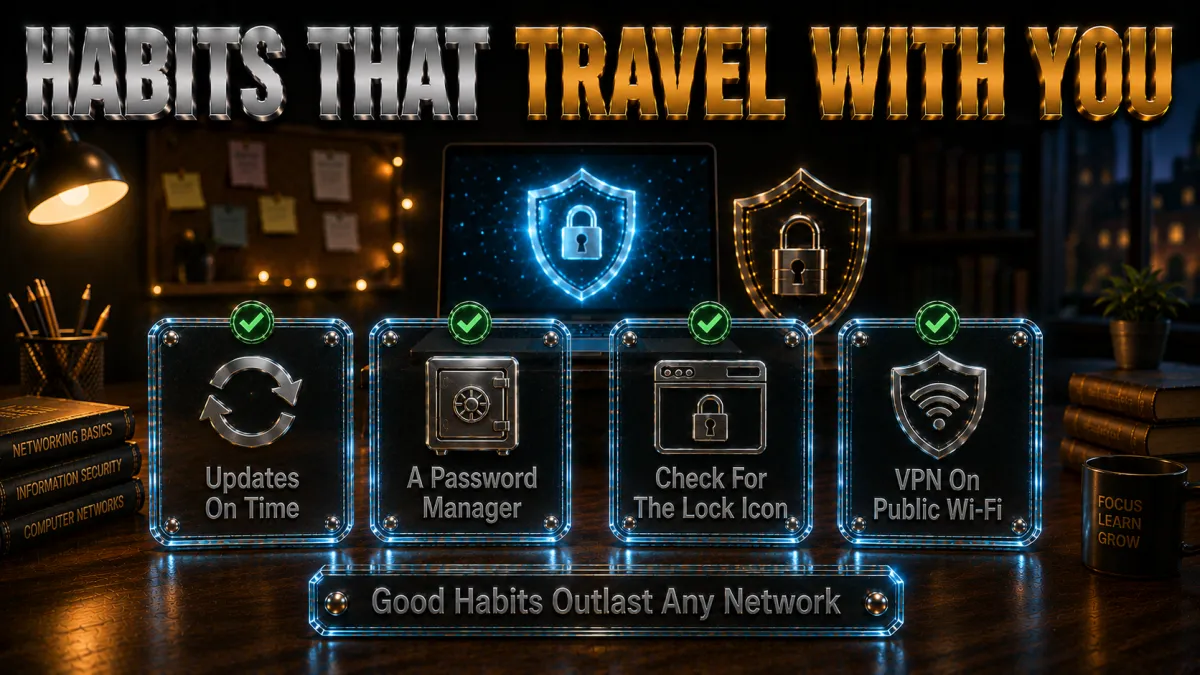
Good practice that works on any network, no circumvention required.
- Strong unique passwords with a manager. A password manager gives every account a unique strong password, ending the reuse chain that turns one leak into many. For a student’s growing keyring of logins, this is the highest-value habit there is.
- Two-factor authentication everywhere. 2FA turns a stolen password into a failed login, protecting email, banking, and academic portals even if credentials leak. Enable it on your email first; it is the master key to everything else.
- A personal VPN on your own connections. Home WiFi, public hotspots, and mobile data are yours to protect, and a reputable VPN secures them all, per the setup section. This is where the tool genuinely earns its place.
- Caution with public WiFi logins. Even with a VPN, save the most sensitive tasks for connections you trust, and be wary of networks that seem off. Layered caution beats any single tool.
- Keep devices updated. Security patches close the holes that malware exploits, and auto-updating everything is free protection. Boring, effective, and entirely within your control.
Mistakes students make around school networks and VPNs
The errors worth skipping, framed honestly.
- Treating a blocked VPN as a challenge to beat. The block is usually a deliberate policy on someone else’s network, and trying to defeat it can breach your AUP with real consequences. Understanding the policy is the mature response; fighting it is not.
- Grabbing an unknown free app to get around a filter. Free VPNs of unknown provenance are a genuine security risk to a student’s valuable accounts, and using one to circumvent school controls compounds a security mistake with a policy breach. Two bad ideas in one download.
- Ignoring the legitimate request channel. When an educational resource is wrongly blocked, IT and librarians can often fix it directly, and skipping that channel means missing the door that actually opens. Ask before you assume it is hopeless.
- Confusing the school’s network with your own. Your rights on your home connection do not transfer to an institution’s managed network, and blurring that line is where students get into trouble. Your kit, your rules; their network, their rules.
- Skipping the AUP entirely. Not reading the policy you agreed to means operating blind, and most access confusion evaporates once you actually read what is permitted. Ten minutes of reading prevents most problems.
Frequently asked questions
Why is my VPN blocked on school WiFi?
The most common reason is that your school has deliberately configured its network to block VPN traffic under its acceptable use policy, often to maintain content filtering, security monitoring, or bandwidth management. A blocked VPN usually means the managed network is working as the institution intended, not that something is broken.
Is it against the rules to use a VPN on school WiFi?
That depends on your school’s acceptable use policy, which frequently addresses VPNs and filter circumvention directly. Read the AUP, usually on your IT or student-services pages, to know exactly where your institution stands, and reserve your personal VPN for connections you control.
What should I do if a resource I need for class is blocked?
Use the proper channels: note the specific resource and academic reason, then contact IT or the library help desk, which routinely unblock educational resources caught by filters. Involving your instructor adds institutional weight, and many schools also offer official off-campus access tools for licensed databases.
Where should I actually use my personal VPN?
On connections you own and control: your home WiFi, public hotspots at cafes and libraries, and your own mobile data. These are the legitimate, valuable use cases where a VPN protects your browsing and accounts, and where the tool genuinely belongs.
Can the school see what I do if I use a VPN on their network?
This guide focuses on legitimate use rather than what a VPN hides from an institution, and the honest point is that a school network is the institution’s to manage and monitor under its policies. For privacy that is genuinely yours, use a VPN on your own connections, where the question of someone else’s monitoring does not arise.
Are free VPNs a good option for students?
Reputable freemium tiers exist, but unknown free apps are a real security risk to the valuable accounts students carry, and their business models often monetise your data. The 30-to-45-day refund windows on audited services make full protection free to trial, which is the safer budget route.
Which VPN is best for a student budget?
Surfshark offers the best value here, with the lowest long-term price and unlimited devices to cover your whole kit, while NordVPN leads overall on audited trust and speed. Both offer refund windows so you can trial them on your home and public connections risk-free.
Will a VPN slow down my studying?
On a modern protocol to a nearby server, a good VPN costs only a modest slice of speed that research, streaming, and calls rarely notice. Test during the refund window on your actual home and library connections, which is the only benchmark that matters.
What is an acceptable use policy?
It is the document, published by your school, that defines permitted and prohibited network activity, and which you agreed to at enrolment. It commonly addresses VPNs and filter circumvention and explains how to request access to blocked resources, making it the first thing to read when questions arise.
Can I get in trouble for trying to bypass school network controls?
Yes; deliberately defeating a school’s network controls can breach the acceptable use policy and lead to warnings, loss of network privileges, or formal discipline depending on the institution. The consequences are real, which is why this guide points toward understanding the policy and using proper channels instead.
Does a VPN protect me on public library or cafe WiFi?
Yes; this is one of the strongest student use cases, because a VPN converts an unsecured public hotspot into a safe carrier for your logins and browsing. Enable the kill switch, verify no leaks, and public-WiFi study sessions become genuinely safer.
What privacy habits matter most for students?
A password manager for unique strong passwords, two-factor authentication on every important account, a personal VPN on connections you control, caution with sensitive tasks on public WiFi, and keeping devices updated. Together these protect you on any network without circumventing anyone’s security.
Does my university offer any official remote access for research?
Most do; universities commonly provide library proxy services, institutional VPN clients for approved academic access, and off-campus portals precisely so students can reach licensed databases and journals legitimately from anywhere. Check your library or IT pages for the official remote-access tools your institution already runs, since these are built for exactly the access you are trying to get and keep you fully within policy.
Can schools and colleges block VPNs?
Yes, and most of them do. School and college networks usually run managed firewalls that can block the ports and protocols VPN apps rely on, block traffic to addresses known to belong to VPN providers, or restrict the network to approved applications only. This is a normal part of running a campus network that has to protect minors, meet filtering obligations and keep bandwidth available for teaching. If your VPN suddenly stops connecting on school or college WiFi, it is almost always this rather than a fault with your subscription.
How do schools detect VPN use on their network?
Network administrators generally do not need to read your traffic to notice a VPN. Management software can see that a device is sending encrypted traffic to an address associated with a VPN provider, or that it is using a protocol the network policy does not permit. Some institutions log the attempt and take no action; others treat repeated attempts as a policy matter. The practical takeaway for students is that campus network activity is rarely as anonymous as it feels, which is why the sensible place for a personal VPN is your own connection rather than the institution network.
The Bottom Line
- A blocked VPN is usually the network working as intended. Schools restrict VPN traffic deliberately under their policies, and understanding that is the honest starting point.
- The VPN’s real home is your own kit. Home WiFi, public hotspots, and personal devices are where the tool legitimately and valuably protects you.
- Use proper channels for blocked schoolwork. IT, librarians, and instructors can unblock genuinely educational resources, and that door opens more often than students expect.
- NordVPN leads, Surfshark wins on budget. Both bring audited trust for protecting your own connections; CyberGhost’s 45 days suits a cautious first trial.
- Privacy habits beat circumvention. Password managers, 2FA, a personal VPN, and updates protect you everywhere, no policy breach required.
A VPN that will not connect on school WiFi is not a puzzle to solve; it is a boundary to understand. Keep the tool where it belongs, on your own connections, use the school’s own channels for the school’s own network, and you get the privacy you want without the trouble you do not.
Jyoti VPN Expert leads VPN testing at VPN Expert Guide, covering streaming and regional access, speed and latency testing, and leak checks on Windows, Android and router-level setups. Our guides are built from vendor documentation, provider terms and our own connection testing on a residential line in India, and we publish those measurements in full so readers can check them. Every guide is reviewed before publication and dated so you can see how current it is.
Meet our testing team →Last updated: September 22, 2026