
Best VPN for MacBook in 2026: Native, Fast, and Actually Private
MacBooks carry the same comfortable assumption iPhones do: Apple built it, so privacy is handled. Half true, and the true half concerns the machine, not the network. macOS hardens the laptop brilliantly and still sends your traffic across cafe WiFi exactly as exposed as any Windows machine beside you. This guide covers what a VPN genuinely adds on a Mac, what macOS already does, the Mac-specific details that separate good apps from ports, and the five VPNs that earn the menu-bar slot.
Why your MacBook still needs a VPN
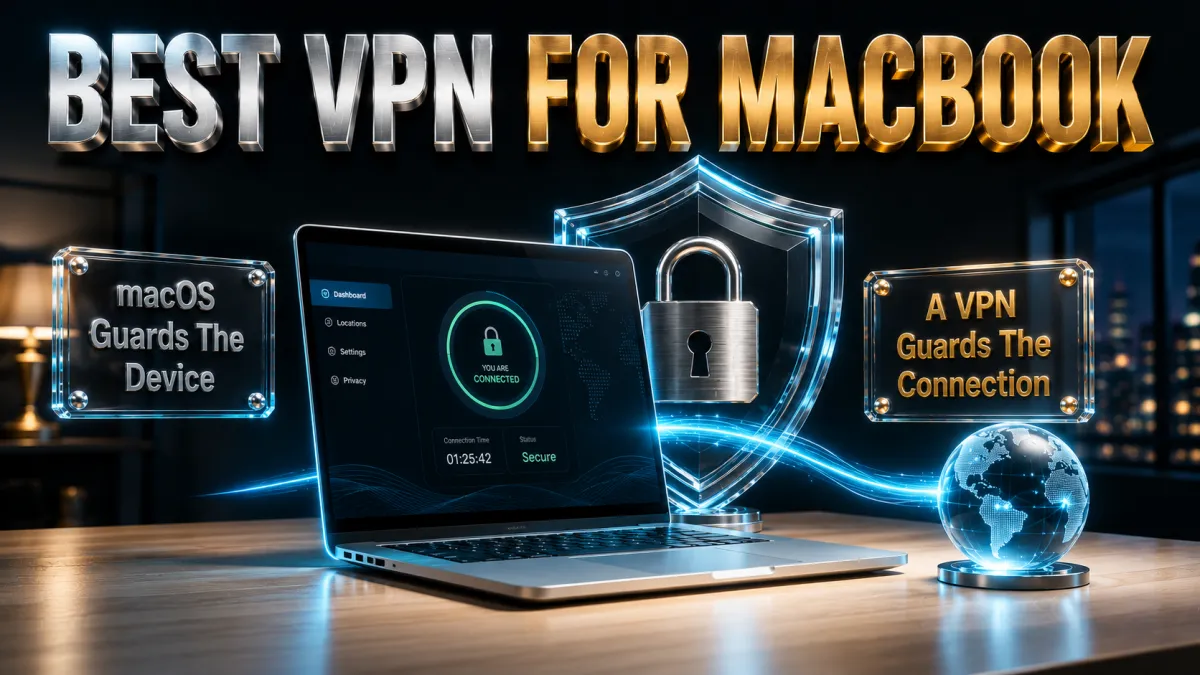
The case rests entirely on what leaves the laptop, not what runs on it.
- Your traffic crosses networks you do not control. A MacBook is a portable machine by definition, and every cafe, airport, hotel, and co-working network it touches can observe connection metadata and anything unencrypted. macOS does not encrypt the path; that was never its job.
- Your IP address is your name tag. Every site and service sees an address mapped to your location and network, and ad systems link activity through it. A VPN swaps it for the server’s, degrading the easiest tracking signal on the web.
- Your ISP sees every destination. At home and on hotspots, the provider watches where your connection goes. Inside the tunnel, that visibility collapses to encrypted traffic toward one server.
- Laptops carry heavier sessions than phones. The MacBook is where work logins, tax portals, client files, and banking dashboards actually happen, which raises the value of protecting its connection above almost any other device you own.
- Travel multiplies exposure. A travelling Mac hops through more unknown networks in a week than a desktop meets in a year. The device that moves most needs connection protection most.
What macOS already covers, honestly

Credit where due, so the VPN’s job stays clearly defined.
- The device side is genuinely strong. Gatekeeper and notarisation filter software, FileVault encrypts the disk, System Integrity Protection guards the OS, and Safari fights fingerprinting. Against malware and theft, macOS earns its reputation.
- iCloud Private Relay is real but narrow. It protects Safari browsing specifically, with no location choice and no coverage for other apps or system traffic. A useful Safari upgrade; not a VPN, and Apple does not claim otherwise.
- Hide My Email and tracking prevention help their lanes. Apple’s privacy features are honest, well-built, and all scoped to Apple’s apps and services, which is exactly the boundary a VPN crosses.
- None of it encrypts the connection. Third-party apps, background services, other browsers, and every non-Safari process talk to the network directly. The gap is structural, and the VPN is the tool shaped to fill it.
- The layers stack, they do not compete. Keep FileVault on, keep Safari’s protections, keep Private Relay if you like it, and run the VPN underneath all of it. Each guards a different surface.
What you are actually protecting against

Concrete threats, ranked the way they actually occur on a Mac.
- Eavesdropping on shared Wi-Fi. The classic laptop threat: open and shared-password networks expose metadata and unencrypted traffic to the room. The tunnel makes the room’s view worthless.
- Rogue hotspots at travel chokepoints. A hostile network named like the airport’s real one captures whatever connects. Encryption from the first packet defeats the trick.
- IP-based profiling across the web. Data brokers stitch browsing into profiles keyed on your address. Rotating it through VPN servers breaks the stitching.
- ISP and network-level logging. Destination logs accumulate somewhere you cannot audit. Encrypted tunnels remove the dataset at source.
- What is not on the list. Mac malware exists but arrives through downloads and social engineering, which Gatekeeper and common sense handle, and a VPN would not. Honest scoping keeps both tools credible.
The features that matter in a Mac VPN
Mac VPN apps range from excellent citizens to lazy ports; these details separate them.
- A real native app for Apple silicon. All five picks ship universal or native builds that run efficiently on M-series chips. Native matters for battery, speed, and stability; Rosetta-era ports deserve retirement.
- A kill switch that actually blocks. If the tunnel drops, traffic should stop until it returns, not quietly fall back to the open network. Implementation quality varies more on macOS than users expect; the picks below do it properly.
- Auto-connect rules for untrusted networks. The laptop equivalent of iPhone on-demand: protection that raises itself on unknown Wi-Fi beats protection you remember at the gate.
- Menu bar control. Connect, switch, and check status from the bar without opening a window. Small feature, decides daily usage.
- Split tunnelling where you need it. Routing one app outside the tunnel, a bank that dislikes VPN addresses, a local device dashboard, saves the on-off dance. Support varies by macOS version and provider; check before relying on it.
- Audited no-logs underneath everything. The provider sees what the ISP no longer can. Outside verification of the no-records claim is the non-negotiable, same as every platform.
Apple silicon: what M-series changes for VPNs

The M-series transition quietly improved the Mac VPN experience more than any provider feature did.
- Encryption overhead became a rounding error. M-series chips handle WireGuard-class cryptography so efficiently that the tunnel’s CPU cost disappears into the noise, even on fast connections.
- Battery impact dropped with it. Efficient silicon plus efficient protocols means all-day protection without a meaningful dent in runtime, removing the old laptop excuse for toggling the VPN off.
- Native builds are table stakes now. All five picks run native on M-series; if you ever evaluate an alternative, an Intel-only build in 2026 signals a provider that stopped caring about the platform.
- Fan silence is the everyday tell. On Apple silicon the tunnel adds no audible cost: no spin-up during downloads, no warmth during streaming. Protection that cannot be heard is protection that stays on.
Air or Pro, old or new: model considerations
The honest answer is that the VPN choice barely changes by model, with three footnotes.
- MacBook Air users lose nothing. The fanless Air runs modern VPN protocols at full speed without thermal drama; the M-series efficiency story above is the Air’s story especially. Every pick below treats an Air identically to a Pro.
- Pro users with heavy workloads gain from split tunnelling. Pushing large transfers to specific routes while the tunnel guards everything else suits video and development workflows; check each provider’s current macOS split-tunnel support if this is your daily pattern.
- Intel Macs still work fine. All five picks maintain Intel support today. Expect that to fade industry-wide over coming years, in step with Apple’s own support cadence, not before it.
- Older macOS versions need a version check. Providers trail Apple’s OS support by a few releases; if a machine is several versions behind, confirm the current app installs before subscribing. The refund windows make even that mistake reversible.
How to choose for how you use your Mac
All five clear the Mac bar; match one to your situation.
- Want the most complete package? NordVPN pairs the deepest audit record with speed and the best-behaved Mac app of the set.
- Want maximum simplicity that always works? ExpressVPN’s one-button app and travel reliability suit the settings-averse.
- Covering Mac, iPhone, iPad, and the family? Surfshark’s unlimited devices at the lowest price wins the arithmetic.
- First VPN on your first Mac? CyberGhost’s plain-language app and 45-day window make the start gentle.
- Many devices, speed first, ordinary threat model? IPVanish delivers brisk throughput and unlimited connections fairly priced.
The 5 best VPNs for MacBook in 2026

Ranked for the Mac criteria above: native app quality and kill-switch reliability first, then speed on Apple silicon, audits, and value.
1. NordVPN – Best overall Mac VPN
NordVPN’s Mac app is the best-behaved of the five: native on Apple silicon, a kill switch that genuinely blocks on tunnel drops, auto-connect rules for untrusted Wi-Fi, and menu bar control that makes the whole thing disappear into the workflow. NordLynx keeps full-speed downloads and 4K streaming indistinguishable from the open connection.
Underneath sits the strongest trust file in the industry: a no-logs policy verified through multiple independent audits, RAM-only servers, Panama jurisdiction. Threat Protection filters malicious domains system-wide, useful beyond the browser. Settings run denser than minimalist rivals; ten minutes once covers everything a Mac user needs.
✔ Pros
- Native Apple silicon app, menu bar control
- Reliable kill switch and auto-connect rules
- Multiple independent no-logs audits
- NordLynx full-speed performance
- Threat Protection works system-wide
✘ Cons
- Denser settings than minimalist apps
- Best price needs a longer plan
| Native Apple silicon | Yes |
| Kill switch | Yes, blocks on drop |
| Auto-connect rules | Yes |
| Audited no-logs | Yes, multiple audits |
| Devices | 10 |
| Money-back | 30 days |
2. ExpressVPN – Simplest premium Mac experience
ExpressVPN on the Mac is one large button that always works: Lightway connects near-instantly, survives flaky hotel networks with automatic obfuscation, and the native app never asks you to think. For the traveller whose Mac lives on hostile Wi-Fi, this is the most dependable of the five.
The architecture remains the trust benchmark: RAM-only fleet, audited no-logs, British Virgin Islands base. The usual costs apply, the highest price of the set and an eight-device cap, buying the smoothest and most reassuring version of the category.
✔ Pros
- Simplest Mac app of the five
- Lightway excels on hostile travel networks
- RAM-only fleet, audited no-logs
- Native Apple silicon build
- Automatic obfuscation when needed
✘ Cons
- Most expensive of the five
- 8-device cap is the tightest here
| Native Apple silicon | Yes |
| Kill switch | Yes, Network Lock |
| Auto-connect rules | Yes |
| Audited no-logs | Yes, audited |
| Devices | 8 |
| Money-back | 30 days |
3. Surfshark – Best value for Apple households
Surfshark brings the audited essentials, WireGuard speed, kill switch, auto-connect, CleanWeb domain blocking, to the cheapest long-term plan of the five with unlimited simultaneous devices: one subscription for the MacBook, the iPhones, the iPad, and whatever else the household runs.
Honest placement: the Mac app is very good rather than class-leading, with the occasional rough edge the top two have polished away, and peak speeds sit a step behind. For an Apple household on a budget, the per-device arithmetic settles it.
✔ Pros
- Lowest long-term price of the five
- Unlimited simultaneous devices
- Audited no-logs policy
- CleanWeb domain blocking
- Native Apple silicon build
✘ Cons
- App polish a step behind the top two
- Peak speeds trail slightly
| Native Apple silicon | Yes |
| Kill switch | Yes |
| Auto-connect rules | Yes |
| Audited no-logs | Yes, audited |
| Devices | Unlimited |
| Money-back | 30 days |
4. CyberGhost – Friendliest first Mac VPN
CyberGhost’s Mac app explains itself in plain language: one connect button, servers labelled by purpose, and settings a first-timer navigates without a glossary. The no-logs policy is audited with regular transparency reports, and the huge network keeps a quiet nearby server available.
The 45-day money-back guarantee is the longest of the five, six real weeks of full product on your actual routine before any commitment sticks. Advanced controls run lighter than NordVPN’s, which is the design intent and the right one for this audience.
✔ Pros
- Plainest-language Mac app of the five
- 45-day refund, longest here
- Audited no-logs with transparency reports
- Huge server network
- Purpose-labelled servers
✘ Cons
- Lighter advanced feature set
- Speeds good rather than leading
| Native Apple silicon | Yes |
| Kill switch | Yes |
| Auto-connect rules | Yes |
| Audited no-logs | Yes, audited |
| Devices | 7 |
| Money-back | 45 days |
5. IPVanish – Fast and unlimited
IPVanish gives a Mac brisk sustained speeds, unlimited simultaneous connections, and a clean native app with kill switch included, at a fair price. As a straightforward workhorse for speed-focused users with many devices, it earns its slot.
Fifth place carries the usual honest note: US jurisdiction inside the major intelligence alliance and a lighter independent audit history than the four above. Fine for ordinary threat models; privacy-first buyers should look higher up the list.
✔ Pros
- Consistently brisk speeds
- Unlimited simultaneous connections
- Fair pricing
- Clean native Mac app
- Kill switch included
✘ Cons
- US jurisdiction
- Lighter audit history than the leaders
| Native Apple silicon | Yes |
| Kill switch | Yes |
| Auto-connect rules | Yes |
| Audited no-logs | Policy in place, lighter audit history |
| Devices | Unlimited |
| Money-back | 30 days |
| Feature | NordVPN | ExpressVPN | Surfshark | CyberGhost | IPVanish |
|---|---|---|---|---|---|
| Native Apple silicon | Yes | Yes | Yes | Yes | Yes |
| Audited no-logs | Multiple audits | Audited | Audited | Audited | Lighter history |
| Kill switch | Blocks on drop | Network Lock | Yes | Yes | Yes |
| Domain blocking | Threat Protection | Limited | CleanWeb | Basic | No |
| Devices | 10 | 8 | Unlimited | 7 | Unlimited |
| Money-back | 30 days | 30 days | 30 days | 45 days | 30 days |
Setting up a VPN on your MacBook, step by step

Ten minutes from download to verified protection.
- Download from the provider’s official site or the Mac App Store. Skip third-party download portals entirely; the official installer is the only one worth trusting with a network extension.
- Approve the system extension when macOS asks. VPNs install a network extension, and macOS confirms it with you explicitly, sometimes via System Settings. This prompt is normal and required, not a warning sign.
- Sign in and connect once to the nearest server. Quick-connect establishes the baseline: pages load normally, speed feels native, the menu bar icon shows connected.
- Turn on the kill switch. Find it in preferences and enable it now, while you are in the settings anyway. This is the setting that makes drops safe instead of silent.
- Enable auto-connect for untrusted networks. The rule that raises the tunnel on unknown Wi-Fi converts the VPN from a habit into a default. Add trusted exceptions deliberately if you want them.
- Run the provider’s leak test in your browser. IP and DNS results should show the server, not your connection. Thirty seconds, and the setup is verified rather than assumed.
The Mac settings worth changing after install

Defaults are safe; five adjustments make them excellent.
- Confirm the modern protocol is active. NordLynx, Lightway, or WireGuard should be selected rather than a legacy fallback: faster, lighter on battery, quicker to reconnect after sleep.
- Set login-time behaviour. Decide whether the app launches and connects at startup. For a laptop that travels, launch-at-login plus auto-connect rules is the strong default.
- Enable the domain-blocking extra if your pick has one. Threat Protection or CleanWeb trims hostile domains system-wide at zero daily effort.
- Favourite two servers. Nearest-fast for daily work, one alternative for crowded evenings. Two clicks in the menu bar replace roulette.
- Configure split tunnelling only with intent. If a banking app or local device needs to bypass the tunnel, add it explicitly and leave everything else protected. Broad exclusions quietly recreate the problem the VPN solves.
Troubleshooting the common Mac problems
Nearly every Mac VPN complaint reduces to one of these.
- Wi-Fi connects but pages hang after wake. The classic sleep-wake hiccup: toggle the VPN reconnect from the menu bar, and update the app if it recurs; modern builds handle wake transitions far better than older ones.
- A network blocks the VPN entirely. Hotel and campus systems sometimes filter VPN traffic. Switch to OpenVPN over TCP port 443, which travels as ordinary HTTPS; picks with automatic obfuscation often just need a reconnect.
- Speeds feel low on one server. Crowding, not the tunnel: switch to your alternative favourite, and test without the VPN to see what the network itself offers before blaming the app.
- A site or bank challenges the connection. Datacentre addresses trigger fraud models. Use a server in your own country, or split-tunnel that one app past the VPN on trusted networks.
- The extension seems gone after a macOS update. Major updates occasionally reset network extension approvals. Reopen the app, re-approve in System Settings, reconnect; two minutes restores everything.
Common mistakes MacBook users make
Five habits cause most self-inflicted trouble on this platform.
- Assuming macOS security equals connection privacy. Gatekeeper and FileVault guard the machine; neither encrypts a single packet on cafe Wi-Fi. Different layers, different tools.
- Treating Private Relay as a VPN. It covers Safari only, with no location control and no protection for other apps. Run it alongside a VPN happily; substitute it never.
- Skipping the kill switch because everything seems fine. Everything is fine until the tunnel drops mid-session on airport Wi-Fi. The switch exists for the moment you cannot predict.
- Leaving the VPN off at home permanently. Home networks are safer, but ISP visibility and IP tracking continue regardless of walls. Decide deliberately, not by default.
- Installing free VPN apps from download portals. The Mac free-VPN world shares the mobile one’s economics: your data pays. The free section below is the full argument.
Free VPNs on Mac: the honest verdict

The free question, answered the same honest way this site always answers it.
- The business model runs against you. Servers cost money; free apps with no visible revenue recover it through logging, ads, and data sales. On the device holding your work and finances, that trade is absurd.
- The caps break laptop use specifically. Free-tier data allowances die inside a video call or a system update, and laptop sessions are the heaviest sessions most people run.
- Audited freemium tiers are honest tasters. A capped free plan from a provider with published audits is a legitimate sample of the experience, built to be outgrown, honest about it.
- The refund route beats every free option. Thirty to forty-five days of the full product on your actual machine, refundable in full, is the real free trial. CyberGhost’s 45-day window is the longest sample available anywhere.
Related reading:
Frequently Asked Questions
Does a MacBook really need a VPN?
For the device, macOS security is genuinely strong; for the connection, a MacBook on public Wi-Fi is as exposed as any laptop ever was, with visible traffic metadata, a trackable IP, and ISP-level destination logging. A VPN closes exactly that half. A Mac that never leaves home has a weaker case; a Mac that travels has the strongest one going.
Which VPN is best for MacBook in 2026?
NordVPN: the best-behaved native Mac app of the five, a kill switch that genuinely blocks, NordLynx speed, and multiple independent no-logs audits underneath. ExpressVPN is the simplest premium alternative, Surfshark the value pick for Apple households, CyberGhost the friendliest starter with a 45-day window, and IPVanish the fast unlimited workhorse.
Do VPNs slow down a MacBook?
On Apple silicon with modern protocols, barely: encryption overhead disappears into the chip’s efficiency, and nearby servers typically cost single-digit percentages of speed. Meaningful slowdowns come from crowded servers or distant locations, both fixed by switching servers rather than abandoning the tunnel.
Does a VPN drain MacBook battery?
Modestly: WireGuard-class protocols on M-series machines add a small cost most users never notice in a day’s runtime. Heavy transfer sessions cost more than idle protection, and Intel machines feel it slightly more than Apple silicon. The efficiency argument for toggling the VPN off died with the M-series transition.
Is iCloud Private Relay the same as a VPN on Mac?
No: Private Relay protects Safari traffic specifically, splits visibility across two relays, offers no location choice, and leaves every other app and service uncovered. It is a genuine Safari privacy upgrade that coexists happily with a full VPN, and a substitute for one only in Apple-free marketing copy nobody actually wrote.
Should I get my Mac VPN from the App Store or the provider’s website?
Both are legitimate; the direct download typically ships full features fastest, while App Store builds occasionally trail on capabilities like split tunnelling due to platform rules. Either way, the source is official; what matters is avoiding third-party download portals entirely.
Does a VPN work the same on MacBook Air and MacBook Pro?
Yes: every pick here runs natively on both, and the fanless Air handles modern protocols at full speed without thermal drama. Model choice affects nothing in the ranking; the only footnote is that heavy Pro workflows benefit most from well-configured split tunnelling.
Can I use a VPN on an older Intel MacBook?
Yes, all five picks currently support Intel Macs, with the usual caveat that providers trail Apple’s OS support by a few versions. If your machine runs a much older macOS, confirm the current app installs before subscribing; the refund windows make even that check risk-free.
Why does my Mac VPN disconnect after sleep?
Wake transitions are the classic rough edge: the network interface returns before the tunnel does, and older app builds handled the race poorly. Update the app first, enable the kill switch so the gap stays safe, and reconnect from the menu bar when it happens; modern builds have largely engineered the problem away.
Do I need a VPN at home with a MacBook?
The threat is smaller than on public Wi-Fi, but ISP destination visibility and IP-based tracking operate identically at home. Many users run auto-connect rules that protect unknown networks always and treat home as trusted; the stronger privacy habit is simply leaving it on, which modern protocols make effectively free.
Will a VPN interfere with AirDrop, Handoff, or my local network?
Local Apple features generally work fine because they run over the local link rather than the internet, and good Mac apps include local-network allowances. If a printer or device dashboard misbehaves, enable the app’s local network access option or split-tunnel that traffic; both are two-minute fixes.
Are free VPNs safe on Mac?
Anonymous free apps promising unlimited everything: no, the business model is your data, and investigations keep confirming it. Capped freemium tiers from audited providers are honest tasters within their limits. For real daily use, a paid pick evaluated through its 30 to 45 day refund window is the safer and genuinely free trial.
Can I run a VPN and Little Snitch or a firewall together on Mac?
Yes: outbound firewalls and VPNs solve different problems and coexist fine, with the firewall governing which apps may talk and the VPN encrypting whatever they say. Expect a few one-time approval prompts as the firewall learns the VPN’s processes, and approve them from the official app only. Power users often run exactly this pairing as the strongest practical Mac setup.
The Bottom Line
The MacBook argument is the iPhone argument with higher stakes: Apple secures the machine admirably and leaves the network path entirely to you, on the device where your heaviest logins, files, and finances actually live. A VPN is the missing layer, and on Apple silicon it costs so little in speed and battery that the old reasons to leave it off have simply expired. Set it up once, extension approved, kill switch on, auto-connect rules set, leak test passed, and the protection becomes part of how the laptop works rather than a thing you remember.
The five picks in one line each:
- NordVPN is the complete Mac package: audited, fast, with the best-behaved native app.
- ExpressVPN is the simplest premium choice and the traveller’s most reliable companion.
- Surfshark covers the whole Apple household at the lowest price.
- CyberGhost is the gentlest first VPN with the longest refund window at 45 days.
- IPVanish is the fast unlimited option for ordinary threat models.
Pick one, run it through its refund window on your real routine, and give the best laptop you have owned the one protection Apple could never ship in the box.
Jyoti VPN Expert leads VPN testing at VPN Expert Guide, covering streaming and regional access, speed and latency testing, and leak checks on Windows, Android and router-level setups. Our guides are built from vendor documentation, provider terms and our own connection testing on a residential line in India, and we publish those measurements in full so readers can check them. Every guide is reviewed before publication and dated so you can see how current it is.
Meet our testing team →Last updated: September 2, 2026