
Best VPN for Online Banking Security in 2026: A Practical, Honest Guide
Logging into your bank on the wrong network can quietly expose more than you think. A good VPN encrypts the connection so nobody on the same Wi-Fi can watch your session, and it keeps your login habits private from trackers. This guide explains what a VPN genuinely does for banking, what it cannot do, and which five services I would actually trust with a banking session, ranked and compared.
Why online banking benefits from a VPN
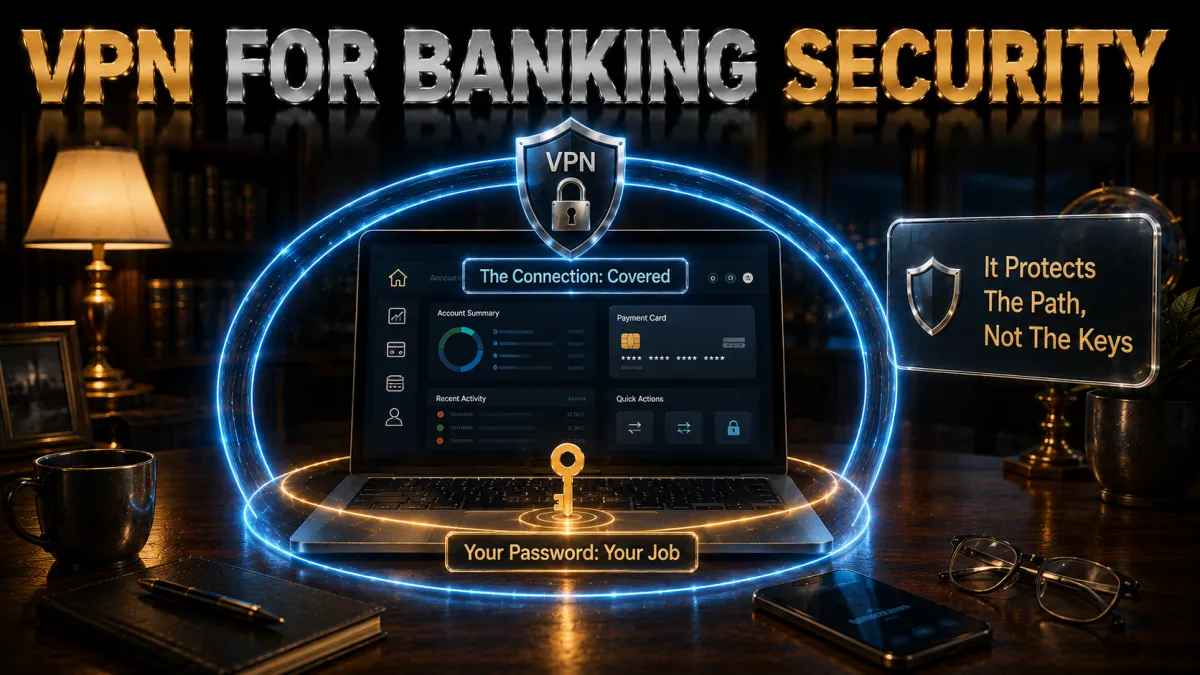
Banks already encrypt their own websites and apps, so it is fair to ask what a VPN adds. The honest answer is that a VPN protects the parts of your banking session that your bank has no control over: the network you are on and the picture of your habits that trackers quietly build. Here is what it does in practice.
- It hides your session from everyone on the same network. When you bank on shared Wi-Fi, other people on that network can sometimes see which sites you connect to, even if they cannot read the contents. A VPN wraps your whole connection in its own encrypted tunnel, so the network sees only traffic going to the VPN server, not that you are visiting your bank at all. That single layer removes an entire category of local snooping.
- It stops your internet provider from logging your banking activity. Your ISP can see every site you connect to, including your bank, and in many countries that record can be retained or sold. Routing your banking through a VPN means your provider sees encrypted traffic to the VPN and nothing about which financial sites you use. For something as sensitive as money, that privacy is worth having.
- It reduces the trail that fraud and phishing rely on. A surprising amount of banking fraud starts with a picture of you built from tracking: which bank you use, when you log in, where you are. A VPN masks your real IP address and location, which makes that profile harder to assemble and sell, and the better providers also block known malicious domains before they ever load.
- It lets you reach your own bank while travelling. Some banks restrict or add friction to logins that appear from a foreign country, and a few block access entirely from abroad. Connecting to a server back in your home country presents a familiar location to your bank, which often means a smoother, less-interrupted login when you are away from home for work or a holiday.
Public Wi-Fi and the real threats to your banking

The single most common piece of banking advice is “do not bank on public Wi-Fi,” and it exists for good reasons. Understanding the actual threats, rather than the vague warning, tells you exactly what a VPN protects against and what it does not.
- Rogue hotspots that impersonate a real network. Anyone can set up a Wi-Fi network named “Airport Free WiFi” or “Cafe Guest.” Connect to that instead of the genuine one, and the person running it sits between you and the internet, able to observe unencrypted traffic. A VPN defeats this because your traffic is already encrypted before it reaches their hotspot, so all they see is scrambled data going to a VPN server.
- Traffic interception on open networks. On a Wi-Fi network with no password, data can travel without the protection a private network offers, and simple tools let others on the network capture pieces of it. Banking sites use their own HTTPS encryption, which helps, but a VPN adds a second, independent layer so even the metadata of your session stays hidden.
- Session and cookie theft. If any part of a browsing session is exposed on a shared network, an attacker can sometimes grab the small tokens that keep you logged in and reuse them. Full-tunnel VPN encryption keeps those tokens inside the encrypted channel, out of reach of anyone sniffing the local network.
- Fake login pages pushed through the network. A malicious network can try to redirect you to a convincing copy of your bank’s login page. This is where a VPN with built-in threat blocking earns its keep, because it can stop known malicious domains from loading in the first place, though your own caution about checking the address bar still matters.
The takeaway is not that public Wi-Fi is unusable. It is that public Wi-Fi plus a VPN removes the realistic local threats, leaving you with roughly the safety you would have at home. If you regularly bank from cafes, airports, or hotels, that is exactly the situation a VPN is built for.
How a VPN actually protects a banking session
It helps to picture what happens the moment you open your banking app on a VPN, because the mechanics explain why some features matter and others are marketing. Here is the sequence, in plain terms.
- Your device builds an encrypted tunnel first. Before any banking traffic leaves your phone or laptop, the VPN app opens an encrypted connection to a VPN server. Everything after that, including your bank login, travels inside that tunnel. Nothing on your local network sees the real destination, only that you are talking to the VPN.
- Your traffic exits from the VPN server, not your home line. The VPN server forwards your request to your bank and sends the reply back through the tunnel. Your bank sees the VPN server’s address, and the wider internet sees the same, so your real IP and location stay masked throughout the session.
- A kill switch guards the gaps. If the VPN connection drops for a second, a kill switch cuts your internet instantly rather than letting your device fall back to an unprotected connection mid-login. For banking, this is not a nice-to-have; it is the feature that prevents a brief hiccup from exposing a session.
- Leak protection keeps requests inside the tunnel. Small requests, such as the ones that translate a bank’s web address into a numerical one, can sometimes escape the tunnel if a VPN is poorly built. Good providers route those requests through their own protected system so nothing about your banking leaks out the side.
What AES-256 encryption does, in plain terms

Every VPN worth using advertises AES-256 encryption, and the term gets thrown around without much explanation. You do not need the maths, but a working understanding helps you tell a real security claim from noise.
- It scrambles your data into something unreadable. AES-256 turns your banking traffic into a stream that, without the key, is meaningless. The “256” refers to the key length, and the number of possible keys is so vast that guessing one by brute force is not realistically achievable with today’s technology. It is the same class of encryption trusted for sensitive government and financial data.
- It is the encryption your bank already relies on. When people say “bank-grade encryption,” AES is a large part of what they mean. Using a VPN with AES-256 does not add exotic new protection so much as it extends that same trusted standard to cover your entire connection, not just the link to one website.
- The modern protocols pair it with speed. Older setups could feel slow, but current protocols such as WireGuard and the providers’ own optimised versions deliver strong encryption with very little speed cost. For banking, where you are moving small amounts of data rather than streaming video, you will rarely notice the encryption at all.
- Encryption strength is table stakes, not a differentiator. Because every serious provider uses effectively the same strong encryption, it is not the thing that separates a good banking VPN from a mediocre one. What separates them is the logging policy, the leak protection, the threat blocking, and whether the company has been independently audited. Do not let a big encryption number distract from those.
Dedicated IP addresses and your bank logins

This is the one banking-specific feature most guides skip, and it solves a real, common annoyance: your bank treating every login as suspicious because your address keeps changing.
- Why shared VPN IPs can trip bank security. On a normal VPN, thousands of users share the same server addresses. Banks watch for logins from addresses used by many different people and may flag them, throw extra verification steps at you, or occasionally block them, because that pattern also describes some fraud. It is not the VPN’s fault so much as the bank’s caution.
- What a dedicated IP changes. A dedicated IP is an address only you use. To your bank, your logins now come from one consistent, private location every time, which looks far more like normal behaviour and far less like something to challenge. For anyone who banks through a VPN regularly and keeps hitting extra verification, this is often the fix.
- The privacy trade-off to understand. A dedicated IP is more identifiable than a shared one precisely because only you use it, so it is a small trade of anonymity for smoother, more reliable access. For banking specifically, where you are logging into an account with your name on it anyway, that trade usually makes sense.
- It is an optional add-on, not a default. Most providers charge a little extra for a dedicated IP. You do not need one to bank safely, but if flagged logins and repeated verification are a recurring headache, it is the most direct solution, and NordVPN’s implementation is the one I would reach for first.
The VPN features that matter most for banking
If you strip away the marketing, a short list of features genuinely determines whether a VPN is good for banking. When you compare the picks below, these are the things I weighed.
- An independently audited no-logs policy. The whole point of routing banking through a VPN is that the provider does not keep records of what you do. A claim is not enough; look for a provider whose no-logs policy has been checked by an outside auditing firm. This is the single most important trust factor, and it is where the top picks separate from the pack.
- A reliable kill switch. For banking, a kill switch that instantly cuts traffic if the VPN drops is essential rather than optional. Confirm the provider has one on the platforms you use, and that it is switched on, before you rely on it for a login.
- DNS and IP leak protection. The VPN should route every part of your connection, including address lookups, through its own protected system so nothing about your banking escapes the tunnel. All five picks below handle this, but it is worth naming because a cheap VPN may not.
- Built-in threat and malicious-link blocking. Since so much banking fraud arrives as a bad link, a VPN that blocks known malicious and phishing domains at the network level adds a real, practical layer of protection on top of encryption. NordVPN’s Threat Protection and Surfshark’s CleanWeb are strong examples.
- A trustworthy jurisdiction. Where a VPN company is legally based affects what it can be compelled to hand over. Providers based outside the major intelligence-sharing alliances, such as Panama or the British Virgin Islands, sit on firmer privacy ground, which matters more for financial activity than for casual browsing.
What a VPN cannot do for your banking
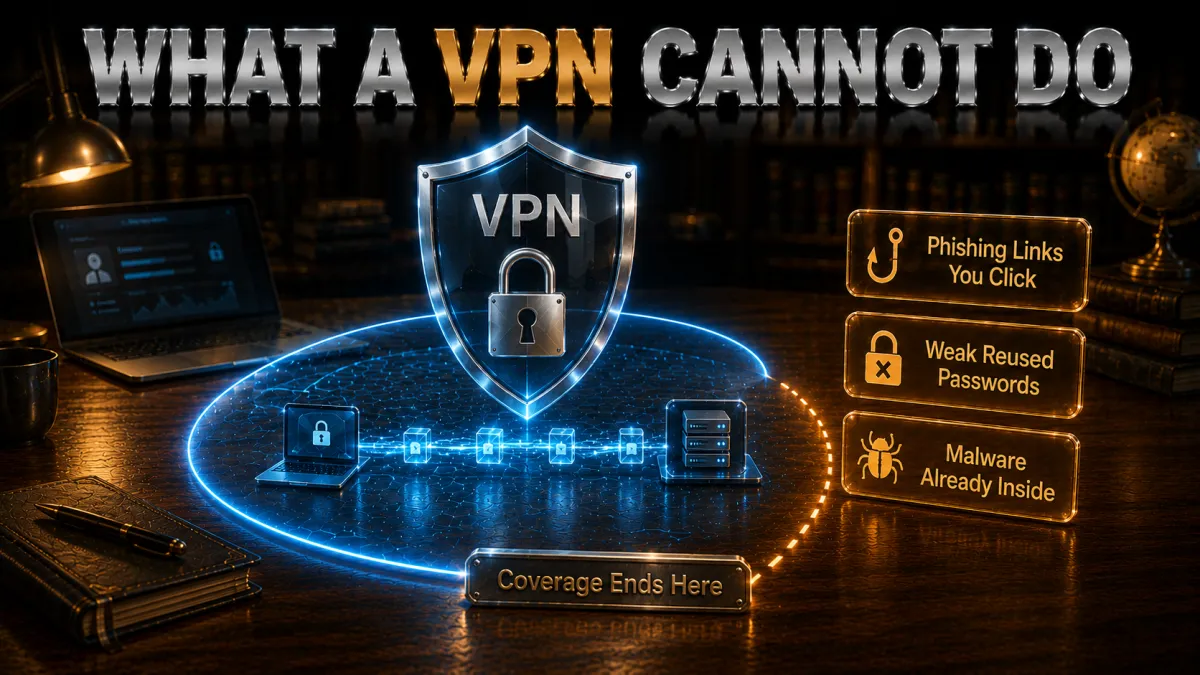
An honest guide has to be clear about the limits, because overselling a VPN leads people to skip the protections that actually stop most fraud. A VPN is powerful for what it does and useless for what it does not.
- It cannot protect a weak or reused password. If your banking password is guessable or reused from a site that has been breached, a VPN does nothing to help. The connection is encrypted, but the front door is still unlocked. A unique, strong password, ideally from a password manager, does far more here than any VPN.
- It cannot stop you handing over your details to a scam. If a convincing phishing email or a fake support call talks you into typing your credentials or a one-time code, the VPN faithfully encrypts that mistake and sends it along. Threat blocking helps by stopping some bad links, but your own scepticism is the real defence.
- It cannot replace two-factor authentication. Two-factor authentication, where a login needs a second code from your phone or an app, is the protection that most reliably stops account takeover. A VPN and 2FA cover different problems, and you want both. If your bank offers app-based or hardware 2FA, turn it on.
- It cannot clean malware already on your device. If your phone or laptop is infected with something that logs keystrokes, a VPN cannot see or stop it, because the theft happens on your device before encryption. Keep your system and apps updated and run reputable security software; the VPN protects the network, not the machine.
The 5 best VPNs for online banking in 2026
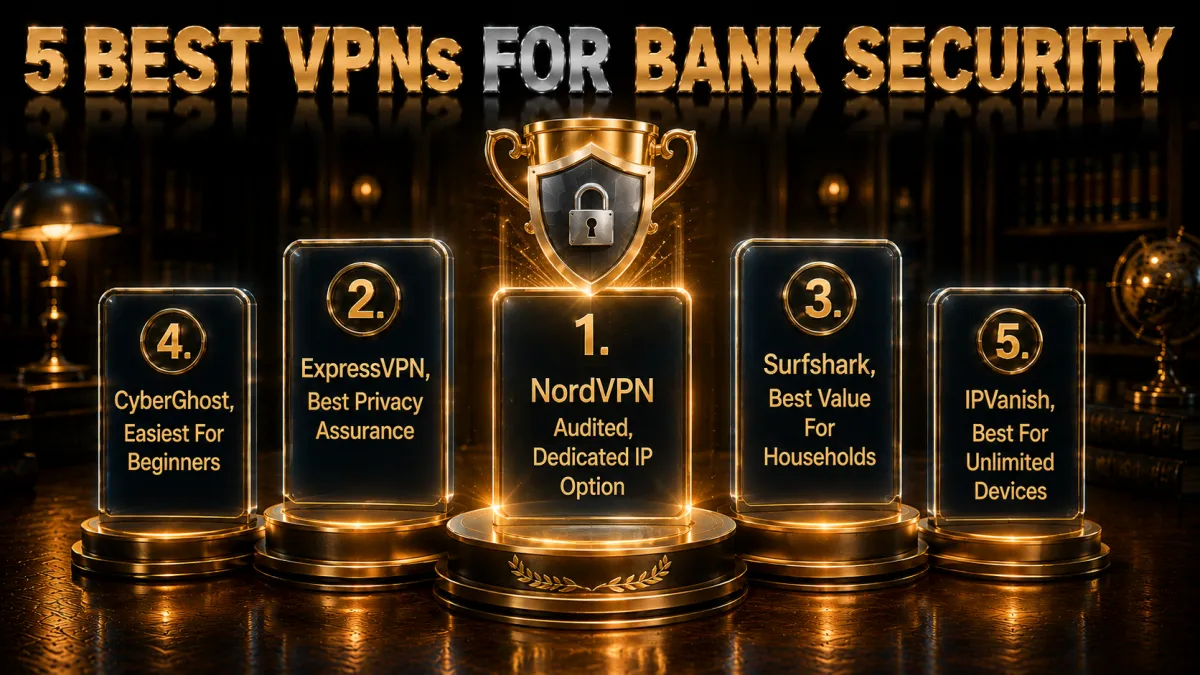
These five earned their places on the factors that actually matter for banking: an audited no-logs record, a dependable kill switch, leak and threat protection, and a privacy-friendly home base. I have noted the one situation each is genuinely best for, so you can match the pick to how you bank rather than just taking the top of the list.
1. NordVPN – Best overall for banking
NordVPN is the pick I would hand to a family member for banking, and the reasons are practical rather than flashy. Its no-logs policy has been independently audited more than once, which is exactly the reassurance you want from the company sitting between you and your bank. It is based in Panama, outside the major intelligence-sharing alliances, so the legal ground under that promise is solid.
The feature that pushes it to the top for banking specifically is Threat Protection, which blocks known malicious and phishing domains before they load, taking aim at the exact links most banking fraud arrives on. Add a dependable kill switch, strong leak protection, and an optional Dedicated IP that smooths over the flagged-login problem, and it covers every banking concern in one package. NordLynx keeps it fast enough that you never notice the encryption.
✔ Pros
- No-logs policy independently audited multiple times
- Threat Protection blocks malicious and phishing links
- Panama jurisdiction, outside the major surveillance alliances
- Dedicated IP option solves flagged-login headaches
- Reliable kill switch and strong leak protection on every platform
✘ Cons
- Dedicated IP is a paid add-on
- Lowest price needs a longer commitment
| Audited no-logs | Yes, multiple independent audits |
| Jurisdiction | Panama |
| Threat/link blocking | Threat Protection (built in) |
| Dedicated IP | Yes, optional add-on |
| Simultaneous devices | 10 |
| Money-back guarantee | 30 days |
2. ExpressVPN – Best for privacy assurance
ExpressVPN’s strongest card for banking is the way it handles data at the technical level. Its servers run entirely in RAM, so they hold nothing on a permanent disk and wipe completely on every reboot. Combined with an independently audited no-logs policy and a British Virgin Islands base outside the major alliances, it offers about the firmest privacy assurance you can ask of a company handling your financial traffic.
It is also the easiest of the five to simply trust and use. The apps are clean, the connection is reliable, and the kill switch works quietly in the background. There is no dedicated IP option, and it sits at the higher end on price, but if your priority is the strongest possible guarantee that nothing about your banking is ever stored, ExpressVPN is the one to beat.
✔ Pros
- RAM-only servers store nothing on disk, wiped every reboot
- Independently audited no-logs policy
- British Virgin Islands jurisdiction
- Cleanest, most beginner-friendly apps of the five
- Consistent, reliable connections for uninterrupted logins
✘ Cons
- Most expensive of the five on long-term plans
- No dedicated IP option
| Audited no-logs | Yes, independently audited |
| Jurisdiction | British Virgin Islands |
| Threat/link blocking | Threat Manager |
| Dedicated IP | No |
| Simultaneous devices | 8 |
| Money-back guarantee | 30 days |
3. Surfshark – Best value for households
Surfshark makes the most sense when more than one person in the home banks online, because a single subscription covers unlimited devices at the lowest long-term price of the five. Every phone, tablet, and laptop in the household can be protected for their banking without counting connections or paying more, which is genuinely useful for families.
It does not cut the important corners to get there. The no-logs policy has been independently audited, CleanWeb blocks ads, trackers, and known malicious links, and the kill switch and leak protection are all present. It is based in the Netherlands, which is within the EU rather than fully outside the major alliances, a small step down from Panama or the BVI on jurisdiction, but a reasonable one for the price and the unlimited coverage.
✔ Pros
- Unlimited devices on one subscription, ideal for a whole household
- Lowest long-term price of the five picks
- CleanWeb blocks trackers and known malicious links
- Independently audited no-logs policy
- Solid kill switch and leak protection across platforms
✘ Cons
- Netherlands jurisdiction, inside the EU
- No dedicated IP on the standard plan
| Audited no-logs | Yes, independently audited |
| Jurisdiction | Netherlands |
| Threat/link blocking | CleanWeb |
| Dedicated IP | Optional add-on |
| Simultaneous devices | Unlimited |
| Money-back guarantee | 30 days |
4. CyberGhost – Easiest for beginners
CyberGhost is the one I would suggest to someone setting up their first VPN for banking. The app opens to a single large connect button, picks a sensible server automatically, and does not bury the kill switch or leak settings behind menus. For a nervous first-timer who just wants to be protected without learning the jargon, that simplicity has real value.
Its standout practical feature is the 45-day money-back guarantee, comfortably the longest of the five, which gives you a full six weeks to confirm it works smoothly with your specific bank before committing. The no-logs policy has been audited and it publishes regular transparency reports. Its Romania base is fine for privacy, and while its extras are lighter than NordVPN’s, the fundamentals for safe banking are all there.
✔ Pros
- Simplest setup of the five, ideal for first-time users
- 45-day money-back guarantee, the longest here
- Audited no-logs policy with regular transparency reports
- Automatic server selection and clear, visible security settings
- Large server network for a nearby, low-latency connection
✘ Cons
- Fewer advanced extras than NordVPN or ExpressVPN
- Speeds are good rather than class-leading
| Audited no-logs | Yes, audited |
| Jurisdiction | Romania |
| Threat/link blocking | Yes, built in |
| Dedicated IP | Optional add-on |
| Simultaneous devices | 7 |
| Money-back guarantee | 45 days |
5. IPVanish – Best for unlimited devices
IPVanish rounds out the five as the fast, unlimited-device option for people who want to protect a lot of devices without fuss. Like Surfshark, it allows unlimited simultaneous connections, and its speeds are consistently strong, so logging in and moving through your banking feels instant. For a busy household or someone with many devices, that combination is practical and affordable.
It sits fifth because its privacy credentials, while solid, are a step behind the leaders: it is based in the United States, inside the major intelligence-sharing alliance, and its no-logs policy has a lighter public audit history than the top picks. For banking, where the connection is encrypted regardless, it is a perfectly reasonable choice, but if audited privacy is your first priority, the higher picks earn it more convincingly.
✔ Pros
- Unlimited simultaneous connections at a competitive price
- Fast, consistent speeds for snappy banking sessions
- Available on every major platform
- Straightforward apps with a working kill switch
- Good value for protecting many devices
✘ Cons
- United States jurisdiction, inside the major alliance
- Lighter independent-audit history than the top picks
| Audited no-logs | Policy in place, lighter audit history |
| Jurisdiction | United States |
| Threat/link blocking | Basic |
| Dedicated IP | Optional add-on |
| Simultaneous devices | Unlimited |
| Money-back guarantee | 30 days |
| Feature | NordVPN | ExpressVPN | Surfshark | CyberGhost | IPVanish |
|---|---|---|---|---|---|
| Audited no-logs | Multiple audits | Audited | Audited | Audited | Lighter history |
| Jurisdiction | Panama | BVI | Netherlands | Romania | USA |
| Link/threat blocking | Threat Protection | Threat Manager | CleanWeb | Built in | Basic |
| Dedicated IP | Yes | No | Add-on | Add-on | Add-on |
| Devices | 10 | 8 | Unlimited | 7 | Unlimited |
| Money-back | 30 days | 30 days | 30 days | 45 days | 30 days |
How to set up a VPN before you bank
Getting this right takes a couple of minutes and then runs in the background forever. The order matters: you want the VPN protecting you before you open your banking app, not after.
- Install the app and turn on the kill switch first. Download the official app from your provider, sign in, and go straight to settings to confirm the kill switch is enabled. This is the one setting worth checking before you do anything else, because it is what protects you if the connection ever drops mid-login.
- Enable threat or malicious-link blocking if your provider has it. Turn on NordVPN’s Threat Protection, Surfshark’s CleanWeb, or the equivalent. It costs nothing extra on these plans and quietly blocks a category of banking fraud that arrives as bad links.
- Connect to a server in your home country. For banking, a nearby server in the country where your account is held gives the fastest connection and the most familiar location to your bank, which means fewer flagged logins. Avoid distant servers unless you have a specific reason.
- Confirm you are connected, then open your banking app. Wait until the app clearly shows a connected status before launching your banking app or site. With the tunnel already up, your entire session is protected from the first tap.
- Consider a dedicated IP if logins keep getting challenged. If your bank repeatedly throws extra verification at you or flags the connection, add a dedicated IP so your logins come from one consistent address. For most people this is unnecessary, but it is the clean fix if the problem is persistent.
The home-country server rule
This is the single most useful habit in VPN banking, and it is worth stating plainly: connect to a server in your own country, ideally your own city, and stay on it.
- Match what the bank expects. Your bank holds a picture of where you normally log in from. A home-country server keeps every VPN session inside that picture, so the fraud systems see a familiar story and stay quiet. That is the entire goal.
- Nearby is faster anyway. The same choice that calms fraud systems also minimises latency. Banking sessions are light traffic, so a nearby server makes them feel no different from a bare connection.
- Abroad is where the rule earns its keep. Travelling is exactly when your physical location would otherwise look like an anomaly. Connect to a home server before opening the banking app and the trip stays invisible to your bank.
- Consistency beats optimisation. Hopping between servers, even inside your own country, rebuilds your login context every time. Pick one good server, save it as a favourite, and stop thinking about it. Boring, repetitive history is exactly what fraud systems like.
Mobile banking with a VPN
Most banking now happens on a phone, and the phone specifics are worth separating out.
- Apps ride the tunnel automatically. A device-level VPN carries your banking app traffic like everything else, with no per-app setup. Connect first, open the app second, exactly as on a desktop.
- Auto-connect on untrusted WiFi is the setting that matters most. Good VPN apps engage automatically on unknown networks, which makes protection the default rather than something you have to remember at an airport gate. Combined with the kill switch, the phone becomes safe by default.
- Put biometric locks on both apps. A fingerprint or face lock on the banking app and on the VPN app stops a lost phone becoming a lost account. That is three layers with the device lock itself, all free, all about thirty seconds to enable.
- Watch the roaming pattern abroad. A phone that banks over hotel WiFi at breakfast and mobile data at lunch presents two different paths. Keeping the same home-country server across both keeps the bank view constant too.
Banking abroad: the travel playbook
Travel is the scenario where this whole practice earns its keep.
- Set up before you leave. Install, log in, save the home server as a favourite, enable the kill switch, and run one test banking session from home. Troubleshooting from a hotel lobby is not where anyone wants to be, and five minutes before the flight beats every workaround abroad.
- Home server first, banking app second, every time. The sequence abroad is the same as at home and matters more, because every session then presents the familiar address regardless of which continent you are on.
- Treat hotel WiFi as the reason this page exists. An untrusted network plus the need for a familiar address are both solved by the same connection. The travel session is where the security benefit and the continuity benefit stack completely.
- Keep a fallback for the edge cases. Mobile data with roaming, your bank phone number saved offline, and a second payment card cover the rare trip where something still refuses to cooperate.
What to do if your bank blocks the VPN IP
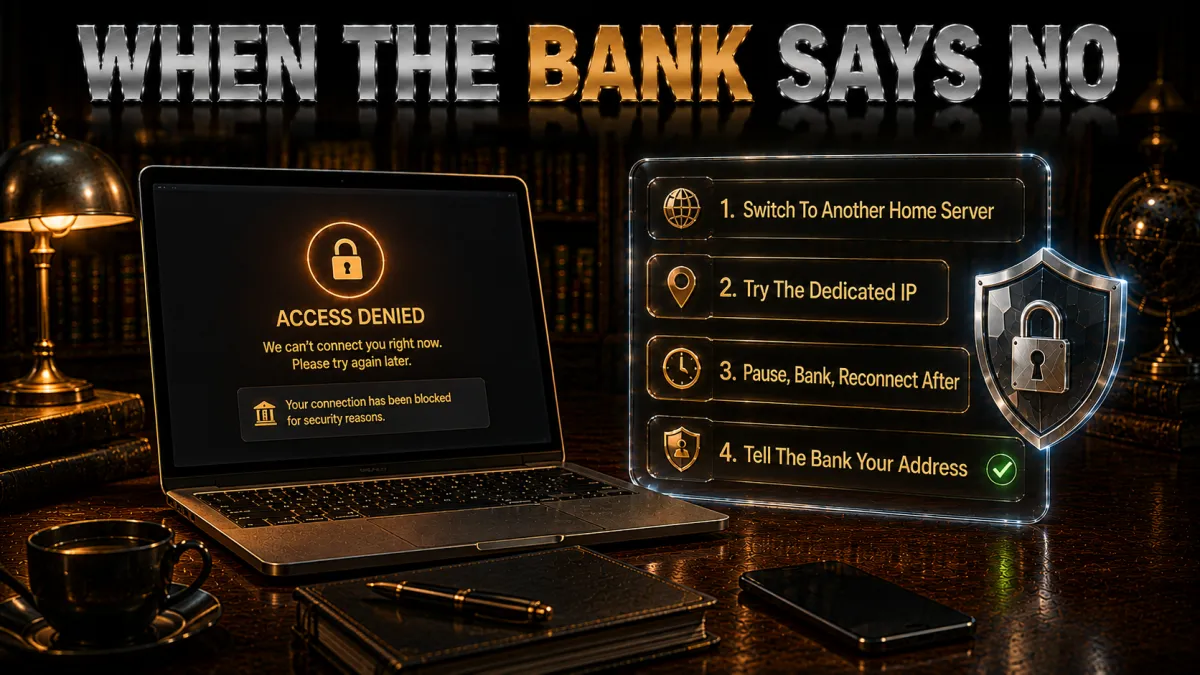
Occasionally a bank will challenge or block a login that comes through a VPN, because a shared VPN address can look suspicious. This is usually easy to resolve, and none of it means the VPN is broken.
- Switch to a different server in the same country. The simplest fix is to disconnect and reconnect to another server in your home country. You get a fresh address that your bank has not flagged, while still presenting the right location. This resolves the majority of cases in seconds.
- Use a dedicated IP for a permanent fix. If the challenges keep coming back, a dedicated IP gives you one private address your bank learns to recognise as yours. It is the most reliable long-term answer to repeated flagging, and the reason it appears so often in banking VPN advice.
- Complete the verification rather than fighting it. If your bank sends a one-time code or asks a security question, just complete it. That extra step is your bank protecting your account, and passing it once often smooths future logins from the same setup.
- Never disable the VPN just to get in faster. It is tempting to turn the VPN off to skip the friction, but that exposes the very session you were trying to protect. Switch servers or verify instead; do not trade your security for thirty seconds of convenience.
Safe banking habits a VPN cannot replace
A VPN handles the connection. These habits handle everything else, and together they are what actually keep your money safe. None of them are difficult.
- Use a unique, strong password from a password manager. A long, random password that you do not reuse anywhere is the foundation of account security. A password manager makes this effortless: it generates and remembers them, so every account, including your bank, has its own unguessable key.
- Turn on two-factor authentication. This is the protection that most reliably stops someone logging in even if they somehow have your password. App-based or hardware 2FA is stronger than text-message codes; use whichever your bank offers, and prefer the app if you have the choice.
- Check the address before you type anything. Most banking fraud relies on you landing on a convincing fake page. Before entering credentials, glance at the address bar and make sure it is genuinely your bank’s site, ideally reached from your own bookmark rather than a link in a message.
- Keep your device and apps updated. Updates patch the security holes that malware exploits. Keeping your operating system, browser, and banking app current closes the doors that a VPN cannot, because it protects the device itself rather than the connection.
- Be suspicious of urgency. Real banks do not pressure you to act in the next five minutes or read out a code over the phone. Any message or call that creates panic and asks for details is the shape almost every scam takes; slow down and verify through a channel you trust.
VPN vs proxy vs Tor for banking
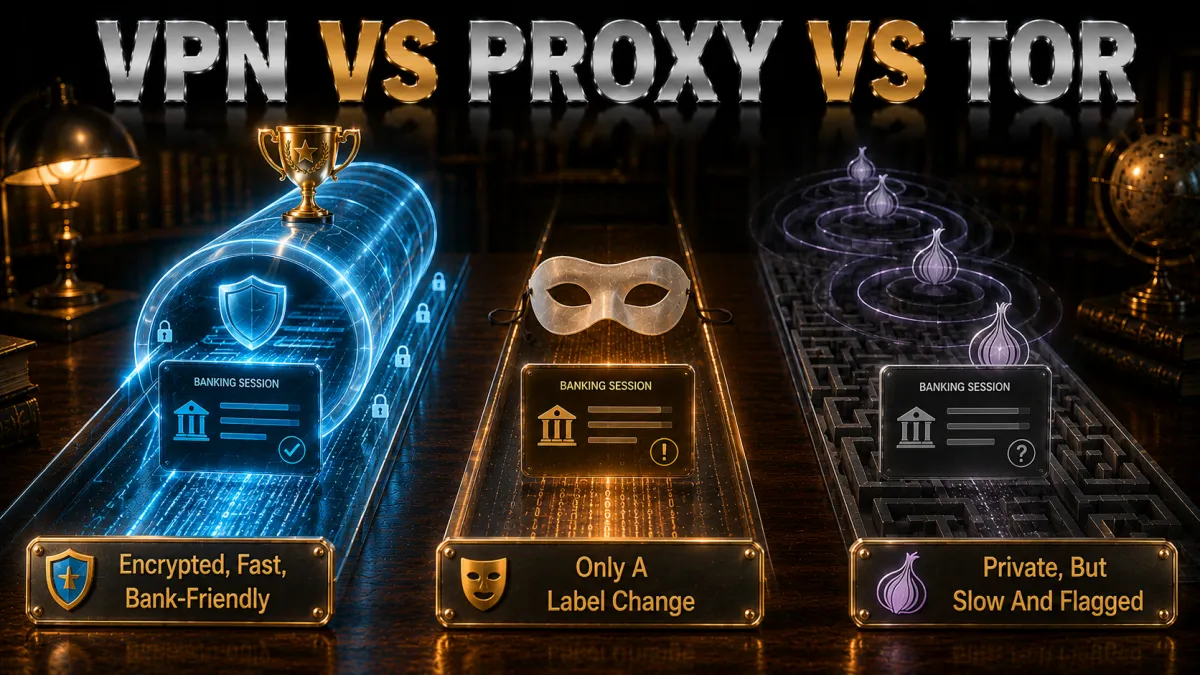
People sometimes reach for a free proxy or Tor to hide their connection while banking. For financial activity specifically, a reputable VPN is the right tool, and here is the honest comparison.
- Why a proxy is not enough. A basic proxy can change your apparent location but usually does not encrypt your traffic, so it leaves your banking session exposed on the network in exactly the way a VPN prevents. Free proxies are worse still, because some log or inspect the traffic passing through them, which is the last thing you want near a bank login.
- Why Tor is a poor fit for banking. Tor is excellent for anonymity, but it routes your traffic through several volunteer-run relays, which makes it slow and, more importantly, means your banking traffic exits from an unpredictable, often-flagged address. Banks frequently block or heavily challenge logins from Tor exit points, so it tends to lock you out rather than help.
- Why a VPN is the balanced choice. A good VPN gives you full encryption, a stable and reputable address, and speeds that make banking feel normal, which is the exact combination banking needs. You get the privacy without the friction Tor introduces or the exposure a proxy leaves behind.
- The one time to combine tools. If you have an unusual threat model and genuinely need maximum anonymity, there are ways to layer these tools, but for normal banking it is unnecessary complication. A single trustworthy VPN is the right answer for almost everyone.
Should you use a free VPN for banking?
This is the one place I will be blunt: for banking specifically, a free VPN is a false economy, and often an active risk. The reasons are straightforward.
- Free VPNs have to make money somehow. Running a VPN network is expensive, and a service with no subscription typically earns its keep another way, often by logging and selling data about its users. For casual browsing that is a privacy annoyance; for banking, handing your financial traffic to a company with that incentive is exactly backwards.
- The security features you need are usually missing. Free tiers frequently lack a reliable kill switch, strong leak protection, or independent audits, which are the very features that make a VPN worth using for banking. You end up with the appearance of protection without the substance.
- Data caps and slow servers get in the way. Many free VPNs throttle speed and cap data, which turns a quick banking check into a frustrating one and tempts you to switch the VPN off, exactly when you need it on.
- The paid alternative is cheaper than it looks. On a long-term plan, the picks above cost a few dollars a month, less than a single coffee, for audited, fully featured protection with a money-back guarantee. For something as sensitive as banking, that is the clear better value, and you can test any of them risk-free within the refund window.
Related reading:
Frequently Asked Questions
Is it safe to use a VPN for online banking?
Yes, and it is safer than banking without one on any network you do not fully control. A reputable VPN encrypts your connection so nobody on the same network can observe your session, and it hides your banking activity from your internet provider. Stick to a well-known, audited provider rather than a random free one, keep the kill switch on, and connect to a server in your home country for the smoothest experience.
Will my bank block me for using a VPN?
Usually not, though a bank may occasionally challenge a login that comes through a shared VPN address by asking for extra verification. If that happens, switch to a different server in your home country for a fresh address, or use a dedicated IP for a permanent fix. Complete any verification your bank asks for rather than turning the VPN off, since that would expose the session you are protecting.
Does a VPN replace two-factor authentication for banking?
No. A VPN and two-factor authentication protect against different threats, and you want both. The VPN secures your connection and privacy; two-factor authentication stops someone logging in even if they have your password. If your bank offers app-based or hardware two-factor authentication, turn it on regardless of whether you use a VPN.
What is a dedicated IP and do I need one for banking?
A dedicated IP is an address only you use, rather than one shared with thousands of other VPN users. For banking it can stop the flagged-login problem, because your logins arrive from one consistent, private location that looks like normal behaviour to your bank. You do not need one to bank safely, but if you keep hitting extra verification through a VPN, it is the most direct solution.
Can I do online banking on public Wi-Fi with a VPN?
Yes, and this is exactly what a VPN is built for. On public Wi-Fi, a VPN encrypts your entire connection so rogue hotspots and network snoopers cannot observe your banking session, giving you roughly the safety you would have at home. Without a VPN, banking on open public Wi-Fi is genuinely risky, so this is the situation where a VPN matters most.
Does a VPN slow down online banking?
Barely, if at all. Banking moves small amounts of data rather than streaming video, so the modern protocols these providers use add encryption with almost no noticeable delay, especially on a nearby server in your home country. If a session feels slow, switching to a closer server almost always resolves it.
Which VPN is best for online banking in 2026?
NordVPN is my overall pick, thanks to its multiple independent no-logs audits, Threat Protection that blocks the malicious links behind most banking fraud, a Panama jurisdiction, and a Dedicated IP option that smooths over flagged logins. ExpressVPN is the strongest for pure privacy assurance with its RAM-only servers, and Surfshark is the best value for covering a whole household’s devices.
Can a VPN protect me from banking scams and phishing?
Partly. A VPN with built-in threat blocking, such as NordVPN’s Threat Protection or Surfshark’s CleanWeb, can stop many known malicious and phishing domains from loading, which helps. But it cannot stop you from voluntarily entering your details into a convincing fake, so your own caution about unexpected links and messages remains the main defence against scams.
Should I keep the VPN on all the time for banking?
Leaving it on is a reasonable default, since it protects all your browsing, not just banking, at no real cost. At a minimum, always have it connected before you open your banking app, especially on any network outside your home. Many apps offer an auto-connect option so the VPN turns on by itself on untrusted networks, which is worth enabling.
Is a free VPN safe for banking?
I would not use one for banking. Free VPNs often fund themselves by logging and selling user data, and they typically lack the kill switch, leak protection, and independent audits that make a VPN trustworthy for financial activity. A paid provider costs only a few dollars a month on a long-term plan and can be tested risk-free within its money-back window, which is far better value for something this sensitive.
Does using a VPN for banking work on my phone as well as my laptop?
Yes. All five picks have full apps for iOS and Android with the same kill switch and leak protection as their desktop versions, and since most people bank primarily on their phone, that is where a VPN matters most. Install the app, enable the kill switch, connect before opening your banking app, and the protection is identical to the desktop experience.
Can I use a VPN to access my bank while travelling abroad?
Yes, and it is one of the most practical reasons to have one. Some banks add friction to or block logins that appear from another country, so connecting to a server back in your home country presents a familiar location and usually restores normal access. Set up and test the VPN before you travel, since a few countries restrict VPN use and you will want to confirm everything works in advance.
Which server should I choose for banking?
A server in your own country, ideally your own city, saved as a favourite so you use the same one every time. Your bank builds a picture of where you normally log in from, and a home-country server keeps every session inside that picture. It is also the fastest choice, because the shortest route is almost always the quickest one.
Why does my bank ask for extra verification when I use a VPN?
Because you looked unfamiliar. Banks score each login on location, device and behaviour, and a connection that appears in a different country is the easiest thing for that scoring to notice. It is not a punishment and it does not mean you did anything wrong. Connecting to a home-country server before you open the app removes the trigger almost every time.
Is banking through a VPN legal?
Yes, in the great majority of countries. Using a VPN is legal, and using one to protect a banking session is exactly the kind of use it was designed for. What matters is that everything else stays honest: your own account, your own identity, your own money. A small number of countries do restrict or license VPN use, so check the rules where you actually are.
What is the single most important setting for VPN banking?
The kill switch. It stops all traffic if the VPN connection drops, which is the exact moment a banking session would otherwise fall back to your bare connection without telling you. Turn it on once and it protects every session afterwards. Auto-connect on untrusted networks is a close second.
The Bottom Line
A VPN is a genuinely useful layer of banking security, as long as you are honest about what it covers. It encrypts your connection so nobody on your network can watch your session, hides your banking activity from your internet provider, and the better ones block the malicious links that most fraud arrives on. What it does not do is replace a strong password, two-factor authentication, or your own good judgement, and any guide that suggests otherwise is overselling it.
For choosing between the five, it comes down to how you bank. Here is the short version.
- NordVPN is the best overall pick: multiple audited no-logs reports, Threat Protection against phishing links, a Panama base, and a Dedicated IP option for smooth logins. If you want one answer, this is it.
- ExpressVPN is the choice for the strongest privacy assurance, with RAM-only servers that store nothing and the simplest, most trustworthy apps.
- Surfshark is the best value when a whole household banks online, covering unlimited devices at the lowest long-term price.
- CyberGhost is the easiest for a first-time user and has the longest 45-day guarantee to test it with your bank.
- IPVanish is the fast, unlimited-device option for covering many devices affordably.
Whichever you choose, set it up properly once: turn on the kill switch, enable threat blocking, connect to a home-country server before you log in, and pair it with a unique password and two-factor authentication. Use the money-back window to confirm it plays nicely with your specific bank before you commit. Do that, and banking from a cafe, an airport, or your sofa becomes equally, and genuinely, safe.
Jyoti VPN Expert leads VPN testing at VPN Expert Guide, covering streaming and regional access, speed and latency testing, and leak checks on Windows, Android and router-level setups. Our guides are built from vendor documentation, provider terms and our own connection testing on a residential line in India, and we publish those measurements in full so readers can check them. Every guide is reviewed before publication and dated so you can see how current it is.
Meet our testing team →Last updated: September 2, 2026