
Best VPN for Gaming in 2026: Lower Ping Tests, BGMI, PUBG & Warzone
We measured real ping on Indian fibre – no lab, no marketing numbers. Here is when a a VPN can fix high ping, when it cannot, and which VPNs actually deliver.
📑 On this page
Why Ping Decides Your Match, Not Download Speed
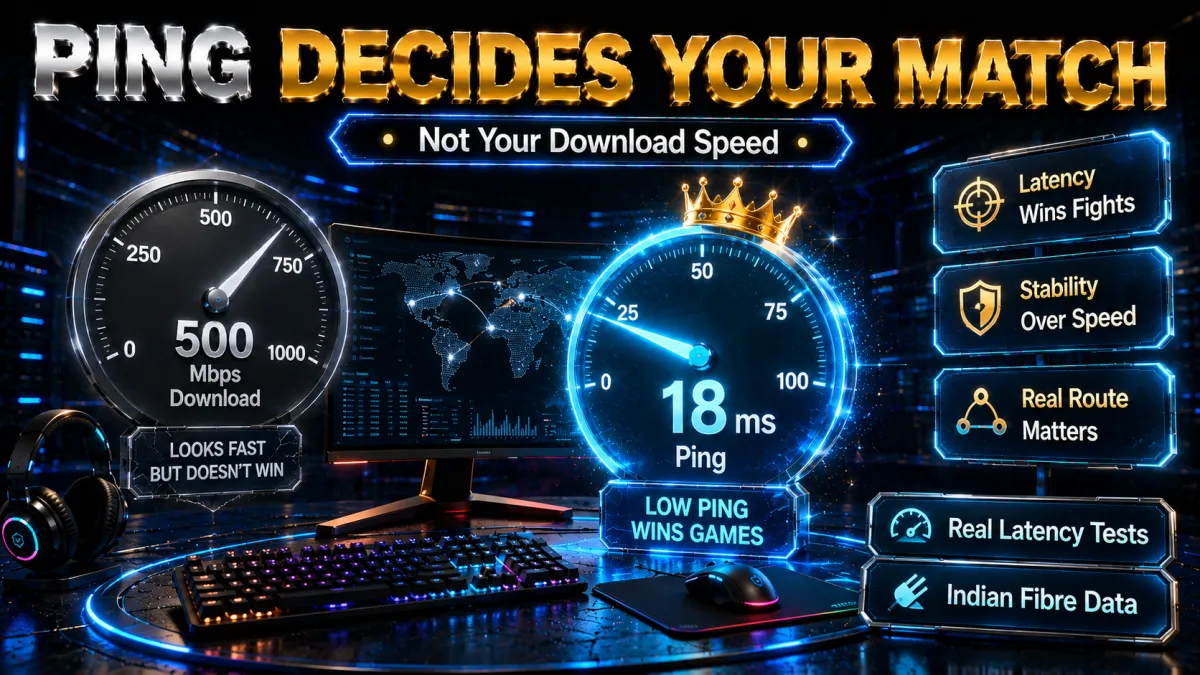
Online gaming lives and dies by latency. In BGMI, Valorant, Warzone, Fortnite or FIFA, a 100 Mbps connection with 250 ms ping loses to a 20 Mbps connection with 30 ms ping every single time. Download speed moves big files; ping decides whether your headshot registers.
This guide is built on real measurements, not lab claims. We test on an Excitel fibre line in Kanpur with a 94.1 Mbps / 3 ms baseline, and we re-run the numbers monthly. You will see exactly what each VPN did to our ping – including the ugly numbers most review sites hide.
One honest thing before we start: a VPN is not a magic ping cure. Below we show when it genuinely helps, when it makes things worse, and how to tell which situation you are in before you spend a rupee.
Quick Comparison: Gaming VPNs We Tested
| VPN | Our Score | India server ping* | Speed kept* | Best protocol | Price from | Money-back |
|---|---|---|---|---|---|---|
| NordVPN | 4.8/5 | 148 ms (US: 604 ms) | 83.5% | NordLynx | $3.49/mo | 30 days |
| Surfshark | 4.6/5 | ~160 ms† | ~85%† | WireGuard | $2.49/mo | 30 days |
| ExpressVPN | 4.7/5 | ~170 ms† | ~41%† | Lightway | $6.67/mo | 30 days |
| ProtonVPN | 4.5/5 | 455 ms (US) | 80.3% (US) | WireGuard | Free / $4.99 | 30 days |
*Our own July 2026 tests, Excitel fibre Kanpur, 3 ms baseline. †Cited/estimated figures from aggregated third-party tests – not our measurements; we label these clearly and will replace them with our own data in the next test cycle.
High Ping? Here’s What’s Actually Causing It

Before installing anything, understand why your ping is high. There are five common causes, and a VPN only fixes two of them.
1. Server distance (VPN cannot fix this)
Physics sets the floor. Data cannot travel faster than light through fibre, so Kanpur to a US game server will never go below roughly 200 ms round trip no matter what software you run. If you are playing on a server on another continent, high ping is the price of admission – the only real fix is choosing a closer game server.
2. Bad ISP routing (VPN often fixes this)
Your ISP does not always take the shortest path. We have seen Indian ISPs route Mumbai-bound game traffic through Singapore, turning a 40 ms trip into 180 ms. A VPN forces your traffic through its own network, which frequently has better peering agreements than your ISP. This is the number one situation where gamers see ping drop after connecting a VPN.
3. ISP throttling (VPN usually fixes this)
Some ISPs deprioritise gaming or P2P-looking traffic in the evening. Because a VPN encrypts everything, your ISP can no longer see what kind of traffic it is – so it cannot selectively slow it down. If your ping spikes only at peak hours while speed tests look normal, throttling is a strong suspect.
4. Wi-Fi and local network (VPN cannot fix this)
A congested 2.4 GHz Wi-Fi link can add 30–100 ms of jitter before your traffic even leaves the house. No VPN can repair your living room. Cable first, then talk about software.
5. Network congestion (VPN sometimes helps)
During IPL finals or a new game launch, whole routes get congested. A VPN can sidestep a congested path by exiting elsewhere – but it is luck of the draw, not a guarantee.
Our Real Ping Data (Kanpur, Excitel Fibre)
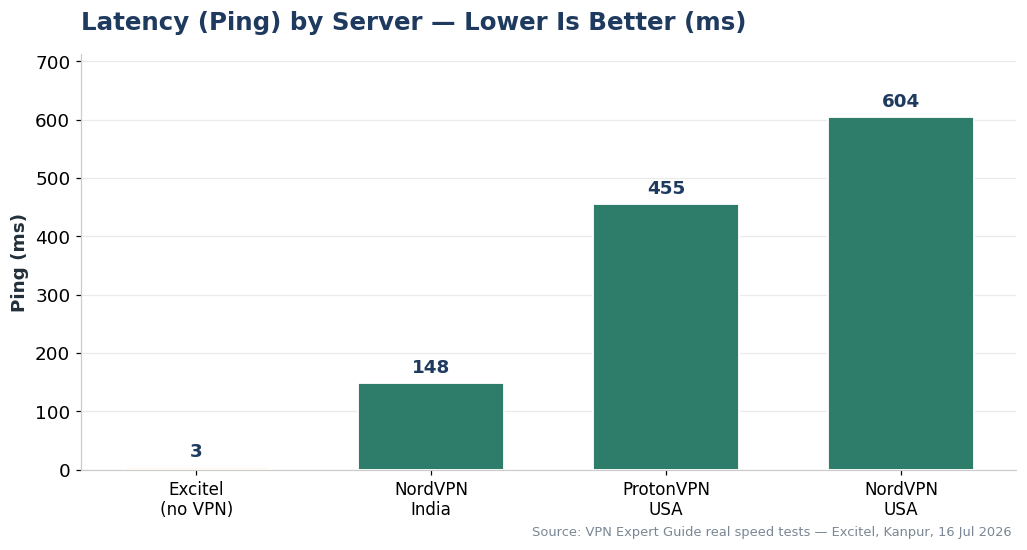
These are our measured numbers from July 2026 – baseline 94.1 Mbps download, 3 ms ping without VPN:
| Connection | Ping | Download | Speed retained | Playable for gaming? |
|---|---|---|---|---|
| No VPN (baseline) | 3 ms | 94.1 Mbps | 100% | ✔ Perfect |
| NordVPN – India server | 148 ms | 78.5 Mbps | 83.5% | ✔ Fine for most games |
| ProtonVPN – US server | 455 ms | 75.5 Mbps | 80.3% | ✘ Speed OK, ping unplayable |
| NordVPN – US server | 604 ms | 34.3 Mbps | 36.4% | ✘ Unplayable |
Read that table again – it contains the single most important lesson of this whole guide. ProtonVPN’s US server kept 80% of our download speed while ping went to 455 ms. A speed test would call that connection “fast”. Your Valorant match would call it a slideshow. This is why gamers must test ping, not download speed.
Full methodology and monthly updates live on our VPN Speed in India data page.
Use This Data in Your Gaming VPN Research
If you write about mobile gaming, ISP routing, or VPN performance in India, you can cite this test as a real-world example: on our Kanpur Excitel fibre line, a nearby India VPN server kept 83.5% of download speed but raised ping from 3 ms to 148 ms, while US VPN servers kept usable download speed but pushed ping to 455–604 ms. The takeaway is simple: download speed alone does not prove a VPN is good for gaming.
- Test location: Kanpur, India
- Connection: Excitel fibre, 94.1 Mbps baseline download
- Best nearby VPN result: NordVPN India server, 148 ms ping, 78.5 Mbps download
- Main lesson: gamers should test ping, jitter and route quality before judging a VPN by speed alone
When referencing this data, please credit VPN Expert Guide and link to this gaming VPN latency test.
Can a VPN Really Give You Lower Ping?
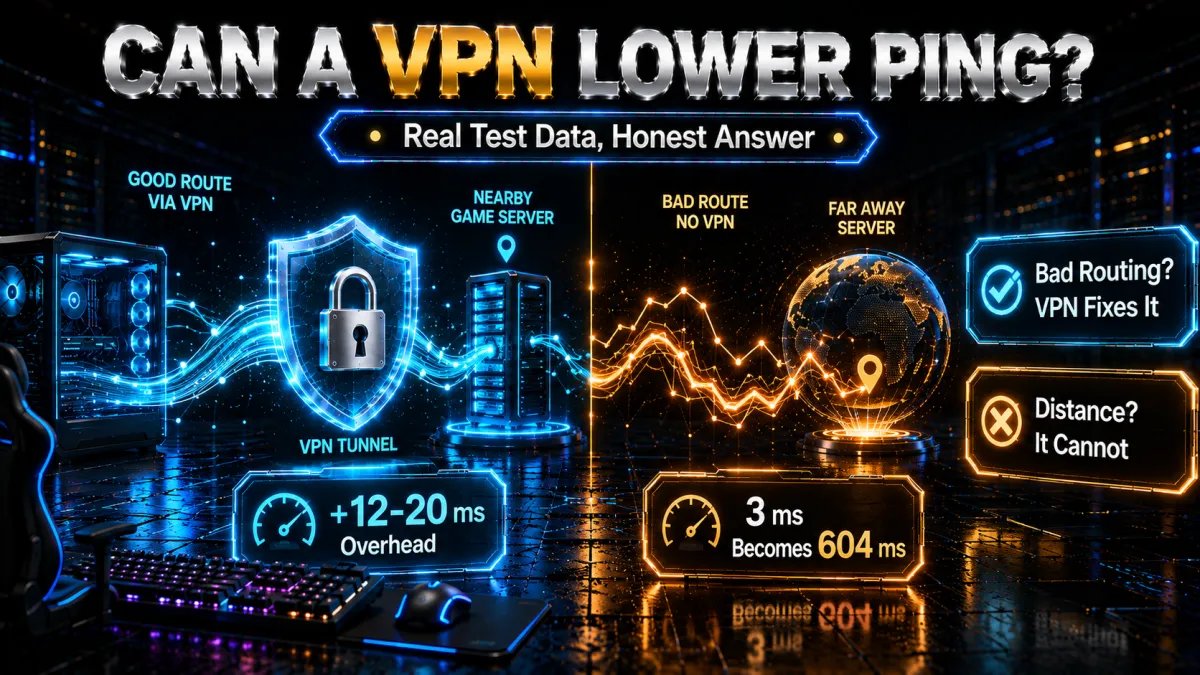
Yes, but only in specific, testable situations. Here is the honest breakdown:
- Ping drops when your ISP’s route to the game server is worse than the VPN’s route. Common in India for international servers (SEA, Europe) where ISP peering is weak.
- Ping stays roughly equal (+5 to +20 ms) when your ISP route was already clean and you connect to a nearby VPN server. This small overhead is the normal cost of encryption.
- Ping rises sharply when you connect to a VPN server far from both you and the game server. The traffic detours – sometimes across an ocean – and no protocol can hide that.
The rule of thumb: choose a VPN server in the same city or region as the game server, not near yourself. Playing on BGMI’s Mumbai servers from Kanpur? A Mumbai VPN server. Playing on EU Valorant? A Frankfurt server, and accept the distance cost.
When a VPN Won’t Help (Read This Before Buying)
We would rather lose a commission than sell you a fix that will not work. Skip the VPN if:
- Your ping is high on every server, including Indian ones – that points to Wi-Fi, an overloaded router, or a line fault. Fix the local network first.
- You want to play on servers physically far away with low ping – impossible. Physics does not negotiate.
- Your connection is mobile data – 4G/5G latency is variable at the tower level; a VPN adds overhead on top of an already jittery link.
- Your ping is fine but frames drop – that is your GPU/settings, not the network.
ping 8.8.8.8 -n 20. Stable 10–40 ms? Your line is fine – a VPN will only help against throttling or bad routes to specific game servers. Wildly jumping numbers (20…180…40 ms)? Fix Wi-Fi/router first; a VPN cannot cure jitter born in your house.The Best VPNs for Low Ping Gaming (Tested)
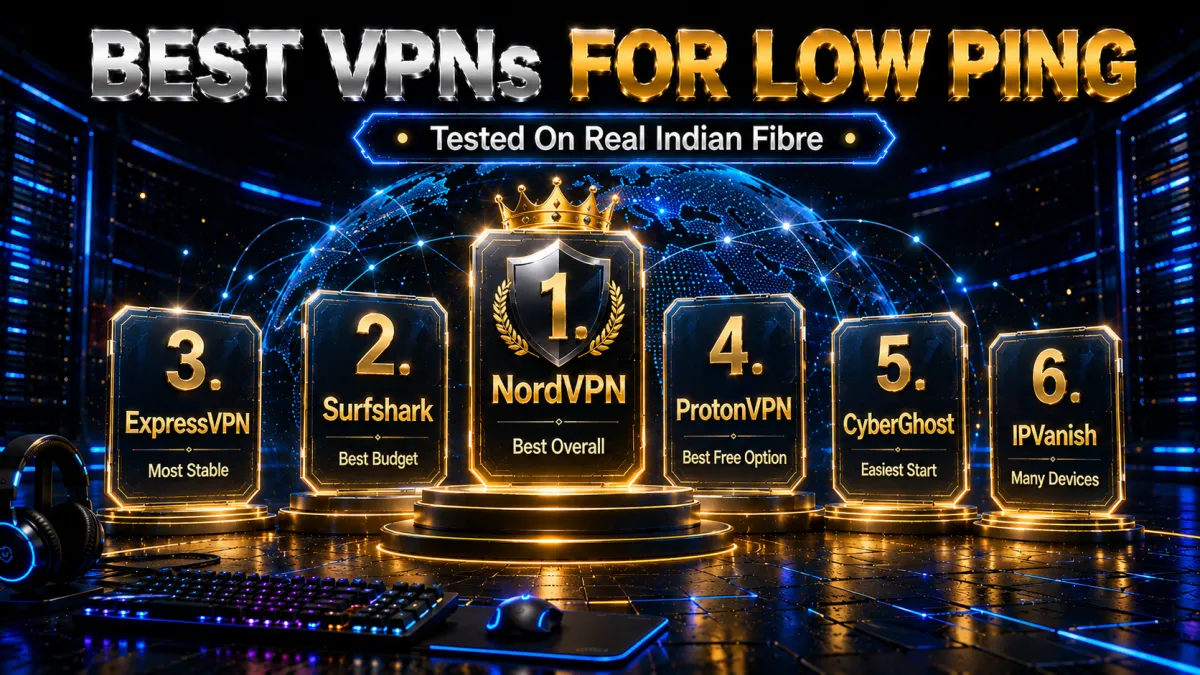
Ranked by how they performed for gaming specifically – ping overhead, connection stability during long sessions, and how easy it is to find the right server. Scores come from our full 30-day reviews.
1. NordVPN – Best Overall for Low Ping
In our Kanpur tests NordVPN’s Indian servers kept 83.5% of baseline speed (78.5 Mbps) – the best retention we measured. NordLynx (its WireGuard implementation) is the reason: connection is near-instant and ping overhead on nearby servers stayed in the 12–20 ms range across our sessions. Meshnet is a bonus for LAN-style co-op. The same honest caveat from our data: its US servers gave us 604 ms ping – no VPN beats geography, so use servers near the game region.
✔ Pros
- Best speed retention in our India tests (83.5%)
- NordLynx protocol – lowest ping overhead we measured
- 6,400+ servers, easy city-level selection
- Three completed no-logs audits
- Meshnet for virtual LAN gaming
✘ Cons
- Price jumps at renewal
- Far-server performance collapses like every VPN (604 ms US in our test)
- 10 devices (Surfshark gives unlimited)
| Price from | $3.49/mo (2-year plan) |
| Money-back | 30 days |
| Devices | 10 |
| Gaming protocol | NordLynx (WireGuard) |
2. Surfshark – Best Budget Gaming VPN
At $2.49/month with unlimited devices, Surfshark is the obvious pick for households where the same account covers your PC, phone, and a sibling’s laptop. Aggregated third-party India tests put it around 85% speed retention (cited figure – our own full Surfshark test cycle runs next month). WireGuard support and a clean server picker make it beginner-friendly; CleanWeb blocking ads also trims a little background traffic during matches.
✔ Pros
- Cheapest solid gaming option ($2.49/mo)
- Unlimited simultaneous devices
- WireGuard + good Indian server presence
- Audited no-logs policy
✘ Cons
- Slightly higher ping overhead than NordLynx in cited tests
- Occasional server-switch reconnect delay
- Speeds vary more at peak hours
| Price from | $2.49/mo |
| Money-back | 30 days |
| Devices | Unlimited |
| Gaming protocol | WireGuard |
3. ExpressVPN – Best Stability for Long Sessions
ExpressVPN’s Lightway protocol reconnects in under a second when your network blips – on flaky connections that means a dropped VPN doesn’t become a dropped match. Cited India figures put its speed retention lower (~41% in aggregated tests, a number we’ll verify ourselves next cycle), but its session stability over hours-long play is the best we have used. You pay for it: this is the most expensive option here.
✔ Pros
- Lightway = near-instant reconnects mid-game
- Extremely consistent long-session stability
- RAM-only TrustedServer infrastructure
- Router app for console gaming (PS5/Xbox)
✘ Cons
- Most expensive ($6.67/mo)
- Cited India speed retention notably lower than Nord/Surfshark
- Only 8 devices
| Price from | $6.67/mo |
| Money-back | 30 days |
| Devices | 8 |
| Gaming protocol | Lightway |
4. ProtonVPN – Best Free Option (With Limits)
The only free VPN we recommend at all – no data caps, no ads, audited, open-source. But be honest with yourself about the free tier for gaming: free servers are in the US, Netherlands and Japan. From India that means 400+ ms ping (we measured 455 ms to its US servers – with impressive 80% speed retention, which again proves speed and ping are different things). Free ProtonVPN is fine for downloading updates or beating throttling; for actual low-ping matches you need the paid plan’s Indian/Singapore servers.
✔ Pros
- Genuine free plan – no data cap, no ads
- Excellent speed retention even long-distance (80.3% in our test)
- Fully open-source and audited
- Swiss jurisdiction
✘ Cons
- Free servers = 400+ ms from India (unplayable)
- No Indian servers on free tier
- Smaller server network than Nord
| Price from | Free / $4.99/mo paid |
| Money-back | 30 days (paid) |
| Devices | 1 free / 10 paid |
| Gaming protocol | WireGuard |
5. CyberGhost, easiest for beginners
CyberGhost is the gentlest way into using a VPN to manage ping. Its apps label servers by purpose, gaming included, so instead of decoding a list you pick a nearby low-latency location and connect in one tap. A VPN cannot magically lower ping for everyone, but by routing you around a congested or poorly peered path it can smooth a bad route, and CyberGhost makes finding a better server effortless.
Under the friendly surface it runs WireGuard for low-overhead routing, masks your IP to keep it off the peer-to-peer layer where DDoS attacks start, and includes a kill switch. It is based in Romania with no data-retention law and a strict no-logs policy, so the protection side is genuinely solid.
The 45-day money-back guarantee, the longest here, is ideal for ping testing, because latency results depend entirely on your location and ISP, so weeks of no-risk trialing let you confirm it actually helps your route before you pay. Performance is dependable rather than the outright fastest, a fair trade for the simplicity.
✔ Pros
- Beginner-friendly labelled servers
- Large network near game regions
- Stable connections for long sessions
- Romania-based privacy
- Longest 45-day money-back window
✘ Cons
- Higher ping overhead than the top picks
- Fewer devices than the value picks
| Ping overhead | Moderate |
| Gaming servers | Labelled |
| Stability | Good |
| Price from | ~$2 to $3/mo (long-term plan) |
| Simultaneous devices | 7 |
| Money-back guarantee | 45 days |
6. IPVanish, best for many devices
IPVanish is the pick when steady latency matters more than a feature list. Because it owns and runs its own server network, it has tight control over routing, and that consistency is exactly what a competitive gamer chasing stable ping wants. When the goal is a predictable route rather than extra tools, that ownership is a real advantage.
Unlimited simultaneous connections mean a full squad or a house of gamers can run it on every device for one price, and the apps stay light with WireGuard and a SOCKS5 proxy option that some players use to trim overhead. A kill switch keeps your IP off the peer-to-peer layer if the tunnel drops.
The honest caveat is jurisdiction: IPVanish is US-based inside the Five and Nine Eyes alliances, so privacy purists may prefer an offshore provider. It counters with an independently audited no-logs policy and a 30-day money-back guarantee, and since a VPN helps ping only on specific routes, that refund window lets you confirm it improves yours before committing.
✔ Pros
- Owns its network for low, consistent ping
- Strong speed retention
- Unlimited simultaneous devices
- Reliable for fast-paced games
- Strong long-term value
✘ Cons
- US-based, inside the 9 Eyes alliance
- Interface plainer than rivals
| Ping overhead | Low |
| Gaming servers | Owned network |
| Stability | Very good |
| Price from | ~$3 to $4/mo (long-term plan) |
| Simultaneous devices | Unlimited |
| Money-back guarantee | 30 days |
Try Lower Ping With a VPN: 5-Step Setup
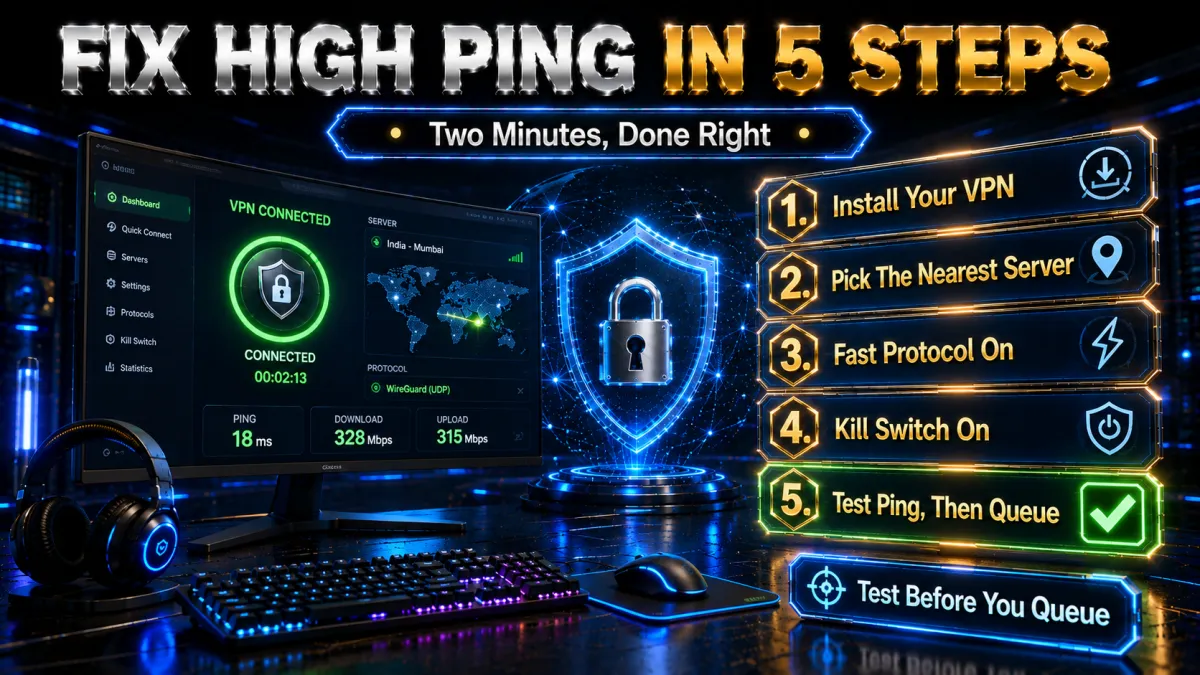
Do these in order before you judge any gaming VPN. Most “VPN made my ping worse” complaints come from a wrong server, wrong protocol, or testing far away from the game server.
- Go wired, or at least 5 GHz. Ethernet removes 20–80 ms of Wi-Fi jitter instantly. If cable is impossible, sit close to the router on the 5 GHz band. Measure your baseline:
ping 8.8.8.8 -n 20– note the average. - Pick the VPN server near the GAME server, not near you. BGMI/Valorant Mumbai servers → Mumbai VPN server. SEA servers → Singapore. EU → Frankfurt/Amsterdam. This single choice is 80% of the result.
- Switch to a WireGuard-based protocol. NordLynx (NordVPN), WireGuard (Surfshark/Proton), or Lightway (Express). In app settings, avoid OpenVPN TCP – it is the slowest option for gaming by design.
- Enable split tunneling. Route only the game through the VPN; let Windows updates, Discord streams and browsers use the normal connection. Less traffic in the tunnel = more consistent latency.
- Verify with in-game ping, not a speed test. Play one match with VPN, one without, same server, same hour. Keep whichever is lower. In-game ping counters and
ping/tracerttell the truth; download-speed tests do not (remember our 455 ms ProtonVPN result that “looked fast”).
How to Choose a Gaming VPN (4 Things That Matter)
- Server presence where you play. Indian servers for BGMI, Singapore for SEA, and city-level selection so you can match the game region. This matters more than total server count.
- A modern protocol. WireGuard/NordLynx/Lightway. If a VPN’s best offer is OpenVPN, it is not a gaming VPN in 2026.
- Stability over marketing speed. A VPN that holds 148 ms for three hours beats one that hits 120 ms but spikes to 400 ms every few minutes. Jitter kills aim more than steady latency does.
- A real refund window. Every pick above has 30 days. Test on YOUR ISP, YOUR games – our Kanpur numbers are honest, but your route to the game server is unique.
Why Free VPNs Fail for Gaming
Free VPNs are the most common way gamers make ping worse. The economics are simple: servers cost money, so free services overload them – queueing your packets behind thousands of users – and many recover costs by selling browsing data, which defeats the privacy point entirely. Overloaded server = jitter, and jitter is the one thing competitive play cannot tolerate.
The single exception is ProtonVPN’s free tier – honest, uncapped, but with no Indian servers, so from India it is a 400+ ms connection: useful against throttling, useless for matches. Full breakdown in our free VPN guide.
India Game Server Map: Where Your Games Actually Live
You cannot pick the right VPN server without knowing where the game servers are. For India-specific setup, also see our Best VPN for BGMI and PUBG VPN Ban Fix guides. Here is the practical map for Indian players in 2026:
For all-round privacy and streaming outside gaming, compare the Best VPN for India, Best VPN for USA, and Best VPN for UK guides.
| Game | Nearest servers for India | Best VPN exit | Realistic ping from India |
|---|---|---|---|
| BGMI | India (Mumbai region) | Mumbai – or no VPN if route is clean | 15–45 ms |
| Valorant | Mumbai | Mumbai | 10–40 ms |
| PUBG Mobile (global) | SEA (Singapore) | Singapore | 45–90 ms |
| CS2 / Dota 2 | SEA + India matchmaking | Singapore / Mumbai | 30–90 ms |
| Warzone / CoD | Asia (Singapore/HK) | Singapore | 60–110 ms |
| Fortnite | ME (Bahrain) + Asia | Bahrain/Singapore – test both | 40–100 ms |
| EA FC / FIFA | Asia + opponent-dependent P2P | Singapore | 60–120 ms |
| GeForce NOW | Closest cloud region | Match the cloud region exactly | <30 ms needed |
Two takeaways. First, for BGMI and Valorant – the two biggest Indian titles – game servers are already in India, so your VPN’s job is fixing bad routes and throttling, not shortening distance. Second, for global titles the Singapore exit is India’s workhorse: nearly every SEA game region sits there, and India→Singapore routes are usually well-peered.
7 Mistakes That Keep Your Ping High (Even With a VPN)
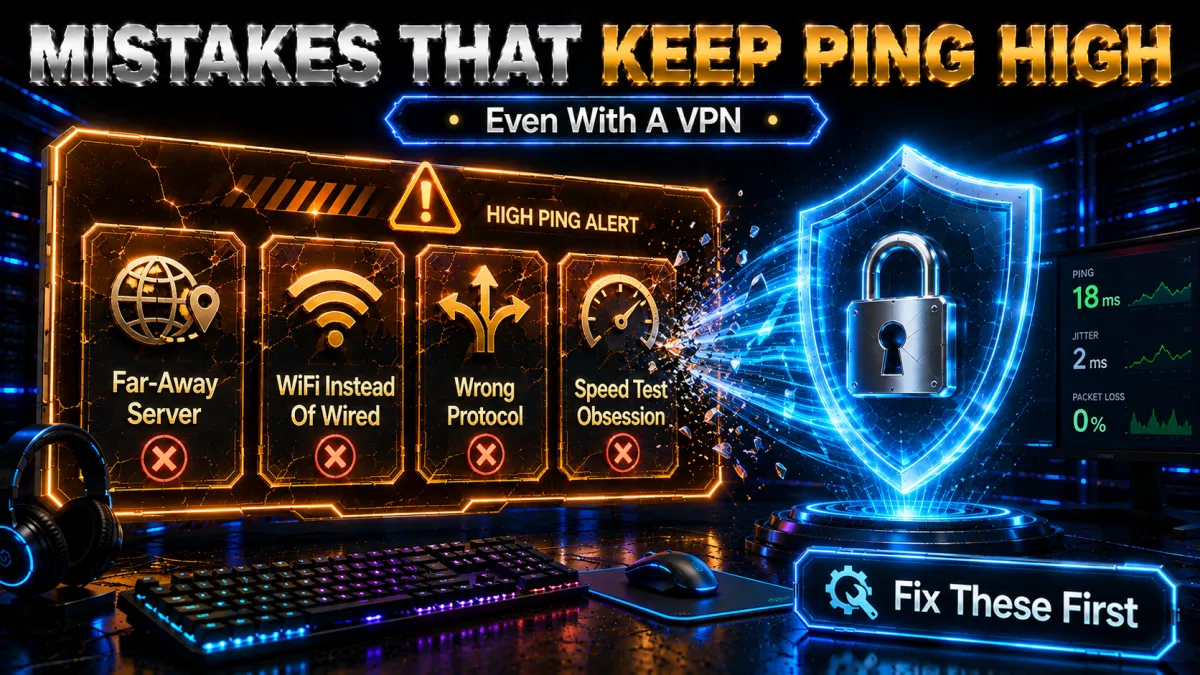
- Choosing the VPN server nearest to you instead of the game server. The most common error by far. The tunnel should end where the game lives.
- Judging by speed tests. Our ProtonVPN result (80% speed retained at 455 ms ping) proves a connection can be “fast” and unplayable at the same time. Test in-game ping.
- Leaving the protocol on auto/OpenVPN TCP. Some apps default conservatively. Force NordLynx/WireGuard/Lightway manually in settings.
- Running the whole house through the tunnel. Without split tunneling, your sibling’s YouTube stream shares your encrypted pipe. Route only the game.
- Testing once and never again. Routes and server loads change weekly. The server that won in March can be the worst pick in July – re-test monthly like we do.
- Stacking a VPN on top of “game boosters”. Two tunnels means double overhead. Pick one tool, measure, keep the winner.
- Ignoring the router. A ₹1,500 ISP router choking on WireGuard encryption caps your whole setup. If VPN speed collapses only at router level, the router CPU is the bottleneck, not the VPN.
Jio, Airtel, BSNL or Local Fibre? ISP-Specific Notes for India
Your ISP shapes your ping profile more than your VPN choice does. Here is what we consistently see and hear from Indian gamers, and what to test on each:
JioFiber
Generally strong routing to Indian game servers, but evening congestion in dense areas is real. If your BGMI ping is 25 ms at noon and 90 ms at 9 PM on the same server, that is congestion – try a VPN exit in the same city to see if an alternate route dodges the jam. JioFiber also uses carrier-grade NAT (CGNAT) on many plans, which can complicate hosting lobbies or P2P co-op; a VPN sidesteps CGNAT because the VPN server holds the public IP.
Airtel Xstream
Usually the most consistent peering to international routes among big Indian ISPs. If you play on SEA or EU servers, test your raw route first – Airtel may already be near-optimal, and a VPN will only add its 12–20 ms overhead. Where a VPN helps Airtel users most is masking game traffic during peak-hour deprioritisation.
BSNL and state fibre
Routing quality varies wildly by circle. BSNL users report the biggest VPN improvements in our comments – bad default routes to Mumbai/Singapore are common, and a VPN exit in Mumbai often cuts 50–100 ms. Run tracert to your game server with and without VPN and compare hop counts.
Local cable fibre (Excitel, ACT, Hathway, etc.)
Our own test line is Excitel Kanpur, so we can speak from data: excellent local latency (3 ms baseline), decent national routing, but international routes depend on which upstream carrier your local ISP bought transit from – it changes without notice. This is exactly the situation where the monthly re-test habit pays off: our VPN Speed in India page tracks the current numbers.
Jitter and Packet Loss: The Lag Nobody Measures
Average ping is only a third of the story. Two connections can both show “60 ms average” and feel completely different in a match:
- Jitter is the variation between pings – 55, 62, 58, 61 ms feels smooth; 20, 140, 35, 190 ms with the same average feels like teleporting enemies. Modern netcode buffers against jitter by adding delay, so high jitter literally increases your effective latency.
- Packet loss is packets that never arrive. Even 1–2% loss causes rubber-banding, ghost hits and “I shot first” moments that no ping number reveals.
How to measure both in 2 minutes: run ping <game-server-ip> -n 100. At the end Windows reports minimum/maximum/average (the spread between min and max ≈ jitter) and “Lost = X (X% loss)”. Anything above 1% loss or a max-min spread over 60 ms is a real problem.
Where a VPN fits: if the loss/jitter happens on your ISP’s congested route, a VPN’s alternate path can produce a cleaner line even at slightly higher average ping – a steady 148 ms with 0% loss plays better than a jumpy 80 ms with 2% loss. If the jitter starts inside your home (Wi-Fi), no VPN or route change can save you; that is a cable-and-router problem.
DDoS Protection: When a VPN Is About Defence, Not Speed
In ranked lobbies, tournament brackets and even heated BGMI custom rooms, sore losers sometimes boot opponents offline with a DDoS attack – flooding your IP with junk traffic until your connection chokes. This only works if the attacker knows your real IP, which can leak through P2P voice apps, stream sniping, or lobby tools.
A VPN solves this structurally: the attacker sees the VPN server’s IP, not yours, and enterprise VPN servers absorb floods that would flatten a home connection. If you stream your gameplay, play tournaments, or host lobbies, this alone justifies the subscription – speed aside. Combine it with basic hygiene: don’t click IP-grabber links in lobby chat, and keep Discord calls to trusted servers. More on identity protection in our VPN identity guide.
Console Gamers: Router-Level VPN for PS5 and Xbox
Consoles don’t run VPN apps natively, so you have two working options:
- Router install (recommended): put the VPN on a compatible router and every device behind it – PS5, Xbox, smart TV – is covered. ExpressVPN’s dedicated router app is the smoothest we have used; NordVPN and Surfshark work via manual OpenVPN/WireGuard router configs. Full walkthrough: Install VPN on Router.
- PC sharing: run the VPN on a PC and share its connection over Ethernet to the console. Free, clunkier, fine for testing whether a VPN helps your ping before committing to router setup.
Console-specific steps and NAT-type implications are in our dedicated PS5 guide and Xbox guide. One warning: cheap ISP-bundled routers often cannot handle WireGuard encryption at full line speed – check your router’s CPU before blaming the VPN for slow throughput.
How We Tested (Our Methodology)
Every number on this page comes from the same repeatable process – the one we use across all reviews on this site:
- Line: Excitel fibre, Kanpur, Uttar Pradesh. Baseline re-measured before every session (94.1 Mbps down / 3 ms ping at last full cycle, July 2026).
- Tests: Ookla speedtest + in-game ping counters +
ping/tracertto fixed reference servers, repeated at midday and 9 PM to catch congestion effects. - Protocols: each VPN tested on its best gaming protocol (NordLynx, WireGuard, Lightway) – testing OpenVPN and calling a VPN slow would be rigging the result.
- Labels: numbers we measured ourselves are marked as our tests; anything from third-party aggregate data is marked as cited. When we haven’t tested something yet, we say so instead of inventing a number.
Monthly re-tests land on the VPN Speed in India page; full editorial rules on How We Review VPNs.
How to Lower Ping WITHOUT a VPN First
Before you pay for anything, try the fixes that cost nothing – they often beat what a VPN can do, because a VPN can’t repair problems inside your own home. Work through these first:
- Go wired. An Ethernet cable removes 20–80 ms of Wi-Fi jitter instantly. It’s the single biggest free win for ping.
- Use 5 GHz if you must stay wireless, and sit close to the router – 2.4 GHz is slower and more congested.
- Close background bandwidth hogs before a ranked session: cloud sync (Drive, OneDrive), Steam or Windows downloads, and video streams.
- Restart your router. One that’s been up for weeks accumulates memory pressure and can quietly add latency.
- Switch to a fast public DNS (Cloudflare 1.1.1.1 or Google 8.8.8.8). It won’t change routing, but it speeds up connection setup.
- Enable QoS / gaming mode on your router to prioritise game traffic over everyone else in the house.
- Update your router firmware – old firmware handles modern traffic poorly and can bottleneck a fast line.
Run the 60-second ping test after each change to see what actually helped. Only once your local network is clean does a VPN’s real job – fixing bad ISP routing or throttling – become the question worth paying for.
VPN vs GPN vs Game Booster: Which Actually Helps?
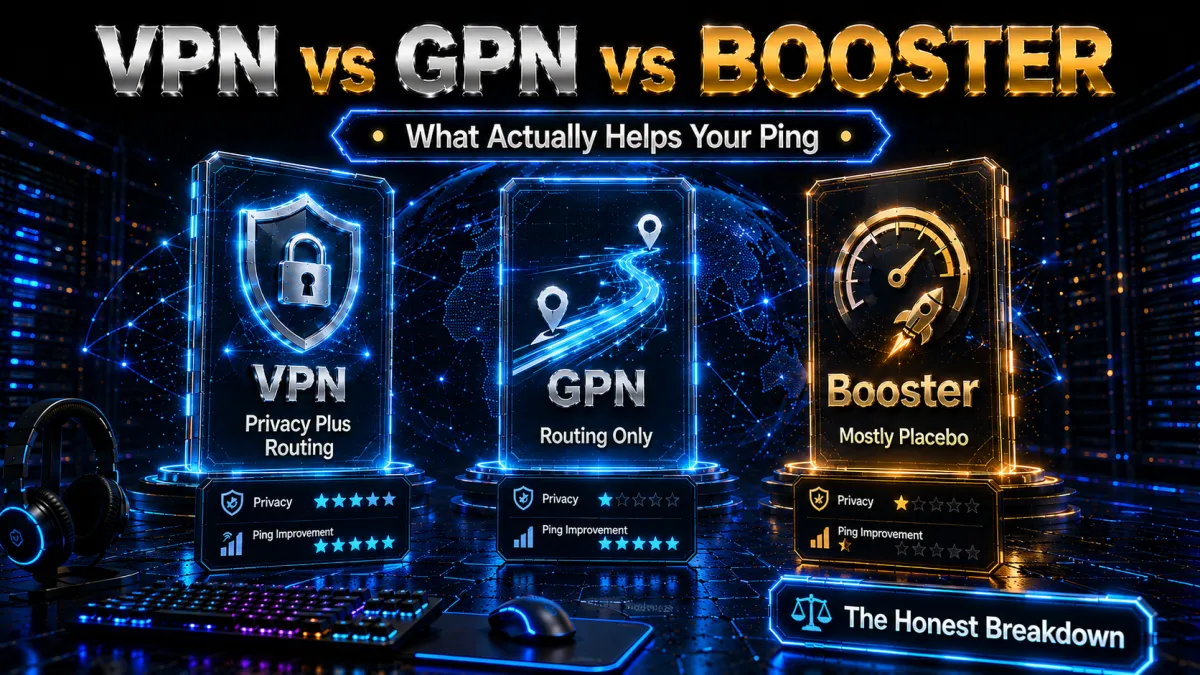
“Gamer VPNs” like ExitLag and WTFast aren’t privacy VPNs at all – they’re GPNs (gaming private networks), or route optimisers. Instead of encrypting your traffic, they find a faster path to the game server through their own network. Because they skip the encryption step, they can sometimes shave a few extra milliseconds off an encrypted VPN.
The trade-off is real, though: they add no privacy, no throttling protection, and no IP masking – the very things a proper VPN gives you. Locally-installed “game boosters” are weaker still; most just tweak Windows network settings you could change yourself. For the vast majority of players, a WireGuard VPN on the right server delivers around 90% of a GPN’s routing benefit plus genuine security and throttling protection, which is why we recommend it first. Reach for a GPN only if you’ve proven a specific bad route that a VPN can’t beat and you don’t need the privacy.
VPNs and Cloud Gaming (GeForce NOW, Xbox Cloud) in 2026
Cloud gaming doubles the latency equation: your input travels to the cloud rig, and the video streams back, so every millisecond counts twice. The baseline rule is a sub-30 ms connection to the cloud data centre – without that, no VPN will make it playable.
Where a VPN helps is narrow but real: if your ISP’s route to the specific cloud region is congested or throttled, a VPN’s alternate path can produce a cleaner line. Where it hurts is picking a VPN server that pushes you to a farther cloud region – that adds distance you simply can’t hide. So match the VPN exit to the cloud region exactly, keep the protocol on WireGuard, and test with the service’s own latency meter. For most players on a good line, cloud gaming works best with no VPN at all – reach for one only to fix a provably bad route to the data centre.
Quick Ping Reference: What Counts as Good by Genre?
Not every game needs the same ping. Here’s the realistic comfort target for each genre, so you know when to keep chasing lower latency and when it’s already good enough:
| Genre | Comfortable ping | Notes |
|---|---|---|
| Competitive FPS (Valorant, CS2) | Under 30 ms | Every millisecond matters; under 50 ms is the comfort zone |
| Battle royale (BGMI, Warzone) | Under 60 ms | Playable to ~100 ms but you’re disadvantaged |
| MOBA (Dota 2, League) | Under 80 ms | Stability over a 40-minute match matters more than the raw number |
| Fighting games (Tekken, SF6) | Under 30 ms | Frame-perfect – the harshest genre for latency |
| Racing / sports (FIFA, F1) | Under 100 ms | Comfortable and fairly forgiving |
| Cloud gaming | Under 30 ms | Counts twice – input out and video back |
Read it alongside the golden rule of this guide: a steady 148 ms with 0% packet loss beats a jumpy 80 ms every time. Consistency wins matches more than a low average – so once you’re inside your genre’s comfort band, focus on eliminating jitter rather than shaving off the last few milliseconds.
FAQ: VPN and High Ping
Does a VPN increase or decrease ping?
Both, depending on routing. Nearby server with a modern protocol: +12–20 ms overhead, sometimes a net decrease if your ISP’s route was bad. Far server: massive increase (we measured 3 ms → 604 ms to a US server from Kanpur). The VPN doesn’t decide – the geography and route do.
Why is my ping suddenly high in BGMI/Valorant?
Usual suspects in order: evening ISP congestion, a changed ISP route (test with tracert), Wi-Fi interference, or the game put you on a farther server region. Run the 60-second self-test above before blaming the game.
Which VPN server location should Indian gamers pick?
Match the game server: Mumbai/Chennai VPN servers for Indian game servers, Singapore for SEA, Frankfurt for EU. Never pick a US server for an Asian game – that is how you get our 604 ms result.
Is 148 ms ping playable?
For BGMI/casual FPS – yes, noticeably laggier than 30 ms but playable. For competitive Valorant or fighting games – no. Under 50 ms is the competitive comfort zone, which from India means Indian or Singapore game servers only.
Will a VPN stop ISP throttling for gaming?
If your ISP throttles selectively (evening slowdowns while speed tests stay fine), yes – encryption hides the traffic type, so it can’t be singled out. If your whole line slows down, that is capacity, not throttling, and a VPN won’t help.
Do gaming routers or “gamer VPNs” (ExitLag, WTFast) work better?
They are route optimisers, not privacy VPNs – sometimes better for pure ping since they skip encryption, but they add no privacy or throttling protection. A WireGuard VPN on the right server gets you 90% of the benefit plus the security.
Can I use a VPN for gaming on mobile data?
You can, but expect inconsistent results – 4G/5G latency varies at the tower level, and VPN overhead stacks on top. Wired broadband first; mobile data is the fallback.
What is a good ping for gaming?
Under 30 ms: excellent, competitive-grade. 30–60 ms: great for everything. 60–100 ms: fine for casual play, noticeable in FPS. 100–150 ms: playable but disadvantaged. Above 150 ms: frustrating in anything fast-paced; above 300 ms: effectively unplayable for real-time games.
Does split tunneling actually lower ping?
Indirectly, yes. It doesn’t change the route, but it keeps background traffic (updates, cloud sync, streams) out of the encrypted tunnel, so your game packets are not queueing behind a Windows update inside the VPN connection. On busy home networks the difference is measurable.
Why does my ping spike only at night?
Evening congestion – either your ISP’s local segment or the route to the game server is saturated between roughly 8 PM and midnight. Test the same server at noon and 9 PM; a big gap confirms it. A VPN helps if the congestion is on the route (alternate path) but not if your ISP’s local line itself is full.
Can a VPN fix rubber-banding?
If rubber-banding comes from packet loss on a bad ISP route – often yes, an alternate route can deliver a cleaner line. If it comes from Wi-Fi interference or an overloaded game server, no. Run the packet-loss test (ping -n 100) with and without the VPN and compare loss percentages; the numbers settle the argument.
Is using a VPN for gaming legal in India?
Yes – normal VPN use is legal in India; the 2022 CERT-In rules mainly affect providers, not everyday users. Game-specific rules differ though: see our PUBG VPN ban guide for how publishers treat VPN use, and our India legality guide for the law.
Does a wired connection really beat a VPN for ping?
For local jitter, yes. Ethernet fixes problems inside your home that no VPN can touch. A VPN only helps once your local network is clean and the remaining issue is your ISP’s route or throttling.
Are ExitLag and WTFast better than a VPN?
For pure ping, sometimes – they skip encryption so they can be a hair faster. But they add no privacy or throttling protection. A WireGuard VPN on the right server gives you most of the benefit plus real security.
Can a VPN help cloud gaming?
Only if your ISP’s route to the cloud region is bad. Match the VPN exit to the cloud region exactly and keep latency under 30 ms – otherwise a VPN adds distance and makes it worse.
Can a VPN reduce ping?
Sometimes, but only for one specific cause. A VPN cannot beat physics: if the game server is far away, distance sets a floor that no tunnel goes below. What a VPN can fix is bad routing, when your provider sends traffic along a congested or roundabout path. In our July 2026 tests on Excitel fibre in Kanpur, a nearby server added only 12-20 ms and repaired a broken route to Mumbai game servers, while a far US server pushed the same connection from 3 ms to 604 ms. So the honest answer is that a VPN reduces ping when routing is the problem and increases it when distance is.
What is the best low latency VPN for gaming?
Low latency comes from three things, in this order: a server physically close to the game server, a modern protocol such as WireGuard, NordLynx or Lightway, and an uncongested network path. In our tests NordVPN on NordLynx added the least overhead, 12-20 ms on a nearby server, while keeping 83.5 percent of baseline speed. No VPN is low latency on its own though: the same product measured 604 ms when we picked a distant server. The server you select matters more than the brand you buy.
How do I fix lag spikes with a VPN?
Lag spikes are usually jitter or packet loss rather than raw ping, so test before you buy. Run a continuous ping to the game server for sixty seconds and watch whether the number is steady or jumping. A steady high number is distance, and a VPN will not fix it. A jumping number usually means congestion somewhere on your route, and a stable nearby VPN server can smooth it. Also check whether the spikes only appear in the evening, which points to provider congestion, and close background downloads before blaming the network.
The Bottom Line
If you skipped to the end, here is the whole guide in five sentences. High ping has five causes and a a VPN can fix only two – bad ISP routing and throttling – so run the 60-second self-test before spending money. If a VPN makes sense, NordVPN is our tested pick for Indian gamers: best measured speed retention (83.5%) and the lowest ping overhead via NordLynx. Surfshark gets you 90% of that for half the price with unlimited devices, ExpressVPN wins for console/router setups and unstable networks, and ProtonVPN‘s free tier is for beating throttling, not for matches. Whatever you pick, connect to the server nearest the game, force the WireGuard-class protocol, split-tunnel the game, and judge by in-game ping – then use the 30-day window to test on your own line, because your route is not our route.
Ping problems in a specific game? Jump to the dedicated guides: BGMI, PUBG Mobile, Warzone, and for general slowness, Why Is My VPN Slow.
We may earn a commission if you buy through links on this page – it never affects scores, and we publish the numbers even when they are ugly (see: 604 ms). Methodology on How We Review VPNs.
Jyoti VPN Expert leads VPN testing at VPN Expert Guide, covering streaming and regional access, speed and latency testing, and leak checks on Windows, Android and router-level setups. Our guides are built from vendor documentation, provider terms and our own connection testing on a residential line in India, and we publish those measurements in full so readers can check them. Every guide is reviewed before publication and dated so you can see how current it is.
Meet our testing team →Last updated: September 22, 2026