
How to Watch YouTube at School in 2026: A VPN Guide for Filtered Networks
School Wi-Fi has a habit of blocking exactly the video you need: the maths explainer, the documentary your teacher mentioned, the coding tutorial. Content filters cannot tell a study aid from a distraction, so they block the whole site. This guide explains how those filters work, how a VPN gets around them by encrypting your traffic, what your school’s rules mean for you, and which five VPNs actually hold up on filtered networks.
Why schools and universities block YouTube
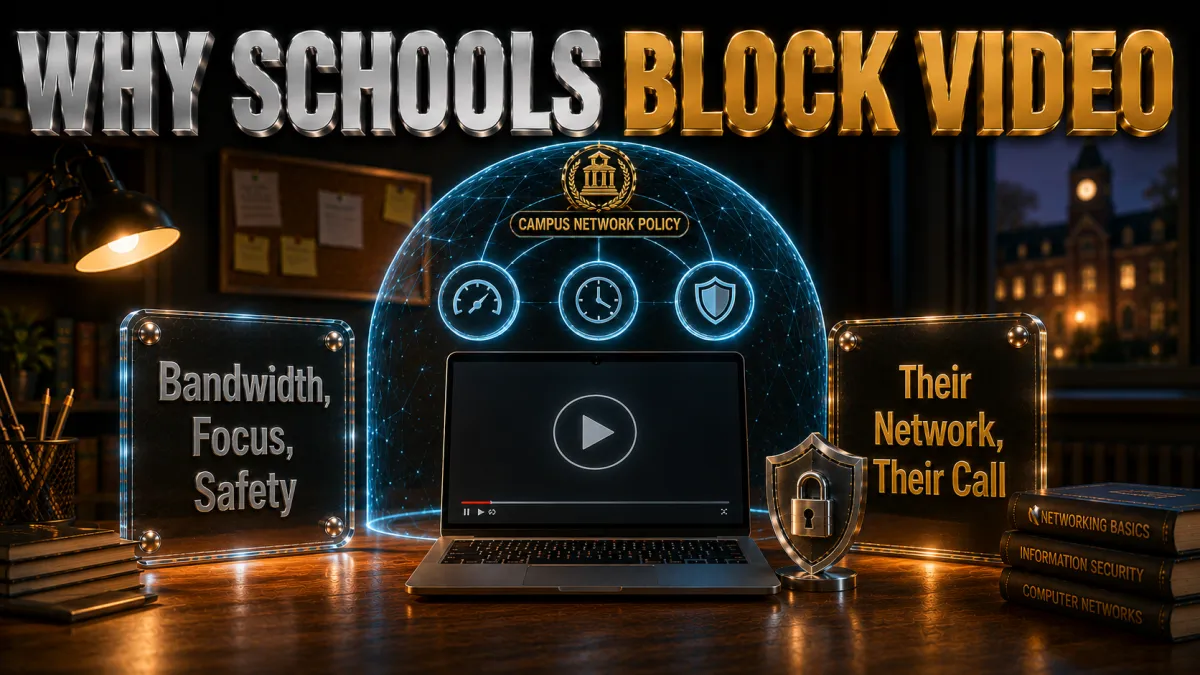
Understanding why the block exists makes it much easier to deal with sensibly, and the reasons are less arbitrary than they feel at 2pm in the library.
- Bandwidth is the honest first reason. Video is the heaviest thing on any network, and a few hundred students streaming at once can slow a campus network to a crawl for everyone, including the systems classrooms depend on. Blocking YouTube is the bluntest available fix, and many schools reach for it.
- Duty-of-care and compliance rules. Schools in many countries are legally required to filter content for minors, and the filtering software they buy works at the site level. YouTube hosts everything from lectures to content no school wants on its screens, so the whole domain gets caught in the compliance net.
- Focus policies, applied by machine. Administrations set a policy that social and entertainment sites are off-limits during hours, and the filter enforces it without judgement. The same rule that blocks a music video also blocks the chemistry channel your teacher linked, because the filter cannot tell them apart.
- Filters are blunt by design. The practical result is overblocking: legitimate educational video, revision content, and lecture recordings all disappear behind the same wall. That gap between what the policy intends and what the filter does is why this question exists at all.
How a VPN gets YouTube loading on a filtered network
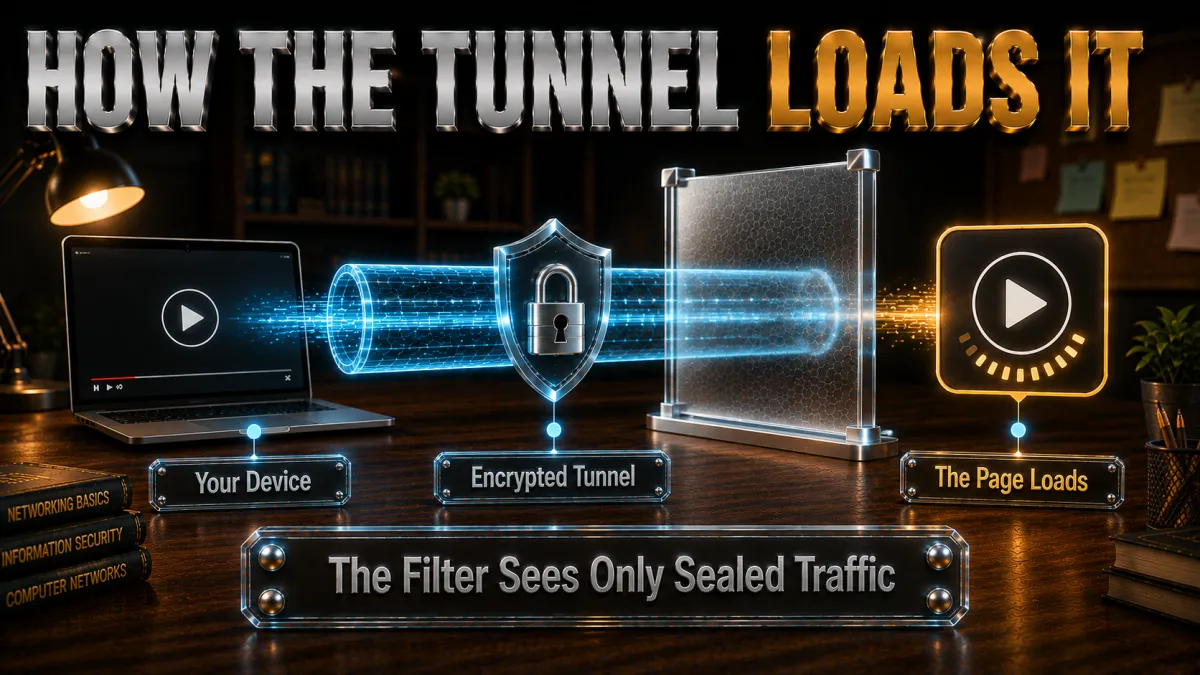
School filters work by reading where your traffic is going and refusing the connections on their block list. A VPN breaks that mechanism in one clean move.
- The filter blocks destinations it can see. When you open YouTube normally, the network sees a request to a video domain and drops it, which is why you get the blocked page or an endless spinner. Everything depends on the filter being able to read your destination.
- A VPN hides the destination inside encryption. With a VPN connected, your device talks only to the VPN server, through an encrypted tunnel the filter cannot read. The network sees traffic to one unfamiliar address and nothing else: not YouTube, not any site, just encrypted data.
- YouTube loads from the other side. The VPN server fetches YouTube on your behalf and passes it back through the tunnel. From YouTube’s point of view you are an ordinary visitor from the VPN server’s location, and from the school network’s point of view you are a stream of unreadable traffic.
- Encryption also protects your privacy on shared Wi-Fi. A side benefit worth taking seriously: on any shared network, the operator can see the sites every device visits. A VPN closes that window, which is a legitimate everyday reason people run one on campus even when nothing is blocked.
Obfuscated servers: when the network blocks VPNs too
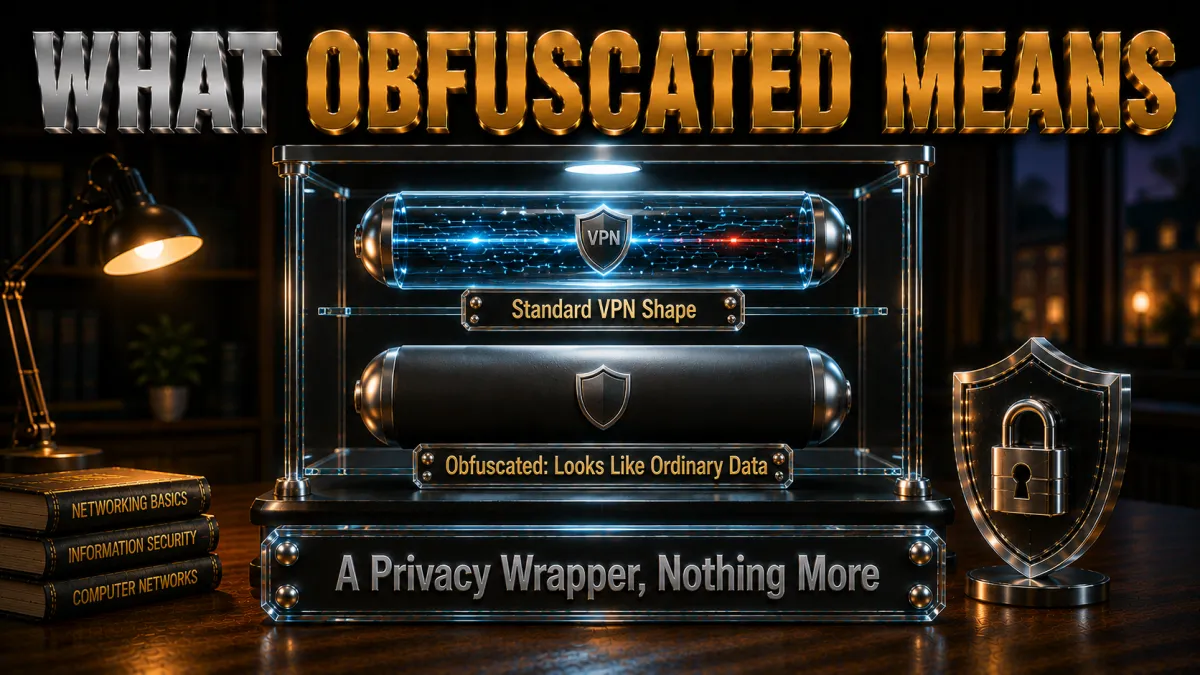
Better school filters do not stop at YouTube; they also detect and block VPN traffic itself. This is where the five picks below genuinely differ, and where cheap VPNs fail.
- Standard VPN traffic has a recognisable shape. Filtering systems like the ones schools deploy can fingerprint ordinary VPN protocols and drop those connections, which is why a basic VPN often connects at home but dies on campus Wi-Fi.
- Obfuscation disguises the tunnel as normal web traffic. Obfuscated or stealth servers wrap your VPN connection so it looks like standard HTTPS, the same encrypted traffic every banking site and shopping site uses. A filter that blocked that would break the whole internet, so it has to let it through.
- Each provider names it differently. NordVPN has dedicated obfuscated server lists, ExpressVPN builds automatic obfuscation into every connection, and Surfshark offers a Camouflage Mode. The mechanics differ slightly; the effect on a school filter is the same.
- Port choice can matter too. Traffic on port 443, the standard HTTPS port, blends in best. Most of the picks use it by default in their stealth modes, which is a detail worth knowing if a connection ever refuses to establish.
Mobile data: the simplest legitimate alternative
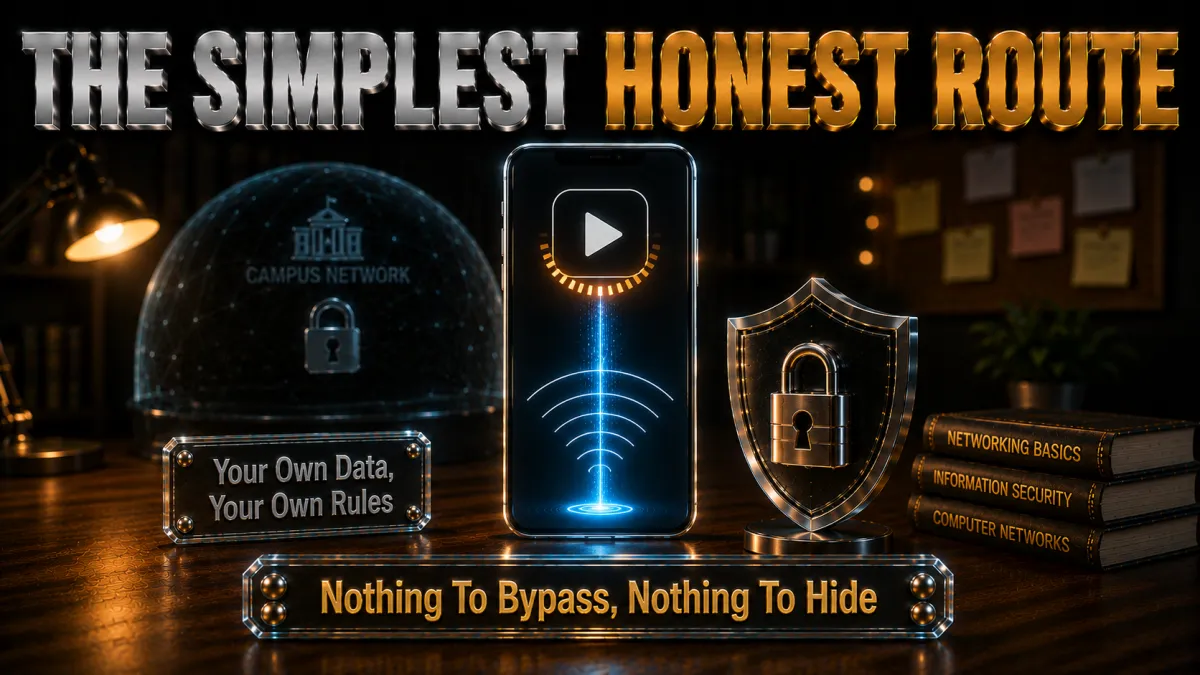
Before configuring anything, it is worth naming the option that involves no VPN and no school network at all, because for many people it is the honest answer.
- Your data plan is not filtered by the school. Switch off Wi-Fi and YouTube loads over 4G or 5G exactly as it does anywhere else, with zero policy questions, because you are not touching the school’s network at all.
- Video spends data quickly. Standard-quality streaming can consume a gigabyte or more per hour, so a limited plan disappears fast. Dropping resolution to 480p in the YouTube player stretches a small plan a long way.
- A hotspot covers your laptop. Phone tethering puts your laptop on your own data too, useful when the video needs a bigger screen. Battery drain is the price, so plug in when you can.
- The combination approach works well. Plenty of students use mobile data for the occasional blocked video and save a VPN for privacy on the shared network. The two are complements, not competitors.
Privacy and responsible use on campus networks
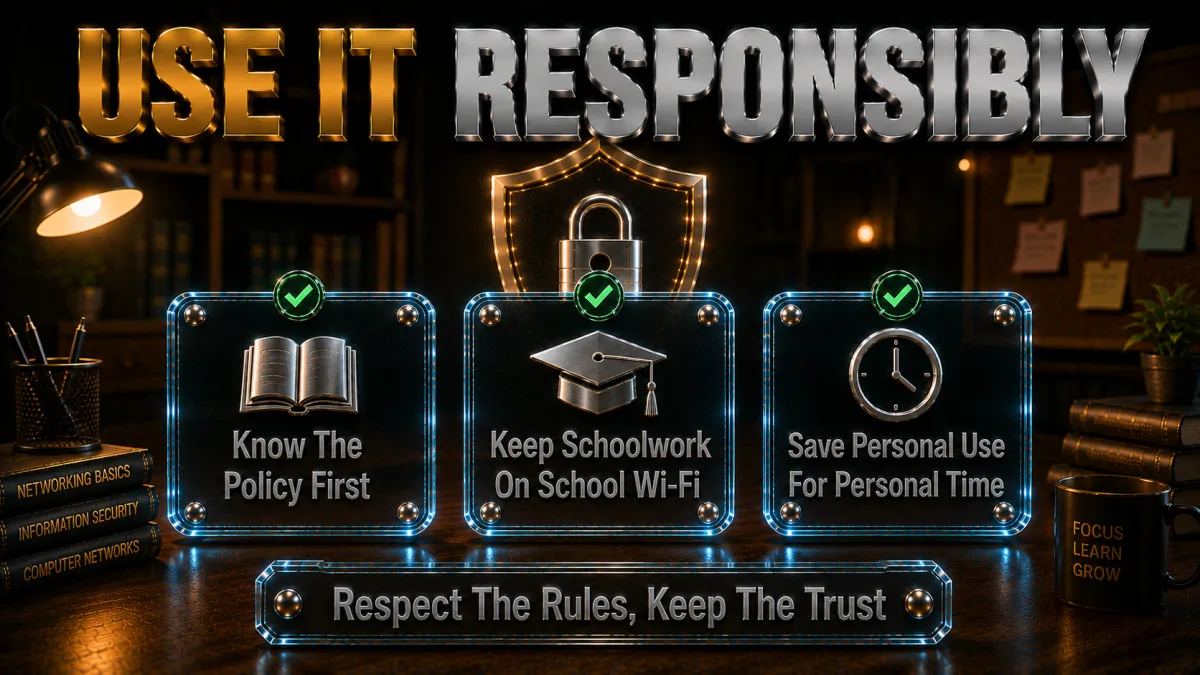
The privacy side of this deserves more attention than it usually gets, because a school network is one of the most monitored environments most people ever use.
- Shared networks see more than people expect. Network operators can typically log which sites every connected device visits and when. That is normal administration, not spying, but it means your browsing history on campus Wi-Fi is not private by default.
- A VPN restores baseline privacy. With the tunnel up, the network logs show only encrypted traffic to one server. For anyone uncomfortable with their reading, research, or viewing being visible to network staff, that is a legitimate and proportionate protection.
- Responsibility runs both ways. The same encryption that protects your privacy also means the school cannot enforce its safeguarding duties on your traffic. Being honest about that trade-off matters: use your judgement, keep your activity legal and appropriate, and remember that policy violations discovered other ways are still violations.
- School accounts and school devices are different territory. A VPN on your personal phone protects your personal traffic. On a school-issued laptop with management software installed, the school can often see activity on the device itself regardless of any VPN, and installing unapproved software may itself break the rules. Keep this to your own hardware.
The VPN features that matter on a school network
Ranked for this specific job, the features below are what separate a VPN that works in the library from one that connects at home and fails at school.
- Obfuscation, above everything. If the filter detects VPNs, nothing else matters until the tunnel itself can hide. All five picks offer some form of stealth; NordVPN and ExpressVPN do it best.
- Fast, nearby servers for video. Streaming needs steady throughput, so a provider with plenty of servers near you keeps 1080p smooth. All five have large networks; the speed differences show up in the rankings.
- A kill switch for shared-network privacy. If the VPN drops, a kill switch stops your traffic spilling onto the monitored network unencrypted. For the privacy use case, that is essential rather than optional.
- An audited no-logs policy. Routing your browsing through a company means trusting it more than the school network you are avoiding. Independent audits of the no-logs claim, which the top picks all have, are what make that trust reasonable.
- Easy mobile apps. Most campus YouTube happens on phones, so a clean iOS and Android app with auto-connect matters day to day more than any desktop feature.
How to choose for your situation
All five picks can do the job; the right one depends on which student you are.
- Strict filtering that blocks VPNs? Prioritise obfuscation strength: NordVPN’s dedicated obfuscated servers or ExpressVPN’s automatic stealth are the two most dependable on aggressive filters.
- On a tight budget with several devices? Surfshark’s unlimited-device plan at the lowest long-term price covers your phone, laptop, and tablet, and a friend’s devices too if you share a household plan legitimately.
- Never used a VPN before? CyberGhost is the gentlest introduction and its 45-day refund window gives you a full half-term to confirm it works on your specific campus network.
- Speed for long study sessions? IPVanish’s consistent throughput and unlimited connections make it the workhorse choice, with the honest caveat that its stealth options are the lightest of the five.
- Use the refund window as a test period. Every pick refunds within 30 to 45 days. Install one, test it on the actual network you use, and keep it only if it performs there.
The 5 best VPNs for YouTube at school in 2026
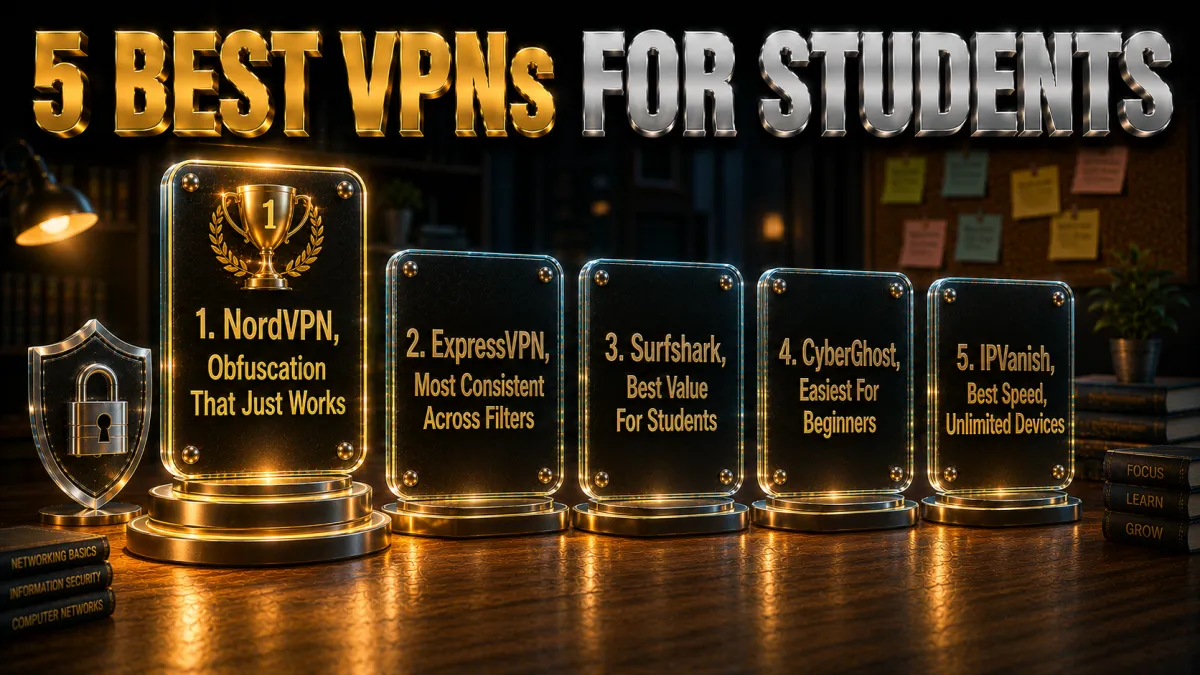
These rankings are weighted for filtered networks specifically: obfuscation strength first, then streaming speed, privacy credentials, and value. A VPN that cannot hide from a school filter is useless here no matter how fast it is.
1. NordVPN – Best overall on filtered networks
NordVPN takes the top spot because it solves the hard problem first: its dedicated obfuscated server list disguises VPN traffic as ordinary HTTPS, which is what survives the filtering systems that block both YouTube and regular VPNs. Switch the protocol to OpenVPN TCP, pick an obfuscated server, and networks that killed other VPNs simply let it through as web traffic.
Beyond the stealth, it is fast enough for 1080p without buffering thanks to NordLynx, its no-logs policy has been independently audited multiple times, and the mobile apps handle auto-connect cleanly so your phone is protected the moment it joins campus Wi-Fi. The one mild annoyance is that obfuscated servers live in a separate list you select manually, a thirty-second job you do once.
✔ Pros
- Dedicated obfuscated servers beat VPN-detecting filters
- Fast enough for HD streaming on NordLynx
- No-logs policy audited multiple times
- Clean mobile apps with reliable auto-connect
- Threat Protection blocks malicious links as a bonus
✘ Cons
- Obfuscated servers need manual selection
- Best price requires a long plan
| Obfuscation | Dedicated obfuscated server list |
| Audited no-logs | Yes, multiple audits |
| Jurisdiction | Panama |
| Simultaneous devices | 10 |
| Money-back guarantee | 30 days |
2. ExpressVPN – Most consistent across filter systems
ExpressVPN’s advantage is that its obfuscation is automatic: every connection disguises itself when the network demands it, with nothing to configure and no separate server list to find. On campus networks running different filtering stacks in different buildings, that adaptability means it just connects, everywhere, which is why it edges ahead of everything except NordVPN.
It is also the easiest of the five to live with: one button, quietly excellent apps, RAM-only servers that keep nothing between reboots, and an audited no-logs policy from its British Virgin Islands base. The trade-off is price, the highest here, and a device cap of eight, which is plenty for one person but tighter for sharing across a household.
✔ Pros
- Automatic obfuscation with zero configuration
- Consistent across different school filtering systems
- RAM-only servers, audited no-logs policy
- Simplest apps of the five
- Reliable kill switch on every platform
✘ Cons
- Most expensive of the five
- 8-device cap is the tightest here
| Obfuscation | Automatic on every connection |
| Audited no-logs | Yes, audited |
| Jurisdiction | British Virgin Islands |
| Simultaneous devices | 8 |
| Money-back guarantee | 30 days |
3. Surfshark – Best value for students
Surfshark is the student-budget answer: the lowest long-term price of the five, unlimited simultaneous devices, and a Camouflage Mode that engages automatically on OpenVPN to hide the tunnel from network filters. Phone, laptop, tablet, and the console at home all ride one subscription.
Its no-logs policy is independently audited and CleanWeb blocks ads and trackers, which makes mobile browsing feel faster on top of the privacy gain. The honest caveats: its obfuscation, while good, is a step behind the top two on the most aggressive filters, and speeds are strong rather than class-leading. For the price difference, most students will find that trade entirely sensible.
✔ Pros
- Lowest long-term price of the five
- Unlimited devices on one plan
- Camouflage Mode hides VPN traffic automatically
- Audited no-logs policy
- CleanWeb blocks ads and trackers
✘ Cons
- Stealth a step behind NordVPN and ExpressVPN
- Netherlands base, inside the EU
| Obfuscation | Camouflage Mode (auto on OpenVPN) |
| Audited no-logs | Yes, audited |
| Jurisdiction | Netherlands |
| Simultaneous devices | Unlimited |
| Money-back guarantee | 30 days |
4. CyberGhost – Easiest for beginners
CyberGhost is the pick for someone installing their first VPN ever: one big connect button, streaming-optimised servers labelled by what they are good at, and settings that explain themselves. Its 45-day money-back guarantee is the longest of the five by two weeks, which amounts to half a term of risk-free testing on your actual campus network.
The audited no-logs policy and regular transparency reports cover the trust fundamentals. The honest limitation is stealth: CyberGhost’s VPN-hiding options are lighter than the picks above it, so on the most aggressive filters it is likelier to be detected. On typical school networks that only block sites rather than VPNs, it works smoothly and pleasantly.
✔ Pros
- Simplest interface for first-time users
- 45-day money-back guarantee, the longest here
- Audited no-logs policy with transparency reports
- Huge server network for nearby connections
- Streaming-optimised server labels
✘ Cons
- Weakest obfuscation of the five
- Can struggle on VPN-blocking filters
| Obfuscation | Limited stealth options |
| Audited no-logs | Yes, audited |
| Jurisdiction | Romania |
| Simultaneous devices | 7 |
| Money-back guarantee | 45 days |
5. IPVanish – Best speed for unlimited devices
IPVanish rounds out the five with consistently quick performance and unlimited simultaneous connections at a fair price. For long video sessions where sustained throughput matters, it is a genuine workhorse, and its scramble option adds a layer of traffic disguise on OpenVPN connections.
It sits fifth for two honest reasons: its obfuscation is the lightest here, so heavily filtered networks detect it more often than the top picks, and its US base plus lighter audit history trail the leaders on the trust ledger. On networks that block sites but not VPNs, it performs happily, and the unlimited-device policy makes it easy to cover everything you own.
✔ Pros
- Consistently fast for long streaming sessions
- Unlimited simultaneous connections
- Scramble option disguises OpenVPN traffic
- Simple apps on every platform
- Fair pricing
✘ Cons
- Lightest obfuscation of the five
- US base and lighter audit history
| Obfuscation | Scramble (OpenVPN only) |
| Audited no-logs | Policy in place, lighter audit history |
| Jurisdiction | United States |
| Simultaneous devices | Unlimited |
| Money-back guarantee | 30 days |
| Feature | NordVPN | ExpressVPN | Surfshark | CyberGhost | IPVanish |
|---|---|---|---|---|---|
| Obfuscation | Dedicated servers | Automatic | Camouflage Mode | Limited | Scramble only |
| Audited no-logs | Multiple audits | Audited | Audited | Audited | Lighter history |
| HD streaming speed | Excellent | Excellent | Strong | Good | Excellent |
| Devices | 10 | 8 | Unlimited | 7 | Unlimited |
| Money-back | 30 days | 30 days | 30 days | 45 days | 30 days |
Setting up a VPN on your phone
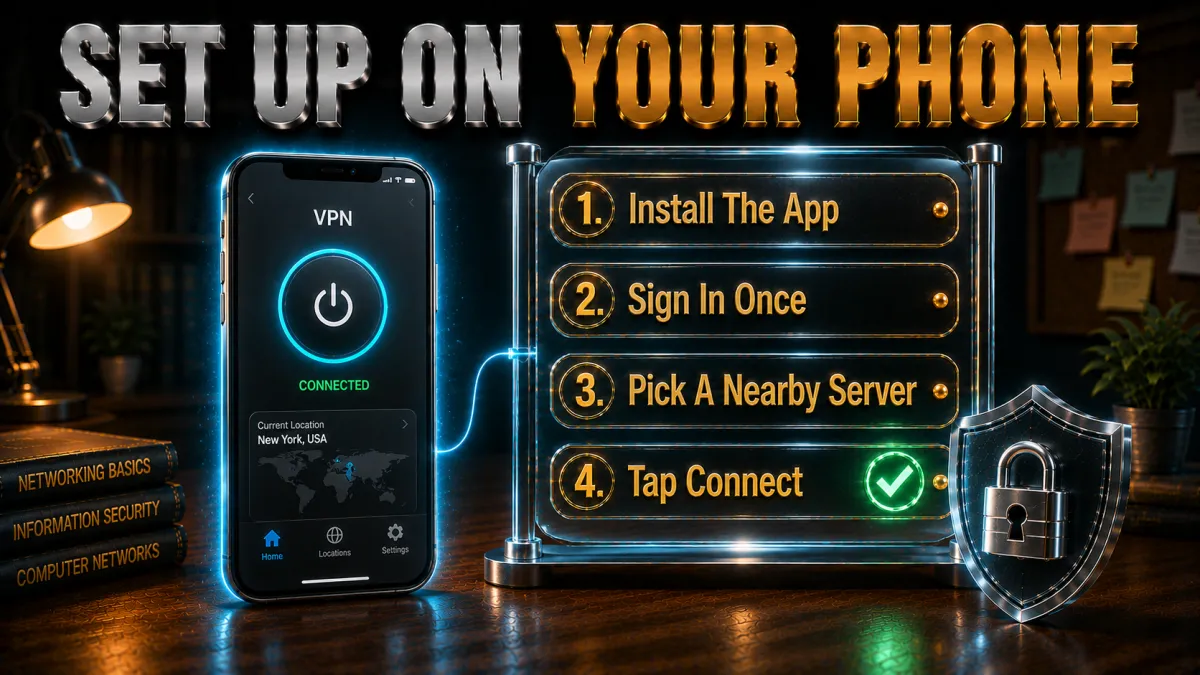
Most campus YouTube happens on a phone, so start here. The whole process takes five minutes and you do it once.
- Install from the official app store on your own device. Download the provider’s app from the App Store or Play Store, on your personal phone, not a school-managed device. Sign in with the account you created at purchase.
- Turn on the kill switch and auto-connect. In settings, enable the kill switch so a dropped tunnel never spills traffic onto the monitored network, and set auto-connect for unsecured or unknown Wi-Fi so protection engages the moment you join.
- Select stealth where offered. On NordVPN choose an obfuscated server from the speciality list; on Surfshark ensure Camouflage Mode is active by using OpenVPN; ExpressVPN handles this automatically.
- Connect to a nearby server and test. A server in your own country keeps speed high. Once connected, open YouTube: it should load normally. If it does not, try a different nearby server before anything else.
- Leave it running. A connected VPN in the background protects everything else you do on shared Wi-Fi, which is half the value. Modern protocols sip battery lightly enough that all-day use is realistic.
Setting up a VPN on a laptop
The laptop setup mirrors the phone with a couple of extra considerations worth knowing.
- Use the desktop app, not a browser extension alone. The full app encrypts everything the machine sends, while a browser extension typically covers only that browser. On a monitored network you want the whole device inside the tunnel.
- Switch protocols if a connection will not establish. Filtered networks sometimes block the ports one protocol uses. Changing from a WireGuard-based protocol to OpenVPN TCP, which travels on the same port as HTTPS, resolves most refusals and enables stealth modes besides.
- Check for leaks once. With the VPN connected, a quick online leak test confirms your real address and DNS requests are hidden. All five picks pass by default; a one-time check is simply good hygiene.
- Remember school-managed laptops are different. If the machine belongs to the school and runs management software, the school can often observe the device itself, and installing unapproved software may violate policy on its own. Keep VPN use to hardware you own.
What to do when the VPN itself is blocked
On aggressively filtered networks, sometimes the VPN will not connect at all. Work through these in order; they resolve the overwhelming majority of cases.
- Switch to obfuscated or stealth servers. This is the designed solution for VPN-detecting filters. NordVPN’s obfuscated list, ExpressVPN’s automatic stealth, and Surfshark’s Camouflage Mode exist precisely for this moment.
- Change protocol to OpenVPN TCP on port 443. Traffic on the standard HTTPS port is the hardest thing for a filter to block without breaking the whole web. Most apps expose this in settings under protocol selection.
- Try a handful of different servers. Filters block known VPN server addresses; providers add new ones constantly. Cycling a few nearby servers often finds an address the filter has not catalogued yet.
- Update the app. Providers push new stealth techniques in updates specifically because filter vendors adapt. An out-of-date app fights yesterday’s war.
- Fall back to mobile data. When a network wins the arms race for the afternoon, your data plan does not care. Watch the video over 4G and revisit the VPN battle another day.
Common mistakes that get students in trouble
Most VPN problems at school are self-inflicted and avoidable. These are the ones to not make.
- Ignoring the acceptable-use policy entirely. The document you signed at enrolment is the actual rulebook, and consequences for breaking it are real regardless of the technology involved. Read it, know where the lines are, and decide with open eyes.
- Installing VPNs on school-owned devices. Unapproved software on managed hardware is often a violation by itself, separate from anything you use it for, and management software may flag the install immediately. Personal devices only.
- Using random free VPNs from app-store searches. Free apps with unknown owners routinely log and sell browsing data, inject ads, and leak. Handing a stranger your entire traffic to dodge a YouTube filter is a terrible trade; the free-VPN section below covers this fully.
- Streaming heavy video during shared crunch times. The bandwidth pressure that caused the block is real. Hammering the network during exam-week peak hours invites both slowdowns and attention; a little judgement keeps everyone happier.
- Announcing it. Demonstrating your setup to half the common room converts a quiet personal choice into a visible policy problem. Discretion is not deceit; it is proportionality.
Should you use a free VPN at school?
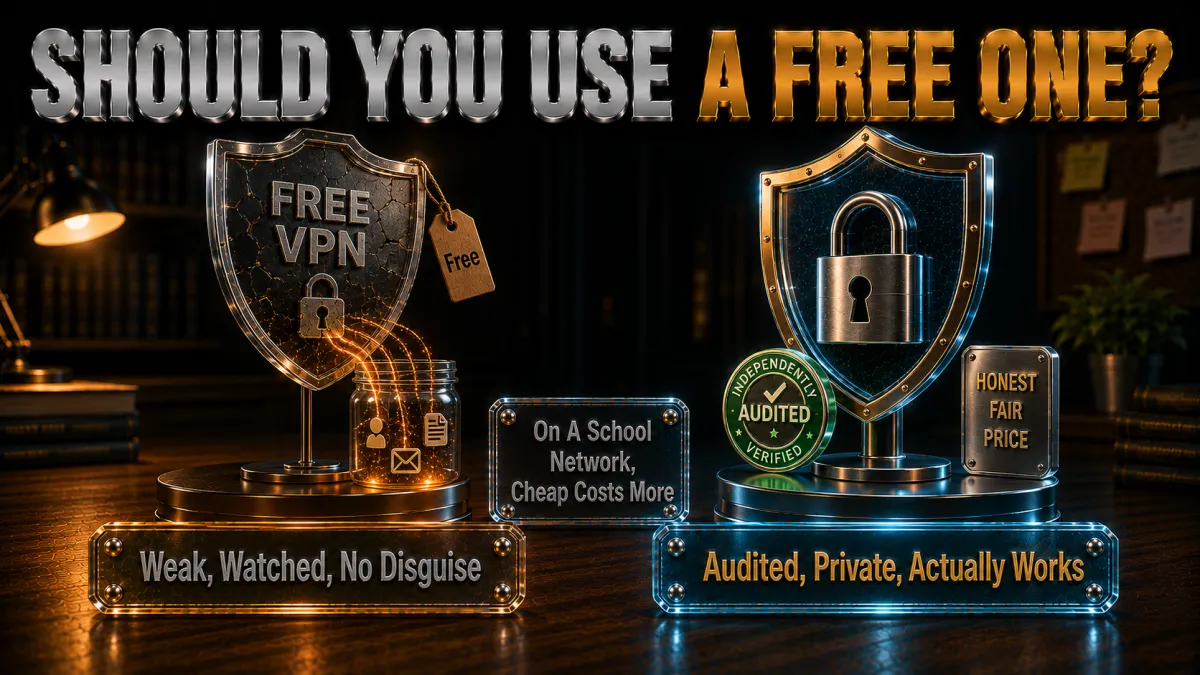
The tempting answer is the app store’s top free result. Here is the honest case against, and the narrow exception.
- Free VPNs monetise you, usually via your data. Servers cost money, so no-subscription services typically log browsing activity and sell it, inject tracking, or worse. On the network where you wanted more privacy, a data-harvesting middleman is a step backwards.
- They rarely work on filtered networks anyway. Obfuscation is an engineering investment free services do not make, and school filters catalogue free VPN servers first because everyone tries them. The usual experience is a connection that fails exactly where you needed it.
- Speed and data caps break video. Free tiers throttle to a crawl and cap monthly data at amounts a few study videos exhaust. Buffering at 240p is not the win it looked like.
- The one honest exception. Reputable paid providers’ trial routes, the 30 to 45 day money-back windows on every pick above, give you premium service free for weeks. That, rather than a permanently free app, is the sensible way to pay nothing while you test.
Related reading:
Frequently Asked Questions
Is it illegal to use a VPN to watch YouTube at school?
In most countries, using a VPN is legal, and watching YouTube through one breaks no law. The realistic issue is school policy rather than legislation: circumventing filters usually violates acceptable-use rules, which schools enforce with their own disciplinary consequences. Know your policy and weigh it honestly.
Can my school see what I watch if I use a VPN?
On your own device with the VPN connected, the network sees only encrypted traffic to one server, not the sites or videos behind it. What remains visible is that some encrypted connection exists. On school-owned or managed devices, monitoring software on the machine itself can still observe activity regardless of any VPN.
Why is the school Wi-Fi blocking my VPN too?
Better filtering systems fingerprint and block standard VPN protocols, not just websites. The fix is obfuscation: stealth servers that disguise VPN traffic as ordinary HTTPS. NordVPN’s obfuscated servers, ExpressVPN’s automatic stealth, and Surfshark’s Camouflage Mode all exist for exactly this, and switching to OpenVPN TCP on port 443 helps further.
Which VPN works best on school Wi-Fi in 2026?
NordVPN is the strongest overall thanks to dedicated obfuscated servers that survive VPN-detecting filters, audited no-logs privacy, and HD-capable speeds. ExpressVPN is the most consistent across different filtering systems with zero configuration, and Surfshark is the best budget pick with unlimited devices.
Will a VPN slow down YouTube videos?
A little encryption overhead is normal, but on a nearby server with any of the five picks, 1080p streams without buffering on a decent connection. If video stutters, switch to a closer server or a WireGuard-based protocol where the network allows it; the school’s own congested bandwidth is more often the real bottleneck.
Can I just use mobile data instead of a VPN?
Yes, and it is the simplest legitimate route: switch off Wi-Fi and YouTube loads over your own data plan with no school network involved at all. The costs are data consumption, roughly a gigabyte per hour at standard quality, and battery if you hotspot a laptop. Many students use data for occasional videos and a VPN for everyday privacy.
Is using a VPN at school against the rules?
It depends entirely on your school’s acceptable-use policy, which you likely agreed to at enrolment. Many prohibit circumventing network filters; some are silent on VPNs used for privacy. The technology is neutral, the policy is specific, and reading yours is the only real answer. When a blocked video is genuinely for coursework, asking a teacher to whitelist it is often the cleanest path.
What is an obfuscated server in simple terms?
It is a VPN server that disguises the VPN connection itself as ordinary secure web traffic, the same HTTPS every shopping and banking site uses. Filters that detect and block normal VPN protocols cannot single it out without breaking the rest of the encrypted web, so the tunnel passes as routine traffic.
Do free VPNs work for YouTube at school?
Rarely, and they are a poor idea besides. Free services lack the obfuscation that filtered networks demand, their servers are the first ones filters blacklist, and their business models often involve logging and selling user data. The honest free route is the 30 to 45 day money-back window on a reputable paid provider.
Will a VPN drain my phone battery all day?
Modern protocols are efficient enough that background use costs only a modest slice of battery over a school day, noticeably less than the screen itself. WireGuard-based options like NordLynx are the lightest; OpenVPN in stealth modes costs slightly more. If battery runs tight, connect only when you need it.
Can I watch YouTube on a school laptop with a VPN?
If the laptop is school-owned and managed, installing a VPN may itself violate policy, and device-level monitoring can see activity regardless of the tunnel. VPN use makes sense on your personal phone or laptop; on school hardware, the sensible options are mobile data on your own device or asking for the content to be whitelisted.
What should I do if a study video is blocked and I need it for class?
Ask. Teachers and IT staff can whitelist specific videos or channels, and a request tied to coursework usually succeeds. It is the one solution with zero policy risk, it fixes the video for every student after you, and it addresses the filter’s actual failure, which is overblocking educational content.
The Bottom Line
School networks block YouTube for defensible reasons, bandwidth and compliance chief among them, but the filters doing the blocking cannot tell a physics lecture from a prank compilation, and students end up locked out of genuinely useful content. A VPN solves the technical half of that problem completely: it encrypts your traffic so the filter cannot read destinations, and with obfuscation it hides even the VPN itself. The policy half remains yours to weigh, and this guide’s honest advice is to know your school’s rules, keep VPN use to your own devices, and remember that asking for a whitelist is sometimes the smartest move available.
On the tools themselves, the short version of the rankings:
- NordVPN is the best overall: dedicated obfuscated servers that beat VPN-detecting filters, audited privacy, and HD-ready speed.
- ExpressVPN is the most consistent across different filtering systems, with automatic stealth and the simplest apps.
- Surfshark is the best value for students: unlimited devices, Camouflage Mode, and the lowest price here.
- CyberGhost is the easiest first VPN, with a 45-day window to test it on your actual campus network.
- IPVanish is the speed workhorse for lightly filtered networks and unlimited devices.
Whichever you choose, set it up properly once: kill switch on, auto-connect for unknown Wi-Fi, stealth mode selected, a nearby server saved as favourite. Test it during the refund window on the network that actually matters, keep mobile data as the zero-drama fallback, and stay on the right side of the rules you signed up to. That combination gets the maths explainer playing and keeps your record clean.
Jyoti VPN Expert leads VPN testing at VPN Expert Guide, covering streaming and regional access, speed and latency testing, and leak checks on Windows, Android and router-level setups. Our guides are built from vendor documentation, provider terms and our own connection testing on a residential line in India, and we publish those measurements in full so readers can check them. Every guide is reviewed before publication and dated so you can see how current it is.
Meet our testing team →Last updated: September 2, 2026