
Best VPN for Travellers in 2026: Stay Secure and Connected Anywhere
Travel puts your digital life on networks you would never trust at home: hotel Wi-Fi with a password taped to reception, airport hotspots, cafe routers nobody has updated in years. At the same time, being abroad can lock you out of your own banking, email, and streaming. One good VPN quietly solves both problems. This guide covers what a travel VPN genuinely does, how to set one up before you fly, and which five services I would pack.
Why you need a VPN when you travel

At home, your network is yours and your services know where you are. Travel breaks both assumptions at once, and that is precisely the gap a VPN fills.
- You live on other people’s networks. Every connection abroad, hotel, airport, cafe, rental apartment, belongs to someone you have never met, configured to standards you cannot check. A VPN encrypts everything you send, so the quality and honesty of those networks stops mattering.
- Your services get suspicious of you. Banks, email providers, and subscription services watch login locations, and a sudden appearance in another country triggers challenges, verification loops, and sometimes outright blocks. Connecting through a server back home presents the location your accounts have always known.
- Your privacy travels with you. In some destinations, local networks monitor or restrict what visitors reach. A VPN keeps your browsing between you and the tunnel, which is a legitimate, proportionate protection for anyone handling work or personal matters abroad.
- One subscription covers the whole trip. The same app protects your phone on airport Wi-Fi, your laptop in the hotel, and your tablet on the train, and the better plans cover every device you and your travel companions carry.
Hotel, airport, and cafe Wi-Fi: the real risks

The advice to avoid public Wi-Fi is unrealistic for travellers, who depend on it daily. The realistic move is understanding the actual threats and neutralising them.
- Rogue twin networks. Anyone can broadcast a hotspot named after the hotel or airline lounge, and devices join the strongest matching signal. Whoever runs the fake sits between you and the internet. A VPN defeats this outright, because your traffic is encrypted before it touches their equipment.
- Open networks expose traffic. Password-free networks skip the encryption a private network provides, and tools to capture that exposed traffic are trivially available. Full-tunnel VPN encryption closes the gap regardless of the network’s own settings.
- Captive portals and injected pages. Some networks insert their own pages and ads into your browsing, and a poorly secured portal can be abused to redirect you to fake login pages. VPN encryption plus a provider that blocks known malicious domains, like NordVPN’s Threat Protection, covers both.
- Shared networks mean shared visibility. Even honest venue networks let operators log which sites every guest visits. On a two-week trip that is a complete diary of your banking, work, and reading, held by strangers. A VPN reduces that log to encrypted noise.
Reaching your banking, email, and home services abroad

The most practically valuable travel VPN skill is looking like you never left home. It keeps your digital life running without security theatre at every login.
- Banks trust familiar locations. A login from your home country via VPN sails through checks that a foreign login would trip. Connect to a home server before opening your banking app, keep the same city each time, and complete any verification calmly on that connection.
- Email and work accounts behave the same way. Corporate and personal accounts alike flag foreign logins, sometimes locking you into recovery flows that are painful without your home phone number. A consistent home-country VPN location avoids the drama entirely.
- Set up two-factor authentication that roams. Before flying, move 2FA from text messages to an authenticator app, so codes generate on your phone regardless of network or SIM. This single change prevents the most common travel lockout there is.
- Consistency is the whole technique. Pick one home-country city server and use it for every sensitive login for the whole trip. Services read consistency as safety; what they punish is bouncing between countries mid-week.
Keeping your home streaming and subscriptions abroad
Streaming catalogues differ by country, and paid subscriptions sometimes shrink or vanish when you cross a border. A VPN restores your home version of the internet for the evenings.
- Libraries follow the country you appear in. Connect to a home server and your subscriptions generally present the catalogue you pay for at home, which is the difference between continuing your series and staring at a different country’s menu.
- Some platforms resist VPNs. Streaming services block known VPN addresses, with mixed success, so expect occasional friction: a proxy-detected message usually just means switching to another home-country server. The five picks maintain their address pools actively, which is most of what separates them from cheap services here.
- Respect the terms you signed. Streaming platforms’ terms of service govern VPN use with their content, and enforcement is their prerogative. In practice enforcement is typically a blocked stream rather than anything worse, but be aware you are operating inside their rules, not around them.
- Downloads are the zero-friction alternative. For flights and patchy hotel Wi-Fi, downloading episodes at home before departure sidesteps the whole question. The VPN covers the spontaneous evenings; downloads cover the guaranteed ones.
Covering every device you travel with

A modern traveller carries three to five connected devices, and protection that covers only one leaves the rest exposed on the same risky networks.
- Phones do the riskiest work. Your phone joins more strange networks than any other device and carries banking, email, and 2FA. It gets the VPN first, with auto-connect enabled so protection engages on any unknown Wi-Fi without you thinking about it.
- Laptops carry the valuable work. Client files, remote sessions, and saved passwords deserve the same tunnel. The desktop apps of all five picks mirror the mobile setup in minutes.
- Unlimited-device plans fit travelling households. Surfshark and IPVanish cover unlimited simultaneous connections, which handles a family’s phones, tablets, and laptops on one subscription; NordVPN’s ten and ExpressVPN’s eight are generous for individuals.
- A travel router is the power move for long stays. Some travellers run the VPN on a pocket router, so every device connecting through it, including ones that cannot run VPN apps, rides the tunnel automatically. It is optional, but for month-long stays it is wonderfully tidy.
The VPN features that matter most for travel
Travel stresses different features than home use. These are the ones that decide whether a VPN earns its place in your carry-on, and they shaped the rankings below.
- Wide country coverage. The more countries with servers, the better your odds of a fast nearby connection wherever you land, plus a home server for logins. The top picks cover 100 or more countries.
- Auto-connect on untrusted networks. The feature that protects you when you are tired and distracted: the VPN engages itself the moment your phone joins airport Wi-Fi. All five offer it; turn it on before departure.
- A reliable kill switch. Hotel Wi-Fi drops constantly, and each drop is a moment your traffic could spill onto the open network. A kill switch that holds is non-negotiable for travel.
- Audited no-logs privacy. You are routing your whole travelling life through this company, so its no-records promise should be verified by independent auditors, as it is for the top picks.
- Obfuscation for restrictive destinations. A few countries restrict VPN traffic itself. Stealth modes that disguise the tunnel as ordinary HTTPS, strongest on NordVPN and ExpressVPN, keep you connected where standard VPNs fail, within whatever local law allows.
How to choose for the way you travel
The right pick depends on your trips, not on a spec sheet. Here is the honest matching.
- Frequent flyer, mixed destinations? NordVPN’s combination of coverage, speed, audited privacy, and obfuscation handles every itinerary, which is why it is the overall pick.
- Want zero-thought reliability? ExpressVPN is the smoothest just-works option, with automatic stealth and the simplest apps, at a premium price.
- Family trips or many devices? Surfshark covers unlimited devices at the lowest price, the arithmetic winner for group travel.
- First VPN ever, before a big trip? CyberGhost is the gentlest to learn and its 45-day refund covers even a long holiday end to end.
- Speed-sensitive with lots of gadgets? IPVanish pairs strong sustained speeds with unlimited connections at a fair price.
The 5 best VPNs for travellers in 2026
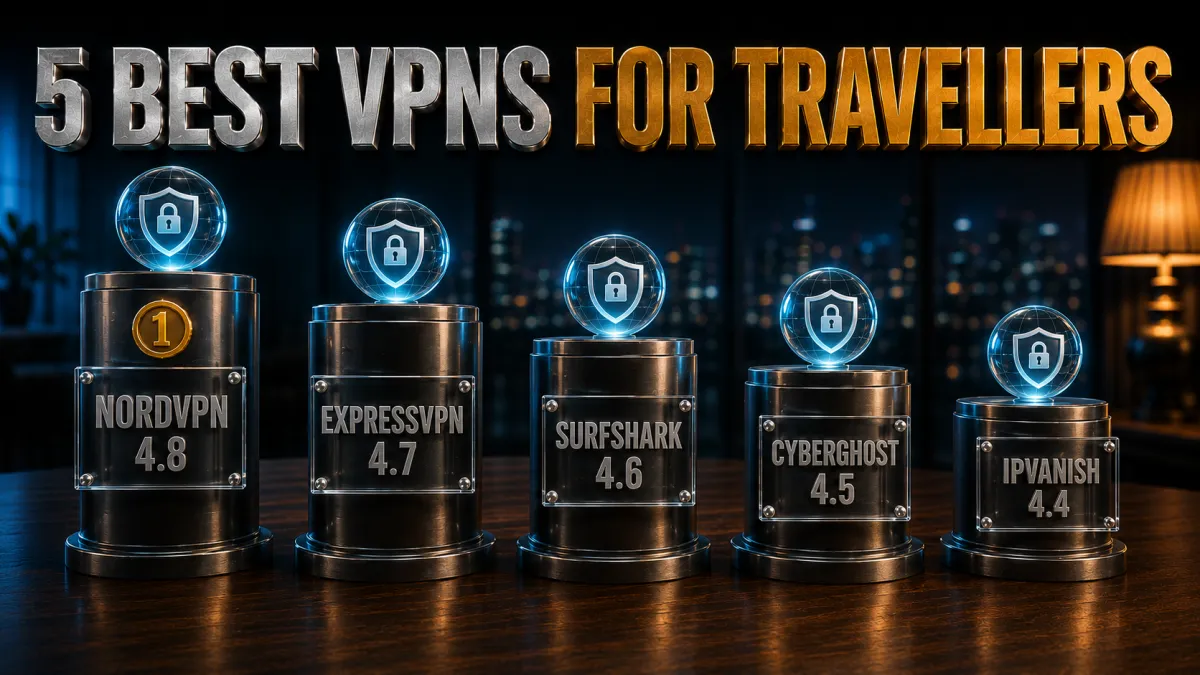
These rankings weigh what travel actually demands: country coverage, reliability on bad Wi-Fi, audited privacy, device allowances, and how gracefully each handles restrictive networks. All five are services I would genuinely put on a boarding-pass checklist.
1. NordVPN – Best overall travel companion
NordVPN is the pick I would install the night before any trip. Its network spans well over a hundred countries, so a fast nearby server exists almost anywhere you land, alongside deep home-country coverage for your banking and email logins. NordLynx keeps hotel Wi-Fi feeling normal, and connections hold steadily on networks that make lesser VPNs flap.
The travel-specific extras seal it: obfuscated servers for destinations that interfere with VPN traffic, Threat Protection blocking the malicious links that target travellers, an audited no-logs policy behind it all, and a Dedicated IP option if your bank prefers one consistent address. Auto-connect on untrusted Wi-Fi means the protection is simply on, always, without thought.
✔ Pros
- Servers in 100+ countries for fast connections anywhere
- Obfuscated servers for restrictive destinations
- Audited no-logs policy, Panama base
- Threat Protection blocks malicious travel-scam links
- Dedicated IP option for smoother bank logins
✘ Cons
- Best price needs a longer plan
- Obfuscated servers are a separate manual list
| Countries | 110+ |
| Audited no-logs | Yes, multiple audits |
| Obfuscation | Dedicated servers |
| Simultaneous devices | 10 |
| Money-back guarantee | 30 days |
2. ExpressVPN – Smoothest just-works experience
ExpressVPN is the travel VPN for people who want to think about their trip, not their tunnel. Its obfuscation engages automatically whenever a network calls for it, its apps are the clearest of the five, and its connections have a stubborn reliability on marginal Wi-Fi that regular travellers learn to appreciate deeply.
Privacy credentials are top-shelf: RAM-only servers that wipe on every reboot, an audited no-logs policy, and a British Virgin Islands base. It costs the most here and caps at eight devices with no dedicated IP option, which is why it narrowly trails NordVPN, but as a pure grab-and-go travel tool it is arguably the most polished of all.
✔ Pros
- Automatic obfuscation, zero configuration
- Outstanding reliability on poor hotel Wi-Fi
- RAM-only servers, audited no-logs, BVI base
- Simplest apps of the five
- Wide country coverage
✘ Cons
- Most expensive of the five
- No dedicated IP; 8-device cap
| Countries | 100+ |
| Audited no-logs | Yes, audited |
| Obfuscation | Automatic |
| Simultaneous devices | 8 |
| Money-back guarantee | 30 days |
3. Surfshark – Best value for group and family trips
Surfshark is the family-trip mathematician’s choice: unlimited simultaneous devices on the cheapest long-term plan of the five means every phone, tablet, and laptop in the travelling party rides one subscription. Its hundred-country network keeps nearby servers available on most itineraries.
Camouflage Mode disguises the tunnel on restrictive networks, CleanWeb blocks trackers and hostile domains, the no-logs policy is independently audited, and a dedicated IP is available as an add-on for smoother bank logins. Speeds are strong rather than chart-topping and its Netherlands base sits inside the EU, honest trade-offs that the price makes easy to accept.
✔ Pros
- Unlimited devices, lowest long-term price
- Camouflage Mode for restrictive networks
- Audited no-logs policy
- CleanWeb blocks trackers and malicious domains
- Dedicated IP available as add-on
✘ Cons
- Netherlands base, inside the EU
- Speeds strong but not class-leading
| Countries | 100 |
| Audited no-logs | Yes, audited |
| Obfuscation | Camouflage Mode |
| Simultaneous devices | Unlimited |
| Money-back guarantee | 30 days |
4. CyberGhost – Easiest start with the longest test window
CyberGhost is the recommendation for a first-time VPN user preparing for a big trip. One large connect button, servers labelled by purpose, and settings in plain language make it the gentlest learning curve here, and its enormous server count keeps nearby options plentiful across mainstream destinations.
The 45-day money-back guarantee is the longest of the five, comfortably covering a multi-week holiday end to end as a real-world test. The no-logs policy is audited with regular transparency reports. Its honest limits: stealth options are the lightest of the five, so heavily restrictive destinations suit the top picks better, and speeds are good rather than exceptional.
✔ Pros
- Simplest apps for first-time users
- 45-day money-back guarantee, longest here
- Huge server network across mainstream destinations
- Audited no-logs with transparency reports
- Purpose-labelled streaming servers
✘ Cons
- Lightest obfuscation of the five
- Better for mainstream than restrictive destinations
| Countries | 100 |
| Audited no-logs | Yes, audited |
| Obfuscation | Limited |
| Simultaneous devices | 7 |
| Money-back guarantee | 45 days |
5. IPVanish – Fast workhorse for many devices
IPVanish earns its place as the fast, uncomplicated option with unlimited simultaneous connections at a fair price. Sustained speeds are consistently strong, which makes video calls home and evening streaming pleasant even on middling hotel bandwidth, and covering a bag full of devices takes no thought at all.
It ranks fifth on the travel-specific ledger: country coverage is the smallest of the five, its scramble obfuscation is the lightest, and its US base plus lighter audit history trail the leaders on trust. For mainstream destinations and speed-focused travellers with many gadgets, it remains a perfectly sound, well-priced choice.
✔ Pros
- Consistently fast sustained speeds
- Unlimited simultaneous connections
- Fair pricing with dedicated IP add-on
- Simple apps on every platform
- Solid US and Europe coverage
✘ Cons
- Smallest country list of the five
- US base, lighter audit history, light obfuscation
| Countries | 50+ |
| Audited no-logs | Policy in place, lighter audit history |
| Obfuscation | Scramble (OpenVPN) |
| Simultaneous devices | Unlimited |
| Money-back guarantee | 30 days |
| Feature | NordVPN | ExpressVPN | Surfshark | CyberGhost | IPVanish |
|---|---|---|---|---|---|
| Server countries | 110+ | 100+ | 100 | 100 | 50+ |
| Obfuscation | Dedicated servers | Automatic | Camouflage Mode | Limited | Scramble only |
| Audited no-logs | Multiple audits | Audited | Audited | Audited | Lighter history |
| Devices | 10 | 8 | Unlimited | 7 | Unlimited |
| Money-back | 30 days | 30 days | 30 days | 45 days | 30 days |
How to set up your travel VPN before you go
Every difficult VPN moment abroad traces back to setup that should have happened at home. Do this the week before departure and the trip itself is effortless.
- Install on every device while on home Wi-Fi. Phone first, then laptop and tablet. Sign in everywhere and confirm each connects cleanly, because app stores and verification emails are easiest to deal with at home.
- Turn on the kill switch and auto-connect everywhere. Kill switch stops drops from exposing you; auto-connect engages protection on any unknown network. These two settings do more for travel safety than everything else combined.
- Favourite the servers you will need. Save a home-country server for banking and email logins, and look up your destination to favourite a nearby server for day-to-day speed. Choosing from favourites beats scrolling lists in an arrivals hall.
- Move 2FA to an authenticator app. Text-message codes fail abroad when the SIM changes or roaming misbehaves. An authenticator app generates codes anywhere, which prevents the classic travel lockout.
- Do one full dress rehearsal. Connect to your home server, log into your bank, check email, stream one video. Ten minutes of rehearsal at home surfaces every problem while it is still trivial to fix.
- Note the offline basics. Save your VPN account password in your password manager and download any offline entertainment. If day one greets you with broken Wi-Fi, nothing important is stranded.
Flight and hotel prices: what a VPN can and cannot do

The idea that a VPN unlocks dramatically cheaper flights is one of the most oversold claims in VPN marketing, so here is the honest version.
- Prices do vary by market. Airlines and booking sites sometimes show different prices by country, currency, and point of sale, so browsing from a different VPN location can surface different fares. This much is real.
- The differences are inconsistent, not a system. Sometimes another market is cheaper, sometimes pricier, and loyalty accounts, cookies, and currency conversion fees can erase apparent savings at checkout. Treat it as an occasionally lucky comparison tool, not a discount machine.
- How to test it properly. Search in a private browser window with the VPN set to a couple of different countries, compare final checkout totals in your own currency including card fees, and book whichever is genuinely lowest. Five minutes, occasionally rewarding.
- Where the VPN reliably saves money. The dependable saving is subtler: booking on hotel or cafe Wi-Fi without a VPN exposes your searches and details, and travel-scam links cost real money. Protection against those is worth more over a travelling year than fare roulette.
Using a VPN in countries that restrict VPNs

A small number of destinations regulate or restrict VPN use, and a traveller should walk in informed rather than surprised.
- Know the rules before you fly. A few countries permit only government-approved VPNs, block VPN traffic technically, or restrict use in specific contexts. Check current guidance for your destination shortly before travelling, because rules change.
- Obfuscation is the technical answer where use is lawful. Where VPNs are legal but networks interfere with them, stealth modes that disguise the tunnel as ordinary HTTPS keep connections alive. NordVPN’s obfuscated servers and ExpressVPN’s automatic stealth are the strongest here.
- Install before arrival. In restrictive destinations, provider websites and app stores may be unreachable locally. Everything in the setup section above, done at home, matters double for these trips.
- Respect the law even when you dislike it. This guide’s consistent position: a VPN is for privacy and security within the law, and no streaming catalogue or convenience is worth legal trouble in a foreign country. When local rules say no, the answer is no.
Fixing VPN connection problems abroad

When the tunnel misbehaves in a hotel at midnight, work through this list in order; it resolves nearly everything.
- Try a different nearby server first. Individual servers get busy or blocked; the next one over usually is not. This single step fixes the majority of abroad problems in under a minute.
- Switch protocols. Hotel and airport networks sometimes block the ports one protocol uses. Changing from a WireGuard-based protocol to OpenVPN TCP, which travels like ordinary HTTPS, gets through most interference.
- Complete the captive portal before connecting. Hotel networks want you to accept terms on a login page before allowing traffic. Connect to Wi-Fi, finish the portal in a browser, then start the VPN. Trying it in the other order looks like a broken VPN.
- Toggle the connection cleanly. Disconnect, wait a few seconds, reconnect, or restart the app. Mundane, and effective for stuck states after networks change.
- Use split tunnelling for stubborn local apps. Occasionally a local service, like a ride-hailing app, works better off-VPN. Split tunnelling routes just that app outside while everything else stays protected, a cleaner fix than disconnecting entirely.
- Keep mobile data as the fallback. When a venue network defeats everything, your data or an eSIM package does not care. The VPN works over mobile data too, and often better than over the hotel’s ancient router.
Should you use a free VPN for travel?
Travel is the worst possible context for a free VPN, and the reasons compound the further from home you get.
- Your most sensitive traffic, their business model. Abroad, everything routes through the VPN: banking, work, personal life. Free services typically fund themselves by logging and monetising that traffic, which inverts the entire point.
- Caps and throttles hit travellers hardest. Free tiers cap data at amounts one video call exhausts and throttle speeds that make hotel Wi-Fi worse. A tool you cannot rely on daily is not a travel tool.
- Missing safety features when you most need them. Kill switches, leak protection, and audited policies are exactly what public networks demand, and exactly what free tiers cut. The protection is cosmetic where it needs to be real.
- The honest free route. Every pick above refunds within 30 to 45 days, which covers a whole trip with premium protection at zero net cost if you decide not to keep it. That beats any permanently free app by miles.
Related reading:
Frequently Asked Questions
Do I really need a VPN for travel?
If you will use hotel, airport, or cafe Wi-Fi, and every traveller does, then yes, it is the single most useful piece of digital travel kit. It encrypts your traffic on networks you cannot vet, keeps your banking and email logins looking familiar to your services, and restores your home internet for evenings. It is inexpensive insurance used daily.
Which VPN is best for international travel in 2026?
NordVPN leads for travel overall: servers in over a hundred countries, audited no-logs privacy, strong speeds on marginal Wi-Fi, obfuscation for restrictive destinations, and Threat Protection against travel scams. ExpressVPN is the smoothest zero-thought alternative, and Surfshark wins for families covering unlimited devices.
Should I connect to a server at home or in the country I am visiting?
Both, for different jobs. Use a nearby destination server for everyday browsing speed, and a home-country server for banking, email, and streaming your home catalogue. Save one of each as favourites before you fly, and keep the same home city for every sensitive login throughout the trip.
Will my bank block me for logging in abroad with a VPN?
Usually the opposite: connecting through a home-country server makes your login look like it always does, avoiding the foreign-login challenges that trip travellers up. Keep one consistent home server, complete any verification calmly on that connection, and consider a dedicated IP if your bank challenges shared VPN addresses.
Is hotel Wi-Fi safe with a VPN?
With a reputable VPN connected and the kill switch on, hotel Wi-Fi becomes roughly as safe as your home connection: the encryption defeats rogue twin networks, local snooping, and page injection. Without one, treat hotel networks as public spaces and keep sensitive logins for mobile data.
Can I watch my home Netflix or streaming abroad with a VPN?
Generally yes: connect to a home-country server and your subscriptions typically show the catalogue you pay for at home. Streaming platforms do resist VPNs, so an occasional proxy-detected message just means switching to another home server. Note that platform terms of service govern this, and downloads before departure remain the zero-friction backup.
Are VPNs legal in every country?
No. VPNs are legal in most of the world, but a small number of countries restrict them, permit only approved services, or block VPN traffic. Check current guidance for your specific destination before travelling, install everything before arrival, and follow local law: no convenience justifies legal trouble abroad.
Does a VPN work on mobile data and eSIMs too?
Yes, identically. The VPN encrypts whatever connection you are on, Wi-Fi, roaming data, or a travel eSIM, and often performs better over decent mobile data than over congested hotel routers. Auto-connect settings can cover cellular as well as Wi-Fi if you want always-on protection.
Can a VPN get me cheaper flights and hotels?
Sometimes, inconsistently. Prices genuinely vary by booking market, so comparing fares from a couple of VPN locations in a private window occasionally finds a better checkout total. It is a comparison trick worth five minutes, not a reliable discount system, and currency fees can erase apparent savings, so always compare final totals.
How many devices can I protect on one VPN plan?
Surfshark and IPVanish allow unlimited simultaneous connections, which suits families and gadget-heavy travellers. NordVPN covers ten and ExpressVPN eight, generous for individuals. For long stays, running the VPN on a travel router protects every connected device while counting as a single connection.
What is the most important VPN setting for travel?
Two settings tie: the kill switch, which stops a dropped tunnel from spilling traffic onto an open network, and auto-connect on untrusted Wi-Fi, which engages protection the moment you join airport or hotel networks. Turn both on before departure and the VPN protects you without requiring thought.
Is a free VPN good enough for a short trip?
No. Free services cap data below one video call, throttle speeds, omit kill switches, and often monetise your browsing, which is a poor trade on the networks where you are most exposed. The genuinely free route is the 30 to 45 day money-back guarantee on a reputable provider, which covers a whole trip risk-free.
The Bottom Line
Travel concentrates digital risk: strange networks daily, sensitive logins from unfamiliar places, and services that panic when you cross borders. A good VPN dissolves nearly all of it. Encryption makes hotel and airport Wi-Fi trustworthy, a home-country server keeps your bank and email calm, and stealth modes handle the awkward destinations. The craft is minimal: set everything up at home, favourite two servers, switch on the kill switch and auto-connect, and rehearse once before you fly.
On the picks, matched to travellers rather than spec sheets:
- NordVPN is the best overall travel companion: the widest coverage, audited privacy, obfuscation, and scam-link protection in one dependable app.
- ExpressVPN is the smoothest just-works option with automatic stealth, for travellers who never want to think about it.
- Surfshark wins family and group trips with unlimited devices at the lowest price.
- CyberGhost is the friendliest first VPN, with a 45-day window that covers a whole holiday as a test.
- IPVanish is the speed workhorse for mainstream routes and bags full of gadgets.
Test your choice during its refund window on a real trip if you can, keep mobile data as the fallback for hostile networks, and respect local law in restrictive destinations. Do that, and the entire category of travel Wi-Fi anxiety, the hesitation before every hotel login, simply disappears from your trips.
Jyoti VPN Expert leads VPN testing at VPN Expert Guide, covering streaming and regional access, speed and latency testing, and leak checks on Windows, Android and router-level setups. Our guides are built from vendor documentation, provider terms and our own connection testing on a residential line in India, and we publish those measurements in full so readers can check them. Every guide is reviewed before publication and dated so you can see how current it is.
Meet our testing team →Last updated: August 24, 2026