
How a VPN Protects Your Identity in 2026: The Honest Mechanics
Identity theft rarely looks like the movies. It looks like a password scooped off cafe WiFi, a browsing profile sold to brokers, and one day a loan you never applied for. A VPN closes a specific, real slice of that exposure by encrypting your connections and masking your IP, and it cannot stop phishing or undo company data breaches. This guide explains the genuine mechanics, the honest limits, the full protection stack, and the five VPNs we recommend as its network layer.
What VPN identity protection actually means
Defining the claim before evaluating it.
- Identity, in the network sense. To every website and network, you are an IP address tied to a location and an ISP account, plus the traffic patterns flowing from it. That bundle is enough to profile, track, and target you, and it is exactly the bundle a VPN replaces.
- Protection, in the honest sense. The VPN encrypts what you send and swaps the address you send it from, which removes network observers from your identity picture. It is a specific defence against a specific layer of exposure, not a force field.
- Why the network layer matters for identity theft. Intercepted logins, ISP browsing records, and IP-based profiles are raw material for fraud and social engineering, per the threats section below. Cutting the supply at the network is prevention rather than cleanup.
- What the phrase does not mean. No VPN monitors your credit file, guards accounts you log into, or reaches data already sitting in company databases. Pages promising identity theft protection from a tunnel alone are overselling; the limits section names what remains.
How a VPN protects your identity, mechanically
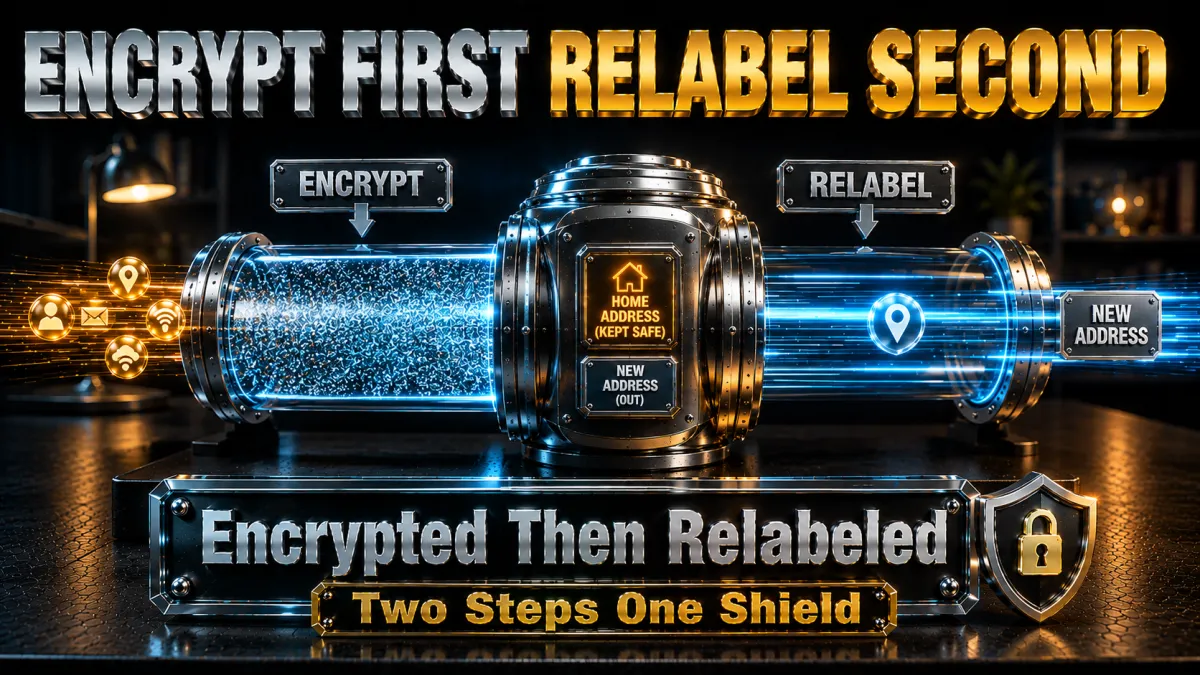
The actual machinery, step by step.
- The encrypted tunnel seals transit. From your device to the VPN server, traffic rides inside encryption that WiFi operators, ISPs, and anyone between cannot read, per our protocol guides. Interception on hostile networks, the classic identity-theft opener, yields ciphertext instead of credentials.
- The IP swap breaks the location link. Websites see the server’s address, not yours, which detaches your activity from your home connection and geography. Your real address, an identifier as personal as a phone number, stays out of every log you touch.
- DNS requests travel inside the tunnel. The list of every site you look up, ordinarily readable by your ISP, resolves through the provider’s private DNS instead, per our DNS guide. Browsing history stops being an ISP-side asset.
- The kill switch guards the gaps. If the tunnel drops, the switch blocks traffic rather than letting it flow exposed, per our kill-switch guidance. Identity protection that fails silently is not protection; the switch makes failure loud and safe.
- Shared servers add crowd cover. On standard shared IPs, your traffic mingles with many users of the same address, making activity-to-person mapping harder for outside observers. It is crowd-blending rather than anonymity, an honest but real layer.
Why encryption is the heart of it
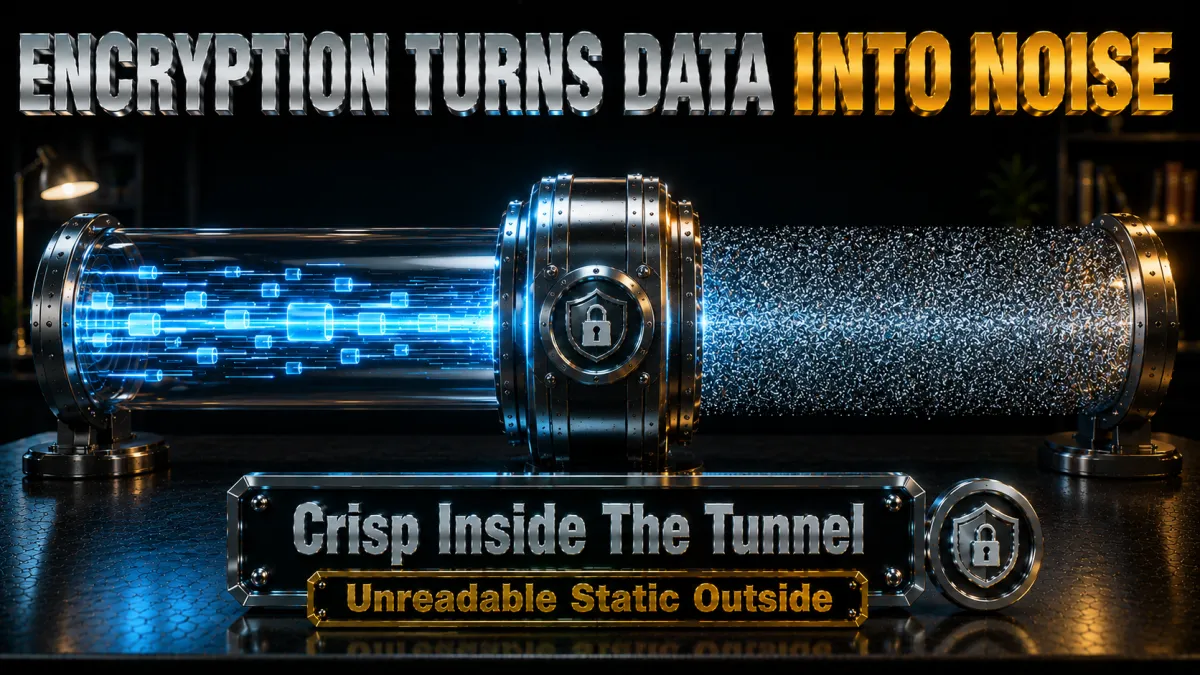
The layer that makes everything else possible.
- Modern ciphers are the actual wall. The AES-256 and ChaCha20 encryption in current protocols is computationally impractical to break, which is why attackers target endpoints and habits instead of the mathematics. The strength is real; the threats simply route around it, per the limits section.
- Encryption converts hostile networks into safe ones. Cafe, hotel, and airport WiFi become mere carriers when everything crossing them is sealed, per our public-WiFi guidance. This single conversion covers the most common interception scenario ordinary people face.
- It defeats ISP-level profiling. Your ISP sees an encrypted stream to one server rather than your full destination list, ending the browsing-record collection that feeds data-broker profiles. What cannot be read cannot be sold.
- Protocol choice matters less than protocol modernity. WireGuard-family and OpenVPN both seal identity-relevant traffic properly; ancient options like PPTP do not, per our protocol comparison. All five picks default to modern protocols, so the box ticks itself.
The threats that actually compromise identity online
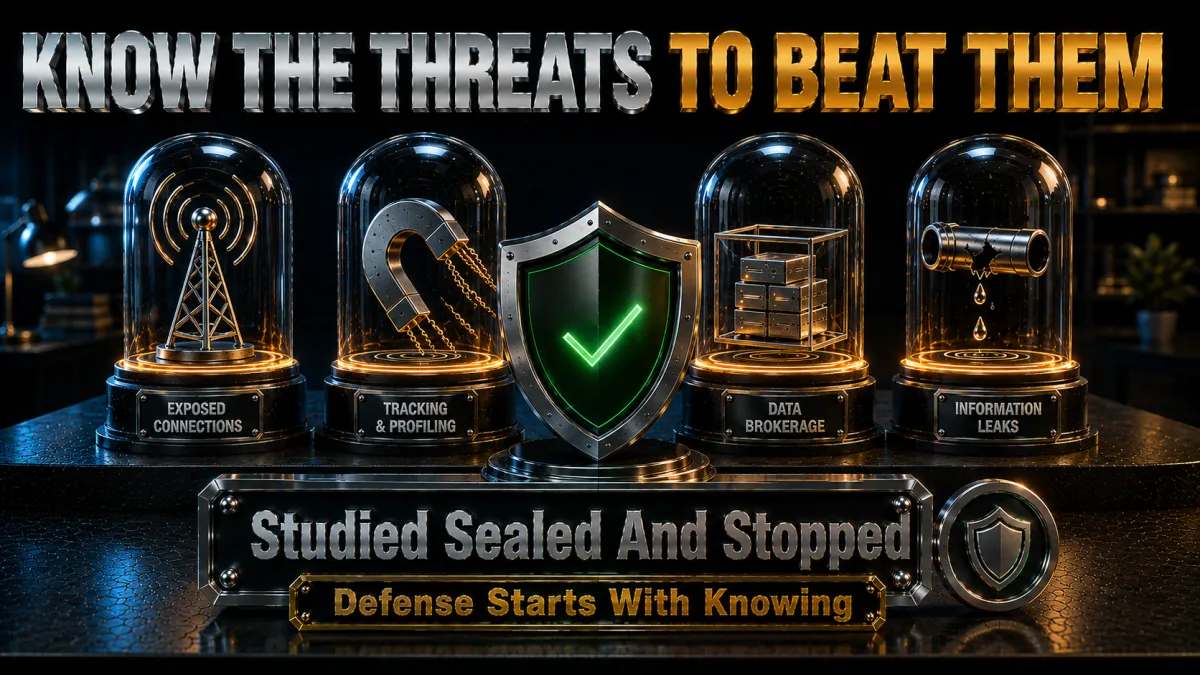
Know the enemy before crediting the defence.
- Public WiFi interception. Unencrypted networks let operators and fellow guests observe traffic, harvest session data, and stage fake hotspots, the oldest identity play in the book. The tunnel neutralises this class outright, its cleanest win.
- ISP data collection and broker resale. Browsing records aggregated into profiles travel through an economy of data brokers, where they season fraud and social engineering. Encryption starves the collection at its source.
- IP-based tracking and doxxing. Your address links activity across sites and can anchor harassment or targeted attacks; swapping it breaks the chain. For anyone with public visibility, this alone justifies the tool.
- Phishing and credential theft. The fake login page and the urgent email operate on judgement, not networks, and ride happily through any tunnel. This threat belongs to 2FA and scepticism, per the stack section, and no honest VPN page claims otherwise.
- Company data breaches. Records stolen from services you trusted leak regardless of how securely you connected to them. Breach monitoring, covered below, is the response; the VPN has no reach here.
- Browser fingerprinting. Device and browser characteristics identify you across IP changes, an advanced tracking layer the tunnel does not touch. Privacy-hardened browsers own this front; the myths section returns to it.
What a VPN does NOT protect: the honest list
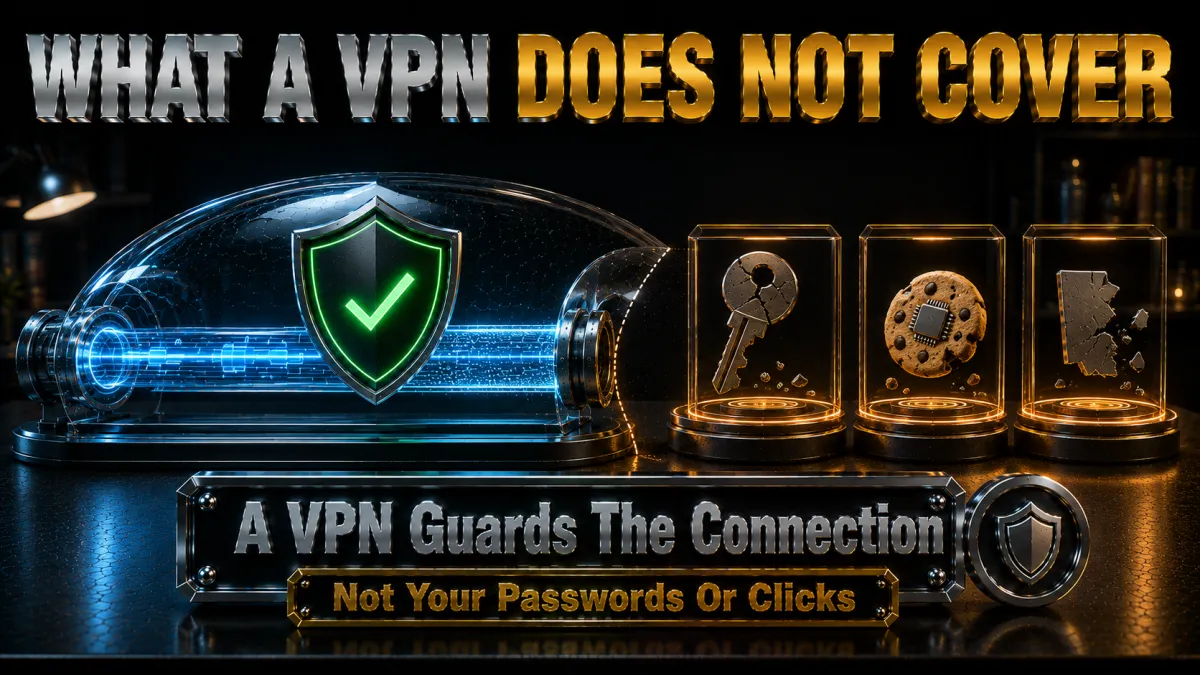
The section most identity pages skip.
- Anything you log into knows you. Accounts identify you by credentials, not by IP, so your platforms, mail, and banks see through the tunnel by design. The VPN moves your network location, never your identity with services, the standing distinction across this site.
- Phishing sails through. A perfect tunnel delivers the fake login page in perfect encryption; the theft happens at your keyboard. Scepticism and 2FA are the counters, and nothing about a VPN substitutes for either.
- Breached databases are beyond reach. Your data in a company’s servers is that company’s security problem, and no tunnel retroactively protects it. Monitoring and rapid password rotation are the realistic responses.
- Fingerprinting persists across IPs. Canvas, fonts, and device quirks identify browsers regardless of address, which is why serious tracking survives IP swaps. Hardened browsers and container tabs address it; the VPN does not claim to.
- Malware on the device wins locally. A keylogger reads keystrokes before encryption exists; device hygiene and updates own this layer. The tunnel protects transit, not the endpoint it starts from.
The complete identity-protection stack
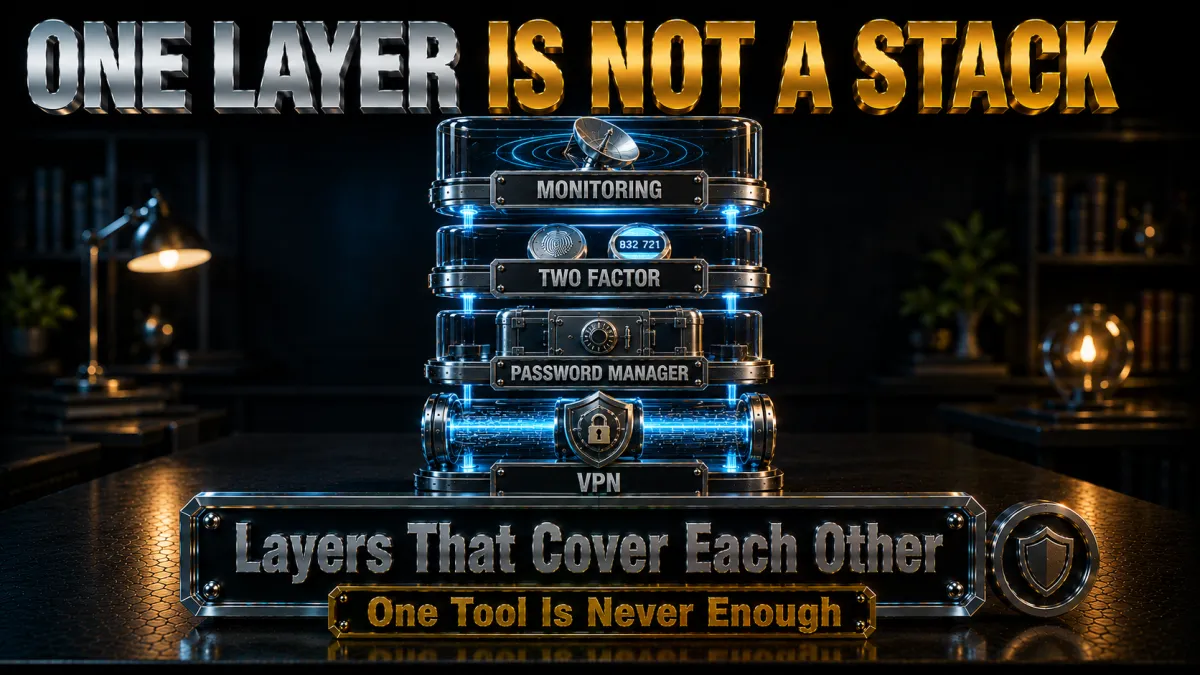
The VPN’s honest place: one layer among four.
- Layer one: the VPN. Network encryption plus IP replacement, covering interception, ISP profiling, and address-based tracking, per everything above. This page’s subject, sized correctly.
- Layer two: a password manager. Unique strong passwords per service end the reuse chain that turns one breach into ten account takeovers. If the budget allows exactly one tool, this competes with the VPN for first place.
- Layer three: two-factor authentication. 2FA converts stolen credentials into failed logins, directly countering phishing and breach fallout. Enable it on email and banking first; the email account is the master key to everything else.
- Layer four: breach monitoring. Alerts when your email or data surfaces in known breaches let you rotate passwords before criminals shop the records. Several picks bundle it, per the monitoring section, which is why the pairing appears in our rankings.
- The habits that bind the stack. Software updates, download caution, and five minutes of scepticism at odd emails cost nothing and cover the human layer. Tools plus habits is the whole recipe; either alone leaks.
How to choose a VPN for identity protection
The criteria this specific goal imposes.
- Audited no-logs above everything. Routing your identity-relevant traffic through a provider only makes sense if independent audits verify the provider keeps nothing, the standing criterion across this site. For this use case it is the whole ballgame.
- A kill switch that defaults on. Identity protection with silent failure modes is theatre; the switch must exist and you must enable it. All five picks carry one, per the setup steps.
- Private DNS inside the tunnel. Leaked DNS is leaked browsing history, per our leak guide; the provider must resolve queries itself. The leak suite verifies this in one minute.
- Bundled monitoring as a tiebreaker. Dark-web and breach alerts in the same subscription consolidate the stack conveniently, per the monitoring section. Convenience compounds into consistency, which is what protection actually requires.
- Jurisdiction and track record. Providers based outside sweeping data-retention regimes, with histories of resisting data demands, add margin. It is the quiet column in the comparison table worth reading twice.
The 5 best VPNs for identity protection in 2026
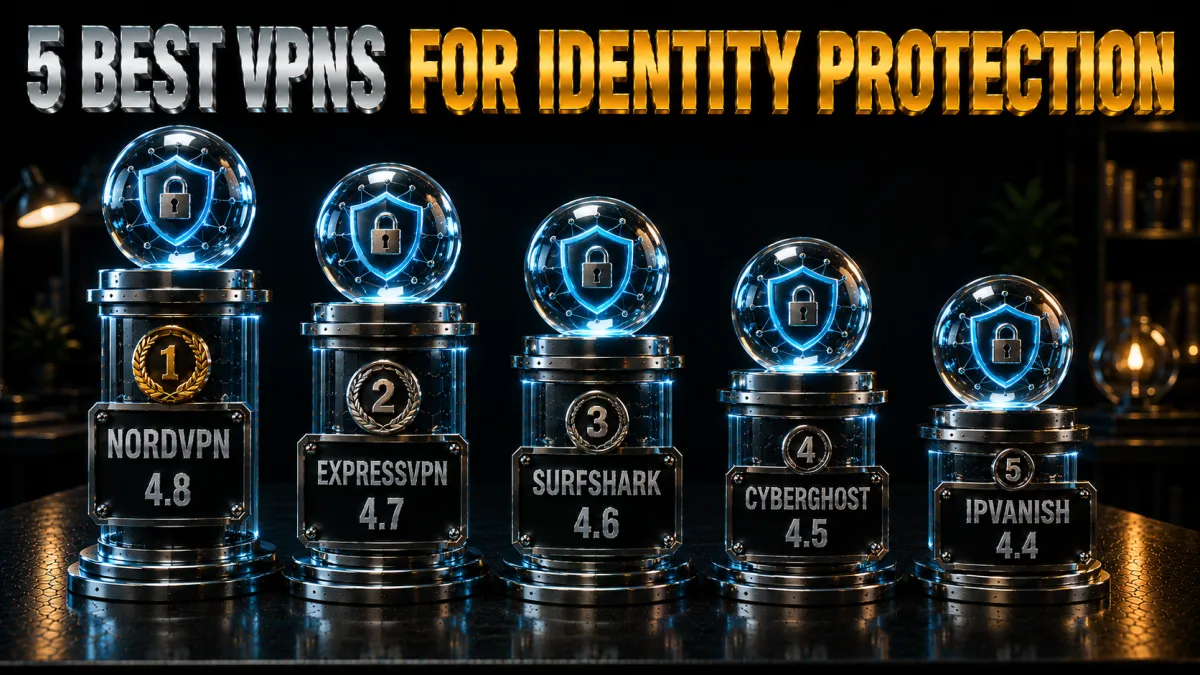
Ranked for audited trust, leak-proof engineering, and bundled identity extras.
1. NordVPN – Best overall for identity protection
NordVPN pairs the network layer with the monitoring layer in one subscription: multiple independent no-logs audits and leak-proof apps handle the tunnel, while Dark Web Monitor watches breach markets for your registered email and alerts you to rotate passwords early. Threat Protection filters malicious domains, trimming the phishing surface the tunnel itself cannot touch.
Panama jurisdiction and a long audit cadence make it the identity pick with the deepest verification trail.
✔ Pros
- Multiple independent no-logs audits
- Dark Web Monitor breach alerts included
- Threat Protection domain filtering
- Reliable kill switch and private DNS
- 30-day refund window
✘ Cons
- Best price needs a longer plan
- 10-device cap for large households
| Breach monitoring | Yes, Dark Web Monitor |
| Audited no-logs | Yes, multiple audits |
| Kill switch | Yes |
| Jurisdiction | Panama |
| Devices | 10 |
| Money-back | 30 days |
2. ExpressVPN – The proven-infrastructure pick
ExpressVPN’s RAM-only TrustedServer fleet means no data survives a reboot by design, an architectural answer to the logging question that audits then verify. Private DNS on every server, a dependable kill switch, and Lightway’s instant reconnects keep the identity seal intact through network hops, and the Keys password manager bundles layer two of the stack into the subscription.
The premium price and lighter monitoring extras versus NordVPN set its second place.
✔ Pros
- RAM-only servers, audited repeatedly
- Private DNS on every server
- Keys password manager included
- Excellent reliability across networks
- 30-day refund window
✘ Cons
- Most expensive of the five
- No dark-web monitoring bundle
| Breach monitoring | No, password manager included |
| Audited no-logs | Yes, audited |
| Kill switch | Yes |
| Jurisdiction | British Virgin Islands |
| Devices | 8 |
| Money-back | 30 days |
3. Surfshark – Identity alerts at the best price
Surfshark’s higher-tier plans bundle Alert, which watches for your email addresses and personal details in known breaches, alongside the audited tunnel, putting layers one and four of the stack on one cheap subscription. Unlimited devices seal every phone and laptop in the household, closing the forgotten-device gap that undoes family identity protection.
Speeds sit a step behind the top two, the honest placement, and the value for a whole household is untouchable.
✔ Pros
- Alert breach monitoring on higher tiers
- Unlimited simultaneous devices
- Lowest long-term price of the five
- Audited no-logs policy
- 30-day refund window
✘ Cons
- Monitoring requires higher-tier plan
- Speeds a step behind the top two
| Breach monitoring | Yes, Alert on higher tiers |
| Audited no-logs | Yes, audited |
| Kill switch | Yes |
| Jurisdiction | Netherlands |
| Devices | Unlimited |
| Money-back | 30 days |
4. CyberGhost – The gentlest on-ramp with the longest window
CyberGhost delivers the audited tunnel in the plainest-language apps of the five, with an ID Guard email-breach check built into the account dashboard and quarterly transparency reports documenting data demands received and declined. The 45-day money-back guarantee gives newcomers six weeks to build the habit before any money sticks.
Speeds rate good rather than leading, and the extras run lighter than the top three, hence fourth.
✔ Pros
- 45-day refund, longest trial here
- Plainest apps for beginners
- ID Guard email-breach checking
- Quarterly transparency reports
- Audited no-logs policy
✘ Cons
- Lighter identity extras than top three
- Speeds good rather than leading
| Breach monitoring | ID Guard email check |
| Audited no-logs | Yes, audited |
| Kill switch | Yes |
| Jurisdiction | Romania |
| Devices | 7 |
| Money-back | 45 days |
5. IPVanish – The budget network layer
IPVanish covers the network layer competently: modern protocols, a working kill switch, private DNS, and unlimited connections at a fair price, with a VIPRE-backed security bundle available on some plans.
The identity-specific honesty: US jurisdiction and a lighter independent-audit history than the four above, which matters more on this page than on most, and is exactly why it anchors rather than leads the list.
✔ Pros
- Brisk WireGuard speeds
- Unlimited simultaneous connections
- Fair pricing
- Working kill switch and private DNS
- 30-day refund window
✘ Cons
- US jurisdiction, lighter audit history
- Fewest identity extras of the five
| Breach monitoring | No |
| Audited no-logs | Policy in place, lighter audit history |
| Kill switch | Yes |
| Jurisdiction | United States |
| Devices | Unlimited |
| Money-back | 30 days |
| Feature | NordVPN | ExpressVPN | Surfshark | CyberGhost | IPVanish |
|---|---|---|---|---|---|
| Breach monitoring | Dark Web Monitor | No | Alert (higher tiers) | ID Guard check | No |
| Audited no-logs | Multiple audits | Audited | Audited | Audited | Lighter history |
| Kill switch | Yes | Yes | Yes | Yes | Yes |
| Jurisdiction | Panama | BVI | Netherlands | Romania | United States |
| Devices | 10 | 8 | Unlimited | 7 | Unlimited |
| Money-back | 30 days | 30 days | 30 days | 45 days | 30 days |
Setting up VPN identity protection, step by step
From download to a verified seal in fifteen minutes.
- Subscribe and calendar the refund date. The window is your proving period; the note keeps it honest. Choose the plan tier that includes monitoring if the pick offers it.
- Install from official sources on every device. Identity protection with one unprotected phone is a fence with a gate open, and impostor VPN apps are themselves an identity threat. Provider site or official stores only.
- Enable the kill switch first. Before the first real browse, per our kill-switch guidance, because silent failure is this use case’s worst mode. Add always-on VPN on phones where offered.
- Confirm private DNS and leak-proofing. Run our leak-check suite: IP, DNS, and WebRTC in one minute. Any leak found is the provider’s support chat’s problem to solve inside your window.
- Register for the breach monitoring. Add your main email addresses to Dark Web Monitor, Alert, or ID Guard where your pick includes them. The alert you configure today is the early warning that beats tomorrow’s breach.
- Turn on auto-connect for untrusted networks. The tunnel should precede the first tab without your memory involved. Habit, automated, is what protection actually looks like.
- Build the rest of the stack the same week. Password manager, 2FA on email and banking, and the update habit complete the four layers. One sitting, lifetime dividend.
Advanced tips to maximise identity protection
The refinements after the basics hold.
- Use multi-hop for sensitive sessions. Double-VPN routes add a second server between you and the internet, per our double-VPN guide, trading speed for margin on the days that warrant it. Occasional tool, real comfort.
- Compartmentalise browsers. One hardened browser for sensitive accounts, another for general browsing, keeps cookies and fingerprints from cross-linking your lives. Container tabs achieve similar separation inside one browser.
- Rotate exposure, not just passwords. Email aliases per service mean a breached address identifies its own source and dies alone. Several password managers and mail providers automate the pattern.
- Audit app permissions quarterly. Location, contacts, and microphone grants accumulate silently; a ten-minute review claws back what apps no longer justify. The tunnel cannot protect what the endpoint volunteers.
- Prefer the tunnel even on trusted networks. Home ISPs profile too, per the encryption section, and always-on costs nothing on modern protocols. Consistency converts the tool into the habit.
Breach monitoring: the early-warning layer

What watching the dark web actually buys you.
- How monitoring works. Services scan known breach dumps and criminal markets for your registered identifiers, then alert you when they surface. It is detection, not prevention, and detection early enough converts disasters into chores.
- The response that matters: rotate fast. An alert means changing that password everywhere it was reused, ideally before the records circulate widely. With a password manager, rotation is minutes; without one, it is the afternoon that finally justifies getting one.
- Bundled versus standalone. NordVPN’s Dark Web Monitor and Surfshark’s Alert cover the common case inside the subscription; dedicated services add credit-file and document monitoring for those with elevated risk. Start bundled, escalate on evidence.
- Free checks exist and are worth using. Reputable have-I-been-breached lookups let anyone audit their exposure history today. The first search is usually educational; act on what it shows.
- Monitoring completes the honest picture. The VPN guards transit, the manager and 2FA guard accounts, monitoring watches the aftermath of breaches you could not prevent. Four layers, each doing its actual job.
Mistakes that undermine VPN identity protection
The recurring errors, collected for skipping.
- Believing the tunnel covers everything. Phishing, breaches, and fingerprinting operate outside it, per the limits section, and overconfidence is itself a vulnerability. Size the tool honestly and stack the rest.
- Running without the kill switch. A silent drop mid-session exposes exactly what you meant to seal. Thirty seconds of settings, permanent insurance.
- Skipping the leak test. DNS and WebRTC leaks quietly void the whole exercise, and one minute of testing catches them. Verify on day one and after major app updates.
- Reusing passwords behind the VPN. The tunnel does not slow a credential-stuffing attack replaying your breached password everywhere. The manager-plus-2FA pair owns this front entirely.
- Trusting free VPNs with identity traffic. Free-tier business models monetise the very data you wanted sealed, per our free-VPN analysis, an inversion of the whole purpose. Refund windows make real services free to trial instead.
- Set-and-forget without alerts. Protection without monitoring misses the breaches that happen anyway. Register the emails, heed the alerts, rotate fast.
Identity-protection myths, corrected
The claims this market repeats, and the record.
- Myth: a VPN makes you anonymous. It makes you private at the network layer while every logged-in service still knows you, the distinction this site repeats deliberately. Anonymity is a different, harder project; privacy is what the tunnel actually sells.
- Myth: incognito mode protects identity. Private windows delete local history only; networks, ISPs, and sites see everything, per our proxy-and-privacy guides. Incognito plus VPN covers both local and network layers; incognito alone covers neither of the ones that matter here.
- Myth: HTTPS makes a VPN redundant. HTTPS seals page contents while destinations, DNS lookups, and your IP stay visible to observers. The layers protect different things, and identity exposure lives largely in the parts HTTPS leaves open.
- Myth: nobody would target me. Identity crime is industrial and indiscriminate, harvesting whoever the automation reaches; ordinariness is not cover. The economics target everyone, which is exactly why baseline layers exist.
- Myth: one breach means game over. A breached password rotated quickly, behind 2FA, on a unique credential, is a non-event. The stack exists precisely to convert breaches from disasters into notifications.
Related reading:
Frequently asked questions
How does a VPN protect my identity?
It encrypts your traffic so networks and ISPs cannot read it, and replaces your IP address so websites cannot tie activity to your real location and connection. That closes the interception and network-tracking channels that feed identity theft, while phishing and company breaches remain outside its reach.
Can a VPN prevent identity theft completely?
No single tool can, because major theft channels, phishing, breached databases, malware, operate beyond the network layer. The VPN plus a password manager, 2FA, and breach monitoring covers the realistic threat map, per the stack section.
Does a VPN hide my identity from websites I log into?
No; accounts identify you by credentials regardless of IP address, the standing distinction across this site. The VPN moves your network location and seals your transit, which is privacy, not anonymity.
Which VPN is best for identity protection in 2026?
NordVPN leads our list for pairing multiple no-logs audits with Dark Web Monitor breach alerts in one subscription. Surfshark’s Alert offers similar coverage at the lowest price, per the comparison table.
What is dark web monitoring and do I need it?
It scans known breach dumps and criminal markets for your email addresses and details, alerting you to rotate passwords before the records circulate. As breaches happen regardless of your own hygiene, the early warning is cheap insurance most people should carry.
Does a VPN stop phishing?
No; phishing exploits judgement, not networks, and the fake page loads through any tunnel. Domain-filtering features like NordVPN’s Threat Protection trim the surface, while 2FA and scepticism remain the real counters.
Can my ISP still see my browsing with a VPN?
Your ISP sees an encrypted stream to one VPN server rather than your destination list, and DNS queries resolve inside the tunnel. That ends ISP-side browsing records, which is precisely the profiling channel the encryption section describes.
What identity information does my IP address reveal?
Approximate location, ISP, and a persistent identifier that links your activity across sites and time, enough to profile, track, or anchor harassment. Replacing it with a shared VPN address breaks those chains, per the mechanics section.
Is a free VPN safe for identity protection?
No; free-tier business models commonly monetise the traffic and data you wanted sealed, inverting the purpose. The 30-to-45-day refund windows on the picks here make real services free to evaluate properly.
Does browser fingerprinting defeat a VPN?
Fingerprinting identifies your browser’s characteristics across IP changes, so it survives the tunnel and needs its own counter: hardened browsers, container separation, and fingerprint-resistant settings. The VPN covers the network layer; fingerprinting lives above it.
Should I keep the VPN on all the time for identity protection?
Yes; always-on costs little on modern protocols and converts protection from a decision into a default. Auto-connect plus the kill switch removes memory from the loop, which is where most protection failures actually happen.
What should I do if my data appears in a breach?
Rotate the affected password immediately everywhere it was used, confirm 2FA is active on the account and your email, and watch linked accounts for odd activity. With unique passwords and alerts in place, the whole response takes minutes.
Do I still need antivirus with a VPN?
Yes; the tunnel protects transit while malware operates on the device itself, reading data before encryption begins. Device hygiene, updates, and reputable security software cover the endpoint layer the VPN honestly cannot.
Can a VPN protect my identity on social media?
It hides your IP and location from the platforms and from anyone snooping the network, which matters for doxxing resistance and location privacy. Everything you post, and the account itself, still identifies you by content and credentials, so profile hygiene and 2FA carry that half of the job.
The Bottom Line
- The VPN’s identity role is real and specific. Encrypted transit plus a swapped IP closes interception, ISP profiling, and address tracking, the network slice of identity risk.
- The limits are equally real. Phishing, breaches, fingerprinting, and malware operate outside the tunnel, and honest protection plans around them.
- NordVPN leads by consolidating layers. Audited tunnel plus Dark Web Monitor in one subscription; Surfshark delivers the same shape cheapest.
- The stack completes the picture. Password manager, 2FA, and breach monitoring cover what encryption cannot, and the four together are the actual product.
- Habits carry the whole system. Auto-connect, kill switch, leak tests, and fast rotation on alerts turn tools into protection.
Identity protection is not one purchase; it is four thin layers worn consistently. Put the tunnel at the bottom, the habits on top, and let the breaches that will happen anyway land on armour instead of skin.
Jyoti VPN Expert leads VPN testing at VPN Expert Guide, covering streaming and regional access, speed and latency testing, and leak checks on Windows, Android and router-level setups. Our guides are built from vendor documentation, provider terms and our own connection testing on a residential line in India, and we publish those measurements in full so readers can check them. Every guide is reviewed before publication and dated so you can see how current it is.
Meet our testing team →Last updated: August 24, 2026