
Best VPN for PUBG Mobile in 2026: Lower Ping, Beat the Ban, Stop Getting DDoSed
PUBG Mobile has 1.3 billion lifetime downloads and 30 million daily players. It is also banned in several countries, throttled by ISPs in others, and plagued by DDoS attacks from toxic players who pull your IP from voice chat. A VPN solves all three problems simultaneously. Here is which one to use.
Why PUBG Mobile players use VPNs in 2026
There is a version of this answer that sounds like marketing: VPNs improve your connection and protect your privacy. That is technically true but almost useless. Here is the actual, specific picture of why 30 million daily PUBG players reach for a VPN.
- The game is outright banned in their country. PUBG Mobile is banned in India (since 2020, with BGMI as the official substitute), China, Afghanistan, and Jordan. Players in these countries cannot access the game at all without routing through a VPN server in a country where it runs normally. This is the most urgent use case: without a VPN, there is no game.
- Their ISP throttles gaming traffic. Several major ISPs in India, Pakistan, and Southeast Asia throttle gaming traffic during peak evening hours. The ISP detects gaming packets and intentionally limits the bandwidth allocated to them. A VPN encrypts all traffic so the ISP cannot identify what you are sending and cannot selectively throttle it. For players who see their ping spike every evening around 8-10 PM, ISP throttling is almost always the cause and a VPN is the reliable fix.
- They are getting DDoSed by toxic players. In ranked matches, players who lose badly sometimes obtain the IP addresses of opponents from voice chat data and launch DDoS attacks to knock them offline mid-match. This forces a disconnection that counts as a loss. A VPN hides your real IP entirely. The DDoS attack hits the VPN provider’s hardened infrastructure, which absorbs it without any impact on your game.
- They want to play on a specific regional server. PUBG Mobile’s matchmaking routes you to the nearest server automatically, but that is not always the server with the best competition or the fastest queue times. Indian players often prefer Singapore or Korea servers for the competitive player pool. Middle Eastern players have no local server at all and must choose between the India server and Europe. A VPN gives you control over which regional server you connect to.
- Their school, university, or workplace blocks the game. Network administrators commonly block gaming traffic and ports to maintain bandwidth for other uses. A VPN routes around these network-level restrictions, allowing you to access PUBG servers regardless of what the local network allows.
How ping actually works in PUBG Mobile and what a VPN can do about it
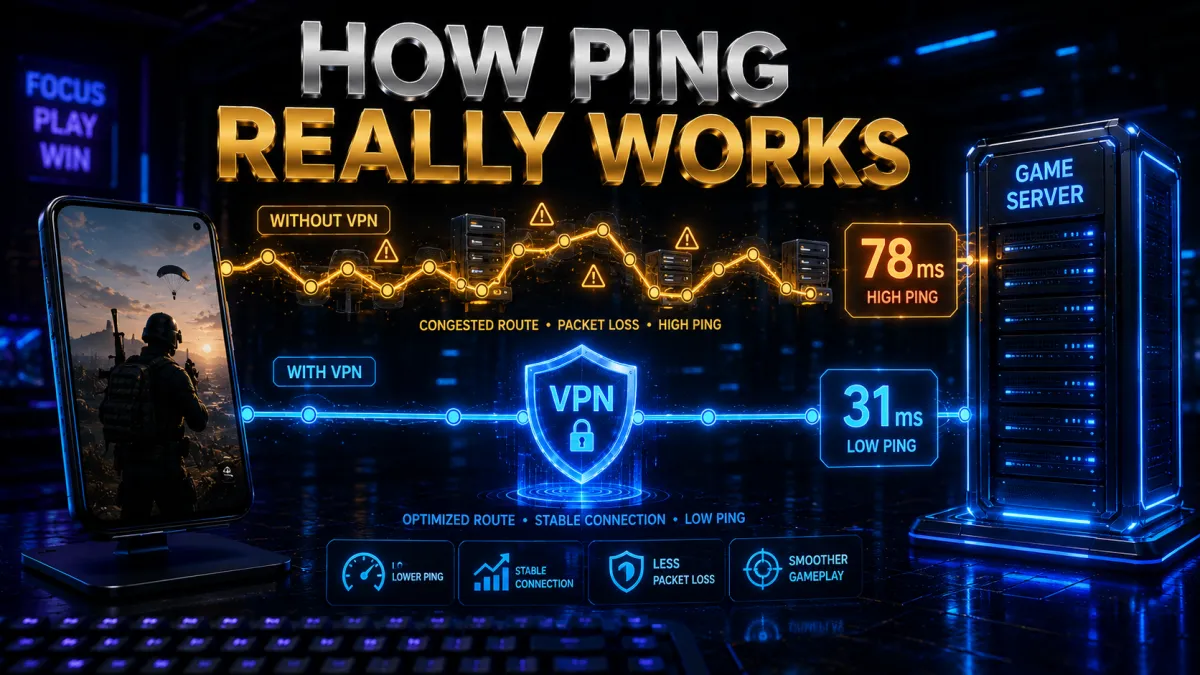
Ping is the round-trip time in milliseconds for data to travel from your device to the PUBG server and back. In a game with 100 players on a large map, vehicles moving at 130 km/h, and hit registration happening in real time, ping determines whether your shots register where you aimed or whether the game engine disagrees with you.
- Under 50ms: smooth, competitive play. Hit registration is reliable and vehicle physics are predictable. This is the range you want in ranked matches.
- 50-100ms: playable but noticeable. Occasional desync in close-range fights. Casual play is fine but ranked competitive play starts to feel inconsistent.
- 100ms+: frustrating. Hit registration becomes unreliable. You will shoot players and see no damage. In close-range fights the person with lower ping wins disproportionately regardless of aim.
- 200ms+: unplayable for competitive purposes. This is what many Middle Eastern and African players deal with by default because PUBG has no servers in those regions. They route to India or Europe and pay the distance penalty in every match.
A VPN affects ping in two ways. It adds a small overhead from encryption (typically 5-15ms with WireGuard on a nearby server), but it can reduce overall ping by finding a better route to the PUBG server than your ISP’s default path. ISP routing is not always optimal. A VPN server located near the PUBG regional hub can short-circuit inefficient routing and deliver a lower total ping than your unencrypted connection would. Server selection is everything.
| PUBG Server Region | Location | Best VPN Server to Use | Who it suits |
|---|---|---|---|
| Asia | Seoul, Tokyo | Japan or South Korea VPN | Southeast and East Asian players |
| South East Asia | Singapore | Singapore VPN | India, SEA, Middle East players |
| Europe | Dublin | UK or Ireland VPN | European and Middle Eastern players |
| South America | Brazil | Brazil VPN | South American players |
| Middle East | No dedicated server | Singapore or India VPN | UAE, Saudi, Gulf players |
5 best VPNs for PUBG Mobile in 2026
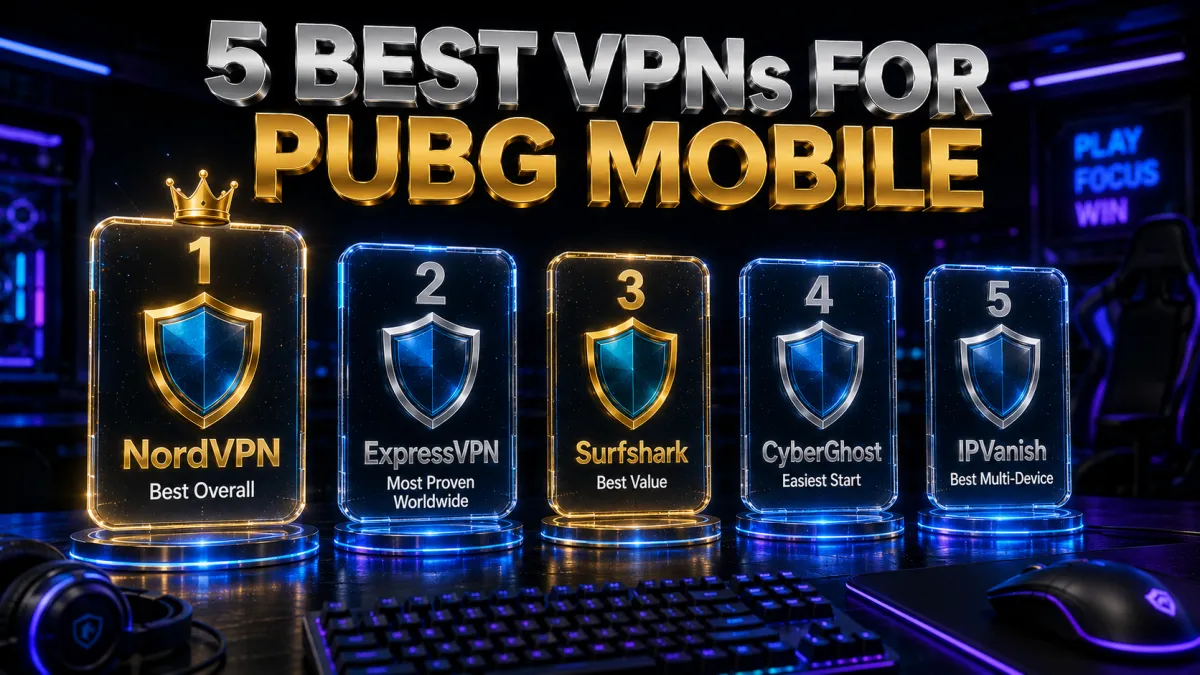
Gaming VPNs need a different evaluation framework than streaming VPNs. Low latency matters more than raw download speed. Obfuscation matters more than interface polish. Server proximity to PUBG’s regional nodes matters more than total server count. The three picks below were evaluated on all of these gaming-specific criteria.
1. NordVPN – Best overall for PUBG Mobile
NordVPN is the clear leader for PUBG Mobile and the gap between first and second place is wider here than in most other categories. The reason is NordLynx. This WireGuard-based protocol adds just 5-8ms of ping overhead on nearby servers in independent gaming tests, which is genuinely negligible for a game where server-side differences already introduce more variation than that. Most VPNs built on older protocols add 15-30ms just from the encryption process, which is the difference between smooth gameplay and frustrating desync.
Beyond speed, NordVPN runs obfuscated servers that disguise VPN traffic as regular HTTPS, which bypasses BattlEye’s VPN detection and the deep packet inspection used by ISPs in countries where PUBG is banned or throttled. The server network at 7,000+ nodes across 110+ countries means you will always find a server close to whichever PUBG regional hub you need. Meshnet, NordVPN’s peer-to-peer feature, also allows you to create private gaming networks with friends for reduced latency in coordinated squad play.
✔ Pros
- NordLynx adds only 5-8ms ping overhead, lowest of any major VPN protocol
- Obfuscated servers bypass BattlEye detection and ISP throttling
- 7,000+ servers across 110+ countries, excellent PUBG regional coverage
- Threat Protection blocks malicious IPs that DDoS attackers use
- 10 simultaneous connections, covers all your gaming devices
- Independently audited no-logs policy
✘ Cons
- Monthly plan is expensive without a long-term commitment
- Obfuscation mode needs to be manually enabled in settings
| Protocol | NordLynx (WireGuard-based) |
| Ping overhead | 5-8ms on nearby servers |
| Price from | ~$3/mo (long-term plan) |
| Servers | 7,000+ across 110+ countries |
| Simultaneous devices | 10 |
| Money-back guarantee | 30 days |
2. ExpressVPN – Most reliable for bypassing country bans
For players in countries where PUBG Mobile is banned, ExpressVPN’s primary advantage is its track record of sustained unblocking reliability. It has maintained access through repeated government crackdowns and ISP-level enforcement across India, China, and various Middle Eastern markets for longer than most other providers. The Lightway protocol delivers fast, stable connections for gaming, and the app’s automatic protocol selection finds the fastest accessible connection without you needing to know which protocol works best in your country’s network environment.
For Indian players accessing PUBG via VPN since the 2020 ban, ExpressVPN has been a consistent choice precisely because it has not buckled under enforcement pressure the way smaller providers have. The router app is also the only dedicated VPN router application of the three picks, which is valuable for players who want the VPN running on their home network automatically.
✔ Pros
- Longest track record of sustained access in countries where PUBG is banned
- Lightway protocol delivers fast, stable gaming performance
- Automatic protocol selection finds the best option for your network
- Router app available, only dedicated router VPN app of the three picks
- RAM-only servers, no session data stored on disk
✘ Cons
- Most expensive of the three picks on long-term plans
- Only 8 simultaneous connections
| Protocol | Lightway (proprietary) |
| Price from | ~$5/mo (long-term plan) |
| Servers | Across 105 countries |
| Simultaneous devices | 8 |
| Money-back guarantee | 30 days |
3. Surfshark – Best value, NoBorders mode for restricted networks
Surfshark’s NoBorders mode is designed specifically for highly restrictive network environments. It activates automatically when Surfshark detects that a network is blocking VPN traffic, switching to a configuration that makes VPN connections look like regular traffic. For players at universities, on corporate networks, or in countries with aggressive ISP-level VPN blocking, this automatic adaptation removes the manual troubleshooting that other VPN apps require in those situations.
The unlimited simultaneous device connections are particularly relevant for players who game across multiple platforms: a phone for mobile play, a laptop for PC PUBG, a tablet for casual sessions, all covered under one subscription with no per-device limit. At the lowest long-term price of the three picks, Surfshark is straightforward value for players who need gaming-grade VPN performance without paying a premium.
✔ Pros
- NoBorders mode automatically adapts on restrictive networks without manual configuration
- Unlimited simultaneous device connections
- Lowest long-term price of the three picks
- WireGuard protocol delivers competitive gaming speeds
- CleanWeb blocks phishing sites and malicious gaming-adjacent domains
✘ Cons
- Ping overhead slightly higher than NordVPN on distant servers
- Fewer servers than NordVPN, occasionally requires switching for optimal latency
| Protocol | WireGuard |
| Price from | ~$2.50/mo (long-term plan) |
| Servers | 3,200+ across 100 countries |
| Simultaneous devices | Unlimited |
| Money-back guarantee | 30 days |
4. CyberGhost, easiest for beginners
CyberGhost suits PUBG Mobile players who want protection and lower ping without wading through settings. Its mobile apps for Android and iOS label servers by purpose, including gaming options, so you can pick a nearby low-latency location or a specific region and connect in a single tap. That matters in a fast game where a steadier route can mean the difference between registering a shot and eating one.
Under the beginner-friendly surface it runs WireGuard for efficient, low-overhead routing, masks your IP to keep it off the peer-to-peer layer, and includes a kill switch so a dropped tunnel does not expose your real address mid-match. It is based in Romania with no data-retention law and a strict no-logs policy.
The 45-day money-back guarantee is the longest here and a real advantage for a mobile gamer: ping benefits are specific to your carrier and location, so weeks of no-risk testing let you confirm it actually helps your connection before you pay. Performance is dependable rather than the absolute fastest, a fair trade for how simple it is.
✔ Pros
- Beginner-friendly labelled servers
- Large network near PUBG regions
- Decent obfuscation for detection
- Longest 45-day money-back window
- Works on Android and iOS
✘ Cons
- Higher ping overhead than the top picks
- Fewer devices than the value picks
| Ping overhead | Moderate |
| BattlEye bypass | Decent |
| Platforms | Android + iOS |
| Price from | ~$2 to $3/mo (long-term plan) |
| Simultaneous devices | 7 |
| Money-back guarantee | 45 days |
5. IPVanish, best for many devices
IPVanish leans on infrastructure most players never think about: it owns and operates its own server network, which gives it tight control over routing and the steady, predictable latency a twitch shooter like PUBG Mobile lives on. When you need a consistent route rather than a pile of features, that ownership pays off.
Unlimited simultaneous connections mean the whole squad or a house of phones and tablets can run it on one account, and the mobile apps stay light with WireGuard support, a kill switch, and a clean, no-clutter layout that is easy to use on a small screen. It is a practical, no-nonsense choice for gaming on the go.
The honest caveat is jurisdiction: IPVanish is US-based inside the Five and Nine Eyes alliances, so the privacy-focused may prefer an offshore provider. It answers that with an independently audited no-logs policy and a 30-day money-back guarantee, and for players who prioritize stable speed and unlimited devices on a budget, it remains a strong option.
✔ Pros
- Owns its network for low ping
- Unlimited simultaneous devices
- Works on Android and iOS
- Simple, uncluttered apps
- Strong long-term value
✘ Cons
- Weaker at country-level ban bypass
- US-based, inside the 9 Eyes alliance
| Ping overhead | Low |
| BattlEye bypass | Basic |
| Platforms | Android + iOS |
| Price from | ~$3 to $4/mo (long-term plan) |
| Simultaneous devices | Unlimited |
| Money-back guarantee | 30 days |
How to set up a VPN for PUBG Mobile: exact steps
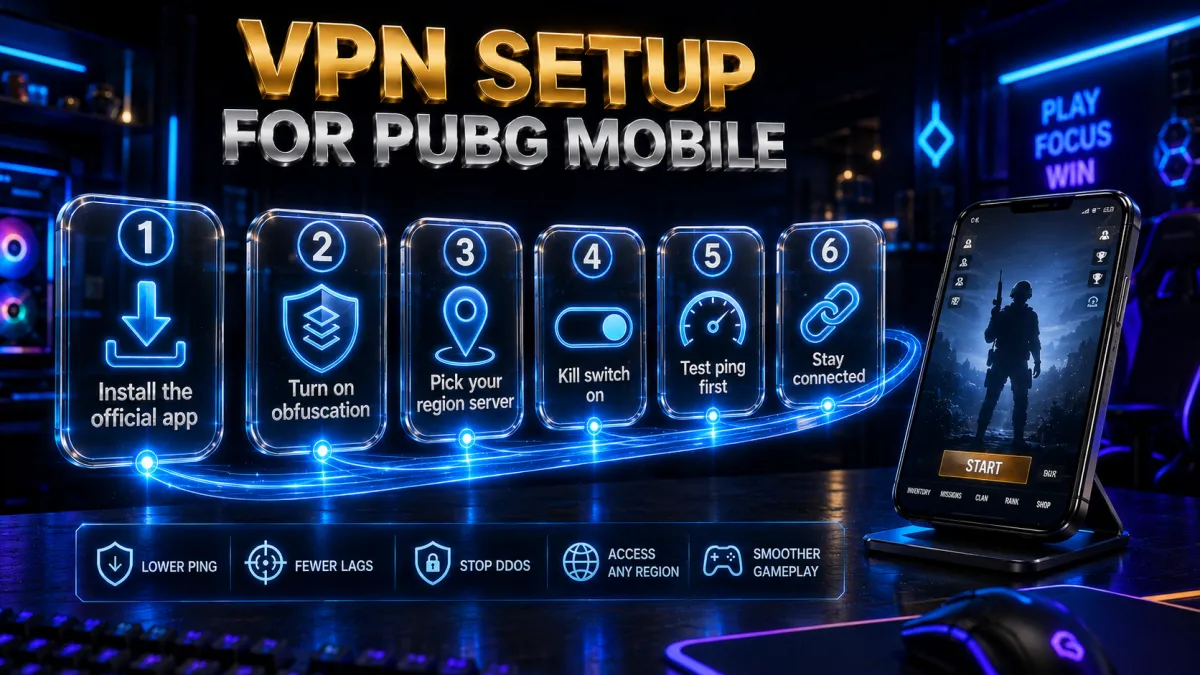
Setting up a VPN correctly for PUBG Mobile takes about five minutes. Getting the settings right matters more than most guides admit, particularly for players in banned countries where the wrong configuration will get detected immediately.
- Download the VPN app from the official source. App Store for iOS, Google Play for Android. Never sideload VPN apps from unofficial sources, a common practice in countries where gaming is restricted. Unofficial VPN apps in those markets frequently contain spyware or data-harvesting code.
- Enable obfuscation before connecting. In NordVPN, go to Settings, then Advanced, and enable Obfuscated Servers. In ExpressVPN, automatic protocol selection handles this. In Surfshark, enable NoBorders mode in Settings if you are on a restrictive network. This step is critical in countries where PUBG is banned or ISPs block VPN traffic aggressively.
- Select the correct VPN server for your target PUBG region. Use the table in the ping section above. For South East Asia servers, connect to Singapore. For Asia servers (Seoul, Tokyo), connect to Japan or South Korea. For Europe, connect to UK or Ireland. Pick the VPN server nearest to the PUBG server region you want to play on, not just nearest to your physical location.
- Enable the kill switch. In all three apps, find the kill switch setting and turn it on. If the VPN drops mid-match in a banned country, your real IP gets exposed for a moment which can trigger a block. The kill switch cuts your connection instantly if the VPN drops, preventing that exposure.
- Test ping before queuing into a ranked match. Open PUBG Mobile while connected to the VPN and check the ping indicator in the lobby. Under 80ms means you are in good shape. Higher means try a different VPN server in the same country and recheck before queuing.
- Keep the VPN connected for the entire session. Disconnecting mid-session resets your routing and may reveal your real location to PUBG’s servers. Stay connected from before you open the game until after you close it.
PUBG Mobile and India: the complete picture
India has the most complex PUBG VPN situation globally and deserves specific treatment rather than a general mention.
- The original ban (2020). In September 2020, India banned PUBG Mobile under Section 69A of the IT Act, citing the app’s Chinese ownership connections through Tencent and data privacy concerns. The ban removed it from Indian app stores entirely.
- BGMI’s arrival and subsequent events. Krafton responded by creating Battlegrounds Mobile India, severing ties with Tencent. BGMI launched in 2021 and became enormously popular. It was temporarily suspended by the government in 2022, then reinstated in 2023 after Krafton complied with additional data localisation requirements.
- Current status (2026). BGMI is the official, legal, playable version of the game in India with a large active player base. Global PUBG Mobile remains officially unavailable in Indian app stores.
- Why Indian players still use VPNs for global PUBG Mobile. Some players prefer the global version for access to the worldwide competitive scene and tournaments, cross-play with international friends, certain game modes that launch globally before coming to BGMI, and avoiding the separate BGMI account ecosystem. For these players, a VPN with an international server is required.
- Server recommendation for Indian players on global PUBG. The Singapore server (South East Asia region) gives Indian players the best combination of acceptable ping and short queue times due to the large Southeast Asian player pool. Connect to a Singapore VPN server before launching global PUBG Mobile.
DDoS attacks in PUBG Mobile: how a VPN stops them
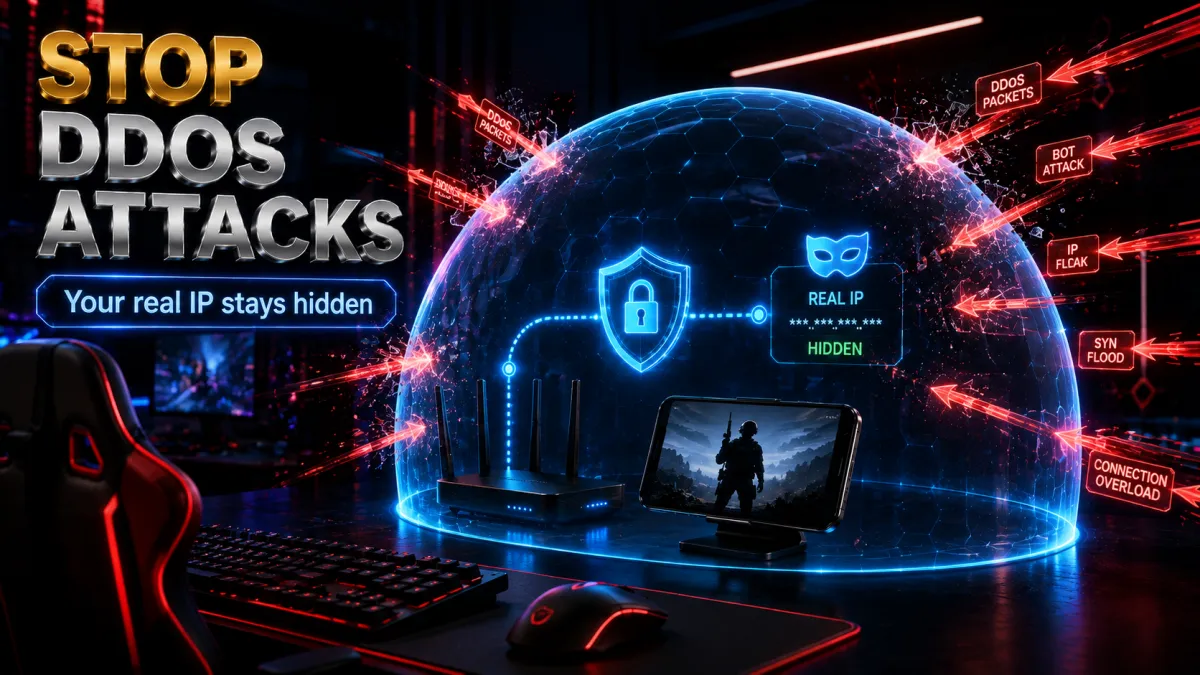
DDoS attacks in PUBG Mobile ranked play are a real, documented phenomenon, not a theoretical concern. Here is the exact mechanism and the fix.
- How it happens. During a match, voice chat data can be used to extract IP addresses of players in your lobby. A player who is losing badly uses that IP data to flood your connection with fake traffic, overwhelming your bandwidth and disconnecting you from the server. The game registers a network error on your end. You lose the match and rank points. The attacker wins by default.
- How a VPN stops it. When connected to a VPN, your real IP is completely hidden. The IP visible through voice chat is the VPN server’s IP. A DDoS attack against a VPN server’s IP hits enterprise-grade infrastructure designed to absorb exactly this kind of flood. It has zero effect on your personal connection because the attack never reaches your device.
- Who is most at risk. Players in the top percentile of ranks where rivals are more motivated. Players who use voice chat in pickup games with strangers. Players with residential internet connections that cannot absorb flood traffic the way hardened server infrastructure can.
- Additional protection. NordVPN’s Threat Protection feature maintains a list of malicious IP ranges commonly used in DDoS toolkits and blocks connections to them before they can reach your device, adding another layer beyond the IP hiding that the VPN tunnel provides.
ISP throttling in PUBG Mobile: how to identify it and fix it
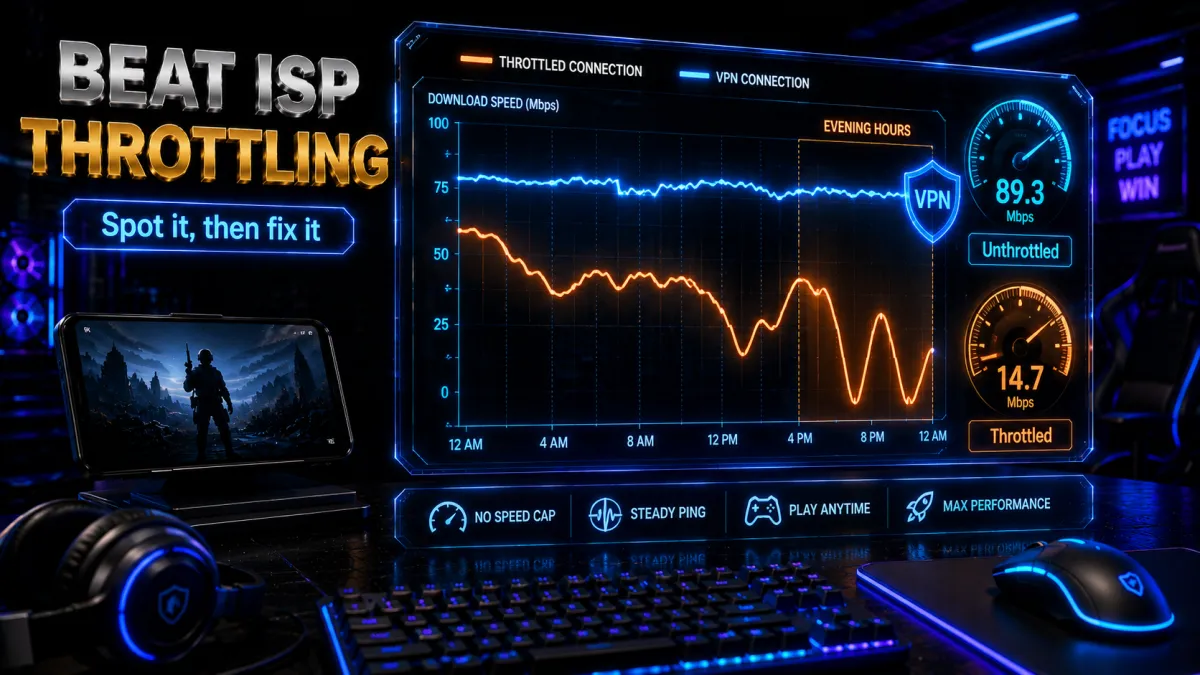
ISP throttling is one of the most frustrating PUBG problems because it is invisible. Your internet appears to work fine. Speed tests pass. Other apps load normally. But PUBG ping is consistently high during evening hours. This is not the game. It is your ISP deliberately limiting gaming traffic.
- How to confirm it is throttling. Run a speed test without a VPN, then run the same test with a VPN active. If your speed is meaningfully higher with the VPN, your ISP is throttling specific traffic types and the VPN’s encryption is masking gaming packets from that throttle.
- Check the timing pattern. ISP throttling almost always follows network load patterns. If PUBG ping is consistently high between 7 PM and 11 PM and normal at other hours, throttling is almost certainly the cause. Random lag at all hours usually indicates a different issue.
- Test from a different network. If your mobile data gives better PUBG ping than your home Wi-Fi, your home ISP is throttling. If mobile data also lags at the same hours, it might be server-side rather than your ISP specifically.
- The fix. Connect to a VPN server near the PUBG regional hub before launching the game. The VPN’s encryption prevents your ISP from reading the traffic type, so gaming packets are treated identically to all other encrypted traffic and receive the same bandwidth allocation.
- India-specific ISP situation. Jio, Airtel, and BSNL have all been reported to throttle gaming traffic in different regions at different times. The VPN fix works regardless of which ISP is throttling because the underlying mechanism is identical: encrypt the traffic and the ISP cannot identify it for selective limiting.
- If the VPN itself gets throttled. Some ISPs have begun throttling VPN traffic specifically. Enable obfuscation mode (NordVPN’s Obfuscated Servers, Surfshark’s NoBorders mode, ExpressVPN’s automatic protocol selection). This disguises VPN traffic as regular HTTPS, making it indistinguishable from web browsing and not subject to VPN-specific throttling.
Why free VPNs ruin PUBG Mobile rather than helping it
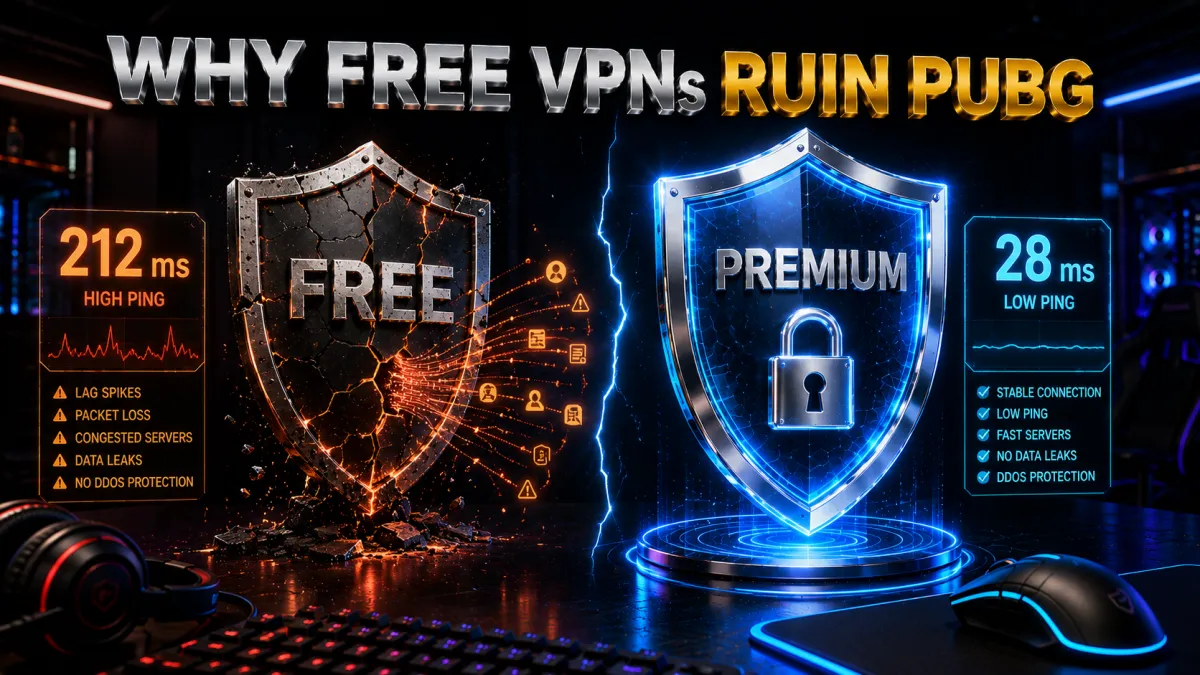
Free VPNs consistently make PUBG Mobile worse rather than better. The reasons are specific to gaming rather than just general privacy concerns.
- High ping overhead from slow protocols. Free VPNs typically use older protocols like OpenVPN that add 30-60ms of overhead compared to WireGuard-based alternatives. Adding 60ms of overhead makes your connection actively worse than playing without a VPN at all.
- Server congestion from shared infrastructure. Free VPNs run small server networks shared by large numbers of users. During peak gaming hours, those shared servers are most congested, adding unpredictable latency spikes on top of the base overhead.
- Blacklisted IPs that BattlEye detects immediately. Free VPN IP ranges are widely known and permanently flagged by BattlEye. Connecting from a free VPN server and trying to play PUBG in a banned country will result in an immediate block. The IPs are not refreshed often enough to stay ahead of the blocklist.
- Data caps that cut out mid-match. Most free tiers cap data at 500MB to 10GB per month. A single evening of PUBG Mobile easily consumes several gigabytes. You will hit the cap mid-session and lose VPN protection at the worst possible moment.
- Privacy risk for gaming accounts. Some free VPN providers log user activity including connection records. Your gaming account and session data passing through a logging VPN is data that can be sold or exposed in a breach.
The 30-day money-back guarantees from all three paid picks above resolve this comparison cleanly. Test a paid VPN on PUBG Mobile for a few weeks, evaluate whether ping improves and ban bypass works reliably, and claim a refund if it does not deliver. That is a better outcome than discovering three weeks into a free plan that the server is too slow to play on and the IPs are on BattlEye’s list.
Related reading:
Frequently Asked Questions
Will using a VPN get my PUBG Mobile account banned?
Not from VPN use alone. Krafton does not ban accounts for using a VPN to fix lag, bypass a regional restriction, or protect against DDoS attacks. What triggers bans is cheating, exploiting regional pricing, or repeatedly violating server rules. Use a VPN honestly and your account is safe. No players have been documented as banned specifically for VPN use without an accompanying ToS violation.
Which VPN is best for PUBG Mobile in 2026?
NordVPN is the best overall pick. NordLynx adds only 5-8ms ping overhead, obfuscated servers bypass BattlEye detection, and the 7,000+ server network ensures coverage near every PUBG regional hub. ExpressVPN is the most proven for bypassing country-level bans. Surfshark is the best value pick with unlimited devices and NoBorders mode for restrictive networks.
Can I play PUBG Mobile in India with a VPN?
Yes. Global PUBG Mobile is accessible via VPN by connecting to a server in a country where the game runs, with Singapore recommended for Indian players due to low ping and good queue times. However, BGMI is the officially available legal version in India and does not require a VPN. If you specifically want the global version, a VPN is the method.
What is the best VPN server location for PUBG Mobile?
It depends on which PUBG server region you want to play on. South East Asia (Singapore hub): use a Singapore VPN server. Asia (Seoul/Tokyo hub): use Japan or South Korea. Europe (Dublin hub): use UK or Ireland. South America (Brazil hub): use Brazil. Match your VPN server to the PUBG server region, not just to your physical location.
Does a VPN actually reduce ping in PUBG Mobile?
It can, in specific circumstances. If your ISP uses suboptimal routing to PUBG’s servers, a VPN near the PUBG regional hub provides a shorter path and reduces total ping. If your ISP throttles gaming traffic, a VPN bypasses that throttling and restores full bandwidth. If your ISP routing is already efficient, the VPN adds a small overhead of 5-15ms. Test with and without the VPN on the same server region to know for your specific connection.
How do I stop getting DDoSed in PUBG Mobile?
Use a VPN. When connected to a VPN, your real IP address is completely hidden from other players. The IP that appears in voice chat data is the VPN server’s IP. A DDoS attack against that IP hits enterprise infrastructure that absorbs it without affecting your connection. This is the only reliable protection against DDoS attacks in online gaming.
Can I use a VPN for PUBG Mobile on my iPhone?
Yes. NordVPN, ExpressVPN, and Surfshark all have iOS apps available from the App Store. Install the VPN app, enable obfuscation if you are in a banned country, connect to the appropriate regional server, and then open PUBG Mobile. The VPN runs at the iOS system level so it covers all traffic from the game automatically.
Does PUBG Mobile detect VPNs?
BattlEye, PUBG Mobile’s anti-cheat system, attempts to detect VPN connections through IP reputation databases and traffic pattern analysis. This is why free VPNs fail immediately: their IP ranges are widely known and permanently blacklisted. Premium providers use obfuscated servers and rotating IP pools to stay ahead of these detection methods, which is why they continue to work while free alternatives do not.
Is PUBG Mobile banned in Pakistan?
Pakistan’s telecom authority imposed a temporary ban in 2020 citing addiction concerns. The game was reinstated in the same year after discussions between the PTA and the publisher. As of 2026, PUBG Mobile is accessible in Pakistan, though ISP throttling of gaming traffic during peak hours is a reported issue that a VPN can address.
Why does my ping spike in PUBG Mobile during the evening?
Almost always ISP throttling. During peak hours, some ISPs limit bandwidth allocated to gaming traffic to reduce network congestion. A VPN encrypts all traffic so the ISP cannot identify gaming packets, preventing selective throttling. If your ping is consistently high in evenings and normal at other times, ISP throttling is the likely cause and a VPN is the reliable fix.
Which PUBG Mobile server region should Middle Eastern players use?
PUBG Mobile has no dedicated server in the Middle East. Players from UAE, Saudi Arabia, Qatar, and Kuwait typically route to either the Singapore (South East Asia) or Dublin (Europe) server. Test both to see which gives lower ping from your specific location. Most Gulf players find Singapore slightly better. Use a Singapore or UK VPN server for the most stable connection to those respective hubs.
Can I use a free VPN to play PUBG Mobile?
Not reliably. Free VPN IP ranges are blacklisted by BattlEye, server congestion adds 30-60ms of extra overhead making the game worse than no VPN, and data caps will cut your connection mid-session. Use a paid VPN’s 30-day money-back guarantee to test without financial risk instead.
The Bottom Line
PUBG Mobile’s player base faces more technical friction than almost any other game at this scale: country bans that make the game completely inaccessible, ISP throttling that spikes ping every evening, no dedicated servers across massive regions including the entire Middle East, and DDoS attacks from the competitive player pool. A well-configured VPN is the practical solution that addresses all of these simultaneously.
- NordVPN is the best overall pick. NordLynx’s 5-8ms ping overhead is the lowest available, obfuscated servers handle both BattlEye detection and ISP blocking, and the server spread ensures you always find a node near your target PUBG region.
- ExpressVPN is the most proven for country-level bans. If you are in India, Afghanistan, or any country where PUBG is restricted and need the most reliable sustained unblocking, ExpressVPN’s track record is unmatched.
- Surfshark is the best value pick. NoBorders mode handles restrictive networks automatically, unlimited devices cover every platform you game on, and the price is the lowest of the three.
- CyberGhost is the friendliest entry point, with labelled servers and the longest 45-day money-back window to test ping first.
- IPVanish runs its own network for low ping across unlimited devices, though it is US-based and weaker at country-level ban bypass.
One thing worth saying plainly: most PUBG VPN problems are server selection problems, not VPN problems. Connecting to a random US server when you want to play on the Singapore region, or using a slow protocol on a device that can barely handle encryption overhead, accounts for the majority of complaints. Get the server right, enable obfuscation if you are in a banned country, check lobby ping before you queue into ranked, and the VPN will do its job. All three picks have 30-day refund windows if the performance does not meet what you need.
Ketan VPN Expert covers privacy and security at VPN Expert Guide: VPN protocols, encryption, leak protection and VPN legality. Our privacy guides are checked against ipleak.net and dnsleaktest.com results, and we publish the date of every check so you can see how current it is.
Meet our testing team →Last updated: August 24, 2026