
Best VPN for BGMI in 2026: Low Ping, Safe Setup & India Picks
Which VPNs genuinely help a BGMI player, for lower ping on a congested route, protection from booting and DDoS, and a private connection on mobile. An honest, no-hype guide with zero fabricated benchmarks.
Why use a VPN for BGMI
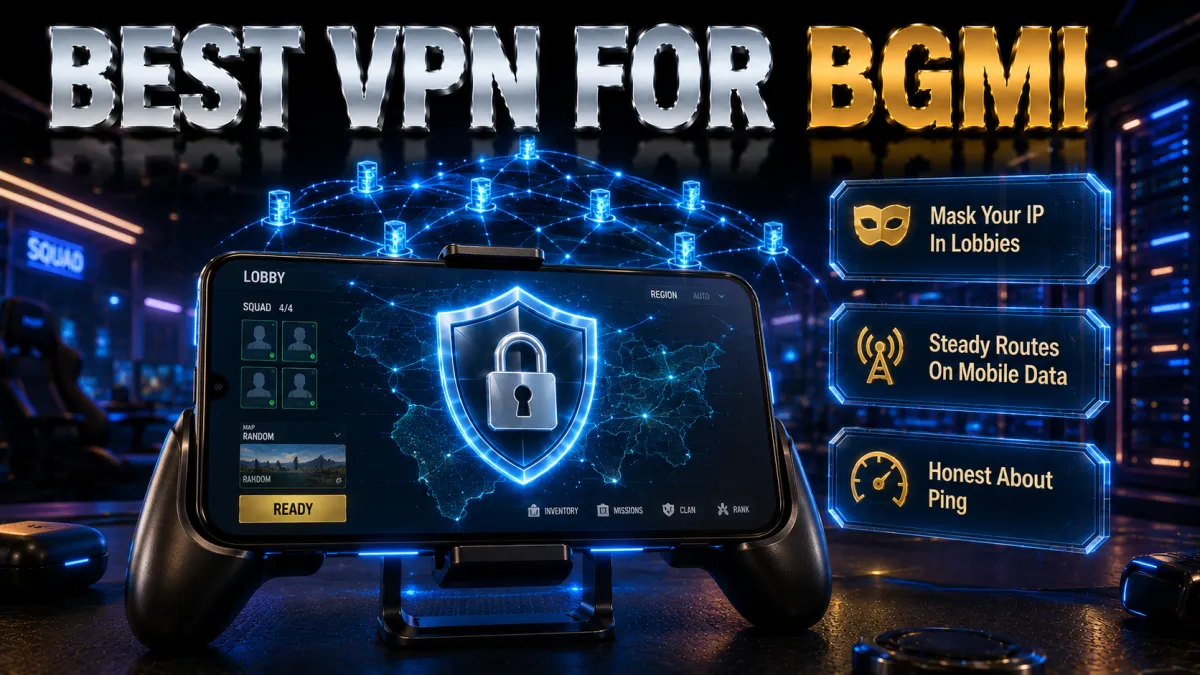
A VPN changes two things that matter to a competitive BGMI player: how your connection is routed, and who can see or reach your device. Here is what it actually does before we get to the rankings.
- It can smooth a laggy route. A VPN cannot lower ping for everyone, but when your normal path to the game server is congested or badly peered, routing through a nearby VPN server can take a cleaner path and steady your latency. The gain is specific to your network and location, which is exactly why a money-back window matters, so you can test whether your line actually improves rather than taking it on faith.
- It hides your real IP from the lobby. Fast multiplayer games expose your address on the peer-to-peer layer, which is how booting and DDoS attacks start when a rival grabs your IP and floods your connection. A VPN masks that address behind its server, so an attacker sees the VPN rather than your home line, which is a real safeguard in ranked climbs, scrims, and tournaments where the stakes are higher.
- It secures you on public and mobile networks. Playing on cafe or campus wifi leaves your traffic exposed on networks you do not control, and even mobile data can be shaped by a carrier. A VPN encrypts everything your phone sends, so a shared network cannot read your activity and a carrier cannot single out and throttle game traffic, which keeps the connection both private and predictable.
- It lets you reach regional servers responsibly. A VPN can place your connection in another region, which some players use to try early access or different matchmaking pools. Do this within the game’s terms of service and local law, because access is a privilege the publisher controls, not a right, and misusing it can put your account at risk rather than help it.
How a VPN affects ping and lag
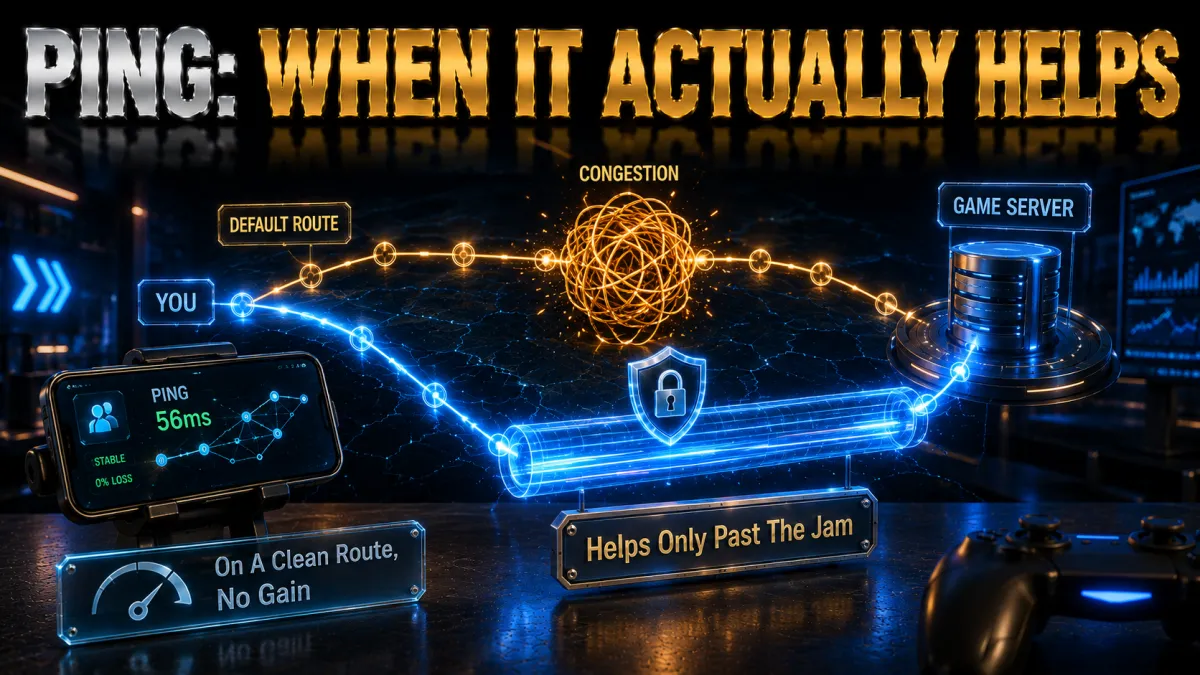
Ping is the round-trip time between your phone and the game server, and it is the single number a competitive player feels most. A VPN can help or hurt it depending on how you set it up.
- Distance still rules. The closer the VPN server is to you and to the match region, the lower the latency you keep, so a nearby node almost always beats a faraway one. Chasing a distant country only makes sense when you specifically need that region, and doing it for no reason is the fastest way to add lag rather than remove it.
- The protocol decides the overhead. A modern WireGuard-based option such as NordLynx or Lightway adds far less delay than older protocols, so it is the right default for a fast mobile shooter. If a connection feels heavy, the protocol setting is the first thing to check, because a legacy protocol can quietly cost you both ping and battery.
- Congestion is often the real culprit. A route that is busy or poorly peered can spike your ping even on a fast connection, and rerouting through a clean VPN server sometimes bypasses that bottleneck entirely. This is the specific case where a VPN genuinely lowers ping, and it is why results vary so much from one player and network to the next.
- Wifi and signal matter as much as the VPN. Buffering and lag blamed on a VPN are frequently caused by weak wifi or a congested mobile cell. Sitting closer to the router, or switching to a stronger data connection, often does more for your ping than any server change, so rule those out before you judge the VPN.
DDoS protection and IP masking
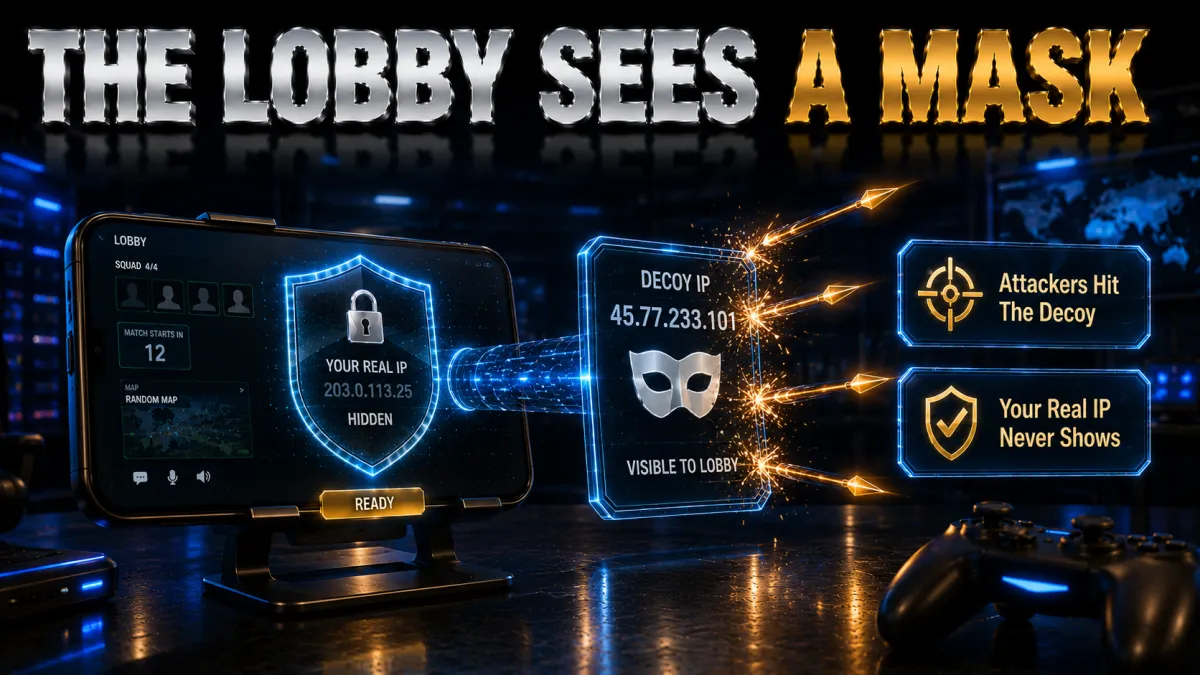
For serious BGMI players, the most concrete benefit of a VPN is not speed at all but protection from targeted attacks that exploit your exposed IP address.
- Why your IP is a target. In peer-to-peer matchmaking your real address can be visible to others in the lobby, and a determined rival can use it to launch a denial-of-service flood that lags you out or drops you entirely at a crucial moment. This is a genuine problem in high-stakes ranked and scrim play, not a theoretical one, and it is why IP masking matters.
- How a VPN blocks it. By routing your traffic through its own server, a VPN replaces your home IP with the server’s address, so anyone in the lobby sees the VPN rather than you. An attacker can flood the VPN endpoint, which is built to absorb it, but they cannot reach your actual connection, which keeps your match and your home network stable.
- The kill switch backs it up. If the VPN tunnel ever drops, a kill switch cuts your traffic instead of letting your phone fall back to its exposed connection, so your real IP is never briefly revealed mid-match. Leaving the kill switch on is what turns IP masking from a usual protection into a reliable one, especially on flaky mobile signal.
- It is protection, not invisibility. A VPN stops IP-based attacks, but it does not make you immune to every problem or excuse breaking the game’s rules. Pair it with sensible account security, and treat it as one strong layer that removes a specific, common threat rather than a shield against everything.
Is using a VPN for BGMI safe and allowed?
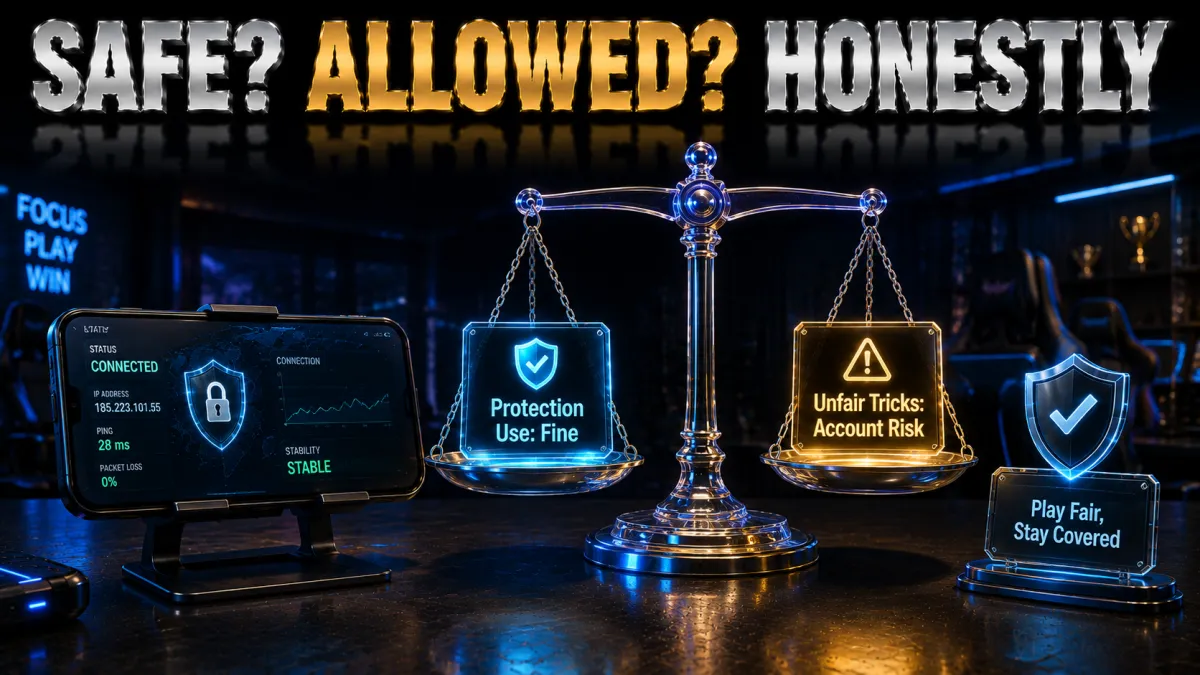
This is the question that worries most players, and the honest answer has two parts: the tool and how you use it.
- VPNs themselves are legal and safe. Using a reputable VPN is lawful in most places and does nothing harmful to your device or account on its own; millions use them daily for privacy and security. A well-reviewed paid provider with an audited no-logs policy is a safe piece of software, and there is nothing suspicious about running one while you game.
- The game’s terms still apply. A VPN does not put you above the publisher’s rules, so using one to gain an unfair matchmaking advantage or to evade a ban can put your account at risk regardless of the law. Read the terms, use a VPN for protection and a cleaner route rather than exploitation, and you stay on the right side of the line.
- Regional access is a grey area. Connecting to another region to try early access or different lobbies may breach the terms even where it is not illegal, so weigh the account risk before doing it. If you value your progress, treat region-hopping cautiously and never as a routine habit, because the downside is losing an account you have invested in.
- Free VPNs are the real safety risk. The genuine danger is not VPNs in general but shady free apps that log or sell your data, or carry trackers and malware. Sticking to an established paid provider removes that risk entirely, which is why every pick here is a known, audited name rather than an anonymous free download.
Best server locations for BGMI
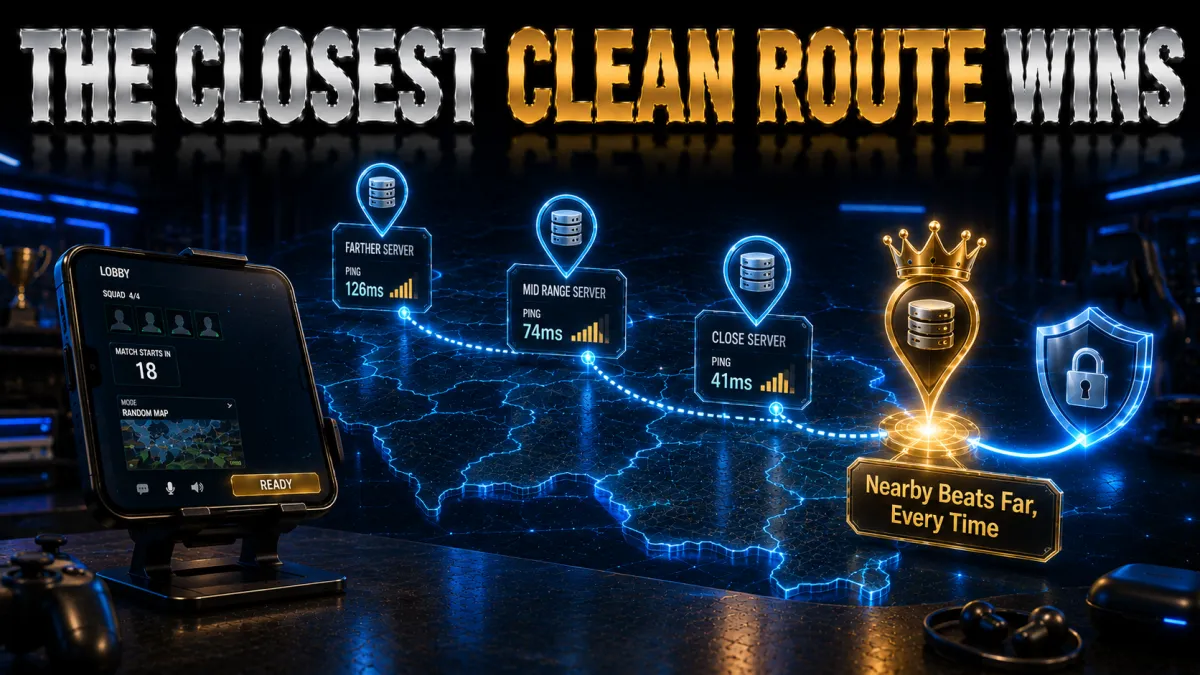
Which server you pick has more effect on your experience than which provider you choose, so it is worth getting right. Match the location to what you actually want.
- For low ping, go nearest. The closest server to you that is not overloaded almost always gives the best latency, so start local and only move if a node is congested. An Indian or nearby Asian server is the natural default for BGMI, and it is the single change that most reliably keeps your connection responsive.
- Match the server to the match region. If you are queuing into a specific regional pool, a server in or near that region keeps your route short and your ping sensible. Connecting far from both yourself and the match adds latency at both ends, which is the classic mistake that makes a VPN feel worse rather than better.
- Avoid crowded nodes. A nearby server that is packed at peak evening hours can feel worse than a slightly farther but quieter one, so if the closest option lags, try another nearby node before giving up. Providers with large networks give you more of these alternatives, which is a real advantage for gaming.
- Test a few during the refund window. Because the ideal server depends on your carrier, city, and the time of day, the only reliable way to find it is to try several and watch your in-game ping. Spend the trial window doing exactly that, and you will land on the location that genuinely suits your line.
- Note your baseline ping. Check your in-game ping with the VPN off so you have a number to compare against.
- Connect to the nearest server. Pick the closest uncongested location on a WireGuard-based protocol and rejoin.
- Compare the ping. If it is lower or steadier, keep it; if higher, the route was already good and you can play without the VPN.
- Try one or two alternatives. Test another nearby node and your match region to see which gives the cleanest line.
- Lock in the winner. Save the server that gives the best ping in a real match, not just on the connection screen.
Best protocols and settings for mobile
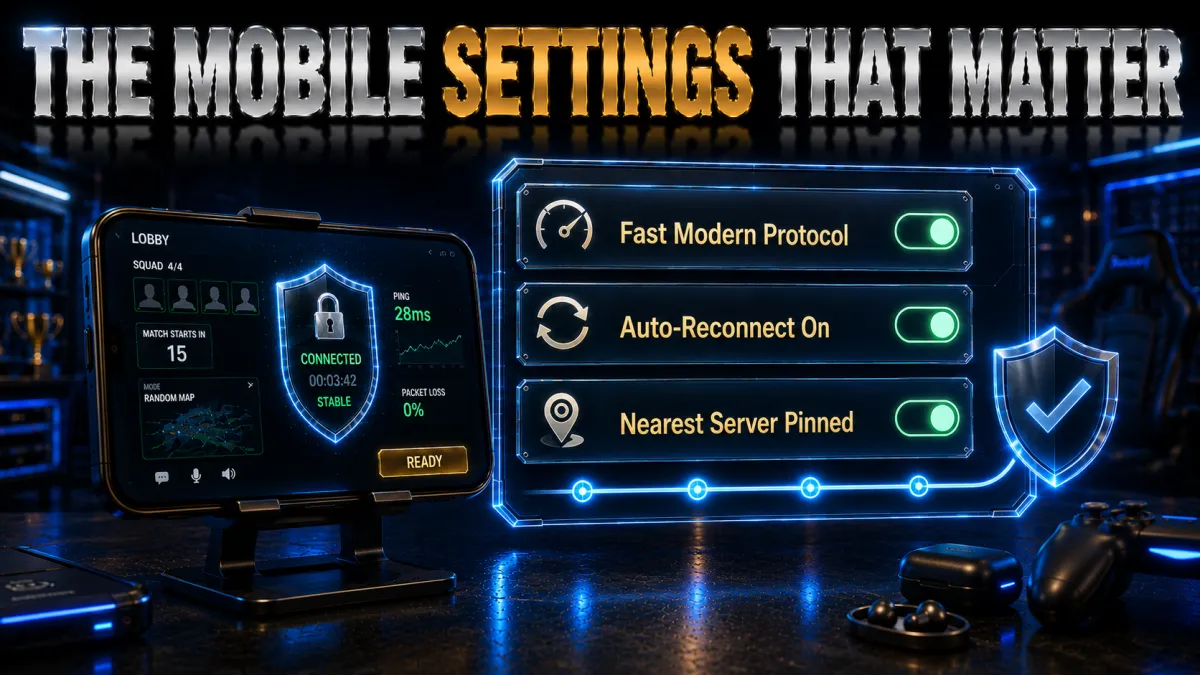
A few settings make the difference between a VPN that helps your BGMI sessions and one that quietly holds them back. These are the ones worth knowing.
- Use a WireGuard-based protocol. WireGuard, NordLynx, and Lightway are fast, connect quickly, and sip battery, which is exactly what a mobile shooter needs, so choose one of these unless a network forces otherwise. They are the modern default and the single most important setting for keeping overhead and lag low.
- Turn on split tunnelling. Routing only BGMI through the VPN, while letting other apps use your normal connection, keeps the tunnel focused and can avoid odd conflicts with banking or local apps. On Android this is a standard feature and a smart way to get game protection without wrapping every app on your phone.
- Enable the kill switch. A kill switch cuts traffic if the tunnel drops so your real IP is never exposed mid-match, which matters most on the flaky mobile signal you often game on. Set it once and leave it on, and a brief disconnect becomes a brief pause rather than a leak or a booting opportunity.
- Skip obfuscation unless you need it. Obfuscation disguises VPN traffic to get through networks that block VPNs, but it adds overhead, so only switch it on where a network is clearly interfering. For normal play it just costs you a little speed for no benefit, so leave it off by default.
The 5 best VPNs for BGMI in 2026
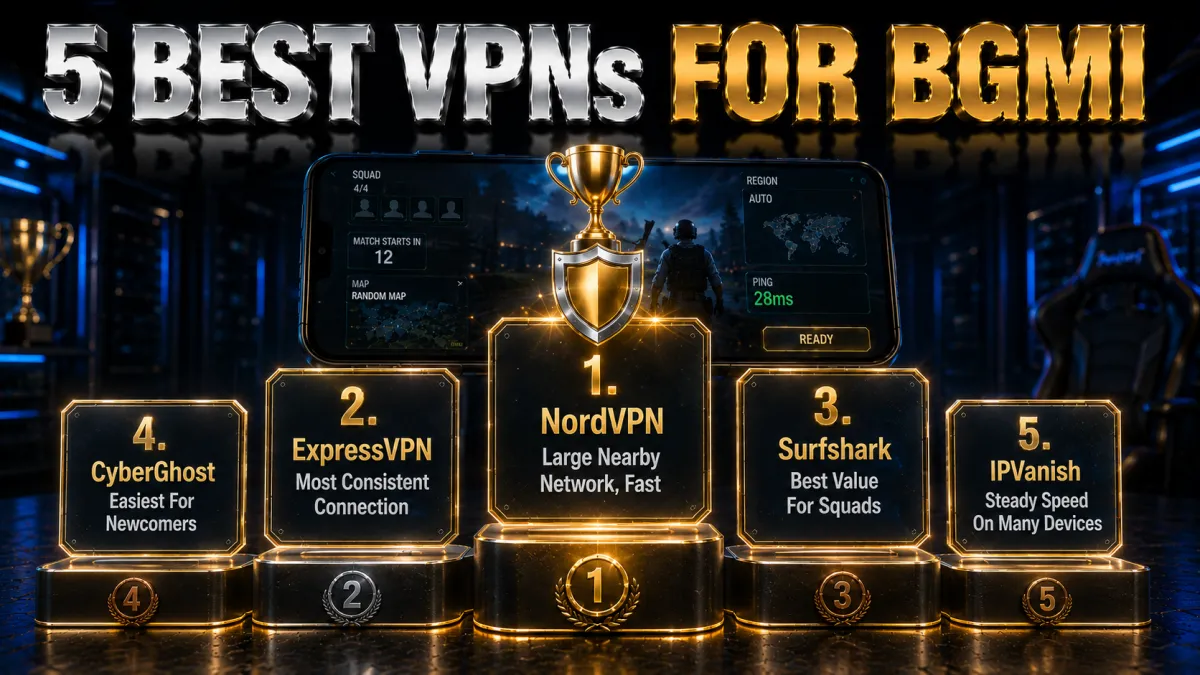
Now that the context is clear, here are the five providers that best balance low, stable ping, reliable IP protection, and honest privacy credentials for BGMI. Ratings reflect our established review framework, not one-off benchmarks.
1. NordVPN, best all-round for BGMI
NordVPN is the first VPN we reach for on BGMI because it pairs a large, well-spread network across India and nearby Asia with a genuinely fast protocol. That keeps ping low and stable, since you can almost always connect to a server close to you or the match region rather than a distant, laggy route. NordLynx, its WireGuard-based protocol, adds very little overhead in a fast mobile shooter.
For BGMI the value goes beyond speed. The one-tap apps mask your real IP so it stays off the peer-to-peer layer where booting and DDoS attempts begin, which is reassuring in ranked and scrims. Split tunnelling routes only the game through the tunnel, Threat Protection blocks ads and malicious domains, and one subscription covers up to ten devices at once.
On trust it is the strongest here, with an independently audited no-logs policy, RAM-only servers, and a Panama base outside the major alliances, behind a 30-day money-back guarantee. Be realistic about ping: a VPN only improves a congested or poorly peered route, so use the refund window to confirm it helps your line, and connect to regional servers within the game’s terms.
✔ Pros
- Large, nearby server network for low ping
- Fast NordLynx protocol for mobile
- IP masking guards against booting and DDoS
- Split tunnelling to route only BGMI
- Audited no-logs, ten devices
✘ Cons
- Best price needs a longer plan
- Ping gains depend on your specific route
| Fastest protocol | NordLynx (WireGuard) |
| Mobile apps | Android and iOS, one-tap |
| Split tunnelling | Yes |
| IP masking | Yes |
| Simultaneous devices | 10 |
| Money-back guarantee | 30 days |
2. ExpressVPN, most consistent connection
ExpressVPN earns its place on BGMI through sheer consistency. Its Lightway protocol connects fast and, crucially on mobile, recovers quickly and holds steady when you drift between wifi and mobile data mid-session, which is exactly when a dropped route ruins a match. The apps are the cleanest of the group, so you install, sign in, and connect without ever opening a settings menu, making it the easiest pick for a player who just wants it to work.
The gaming fundamentals are all present and well implemented. Its Network Lock kill switch stops your real IP leaking if the tunnel blips, split tunnelling lets you send only the game through the VPN, and a broad server spread means there is usually a low-latency location near you or the region you want. Servers stay responsive during busy evening hours when most people are queuing into ranked, which is when congestion normally bites hardest.
On the privacy side it is hard to fault, with RAM-only TrustedServer infrastructure and a British Virgin Islands base outside intelligence-sharing alliances, backed by a long, tested no-logs record. It is the priciest option here and covers eight devices, but a 30-day money-back guarantee lets you confirm it smooths your specific connection before you commit anything.
✔ Pros
- Lightway reconnects fast on network switches
- Cleanest, simplest mobile apps
- Network Lock kill switch and split tunnelling
- Reliable at peak ranked hours
- RAM-only servers, strong audit history
✘ Cons
- Costs more than most rivals
- Fewer devices than the value picks
| Fastest protocol | Lightway |
| Mobile apps | Android and iOS |
| Kill switch | Network Lock |
| Split tunnelling | Yes |
| Simultaneous devices | 8 |
| Money-back guarantee | 30 days |
3. Surfshark, best value for squads
Surfshark is the obvious pick when a whole squad wants protection without everyone buying a separate plan, because one subscription covers unlimited devices. Every phone and tablet in the group runs on a single login for a low price, and the mobile apps support WireGuard so connections stay quick and stable for a fast game like BGMI. For friends who game together on a budget, nothing here stretches further.
The feature set is unusually generous for the money. A kill switch guards against IP leaks if the tunnel drops, Bypasser handles split tunnelling so you can keep the game on the VPN and banking apps off it, and an override-GPS-location option can make your phone report the same country as your VPN server, which is a genuinely mobile-specific touch. CleanWeb strips ads and blocks known malicious domains on top.
The company is based in the Netherlands with an independently audited no-logs policy, outside the Five Eyes, which is a real privacy plus. Its network is not the very largest, so an occasional server switch helps you find the lowest-ping node, but the mix of unlimited devices, strong features, and the lowest long-term price of the five is hard to beat, backed by a 30-day money-back guarantee.
✔ Pros
- Unlimited devices on one plan
- WireGuard keeps connections quick
- Override-GPS-location is mobile-specific
- CleanWeb blocks ads and malware
- Lowest long-term price of the five
✘ Cons
- Smaller network than the top two
- Occasional server switching needed
| Fastest protocol | WireGuard |
| Mobile apps | Android and iOS |
| Split tunnelling | Bypasser |
| Extra | Override GPS location |
| Simultaneous devices | Unlimited |
| Money-back guarantee | 30 days |
4. CyberGhost, easiest for newcomers
CyberGhost is the friendliest way onto a VPN for a first-time BGMI player. Its mobile apps label servers by purpose, including gaming options, so you tap a use case and connect rather than decoding a long list of city names, and a nearby low-ping server is only ever a tap away. For someone who has never set up a VPN before, that hand-holding removes almost all of the guesswork that usually puts people off.
Under the approachable surface the fundamentals are sound. It runs WireGuard for efficient, low-overhead routing, masks your IP to keep booters and DDoS attempts off your line, includes a kill switch, and can auto-connect on untrusted wifi. It is based in Romania, which has no mandatory data-retention law, behind a strict no-logs policy, with optional in-house NoSpy servers for players who want extra separation from third-party data centres.
The standout is the trial window: a 45-day money-back guarantee, far longer than the usual 30, which is genuinely useful for gaming because ping benefits depend entirely on your carrier and location, so you get weeks to confirm it actually helps before paying. Performance is dependable rather than the outright fastest, a fair trade for how simple the whole package is to live with.
✔ Pros
- Servers labelled by purpose in-app
- Beginner-friendly one-tap connect
- WireGuard with a kill switch
- Longest 45-day money-back window
- Romania base, no data-retention law
✘ Cons
- Slower under heavy peak load
- Fewer devices than the value picks
| Fastest protocol | WireGuard |
| Mobile apps | Android and iOS, labelled |
| Kill switch | Yes |
| IP masking | Yes |
| Simultaneous devices | 7 |
| Money-back guarantee | 45 days |
5. IPVanish, steady speed on many devices
IPVanish owns and operates its own server network rather than renting capacity, which gives it tight control over routing and the steady, predictable throughput a twitch shooter like BGMI depends on. When the goal is a consistent route rather than a pile of extra features, that ownership genuinely pays off, and it allows unlimited simultaneous connections so a full squad or a house of phones can run it on one account.
The mobile apps are straightforward and functional, with WireGuard support, a kill switch, split tunnelling, and a SOCKS5 proxy option some players prefer for trimming overhead. It is easy to navigate on a small screen, and the core protections that keep your real IP off the peer-to-peer layer are all present, which suits players who want a no-nonsense tool that works quietly in the background.
The honest caveat is jurisdiction: IPVanish is based in the United States, inside the Five and Nine Eyes alliances, so the privacy-focused may prefer an offshore provider even though its no-logs policy has been independently audited. For steady speed, unlimited devices, and value, backed by a 30-day money-back guarantee, it remains a strong option as long as that jurisdiction fits your own threat model.
✔ Pros
- Owns its network for steady speed
- Unlimited simultaneous devices
- WireGuard and SOCKS5 support
- Simple, uncluttered mobile app
- Strong long-term value
✘ Cons
- US-based, inside the 9 Eyes alliance
- Fewer extras than rivals
| Fastest protocol | WireGuard |
| Mobile apps | Android and iOS |
| Kill switch | Yes |
| Split tunnelling | Yes |
| Simultaneous devices | Unlimited |
| Money-back guarantee | 30 days |
BGMI VPN comparison at a glance
The side-by-side below shows where each provider leads for BGMI.
| Feature | NordVPN | ExpressVPN | Surfshark | CyberGhost | IPVanish |
|---|---|---|---|---|---|
| Nearby server network | Large | Broad | Good | Large | Extensive |
| Speed (WireGuard) | Excellent | Very good | Very good | Good | Very good |
| IP masking and kill switch | Strong | Strong | Strong | Good | Good |
| Mobile app quality | Excellent | Excellent | Very good | Good, labelled | Basic |
| Jurisdiction | Panama | BVI | Netherlands | Romania | United States |
| Devices per plan | 10 | 8 | Unlimited | 7 | Unlimited |
| Money-back guarantee | 30 days | 30 days | 30 days | 45 days | 30 days |
How to set up a VPN for BGMI
Getting a VPN running for BGMI takes only a couple of minutes on any phone and needs no technical knowledge.
- Install the official app. Download your chosen VPN from the Google Play Store or Apple App Store, never a third-party copy, and sign in.
- Pick a fast protocol. In settings, choose a modern low-overhead option such as NordLynx, WireGuard, or ExpressVPN’s Lightway. Avoid older protocols unless the app needs them for stability.
- Connect to a nearby server. Choose the closest uncongested location, or one in your match region, and connect.
- Turn on the safety toggles. Enable the kill switch and, if you prefer, split tunnelling so only BGMI uses the VPN.
- Test your ping in-game. Launch BGMI, check that it feels responsive, and try another nearby server if the first one lags.
Free versus paid VPNs for BGMI
Free VPNs are tempting for gaming, but they usually fail at the one thing a player needs them for. Here is the honest picture before you install one.
- Crowded servers add lag. Free tiers pack many users onto a few overloaded servers, which is the opposite of the clean, low-ping route a shooter needs, so you often end up laggier than with no VPN at all. For a game where latency decides fights, that is a dealbreaker on its own.
- Data caps cut sessions short. Many free plans limit how much you can use, and a long BGMI session with updates can burn through a monthly cap quickly, leaving you unprotected exactly when you are mid-climb. A paid plan removes that ceiling and the anxiety that comes with it.
- Privacy is often the price. Running servers costs money, and free apps frequently recoup it by logging and selling your activity, or worse, bundling trackers and malware. On a device that holds your accounts and payments, that is a serious risk that undoes the whole point of a VPN.
- A cheap paid plan is the safe route. A reputable low-cost provider with a money-back guarantee gives you real speed, an audited no-logs policy, and a refund if it does not suit your line, none of which a random free app can promise. For BGMI, that is the sensible budget choice.
Battery, data, and background use
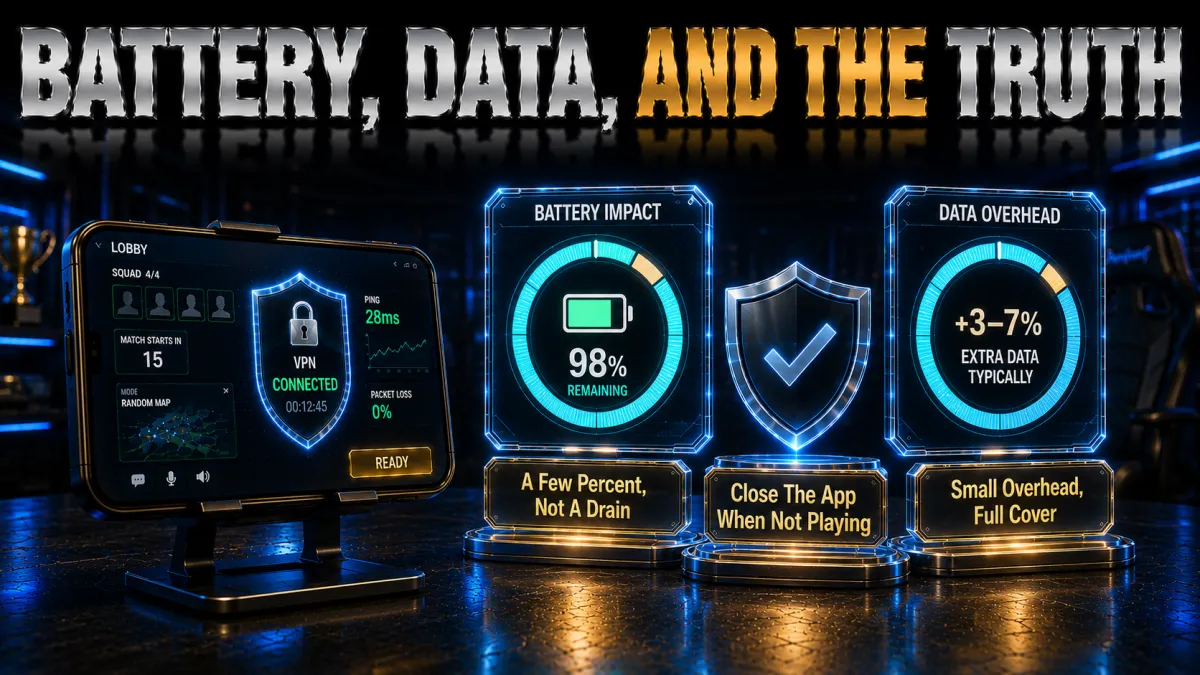
A VPN does use a little extra power and data on a phone, but with the right setup the impact on a BGMI session is small and easy to manage.
- Protocol choice dominates battery. WireGuard-based protocols are efficient, so the drain across a gaming session is usually minor, while an old protocol like OpenVPN is noticeably heavier. Sticking with a modern protocol is the simplest way to keep both lag and battery use down at the same time.
- Data overhead is small. Encryption adds only a few percent to your traffic, which is negligible for a game that is not especially data-hungry, so it is rarely worth worrying about unless you are on a very tight cap. Updates, not gameplay, are what actually use most of your data.
- Close background apps. If you use split tunnelling to route only BGMI, other apps stay off the VPN and out of the way, which keeps the tunnel focused and your phone cooler during long sessions. It is a small habit that helps performance as much as any server change.
- Let auto-connect handle wifi. Setting the VPN to connect automatically on untrusted networks means you are protected the moment you sit down to play on public wifi, without draining battery by running it everywhere. It is the efficient middle ground between always-on and forgetting to connect.
Common BGMI VPN mistakes
Most players who feel a VPN made BGMI worse made one of these avoidable errors. Fix them and the experience changes completely.
- Picking a distant server for no reason. Connecting to a faraway country adds latency at both ends and is the most common reason a VPN feels laggy, so default to the nearest uncongested node. Only go distant when you genuinely need that region, and never as a habit, because distance is the enemy of low ping.
- Leaving an old protocol selected. A legacy protocol quietly adds delay and drains battery, and many players never realise the setting exists. Switching to WireGuard, NordLynx, or Lightway is usually a one-tap fix that transforms how responsive the connection feels, so check it before blaming the provider.
- Skipping the kill switch. Without it, a brief drop on mobile signal exposes your real IP and hands a booter exactly what they need. It is the one setting that turns IP protection from usual to reliable, so turn it on and leave it on for every session.
- Trusting a random free VPN. A free app with no track record can log or sell your data and crowd you onto slow servers, which is the opposite of what a gamer wants. A cheap, well-reviewed paid plan with a refund window is the far safer choice and actually does the job.
- Expecting a VPN to fix a slow plan. A VPN can bypass a congested route, but it cannot make your connection faster than the speed you pay for, so it is not a cure for a genuinely slow line. Set the right expectation, and judge it on route stability and IP protection rather than headline speed.
How to choose a BGMI VPN
With the basics covered by all five picks, the right choice comes down to how you weight these factors for the way you play.
- Low, stable ping first. For a competitive shooter the priority is a large, nearby server network on a WireGuard-based protocol, because that is what keeps your route short and your latency steady. Treat network size and protocol together as your real performance test rather than trusting any single headline number.
- IP protection and a kill switch. If you climb ranked or play scrims, prioritise a provider whose IP masking and kill switch are reliable, since booting protection is the most concrete benefit a VPN gives a serious player. This matters more than a long list of extra features you will never use.
- Device count for your squad. If you game with friends on many phones, unlimited connections or a high device limit saves everyone juggling logins, so match the plan to your group rather than just yourself. A single plan that covers the whole squad is both cheaper and simpler.
- Genuine privacy credentials. Favour an independently audited no-logs policy and a jurisdiction outside the major alliances, and treat honest disclosure of a provider’s weak points as a good sign rather than a red flag. On a phone that holds your accounts, this is worth real attention.
- A proper money-back guarantee. A 30 to 45-day refund window lets you confirm ping, stability, and IP protection on your own carrier and city before committing, which is the only benchmark that matters for you. Use it to test real matches, not just a speed number.
Fixing lag and connection issues
If BGMI feels worse with a VPN on, work through these fixes before giving up, because the cause is usually simple and quick to solve.
- Switch to a closer server. High ping is most often a distant or busy server, so moving to the nearest uncongested node clears it more often than not. Try two or three nearby locations and keep the one that feels most responsive in an actual match.
- Confirm the protocol. If the connection feels heavy, make sure you are on a WireGuard-based protocol rather than a legacy one, because that single setting is the most common self-inflicted cause of lag. Change it, reconnect, and test again before looking anywhere else.
- Restart the tunnel and the app. A stale session can drag, so disconnecting and reconnecting the VPN, or restarting the app, often refreshes a sluggish route instantly. It is the quickest fix to try and costs you nothing but a few seconds.
- Rule out wifi and signal. Move closer to the router or switch to stronger mobile data, because a weak local connection causes more lag than any server choice. Fixing the link between your phone and the internet often solves what looked like a VPN problem.
Frequently Asked Questions
Does a VPN reduce ping in BGMI?
It can, but only on a congested or poorly peered route. If your normal path to the game server is busy, routing through a nearby VPN server can take a cleaner path and lower your ping; if your route is already good, a VPN may add a little latency. Test it on your own line during the refund window.
Which is the best VPN for BGMI in 2026?
NordVPN is our top pick for its large nearby network, fast NordLynx protocol, and strong IP masking. ExpressVPN is the most consistent, Surfshark is the best value with unlimited devices, CyberGhost is the friendliest for beginners, and IPVanish offers steady speed on unlimited connections.
Is it safe to use a VPN for BGMI?
Yes, a reputable paid VPN is safe software and legal in most places. The real risk comes from shady free VPNs that log or sell your data. Using a VPN for IP protection and a cleaner route is fine; using one to break the game’s terms can put your account at risk, so stay within the rules.
Can a VPN protect me from DDoS and booting?
Yes, this is its most concrete BGMI benefit. A VPN masks your real IP behind its server, so attackers in the lobby cannot reach your home connection. Keep the kill switch on so your IP is never exposed if the tunnel drops, and the protection stays reliable even on flaky mobile signal.
Will a free VPN work for BGMI?
Rarely well. Free VPNs crowd users onto slow, overloaded servers that add lag, cap your data, and often monetise your activity, which is the opposite of what a gamer needs. A low-cost paid plan with a money-back guarantee is a far safer and faster choice.
Which server location gives the lowest ping?
Usually the nearest uncongested server to you, or one in your match region. An Indian or nearby Asian server is the natural default for BGMI. Distance adds latency, so start local and only move if a node is busy, and test a few during the refund window to find your best line.
Does a VPN drain phone battery during BGMI?
A little, but a WireGuard-based protocol keeps the drain minor across a session. An old protocol like OpenVPN is heavier. Using split tunnelling to route only BGMI and letting the VPN sleep when you are not playing keeps battery use low.
Can I use a VPN to play BGMI if it is restricted?
A VPN can place your connection in another region, but access is controlled by the publisher and local law, so treat region-hopping as a grey area rather than a right. Weigh the account risk, use it within the terms of service, and never rely on it to evade a ban.
Will a VPN stop lag completely?
No. A VPN can bypass a congested route and steady your connection, but it cannot fix weak wifi, a poor mobile signal, or a genuinely slow plan. Rule those out first, and treat the VPN as one layer that helps route stability and IP protection rather than a total lag cure.
How many devices can one VPN cover for my squad?
It depends on the provider. Surfshark and IPVanish allow unlimited simultaneous connections, so one plan covers a whole squad’s phones. NordVPN allows ten and ExpressVPN eight, which still comfortably covers most groups of friends who game together.
Do I need split tunnelling for BGMI?
It is not essential, but it is genuinely useful. Routing only BGMI through the VPN keeps the tunnel focused, avoids conflicts with banking or local apps, and can help performance. On Android it is a standard feature, so it is worth turning on for gaming.
Is a paid VPN worth it just for one mobile game?
If you climb ranked or worry about booting, yes, because IP protection and a stable route have real value and the same plan protects all your other apps and devices too. A money-back guarantee means you can confirm it helps your line before paying anything.
The Bottom Line
Choosing a VPN for BGMI is less about chasing a magic speed boost and more about matching two things that genuinely help a competitive player: a nearby, low-overhead route that keeps ping stable, and reliable IP masking that keeps booters and DDoS attacks off your line. All five picks cover the basics, so the right one follows from how you play and what you value most.
Whichever you choose, the setup that pays off is the same: connect to the nearest uncongested server, use a WireGuard-based protocol, and keep the kill switch on, especially when you play on mobile data or public wifi.
- NordVPN is the safest all-round choice, with a large nearby network, fast NordLynx speeds, and strong IP protection.
- ExpressVPN is the consistency pick, reconnecting smoothly between wifi and mobile data with the cleanest apps.
- Surfshark is the value winner, covering an entire squad’s phones for the lowest price with mobile-specific extras.
- CyberGhost is the easiest for newcomers, with labelled servers and the longest 45-day refund.
- IPVanish is the many-devices pick, running its own network for steady speed on unlimited connections.
Here is the practical move: pick your provider for the priority that matters most, install it, connect to a nearby server on a WireGuard-based protocol, and play a few real matches during the refund window while you watch your ping. If it stays responsive, holds the connection as you move, and keeps your IP hidden, you have found your BGMI VPN, and the money-back window means it cost you nothing to be sure.
Ketan VPN Expert covers privacy and security at VPN Expert Guide: VPN protocols, encryption, leak protection and VPN legality. Our privacy guides are checked against ipleak.net and dnsleaktest.com results, and we publish the date of every check so you can see how current it is.
Meet our testing team →Last updated: September 22, 2026