
Best VPN for JioHotstar in 2026: Watch Cricket and Indian Content Abroad
Which VPNs genuinely stream JioHotstar smoothly from abroad, how to connect to a fast Indian server, and how to watch live cricket on any screen without buffering. An honest, no-hype guide with zero fabricated benchmarks.
Why you need a VPN for JioHotstar

JioHotstar (also written as Jio Hotstar) is built for viewers in India, so its live cricket, films, and shows check your location before they play. A VPN changes what the service sees and keeps you safe on the way, which is why so many fans abroad rely on one. Here is what it actually does.
- Watch JioHotstar while you are abroad. If you travel or live outside India, the app often will not play its India-only cricket and content because it detects a foreign connection. Connecting through a VPN server in India lets the service see a local connection, so an Indian abroad can keep up with the IPL, films, and serials on the platform they already know. This sits against the service’s terms, so treat it as general information.
- Keep up with live cricket without gaps. Cricket is the heart of JioHotstar, and a live match is unforgiving because you cannot rewind a wicket or a last-over finish. A VPN with fast Indian servers lets you follow every ball at a watchable quality from wherever you are, which is the specific reason most people reach for one during a big series or the IPL season.
- Protect yourself on public and hotel wifi. Streaming from a hotel, an office, or a cafe means using networks you do not control, and open wifi is easy to snoop on. A VPN encrypts your traffic so your JioHotstar login and viewing stay private, which is a genuine everyday safeguard when you are travelling and streaming on networks shared with strangers.
- Reduce some network slowdowns on long streams. Some providers or shared networks can manage traffic heavily at peak times. A VPN encrypts your connection, so it may help in some throttling cases, but it cannot fix every buffering problem. Server load, distance to India, WiFi strength, and the JioHotstar app itself can still affect a live match.
Hotstar, Disney+ Hotstar and JioHotstar: the same service
If you have been searching for a VPN for Hotstar or for Disney+ Hotstar and landing on pages about JioHotstar, nothing has gone wrong. The service changed its name, not its behaviour. Disney+ Hotstar and JioCinema merged into a single platform called JioHotstar, and the older names are still searched every day because that is what most people outside India grew up calling it.
Everything in this guide applies whichever name you use. Unblocking Hotstar abroad, watching Disney+ Hotstar outside India, and streaming JioHotstar from overseas are the same task with the same solution: a VPN with fast Indian servers, plus your own active subscription.
The one practical thing that did change is where the content sits. The old JioCinema library and the old Hotstar library now live in one app, so a single subscription covers Indian films and series, HBO and Max titles, Disney and Marvel content, and live cricket including the IPL. If you held separate subscriptions before the merger, check what your current plan already includes before paying for anything extra.
The questions people ask under the old name are answered here too. Whether a free VPN for Hotstar is worth trying, which server to pick for Hotstar in the UK or the Gulf, and why Hotstar sometimes still blocks you with the VPN switched on are all covered below, using the current JioHotstar name.
Connecting to an Indian server the right way
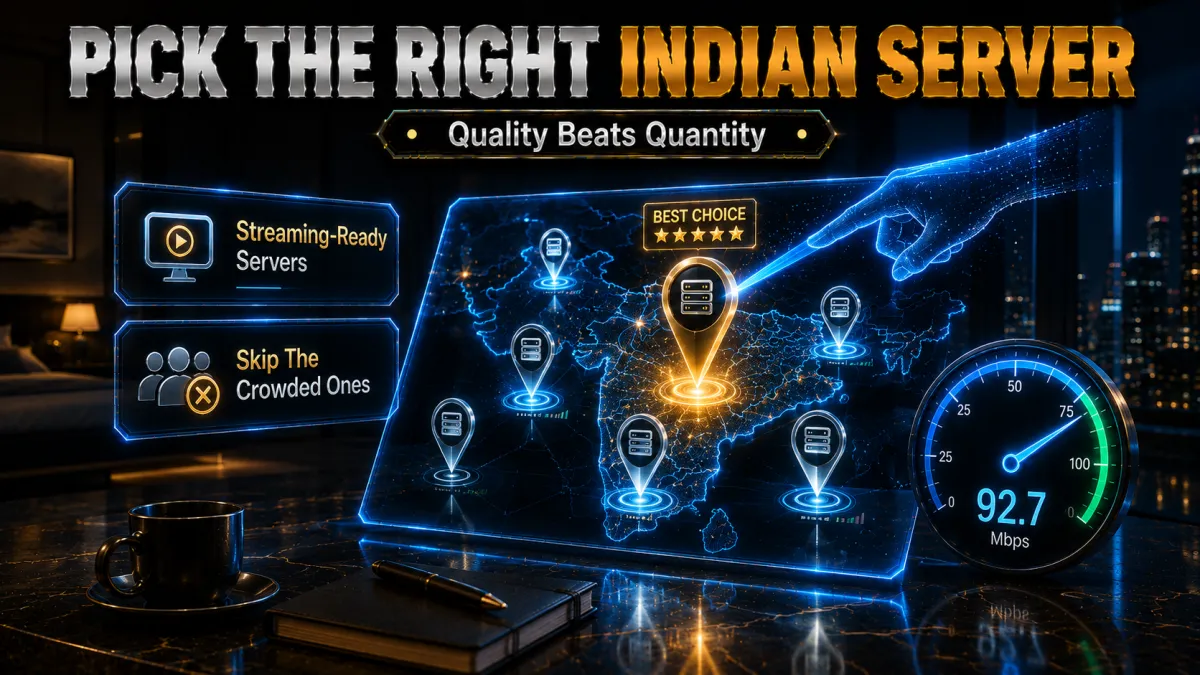
The whole trick with JioHotstar is presenting a clean, fast connection from India, and how you do that decides whether the feed is smooth or stuttery. Here is what actually matters when you pick a server.
- Choose a nearby Indian city if there is a choice. Providers often list several Indian locations, and picking the one that gives the best route from where you are keeps latency down for a live match. A closer or less crowded Indian node almost always streams more smoothly than a distant or busy one, so it is worth trying a couple to find the best for your line.
- Understand virtual versus physical servers. Some providers offer Indian servers that are physically located elsewhere but present an Indian IP, which can still work for streaming but may route your traffic further than expected. If speed matters for live cricket, favour a provider whose Indian presence gives you a fast, stable route, and test it during the refund window.
- Pick a lightly loaded server for big matches. During a major game everyone connects at once, so a crowded server buffers even on a fast line. If your feed stutters, switching to another Indian server usually lands you on a less busy node and clears the problem quickly, which is why a provider with several Indian locations is worth having.
- Keep the kill switch on when you connect. A kill switch stops your traffic if the VPN drops, so your real foreign location is never briefly exposed to the service mid-match and the feed does not fall back to your home connection. Turn it on before play starts, and it doubles as a privacy safeguard on public wifi at the same time.
Speed and buffering: what live cricket needs
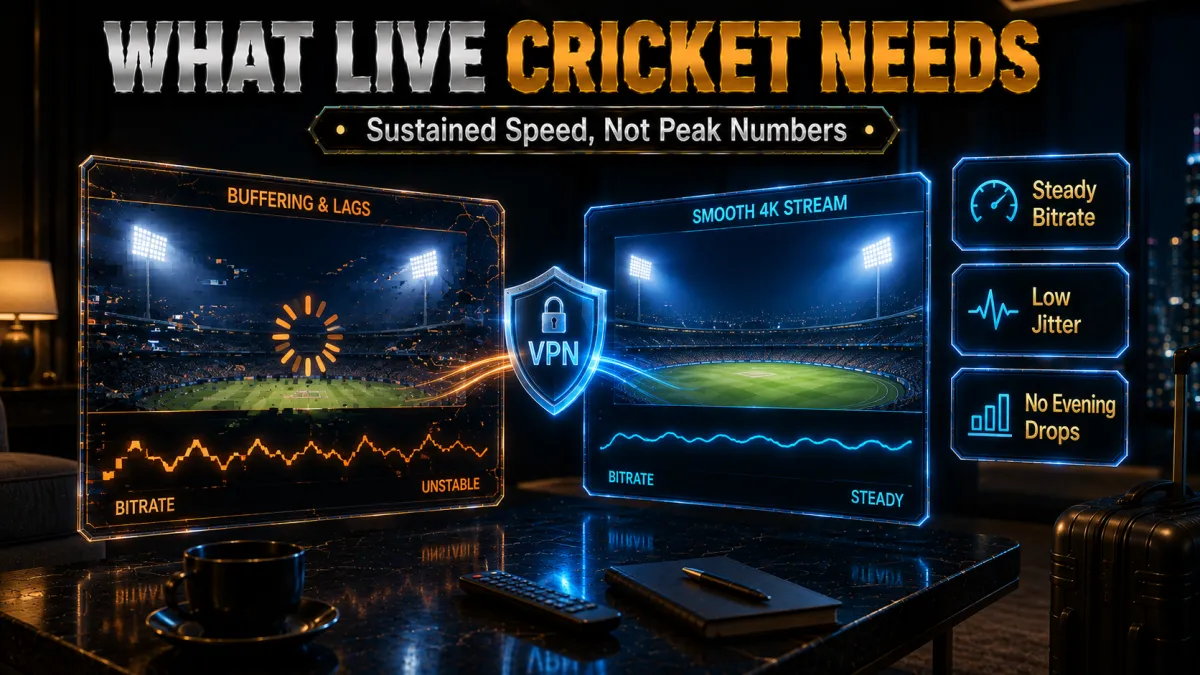
A recorded show forgives a hiccup, but a live over does not, because a buffer at the wrong second costs you the wicket. Streaming JioHotstar well is mostly about sustained speed, so here is what actually matters.
- Sustained bitrate is the real test. An HD live feed needs a steady several megabits per second, and a 4K feed several times that, held for a full session of play. A VPN that posts a fast one-off number but wobbles under load will still buffer, so consistent throughput on a busy evening, not a single headline speed, is what keeps a match watchable from abroad.
- A modern protocol keeps overhead low. Modern protocols such as NordLynx, WireGuard, and ExpressVPN’s Lightway are designed to reduce overhead compared with older OpenVPN-style settings. If a feed stutters after you connect, check the protocol setting first, because an older protocol can cost both speed and stability on a long stream.
- Distance to India costs speed. The further you are from India, the more speed a VPN naturally sheds, so a provider with fast, well-peered Indian servers and a modern protocol matters more the further you travel. This is exactly where the top picks earn their place, holding a watchable feed at a distance where weaker providers fall apart.
- Wire in or sit close to the router. Much buffering blamed on a VPN is really weak wifi, so connect your streaming device by ethernet or sit near the router for a marquee match. Removing that variability does more than almost any server change, so rule it out before you judge a VPN on a stuttering JioHotstar feed.
Watching JioHotstar on every screen
JioHotstar gets watched on phones during the commute and on the big TV for a match, and each screen connects to a VPN differently. Knowing your options before a big game saves a scramble at the toss.
- Phones, tablets, and computers are easiest. Every provider here has native apps for iOS, Android, Windows, and macOS, so you install the app, connect to an Indian server, and open JioHotstar. This is the simplest route and the one most people use for cricket on the move, so it is worth setting up and testing before a big series rather than at the first ball.
- Smart TVs vary by platform. Many Android TV and Fire TV devices run VPN apps directly, so you can connect on the TV itself and open JioHotstar there, but some smart TVs do not. That is where a Smart DNS feature or a router setup comes in, so check whether your specific TV runs a VPN app before match day rather than during the anthem.
- Consoles and older TVs need Smart DNS or a router. Devices that cannot run a VPN app are best served by a provider’s Smart DNS, such as ExpressVPN’s MediaStreamer, or by running the VPN on your router so every device is covered. A router setup is the most permanent answer for a household that watches JioHotstar across mixed screens.
- Cover the whole house with one plan. A big match is exactly when everyone streams at once, so device limits matter: Surfshark and IPVanish allow unlimited connections, NordVPN six, and ExpressVPN eight, while a single router connection covers them all. Match the plan to your household so nobody misses the cricket during the final overs.
Staying safe and within the terms
Streaming Indian content abroad draws fake sites and shady apps, and the geoblocking question deserves an honest answer. Here is how to stay both secure and on the right side of JioHotstar’s rules.
- Avoid illegal pirate streams. Free unofficial streams of big cricket matches are everywhere and are a common source of malware, scams, and intrusive ads, quite apart from being unlawful. Using a VPN with your own JioHotstar account is both safer and far better quality, so steer clear of shady sites promising a free match in exchange for a download or a signup.
- Understand the terms you agree to. Reaching JioHotstar from outside India generally breaches its terms of use, even when it is not a criminal matter, and services can restrict accounts that do it. This guide is general information, not legal advice, so read the platform’s rules, use your own legitimate account, and accept that access is at the service’s discretion.
- Pick an audited, no-logs provider. If privacy is part of why you use a VPN, favour one with an independently audited no-logs policy and a sensible jurisdiction, so your streaming and browsing are not recorded and sold. All five picks here meet that bar to different degrees, which is exactly why free unknown apps are a poor trade for reliable Indian streaming.
- Keep your own account and payment valid. A VPN changes your apparent location, not your account, so use a JioHotstar subscription you legitimately hold and keep a working payment method for it. Trying to combine a VPN with account tricks to dodge pricing or access rules risks the account itself, which is not worth it for the sake of a match.
The features that matter most for JioHotstar
Not every fast VPN is a good JioHotstar VPN. These are the features we weight most heavily, because they decide whether live cricket and Indian content actually load and hold from abroad.
- Fast, well-peered Indian servers. Because JioHotstar needs an Indian connection, the single most important feature is a provider with fast, reliable servers in India, ideally more than one location. This decides both whether the service loads and how smoothly a live match streams from a distance, so we weight it above almost everything else for this platform.
- Sustained streaming speed. A live over needs steady throughput for the full session, so we value consistent speed under load on a modern protocol far above a single headline number. A provider that holds a fast HD or 4K feed through a busy match evening from abroad is worth more than one that spikes high and then wobbles when everyone tunes in.
- Reliable app unblocking. A VPN is only useful here if JioHotstar actually loads through it, so a proven record with major streaming services matters more than raw specs. The top picks have spent years keeping that access working, which is the difference between settling in for the cricket and staring at a location error at the toss.
- Devices and Smart DNS. An Indian household abroad fills every screen, so a high or unlimited device count and a Smart DNS option for TVs and consoles decide how well one plan covers everyone. Match the connection limit to how many people will watch at once, and check the Smart DNS feature if a TV or console is your main screen.
The 5 best VPNs for JioHotstar in 2026

Now that the context is clear, here are the five providers that best balance fast Indian servers, sustained streaming speed, and reliable unblocking for JioHotstar. Ratings reflect our established review framework, not one-off benchmarks.
1. NordVPN, best all-round for JioHotstar
NordVPN is our top pick for JioHotstar because watching live cricket and high-bitrate Indian content abroad demands both speed and dependable access, and NordVPN delivers on both. Its NordLynx protocol keeps an HD or 4K feed steady even at a distance from India, it maintains servers in India so you can present a local connection, and it has a strong record of reaching major streaming apps, so JioHotstar tends to load and hold rather than stall on a big match.
For an Indian expatriate the practical wins are real. A nearby Indian server keeps latency reasonable for a live IPL innings, the wide global network means you connect from wherever you are travelling, and six simultaneous connections cover the family watching cricket, films, and shows across phones, laptops, and a TV. Consistent apps on every platform make switching devices painless.
On trust it is the strongest of the five, with an independently audited no-logs policy, RAM-only servers, and a Panama base outside the major intelligence alliances, all behind a 30-day money-back guarantee. Reaching JioHotstar from outside India can sit against its terms, so treat this as general streaming information, use the refund window to confirm your feed loads, and stay within the service’s rules.
✔ Pros
- Fast NordLynx keeps HD and 4K feeds steady
- Reliable servers located in India
- Strong record reaching major streaming apps
- Six connections for the whole family
- Audited no-logs, Panama jurisdiction
✘ Cons
- Best price needs a longer plan
- No free tier to test first
| Best server | India |
| Fastest protocol | NordLynx (WireGuard) |
| Streaming apps | Reaches the majors |
| Simultaneous devices | 6 |
| Live cricket | Handles it |
| Money-back guarantee | 30 days |
2. ExpressVPN, most reliable for live cricket
ExpressVPN earns its place for JioHotstar on reliability, which is what live cricket demands because you cannot rewind a wicket. Its Lightway protocol is quick and unusually stable, it keeps servers in India so you can present a local connection, and it has a long history of quietly reaching streaming services, so the feed tends to just work at the start of play rather than dropping during a crucial over.
The wider toolkit suits a household of Indian content fans. MediaStreamer, its Smart DNS, lets devices that cannot run a VPN app, like some smart TVs and consoles, reach JioHotstar, which matters when the family gathers for a match. Apps are consistent across every platform, so moving from a phone on the commute to a TV at home takes no relearning, and the connection stays steady.
On trust it is hard to fault, with RAM-only TrustedServer infrastructure and a British Virgin Islands base outside intelligence-sharing alliances, backed by a long, tested no-logs record. It is the priciest pick and covers eight devices, but for live cricket where a dropped stream means a missed moment, its stability and 30-day money-back guarantee make it the safe choice. Follow JioHotstar’s terms when you connect.
✔ Pros
- Lightway protocol is fast and very stable
- Keeps servers located in India
- MediaStreamer Smart DNS for TVs and consoles
- Consistent apps on every platform
- RAM-only servers, strong audit history
✘ Cons
- Costs more than most rivals
- Eight devices, fewer than value picks
| Best server | India |
| Fastest protocol | Lightway |
| Streaming apps | Long, proven record |
| Smart DNS | MediaStreamer |
| Simultaneous devices | 8 |
| Money-back guarantee | 30 days |
3. Surfshark, best value for the family
Surfshark is the best value for JioHotstar because one subscription covers unlimited devices, and Indian households abroad often want cricket, films, and kids’ shows playing on several screens at once. It supports the fast WireGuard protocol, maintains servers in India so you can present a local connection, and reaches the major streaming apps, so the whole family can watch their own JioHotstar content without paying for extra plans.
The feature set is generous for the lowest long-term price of the five. A kill switch guards against exposing your real location if the tunnel drops mid-innings, a Smart DNS option helps on TVs, and CleanWeb strips ads and blocks malicious domains on the devices running its app. Its network is not the very largest, so an occasional server switch helps you land on the fastest Indian node during a busy match.
The company is based in the Netherlands with an independently audited no-logs policy, outside the Five Eyes. The mix of unlimited devices, solid streaming, and the cheapest long-term pricing makes it the obvious choice for a family that wants every screen covered affordably, backed by a 30-day money-back guarantee. Reaching JioHotstar from outside India may breach its terms, so watch responsibly.
✔ Pros
- Unlimited devices on a single plan
- Servers located in India
- Fast WireGuard protocol for live feeds
- CleanWeb blocks ads and malicious domains
- Lowest long-term price of the five
✘ Cons
- Smaller network than the top two
- Occasional server switching needed
| Best server | India |
| Fastest protocol | WireGuard |
| Streaming apps | Reaches the majors |
| Smart DNS | Yes |
| Simultaneous devices | Unlimited |
| Money-back guarantee | 30 days |
4. CyberGhost, easiest for streaming beginners
CyberGhost is the friendliest option for someone who just wants to open JioHotstar without fuss. Its apps list servers labelled for specific streaming platforms, so rather than guessing which Indian node works you pick the one intended for streaming and connect. A very large network gives plenty of options, and the labelled approach removes most of the guesswork that trips up a first-time streamer trying to reach Indian content.
The fundamentals hold up for live sport and film. It runs the efficient WireGuard protocol for smooth HD playback, offers a kill switch to protect your real location if the connection drops during a match, and is based in Romania, which has no mandatory data-retention law, behind a strict no-logs policy. For a casual viewer the guided, labelled servers make reaching JioHotstar about as simple as it gets.
The standout is the trial: a 45-day money-back guarantee, far longer than the usual 30, which is genuinely useful across a long cricket season because you can watch a good stretch of it while deciding. Performance is dependable rather than the outright fastest, a fair trade for how approachable it is. Stay within JioHotstar’s terms whenever you connect through an Indian server.
✔ Pros
- Servers clearly labelled for streaming
- WireGuard protocol for smooth HD playback
- Kill switch protects your real location
- Longest 45-day money-back window
- Romania base, no data-retention law
✘ Cons
- Slower under heavy peak load
- Fewer devices than the value picks
| Best server | Streaming-labelled India |
| Fastest protocol | WireGuard |
| Streaming apps | Labelled per platform |
| Kill switch | Yes |
| Simultaneous devices | 7 |
| Money-back guarantee | 45 days |
5. IPVanish, steady speed on unlimited devices
IPVanish is a practical JioHotstar pick for a busy household because it allows unlimited simultaneous connections and owns its own network, which gives it steady, predictable speed for live streaming. When several relatives want different cricket matches or shows at once, not paying per device is a real saving, and running its own servers means the throughput a high-bitrate Indian feed needs stays consistent through a long innings.
The streaming fundamentals are present. It supports the fast WireGuard protocol to keep HD feeds smooth, maintains servers in India so you can present a local connection, and offers a kill switch so a dropped tunnel does not expose your real location mid-match. Its apps are straightforward across phones, tablets, and computers, though its unblocking is a little less consistent than the top two, so occasional server switching helps.
The honest caveat is jurisdiction: IPVanish is based in the United States inside the Five and Nine Eyes alliances, so the privacy-focused may prefer an offshore provider even though its no-logs policy has been independently audited. For steady streaming speed, unlimited devices, and simple apps, backed by a 30-day money-back guarantee, it remains a strong value option if that jurisdiction fits your threat model.
✔ Pros
- Unlimited simultaneous connections
- Servers located in India
- Owns its network for steady speed
- Kill switch protects your location
- Strong long-term value
✘ Cons
- US-based, inside the 9 Eyes alliance
- Unblocking less consistent than top two
| Best server | India |
| Fastest protocol | WireGuard |
| Streaming apps | Reaches the majors |
| Kill switch | Yes |
| Simultaneous devices | Unlimited |
| Money-back guarantee | 30 days |
JioHotstar VPN comparison at a glance
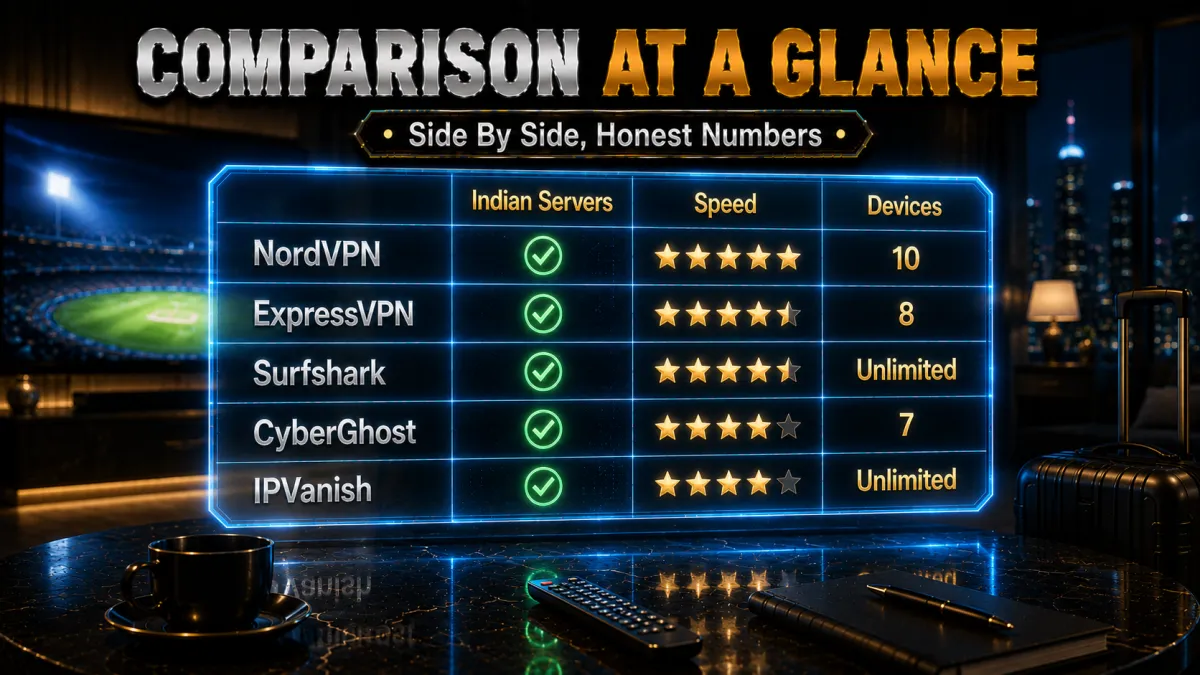
The side-by-side below shows where each provider leads for streaming JioHotstar.
| Feature | NordVPN | ExpressVPN | Surfshark | CyberGhost | IPVanish |
|---|---|---|---|---|---|
| Streaming speed | Excellent | Very good | Very good | Good | Very good |
| Indian servers | Multiple, fast | Yes, fast | Yes | Yes | Yes |
| App unblocking | Excellent | Excellent | Very good | Very good | Good |
| Jurisdiction | Panama | BVI | Netherlands | Romania | United States |
| Devices per plan | 6 | 8 | Unlimited | 7 | Unlimited |
| Money-back guarantee | 30 days | 30 days | 30 days | 45 days | 30 days |
JioHotstar plans and subscribing from abroad
A VPN gets you to the service, but you still need a valid subscription to watch. JioHotstar restructured its pricing on 28 January 2026, adding monthly plans for the first time alongside the existing quarterly and annual options. There are three tiers.
- Mobile (Rs 79 per month, Rs 149 per quarter, Rs 499 per year). One mobile device, up to 720p, ad-supported. Hollywood titles are not included at this tier. The entry point for one person watching on a phone.
- Super (Rs 149 per month, Rs 349 per quarter, Rs 1,099 per year). Two simultaneous streams on any device including a TV, full HD quality, with Hollywood content included for new subscribers from January 2026. The sensible step up if you watch on a laptop or television.
- Premium (Rs 299 per month, Rs 699 per quarter, Rs 2,199 per year). Four simultaneous streams, 4K with Dolby Vision on supported devices, Dolby Atmos audio, and ad-free viewing outside some live sport. The only tier that carries 4K IPL and the full catalogue.
Two things matter if you are subscribing from outside India. The new pricing applies to new subscribers from 28 January 2026, so existing subscribers on auto-renewal keep their old rate until they change plan. And Indian telecom operators including Jio, Airtel and Vi bundle JioHotstar with certain recharge plans, which often works out cheaper than paying for the subscription on its own.
If you already hold an Indian account, this is the easy case: it keeps working abroad once the VPN presents an Indian connection, and nothing about your billing needs touching. Opening a brand new subscription from overseas is harder, because checkout can require a payment method issued in the home market regardless of where your connection appears to be. Plan tiers and prices also move quickly, so treat the figures above as correct at the time of writing and check the official plans page before you pay.
One point worth flagging for cricket fans: IPL coverage is no longer free on JioHotstar. A paid plan is required for full live coverage, with the Mobile tier giving 720p with ads and the Premium tier delivering 4K along with features such as Multi-Cam and MaxView.
How to watch JioHotstar outside India
If you have moved abroad for work or study, or you are simply travelling, the problem is the same: your account still works, but the catalogue thins out and the live cricket feed disappears the moment you land somewhere else. That is licensing rather than a fault with your account. Indian streaming rights are bought for India, so the platform checks where your connection is coming from before it serves a feed.
A VPN with Indian servers is what closes that gap. You keep your own paid subscription, connect to a server in India, and the service sees an Indian connection instead of a foreign one. Nothing about your account changes, and you are still watching content you have paid for.
A few things are worth knowing before you rely on it while living outside India:
- Keep your subscription active on your own account. A VPN changes the apparent location of your connection, not your entitlement. Jio Hotstar still needs a valid plan on your own login and a payment method you own.
- Distance costs you speed. From the Gulf or Southeast Asia an Indian server is close, so live cricket holds well. From North America or Europe the round trip is longer, so choose a provider with genuinely fast Indian servers and test a feed before a big match.
- The app can remember your last location. If you have recently moved and the catalogue still looks wrong, connect the VPN first, then clear the app cache and sign in again so the service re-checks your connection.
- Read the terms for your own situation. Jio Hotstar publishes its terms of use, and geographic availability is part of them. Read them and decide for yourself, particularly if you are outside India long term rather than travelling for a few weeks.
For most people watching JioHotstar abroad the routine is simple: connect to a nearby Indian server, open the app, and sign in with your own account. Once it works on your connection it tends to keep working, and the setup steps below walk through the whole process from installation to your first stream.
How to watch JioHotstar with a VPN
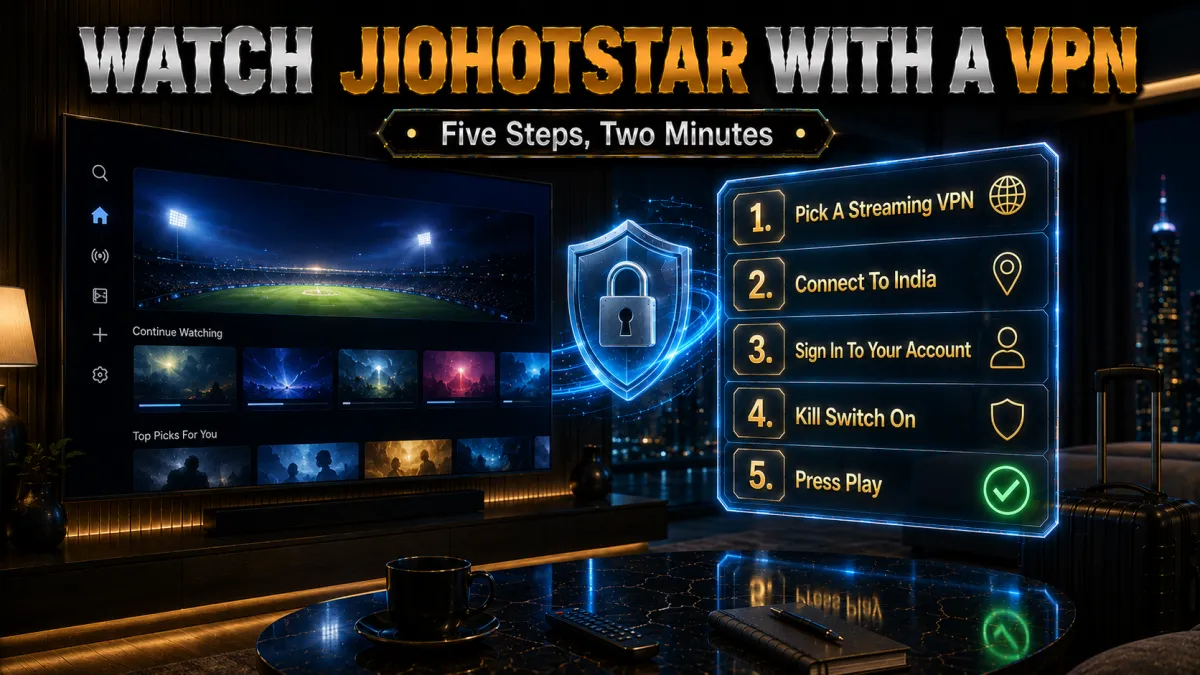
Getting set up is quick, and it is worth doing before a big match so you are not troubleshooting at the toss. Here is the whole process, start to finish.
- Choose and install a VPN. Pick one of the providers above, subscribe, and install its app on the device you will watch on, whether a phone, computer, or supported TV.
- Connect to an Indian server. Choose a server in India, ideally a nearby, lightly loaded one, so JioHotstar sees a local connection at the best speed.
- Open JioHotstar and sign in. Launch the JioHotstar app or website and log in with your own account, then pick the match, film, or show you want.
- Turn on the kill switch and test early. Enable the kill switch, then run a test stream before a big match so you can switch servers if a feed is slow, rather than during play.
- Switch servers if a feed struggles. If a match buffers, disconnect and pick another Indian server, since a fresh, less crowded node usually fixes it quickly.
What you can watch on JioHotstar
JioHotstar carries a broad mix beyond just cricket, and knowing the range helps you decide whether the subscription and a VPN are worth it for you. Here is the shape of the library.
- Live cricket and sport. Cricket is the platform’s biggest draw, from the IPL to international series, and live sport is the main reason most fans abroad want dependable access. Because these matches are live and time-sensitive, they are exactly the content where a fast Indian server and steady speed matter most, so weigh a VPN’s cricket performance heavily.
- Films in many Indian languages. The service carries a large catalogue of Hindi and regional-language films, which is a major draw for viewers who want to keep up with cinema from home while living abroad. Film streaming is more forgiving of a brief hiccup than live cricket, so almost any of our picks handles it comfortably once connected to India.
- Series, serials, and originals. Alongside sport and film, JioHotstar carries series, popular serials, and original shows that many households follow closely. This is the everyday content that keeps a subscription worthwhile between big matches, and it streams well on any of the five providers connected to a reasonable Indian server.
- Kids’ and family content. The platform also carries children’s and family programming, which is part of why an Indian household abroad often wants several screens covered at once. This is where an unlimited-device plan earns its place, letting the cricket play in one room while the kids watch their shows in another on the same subscription.
Fixing buffering and blocked feeds
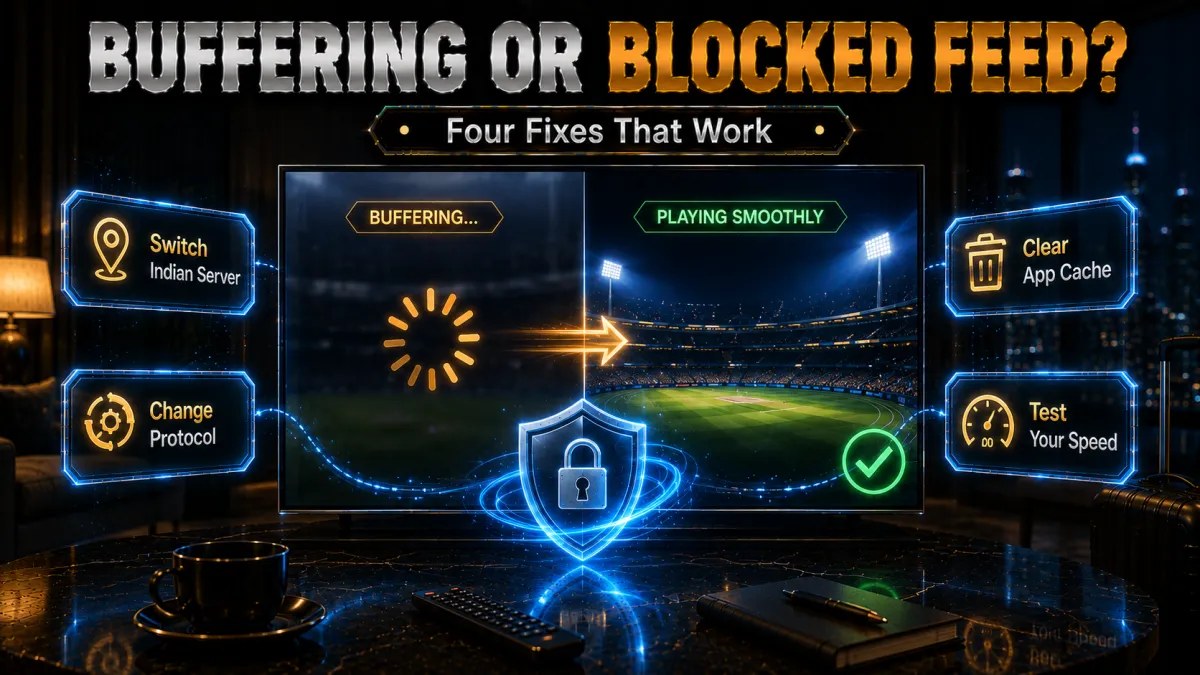
Even a good setup hits the occasional snag, and almost all of them have a quick fix. Work through these in order and most problems clear in seconds.
- Switch to a different Indian server. The most common fix for both buffering and a blocked feed is disconnecting and choosing another server in India, since a fresh node is often less crowded and not flagged by the service. Keep two or three Indian servers in mind before a big match so you are not searching while the game is on.
- Check your protocol and connection. Make sure you are on a WireGuard-based protocol for the lowest overhead, and wire your device in or sit close to the router, because weak wifi causes a lot of stutter wrongly blamed on the VPN. These two checks resolve most speed complaints on a live JioHotstar feed.
- Clear the app cache or reinstall. If JioHotstar shows a location error even on a working Indian server, clearing its cache or reinstalling it often forces it to recheck your location cleanly. Old location data cached on the device, not the VPN, is a frequent and easily fixed cause of a stubborn block.
- Lower the quality if your line is slow. If your base internet is the limit rather than the VPN, dropping the feed from 4K to HD, or HD to standard, keeps the match playing smoothly instead of buffering. A steady standard-definition stream of a live over beats a stuttering 4K one every time.
Should you use a free VPN for JioHotstar?
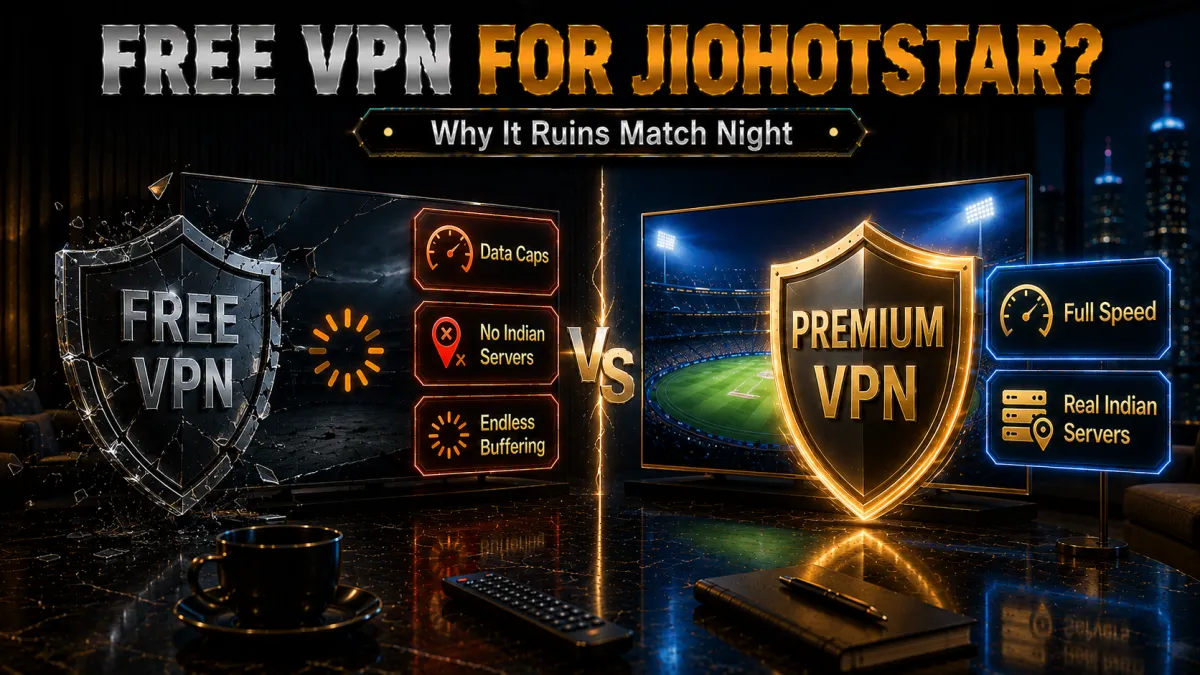
A free VPN is tempting for a bit of cricket, but for live Indian sport it usually disappoints. Here is the honest picture before you install one.
- Few or no Indian servers. Free VPNs offer very limited locations, and a fast Indian server is the one thing JioHotstar streaming needs most, so the specific connection you want is often missing entirely. Without a reliable Indian node, a free app frequently cannot open the service at all, which defeats the whole purpose.
- Crowded servers buffer live cricket. Free tiers pack users onto a handful of overloaded servers, which is the opposite of the steady throughput a live over needs, so you often get more buffering than with no VPN. For a wicket you cannot rewind, that unreliability alone rules most free apps out during a big match.
- Data caps end before the innings does. Most free plans limit data, and an HD cricket match burns through a typical cap well before the game is over, leaving you cut off at the worst moment. A long live stream is exactly the use case free data limits are worst suited to, so a cap is a serious drawback for sport.
- Privacy is often the hidden price. Running servers costs money, and free apps frequently recoup it by logging and selling your activity or injecting trackers, which undermines the privacy you wanted. A low-cost paid plan with an audited no-logs policy and a money-back guarantee is the genuinely safe budget choice for Indian streaming.
How to choose a VPN for JioHotstar
With the basics covered by all five picks, the right choice comes down to how you weight these factors for live Indian content abroad.
- Indian servers first. Because JioHotstar needs an Indian connection, prioritise a provider with fast, reliable servers in India, ideally more than one location. This decides whether the service loads at all and how smoothly a live match streams from a distance, so it matters more here than almost anything else.
- Speed and consistency. A live over rewards steady throughput above all, so favour a provider that holds a fast HD or 4K feed under load on a modern protocol. This matters more than any single extra feature, because everything else is useless if the stream buffers at the moment a wicket falls.
- Proven streaming access. Choose a provider with a long record of reaching the major streaming apps, because a VPN that cannot open JioHotstar is no use for the cricket. The top picks have kept that access working for years, which is worth more than a longer list of specifications.
- Devices for your household. An Indian household abroad fills every screen, so match the connection limit to how many people will watch at once, and check for a Smart DNS option if a console or older TV is a main screen. Unlimited-device plans and router support let one subscription cover the whole house.
- A real money-back guarantee. A 30 to 45-day refund window lets you confirm JioHotstar loads and holds on your own connection before committing, and across a long cricket season that window can cover a good stretch of the matches while you decide.
Related reading:
Frequently Asked Questions
Which is the best VPN for JioHotstar in 2026?
NordVPN is our top pick for its fast NordLynx protocol, reliable Indian servers, and dependable app unblocking. ExpressVPN is the most dependable for live cricket, Surfshark is the best value with unlimited devices, CyberGhost is the friendliest for beginners with the longest refund, and IPVanish offers steady speed on unlimited devices.
Can I watch JioHotstar abroad with a VPN?
Connecting to a VPN server in India lets JioHotstar see a local connection, which is how fans abroad reach its cricket and content. This sits against the service’s terms, so treat it as general information rather than advice, use your own legitimate account and a reputable provider, and read the platform’s rules before relying on it.
Is it legal to use a VPN for JioHotstar?
Using a VPN is legal in most countries, but reaching JioHotstar from outside India generally breaches its terms of use, even when it is not a criminal matter. This guide is general streaming information, not legal advice, so follow the service’s terms, use your own account, and accept that access is at the platform’s discretion.
Which server should I connect to for JioHotstar?
Connect to a server in India, choosing a nearby, lightly loaded location for the best speed. If a match buffers or the service shows a location error, switch to another Indian server, since a fresh, less crowded node usually fixes both problems quickly. A provider with several Indian locations makes this easier.
Will a VPN slow my JioHotstar stream?
A good VPN on a fast Indian server and a WireGuard-based protocol adds only a little overhead, usually small enough that an HD or 4K feed stays smooth. Speed loss grows with distance from India and old protocols, so pick a well-peered Indian server, use a modern protocol, and wire your device in for the steadiest feed.
Can I watch live cricket like the IPL on JioHotstar with a VPN?
Yes, that is the main reason most fans abroad use one. A VPN with fast Indian servers lets you follow live cricket at a watchable quality from wherever you are, though a live match is unforgiving of buffering, so sustained speed matters. Test your setup before a big match and keep a backup Indian server in mind.
Can I use JioHotstar on my smart TV with a VPN?
Often yes. Many Android TV and Fire TV devices run VPN apps directly, so you connect on the TV and open JioHotstar. For TVs and consoles that cannot run a VPN app, use a Smart DNS feature like ExpressVPN’s MediaStreamer, or run the VPN on your router so every device on the network is covered at once.
How many devices can watch JioHotstar at once?
It depends on the plan: Surfshark and IPVanish allow unlimited simultaneous connections, ExpressVPN eight, and NordVPN six, while a single router connection can cover every device on the network. An Indian household abroad fills every screen, so match the connection limit to how many people will watch at once.
Do free VPNs work for JioHotstar?
Rarely well. Free VPNs offer few or no Indian servers, crowd users onto slow nodes that buffer live cricket, cap data that an HD match burns through fast, and often log your activity. A low-cost paid plan with fast Indian servers and a money-back guarantee is a far safer and more reliable choice.
Do I need a JioHotstar subscription as well as a VPN?
Yes. A VPN changes your apparent location but not your account, so you still need a legitimate JioHotstar subscription to watch. Use your own account and a valid payment method, and treat the VPN purely as the tool that lets the service see an Indian connection while you are travelling or living abroad.
Can a VPN protect me on public wifi while streaming?
Yes. A VPN encrypts your traffic, so streaming JioHotstar from a hotel, office, or cafe on open wifi keeps your login and activity private from snoopers on the same network. That encryption is a genuine everyday safeguard beyond just reaching the service, especially when you travel and use networks you do not control.
Is a paid VPN worth it just for JioHotstar?
If you want reliable, high-quality streaming of live cricket and Indian content from abroad, yes, because fast Indian servers, sustained speed, and device coverage all have real value. A 30 to 45-day money-back guarantee lets you confirm the service loads and holds on your own connection, and can cover a good stretch of the cricket while you decide.
How can I watch JioHotstar outside India?
Connect a VPN to a server in India, then open the app and sign in with your own subscription. The platform checks where your connection comes from, because Indian streaming rights are licensed for India, so an Indian server is what lets it serve the full catalogue and live sport. Keep your plan active and paid on your own account, and pick a provider with genuinely fast Indian servers so a live feed holds steady when you are watching from abroad.
Is Jio Hotstar the same as JioCinema?
They are now one service. JioCinema and Hotstar merged into a single platform, so the old JioCinema library and the Hotstar library both sit in the same app. If you are searching for a VPN for JioCinema or for Hotstar, the same advice applies, because it is the same platform with the same Indian server requirement behind it. You will also see the name written as Jio Hotstar with a space, which refers to the same service.
Does JioHotstar work with a VPN in the Gulf or Nepal?
Yes, and these are among the easier places to watch from, because an Indian server is geographically close so latency stays low and a live cricket feed holds steady. Viewers in the UAE, Saudi Arabia, Qatar, Kuwait, Oman, Nepal and Sri Lanka generally get a smoother stream than viewers in North America for that reason. You still need an active Jio Hotstar subscription on your own account wherever you are watching from.
Can I subscribe to JioHotstar from outside India?
If you already have an Indian account it keeps working abroad once the VPN presents an Indian connection, and you do not need to change anything about your billing. Opening a new subscription from overseas is harder, because checkout can ask for a payment method issued in the home market regardless of where your connection appears to be. Where a new subscription is the only option, check the official plans page for what is currently accepted rather than relying on workarounds you read elsewhere.
Will Hotstar ban my account for using a VPN?
Account bans for VPN use are not something the platform does routinely, and the far more common outcome is simply that a stream refuses to load until you switch servers. That said, geographic availability is part of the terms of use, so read them and decide for yourself. Keep the basics clean: your own account, your own payment method, an active paid plan, and no widely shared logins, which is what actually tends to trigger enforcement.
Why does Hotstar break specifically on big match days?
Two things happen at once. Far more people connect to the same popular Indian servers, so those servers slow down exactly when you need them most, and the platform itself is under peak load. The answer is preparation rather than troubleshooting at the toss: connect an hour early, test a live feed, and if it stutters move to a different and less obvious Indian city server before play starts.
What speed do I need for Hotstar in 4K?
Around 25 Mbps of sustained throughput is a sensible floor for 4K, and full HD is comfortable from roughly 5 to 8 Mbps. What matters more than your headline broadband speed is what survives the VPN hop to India, so run a speed test while connected to the Indian server you plan to use rather than while disconnected. Remember that 4K is only available on the Premium tier.
Does a VPN work for Hotstar on mobile data?
Yes. A VPN app on your phone encrypts and routes traffic the same way on mobile data as it does on wifi, so an Indian server works either way. The practical differences are that mobile data is more variable, which shows up as buffering on a live feed, and that streaming cricket burns through a data allowance quickly. On a capped plan, drop the quality setting or watch on wifi where you can.
The Bottom Line
Choosing a VPN for JioHotstar comes down to two things above all, because live cricket is unforgiving: fast, reliable servers in India to present a local connection, and sustained speed that holds a feed through a full session of play from wherever you are. All five picks stream the platform well, so the right one depends on whether you value all-round reliability, the best value across a full household, or the longest window to test it.
Whichever you choose, the winning routine is the same: install the app before a big match, connect to a nearby Indian server, sign in with your own account, turn on the kill switch, and test a feed early so match day is smooth.
- NordVPN is the safest all-round choice, with fast speeds, reliable Indian servers, and dependable unblocking.
- ExpressVPN is the most dependable for live cricket, with very stable streams and Smart DNS for TVs.
- Surfshark is the value winner, covering every screen in the house for the lowest long-term price.
- CyberGhost is the friendliest for beginners, with streaming-labelled servers and the longest 45-day refund.
- IPVanish is the unlimited-device pick, with steady speed for a busy household on one plan.
Here is the practical move: pick your provider for the priority that matters most, install it before a big series, connect to a fast Indian server, sign in with your own account, and test your feeds during the refund window. If JioHotstar loads in the quality you want and holds steady through a full innings, you have found your VPN, and the money-back window means it cost you nothing to be sure. Treat this as general streaming information, not legal advice, and follow JioHotstar’s terms.
Jyoti VPN Expert leads VPN testing at VPN Expert Guide, covering streaming and regional access, speed and latency testing, and leak checks on Windows, Android and router-level setups. Our guides are built from vendor documentation, provider terms and our own connection testing on a residential line in India, and we publish those measurements in full so readers can check them. Every guide is reviewed before publication and dated so you can see how current it is.
Meet our testing team →Last updated: September 22, 2026