
How to Use a VPN on Public Wi-Fi in 2026: The Complete Safety Guide
Public Wi-Fi is everywhere and nobody vets it: the cafe router installed years ago, the airport hotspot serving thousands of strangers, the hotel network with the password taped to the front desk. Most days nothing happens, and on the wrong day the cost is a compromised email account or a drained card. This guide explains what can actually go wrong on open networks, what a VPN genuinely fixes and what it does not, and how to set one up so protection happens automatically.
What can actually go wrong on public Wi-Fi
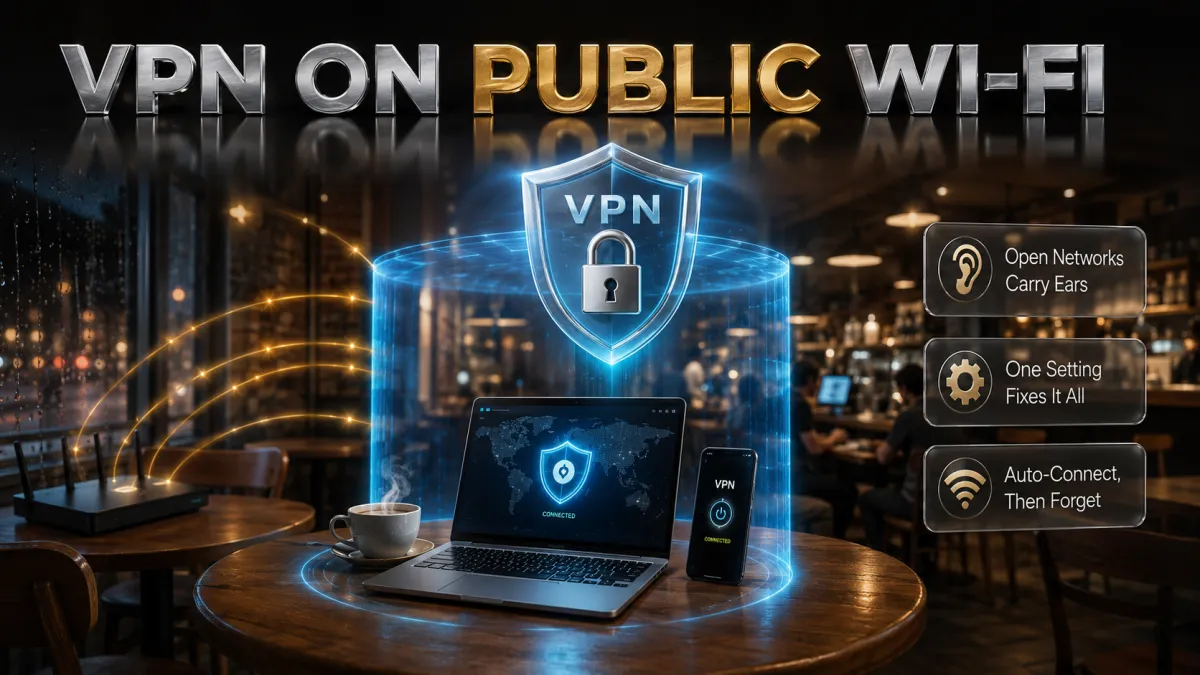
Not scare stories, just the real mechanics, because knowing them is what makes the fix make sense.
- Evil twin hotspots. Anyone can broadcast a network named “Cafe_Guest” or “Airport_Free_WiFi” from a laptop, and phones join the strongest matching signal automatically. Whoever runs the fake sits between you and the internet, seeing whatever your connections expose and steering you toward fake pages.
- Open networks transmit in the clear. Password-free Wi-Fi skips the link encryption a private network provides, so nearby devices with trivial tools can capture the raw traffic. Even password-protected venue networks share that link among every customer who saw the chalkboard.
- Snooping on your metadata. Even where sites use HTTPS, the network still sees every domain you visit and when. A stranger’s router logging your bank, your employer, your clinic, and your habits is a privacy leak with no dramatic hack required.
- Page and login tricks. Hostile networks can answer your request for a real site with a lookalike, inject content into unencrypted pages, and abuse captive portals. Combined with autofill and tired travellers, this is how credentials walk away.
How a VPN neutralises the whole list
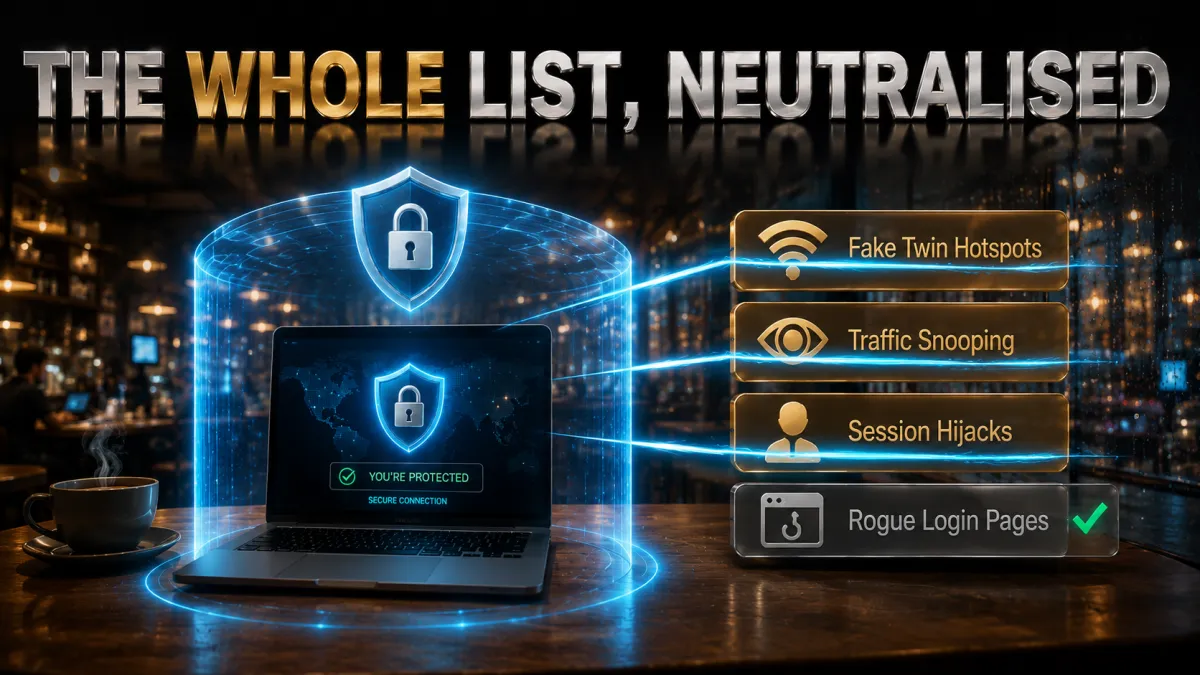
One mechanism handles everything above, which is why this is the rare security tool that is both simple and sufficient for its layer.
- Encryption before the network touches anything. With the tunnel up, your device encrypts every packet before it leaves, and only the VPN server can decrypt it. The evil twin, the sniffer, and the snooping router all capture the same thing: noise.
- The network loses your destinations. All the operator sees is encrypted traffic to one address. Which sites, which apps, which times: gone from their logs, because it never appears in readable form.
- DNS goes through the tunnel too. Good VPNs route your address lookups to their own resolvers, so a hostile network cannot answer your request for a real site with a fake one. The redirect trick dies here.
- The kill switch covers the gaps. Public hotspots drop constantly, and each unprotected reconnect is a small window of exposure. A kill switch blocks traffic the instant the tunnel fails, turning those windows into nothing.
Is HTTPS not enough? An honest answer
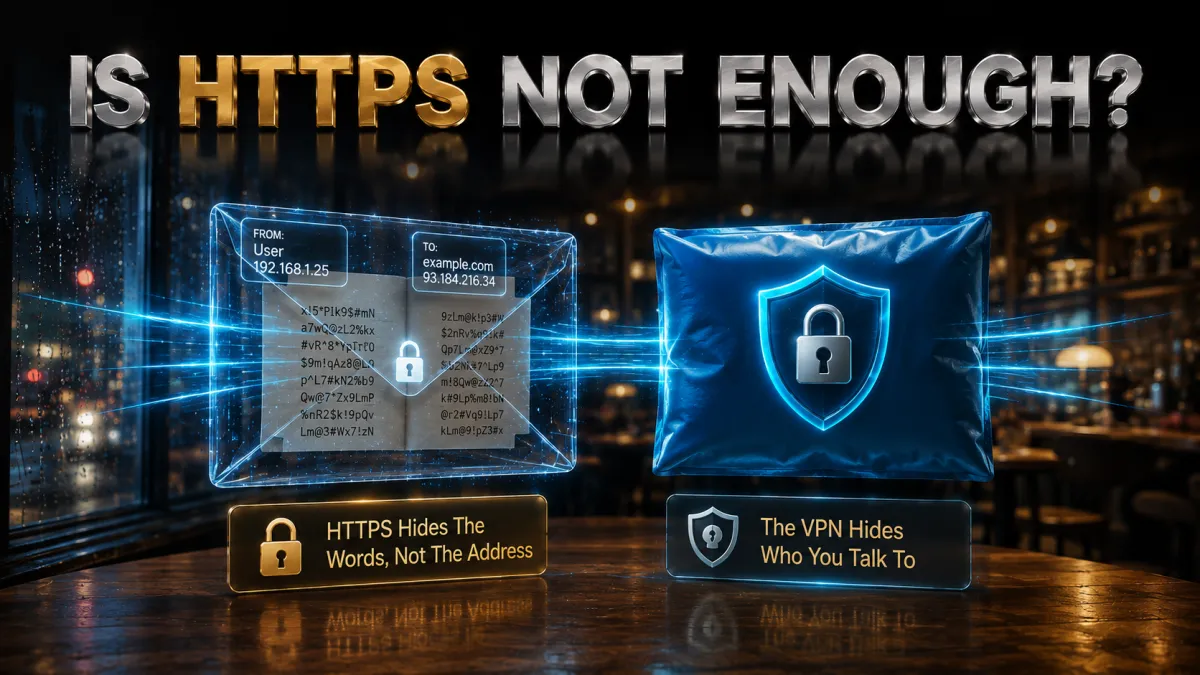
The padlock in your browser is real protection, and the argument that it makes VPNs unnecessary deserves a straight response rather than dismissal.
- What HTTPS covers. It encrypts the content between your browser and each specific site, so a snooper cannot read your password inside the connection to your bank. This is genuine, and it is why the modern web is not a disaster.
- What it leaves open. The network still sees every domain you visit, apps make background connections you never review, misconfigured redirects and old-fashioned HTTP still exist, and none of it stops an evil twin from steering you to a convincing lookalike whose padlock is technically valid.
- The layers do different jobs. HTTPS protects the content of individual connections; a VPN hides the pattern of everything, covers every app at once, defeats network-level steering, and removes trust in the venue’s equipment entirely. Wearing both is not redundancy; it is coverage.
- The honest conclusion. On your home network, HTTPS alone is a reasonable posture. On networks run by strangers and shared with strangers, the VPN closes the half of the risk that HTTPS was never designed to touch.
The VPN features that matter on public networks
For this use case specifically, these are the features that decide real-world safety, and they drive the rankings below.
- Auto-connect on untrusted networks. The single most important feature, because protection that depends on remembering is protection that fails at the airport gate. The app should engage itself the moment an unknown network joins.
- A kill switch that actually holds. Tested once, trusted after: flip it on, kill the connection, confirm traffic stops. All five picks pass; not all VPNs on the market do.
- Audited no-logs policy. The VPN sees what the cafe cannot, so its no-records claim should be independently verified. The top picks all carry real audits.
- Malicious-site blocking. Open networks and phishing links travel together. Domain-level blocking, like Threat Protection or CleanWeb, quietly removes a whole class of trouble.
- Fast modern protocols. WireGuard-based options make the encryption overhead imperceptible, which matters because protection you can feel slowing you down is protection you will switch off.
DNS and IP leaks: the quiet failure mode

A VPN that leaks defeats itself silently, so two minutes of understanding and one minute of testing are worth having.
- What a leak is. A DNS leak sends your address lookups outside the tunnel, handing the network your browsing map despite the VPN. An IP leak exposes your real address to sites, often via WebRTC in browsers. Both happen quietly, with everything appearing to work.
- Why quality varies. Proper leak protection means the VPN forces all lookups through its own resolvers and plugs platform-specific holes. The five picks ship this by default; free and careless services are where leaks live.
- Test once per device. Connect the VPN, visit a reputable leak-test page, and confirm the shown IP and DNS servers belong to the VPN, not your ISP. Sixty seconds, then move on with your life.
- IPv6 deserves a glance. Some networks hand out IPv6 addresses that sneak around older tunnel configurations. The picks here either tunnel or safely disable IPv6; if a leak test ever shows an IPv6 address that is not the VPN’s, toggle the provider’s IPv6 protection setting.
What a VPN does not fix
Honesty about limits is what separates security advice from security marketing, so here is the other half of the picture.
- Phishing that you click. A convincing fake login page reached from an email link works over any connection. Domain blocking helps with known offenders; your habit of typing addresses and using bookmarks does the rest.
- Malware already on the device. A VPN encrypts traffic; it does not clean an infected laptop. Keep systems updated and run reputable protection; the tunnel is not an antivirus.
- Weak and reused passwords. Credentials stolen in some site’s breach get replayed against your other accounts over perfectly encrypted connections. A password manager and two-factor authentication close that door; no VPN can.
- Shoulder surfers and stolen devices. The person behind you reading your screen and the phone left on the table are physics, not networking. Screen awareness, device locks, and short auto-lock timers are the tools there.
How to choose for how you actually connect
All five picks secure a public network properly; the right one depends on your connecting life.
- Daily public-network user? NordVPN’s auto-connect, kill switch, Threat Protection, and audit record make it the complete daily-carry.
- Want set-and-forget simplicity? ExpressVPN’s apps require the least thought of the five, with automatic obfuscation for networks that fight VPNs.
- Family devices on a budget? Surfshark covers unlimited devices with CleanWeb at the lowest price here.
- First VPN ever? CyberGhost’s one-button design plus a 45-day refund is the gentlest risk-free start.
- Speed-sensitive with many gadgets? IPVanish pairs brisk throughput with unlimited connections at a fair price.
The 5 best VPNs for public Wi-Fi in 2026

Ranked for open-network reality: auto-connect and kill-switch reliability first, then threat blocking, privacy evidence, and value. A public-Wi-Fi VPN earns its keep in the moments you are not thinking about it.
1. NordVPN – Best overall public Wi-Fi protection
NordVPN is the complete public-network package. Auto-connect engages the tunnel the moment your device joins unfamiliar Wi-Fi, the kill switch holds firmly when flaky hotspots drop, and Threat Protection blocks the malicious and phishing domains that circulate wherever crowds connect. Together those three features cover the exact failure modes open networks create.
Underneath sits a no-logs policy verified by multiple independent audits from a Panama base, and NordLynx keeps speeds high enough that the protection is imperceptible. Day to day, you join the cafe network, the app connects itself, and everything simply works, which is the entire assignment.
✔ Pros
- Auto-connect engages on any untrusted network
- Kill switch holds through hotspot drops
- Threat Protection blocks malicious domains
- Multiple independent no-logs audits
- Fast enough to forget it is on
✘ Cons
- Best price requires a longer plan
- Full feature set takes a minute to learn
| Auto-connect | Yes, per network type |
| Kill switch | All platforms |
| Threat blocking | Threat Protection |
| Audited no-logs | Yes, multiple audits |
| Devices | 10 |
| Money-back | 30 days |
2. ExpressVPN – Most effortless protection
ExpressVPN is the pick for people who want exactly one button between them and safety. Its apps are the clearest of the five, its Network Lock kill switch is dependable, auto-connect covers untrusted networks, and its connections show a stubborn stability on marginal hotel and airport Wi-Fi that this use case rewards daily. When a venue network interferes with VPNs, its obfuscation adapts automatically.
RAM-only servers that wipe on every reboot, an audited no-logs policy, and a British Virgin Islands base make the privacy architecture the strongest here. The costs are familiar: the highest price of the five and an eight-device cap, fair prices for the smoothest experience.
✔ Pros
- Simplest apps of the five
- Outstanding stability on poor hotspots
- RAM-only servers, audited, BVI base
- Automatic obfuscation when networks interfere
- Dependable Network Lock kill switch
✘ Cons
- Most expensive of the five
- 8-device cap
| Auto-connect | Yes |
| Kill switch | Network Lock, all platforms |
| Threat blocking | Threat Manager |
| Audited no-logs | Yes, audited |
| Devices | 8 |
| Money-back | 30 days |
3. Surfshark – Best value for every device you own
Surfshark delivers the public-Wi-Fi essentials, auto-connect on untrusted networks, a working kill switch, CleanWeb blocking of malicious domains and trackers, and an audited no-logs policy, at the lowest long-term price of the five with unlimited simultaneous devices. A whole household’s phones, laptops, and tablets ride one cheap plan, which matters because the unprotected spare device is the one that gets burned.
Honest placement: connection stability on rough hotspots is a half-step behind the top two, and its Netherlands base sits inside the EU. For the price of a coffee a month covering everything you own, those are easy trades.
✔ Pros
- Lowest long-term price of the five
- Unlimited simultaneous devices
- CleanWeb blocks malicious domains and ads
- Audited no-logs policy
- Camouflage Mode for interfering networks
✘ Cons
- Stability a half-step behind the top two
- Netherlands base, inside the EU
| Auto-connect | Yes |
| Kill switch | All platforms |
| Threat blocking | CleanWeb |
| Audited no-logs | Yes, audited |
| Devices | Unlimited |
| Money-back | 30 days |
4. CyberGhost – Easiest first VPN
CyberGhost is the recommendation for someone installing their very first VPN: one big connect button, a Smart Rules feature that automates Wi-Fi protection with plain-language options, and an enormous server network for a fast connection anywhere. The audited no-logs policy and regular transparency reports cover the fundamentals from Romania.
Its 45-day money-back guarantee is the longest of the five, six weeks to confirm it behaves on the networks you actually frequent. The honest limits: lighter stealth options than the leaders if a venue network actively fights VPNs, and stability that is good rather than exceptional. For everyday cafe and hotel protection, it is friendly and entirely capable.
✔ Pros
- Simplest interface for beginners
- Smart Rules automate Wi-Fi protection
- 45-day refund, longest here
- Audited no-logs with transparency reports
- Huge server network
✘ Cons
- Lightest stealth of the five
- Stability merely good on rough networks
| Auto-connect | Smart Rules |
| Kill switch | All platforms |
| Threat blocking | Built-in blocker |
| Audited no-logs | Yes, audited |
| Devices | 7 |
| Money-back | 45 days |
5. IPVanish – Fast protection for many devices
IPVanish closes the list with brisk sustained speeds, unlimited simultaneous connections, auto-connect for unknown Wi-Fi, and a working kill switch, all at a fair price. On congested venue networks, its throughput keeps video calls and downloads pleasant, and covering a bag of gadgets takes no arithmetic.
Fifth place reflects the trust ledger rather than performance: a US base and a lighter public audit history than the four above, plus the lightest threat-blocking of the group. The tunnel encrypts your cafe sessions regardless; the picks above simply document their privacy more thoroughly.
✔ Pros
- Consistently fast on busy networks
- Unlimited simultaneous devices
- Auto-connect for unknown Wi-Fi
- Fair pricing
- Simple apps everywhere
✘ Cons
- US base, lighter audit history
- Lightest threat blocking of the five
| Auto-connect | Yes |
| Kill switch | Desktop and mobile |
| Threat blocking | Basic |
| Audited no-logs | Policy in place, lighter audit history |
| Devices | Unlimited |
| Money-back | 30 days |
| Feature | NordVPN | ExpressVPN | Surfshark | CyberGhost | IPVanish |
|---|---|---|---|---|---|
| Auto-connect | Per network type | Yes | Yes | Smart Rules | Yes |
| Kill switch | All platforms | All platforms | All platforms | All platforms | Fewer options |
| Threat blocking | Threat Protection | Threat Manager | CleanWeb | Built in | Basic |
| Audited no-logs | Multiple audits | Audited | Audited | Audited | Lighter history |
| Devices | 10 | 8 | Unlimited | 7 | Unlimited |
| Money-back | 30 days | 30 days | 30 days | 45 days | 30 days |
Setting up auto-connect: the once-and-done configuration
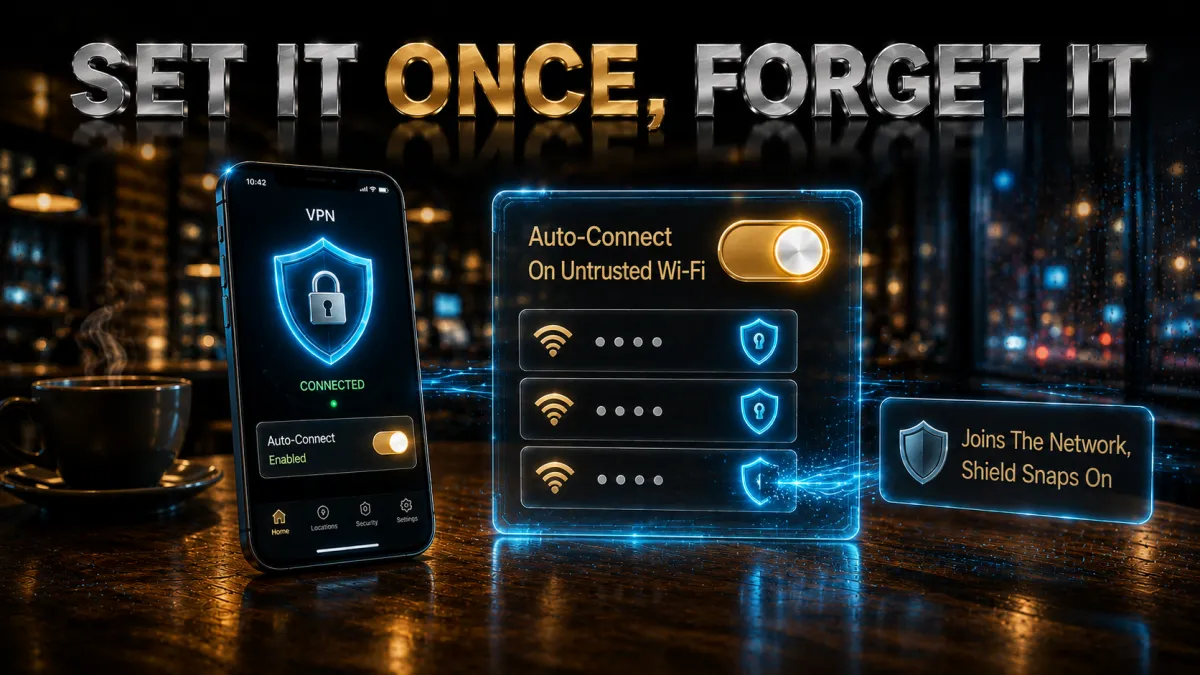
This is the setup that turns a VPN from a tool you use into protection you have. Ten minutes across your devices, once.
- Install from official sources on every device. Provider website or official app store, phone first, then laptop and tablet. Sign in everywhere while you are on a trusted connection.
- Enable the kill switch on each device. It ships off by default in most apps. Settings, kill switch, on. This one toggle is the difference between a dropped hotspot being nothing and being a leak.
- Turn on auto-connect for untrusted or unknown networks. NordVPN lets you set behaviour per network type; CyberGhost’s Smart Rules ask once per new network; the others offer a simple unsecured-Wi-Fi trigger. The goal: joining any strange network raises the tunnel without your involvement.
- Mark your home and office networks as trusted. This stops the VPN from engaging where you do not need it, which keeps the automation frictionless and means you never develop the habit of switching it off.
- Turn on threat blocking. Threat Protection, Threat Manager, CleanWeb, or the equivalent: one switch that quietly filters known malicious domains on every network from now on.
- Test the whole chain once. Join a public network, watch the app connect itself, run a quick leak test, and try the kill switch by toggling Wi-Fi mid-connection. Confirmed once, trusted forever.
Captive portals: the login-page dance, solved

The one genuinely awkward interaction between VPNs and public Wi-Fi is the venue login page, and it is easy once you know the order of operations.
- Why the conflict happens. Hotels, airports, and cafes intercept your first connection to show a terms page, but a VPN that engages instantly encrypts past the interception, so the portal never loads and nothing works. Neither side is broken; they are simply racing.
- The right order. Join the network, let the portal page appear in your browser, complete the accept-terms step, and then connect the VPN. Everything after the portal rides inside the tunnel.
- If the portal never appears. Pause the VPN briefly, open a browser to any plain website to trigger the redirect, finish the portal, reconnect the VPN. Some apps also include a pause-for-portal option that does exactly this dance for you.
- Treat the portal itself with mild suspicion. A portal asking only for an email or room number is normal; one demanding card details or passwords for accounts is not. Nothing you type on a portal page is protected by the VPN you have not connected yet, so keep it minimal.
Protecting every device you carry

The device you forget is the one that gets caught, so coverage thinking beats app-by-app thinking.
- Phones do the most public connecting. They join more strange networks than everything else combined, and they carry email, banking, and 2FA. Phone first, auto-connect on, battery optimiser told to leave the VPN alone.
- Laptops carry the valuable sessions. Work logins, saved passwords, client files: the desktop app takes three minutes and mirrors the phone setup. Prefer the full app over a browser extension, which covers only that browser’s traffic.
- Tablets and secondary devices count. The old iPad that only does hotel Netflix still autofills your accounts. Unlimited-device plans from Surfshark or IPVanish make covering the drawer of devices a non-decision.
- Gadgets that cannot run VPN apps. E-readers and travel consoles can ride a phone’s protected hotspot: your phone connects to the venue Wi-Fi with its VPN up, then shares that connection onward. For long stays, a travel router running the VPN covers everything at once.
Common public Wi-Fi mistakes, with and without a VPN
Most public-network trouble is one of these six, and each takes one sentence to avoid.
- Joining lookalike networks without checking. Ask staff for the exact network name rather than picking the strongest similar-sounding signal. The VPN protects your traffic either way, but not joining the fake at all is cleaner still.
- Leaving auto-join enabled for open networks. Phones happily rejoin any network whose name they remember, including fakes broadcasting common names. Disable auto-join for open networks in your Wi-Fi settings and let the VPN’s auto-connect handle the protection when you do join deliberately.
- Switching the VPN off to fix a slow connection. Venue bandwidth is the usual culprit, not the tunnel. Try a nearer server first; unprotected-but-slow is the worst of both worlds.
- Doing the captive portal dance wrong. Portal first, VPN second. Fighting the order produces mysterious cannot-connect frustration and tempts people into disabling protection entirely.
- Trusting the padlock as full cover. HTTPS protects site content, not your visited-domains trail, background app traffic, or network-level steering. The layers stack; neither replaces the other.
- Typing sensitive logins on portal pages. The portal loads before your VPN connects. Room number, fine; passwords and card numbers, never.
Free VPNs on public Wi-Fi: the honest verdict
A free VPN on a public network is a privacy tool that inverts itself, and the mechanics are worth spelling out.
- You swap a nosy cafe for a nosy company. The point of the tunnel is removing the untrusted middleman, and free services historically fund themselves by logging and monetising the traffic you route through them. That is the middleman, back, with a business model.
- The safety features are the first cost cut. Kill switches, leak protection, maintained apps: exactly the components public networks demand, exactly where free tiers economise. A tunnel that leaks on a hostile network is theatre.
- Caps collapse under real use. Free-tier data limits vanish after one video call, leaving you choosing between no protection and no internet, which is how people end up unprotected at the airport.
- The honest free route. Every pick above refunds within 30 to 45 days. Premium protection through your travel season at zero net cost, decided at the end, beats a permanently free app in every dimension that matters.
Related reading:
Frequently Asked Questions
Is public Wi-Fi actually dangerous in 2026?
Less than the scare stories, more than zero. HTTPS has closed the worst old attacks, but evil twin hotspots, metadata snooping, portal tricks, and malicious links remain real on networks anyone can join or fake. A VPN with auto-connect reduces the whole category to background noise for the cost of one setup session.
Which VPN is best for public Wi-Fi?
NordVPN: auto-connect that engages on untrusted networks, a kill switch that holds through hotspot drops, Threat Protection against malicious domains, and multiply audited no-logs privacy. ExpressVPN is the most effortless alternative and Surfshark the best value for covering unlimited devices.
Does a VPN protect me on hotel and airport Wi-Fi?
Yes, comprehensively at the network layer: encryption defeats snooping and evil twins, tunnelled DNS defeats redirect tricks, and the kill switch covers drops. What remains yours to manage is the device itself, phishing you click, and passwords you reuse, which no VPN touches.
If websites use HTTPS, why do I still need a VPN?
HTTPS encrypts content within each site connection; the network still sees every domain you visit, background app traffic, and can steer you toward lookalike pages. A VPN hides the whole pattern, covers every app, and removes trust in the venue’s equipment. The two layers protect different things and stack cleanly.
What is an evil twin hotspot?
A fake network broadcasting a plausible name, “Airport_Free_WiFi”, “Hotel_Guest”, that devices join automatically because the signal is strong. The operator then sits between victims and the internet. With a VPN, your traffic is encrypted before it reaches their equipment, which turns the attack into a waste of their afternoon.
What does a kill switch do and do I need it?
It blocks all traffic the instant the VPN tunnel drops, so a flaky hotspot never silently spills your connections onto the open network. On public Wi-Fi it is essential rather than optional, and it usually ships disabled. Turn it on during setup and test it once by toggling Wi-Fi mid-connection.
Why will the hotel Wi-Fi login page not load with my VPN on?
Captive portals need to intercept your first connection, and an already-connected VPN encrypts past the interception. Join the network, complete the portal page in your browser first, then connect the VPN. If the portal never appears, pause the VPN, load any plain website to trigger it, finish, and reconnect.
Should I set my VPN to connect automatically?
Yes, it is the single highest-value setting. Auto-connect on untrusted or unknown networks means protection engages at the moment of joining, before any app syncs, without depending on memory. Mark home and office as trusted so the automation stays frictionless everywhere else.
Does a VPN drain my battery or slow down public Wi-Fi?
Modern WireGuard-based protocols cost a modest slice of battery and single-digit percentages of speed, both imperceptible in normal use. Public networks are usually slow because they are congested, not because of the tunnel; switching to a nearer VPN server helps more than switching the VPN off.
Can the coffee shop see what I am browsing if I use a VPN?
No. The network sees encrypted traffic to one server and nothing else: no domains, no apps, no timing patterns worth having. That applies to honest venue operators and to anyone hostile on the same network alike, which is precisely the point.
Is mobile data safer than public Wi-Fi?
Generally yes: cellular connections are encrypted and not joinable by the stranger at the next table, which makes data the sensible fallback for sensitive tasks without a VPN. With a VPN connected, good public Wi-Fi becomes comparable, and you can choose on speed and data budget rather than fear.
Is a free VPN good enough for occasional public Wi-Fi use?
No, and public networks are the worst place to compromise: free services commonly log the traffic you are trying to protect, cut the kill switch and leak protection that open networks demand, and cap data below real use. Use a reputable provider’s 30 to 45 day refund window instead.
The Bottom Line
Public Wi-Fi is not a horror show, and it is not harmless: it is infrastructure run by strangers, shared with strangers, and occasionally faked by strangers. A good VPN resolves that whole trust problem at one stroke, encrypting everything before the network touches it, hiding your patterns, defeating redirects, and holding firm through drops, provided you spend the one setup session that makes it automatic. Auto-connect on, kill switch on, threat blocking on, portals handled in the right order, and the airport lounge becomes just another place you work.
The five picks, one line each:
- NordVPN is the best overall: self-engaging protection, a kill switch that holds, Threat Protection, and multiply audited privacy.
- ExpressVPN is the most effortless, one-button safety with the stubbornest connections on bad hotspots.
- Surfshark is the value pick, covering unlimited devices with CleanWeb at the lowest price.
- CyberGhost is the friendliest first VPN, with Smart Rules automation and a 45-day trial window.
- IPVanish is the speed workhorse for many devices on everyday networks.
Whichever you choose, test it during the refund window on the networks you actually use, keep mobile data as the fallback for anything that feels off, and remember the other half of safety lives outside the tunnel: updated devices, unique passwords, and a healthy suspicion of links. Do the setup once, and public Wi-Fi anxiety quietly retires from your life.
Jyoti VPN Expert leads VPN testing at VPN Expert Guide, covering streaming and regional access, speed and latency testing, and leak checks on Windows, Android and router-level setups. Our guides are built from vendor documentation, provider terms and our own connection testing on a residential line in India, and we publish those measurements in full so readers can check them. Every guide is reviewed before publication and dated so you can see how current it is.
Meet our testing team →Last updated: September 2, 2026