
Best VPN for Torrenting Safely in 2026: Stay Private, Avoid DMCA Notices
Every peer in a torrent swarm can see your IP address. Copyright enforcement companies join those swarms specifically to collect IPs and send notices to your ISP. A VPN with the right features makes you invisible to both. Here is what actually works.
How torrenting exposes your real IP address

Most people who torrent without a VPN have no idea how visible they are. The BitTorrent protocol works by connecting you to a group of other users called a swarm. Every device in that swarm shares pieces of the file simultaneously, uploading to and downloading from each other. That is what makes torrenting fast. It is also what makes it completely transparent.
Every peer in a swarm can see the IP addresses of every other peer. This is not a bug or a security flaw. It is how the protocol works by design. And copyright enforcement companies have known this for years.
- How monitoring works. Copyright holders hire specialist enforcement firms to join torrent swarms using the same client software as everyone else. These firms participate as regular peers, downloading pieces of the file while simultaneously logging the IP addresses of every other peer in the swarm. They do not need access to your ISP, your router, or any special authority. They just join the swarm and take notes.
- How fast it happens. An independent test joining a public torrent swarm for a Creative Commons documentary found the IP logged by three separate monitoring services within 40 minutes. For high-profile content from major studios, the monitoring is more aggressive and the detection faster. There is no grace period.
- Bait torrents. Enforcement firms also seed fake bait torrents: files designed to look like popular content but which do not actually contain it. Anyone who downloads one gets their IP flagged immediately. These are scattered across public tracker sites and are indistinguishable from legitimate torrents in most cases.
- What happens after your IP is logged. The enforcement firm identifies which ISP owns your IP address and sends a DMCA notice (in the US) or equivalent copyright notice (in the EU, UK, Australia). Your ISP is legally required to forward this notice to you. It typically threatens legal action and may result in your ISP flagging your account for repeat infringement.
- AI-enhanced deep packet inspection. ISPs in the US, UK, and parts of the EU now use AI-enhanced DPI systems that identify BitTorrent traffic even when the torrent client’s protocol encryption is active. The old privacy toggle in your torrent client fools essentially nobody in 2026. Your ISP knows you are torrenting. A VPN encrypts the entire connection at a level that DPI cannot read, because the ISP sees only encrypted VPN traffic rather than identifiable torrent packets.
What a torrenting VPN actually needs to have

Not every VPN is suitable for torrenting. Some do not allow P2P traffic at all on their servers. Others allow it but lack the specific features that keep you safe. Here is what matters and why each feature is essential rather than optional.
- Verified no-logs policy, independently audited. This is the most important feature. A VPN that logs your connection timestamps, IP addresses, or session data can be subpoenaed. An audited no-logs policy from an independent security firm is the only assurance that those records do not exist. Provider claims without audits are insufficient for serious privacy purposes.
- Kill switch. If the VPN connection drops mid-download, your torrent client continues transferring and your real IP instantly becomes visible to the entire swarm. A kill switch cuts all internet traffic the moment the VPN tunnel drops, before a single packet leaves through your real IP.
- Dedicated P2P servers. Some VPN providers route all traffic through the same servers regardless of use case. Dedicated P2P servers are optimised for torrent traffic: higher bandwidth allowances, faster routing, and in some cases SOCKS5 proxy support that adds an additional identification layer.
- DNS leak protection. If DNS queries leave the VPN tunnel and go to your ISP’s DNS servers, they reveal your torrenting activity to your ISP even when your IP is hidden. Proper DNS leak protection routes all DNS traffic through the encrypted tunnel.
- Fast download speeds. WireGuard-based protocols (NordLynx, Surfshark WireGuard) retain the highest percentage of your base connection speed. For large files that take hours to download, the protocol choice has a meaningful impact on how long you wait.
- Jurisdiction outside 14 Eyes. VPNs headquartered within the 14 Eyes intelligence-sharing alliance can be compelled to cooperate with government data requests. A provider based in Panama (NordVPN) or the British Virgin Islands (ExpressVPN) operates under privacy laws more resistant to such cooperation.
- Port forwarding (for advanced users). Port forwarding allows incoming peer connections to reach your torrent client directly, which significantly improves download speeds and is effectively required to maintain good seeding ratios on private trackers. Not all VPNs offer this feature.
5 best VPNs for torrenting in 2026

The three picks below were evaluated specifically on their torrenting credentials: no-logs audit status, kill switch reliability, P2P server availability, download speed impact, and jurisdiction.
1. NordVPN – Best overall for safe torrenting
NordVPN earns the top spot for torrenting through a combination of factors that no other provider in this price range simultaneously delivers. The no-logs policy has been independently audited multiple times by PricewaterhouseCoopers and Deloitte, two of the most credible auditing firms in the world. Panama jurisdiction means no mandatory data retention laws and no obligation to comply with 14 Eyes information requests. The practical result: there is nothing to hand over even if a subpoena arrives, and the legal framework makes compelling compliance significantly harder than it would be for a US or UK-based provider.
On the performance side, NordLynx retains the highest percentage of base download speed of any VPN protocol, which matters enormously when you are downloading files that are 10, 20, or 50 gigabytes. Dedicated P2P servers are clearly labelled in the app and optimised specifically for torrent traffic. The kill switch has been independently tested and works reliably. Threat Protection blocks known malicious tracker sites and malware hosted on torrent pages without requiring a full VPN connection to be active.
✔ Pros
- No-logs policy audited by PwC and Deloitte, the most credible independent verification available
- Panama jurisdiction outside 14 Eyes, no mandatory data retention
- NordLynx delivers maximum download speeds with minimal overhead
- Dedicated P2P servers optimised specifically for torrent traffic
- Threat Protection blocks malicious tracker sites and malware
- 10 simultaneous connections covers all your devices
✘ Cons
- Port forwarding not available on standard plans
- Monthly plan significantly more expensive than long-term pricing
| Jurisdiction | Panama (outside 14 Eyes) |
| No-logs audit | PwC + Deloitte, multiple audits |
| P2P servers | Dedicated, clearly labelled in app |
| Price from | ~$3/mo (long-term plan) |
| Simultaneous devices | 10 |
| Money-back guarantee | 30 days |
2. ExpressVPN – Fastest downloads, RAM-only infrastructure
ExpressVPN’s most significant privacy feature for torrenting is one that goes beyond a logged policy: RAM-only servers. TrustedServer technology means every server runs exclusively in RAM rather than on hard drives. When a server reboots, everything on it is wiped completely. There are no session logs to recover, no connection records to image from a disk, no residual data for forensic analysis. Even if a government agency physically seized an ExpressVPN server, they would find nothing on it. This is the strongest possible technical implementation of a no-logs claim, and it matters for torrenting specifically because it eliminates the possibility of data existing without the provider’s knowledge.
The Lightway protocol consistently ranks among the top download speeds in independent VPN testing. P2P traffic is allowed across the entire server network and speed is maintained well through large downloads. The trade-off is cost and the absence of port forwarding, which matters for users on private trackers.
✔ Pros
- RAM-only servers: no data physically exists after a reboot, strongest possible no-logs implementation
- Lightway protocol delivers top-tier download speeds for large files
- British Virgin Islands jurisdiction, outside 14 Eyes
- P2P allowed across the full server network, no dedicated server required
- Independently audited no-logs policy
✘ Cons
- No port forwarding support
- Most expensive of the three picks on long-term plans
- Only 8 simultaneous connections
| Jurisdiction | British Virgin Islands (outside 14 Eyes) |
| No-logs audit | Independently audited, RAM-only servers |
| P2P servers | Allowed on all servers |
| Price from | ~$5/mo (long-term plan) |
| Simultaneous devices | 8 |
| Money-back guarantee | 30 days |
3. Surfshark – Best value, unlimited devices
Surfshark’s case for this list is built on one of the most straightforward value propositions in the VPN market: unlimited simultaneous device connections at the lowest long-term price of the three picks, with a solid no-logs policy (independently audited by Cure53) and a reliable kill switch. P2P traffic is allowed on all servers, and WireGuard keeps download speeds competitive for large file transfers. For a household where multiple people torrent on different devices simultaneously, Surfshark covers all of them under one subscription without any per-device restrictions.
The honest limitation: Surfshark does not offer port forwarding, which matters for private tracker users. The Netherlands jurisdiction, while a reasonable privacy environment, is within the EU and therefore subject to more potential data cooperation pressure than Panama or the British Virgin Islands. That said, the audited no-logs policy means there is nothing useful to share regardless of jurisdiction.
✔ Pros
- Unlimited simultaneous device connections, one subscription covers an entire household
- Lowest long-term price of the three picks
- No-logs policy independently audited by Cure53
- P2P allowed on all servers, no need to find specific P2P nodes
- WireGuard delivers solid speeds for large file downloads
- CleanWeb blocks malicious tracker sites and ads on torrent pages
✘ Cons
- No port forwarding support
- Netherlands jurisdiction is within the EU
- Speeds on distant servers can drop more than NordVPN under heavy load
| Jurisdiction | Netherlands (EU) |
| No-logs audit | Cure53 independent audit |
| P2P servers | Allowed on all servers |
| Price from | ~$2.50/mo (long-term plan) |
| Simultaneous devices | Unlimited |
| Money-back guarantee | 30 days |
4. CyberGhost, easiest for beginners
CyberGhost makes safe torrenting close to foolproof for newcomers. Its apps flag which servers are optimized for P2P, so you connect to a location that actually allows torrent traffic instead of guessing and getting throttled or blocked. Combined with a kill switch that halts all traffic the instant the tunnel drops, that keeps your real IP off the swarm even if the connection stutters mid-download.
The privacy footing is well suited to the task. It runs WireGuard for fast transfers, enforces DNS-leak protection, and is based in Romania, a jurisdiction with no mandatory data-retention law, behind a strict independently audited no-logs policy. Optional NoSpy servers add extra separation for the especially cautious.
The 45-day money-back guarantee, the longest here, lets you confirm your download speeds and leak protection hold up across real torrenting sessions before you pay. For anyone who wants P2P protection without configuring anything, it is the most approachable pick of the five.
✔ Pros
- Romania-based, no data-retention law
- Dedicated torrenting servers
- Verified kill switch
- Longest 45-day money-back window
- Beginner-friendly apps
✘ Cons
- Slower than the top picks under load
- No port forwarding
| No-logs | Independently audited |
| Jurisdiction | Romania |
| Torrenting servers | Dedicated |
| Kill switch | Yes |
| Simultaneous devices | 7 |
| Money-back guarantee | 45 days |
5. IPVanish, best for many devices
IPVanish is a favorite among heavy torrenters for a practical reason: it owns its entire server network, which means fast, consistent P2P throughput and no third-party middleman handling your traffic. It also supports a SOCKS5 proxy that plugs directly into most torrent clients for people who want to shave overhead, and unlimited simultaneous connections cover every machine in the house.
The apps include a kill switch and split tunneling, and WireGuard keeps transfers quick. For users who care more about raw download performance and controlling their own client setup than about bundled extras, IPVanish is a strong, no-nonsense tool.
The caveat matters more here than for most tasks: IPVanish is US-based inside the Five and Nine Eyes alliances, and privacy is the whole point of torrenting safely, so the cautious may prefer an offshore provider. It offsets this with an independently audited no-logs policy verified in practice and a 30-day money-back guarantee, but weigh the jurisdiction against your own threat model.
✔ Pros
- Owns its network for fast downloads
- Unlimited simultaneous devices
- P2P allowed on all servers
- Reliable kill switch
- Strong long-term value
✘ Cons
- US-based, inside the 5 Eyes alliance
- Past logging controversy years ago
| No-logs | Claimed, US-based |
| Jurisdiction | United States |
| Torrenting servers | All servers |
| Kill switch | Yes |
| Simultaneous devices | Unlimited |
| Money-back guarantee | 30 days |
| Feature | NordVPN | ExpressVPN | Surfshark | CyberGhost | IPVanish |
|---|---|---|---|---|---|
| No-logs audit | PwC + Deloitte | Yes + RAM-only | Cure53 | Cure53-style | US-based |
| Jurisdiction | Panama | British Virgin Islands | Netherlands (EU) | Romania | United States |
| Kill switch | Yes | Yes | Yes | Yes | Yes |
| P2P servers | Dedicated P2P | All servers | All servers | Dedicated P2P | All servers |
| Port forwarding | Limited | No | No | No | No |
| Download speed | Excellent | Excellent | Very good | Good | Excellent |
| Simultaneous devices | 10 | 8 | Unlimited | 7 | Unlimited |
| Price from | ~$3/mo | ~$5/mo | ~$2.50/mo | ~$2.50/mo | ~$3.50/mo |
How to torrent safely with a VPN: the exact configuration
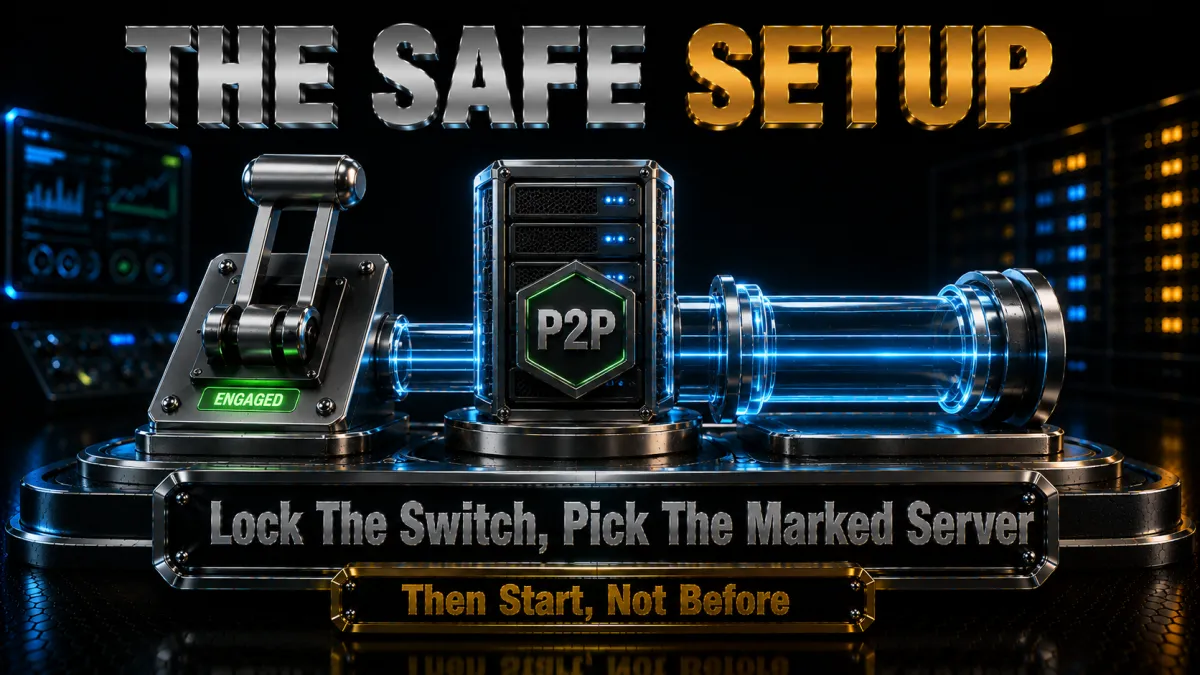
Installing a VPN and pressing connect is not enough. Getting the configuration right is what separates genuine protection from false security. These steps apply regardless of which of the three picks you use.
- Enable the kill switch before your first download. Find the kill switch setting in your VPN app and turn it on permanently. On NordVPN it is under Settings, then Connection. On ExpressVPN it is called Network Lock and found in preferences. On Surfshark it is under Settings, then Connectivity. Once enabled, do not disable it for torrenting sessions.
- Connect to a dedicated P2P server if available. On NordVPN, filter servers by P2P in the server list. On ExpressVPN and Surfshark, any server allows P2P traffic, so connect to the geographically nearest server for the best download speeds.
- Run a DNS leak test before starting your torrent client. Visit a DNS leak test site while connected to the VPN. Confirm that the DNS servers showing are the VPN’s servers, not your ISP’s. If your ISP’s servers appear, enable custom DNS in the VPN settings and reconnect before proceeding.
- Enable IP binding in your torrent client. In qBittorrent, go to Tools, Options, Advanced, and set the Network Interface to your VPN adapter. This forces the torrent client to only send traffic through the VPN connection. If the VPN drops and the kill switch somehow does not activate in time, the client cannot route through your real IP because it is bound to the VPN interface specifically.
- Disable DHT and PEX if you use private trackers. Distributed Hash Table and Peer Exchange can leak information about your torrenting activity beyond the tracker itself. Private trackers typically require these disabled anyway, but turning them off adds a layer of privacy for public tracker use as well.
- Start your torrent client only after the VPN is fully connected. Opening the client before the VPN connects can result in initial handshakes going through your real IP before the tunnel is established. Connect the VPN, confirm it shows connected, then open your torrent client.
How DMCA notices work and what actually happens if you receive one
DMCA notices sound alarming but understanding the actual process removes a significant amount of the fear around them. Here is what actually happens from the moment your IP is logged to the realistic worst-case outcome.
- How your IP gets logged. Copyright enforcement firms join torrent swarms as regular peers, collecting IP addresses of every other peer. They also operate bait torrents that trigger an IP log the moment you connect to download them. The process is fully automated and runs continuously across the most-monitored trackers.
- The notice to your ISP. The enforcement firm identifies which ISP owns your IP address and sends a formal copyright infringement notice. In the US, your ISP is legally required to forward this to you. The notice identifies the copyrighted work, the time of alleged infringement, and requests that you stop.
- What ISPs actually do. Most ISPs maintain repeat infringer policies. A first notice typically results in a warning email. Repeated notices on the same account can result in speed throttling, suspension, or in rare cases termination. Very few ISPs proactively terminate accounts on a first notice from an automated enforcement system.
- Civil lawsuits. In the US, statutory damages for copyright infringement start at $750 per work infringed. Actual lawsuits against individual downloaders do happen but are relatively uncommon for casual downloading. Mass lawsuits against groups of swarm participants have occurred periodically.
- What a VPN does to this chain. A VPN with a verified no-logs policy breaks the chain at the most critical link. The enforcement firm sees only the VPN server’s IP in the swarm. The DMCA notice goes to the VPN provider. The provider has no records connecting that IP to your account. The chain stops there and no notice ever reaches you or your ISP.
Why no-logs audits matter more than privacy promises

Every VPN provider claims to have a no-logs policy. The claim costs nothing to make and cannot be verified by the user directly. Independent audits are what separate meaningful protection from marketing language.
- What an audit actually tests. An independent security firm inspects the server infrastructure, configuration files, logging systems, and internal processes. They verify that the no-logs policy is actually implemented in the technical architecture, not just written in a terms of service document. A provider can claim no-logs in their marketing while still logging IP addresses and timestamps at the server level. An audit finds this.
- NordVPN’s audit history. Multiple audits by PricewaterhouseCoopers and Deloitte, two of the largest professional services firms in the world. Having multiple audits over time demonstrates consistent compliance rather than a one-time clean result.
- ExpressVPN’s RAM-only implementation. The TrustedServer architecture means logs cannot physically persist after a server reboot. This is a stronger assurance than an audit alone because it addresses the risk of logs existing without the provider’s knowledge, such as during a server compromise.
- What happens when VPNs are subpoenaed. Several VPN providers have received court orders requesting user data and produced nothing meaningful because the data did not exist. A provider with a genuine no-logs policy under a non-14 Eyes jurisdiction can comply with a legal order and produce nothing because there is nothing to produce.
Why free VPNs are genuinely dangerous for torrenting

Using a free VPN for torrenting is worse than using no VPN at all in several important respects. The specific risks are worth understanding.
- Many free VPNs log user activity and sell it. Free VPN providers need a revenue model. Logging and selling user activity data is a documented business model among several large free VPN operations. Using a free VPN for torrenting can create a commercially available record of your downloading activity that is more accessible than ISP data because it is not subject to the same legal protections.
- No meaningful kill switch. Free VPN apps routinely lack proper kill switches or implement them unreliably. A free VPN that reconnects after a drop without cutting traffic in between exposes your real IP to the entire swarm during that reconnection window. Even a 30-second IP exposure is sufficient to generate a DMCA notice.
- P2P is blocked on many free tiers. A significant number of VPN providers explicitly prohibit P2P traffic on free server tiers, either by blocking the relevant ports or detecting and throttling BitTorrent traffic specifically.
- Data caps make serious torrenting impossible. Free tiers cap data at between 500MB and 10GB per month. A single Linux ISO is several gigabytes. Hitting the cap mid-download drops the VPN connection, exposes your real IP, and stops the download simultaneously.
- Shared IPs already flagged by enforcement firms. Free VPN IP ranges are well-documented. Copyright enforcement firms maintain lists of known VPN IP ranges and some systems send notices regardless when they detect a known VPN IP, because the VPN IP itself indicates an attempt to hide activity.
Related reading:
Frequently Asked Questions
Is torrenting legal?
Torrenting as a technology is completely legal. BitTorrent is a file-sharing protocol used to distribute Linux operating systems, open-source software, Creative Commons content, academic datasets, and public domain material. What determines legality is the content being shared, not the protocol. Downloading or sharing copyrighted material without permission is illegal in most countries. Using a VPN for legal torrenting is also legal in the vast majority of jurisdictions.
Which VPN is best for torrenting safely in 2026?
NordVPN is the best overall pick. Its no-logs policy has been audited by PricewaterhouseCoopers and Deloitte, it is headquartered in Panama outside the 14 Eyes alliance, NordLynx delivers the fastest download speeds, and dedicated P2P servers are available across the network. ExpressVPN is the strongest pick for RAM-only infrastructure that cannot retain any data. Surfshark is the best value with unlimited simultaneous device connections.
Do I really need a kill switch for torrenting?
Yes, and it is non-negotiable. If your VPN drops mid-download, your torrent client continues transferring through your real IP, which immediately becomes visible to every peer in the swarm including copyright monitoring firms. A kill switch cuts all internet traffic the moment the VPN tunnel drops, preventing any IP exposure. Every serious torrenting setup requires a working kill switch enabled at all times.
What is port forwarding and do I need it for torrenting?
Port forwarding allows peers to initiate incoming connections to your torrent client, which significantly improves download speeds and is effectively required to maintain good seeding ratios on private trackers. If you only use public trackers, port forwarding is helpful but not essential. If you use private trackers like PassThePopcorn or RED, port forwarding is close to mandatory for maintaining your ratio.
How does a VPN prevent DMCA notices?
DMCA notices are sent to the owner of the IP address logged in the torrent swarm. With a VPN active, the IP logged is the VPN server’s IP, not yours. The notice goes to the VPN provider. A provider with an audited no-logs policy has no records connecting that server IP to your account, and the notice chain ends there without ever reaching your ISP or your address.
What happens if a VPN provider is subpoenaed?
If the VPN has a genuine no-logs policy, a subpoena produces nothing useful. The provider can comply with the legal order and hand over records that show no connection between the IP address in question and any user account, because those records do not exist. Several VPN providers have been subpoenaed and produced nothing meaningful as a result. This is the practical value of an audited no-logs policy.
Should I use a free VPN for torrenting?
No. Free VPNs for torrenting carry risks that often exceed the risk of torrenting without any VPN. Many log and sell user data, creating a commercial record of your activity. Kill switches are unreliable or absent. P2P traffic is frequently blocked. Data caps cut out mid-download. The 30-day money-back guarantees from paid providers offer a genuinely risk-free way to test proper protection without committing permanently.
What is the 14 Eyes alliance and why does jurisdiction matter for torrenting?
The 14 Eyes is an intelligence-sharing agreement between Australia, Canada, New Zealand, the United Kingdom, the United States, and nine European countries. VPN providers based in these countries can be compelled to cooperate with government data requests. Providers based in Panama (NordVPN) or the British Virgin Islands (ExpressVPN) operate under legal frameworks more resistant to such cooperation, making compulsion significantly harder even if a request is made.
Does using a VPN slow down torrent download speeds?
A well-configured VPN using a WireGuard-based protocol on a nearby server typically reduces download speeds by 5-15 percent compared to a direct connection. This is negligible for most users. Older protocols like OpenVPN can reduce speeds by 30-50 percent, which is significant for large files. NordVPN’s NordLynx and ExpressVPN’s Lightway consistently retain the highest percentage of base connection speeds.
What is a bait torrent and how do I avoid it?
Bait torrents are fake files seeded by copyright enforcement firms on public tracker sites. They appear to be legitimate content but are traps designed to log the IP addresses of anyone who downloads them. There is no reliable way to identify a bait torrent before downloading it. This is precisely why a VPN with a kill switch is the primary protection: even bait torrents only log the VPN server’s IP rather than your real address.
Can my ISP see that I am torrenting with a VPN?
Your ISP can see that you are connected to a VPN server and that encrypted traffic is flowing between you and that server. They cannot see what you are downloading or that BitTorrent protocol is involved. AI-enhanced deep packet inspection can identify unencrypted torrent traffic, but it cannot inspect the contents of an encrypted VPN tunnel. Your ISP knows you are using a VPN; they do not know what you are doing inside it.
Is torrenting safe in countries outside the US and EU?
Enforcement varies significantly by country. The US, UK, EU nations, and Australia have active copyright enforcement frameworks. Canada has a notice-and-notice system less aggressive than US DMCA enforcement. Some countries have minimal enforcement in practice. Regardless of country, a VPN with an audited no-logs policy is the most reliable protection because it removes your IP from the enforcement chain entirely.
The Bottom Line
Torrenting without protection in 2026 means your IP address is visible to every peer in every swarm you join, including the copyright monitoring firms operating inside those swarms continuously. AI-enhanced ISP deep packet inspection identifies your traffic even when your torrent client’s encryption is active. The exposure is real, fast, and fully automated.
The solution is a VPN with the right features: an independently audited no-logs policy from a provider outside 14 Eyes jurisdiction, a reliable kill switch that never lets your real IP reach the swarm, and fast enough download speeds to make large files practical.
- NordVPN is the best overall pick. PwC and Deloitte-audited no-logs policy, Panama jurisdiction, NordLynx for maximum download speeds, and dedicated P2P servers. The strongest combination of verified privacy and performance.
- ExpressVPN is the strongest pick for maximum assurance. RAM-only servers mean no data can physically persist after a reboot. British Virgin Islands jurisdiction. The most technically robust privacy implementation of the three.
- Surfshark is the best value pick. Unlimited devices at the lowest price with an audited no-logs policy and a solid kill switch. The practical choice for households where multiple people torrent simultaneously.
- CyberGhost is the friendliest privacy-first entry point, Romania-based with dedicated torrenting servers and the longest 45-day money-back window.
- IPVanish is fast on its own network with unlimited devices, but it is US-based inside the 5 Eyes alliance, so weigh that against the privacy-first picks.
The kill switch is not optional here. It is the difference between a VPN that protects you and one that merely appears to. A correct torrenting setup with a functioning kill switch, a verified no-logs provider, and a DNS leak-clean connection is genuinely protective. A VPN that ticks two of those three is not. Check all three before your first real download session. The 30-day refund window on all three picks is long enough to verify the setup properly before committing.
Ketan VPN Expert covers privacy and security at VPN Expert Guide: VPN protocols, encryption, leak protection and VPN legality. Our privacy guides are checked against ipleak.net and dnsleaktest.com results, and we publish the date of every check so you can see how current it is.
Meet our testing team →Last updated: September 2, 2026