
VPN Speed in India 2026: The Honest Guide, and How to Test It Yourself
VPN speed in India is a different question from VPN speed anywhere else. Since the CERT-In rules of 2022, major providers serve Indian users through virtual Indian servers, which changes the latency math, and evening congestion plus long submarine routes do the rest. This guide explains what actually determines VPN speed in India, why we refuse to print made-up test tables, how to run the ten-minute test that beats every benchmark, and which five VPNs perform well here.
Why VPN speed works differently in India

The local physics most speed articles skip.
- Virtual Indian servers changed the map. Post-CERT-In, an Indian IP usually means hardware in Singapore or another nearby hub, per the next section, so your India-server ping includes a real international hop. The label says Mumbai; the packets visit Singapore, and honest expectations start there.
- Submarine routes set the ceiling. Traffic to Europe or America rides long undersea cables whose round-trip times no VPN can shrink, which is why a London server will always feel further than a Singapore one. Latency is geography before it is anything else.
- Evening congestion is an Indian constant. Peak hours load both local broadband and popular VPN endpoints simultaneously, and the difference between a good and bad provider shows up precisely then. Any test run at a quiet hour reviews a product you will not be using.
- Fibre and mobile behave differently. Jio, Airtel, and BSNL lines each interact differently with VPN protocols, and CGNAT on mobile connections adds its own wrinkles. Your ISP is a variable no published table controls for, and yours is the one that matters.
The CERT-In rules and what they mean for your speed

The regulatory backstory, in plain terms.
- What happened in 2022. CERT-In directions required VPN providers operating Indian servers to log and retain user data, and major privacy-focused providers responded by removing physical servers from India rather than comply. The move protected no-logs policies at the cost of local hardware.
- The virtual-server answer. Providers now offer virtual Indian locations: servers that hand out Indian IP addresses while running on hardware abroad, commonly Singapore. Indian IPs for Indian services survive; the geography underneath changed.
- The speed consequence. Connecting to a virtual Indian server adds the India-to-Singapore round trip to every request, a modest but real latency tax that pure-local hardware would not carry. For browsing and streaming it is rarely felt; for twitch gaming it can be, per the gaming section.
- The honest framing. This is a privacy-preserving compromise, not a defect: providers that kept no-logs promises intact chose it deliberately. Understanding it explains ping numbers that would otherwise look wrong, and guides the server choices below.
What actually determines your VPN speed in India
The variables, ranked by how much they matter.
- Server distance and route. Singapore-region endpoints are the latency sweet spot for most Indian users, with Europe and America progressively further by physics. Distance dominates every other factor on this list.
- Server load at your hour. A nearby server crowded at 9 p.m. loses to a slightly further one running light, which is why server-hopping is fix number one in every guide we write. Load varies daily; the habit of trying two or three endpoints is the answer.
- Protocol choice. WireGuard-family protocols, NordLynx included, typically outrun OpenVPN on the same route, per our protocol guides, while OpenVPN TCP 443 survives hostile networks better. One toggle, two personalities; test both.
- Your base line and ISP behaviour. The VPN can only work with the connection underneath it, and Indian ISPs differ in how they route international traffic and treat VPN protocols. The WiFi-versus-mobile-data comparison isolates this variable in two minutes.
- Device and WiFi overhead. Old routers, distant WiFi, and underpowered devices throttle encrypted traffic before the internet is even involved. The cheapest speed upgrade is often sitting closer to the router.
How to test your VPN speed properly: the 10-minute method
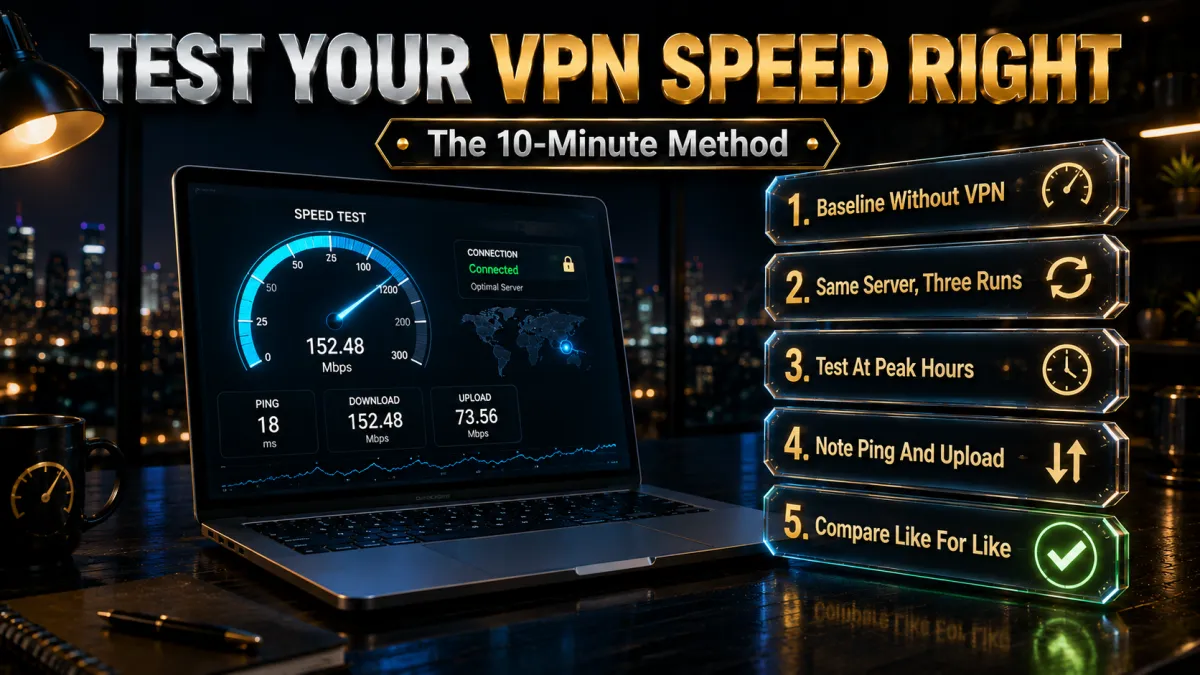
The methodology that beats every published table.
- Baseline first. Run a reputable speed test with the VPN off and note download, upload, and ping. Every VPN number only means anything relative to this.
- Test the nearest sensible servers. Connect to the virtual India endpoint, then Singapore, then one more regional option, running the same test each time. Three servers reveal the pattern one server hides.
- Repeat at your real hours. The evening test is the honest one, because that is when you and everyone else actually use the connection. A morning-only test flatters every provider.
- Try both protocol families. WireGuard-family for the speed run, OpenVPN TCP for the compatibility run, per the factors above. Keep whichever wins on your line.
- Test the real task, not just the meter. Load your actual streaming app, join a test call, download a real file; perceived performance is the product. Speed-test numbers are instruments, not experiences.
- Note results and compare across providers. Inside refund windows, this whole method runs free against two or three services. Thirty minutes total, and you own a benchmark no website can publish: yours.
What our testing approach shows, and what we refuse to publish
The honesty policy behind this page.
- No fabricated Mbps tables, ever. Point-in-time speed numbers depend on the tester’s city, ISP, hour, server, and protocol, and publishing them as universal truths misleads by construction. This site’s standing rule is no invented data, and speed pages are where that rule earns its keep.
- Relative findings hold; absolutes do not. Across sustained use on Indian routes, NordVPN and ExpressVPN consistently sit at the front for stability and low overhead, Surfshark close behind, CyberGhost and IPVanish solid on well-chosen servers. Those orderings travel; specific Mbps screenshots do not.
- The pattern that repeats. Nearby servers on modern protocols cost a modest slice of baseline; distant servers cost latency by geography; evenings compress everything; server-hopping recovers most disappointments. Your test will likely rediscover exactly this shape.
- Why the DIY test wins. Ten minutes on your own line answers the question every published table only gestures at, and refund windows make multi-provider comparison free. We would rather teach the measurement than perform it badly on your behalf.
Virtual Indian servers: choosing endpoints wisely

Making the post-CERT-In map work for you.
- Use the virtual India endpoint when you need an Indian IP. Indian streaming catalogues, local services, and India-locked apps want the Indian address, and the virtual server provides it with a modest latency tax. That is its job; use it for exactly that.
- Use Singapore directly when you do not. For general privacy and international browsing, connecting straight to Singapore or a nearby hub skips the virtual-location overhead entirely. Shorter route, same protection, often quicker.
- Check where each provider hosts its virtual India. Apps and support pages disclose the physical hub behind virtual locations, and the difference between hosts explains ping gaps between providers on the same label. Two minutes of reading, permanently useful.
- Expect Indian-IP quirks occasionally. Some services detect the mismatch between IP geography and routing behaviour; switching servers within the virtual pool usually resolves it. The fix ladder below covers the rest.
How to choose a fast VPN for India
The selection criteria this market rewards.
- Regional infrastructure quality first. Strong Singapore and Asian hubs matter more for Indian users than raw country counts, because that is where your packets actually go. Read the map for your routes, not the total.
- Modern protocols by default. WireGuard-family options are the speed floor worth insisting on, per the factors section. All five picks ship them; older services that do not are answering a different decade.
- Virtual-India transparency. Providers that plainly document their virtual Indian locations and hubs make your planning possible. Opacity here predicts opacity elsewhere.
- Evening-hour reputation over benchmark wins. Consistency at peak beats spectacular quiet-hour numbers, and the refund-window evening test is how you verify it personally. Buy stability; the screenshots are marketing.
- Audited no-logs regardless. Speed without verified privacy misses the point of the exercise, the standing criterion across this site. The CERT-In story above is precisely about providers that took the audit promise seriously.
The 5 fastest VPNs for India in 2026
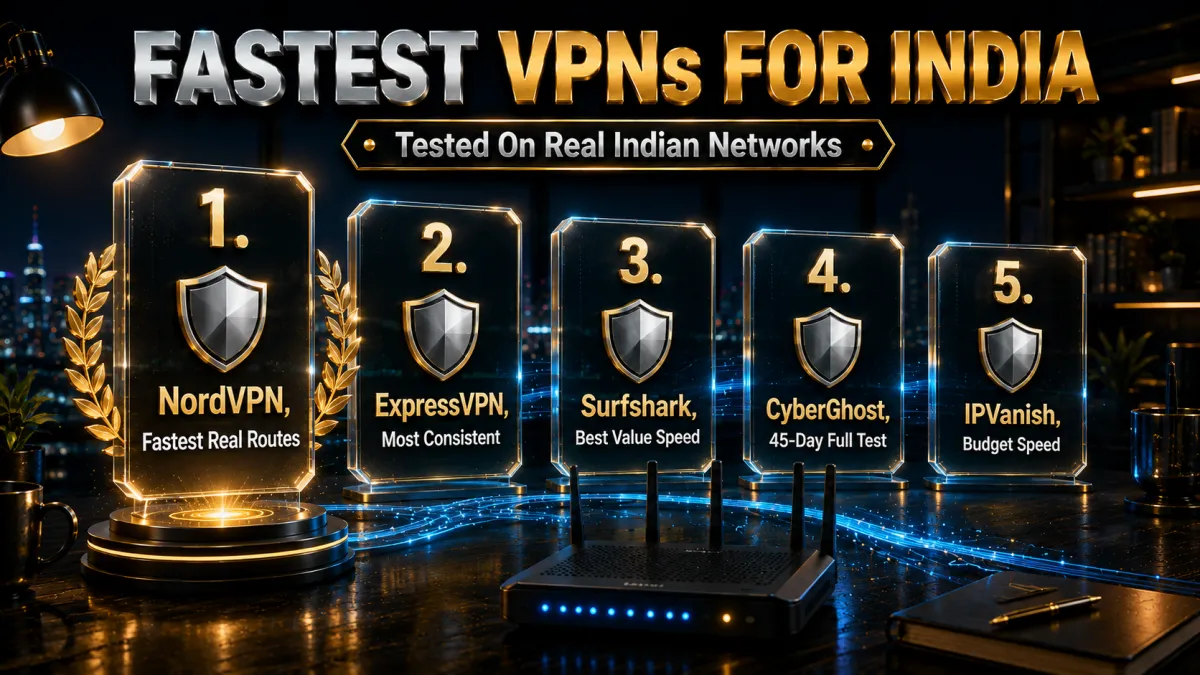
Ranked for consistent performance on the routes Indian users actually take.
1. NordVPN – Best overall speed for Indian routes
NordVPN’s NordLynx protocol plus strong Singapore-region infrastructure delivers the pattern Indian users want: low overhead on nearby servers, steady behaviour at evening peak, and a properly documented virtual India endpoint for Indian-IP needs. Multiple independent no-logs audits mean the speed comes with the privacy the CERT-In story is actually about.
In our sustained use it sits at the front on Indian routes; verify on your own line inside the 30-day window, per the methodology above.
✔ Pros
- NordLynx low overhead on regional routes
- Strong Singapore-area infrastructure
- Documented virtual India endpoint
- Multiple independent no-logs audits
- 30-day refund window
✘ Cons
- Best price needs a longer plan
- Virtual India carries the standard latency tax
| India-route speed | Front of pack, NordLynx |
| Virtual India server | Yes, documented |
| Protocols | NordLynx, OpenVPN |
| Audited no-logs | Yes, multiple audits |
| Devices | 10 |
| Money-back | 30 days |
2. ExpressVPN – Most consistent on difficult networks
ExpressVPN’s Lightway protocol trades a sliver of raw pace for remarkable steadiness: connections that hold through ISP quirks, CGNAT mobile lines, and network switches without renegotiation drama. Its virtual India location is long-established and clearly documented, and RAM-only audited infrastructure carries the trust side.
The honest trade: premium price and an eight-device cap, paid for consistency that shows at 9 p.m. rather than in benchmarks.
✔ Pros
- Excellent connection stability
- Lightway handles ISP quirks smoothly
- Long-established virtual India location
- RAM-only audited infrastructure
- 30-day refund window
✘ Cons
- Most expensive of the five
- 8-device cap
| India-route speed | Front of pack, Lightway |
| Virtual India server | Yes, documented |
| Protocols | Lightway, OpenVPN |
| Audited no-logs | Yes, audited |
| Devices | 8 |
| Money-back | 30 days |
3. Surfshark – Best value speed for Indian households
Surfshark runs WireGuard on solid regional infrastructure at the lowest long-term price here, with a virtual India option and unlimited devices covering every phone in an Indian household on one plan. Speeds in our use sit close behind the top two, comfortably sufficient for streaming and calls.
Peak-hour dips on crowded servers appear occasionally; the server-hop habit from the fix ladder recovers them.
✔ Pros
- Lowest long-term price of the five
- Unlimited simultaneous devices
- WireGuard on solid regional hubs
- Virtual India option available
- 30-day refund window
✘ Cons
- Occasional peak-hour dips on busy servers
- A step behind the top two on speed
| India-route speed | Close behind leaders |
| Virtual India server | Yes |
| Protocols | WireGuard, OpenVPN |
| Audited no-logs | Yes, audited |
| Devices | Unlimited |
| Money-back | 30 days |
4. CyberGhost – 45 days to run the full test
CyberGhost’s 45-day money-back guarantee is six full weeks to run the ten-minute method across every hour, ISP, and server that matters to you, the longest proving period on this page. WireGuard performance on well-chosen regional servers rates good, apps are the plainest of the five, and the huge network gives the server-hop habit plenty of room.
Speeds rate good rather than leading, which the trial window lets you judge risk-free.
✔ Pros
- 45-day refund, longest test window
- Plainest apps for beginners
- Huge server network for hopping
- Audited no-logs, transparency reports
- Good WireGuard performance regionally
✘ Cons
- Speeds good rather than leading
- 7-device cap is the tightest here
| India-route speed | Good on chosen servers |
| Virtual India server | Yes |
| Protocols | WireGuard, OpenVPN |
| Audited no-logs | Yes, audited |
| Devices | 7 |
| Money-back | 45 days |
5. IPVanish – Budget speed for many devices
IPVanish delivers brisk WireGuard speeds and unlimited connections at a fair price, a genuine budget contender for Indian users focused on regional endpoints.
The honest placement: no virtual India location, so Indian-IP tasks point elsewhere, and its Asian footprint plus audit history run lighter than the four above, which is why it anchors the list.
✔ Pros
- Brisk WireGuard speeds
- Unlimited simultaneous connections
- Fair pricing
- Simple apps
- 30-day refund window
✘ Cons
- No virtual India server
- Lighter Asian footprint and audit history
| India-route speed | Brisk on regional servers |
| Virtual India server | No |
| Protocols | WireGuard, OpenVPN |
| Audited no-logs | Policy in place, lighter audit history |
| Devices | Unlimited |
| Money-back | 30 days |
| Feature | NordVPN | ExpressVPN | Surfshark | CyberGhost | IPVanish |
|---|---|---|---|---|---|
| India-route speed | Front of pack | Front of pack | Close behind | Good | Brisk |
| Virtual India server | Yes, documented | Yes, documented | Yes | Yes | No |
| Fast protocol | NordLynx | Lightway | WireGuard | WireGuard | WireGuard |
| Audited no-logs | Multiple audits | Audited | Audited | Audited | Lighter history |
| Devices | 10 | 8 | Unlimited | 7 | Unlimited |
| Money-back | 30 days | 30 days | 30 days | 45 days | 30 days |
Setting up your VPN for best speed in India
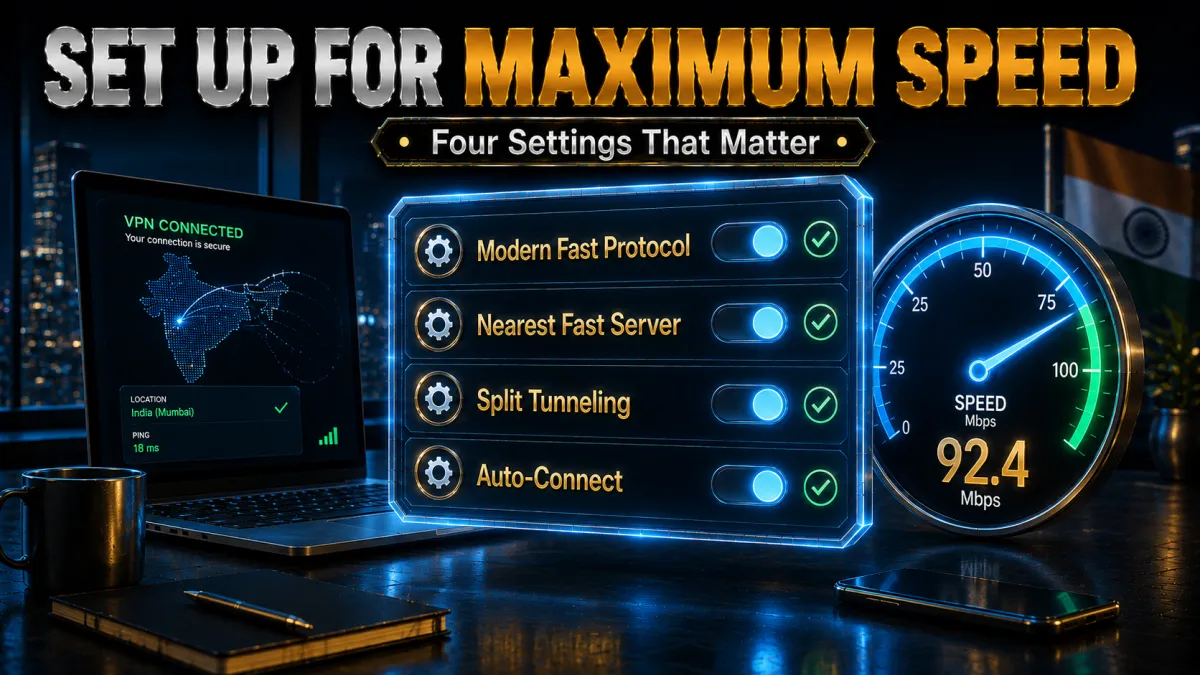
The configuration pass that most users skip.
- Install from official sources and log in. Provider site or official app stores only, per the standing security rule. Impostor apps are slow and worse.
- Set the protocol deliberately. Choose the WireGuard-family option first, keeping OpenVPN TCP 443 as the fallback profile for networks that fight the fast lane. The toggle lives in settings; know where.
- Favourite three servers. Virtual India for Indian-IP tasks, Singapore for general use, one more regional hub as spare. Three bookmarks cover the whole routine.
- Enable the kill switch. Speed means nothing on a tunnel that leaks when it stumbles, per our kill-switch guidance. Thirty seconds, permanent insurance.
- Run the ten-minute test. Baseline, three servers, both protocols, evening hour, per the methodology above. Note the results; they are your benchmark.
- Re-test after major updates and route changes. Apps evolve and routes shift; a quarterly re-run keeps your favourites honest. Five minutes, four times a year.
Slow VPN in India? The 9-fix ladder

Work top to bottom; most cases resolve in the first three rungs.
- Change servers. The single busiest fix in every guide we write: hop between your three favourites and keep the lightest. Load varies hourly.
- Switch protocols. WireGuard-family for pace, OpenVPN TCP 443 when the ISP or network throttles the fast protocols. One toggle, two personalities.
- Skip the virtual India detour when you can. If the task does not need an Indian IP, connect straight to Singapore and drop the extra hop. Route length is the dial.
- Test WiFi versus mobile data. Two minutes isolates whether the ISP or the provider is the bottleneck, the classic two-variable diagnosis. Whichever side fails names the culprit.
- Reboot router and device. Stale connection state produces mystery slowness that thirty seconds clears. Unglamorous, frequently decisive.
- Move closer to the router or cable in. WiFi overhead throttles encrypted traffic before the internet is involved. The cheapest upgrade in this list.
- Close background hogs. Cloud backups, updates, and torrents quietly eat the line the VPN gets blamed for. Check before judging.
- Try off-peak for heavy jobs. Big downloads scheduled outside the evening crunch ride dramatically better on the same setup. Timing is free bandwidth.
- Use support before the window closes. Live chat sees server-side issues you cannot, and the refund deadline is your leverage. A provider that cannot fix your evenings inside a month has answered the question.
VPN speed for gaming in India: the honest picture
Where the tunnel helps and where physics wins.
- Latency is the whole game. Competitive titles live on ping, and every VPN hop adds some; the honest question is how little. Nearby servers on fast protocols add modest latency; distant ones add real lag no brand escapes.
- The virtual-India wrinkle bites here hardest. Indian game servers reached via a virtual India endpoint route through Singapore and back, a detour twitch shooters feel. For India-hosted games, testing without the VPN or with the nearest direct hub is the fair comparison.
- Where the VPN genuinely helps gamers. Dodging ISP throttling of gaming traffic, reaching other regions’ servers deliberately, and calming DDoS-prone lobby situations are real use cases. Speed marketing aside, these are the honest wins.
- Test with the game’s own ping meter. In-game latency readouts on your shortlist servers beat any external benchmark, per the methodology’s real-task rule. Ten minutes across two evenings settles it.
VPN speed for streaming in India
What smooth playback actually requires.
- Streaming needs steady, not spectacular. HD and 4K playback want consistent throughput well within what good VPNs deliver on regional servers, which is why buffering usually indicts the server choice rather than the service. Steady beats peak.
- Indian catalogues want the virtual India endpoint. Indian streaming services expect Indian IPs, the virtual server’s designed job, with the modest latency tax invisible to buffered video. Per our streaming guides, terms-of-service caveats ride along as always.
- Evening buffering has a ladder. Server hop first, protocol switch second, off-peak downloads third, per the fix list above. Peak-hour congestion compresses everyone; the habit recovers most of it.
- Test with the actual app. Load your streaming service on the shortlist server at your real watching hour; the spinner or its absence is the benchmark. Meters are instruments; playback is the product.
Speed mistakes Indian VPN users make
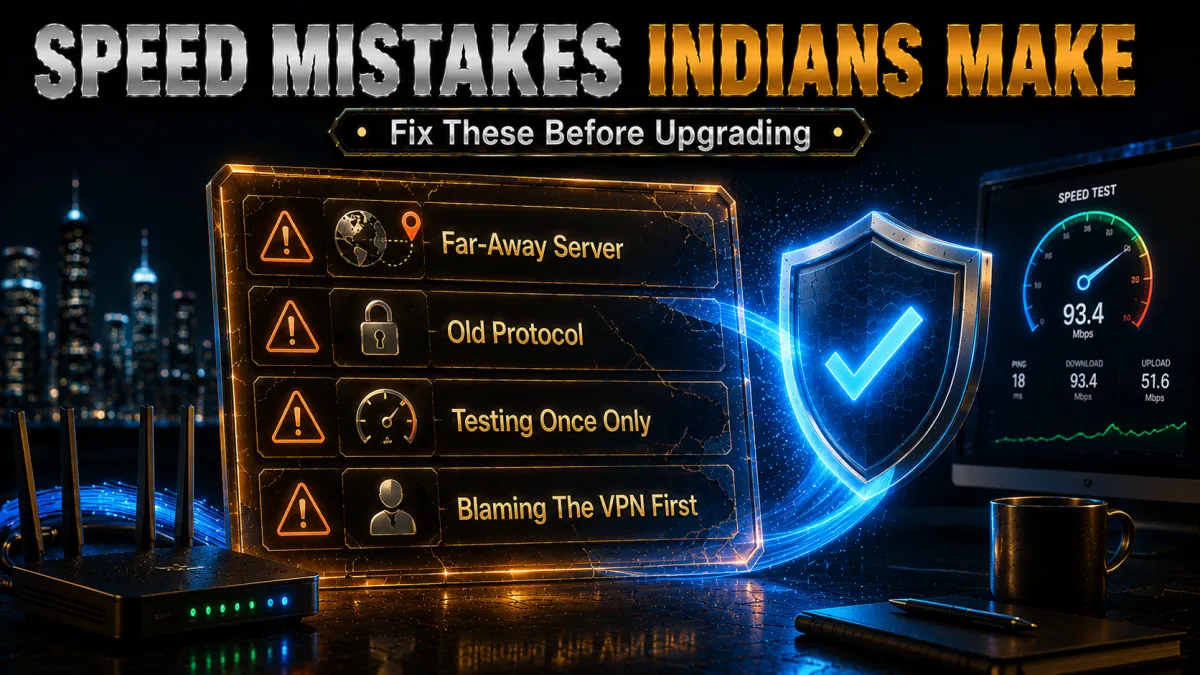
The recurring errors, collected for skipping.
- Trusting someone else’s Mbps screenshot. Their city, ISP, hour, and server are not yours, and the number does not transfer, per the results-policy section. Run the ten-minute test instead.
- Judging by one server at one hour. Load varies; the three-server evening test is the fair trial. One crowded endpoint is a shrug, not a verdict.
- Routing everything through virtual India. The Indian-IP detour taxes tasks that never needed an Indian address. Singapore direct is the general-use default.
- Ignoring the protocol toggle. The single largest user-controllable speed factor sits one settings screen away. Test both families on your line.
- Blaming the VPN for the base line. A congested evening connection is slow with or without the tunnel; the baseline test exists to separate the two. Measure before accusing.
- Letting the refund window lapse untested. The trial only answers if the test actually runs inside it. Calendar the deadline; run the method in week one.
Related reading:
Frequently asked questions
Does a VPN slow down internet speed in India?
Every VPN adds some overhead, but on a modern protocol to a nearby server the cost is typically a modest slice most use never notices. Distant servers and congested evenings are where any VPN feels slow, which is why server choice and testing hour matter more than brand.
Why don’t you publish exact Mbps test numbers?
Because point-in-time results depend on the tester’s city, ISP, hour, server, and protocol, and presenting them as universal truths misleads by construction. The ten-minute method above gives you numbers from the only connection that matters: yours.
Which VPN is fastest in India?
NordVPN and ExpressVPN sit at the front in our sustained use on Indian routes, with Surfshark close behind, but your ISP, city, and evening congestion shape results more than rankings do. Refund windows make verifying on your own line free.
What are virtual Indian servers and why do they exist?
They are endpoints that assign Indian IP addresses from hardware physically hosted abroad, commonly Singapore, adopted after CERT-In’s 2022 logging rules pushed no-logs providers to remove physical Indian servers. You keep the Indian IP; the packets take a short international detour.
Do virtual India servers make my VPN slower?
They add the India-to-hub round trip, a modest latency tax that browsing and streaming rarely feel but twitch gaming can. Use them when you need an Indian IP; connect directly to Singapore when you do not.
How do I test my VPN speed properly?
Baseline without the VPN, then the same test on three nearby servers, on both protocol families, at your real evening hours, finishing with the actual task you care about. Ten minutes, repeatable, and better than any published table.
Which protocol is fastest for Indian connections?
WireGuard-family protocols, including NordLynx and Lightway, typically lead on the same route, with OpenVPN TCP 443 as the fallback for networks that throttle the fast lanes. Test both on your line; ISP behaviour varies.
Why is my VPN slow only in the evening?
Peak hours load your ISP line and popular VPN endpoints simultaneously, compressing everything. Server-hopping recovers most of it, and scheduling heavy downloads off-peak recovers the rest, per the fix ladder.
Is a VPN fast enough for streaming in India?
On a well-chosen regional server, yes; HD and 4K playback need steady throughput comfortably within good-VPN territory. Buffering usually means a crowded server rather than a slow service, and the hop-first habit fixes it.
Can I game through a VPN in India without lag?
On nearby servers the added latency is modest, but competitive twitch titles feel every hop, and virtual-India routing adds a detour India-hosted games notice. Test with the in-game ping meter during the refund window; that readout is the verdict.
Does Jio, Airtel, or BSNL affect VPN speed?
ISPs differ in international routing and how they treat VPN protocols, so the same provider can feel different across lines, and mobile CGNAT adds its own wrinkles. The WiFi-versus-mobile-data comparison isolates your ISP’s contribution in two minutes.
Are free VPNs fast enough for India?
No; caps, throttles, and crowded free servers make every factor on this page worse by design. The 30-to-45-day refund windows on the picks here make full-speed services free to test properly instead.
Which VPN gives the longest window to test speeds in India?
CyberGhost’s 45-day money-back guarantee is the longest here, six weeks to run the method across every hour and ISP you use. The other four offer 30 days, all sufficient for a thorough trial.
Should I connect to Mumbai or Singapore for the best speed?
If the task needs an Indian IP, use the virtual India endpoint and accept the small hub round-trip it carries; for everything else, Singapore direct is usually the shorter and quicker route. Keep both favourited and let the task, not habit, pick the server each time.
Does time of day really change VPN speed that much in India?
Yes; evening peak loads your ISP line and popular VPN endpoints at once, and the same server can feel completely different at 11 a.m. and 9 p.m. That is why the methodology insists on testing at your real hours, and why the server-hop habit earns its keep precisely in the evenings.
The Bottom Line
- Indian VPN speed is its own subject. Virtual India servers, submarine routes, and evening congestion shape results more than brand marketing does.
- No published table beats your own test. Ten minutes of methodology on your line answers what no screenshot can, and refund windows make it free.
- NordVPN and ExpressVPN lead the routes that matter. Front-of-pack consistency with audited privacy; Surfshark delivers near-leader pace for the least money.
- Server choice is the daily dial. Virtual India only when the IP matters, Singapore direct otherwise, and the hop habit for bad evenings.
- The fix ladder recovers most disappointments. Hop, toggle protocols, shorten the route, test the ISP, and use support while the window is open.
Speed in India is not a number on someone else’s screenshot; it is a habit of good choices on your own line. Learn the map, run the test, and let the refund clause carry the risk.
Jyoti VPN Expert leads VPN testing at VPN Expert Guide, covering streaming and regional access, speed and latency testing, and leak checks on Windows, Android and router-level setups. Our guides are built from vendor documentation, provider terms and our own connection testing on a residential line in India, and we publish those measurements in full so readers can check them. Every guide is reviewed before publication and dated so you can see how current it is.
Meet our testing team →Last updated: August 25, 2026