
How to Use a VPN on Xbox in 2026: Best Picks, Tested and Ranked
Which VPNs genuinely work on Xbox, how to set one up through your router or a Windows PC bridge, and how it protects you from booting and DDoS. An honest, no-hype guide with zero fabricated benchmarks.
Why use a VPN on your Xbox
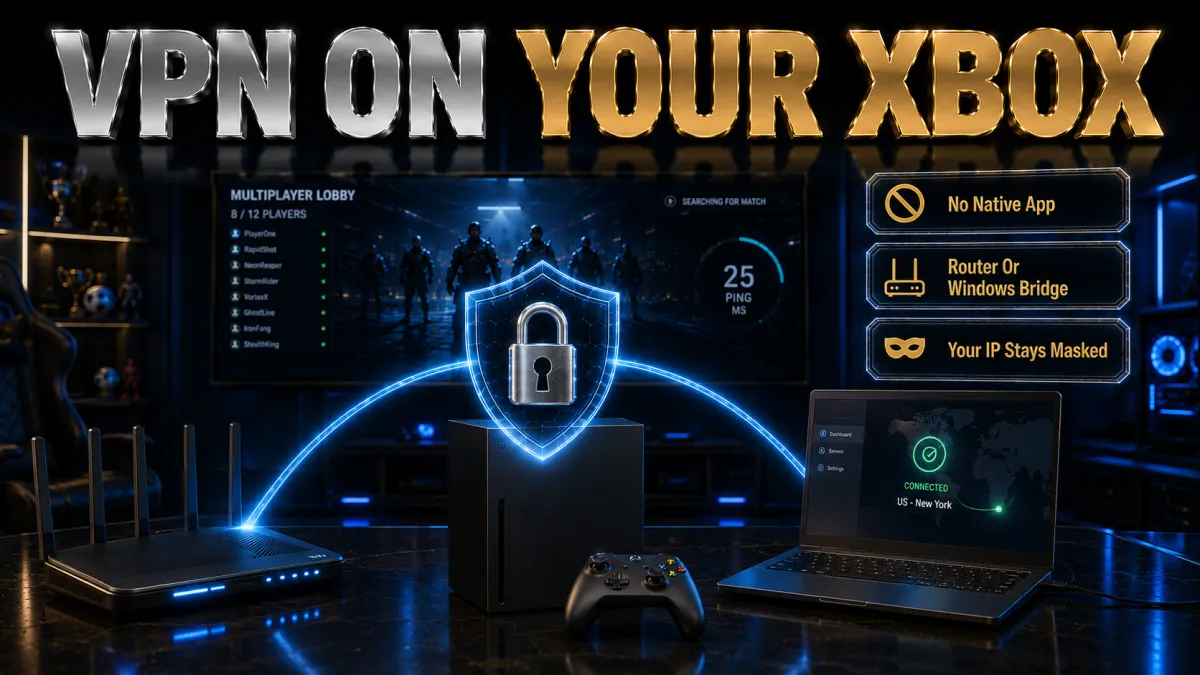
The Xbox has no VPN app of its own, so you add one through your network, and the payoff is a mix of protection and access. Before the rankings, here is what it actually does.
- Protection from booting and DDoS. Online lobbies can expose your IP on the peer-to-peer layer, and a determined rival can use it to flood your connection and drop you from a match at the worst moment. Routing the console through a VPN masks your real address behind the server, so attackers see the VPN rather than your home line, which is a genuine safeguard in competitive play.
- Smoother routing on a bad path. A VPN cannot lower ping for everyone, but when your normal route to the game server is congested or poorly peered, connecting through a nearby VPN server can take a cleaner path and steady your latency. The gain depends on your network, which is why a money-back window matters so you can test whether your specific line improves.
- Access geo-locked content responsibly. A VPN can place your console in another region, which some players use to reach apps or content available elsewhere. Do this within Xbox and Microsoft Store terms and regional rules, because store and account access is controlled by Microsoft, and misusing region settings can put your account or purchases at risk rather than help.
- Whole-home privacy and streaming. Because you set the VPN on your router, it protects the Xbox and every other device at once, encrypting your traffic against your ISP and helping the console’s streaming apps reach content. For a device that both games and streams, that combined coverage is a real everyday benefit.
How to get a VPN onto an Xbox

Since the Xbox cannot run a VPN app directly, you protect it through your network. There are three common methods, each with trade-offs worth knowing before you start.
- Install the VPN on your router. This is the cleanest and most permanent method: the VPN runs on a compatible router, and the Xbox simply uses the protected network like any other device. It also covers everything else at once, and once configured it needs no ongoing effort, which is why it is the setup most guides recommend for a console.
- Bridge through a Windows PC. Because Xbox and Windows share an ecosystem, sharing a VPN-protected connection from a Windows PC is a popular no-router option. You run the VPN on the PC, enable Internet Connection Sharing, and connect the Xbox to it over ethernet, which gives the console the protected connection while the PC is on.
- Share from a Mac or phone hotspot. You can also share a protected connection from a Mac over ethernet, or from a phone hotspot in a pinch while travelling. Speeds and data limits make the phone route the least suitable for serious gaming or 4K streaming, so treat it as a fallback rather than your main method.
- Check router compatibility first. If you go the router route, confirm your router supports a VPN client or can run firmware like DD-WRT, OpenWRT, or Asuswrt-Merlin, since an unsupported router is the most common reason a console VPN setup fails. Your provider lists supported models, so check before you buy anything.
How a VPN affects ping on Xbox
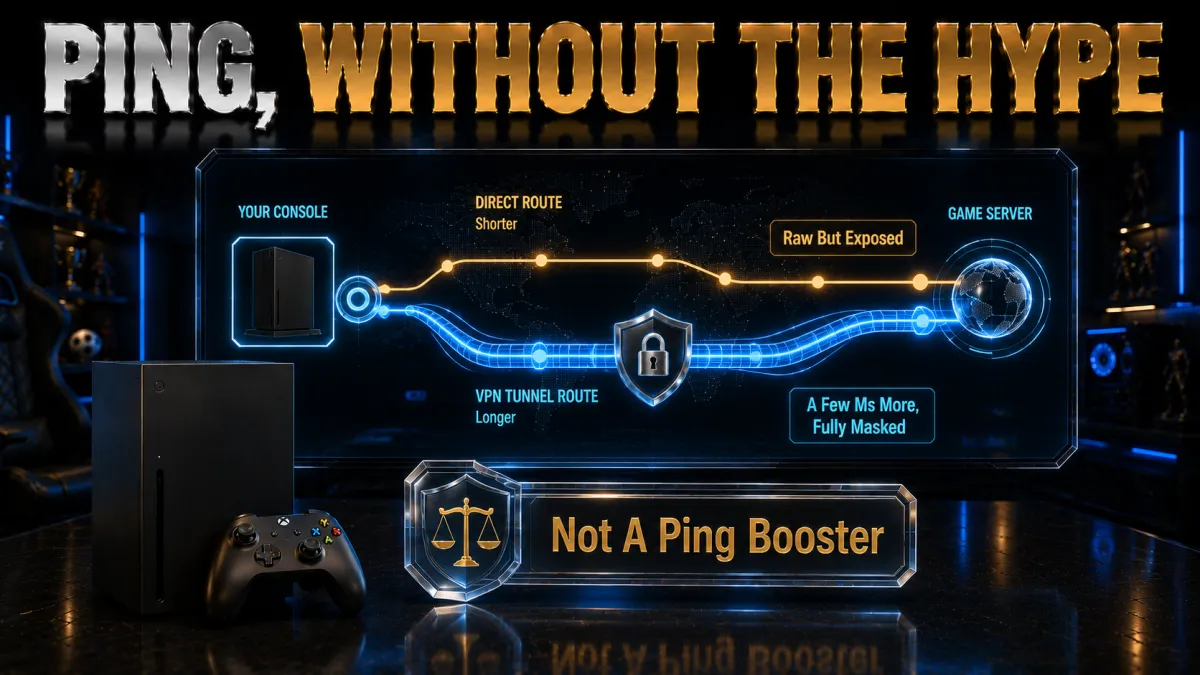
Ping is the number a competitive player feels most, and a VPN can help or hurt it depending on how you set it up. Here is the honest picture.
- Distance decides most of it. The closer the VPN server is to you and to the game server, the lower the latency you keep, so a nearby node almost always beats a distant one. Chasing a faraway country only adds lag unless you specifically need that region, which is the single most common way a VPN makes online play feel worse.
- Congestion is where a VPN helps. If your normal route is busy or badly peered, a clean VPN server can bypass that bottleneck and steady your ping, which is the specific case where a VPN genuinely lowers latency. Because it depends on your ISP and route, results vary, so the refund window is the only reliable way to know if it helps you.
- A modern protocol keeps overhead low. A WireGuard-based option adds far less delay than older protocols, so it is the right default on a router or bridge for gaming. If a connection feels heavy after adding the VPN, the protocol setting is the first thing to check, because a legacy protocol quietly costs you both ping and speed.
- A wired console is best. Connecting the Xbox to the router or PC with ethernet removes the wifi variability that causes a lot of lag, VPN or not. For steady online play, wiring the console in does more than almost any server change, so rule that out before you judge the VPN on ping.
DDoS protection and IP masking

For serious Xbox players the most concrete benefit is not speed but protection from targeted attacks that exploit your exposed IP address.
- Why your IP is a target. In peer-to-peer lobbies your real address can be visible to others, and a rival can use it to launch a denial-of-service flood that lags you out or drops you at a crucial moment. This is a real problem in competitive and ranked play, not a theoretical one, which is why masking your IP matters on a console.
- How a VPN blocks it. Routing the Xbox through a VPN replaces your home IP with the server’s address, so anyone in the lobby sees the VPN rather than you. An attacker can flood the VPN endpoint, which is built to absorb it, but they cannot reach your actual connection, keeping both your match and your home network stable.
- Keep the tunnel up. On a router setup the protection is continuous, but on a Windows bridge make sure the VPN stays connected on the PC, since a drop briefly exposes the console’s real IP. A kill switch on the source PC stops that fallback, which keeps the protection reliable during a session.
- It is protection, not immunity. A VPN removes IP-based attacks but does not excuse breaking Xbox’s rules or shield you from every problem. Treat it as one strong layer that closes a specific, common threat, and pair it with sensible account security like two-factor login on your Microsoft account.
Region access, the store, and honest caveats

One reason players want a VPN on a console is reaching content from other regions, but this is the area that needs the most caution.
- Region access is controlled by Microsoft. Store availability, pricing, and content are tied to your account and its region, which the platform controls, so a VPN changes your connection but not the rules that govern your account. Treat region access as a privilege you can lose, not a right a VPN grants, and read the terms before relying on it.
- Store-region switching carries real risk. Using a VPN to buy from a cheaper regional store, or to shift a Game Pass region, can breach the terms and, in some cases, restrict an account or its funds, so the apparent saving is not worth risking a library you have invested in. If you value your account, avoid using a VPN to game the store region.
- Streaming apps are the safer use. Reaching a streaming app’s other-region catalogue on the Xbox is a common and lower-risk use than store switching, though it still sits within each service’s terms. A Smart DNS feature is often the cleanest way to do this at full speed on the console.
- When in doubt, be cautious. Because enforcement varies and rules change, treat region features carefully and favour a reputable audited provider over a free or unknown app. If you are unsure whether something is allowed, the responsible choice is to err on the side of caution rather than risk your account.
The features that matter most for an Xbox
Not every fast VPN is a good console VPN. These are the features we weight most for the Xbox, because they decide how well the setup actually works.
- Strong router support. Since the console runs through your network, a provider with clear router guides, firmware compatibility, or its own router app is the difference between a smooth setup and a frustrating one. This matters more for an Xbox than almost anything else, so weight it first when you compare providers.
- Speed on a modern protocol. A router or bridge adds a step, so a fast WireGuard-based protocol and a large nearby network are what keep online play responsive and streaming smooth. Treat network size and protocol together as your real performance test rather than trusting a single headline number.
- Reliable IP masking and a kill switch. For competitive players the point is keeping your address off the peer-to-peer layer, so favour a provider whose IP masking and kill switch are dependable. On a Windows bridge the source-PC kill switch is what keeps the protection from lapsing during a session.
- Enough devices and value. A router connection usually counts as one device but covers many, and unlimited connections or a high limit let you also run apps on phones and laptops. Match the plan to your household, and a single subscription can protect the console and everything else at once.
The 5 best VPNs for Xbox in 2026
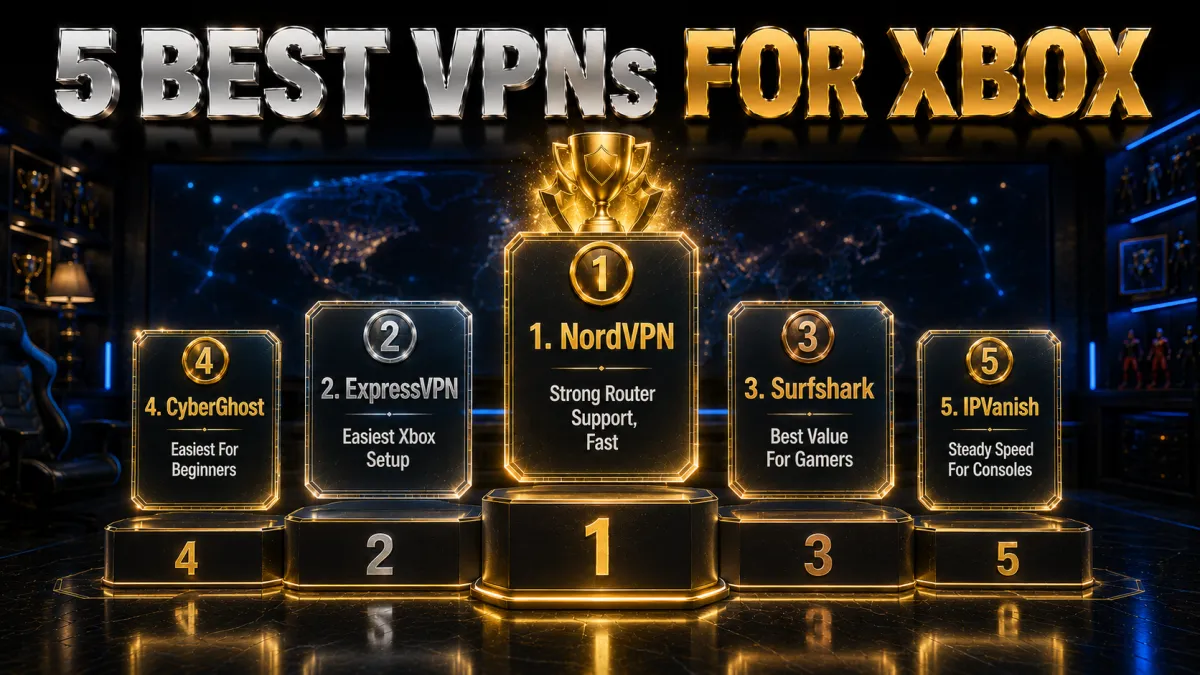
Now that the context is clear, here are the five providers that best balance router support, low-ping speed, and reliable IP protection for the Xbox. Ratings reflect our established review framework, not one-off benchmarks.
1. NordVPN, best all-round for Xbox
NordVPN is our top pick for Xbox because the console has no VPN app, so a provider’s router support and raw speed decide the experience, and NordVPN leads on both. It offers clear router guides, works with popular firmware, and its NordLynx protocol keeps overhead low so a router or Windows-bridge connection still feels fast. A large, nearby network makes it easy to find a low-ping server for online play.
For Xbox the practical wins are real. Masking your IP keeps it off the peer-to-peer layer where booting and DDoS attacks begin, which matters in ranked lobbies, and a router setup protects the console plus every other device at once. If you prefer, you can share a protected connection from a Windows PC over ethernet, and ten simultaneous connections cover your phones and laptops too.
On trust it is the strongest here, with an independently audited no-logs policy, RAM-only servers, and a Panama base outside the major alliances, behind a 30-day money-back guarantee. Be realistic about ping, which improves only on a congested route, and respect Xbox and Microsoft Store regional rules; use the refund window to confirm the setup helps your specific line.
✔ Pros
- Clear router guides and firmware support
- Fast NordLynx keeps the connection quick
- IP masking guards against booting and DDoS
- Works via router or Windows bridge
- Audited no-logs, ten devices
✘ Cons
- Best price needs a longer plan
- No native Xbox app (no VPN offers one)
| Xbox method | Router or Windows bridge |
| Fastest protocol | NordLynx (WireGuard) |
| Router support | Strong, guides |
| IP masking | Yes |
| Simultaneous devices | 10 |
| Money-back guarantee | 30 days |
2. ExpressVPN, easiest Xbox setup
ExpressVPN is the smoothest way to get a VPN onto an Xbox because it makes the router part as painless as possible. It offers its own router app and clear guides for popular firmware, so whole-home coverage that includes the console is far less fiddly than with most providers, and its Lightway protocol stays quick and stable, which keeps online play responsive through a router or a Windows bridge.
The practical benefits follow naturally. A router setup gives the Xbox a protected connection and, where you want it, an IP in another region, covering every other device at the same time. Network Lock, its kill switch, works at the router level, and MediaStreamer, its Smart DNS, is a bonus for reaching the console’s streaming apps at full speed without a full tunnel.
On trust it is hard to fault, with RAM-only TrustedServer infrastructure and a British Virgin Islands base outside intelligence-sharing alliances, backed by a long, tested no-logs record. It is the priciest pick and covers eight devices, but its router experience and a 30-day money-back guarantee make it the easiest low-stress way to get a VPN onto an Xbox.
✔ Pros
- Own router app, clear guides
- Lightway keeps the connection stable
- Network Lock kill switch at router level
- MediaStreamer Smart DNS for apps
- RAM-only servers, strong audits
✘ Cons
- Costs more than most rivals
- Fewer devices than the value picks
| Xbox method | Router app or guides |
| Fastest protocol | Lightway |
| Router support | Best in class |
| Smart DNS | MediaStreamer |
| Simultaneous devices | 8 |
| Money-back guarantee | 30 days |
3. Surfshark, best value for gamers
Surfshark is the best value for an Xbox household because one subscription covers unlimited devices, so protecting the console via a router costs the same as covering every phone and laptop in the house. It works with popular router firmware, supports WireGuard for quick connections, and reaches streaming apps reliably, which matters since the Xbox doubles as a media device for many people.
The feature set is generous for the price. A kill switch guards against leaks, a Smart DNS option helps with streaming apps on the console, and CleanWeb strips ads and blocks malicious domains on the devices that run its app. Its network is not the very largest, so an occasional server switch helps you find the lowest-ping node for online play.
The company is based in the Netherlands with an independently audited no-logs policy, outside the Five Eyes. The mix of unlimited devices, router compatibility, and the lowest long-term price of the five makes it the obvious value choice for gamers, backed by a 30-day money-back guarantee so you can confirm the setup works for your Xbox before paying.
✔ Pros
- Unlimited devices on one plan
- Works with popular router firmware
- WireGuard for quick connections
- Smart DNS for streaming apps
- Lowest long-term price of the five
✘ Cons
- Smaller network than the top two
- Occasional server switching needed
| Xbox method | Router or Smart DNS |
| Fastest protocol | WireGuard |
| Router support | Good |
| Smart DNS | Yes |
| Simultaneous devices | Unlimited |
| Money-back guarantee | 30 days |
4. CyberGhost, easiest for beginners
CyberGhost is the friendliest option for a first-time user setting up a VPN on Xbox. Its apps and website walk you through router configuration clearly, it labels servers by purpose including gaming and streaming, and a very large network gives you plenty of nearby, low-ping options. For someone who has never touched a router VPN or a Windows bridge, that guidance takes most of the intimidation out of it.
The fundamentals hold up for a console. It runs WireGuard for efficient routing, masks your IP to keep booters and DDoS attempts off your line, and is based in Romania, which has no mandatory data-retention law, behind a strict no-logs policy. Its streaming-optimised servers help the Xbox media apps load reliably, which is a common secondary use of the console.
The standout is the trial: a 45-day money-back guarantee, far longer than the usual 30, which is genuinely useful for a console setup because you get weeks to work through the router or bridge configuration and confirm ping and streaming before paying. Performance is dependable rather than the outright fastest, a fair trade for how approachable it is.
✔ Pros
- Clear, beginner-friendly router guides
- Servers labelled for gaming and streaming
- WireGuard with IP masking
- Longest 45-day money-back window
- Romania base, no data-retention law
✘ Cons
- Slower under heavy peak load
- Fewer devices than the value picks
| Xbox method | Router, guided setup |
| Fastest protocol | WireGuard |
| Router support | Good, guided |
| IP masking | Yes |
| Simultaneous devices | 7 |
| Money-back guarantee | 45 days |
5. IPVanish, steady speed for consoles
IPVanish has a long track record with router setups, which makes it a practical choice for the Xbox. It has historically been generous with firmware support and documentation, owns and runs its own network for steady, predictable speed, and allows unlimited simultaneous connections, so a router covering the console does not stop you running its apps on phones and laptops too.
The gaming fundamentals are present. Owning its network gives it tight control over routing for consistent latency, WireGuard keeps overhead low, and IP masking helps keep your address off the peer-to-peer layer where booting starts. For players who value steady speed and a proven router record over a long feature list, it delivers the essentials reliably, whether through a router or a Windows bridge.
The honest caveat is jurisdiction: IPVanish is based in the United States inside the Five and Nine Eyes alliances, so the privacy-focused may prefer an offshore provider even though its no-logs policy has been independently audited. For steady console speed, unlimited devices, and a solid router history, backed by a 30-day money-back guarantee, it remains a strong option if that jurisdiction fits your threat model.
✔ Pros
- Long, proven router track record
- Owns its network for steady speed
- Unlimited simultaneous devices
- WireGuard with IP masking
- Strong long-term value
✘ Cons
- US-based, inside the 9 Eyes alliance
- Fewer extras than rivals
| Xbox method | Router, well documented |
| Fastest protocol | WireGuard |
| Router support | Strong history |
| IP masking | Yes |
| Simultaneous devices | Unlimited |
| Money-back guarantee | 30 days |
Xbox VPN comparison at a glance
The side-by-side below shows where each provider leads for the Xbox.
| Feature | NordVPN | ExpressVPN | Surfshark | CyberGhost | IPVanish |
|---|---|---|---|---|---|
| Router support | Strong | Best in class | Good | Good, guided | Proven history |
| Speed and low ping | Excellent | Very good | Very good | Good | Very good |
| IP masking and kill switch | Strong | Strong | Good | Good | Good |
| Jurisdiction | Panama | BVI | Netherlands | Romania | United States |
| Devices per plan | 10 | 8 | Unlimited | 7 | Unlimited |
| Money-back guarantee | 30 days | 30 days | 30 days | 45 days | 30 days |
How to set up a VPN on Xbox via router
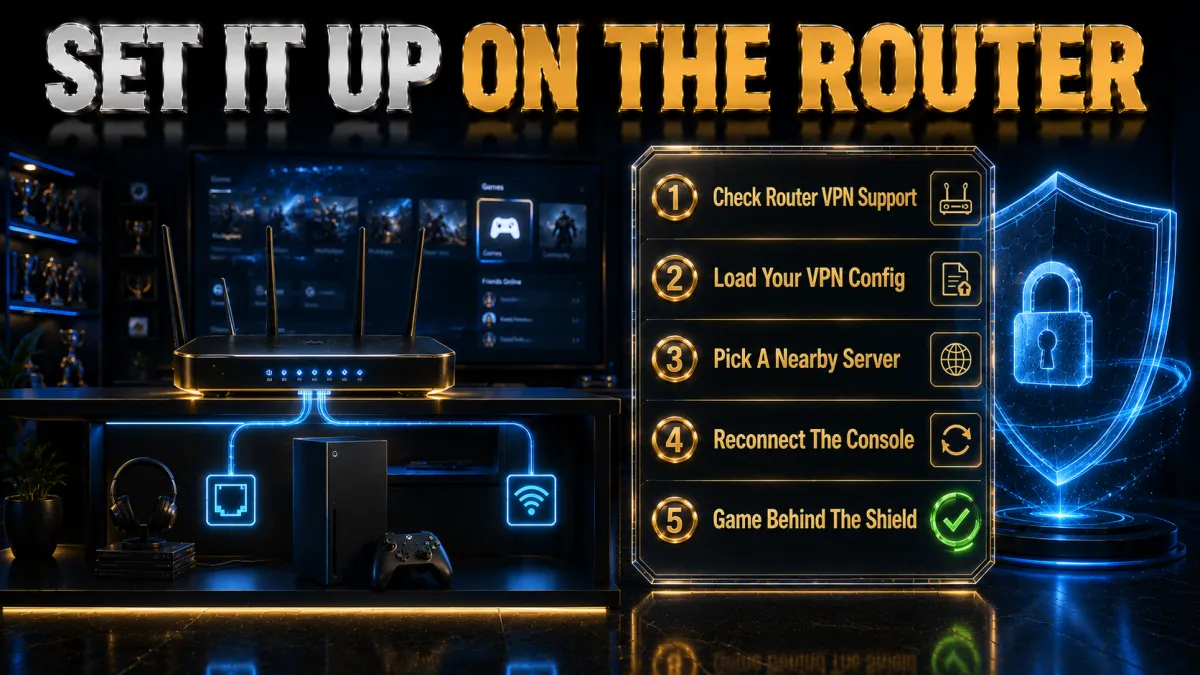
Setting a VPN on your router is the cleanest way to protect the Xbox, and it covers every other device too. It is a one-time job.
- Check router compatibility. Confirm your router supports a VPN client or can run DD-WRT, OpenWRT, or Asuswrt-Merlin firmware; your provider lists models.
- Install the VPN on the router. Follow your provider’s router guide to add the VPN and sign in.
- Connect to a nearby server. Choose a close, low-ping server for online play, or your target region for content.
- Wire in the Xbox. Connect the console to the router by ethernet, which uses the protected network automatically.
- Test a game and a stream. Confirm online play feels responsive and any streaming app loads; switch servers if ping is high.
Bridging a VPN from a Windows PC
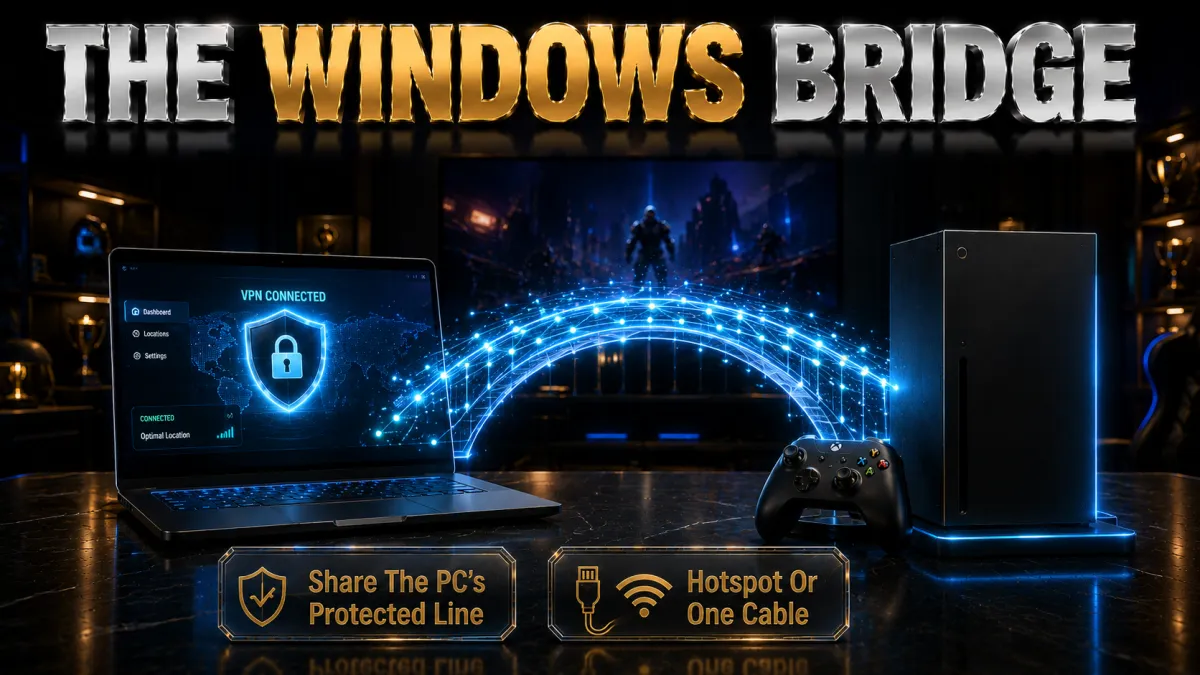
If you do not want to configure a router, sharing a VPN connection from a Windows PC is a popular Xbox method because the two share an ecosystem.
- Connect the VPN on the PC. Run the VPN app on your Windows PC and connect to your chosen server.
- Enable Internet Connection Sharing. In network settings, share the VPN adapter’s connection to the ethernet port going to the Xbox.
- Wire the Xbox to the PC. Connect the console to the PC by ethernet so it uses the shared, protected connection.
- Keep the PC on. The Xbox is protected only while the PC is running and connected, so leave it on during play.
- Confirm and test. Check the console shows the VPN region, then test a match or a stream before you rely on it.
Should you use a free VPN on Xbox?
Free VPNs are tempting for a console, but they usually fail at the things a gamer needs. Here is the honest picture before you install one.
- Crowded servers add lag. Free tiers pack users onto a few overloaded servers, which is the opposite of the clean, low-ping route a console needs for online play, so you often end up laggier than with no VPN. For competitive gaming, that alone rules most of them out.
- Many cannot be used on a router. Setting up a console VPN usually means a router or a bridge, and most free services lack the router support, configuration files, or documentation to make that work. Without router compatibility, a free VPN often cannot reach the Xbox at all.
- Data caps and weak streaming. Free plans limit data, which a long gaming or 4K streaming session burns through quickly, and they rarely unblock streaming apps reliably. For a device that both games and streams, those limits defeat the purpose fast.
- Privacy is often the price. Running servers costs money, and free apps frequently recoup it by logging and selling your activity or bundling trackers, which undermines the protection you wanted. A reputable low-cost plan with an audited no-logs policy is the genuinely safe budget choice.
Common Xbox VPN mistakes
Most players who feel a VPN let their Xbox down made one of these avoidable errors. Fix them and the experience changes.
- Buying before checking router support. The most common failure is discovering your router cannot run a VPN after subscribing. Confirm your router is on the provider’s supported list, or plan to use a Windows bridge, before you commit to anything.
- Picking a distant server for no reason. A faraway node adds latency and is the usual cause of laggy online play, so default to the nearest low-ping server. Only go distant when you genuinely need that region, and expect to lose ping headroom when you do.
- Leaving an old protocol selected. A legacy protocol adds overhead on a router or bridge and slows both gaming and streaming. Switching to a WireGuard-based option is usually a simple change that restores responsiveness, so check it before blaming the VPN.
- Region-hopping the store. Using a VPN to buy from a cheaper store region or shift Game Pass can breach the terms and risk your account, which is not worth it. Use a VPN for protection and, cautiously, streaming apps, and respect Microsoft’s regional rules.
- Trusting a random free VPN. Free apps rarely support routers, add lag, and can log your data, which is the opposite of what a gamer needs. A cheap paid plan with router support and a refund window is the far safer choice.
How to choose a VPN for Xbox
With the basics covered by all five picks, the right choice comes down to how you weight these factors for console gaming.
- Router support first. Because the Xbox runs through your network, prioritise a provider with clear router guides, firmware compatibility, or its own router app, since that is what makes the setup work at all. This matters more here than raw speed, so weight it heavily.
- Low, stable ping. A large network of nearby servers on a WireGuard-based protocol is what keeps online play responsive through a router or bridge, so treat network size and protocol together as your real performance test rather than a single number.
- Reliable IP protection. If you play competitively, favour a provider whose IP masking and kill switch are dependable, because booting protection is the most concrete benefit a VPN gives a console gamer. This is worth more than a long list of extras.
- Device count for the household. A router covers many devices, and unlimited connections or a high limit let you also run apps on phones and laptops, so match the plan to your home. One subscription can then protect the console and everything else at once.
- A real money-back guarantee. A 30 to 45-day refund window lets you work through the router or bridge setup and confirm ping and streaming on your own connection before committing, which is the only benchmark that matters for you.
Related reading:
Frequently Asked Questions
Can you install a VPN directly on an Xbox?
No. The Xbox does not run VPN apps, so you protect it through your network instead. The cleanest method is installing the VPN on a compatible router, which covers the console and every other device; alternatively you can bridge a VPN-protected connection from a Windows PC over ethernet, or share from a Mac or phone hotspot.
Which is the best VPN for Xbox in 2026?
NordVPN is our top pick for its strong router support, fast NordLynx protocol, and reliable IP masking. ExpressVPN has the easiest router setup, Surfshark is the best value with unlimited devices, CyberGhost is the friendliest for beginners, and IPVanish has a long, proven router track record.
How do I set up a VPN on Xbox with a Windows PC?
Run the VPN on your Windows PC and connect to a server, then enable Internet Connection Sharing to share the VPN adapter to the ethernet port going to the Xbox, and connect the console to the PC by cable. The Xbox is protected while the PC is on, which makes this a popular no-router method.
Does a VPN reduce ping on Xbox?
It can, but only on a congested or poorly peered route. If your normal path to the game server is busy, a nearby VPN server can take a cleaner path and lower ping; if your route is already good, a VPN may add a little latency. Test it on your own connection during the refund window.
Can a VPN protect my Xbox from DDoS and booting?
Yes, this is its most concrete console benefit. Routing the Xbox through a VPN masks your real IP behind the server, so attackers in the lobby cannot reach your home connection. On a Windows bridge, keep the PC’s kill switch on so your IP is never exposed if the tunnel drops.
Is it safe to use a VPN to change my Xbox store region?
This is risky. Store availability, pricing, and content are controlled by Microsoft and tied to your account region, so using a VPN to buy from a cheaper store or shift Game Pass can breach the terms and, in some cases, restrict your account. Use a VPN for protection and streaming apps, not to game the store region.
Will a free VPN work on Xbox?
Rarely. Most free VPNs lack the router support needed to reach a console, crowd users onto slow servers that add lag, cap data, and seldom unblock streaming apps. A low-cost paid plan with proper router support and a money-back guarantee is a far safer and more reliable choice.
Do I need a special router for an Xbox VPN?
You need a router that supports a VPN client or can run firmware like DD-WRT, OpenWRT, or Asuswrt-Merlin, and your provider lists supported models. If your router is not compatible, you can bridge a VPN-protected connection from a Windows PC instead, or use a provider that sells pre-configured routers.
Will a VPN slow my Xbox connection?
A good VPN on a nearby server and a WireGuard-based protocol adds only a little overhead, small enough that most people never notice it for gaming or streaming. Speed loss grows with distant servers or old protocols, so pick a close server and wire the console in with ethernet for the steadiest connection.
Can one VPN cover my Xbox and other devices?
Yes. A router setup protects the console and every device on the network at once, usually counting as a single connection. Surfshark and IPVanish also allow unlimited simultaneous connections for apps on phones and laptops, while NordVPN allows ten and ExpressVPN eight.
Can I use a VPN for streaming apps on my Xbox?
Yes, and it is a lower-risk use than store-region switching. A router setup or a Smart DNS feature lets the console’s streaming apps reach other-region catalogues, ideally at full speed with Smart DNS. Stay within each service’s terms, and test your specific apps during the refund window.
Is a paid VPN worth it for an Xbox?
If you play competitively or worry about booting, yes, because IP protection and a stable route have real value, and the same plan protects every other device too. A money-back guarantee lets you work through the router or bridge setup and confirm it helps before paying anything.
The Bottom Line
Choosing a VPN for the Xbox is really about two things, because the console has no app of its own: how easily a provider sets up on your router or through a Windows bridge, and whether it keeps online play fast and your IP protected. All five picks handle the console route well, so the right one depends on whether you value the easiest setup, the best value across devices, or a long window to test the configuration.
Whichever you choose, the setup that pays off is the same: install the VPN on a compatible router or bridge from a Windows PC, wire the Xbox in with ethernet, connect to a nearby low-ping server, and respect Microsoft’s regional rules.
- NordVPN is the safest all-round choice, with strong router support, fast speeds, and reliable IP protection.
- ExpressVPN is the easiest setup, with its own router app and the least fiddly configuration.
- Surfshark is the value winner, covering the console and every device for the lowest price.
- CyberGhost is the friendliest for first-timers, with guided setup and the longest 45-day refund.
- IPVanish is the proven-router pick, with a long track record and steady speed on unlimited devices.
Here is the practical move: pick your provider for the priority that matters most, set it up on a compatible router or bridge it from a Windows PC, wire the Xbox in, and connect to a nearby server on a WireGuard-based protocol during the refund window. If online play stays responsive, your IP is hidden, and any streaming apps load, you have found your Xbox VPN, and the money-back window means it cost you nothing to be sure. Always respect Xbox and Microsoft Store terms.
Jyoti VPN Expert leads VPN testing at VPN Expert Guide, covering streaming and regional access, speed and latency testing, and leak checks on Windows, Android and router-level setups. Our guides are built from vendor documentation, provider terms and our own connection testing on a residential line in India, and we publish those measurements in full so readers can check them. Every guide is reviewed before publication and dated so you can see how current it is.
Meet our testing team →Last updated: August 24, 2026