
How to Install a VPN on Your Router (2026 Guide)
A VPN app protects one device. A VPN on your router protects your whole home, including the gadgets that cannot run an app at all. Here is how it works, whether your router supports it, and the exact steps to set it up.
What Is a VPN Router?

A VPN router is simply a router that runs the VPN connection itself, rather than relying on an app installed on each device. Instead of your phone or laptop building the encrypted tunnel, the router does it once, at the doorway between your home and the internet, and then shares that protected connection with everything on your Wi-Fi.
In practice that means the encryption happens in one place and covers your whole network. Your devices connect to the router exactly as they always have, but their traffic now leaves your home through the VPN tunnel automatically.
- Two flavours exist. Some routers come with a VPN client built in; others need custom firmware to add one.
- It is your normal VPN account. A VPN router does not need a special subscription; it logs into the same plan you would use on a phone.
- It sits alongside your apps. A VPN router covers home; the apps still cover you when you are out.
Why Put a VPN on Your Router?
A normal VPN app secures a single phone or laptop. Putting the VPN on the router itself moves that protection to the point where your whole network meets the internet, so everything behind it is covered at once. That one change transforms what a VPN can do for your home.
The big advantages of a router VPN:
- Whole-home coverage. Every device on your Wi-Fi is protected automatically, with no app to install or sign into on each one, so a new phone or guest laptop is covered the moment it connects.
- It never forgets. The VPN is always on for the network, so there is no risk of an unprotected moment because someone forgot to tap connect or an app quietly disconnected in the background.
- One device slot. No matter how many gadgets sit behind it, the router counts as a single connection on your VPN plan, which is a huge saving on plans that limit simultaneous devices.
- Covers “appless” devices. Smart TVs, games consoles, streaming sticks and smart-home gadgets that have no VPN app of their own finally get the same encrypted protection as your laptop.
- Guests included. Anyone who joins your Wi-Fi is routed through the VPN too, without any setup on their part, which is ideal for family and visitors.
To make the trade-off clear, here is how a router VPN compares with the usual per-device app.
| Feature | Router VPN | VPN app |
|---|---|---|
| Devices covered | Every device on the network | One device per app |
| Appless devices (TV, console) | Yes | No |
| Always on | Yes, whole network | Only when you connect |
| Switch country quickly | Slower (router settings) | One tap |
| Protection away from home | No | Yes, anywhere |
| Setup effort | One-time, ~15 min | Install and go |
What a Router VPN Protects That Apps Can’t

The single biggest reason to go router-level is the long list of devices that simply cannot run VPN software. On a normal setup these stay exposed to your provider and to trackers; behind a VPN router they are finally covered by the same tunnel as everything else.
- Smart TVs and streaming sticks. Many TV platforms have no VPN app, or a very limited one, yet they stream the most data and reveal a lot about your viewing habits.
- Games consoles. PlayStation, Xbox and Nintendo Switch have no native VPN support at all, so a router is the only practical way to route their traffic.
- Smart-home and IoT gadgets. Cameras, speakers, thermostats and smart plugs are often the least secure devices in the house, and they chatter constantly to the internet.
- Work and desktop devices. Anything that cannot easily install a VPN client, or that you would rather not configure individually, still benefits from network-level protection.
By moving protection to the router, all of these ride through the same encrypted tunnel as your phone and laptop, with nothing to configure on each device. For a modern home full of connected gadgets, that is a level of coverage a per-device app simply cannot match.
It is also worth remembering that these “appless” devices are often the ones leaking the most information. A smart TV quietly reports what you watch, and cheap IoT gadgets are notorious for weak security. Routing them through a VPN does not fix every flaw, but it does stop your provider and the wider internet from seeing exactly what each device is connecting to.
Does Your Router Support a VPN?
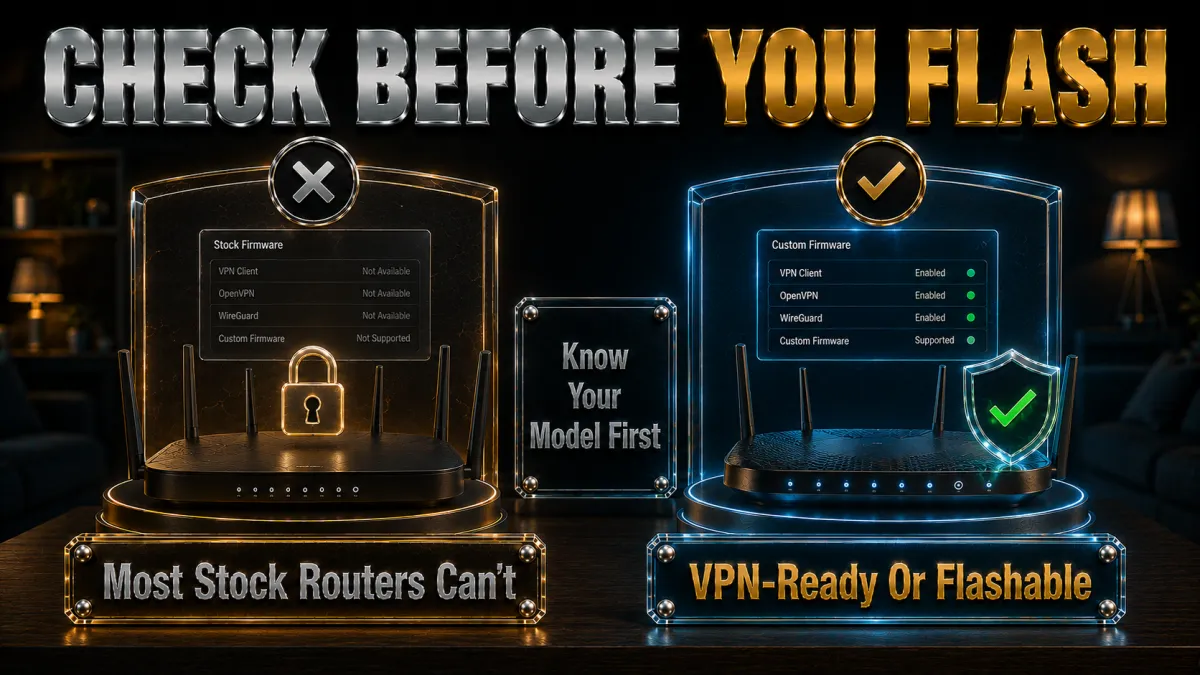
Not every router can act as a VPN client, so this is the first thing to check before you buy anything or change any settings. Routers fall into three broad groups.
- Built-in VPN client (easiest). Many Asus routers (through Asuswrt or the enhanced Asuswrt-Merlin firmware) and GL.iNet travel routers ship with a VPN client already built in. You simply enter your provider’s details or import a config file, with no firmware changes at all.
- Flashable (some effort). Routers that can run custom firmware such as DD-WRT, OpenWRT or Tomato can be turned into VPN routers by replacing the stock firmware. This unlocks a full VPN client on hardware that did not ship with one.
- Locked down (not suitable). Many ISP-supplied routers cannot run a VPN client or accept custom firmware. The usual fix is to add a second, VPN-capable router behind the ISP box and connect your devices to that.
How to check yours quickly:
- Search your exact model. Look up your model number plus “VPN client” or “DD-WRT support” to see which group it falls into.
- Confirm the hardware revision. If it is flashable, make sure your specific model and hardware version are on the firmware’s supported list before doing anything.
- Check for WireGuard. Routers and firmware that support the modern WireGuard protocol will give you noticeably faster speeds than OpenVPN-only setups.
3 Ways to Get a VPN on Your Router
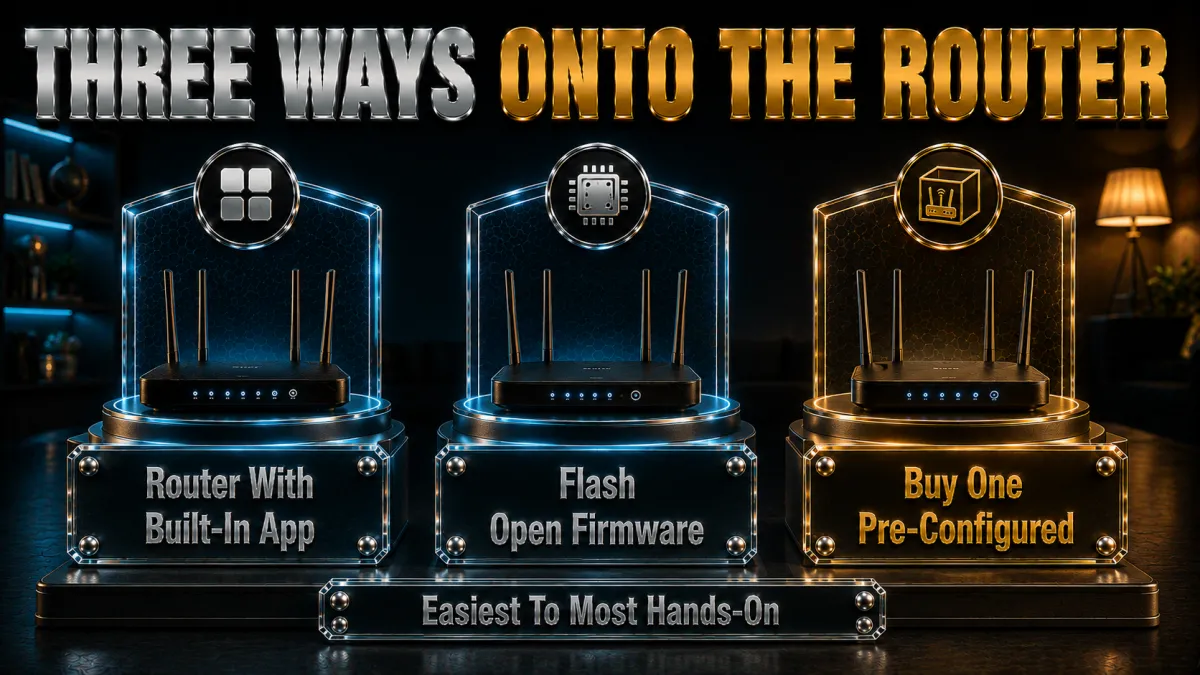
There are three practical routes, from effortless to advanced. Pick the one that matches your router and your comfort level.
- 1. Use a router with a built-in VPN client. The easiest option by far. Asus models (especially with Asuswrt-Merlin) and GL.iNet routers let you enter your VPN details in the router settings, or import a config file, with no firmware changes and very little risk.
- 2. Flash custom firmware. If your router supports it, replacing the stock firmware with DD-WRT, OpenWRT or Tomato unlocks a full VPN client. It is more involved and carries a small risk if done wrong, but it turns many ordinary routers into capable VPN routers for free.
- 3. Buy a pre-configured VPN router. Some retailers sell routers that arrive already flashed and ready, and a few VPN providers offer their own router hardware or firmware. This costs more but removes almost all of the setup effort.
Whichever route you take, the VPN account is the same one you already use; the router is simply another “device” logging into it. The three providers recommended below all publish clear, up-to-date router setup guides for each method.
Which Router Firmware Should You Use?
If your router does not have a built-in client, the firmware you flash decides how easy setup is and how fast it runs. Here is how the main options compare.
| Firmware | Best for | Difficulty |
|---|---|---|
| Asuswrt-Merlin | Supported Asus routers, cleanest experience | Easy |
| GL.iNet (stock) | Beginners and travel routers | Easy |
| OpenWRT | Most capable, widest hardware support | Moderate |
| DD-WRT | Older hardware that OpenWRT does not cover | Moderate |
| Tomato | Simple interface on supported models | Moderate |
- Asuswrt-Merlin is the cleanest path if you own a supported Asus router, keeping the friendly Asus interface while adding power-user features.
- GL.iNet’s stock firmware is the most beginner-friendly of all, with VPN support built in and a simple dashboard, which is why GL.iNet travel routers are so popular.
- OpenWRT is the most capable and actively maintained option, supporting a very wide range of hardware and running WireGuard natively.
- DD-WRT is a solid choice for older routers, and recent builds support WireGuard, though the interface is more dated.
Whatever you choose, always confirm your exact router is officially supported before flashing, and prefer firmware that runs WireGuard for the best whole-home speeds.
If you are new to this, the honest advice is to avoid flashing altogether where you can. A router with a built-in client, or a small GL.iNet unit, gives you the same whole-home result without the small risk of damaging your hardware. Reserve DD-WRT and OpenWRT for when you specifically want to reuse an existing router and are comfortable following the exact steps for your model.
OpenVPN vs WireGuard on a Router

When you set up a router VPN, you usually choose between two protocols: OpenVPN and WireGuard. The protocol is the underlying technology that carries your encrypted tunnel, and on router hardware the choice really matters.
- WireGuard is faster and lighter. It uses far less processing power, which is exactly what you want on a router that has to encrypt traffic for the whole home. Where it is available, it is almost always the better choice.
- OpenVPN is the mature fallback. It has been around longer and works on almost everything, but it is heavier, so it can noticeably slow an older router.
- Provider names vary. NordLynx (NordVPN) and Lightway (ExpressVPN) are fast, WireGuard-style protocols designed for exactly this kind of efficiency.
The practical rule is simple: if your router and VPN both support WireGuard, use it, and only fall back to OpenVPN if you have to. It is the single easiest way to keep your whole-home speeds high.
Router Behind Router: Using a VPN Router with an ISP Box
Many people cannot flash their ISP-supplied router, or do not want to. The clean solution is to add a second, VPN-capable router behind the ISP box, so you get whole-home VPN coverage without touching the original equipment.
How the setup works:
- Keep your ISP router as-is. It stays connected to the internet exactly as before, handling the incoming connection.
- Add a VPN-ready router. Connect a second router (an Asus or GL.iNet model, for example) to a LAN port on the ISP box with an Ethernet cable.
- Set up the VPN on the second router. Enter your VPN details on the second router so it builds the tunnel.
- Connect your devices to the second router. Anything on the second router’s Wi-Fi is protected by the VPN; anything still on the ISP router’s Wi-Fi is not.
This “double router” approach is popular because it is low-risk, reversible, and lets you keep an ordinary un-tunnelled network available on the ISP router for any device that needs it. It is often the simplest path for anyone with locked-down ISP hardware.
How to Install a VPN on Your Router, Step by Step
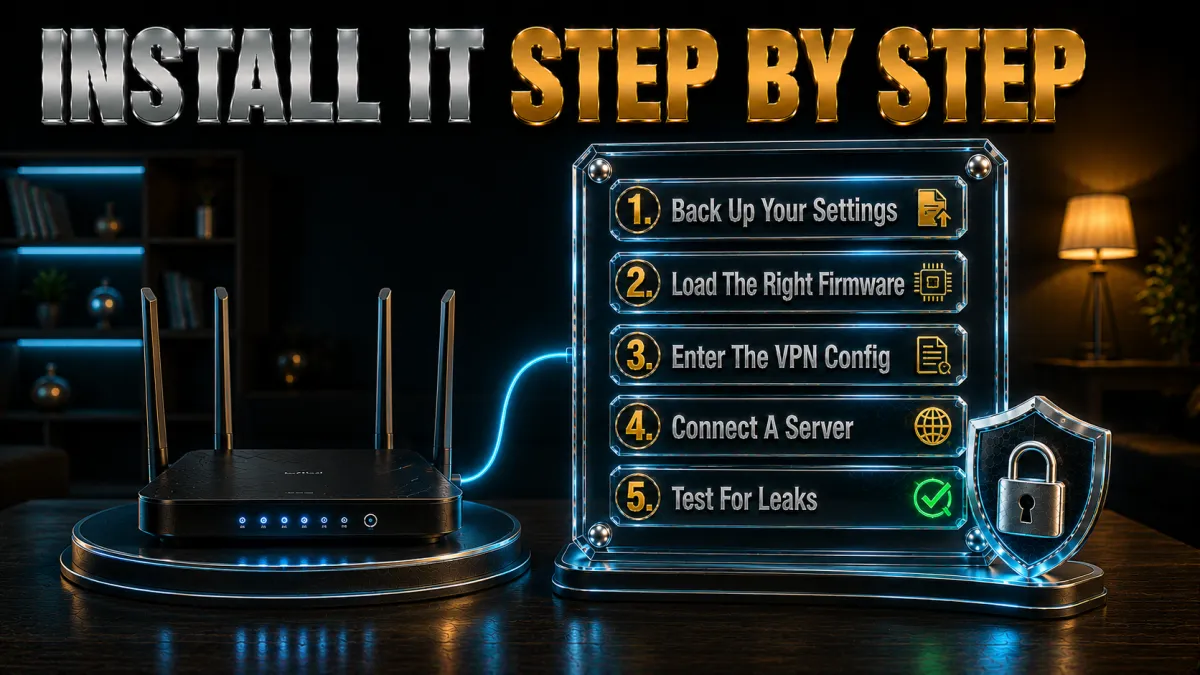
The exact screens vary by router, but the process is the same everywhere. Here is the general flow for a router with a VPN client, whether built-in or added by flashing.
- Choose a router-friendly VPN. Pick one from the list below; all offer a 30-day money-back guarantee, so you can test the whole setup risk-free.
- Get your VPN’s router details. In your VPN account, open the manual or router setup section and download the config file (OpenVPN or WireGuard), or note the server address, username and key.
- Log into your router. Open your router’s admin page in a browser (often 192.168.1.1 or 192.168.0.1) and sign in with the admin details.
- Open the VPN client settings. On Asus this is under VPN then VPN Client; on DD-WRT under Services then VPN; on OpenWRT under Network then Interfaces.
- Enter the details or import the config. Add the server, protocol and credentials, or upload the config file you downloaded, then save.
- Connect and turn on the kill switch. Enable the VPN, then set the firewall or “block traffic if VPN drops” option so nothing leaks if the tunnel goes down.
- Test it. On any device connected to that router, visit a “what is my IP” page. It should show the VPN server’s location, not your real one.
Once it is working, every device on that Wi-Fi is protected automatically. To change country, you simply reconnect the router to a different server in its VPN settings, and the whole network moves with it.
A couple of first-time tips make this smoother. If a device seems to lose internet after you connect the VPN, it usually means the tunnel dropped and the kill switch did its job, so reconnect the router and it will come back. And if you cannot find the VPN client option, double-check that your firmware actually includes one; a router that only offers “VPN passthrough” cannot run the tunnel itself, which is a common source of confusion covered above.
VPN Passthrough Is Not the Same as a VPN Router
One setting causes a lot of confusion, so it is worth clearing up. Many routers list a feature called “VPN passthrough,” and people assume it means the router runs a VPN. It does not.
- VPN passthrough simply lets a VPN connection from a device pass through the router without being blocked. The device still does all the work, and only that device is protected.
- A VPN client is what you actually need. This is where the router itself logs into the VPN and protects the whole network.
So if your router only advertises “VPN passthrough,” it cannot give you whole-home coverage on its own. Look specifically for a built-in VPN client, or the ability to run firmware that adds one. It is a small wording difference with a big practical impact, and checking it early saves a lot of frustration.
What to Look For in a VPN Router
If you are buying a router specifically to run a VPN, a few hardware details make the difference between a fast, smooth setup and a frustrating one.
- A fast processor. Encryption is CPU-heavy, so a modern multi-core router handles a whole-home VPN far better than a budget or older model.
- WireGuard support. Routers and firmware that run WireGuard are much more efficient than OpenVPN-only devices, which means higher speeds for the same hardware.
- Enough memory. More RAM helps the router juggle many connected devices without slowing down.
- Confirmed VPN compatibility. Either a built-in VPN client (Asus, GL.iNet) or official support for firmware like OpenWRT or DD-WRT.
- Good manufacturer support. Regular firmware updates keep the router secure and compatible with your VPN over time.
Asus and GL.iNet are the two names most people reach for, because they combine capable hardware with genuinely easy VPN setup, but any router that meets the points above will do the job.
One more practical point: think about coverage as well as speed. If your home is large, a single VPN router may not reach every corner, so a model with strong Wi-Fi or a mesh system that supports a VPN will serve you better than a fast but short-range unit. Matching the router to both your internet speed and your home’s size is what makes a whole-home VPN feel effortless rather than like a compromise.
Will a Router VPN Slow Your Internet?

A router VPN can be a little slower than an app, because the router’s processor has to encrypt traffic for the entire network at once. How much you notice depends mostly on the hardware.
- Router power matters most. A modern router with a fast processor handles VPN encryption comfortably, while an old or cheap one becomes the bottleneck and drags the whole network down.
- Protocol matters. WireGuard is far more efficient than older OpenVPN, so choose it wherever your router supports it for the best speeds.
- Server distance matters. A nearby server is faster, so pick one close to you unless you specifically need to appear in another country.
- Your line is the ceiling. The VPN can only ever be as fast as your underlying broadband, minus a little encryption overhead.
If speed on the router ever feels tight, a common approach is to run the VPN on the router for the devices that need it while keeping a normal connection available for the most bandwidth-heavy tasks, or simply to upgrade to a more powerful VPN-ready router.
Router VPN and Streaming: What to Expect
A lot of people set up a router VPN specifically to stream on a smart TV or console that has no VPN app. It works well, but there are a couple of things to understand so you are not caught out.
- It covers appless devices. This is the whole point: your TV or console streams through the VPN even though it could never run an app itself.
- The whole network shares one location. Because the router sets the country, every device streams as if it is in that same place, which is simple but less flexible than an app.
- Streaming services still block VPNs. The same detection applies as on any device, so choose a provider with a strong, current streaming record and switch servers if one gets blocked.
- Speed needs to hold up. HD and 4K streaming are demanding, so a capable router plus a fast protocol like WireGuard keeps playback smooth.
If your main goal is streaming on devices without apps, the router route is ideal. Just remember that changing region means changing the router’s server, which affects every device at once, so a household that wants different countries on different devices may prefer a mix of router and app.
Best VPNs for Routers in 2026
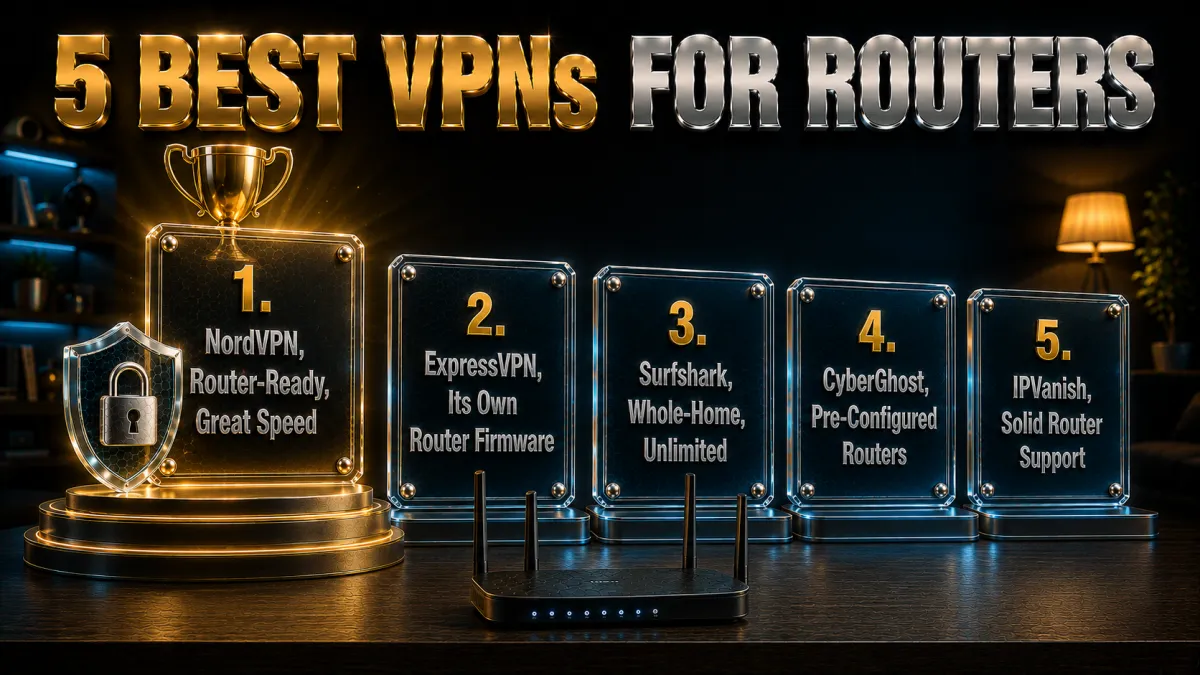
The best router VPNs combine an audited no-logs policy, fast protocols that run well on router hardware, and clear, well-maintained router setup guides. All three below tick those boxes and back themselves with a 30-day money-back guarantee, so you can test your own setup first.
1. NordVPN, Best Overall for Routers
NordVPN is the strongest all-round pick for a router. It works with popular router firmware, publishes detailed step-by-step setup guides, and its fast NordLynx protocol keeps whole-home speeds high on capable hardware. The no-logs policy has been independently audited multiple times, and extras like Threat Protection block trackers and malicious sites for every device on the network.
✔ Pros
- Clear guides for popular router firmware
- Fast NordLynx (WireGuard) protocol
- Independently audited no-logs policy
- Great all-round speed and reliability
✘ Cons
- Manual router setup needs a supported model
- Price rises at renewal
| Price from | ~$3.39/mo (long plan) |
| No-logs | Independently audited |
| Best feature | Speed + router guides |
| Money-back | 30 days |
2. ExpressVPN, Best Dedicated Router Experience
ExpressVPN stands out for routers because it offers its own dedicated router experience, which makes managing a whole-home VPN far easier than editing raw config files. It is famous for reliability, its Network Lock kill switch is excellent, and its Lightway protocol is fast and stable. If easy router management matters most to you, this is the pick.
✔ Pros
- Dedicated, user-friendly router experience
- Excellent Network Lock kill switch
- Fast, stable Lightway protocol
- Long, proven no-logs track record
✘ Cons
- More expensive than rivals
- Fewer simultaneous app connections
| Price from | ~$4.99/mo (long plan) |
| No-logs | Audited + RAM-only |
| Best feature | Dedicated router experience |
| Money-back | 30 days |
3. Surfshark, Best Value for Whole Homes
Surfshark already allows unlimited simultaneous devices, so pairing it with a router is a natural fit for a busy household. It supports router setup, runs the fast WireGuard protocol, keeps an audited no-logs policy on RAM-only servers, and costs noticeably less than the top two on longer plans. For protecting a whole home on a budget, it is the standout value pick.
✔ Pros
- Unlimited simultaneous connections
- Router setup supported, WireGuard speeds
- Audited no-logs, RAM-only servers
- Excellent price on longer plans
✘ Cons
- Speeds slightly behind the top two
- Short plan is comparatively pricey
| Price from | ~$2.19/mo (long plan) |
| No-logs | Audited + RAM-only |
| Best feature | Unlimited devices + value |
| Money-back | 30 days |
4. CyberGhost, easiest for beginners
CyberGhost works on routers and is a reasonable choice for covering a whole home from one connection, though router setup is inherently more involved than installing an app. It publishes configuration guides for popular firmware and supports the OpenVPN protocol that most VPN-capable routers rely on, so with a compatible router you can protect every device on the network, including ones that cannot run a VPN app themselves, such as smart TVs and consoles.
Its underlying credentials are strong: a strict independently audited no-logs policy, a Romania base with no data-retention law, and a large server network to route the whole household through. Once the router is configured, the protection is automatic for anything that connects.
The 45-day money-back guarantee is the longest of the five, which is genuinely helpful for a router install because you want time to work through configuration and confirm speeds hold across the home before paying. Note that a router connection counts as a single device against your plan even though it covers many, so it stretches the subscription further.
✔ Pros
- Works on popular VPN routers
- Clear step-by-step router guides
- Romania-based privacy
- Beginner-friendly apps
- 45-day money-back window
✘ Cons
- Slower under heavy peak load
- Fewer guides for niche routers
| Router support | Yes |
| Protocol | WireGuard / OpenVPN |
| Privacy base | Romania |
| Price from | ~$2 to $3/mo (long-term plan) |
| Simultaneous devices | 7 |
| Money-back guarantee | 45 days |
5. IPVanish, best for many devices
IPVanish is a long-standing favorite for router setups because it has historically been generous with firmware support and documentation. It works with popular router firmware over OpenVPN and even offers pre-configured options through certain router partners, so a compatible router can push its protection to every device on the network, including smart TVs, consoles, and IoT gear that cannot run a VPN app.
Owning its own network gives it the steady throughput a whole-home connection needs, and unlimited simultaneous connections mean the router coverage does not stop you from also running the apps directly on phones and laptops when you leave home.
The honest caveat is jurisdiction: IPVanish is US-based inside the Five and Nine Eyes alliances, which the privacy-focused should weigh. It offsets that with an independently audited no-logs policy and a 30-day money-back guarantee. For a router install where speed and broad device coverage matter most, its track record with router firmware makes it one of the more practical choices.
✔ Pros
- Works on flashed and native VPN routers
- Owns its network for steady whole-home speed
- Unlimited simultaneous devices
- Simple, uncluttered apps
- Strong long-term value
✘ Cons
- US-based, inside the 9 Eyes alliance
- Fewer router guides than rivals
| Router support | Yes |
| Protocol | WireGuard / OpenVPN |
| Privacy base | United States |
| Price from | ~$3 to $4/mo (long-term plan) |
| Simultaneous devices | Unlimited |
| Money-back guarantee | 30 days |
Who Should Put a VPN on Their Router?
A router VPN is not for everyone, but for the right households it is a clear win. It comes down to how many devices you have and how much you value always-on, whole-home protection.
A router VPN is a great fit if you:
- Have lots of devices. A home full of phones, laptops, TVs, consoles and smart-home gadgets is protected in one go, and only uses one connection slot.
- Stream on a smart TV or console. These have no proper VPN app, so the router is the only practical way to cover them.
- Want set-and-forget privacy. Once configured, it protects everyone on the network without anyone having to remember to connect.
- Share your Wi-Fi with family or guests. Everybody is covered automatically, with no apps to install on their devices.
You might prefer just an app if you:
- Mainly use a phone or laptop. A single app is simpler and lets you switch countries with one tap.
- Change server locations constantly. Apps make hopping between countries far quicker than router settings.
- Do not want to touch router settings. If a one-time setup feels daunting, a device app is the easier starting point.
Common Router VPN Mistakes to Avoid
A router VPN is powerful, but a few missteps trip people up. Avoid these and your setup will be smooth, fast and safe.
- Flashing an unsupported router. Loading firmware onto a model that is not on the supported list can “brick” it, leaving it unusable. Always confirm your exact model and hardware revision first.
- Skipping the kill switch. Without a firewall rule to block traffic if the tunnel drops, every device on the network can leak your real IP. Set it up during install, not later.
- Using a weak router. An underpowered router throttles your whole network once encryption is added, so match a fast VPN protocol with capable hardware.
- Forgetting mobile devices. The router only protects devices at home, so keep the VPN app on your phone and laptop for when you connect to Wi-Fi elsewhere.
- Choosing OpenVPN when WireGuard is available. WireGuard is faster and lighter on router hardware, so prefer it wherever your router supports it.
- Not testing after setup. Always confirm the VPN is working with an IP check on a connected device, so you know the whole network is actually protected.
Related reading:
Frequently Asked Questions
Is it better to install a VPN on a router or on each device?
They serve different needs. A router VPN protects every device at home automatically, including ones that cannot run an app, and counts as a single connection. Device apps are better for phones and laptops you use away from home. Many people use both together for full coverage.
Does my router support a VPN?
Some do out of the box, such as many Asus and GL.iNet models with a built-in VPN client. Others can be flashed with DD-WRT, OpenWRT or Tomato firmware to add one. Many ISP-supplied routers cannot, in which case you add a second VPN-capable router behind the ISP box.
Will a VPN on my router slow down my internet?
It can, because the router encrypts traffic for the whole network. The main factor is your router’s processor, so a modern router running a fast protocol like WireGuard keeps speeds high, while an old or cheap router becomes the bottleneck.
Do I need to flash my router to use a VPN?
Not always. If your router has a built-in VPN client, you just enter your provider’s details, no flashing needed. Flashing custom firmware is only required for routers without native VPN support, and only if your exact model is officially supported.
How many devices does a router VPN cover?
Every device connected to that router, with no per-device limit from your VPN plan, because the whole router counts as just one connection. That is why a router VPN is such good value for a busy, gadget-heavy household.
Can I still use a VPN app on my phone if I have a router VPN?
Yes, and it is a good idea. The router protects you at home, and the app protects your phone or laptop when you connect to Wi-Fi elsewhere. Using both means you are covered everywhere you go.
Which is the best VPN for a router?
NordVPN is the strongest all-round choice for speed and clear router guides, ExpressVPN offers the easiest dedicated router experience, and Surfshark is the best value thanks to unlimited connections. All three publish router setup instructions and offer a 30-day money-back guarantee.
Is it safe to flash DD-WRT or OpenWRT firmware?
It is safe if your exact router model and hardware revision are on the firmware’s supported list and you follow the instructions carefully. Flashing an unsupported device or interrupting the process can damage the router, so check compatibility first and never rush it.
Can I choose different countries with a router VPN?
Yes. You change the server in the router’s VPN settings and reconnect, and the whole network then appears in that country. Switching is a little slower than tapping a button in an app, but it works the same way.
Do I need a special router to run a VPN?
You need one that either has a built-in VPN client or can run VPN-capable firmware. Asus and GL.iNet models are popular because setup is easy, but any supported router with a reasonably fast processor and WireGuard support will work well.
Should I use OpenVPN or WireGuard on my router?
Use WireGuard wherever your router and VPN both support it. It is much faster and lighter on router hardware than OpenVPN, which keeps whole-home speeds high. Only fall back to OpenVPN if WireGuard is not available on your setup.
Can I put a VPN router behind my ISP router?
Yes, and it is a common approach when the ISP router cannot be flashed. You connect a VPN-ready router to the ISP box with an Ethernet cable, set up the VPN on it, and then connect your devices to the second router’s Wi-Fi for protection.
Does a router VPN protect my whole home network?
Yes. Every device connected to the VPN router is routed through the encrypted tunnel automatically, including ones with no VPN app. Devices still connected to a non-VPN router (such as an ISP box in a double-router setup) are not covered.
Is “VPN passthrough” the same as a VPN router?
No. VPN passthrough only lets a device’s own VPN connection pass through the router; the single device still does the work. A VPN router runs the VPN itself and protects the whole network. Look for a built-in VPN client, not just passthrough.
Can I turn the router VPN off for certain devices?
On many setups yes. Some VPN-capable routers and firmware let you exclude specific devices or run split tunnelling, and in a double-router setup you can simply connect a device to the non-VPN router instead. This is handy for tasks that need your real location.
How much does a good VPN router cost?
You can start cheaply with a small GL.iNet travel router, or spend more on a powerful Asus model for faster whole-home speeds. Add the cost of a VPN subscription, which is only a few dollars a month on a longer plan, and the whole setup covers unlimited home devices.
Can I use a mesh Wi-Fi system with a VPN?
Sometimes. Some mesh systems support a VPN on the main unit, which then covers the whole mesh, while others do not allow it at all. Check your specific mesh brand before relying on it, or place a VPN-capable router in front of the mesh so all its traffic is tunnelled.
Will a router VPN affect my online gaming?
It can add a little latency, since traffic is encrypted and routed through a server. Choosing a nearby server and a fast protocol like WireGuard keeps the impact small, and for competitive gaming you can connect that one console to a non-VPN network if you prefer the lowest possible ping.
The Bottom Line
A router VPN is the most complete way to protect a home. It covers every device on the network, including the smart TVs, consoles and IoT gadgets that have no app of their own, and it does it all through a single connection that never switches off.
To get set up:
- Check whether your router has a built-in VPN client, is flashable, or needs a second VPN-ready router behind it.
- Pick a router-friendly VPN: NordVPN for the best all-round speed and guides, ExpressVPN for the easiest dedicated router experience, or Surfshark for the best value.
- Enter your VPN details, enable the kill switch, and test that your IP has changed on a connected device.
Do that and your entire home is protected in about fifteen minutes, with no app to manage on each gadget. Keep the VPN app on your phone and laptop for when you are out, and you will have privacy everywhere, on every device. All three recommended VPNs include a 30-day money-back guarantee, so you can set it up and confirm it works before you commit.
Jyoti VPN Expert leads VPN testing at VPN Expert Guide, covering streaming and regional access, speed and latency testing, and leak checks on Windows, Android and router-level setups. Our guides are built from vendor documentation, provider terms and our own connection testing on a residential line in India, and we publish those measurements in full so readers can check them. Every guide is reviewed before publication and dated so you can see how current it is.
Meet our testing team →Last updated: August 24, 2026