
PureVPN Review 2026: Is It Safe, Fast and Worth It?
PureVPN is one of the cheapest big-name VPNs, but it also carries a complicated past. We look at its privacy record, speed, streaming and price in 2026 to answer one question: should you actually trust it with your traffic?
What Is PureVPN? (Quick Overview)
PureVPN is a long-established VPN provider that has repositioned itself in recent years around privacy, audits and low pricing. It offers apps for every major platform and a broad feature set aimed at both beginners and power users. Having been around for well over a decade, it has the scale of a major provider, and the recent changes are clearly aimed at winning back trust and competing on value.
The essentials at a glance:
- Based in the British Virgin Islands. A privacy-friendly jurisdiction outside the 5, 9 and 14 Eyes intelligence alliances, after relocating from Hong Kong in 2021. This reduces the legal pressure to collect or share user data.
- Large server network. Over 6,000 servers spread across 70-plus countries, giving you plenty of locations to choose from. More servers also means less congestion and easier access to regional content.
- Modern protocols. WireGuard by default, with OpenVPN and IKEv2 also available. WireGuard delivers the best blend of speed and security, while the others help with compatibility.
- Independently audited no-logs. Repeatedly checked by KPMG, including an “always-on” audit arrangement. Repeated verification is far stronger than a single claim or one-off check.
- Very affordable. One of the lowest long-term prices among the well-known VPNs, with a 31-day money-back guarantee. That combination makes it easy to try without much risk.
Is PureVPN Safe? Privacy, Logs and the 2017 History

This is the most important section of any PureVPN review, because the service’s history is the main reason people hesitate. We will be straight about both the past and the present, because a fair review has to weigh what happened against what has changed since.
The 2017 incident. Several years ago, PureVPN provided connection timestamps that helped identify an individual in a criminal stalking case. At the time the company marketed a “no-logs” policy, so the episode badly damaged trust and is still the first thing many people remember about the brand.
What has changed since. PureVPN did not ignore the criticism. The steps it has taken are meaningful:
- Moved to the British Virgin Islands. A jurisdiction with no mandatory data-retention laws and outside the major intelligence-sharing alliances. This structurally reduces the pressure a provider can face to log or hand over data.
- Repeated independent audits. Its no-logs claims have been examined by KPMG across multiple years, rather than a single one-off check. A pattern of audits is far more convincing than a single stamp of approval.
- An “always-on” audit model. PureVPN says auditors can inspect its systems at any time without advance notice, which is a stronger commitment than a scheduled annual review. Surprise checks are much harder to prepare for than a planned one.
- A published transparency stance. The company reports on legal requests and reiterates that it does not keep the activity logs that would let it identify what you do. Openness about requests is a healthy sign for a privacy service.
On the technical side, PureVPN covers the essentials: a kill switch to stop your real IP leaking if the connection drops, DNS-leak protection, and strong AES-256 encryption. It also offers leak protection across IPv6 and WebRTC, so the common ways a real identity escapes a tunnel are handled. Together with the audits, this makes the current service far more credible than its reputation suggests.
It also helps to understand what a “no-logs” audit actually proves. An independent auditor inspects the servers and configuration to confirm the provider is not storing the activity data that could tie sessions back to a person. Doing this repeatedly, and allowing checks at any time, is a much higher bar than a single marketing claim, and it is the main reason PureVPN’s privacy standing has recovered.
PureVPN Security Features Explained

Privacy is about policy; security is about the technology protecting your traffic moment to moment. PureVPN includes the features that actually matter, and it helps to know what each one does.
- AES-256 encryption. The same strong standard used by banks and governments scrambles your traffic so it cannot be read in transit. This is the foundation everything else builds on.
- Kill switch. If the VPN connection drops for even a second, the kill switch blocks your internet so your real IP never leaks. It is the single most important setting to leave on.
- DNS, IPv6 and WebRTC leak protection. These close the common side channels through which your identity can escape the tunnel, even while the main connection looks fine.
- Split tunnelling. Route only the apps you choose through the VPN while everything else uses your normal connection, which is handy for local services that dislike a VPN. It lets you stay protected without breaking apps that need your real location.
- Modern protocols. WireGuard offers the best mix of speed and security, with OpenVPN and IKEv2 available if you need them for compatibility. Having options means you can always find one that works on your network.
None of these are exotic, and that is the point: PureVPN covers the security fundamentals properly, so the protection you are paying for is genuinely there rather than just advertised. For a budget service, having the full set of leak protections plus a reliable kill switch is exactly what you want to see.
PureVPN Speed and Performance

Speed is where budget VPNs often show their limits, so it is worth setting realistic expectations. PureVPN is generally fast enough for everyday use, without quite matching the very top providers.
- WireGuard makes a difference. On the modern WireGuard protocol, connections feel quick and responsive for browsing, HD streaming and video calls. It is a noticeable step up from the older, heavier protocols.
- Nearby servers perform best. As with any VPN, a server close to you gives the smoothest experience, while distant locations naturally slow down. When speed matters, always start with the closest option that suits your task.
- Good, not class-leading. For most people the speeds are perfectly comfortable, though power users chasing the absolute fastest connections may notice rivals pulling ahead. For everyday browsing and streaming the difference is rarely felt.
- Stable connections. Day to day, the apps hold the tunnel reliably, which matters more than raw peak numbers for real-world use. A steady connection beats an occasionally faster one that keeps dropping.
In short, if your priority is a dependable everyday connection at a low price, PureVPN’s performance will not disappoint. If you routinely move huge files or need the fastest possible speeds for competitive gaming, a premium provider is a safer bet.
It is also worth remembering that perceived speed depends heavily on your own internet plan and the distance to the server you pick. On a fast home connection with a nearby server, most users will struggle to tell the VPN is even on, which is really all that matters for day-to-day browsing and streaming. For anyone whose main concern is value rather than record-breaking benchmarks, that level of everyday performance is more than enough to keep the whole household happy.
PureVPN Server Network and Locations
A big server network is one of PureVPN’s clearest strengths, and it directly affects speed, streaming and how easily you can appear in another country.
- Over 6,000 servers. A large fleet spread across more than 70 countries means you rarely struggle to find a working location, and busy servers are easier to avoid. A bigger network generally translates into more consistent speeds.
- Wide country coverage. With locations on every populated continent, you can appear almost anywhere, which is useful for both streaming libraries and reaching local services while abroad. Expats in particular benefit from the wide choice.
- City-level choices. In many countries you can pick a specific city, which helps you land closer to a service’s servers for better speeds. It also gives finer control when a particular region is what you need.
- Specialised options. Streaming-friendly and P2P-friendly servers, plus optional dedicated IPs, let you match the server to the task. Picking the right type can noticeably improve results for streaming or torrenting.
For most people the practical benefit is simple: whatever you are trying to do, there is almost always a nearby, uncongested server that gets the job done. That breadth is a large part of why PureVPN punches above its price.
PureVPN for Streaming (Netflix, iPlayer, Disney+)

Unblocking streaming services is a core reason people buy a VPN, and here PureVPN performs well for the price. Its large network and streaming-focused routes handle the major platforms, which is not something every budget provider can claim. If watching region-locked content is your main goal, this is one of PureVPN’s strongest areas.
- Netflix. PureVPN reliably unblocks popular Netflix libraries, letting you switch regions to reach different catalogues. That is a big draw for anyone who wants access to shows that are not available in their home country.
- BBC iPlayer and UK TV. UK servers work for iPlayer and other British services, useful for travelling Britons who still want their home channels. Connect to a UK location and the service treats you as a domestic viewer.
- Disney+ and more. The service reaches Disney+, Amazon Prime Video and other big-name platforms in most checks, so your usual subscriptions keep working. Coverage is broad enough for a typical household’s viewing.
- Switch servers if blocked. As with every VPN, an occasional server gets flagged; changing to another in the same country almost always restores access. It takes a few seconds and is rarely more than a minor annoyance.
For a budget VPN, PureVPN’s streaming is a genuine strength. Pair it with a fast protocol and a nearby or streaming-optimised server for the smoothest playback, and remember to only access content you are entitled to under each platform’s terms. If a favourite show is missing from your region, the ability to switch to another country and keep it working reliably is exactly what most people are paying for.
Is PureVPN Good for Torrenting?
PureVPN supports peer-to-peer traffic and is a reasonable choice for torrenting, with the privacy features that matter for it in place.
- P2P is allowed. Torrenting is supported on the network, so you are not fighting the service to do it. There is no need to hunt for a workaround or a special server just to share files.
- Kill switch protection. If the VPN drops mid-download, the kill switch stops your real IP being exposed, which is essential for private torrenting. Long downloads are exactly when a brief drop is most likely, so this matters.
- Audited no-logs matters here. Because torrenting is where logging worries bite hardest, the repeated KPMG audits are especially reassuring for this use. Knowing there is no stored activity record removes the biggest concern.
- Add-ons for power users. Features like port forwarding and a dedicated IP are available, though some are paid extras rather than included. They can improve speeds or connectivity for heavy torrenting if you need them.
Overall, PureVPN is a capable and affordable option for torrenting. As always, use it only for legal file sharing, and keep the kill switch enabled so a dropped connection never leaves you exposed. For a service at this price, having proper P2P support alongside audited no-logs is a genuinely strong combination, and it is one of the reasons budget-minded downloaders keep it on their shortlist.
PureVPN Features That Stand Out
Beyond the basics, PureVPN packs in a wide feature set, which is part of what makes it good value. The highlights worth knowing about:
- Kill switch and split tunnelling. Protect your whole connection, or route only chosen apps through the VPN while others use your normal connection. Split tunnelling is especially useful for local banking apps or services that dislike a VPN.
- Generous simultaneous connections. A single subscription covers a large number of devices at once, which is great value for families or anyone with a lot of gadgets. You can secure every phone, laptop and tablet without buying extra plans.
- Dedicated IP and port forwarding. Available as add-ons for users who need a static address or specific network setups, such as remote access or certain online games. They cost extra, but they are there when you need them.
- Apps everywhere. Clients for Windows, macOS, iOS, Android, browsers and more, plus router support for whole-home coverage. That breadth means every device in your life can be protected the same way.
- 24/7 support. Live chat is available around the clock, which is genuinely handy when you are setting things up or troubleshooting a stubborn connection. You are never left waiting until business hours for help.
Not every extra is included in the base price, so check what is bundled versus what costs more before you buy, but the core feature set is strong for the money. Taken together, these features mean PureVPN rarely feels stripped-down despite its low price, and most users will find everything they actually need is already there.
PureVPN Apps and Ease of Use
A VPN is only useful if the apps are easy to live with, and here PureVPN does well. The clients are clean, beginner-friendly and consistent across platforms.
- Simple, tidy interface. A big connect button and an obvious server list make it easy to get protected in seconds, even if you have never used a VPN before. Nothing important is buried behind confusing menus.
- Consistent across devices. Windows, macOS, iOS and Android apps feel similar, so switching between your phone and laptop is painless. You learn it once and it works the same everywhere.
- Sensible defaults. WireGuard is selected by default and the important protections are easy to find, so you do not need to be technical to stay safe. The out-of-the-box settings are already good for most people.
- Wide platform support. Beyond the main systems there are browser extensions, smart-TV support and router setup for whole-home coverage. Whatever you use, there is very likely an app or method for it.
If you value a VPN that just works without a learning curve, PureVPN’s apps are a strong point. Power users still get advanced settings, but beginners are never forced to touch them.
PureVPN Support and Setup
Good support matters most when you are getting started or troubleshooting, and PureVPN covers the basics well.
- 24/7 live chat. Round-the-clock chat means help is available whenever you hit a snag, which is reassuring for less confident users. There is no need to wait for a support ticket to be answered hours later.
- Setup guides and help centre. Step-by-step instructions cover installation on every platform, including routers and less common devices. If you prefer to solve things yourself, the documentation is thorough.
- Quick everyday setup. On mainstream devices you download the app, sign in and connect in a couple of minutes, with no technical knowledge required. Most users are protected before they have finished their coffee.
- Refund window to fall back on. If support cannot solve your issue, the 31-day money-back guarantee gives you a clean exit. That safety net makes trying PureVPN genuinely low-risk.
Between the live chat and detailed guides, most people will get up and running without trouble, and there is always a human to ask if something does not behave.
How to Set Up PureVPN (Step by Step)
Getting started with PureVPN takes only a few minutes on any mainstream device. The process is the same whether you want privacy, streaming or torrenting protection.
- Choose a plan. Pick a subscription, remembering that the longer plans give the lowest monthly price, and that a 31-day money-back guarantee lets you test risk-free.
- Download the app. Install PureVPN from its official site or your device’s app store, for your phone, laptop, tablet, browser or router.
- Sign in. Open the app and log in with the account you created at checkout.
- Connect. Tap the connect button for the fastest server, or choose a specific country if you want to appear somewhere in particular for streaming.
- Turn on the kill switch. In settings, make sure the kill switch is enabled so your real IP can never leak if the connection drops.
- Verify it works. Visit a “what is my IP” page to confirm it shows the VPN server’s location rather than your own.
That is all it takes. Once connected you can leave the VPN running for continuous protection, or switch it on only when you need it.
PureVPN Scorecard
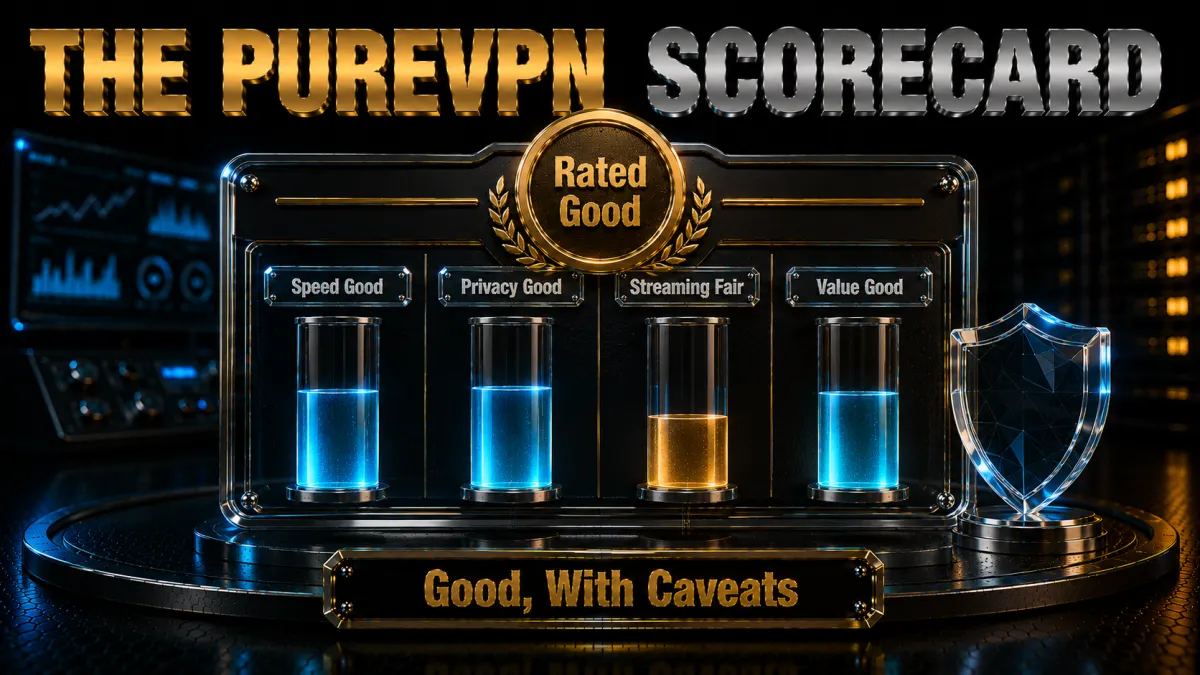
Here is our at-a-glance rating of PureVPN across the areas that matter most, with the honest pros and cons.
PureVPN is a strong budget all-rounder in 2026: privacy-friendly base, repeated independent audits, a big server network and reliable streaming, all at a very low price. It is held back mainly by its history and by speeds that trail the premium leaders, but for the money it delivers a lot.
✔ Pros
- Very low long-term pricing
- Repeated, always-on KPMG no-logs audits
- Privacy-friendly British Virgin Islands base
- Reliable streaming and large server network
✘ Cons
- 2017 logging history still weighs on trust
- Speeds trail the premium leaders
- Some useful features are paid add-ons
| Price from | ~$2/mo (long plan) |
| No-logs | KPMG audited (always-on) |
| Servers | 6,000+ in 70+ countries |
| Money-back | 31 days |
PureVPN Pricing: Is It Worth It?

Price is PureVPN’s headline strength. On its longer plans it is among the cheapest reputable VPNs available, which is a big part of its appeal.
- Long plans are the value. The multi-year subscription drops the monthly cost to around a couple of dollars, far below the month-to-month price. This is where PureVPN’s headline affordability really comes from.
- Short plans cost more. As with every VPN, a single month is pricey; the savings come from committing longer. If you only need short-term cover, the maths is less compelling.
- Watch the add-ons. A dedicated IP, port forwarding and some extras are charged on top, so factor those in if you need them. The base price is low, but a fully loaded plan costs more.
- 31-day money-back guarantee. You get a slightly longer trial window than the usual 30 days to test it risk-free. That extra time is handy for properly trying it with your own services.
For pure value, PureVPN is hard to beat. Just go in knowing that the lowest price requires a longer commitment, and that a couple of features you might expect to be included are optional paid extras.
PureVPN vs Free VPNs
Because PureVPN is so cheap, it is worth comparing against the free VPNs some people consider instead. The gap is bigger than the price suggests.
- Free VPNs often monetise your data. Many log and sell the very activity you are trying to protect, which defeats the purpose of using one at all. With a free service, you are frequently the product being sold.
- Free plans throttle and cap you. Slow speeds and tight data limits make them frustrating for streaming or heavy use. You often hit a wall right when you need the connection most.
- Free VPNs rarely unblock streaming. They lack the fresh IP addresses and maintenance needed to beat platform blocks. The result is usually a proxy error instead of your show.
- PureVPN is barely more than free. For a couple of dollars a month you get audited no-logs, a big server network and reliable streaming, which is a different league entirely. The small cost buys a genuinely trustworthy service.
If budget is the reason you are eyeing a free VPN, PureVPN is the smarter choice: it costs very little yet avoids almost every downside of going free.
Who Is PureVPN Best For?
PureVPN is not the right VPN for everyone, but it is an excellent fit for certain users. The honest way to decide is to match its strengths and weaknesses to what you personally care about most, so here is who should and should not consider it.
PureVPN is a great fit if you:
- Want maximum value. You care most about getting audited privacy and good streaming for the lowest possible price, and you are happy to commit to a longer plan to unlock it.
- Stream a lot. You want reliable access to Netflix, iPlayer and Disney+ without paying premium rates, and PureVPN handles the major platforms well.
- Cover many devices. You need generous simultaneous connections for a household, or you plan to run it on a router to cover everything at once.
- Are reassured by audits. You value the repeated, always-on KPMG verification over brand reputation alone, and you judge a provider by what it can prove today.
You may prefer a rival if you:
- Want the fastest speeds. Power users and competitive gamers will get more from a premium provider, where every last megabit and the lowest latency count. For them the price difference buys real performance.
- Cannot look past the 2017 history. If a spotless record is essential to you, a provider without that past is the safer emotional choice. Trust is personal, and there is no wrong answer here.
- Want everything included. If you dislike paid add-ons, a provider that bundles more in the base price may suit you better. Some rivals include features like a dedicated IP or extras at no extra cost.
3 Better Alternatives to PureVPN

PureVPN is a strong budget pick, but if privacy record, speed and polish matter more than rock-bottom price, these three are our top recommendations. First, here is how they compare at a glance.
| Provider | Best for | Record | Speed |
|---|---|---|---|
| PureVPN | Lowest price | 2017 history | Good |
| NordVPN | Best all-round | Clean, audited | Excellent |
| ExpressVPN | Most proven | Clean, audited | Excellent |
| Surfshark | Value upgrade | Clean, audited | Very good |
All three alternatives below have audited no-logs policies and a 30-day money-back guarantee, so you can test them against PureVPN yourself. They cost more, but the extra buys faster, more consistent speeds, more polished apps and, crucially, a clean privacy record with no controversy attached. For many people that peace of mind is worth the modest price difference.
1. NordVPN, Best Overall
NordVPN is the strongest all-round choice, pairing the fast NordLynx protocol with an independently audited no-logs policy, excellent streaming and a clean track record. It costs more than PureVPN but delivers more speed, polish and peace of mind.
✔ Pros
- Independently audited no-logs, clean record
- Fast NordLynx (WireGuard) protocol
- Excellent streaming and reliability
- Threat Protection blocks trackers
✘ Cons
- Pricier than PureVPN
- Price rises at renewal
| Price from | ~$3.39/mo (long plan) |
| No-logs | Independently audited |
| Best feature | Speed + streaming |
| Money-back | 30 days |
2. ExpressVPN, Most Proven
ExpressVPN is the pick for users who value a long, proven track record. Its Network Lock kill switch is among the best, its Lightway protocol is fast and stable, and RAM-only TrustedServer technology means nothing is written to disk. It is pricier, but rock-solid.
✔ Pros
- Rock-solid Network Lock kill switch
- RAM-only TrustedServer infrastructure
- Consistent, reliable streaming
- Very easy apps on all platforms
✘ Cons
- Most expensive of the three
- Fewer simultaneous connections
| Price from | ~$4.99/mo (long plan) |
| No-logs | Audited + RAM-only |
| Best feature | Reliability + kill switch |
| Money-back | 30 days |
3. Surfshark, Best Value Upgrade
Surfshark is the natural step up if you like PureVPN’s value but want a cleaner record and stronger polish. It allows unlimited simultaneous devices, runs fast WireGuard speeds, keeps an audited no-logs policy on RAM-only servers, and still costs very little on longer plans.
✔ Pros
- Unlimited simultaneous connections
- Audited no-logs, RAM-only servers
- Reliable streaming and WireGuard speeds
- Excellent price on longer plans
✘ Cons
- Speeds slightly behind the top two
- Short plan is comparatively pricey
| Price from | ~$2.19/mo (long plan) |
| No-logs | Audited + RAM-only |
| Best feature | Unlimited devices + value |
| Money-back | 30 days |
Related reading:
Frequently Asked Questions
Is PureVPN safe to use in 2026?
Yes, it is much safer than its 2017 reputation suggests. PureVPN is now based in the privacy-friendly British Virgin Islands, has repeated independent KPMG no-logs audits including an always-on arrangement, and uses strong encryption with a kill switch. Its record is not spotless, but the current service is credible.
Does PureVPN keep logs?
PureVPN says it does not keep activity logs that could identify what you do online, and this claim has been repeatedly audited by KPMG. The 2017 case involved connection timestamps under its older setup; since then it has moved jurisdiction and strengthened its audit approach.
Does PureVPN work with Netflix?
Yes. PureVPN reliably unblocks popular Netflix libraries as well as BBC iPlayer, Disney+ and other major services. If a particular server is blocked, switching to another in the same country usually restores access quickly.
Is PureVPN good for torrenting?
It is a reasonable choice. PureVPN allows peer-to-peer traffic, includes a kill switch to prevent IP leaks, and its audited no-logs policy is reassuring for private downloading. Keep the kill switch on and use it only for legal file sharing.
How much does PureVPN cost?
On its longer plans PureVPN is one of the cheapest reputable VPNs, at around a couple of dollars a month. Short one-month plans cost more, and some features like a dedicated IP are paid add-ons. It comes with a 31-day money-back guarantee.
Is PureVPN faster than NordVPN or ExpressVPN?
Generally no. PureVPN is fast enough for everyday browsing and HD streaming on WireGuard, but the premium leaders tend to edge ahead on raw speed and consistency. For most people the difference is small; for power users it can matter.
What happened with PureVPN in 2017?
PureVPN provided connection timestamps that helped identify someone in a criminal stalking case, despite marketing a no-logs policy at the time. The company has since relocated to the British Virgin Islands and adopted repeated, always-on independent audits to rebuild trust.
Is PureVPN worth it, or should I pick an alternative?
PureVPN is worth it if your priority is audited privacy and reliable streaming at the lowest price. If you want the fastest speeds, the most polished apps or a completely clean history, NordVPN, ExpressVPN or Surfshark are stronger, if pricier, choices.
Can I try PureVPN risk-free?
Yes. PureVPN offers a 31-day money-back guarantee, so you can subscribe, test it with your own streaming and privacy needs, and request a full refund within the window if it is not right for you.
How many devices can I use with PureVPN?
PureVPN allows a generous number of simultaneous connections on a single subscription, which is enough to cover a whole household of phones, laptops, tablets and TVs. You can also install it on a router to protect every device on your network as one connection.
Where is PureVPN based, and why does it matter?
PureVPN is based in the British Virgin Islands, a jurisdiction with no mandatory data-retention laws and outside the 5, 9 and 14 Eyes intelligence alliances. That matters because it reduces the legal pressure a provider can face to collect or hand over user data.
Does PureVPN offer a free trial?
Rather than a permanent free tier, PureVPN relies on its 31-day money-back guarantee, which works like an extended free trial. You pay upfront, use the full service, and claim a refund within 31 days if you are not satisfied.
Is PureVPN good for beginners?
Yes. The apps are clean and simple with a one-tap connect button, WireGuard is set up by default, and 24/7 live chat is on hand if you get stuck. You do not need any technical knowledge to stay protected.
Can PureVPN be used on a router?
Yes. PureVPN supports router setup, which lets you protect every device on your home network at once, including smart TVs and consoles that cannot run a VPN app. The website provides setup guides for popular router firmware.
The Bottom Line
PureVPN in 2026 is a genuine budget standout. It has answered its critics by moving to a privacy-friendly base, submitting to repeated always-on audits, and delivering reliable streaming across a big server network, all at a price that undercuts almost every rival.
In short:
- Choose PureVPN if you want the most audited privacy and solid streaming for the lowest possible price, and you are satisfied by its improvements since 2017.
- Choose NordVPN for the best all-round balance of privacy, speed and streaming.
- Choose ExpressVPN for the most proven track record and the most dependable kill switch.
- Choose Surfshark for a cleaner record than PureVPN at a similarly low price, with unlimited devices.
Whichever you pick, take advantage of the money-back guarantee to test it yourself. PureVPN has done the work to deserve a fresh look, and for value hunters it is well worth one, even if the outright best experience still belongs to the premium leaders. The most important thing is to match the VPN to your own priorities: if the lowest price with audited privacy is what you want, PureVPN delivers, and if speed, polish and a spotless record matter more, the premium trio are ready to step in.
Jyoti VPN Expert leads VPN testing at VPN Expert Guide, covering streaming and regional access, speed and latency testing, and leak checks on Windows, Android and router-level setups. Our guides are built from vendor documentation, provider terms and our own connection testing on a residential line in India, and we publish those measurements in full so readers can check them. Every guide is reviewed before publication and dated so you can see how current it is.
Meet our testing team →Last updated: August 24, 2026