
How to Access ChatGPT When It Is Blocked in 2026: Safe Methods That Work
ChatGPT has become a daily tool for writing, coding, and studying, which makes losing access genuinely disruptive: a travel destination where it is unavailable, an office or campus network that filters AI tools, or a region OpenAI does not serve. This guide explains why access breaks, how a VPN restores it, what the terms-of-service picture honestly means, and which five VPNs handle AI services most reliably.
Why ChatGPT is blocked or unavailable in the first place

Access fails for three very different reasons, and telling them apart decides what a VPN can honestly do for you.
- OpenAI does not serve every region. ChatGPT is officially supported in the large majority of countries, but a small set are excluded, mainly for sanctions and legal-compliance reasons. This is a policy decision by OpenAI, not a network fault at your end.
- Some governments block it. A few countries restrict access to foreign AI services at the national level, so even where OpenAI would serve users, the local network refuses connections to it.
- Institutions filter it. The most common case in practice: schools, universities, and workplaces block AI tools over academic-integrity, data-protection, or productivity policies. The block lives in the building’s network, and your account is untouched.
- Different walls, different answers. A VPN cleanly solves travel hiccups and network filters, because your account and region remain legitimate. Genuinely unsupported regions and sanctions are a different matter, covered honestly throughout this guide.
How a VPN restores ChatGPT access
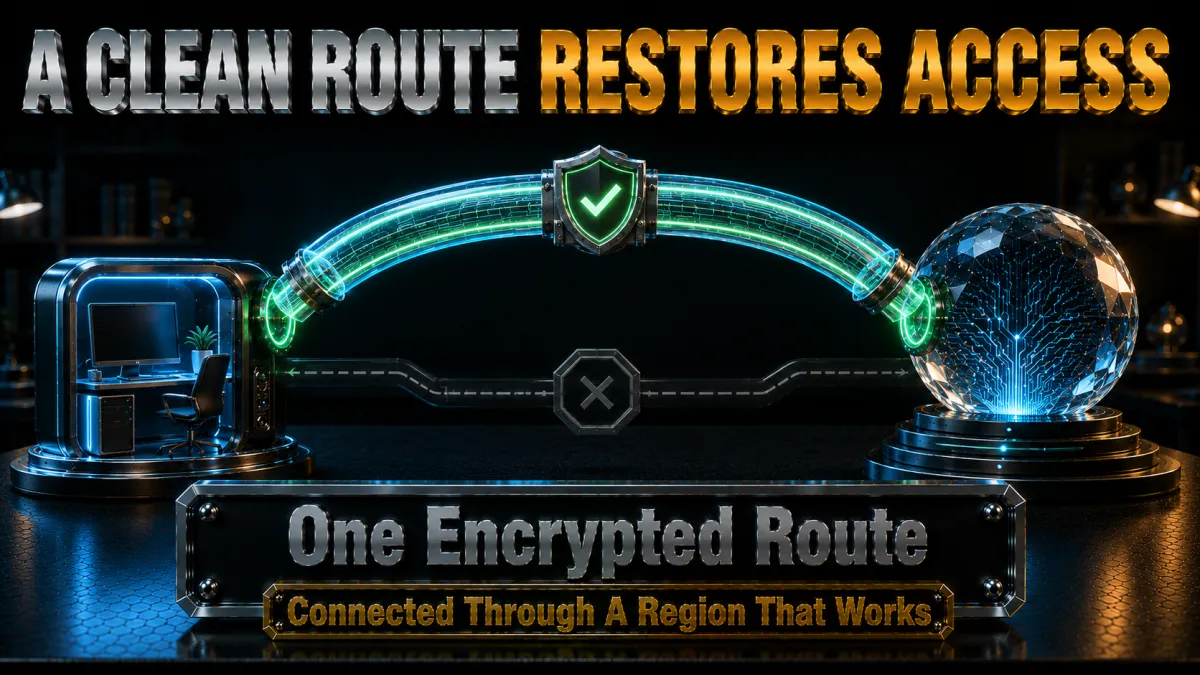
The mechanism is simple and worth understanding, because it also explains the failure cases.
- Blocks read your visible connection. A filtering network sees requests headed to ChatGPT and drops them; a regional check reads the location of your IP address. Both depend on what your connection openly shows.
- The tunnel hides your traffic from the local network. Connected to a VPN, your device exchanges only encrypted data with the VPN server. The office or campus filter no longer sees ChatGPT anywhere in your traffic, so there is nothing for it to block.
- The exit server sets your apparent location. ChatGPT sees the VPN server’s address in a supported country, and service proceeds normally. For a traveller whose home account is entirely legitimate, this simply restores the status quo.
- Sessions stay fast because chat is light. AI chat is text, feather-light on bandwidth, so even modest VPN overhead is imperceptible. Long sessions care about connection stability, which the rankings below weigh heavily.
Why IP quality decides everything with AI services

Here is the part most guides skip: with ChatGPT, the fight is rarely against a block and usually against IP reputation.
- AI services watch for abuse at the IP level. Automated signups, scraping, and bot traffic concentrate on cheap VPN and datacentre addresses, so services like ChatGPT respond with extra verification, endless challenges, or refusals when a connection arrives from a poorly reputed address.
- Cheap VPNs live on exactly those addresses. Overloaded free and bargain servers share one address among thousands of users, and that address’s reputation reflects its worst users. This is why the same site works on one VPN and fights you on another.
- Premium networks maintain clean pools. The five picks below rotate, monitor, and maintain their address space, so a connection through them looks like an ordinary user, which is what you are. Fewer captchas, fewer verification loops, fewer mysterious refusals.
- A dedicated IP is the calm option. An address only you use builds its own quiet reputation, and services learn to trust it. NordVPN, Surfshark, CyberGhost, and IPVanish offer one as an add-on, useful for anyone living in ChatGPT daily.
Obfuscation for networks that block VPNs too

Institutions that filter AI tools increasingly filter VPNs as well, which moves the contest one level down.
- Standard VPN protocols are detectable. Corporate and campus firewalls can fingerprint ordinary VPN traffic and drop it, which is why a basic VPN connects at home and fails in the library or office.
- Obfuscation disguises the tunnel as HTTPS. Stealth modes wrap the connection to look like the encrypted web traffic every legitimate site uses, which a network cannot block without breaking everything. The tunnel passes as routine.
- Provider differences are real here. NordVPN’s dedicated obfuscated servers and ExpressVPN’s automatic stealth are the strongest; Surfshark’s Camouflage Mode covers the middle; CyberGhost and IPVanish carry lighter options, which their rankings reflect.
- Port 443 is the quiet lane. If a connection refuses to establish, switching the protocol to OpenVPN TCP, which travels on the standard HTTPS port, resolves most cases and engages several providers’ stealth modes at the same time.
Your prompts, your privacy, and what a VPN covers

People type remarkably personal things into AI chats, and it is worth being precise about which privacy layer protects what.
- The network sees where you connect, not what you type. ChatGPT traffic is HTTPS-encrypted, so contents are protected in transit already. What a local network can log without a VPN is the fact and frequency of your AI use, which on a workplace or campus network is exactly the visibility many people prefer to remove.
- A VPN removes the app-level trail. Inside the tunnel, the network sees encrypted data to one server, with no ChatGPT-shaped pattern to log. Your ISP similarly loses the ability to profile your AI usage habits.
- OpenAI still sees your account activity. No VPN changes what the service itself knows: your prompts, your account, your history live with OpenAI under its privacy policy and settings. Manage that layer inside ChatGPT’s own data controls.
- An audited no-logs VPN keeps the middle honest. Since the VPN sees your connection metadata, its own no-records claim should be independently verified, which is true of the top picks and weighted accordingly below.
The VPN features that matter for AI tools
Ranked for this specific job, these features separate a VPN that makes ChatGPT effortless from one that adds friction.
- Clean, well-maintained IP pools. The single biggest quality-of-life factor: reputable addresses mean fewer captchas and challenges. Premium networks earn their price here.
- Connection stability for long sessions. A dropped tunnel mid-conversation is a lost train of thought. Stability and a reliable kill switch outrank raw speed for text work.
- Obfuscation for strict networks. Where the office or campus blocks VPNs, stealth decides whether anything else matters.
- Audited no-logs privacy. Verified, not merely promised, for the connection trail your AI use leaves.
- A dedicated IP option. For daily users, one clean address that services learn to trust removes friction permanently.
How to choose for your situation
All five picks handle ChatGPT; the right one depends on where the friction is.
- Daily AI user wanting zero friction? NordVPN’s clean pools, stability, and dedicated IP option make it the default.
- Strict corporate or campus firewall? NordVPN’s obfuscated servers or ExpressVPN’s automatic stealth are the two that dependably survive VPN detection.
- Budget-first with several devices? Surfshark delivers audited privacy, Camouflage Mode, and unlimited devices at the lowest price.
- First VPN, gentle learning curve? CyberGhost’s simplicity plus a 45-day refund gives six weeks of risk-free testing on your actual network.
- Speed and many devices on lighter filters? IPVanish covers unlimited connections briskly at a fair price.
The 5 best VPNs for ChatGPT in 2026
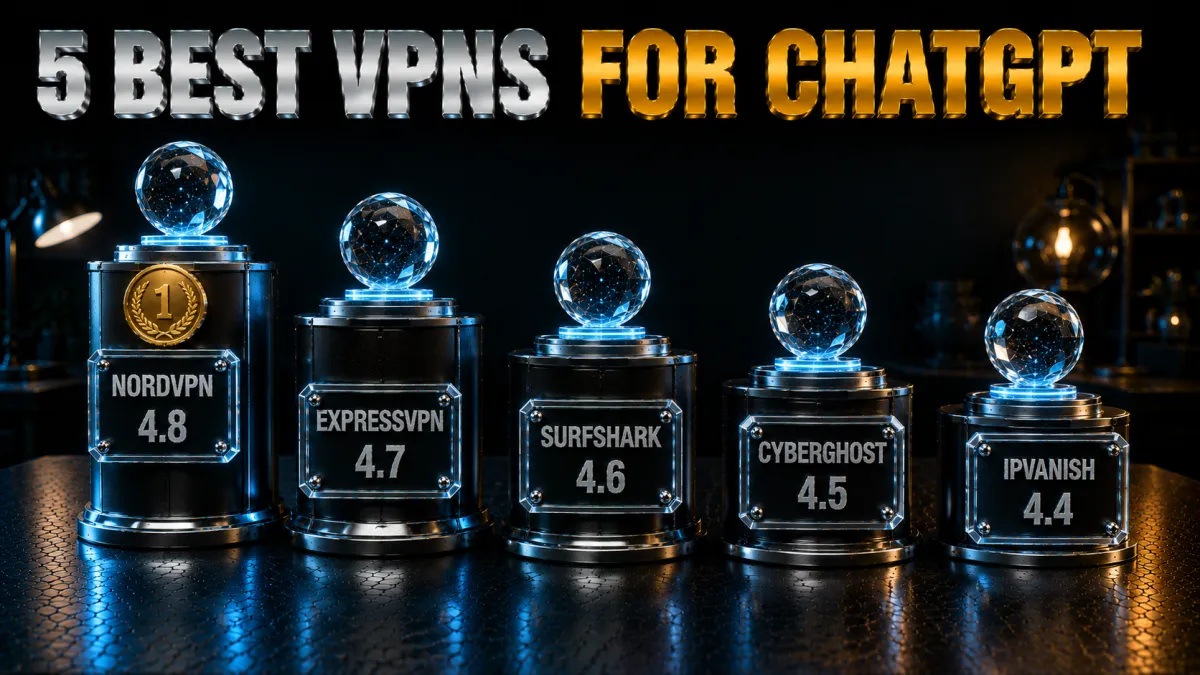
Ranked for AI-service reality: IP reputation and stability first, then stealth, privacy evidence, and value. These are weighted for the friction you actually meet, not the spec sheet.
1. NordVPN – Best overall for AI services
NordVPN wins this category on the metric daily AI users feel most: its addresses are clean enough that ChatGPT and similar services treat you as the ordinary user you are, without the captcha gauntlets cheaper networks trigger. Sessions hold steadily for hours on NordLynx, and when a corporate or campus firewall blocks VPNs outright, the dedicated obfuscated server list gets through as ordinary HTTPS.
The trust layer is equally strong: a no-logs policy with multiple independent audits from a Panama base, so the connection trail of your AI use is verifiably nobody’s record. The Dedicated IP add-on is the quality-of-life upgrade for heavy users, one clean address that services learn to trust permanently.
✔ Pros
- Clean IP pools mean fewer captchas and challenges
- Dedicated obfuscated servers beat VPN-blocking firewalls
- Multiple independent no-logs audits
- Stable for hours-long sessions
- Dedicated IP option for daily users
✘ Cons
- Dedicated IP costs extra
- Best price needs a longer plan
| IP quality | Clean, actively maintained pools |
| Obfuscation | Dedicated server list |
| Audited no-logs | Yes, multiple audits |
| Devices | 10 |
| Money-back | 30 days |
2. ExpressVPN – Smoothest on strict networks
ExpressVPN’s stealth engages by itself whenever a network interferes, which makes it the effortless pick for people working behind strict corporate or campus firewalls: no server lists, no protocol menus, just a connection that adapts. Its address pools are well maintained, so AI services rarely challenge it, and its famous stability keeps long working sessions unbroken.
RAM-only servers, an audited no-logs policy, and a British Virgin Islands base make the privacy architecture the strongest of the five. The honest costs: the highest price here, an eight-device cap, and no dedicated IP option for those who want one fixed address.
✔ Pros
- Obfuscation engages automatically
- Exceptional connection stability
- RAM-only servers, audited, BVI base
- Well-maintained IP pools
- Simplest apps of the five
✘ Cons
- Most expensive here
- No dedicated IP; 8-device cap
| IP quality | Well maintained |
| Obfuscation | Automatic |
| Audited no-logs | Yes, audited |
| Devices | 8 |
| Money-back | 30 days |
3. Surfshark – Best value for AI access
Surfshark makes premium AI access cheap: audited no-logs privacy, Camouflage Mode for filtered networks, a dedicated IP available as an add-on, and unlimited simultaneous devices, all at the lowest long-term price of the five. A student household can cover every laptop and phone for less than one streaming subscription.
Fairly stated, its shared IP pools sit a half-step behind the top two on reputation, so occasional verification prompts are slightly more likely, and its stealth trails NordVPN and ExpressVPN on the harshest firewalls. The dedicated IP add-on neatly solves the first issue for anyone bothered by it.
✔ Pros
- Lowest long-term price of the five
- Unlimited simultaneous devices
- Audited no-logs policy
- Camouflage Mode for filtered networks
- Dedicated IP add-on available
✘ Cons
- Slightly more verification prompts on shared IPs
- Stealth behind the top two on harsh firewalls
| IP quality | Good, dedicated IP optional |
| Obfuscation | Camouflage Mode |
| Audited no-logs | Yes, audited |
| Devices | Unlimited |
| Money-back | 30 days |
4. CyberGhost – Easiest start, longest trial
CyberGhost is the gentle on-ramp: one connect button, a huge server network, plain-language settings, and a privacy-minded token-based dedicated IP option. For a first-time VPN user whose network merely filters AI sites rather than hunting VPNs, it restores ChatGPT with the least learning of the five.
The 45-day money-back guarantee is the longest here, six full weeks to confirm it works on your specific office or campus network. Its stealth options are the lightest of the group, so the harshest firewalls favour the top picks, and its audited no-logs policy with transparency reports covers the trust basics well.
✔ Pros
- Simplest interface of the five
- 45-day refund, longest here
- Token-based dedicated IP option
- Audited no-logs with transparency reports
- Huge server network
✘ Cons
- Lightest obfuscation of the five
- Not the pick for VPN-hunting firewalls
| IP quality | Good, dedicated IP optional |
| Obfuscation | Limited |
| Audited no-logs | Yes, audited |
| Devices | 7 |
| Money-back | 45 days |
5. IPVanish – Fast and unlimited for lighter filters
IPVanish delivers brisk, stable connections and unlimited simultaneous devices at a fair price, with a dedicated IP add-on for those who want a fixed address. Where the obstacle is a simple site filter rather than VPN detection, it restores ChatGPT without drama and keeps a family’s devices covered on one plan.
It ranks fifth for this job because its scramble obfuscation is the lightest here and its shared addresses draw verification prompts a little more often than the leaders, alongside a US base and lighter audit history on the trust ledger. Within those honest limits, it is a capable, well-priced workhorse.
✔ Pros
- Fast, stable connections
- Unlimited simultaneous devices
- Dedicated IP add-on
- Fair pricing
- Simple apps everywhere
✘ Cons
- Lightest obfuscation of the five
- US base, lighter audit history
| IP quality | Adequate, dedicated IP optional |
| Obfuscation | Scramble (OpenVPN) |
| Audited no-logs | Policy in place, lighter audit history |
| Devices | Unlimited |
| Money-back | 30 days |
| Feature | NordVPN | ExpressVPN | Surfshark | CyberGhost | IPVanish |
|---|---|---|---|---|---|
| IP reputation | Excellent | Excellent | Good | Good | Adequate |
| Obfuscation | Dedicated servers | Automatic | Camouflage Mode | Limited | Scramble only |
| Dedicated IP | Add-on | No | Add-on | Add-on | Add-on |
| Audited no-logs | Multiple audits | Audited | Audited | Audited | Lighter history |
| Devices | 10 | 8 | Unlimited | 7 | Unlimited |
| Money-back | 30 days | 30 days | 30 days | 45 days | 30 days |
Setting it up: five minutes, once
The setup is short and the payoff is permanent. Do it on a calm connection before you need it.
- Install from official sources. The provider’s website or the official app store, on each device where you use ChatGPT. Fake VPN apps exist, and the official-source habit costs nothing.
- Enable the kill switch. First stop in settings, on every device. It keeps a dropped tunnel from exposing your session and usage pattern to the local network.
- Turn on auto-connect for untrusted networks. Campus, office, cafe: protection should engage on join, before the browser opens.
- Pick a nearby server in a supported country. Close means fast; supported means ChatGPT proceeds normally. Favourite it and stay consistent, which also keeps your login pattern boring to the service.
- Engage stealth if the network fights back. Connection refused on office or campus Wi-Fi: switch to obfuscated servers on NordVPN, or OpenVPN for Surfshark’s Camouflage Mode; ExpressVPN adapts on its own.
- Open ChatGPT and confirm. Log in with your own account, run a prompt, done. If a verification prompt appears the first time, complete it once; a consistent clean address rarely asks twice.
School and work networks: the honest conversation

The most common ChatGPT block is institutional, and dealing with it well is a policy question wearing a technical costume.
- The block usually encodes a real policy. Schools worry about academic integrity, employers about confidential data pasted into external tools. The filter is a blunt instrument, but the policy behind it is often legitimate, and it applies to you whether or not a VPN can slip past it.
- Know your acceptable-use agreement. Circumventing network filters is prohibited on many institutional networks, with disciplinary consequences that no VPN feature mitigates. Read what you agreed to, and weigh it like an adult before deciding anything.
- Employer devices are a separate matter entirely. On a work-managed laptop, monitoring can operate on the device itself, seeing activity regardless of any VPN, and installing unapproved software may itself violate policy. Keep personal tools on personal hardware, full stop.
- Sometimes the winning move is asking. Many institutions now allow AI tools with guardrails, and a request tied to legitimate work, especially citing an approved use, often succeeds. It fixes access for everyone after you, with zero policy risk to you.
- Data caution outlives the block. Wherever you access it from, pasting confidential client or company material into any AI tool is the mistake that actually costs people jobs. The VPN protects the connection; judgement protects the career.
Fixing ChatGPT-plus-VPN problems
Friction, when it appears, is nearly always one of five things. Work down the list.
- Endless captchas or verification prompts. The classic sign of a poorly reputed shared address. Switch to a different server, which changes your address, or solve it permanently with a dedicated IP.
- The VPN will not connect on the office or campus network. VPN detection at work: move to obfuscated or stealth servers, or set the protocol to OpenVPN TCP, which travels like ordinary HTTPS on port 443.
- ChatGPT says it is unavailable in your region. Your exit server sits somewhere unsupported, or the session cached an old location. Pick a server in a clearly supported country, then log out and back in, or clear the site’s cookies.
- Sessions drop mid-conversation. Switch to a less busy nearby server and prefer a WireGuard-based protocol where the network allows it; enable the kill switch so drops fail clean rather than leaking.
- Sudden slowness. Chat is text; real slowness is almost always a congested server. One hop to the next city fixes it. If the whole network is crawling, the VPN is not your bottleneck.
Common mistakes to avoid
Five errors account for most self-inflicted ChatGPT trouble. All are avoidable in one sentence each.
- Using a VPN to pose as a supported-region user from a genuinely unsupported one. This sits against OpenAI’s terms and risks the account itself, and sanctions-driven exclusions carry legal weight beyond any terms of service. The legitimate uses in this guide do not include this one.
- Signing up through sketchy workarounds. Borrowed phone numbers and grey-market accounts create fragile access that breaks at the worst time. Your own legitimate account, used from supported ground, is the only stable foundation.
- Free VPNs for daily AI work. Blacklisted addresses, data caps, logged traffic: the free-VPN section below explains why this combination fails precisely here.
- Ignoring institutional policy because the VPN works. Technical success is not policy permission. The acceptable-use agreement you signed still governs, and consequences are real.
- Server-hopping between logins. Bouncing countries hourly looks like account compromise to any service. One consistent nearby server keeps everything calm.
Free VPNs and ChatGPT: why the combination fails

Free VPNs fail harder with AI services than almost anywhere else, for a structural reason worth understanding.
- Free IP pools are exactly what AI services flag. Automated abuse concentrates on free VPN addresses, so services meet them with the heaviest verification walls. You inherit the reputation of the address’s worst user, which on a free service is very bad indeed.
- Data caps meet a daily-use tool. A tool you touch all day behind a capped, throttled connection becomes a tool you ration, which defeats the point of restoring access.
- Your usage trail funds the service. Free providers commonly log and monetise traffic patterns. Wrapping your AI usage in a data-harvesting layer inverts the privacy motive entirely.
- The honest free path. Every pick above refunds within 30 to 45 days: full premium access, clean addresses, real stealth, at zero net cost while you decide. That is the free trial worth having.
Related reading:
Frequently Asked Questions
Why is ChatGPT not working on my network?
The usual causes, in order of likelihood: your school or workplace filters AI tools at the network level, you are travelling somewhere with national-level restrictions, or you are in one of the small set of regions OpenAI does not serve. The first two are cleanly solved with a VPN; the third is a policy and legal matter a VPN does not honestly fix.
Which VPN works best with ChatGPT in 2026?
NordVPN leads: clean IP pools that avoid captcha walls, obfuscated servers for VPN-blocking firewalls, multiple no-logs audits, and stable long sessions. ExpressVPN is the smoothest on strict corporate networks with automatic stealth, and Surfshark is the best value with unlimited devices.
Is using a VPN with ChatGPT against OpenAI’s rules?
Using a VPN for privacy or on filtered networks while being a legitimate user in a supported region is ordinary practice. What sits against OpenAI’s terms is using one to access the service from a region it does not serve, which can risk the account, and sanctions-driven exclusions carry legal weight beyond terms of service. Location matters; the tool itself is neutral.
Why does ChatGPT keep showing me captchas through my VPN?
Your shared VPN address has a poor reputation from other users’ behaviour, so the service adds verification. Switch servers to get a cleaner address, prefer premium providers that maintain their pools, or get a dedicated IP, which builds its own quiet reputation and typically ends the prompts for good.
Will a VPN slow ChatGPT down?
Imperceptibly, on any decent nearby server: AI chat is lightweight text, and modern protocols add single-digit milliseconds. What matters for long working sessions is connection stability, where the top picks distinguish themselves. If responses crawl, the fix is a less busy server, not a faster plan.
Can my school or employer see me using ChatGPT if I use a VPN?
The network itself sees only encrypted traffic to one server, so your AI usage pattern is not in its logs. Two honest caveats: on employer- or school-managed devices, monitoring on the device can see activity regardless of any VPN, and your acceptable-use policy applies whether or not the network can see you.
Does a VPN hide my prompts from OpenAI?
No, and it is not meant to. A VPN hides your usage from the local network and your ISP, and masks your IP from the service. Your prompts, account, and history remain with OpenAI under its privacy policy, managed through ChatGPT’s own data controls. Connection privacy and platform privacy are separate layers.
Which server country should I choose for ChatGPT?
A nearby country where ChatGPT is clearly supported: close keeps latency low, supported keeps service normal. Favourite one server and use it consistently, since a stable location reads as normal account behaviour, while country-hopping between logins invites verification.
Why does my VPN itself not connect at work or on campus?
The firewall detects and blocks standard VPN protocols. Engage stealth: NordVPN’s obfuscated server list, ExpressVPN’s automatic obfuscation, or Surfshark’s Camouflage Mode, and set the protocol to OpenVPN TCP so the tunnel travels the standard HTTPS port. One of those passes on nearly every institutional network.
Do I need a dedicated IP for ChatGPT?
Need, no; benefit from, often. Heavy daily users on shared addresses occasionally meet verification prompts, and a dedicated IP, one clean address only you use, makes services treat you as the predictable regular you are. NordVPN, Surfshark, CyberGhost, and IPVanish offer it as an inexpensive add-on.
Can I use ChatGPT on mobile data with a VPN?
Yes, identically to Wi-Fi: the VPN encrypts whichever connection you are on, and the app works normally through it. On institutional Wi-Fi that filters AI tools, switching to mobile data is also the zero-configuration alternative that involves neither the network nor its policies.
Is a free VPN good enough for ChatGPT?
It is the worst pairing in this guide: free VPN addresses carry exactly the abuse reputation AI services flag hardest, so you trade a network block for a captcha wall, plus data caps and logged traffic. Use a reputable provider’s 30 to 45 day money-back window as your free trial instead.
Does this advice apply to other AI tools like Claude or Gemini?
Largely yes. Other AI assistants use the same building blocks: regional availability lists, IP-reputation checks, and the same institutional filters. A VPN with clean addresses, stable connections, and obfuscation serves them identically, and the same honesty applies about supported regions, your own account, and workplace policy. One good VPN covers your whole AI toolkit.
The Bottom Line
Losing ChatGPT to a filter or a border is a modern inconvenience with a clean solution. A good VPN removes the network’s view of your AI usage, restores access through a supported-country server, and, with obfuscation, survives even networks that hunt VPNs themselves. The honest boundaries hold the whole thing up: your own legitimate account, a supported region, respect for institutional policy and for the small set of legal exclusions, and sensible caution about what you paste into any AI tool anywhere.
The five picks, briefly:
- NordVPN is the best overall: clean addresses, dedicated obfuscated servers, audited privacy, and a dedicated IP option for daily users.
- ExpressVPN is the strict-network specialist, stealth that configures itself inside the smoothest apps.
- Surfshark is the value pick: audited, Camouflage-equipped, unlimited devices at the lowest price.
- CyberGhost is the easiest start with a 45-day real-world trial.
- IPVanish is the fast unlimited-device choice for lightly filtered networks.
Set the kill switch, favourite one nearby supported-country server, engage stealth if your network demands it, and get back to work. The tool should disappear into the background, which is exactly what a good VPN does best.
Jyoti VPN Expert leads VPN testing at VPN Expert Guide, covering streaming and regional access, speed and latency testing, and leak checks on Windows, Android and router-level setups. Our guides are built from vendor documentation, provider terms and our own connection testing on a residential line in India, and we publish those measurements in full so readers can check them. Every guide is reviewed before publication and dated so you can see how current it is.
Meet our testing team →Last updated: August 24, 2026