
How to Change Your IP Address in 2026: Every Method, Free and Paid
Your IP address is your device’s public face: websites log it, advertisers profile it, streaming services region-lock against it, and anyone who bans it bans you. Changing it is neither difficult nor suspicious, but the methods differ enormously in speed and reliability. Some are free and take thirty seconds; some cost a little and change everything. This guide explains what an IP change really does, walks every method step by step, and ranks the five services that do the job best.
What an IP address is, and why people change it
Thirty seconds of foundation makes every method below make sense.
- Your IP is your network’s return address. Every device on the internet needs an address so responses know where to go, and yours is assigned by your ISP the moment your router connects. Websites see it on every visit, which is precisely why it doubles as an identifier: it says which ISP you use, roughly where you are, and it ties your visits together across sessions even without cookies.
- You actually have two: public and local. Your router holds the public IP the internet sees, while every device behind it gets a local address like 192.168.x.x that only your home network uses. Changing the local one is trivial and changes nothing about your privacy; every method on this page is about the public one, because that is the address the world reacts to.
- Privacy is the leading reason. Ad networks and data brokers use IP addresses to link browsing behaviour into profiles, and your ISP logs which addresses you connect to. A changed or masked IP breaks the easy linkage, which is why privacy-minded people treat their address as something to rotate rather than something permanent.
- Location and access come next. Your IP announces your approximate location, so services localise prices, catalogues, and availability against it. Changing your apparent country changes what you are shown, which matters to travellers reaching home services and anyone comparing regionally priced products, subject to each platform’s terms.
- Bans, blocks, and troubleshooting round it out. IP bans from forums and games, rate limits that punish an address rather than a person, and network debugging all end with the same practical need: appear from a different address. Sometimes the reason is as mundane as your ISP assigning you an address that some blocklist flagged before you ever had it.
How changing your IP actually works
Different methods change different things; this is the map that keeps them straight.
- ISP reassignment changes the real address. Most home connections use dynamic IPs: your ISP leases you an address from its pool, and when the lease ends or the connection resets, you may receive a different one. Router restarts and ISP requests work this lever, genuinely replacing your address, but always with another from the same ISP in the same city, so your location and provider remain visible.
- VPNs and proxies change the visible address. Your traffic exits from their server, so websites see the server’s IP instead of yours, in whatever country the server sits. Your real address still exists between you and the service, but the world interacts only with the borrowed one, which is why this class of method supports country choice and instant reversal while the ISP lever does not.
- The two layers do not compete; they answer different needs. Escaping an IP ban tied to your ISP address can succeed with either lever, while appearing in another country requires the borrowed-address kind, and shaking off a flagged address permanently is the reassignment kind. Knowing which lever a method pulls tells you instantly whether it can solve your specific problem.
- Encryption is a separate benefit, not automatic. VPNs encrypt your traffic as part of the address change; proxies and the ISP-lever methods do not. If privacy from your ISP or on public Wi-Fi is part of the goal, only the encrypted route delivers it, which is one of the recurring reasons the VPN method wins on this page.
All six methods at a glance
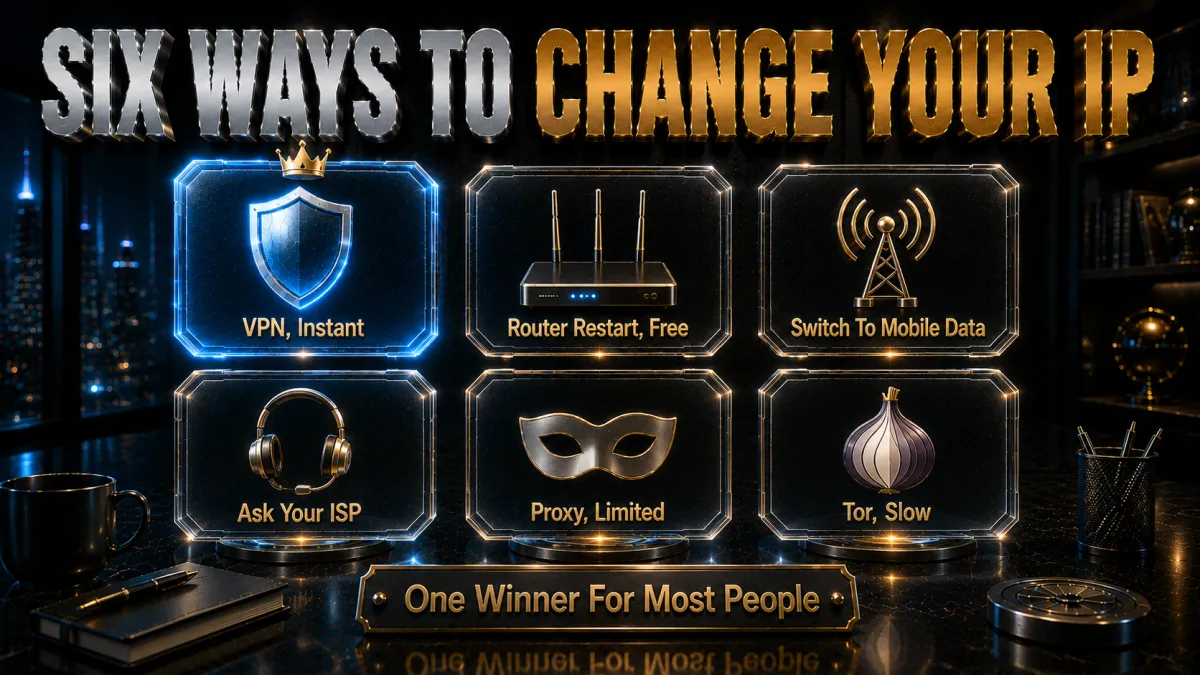
Each gets detail below; here is the honest overview with what each can and cannot do.
- Method 1: VPN. Instant, reversible, country-selectable, encrypted, works on every platform including routers. The only method that covers every reason people change IPs, at the cost of a subscription for a good one. The rest of the free methods are situational tools; this is the general one.
- Method 2: router or modem restart. Free and occasionally sufficient: power the router down, wait several minutes, and reconnect hoping the ISP’s lease system hands you a fresh address. Works only on dynamic-IP connections, cannot choose location, and some ISPs re-issue the same address stubbornly for weeks. Worth one try before anything paid.
- Method 3: switch networks. Moving from home Wi-Fi to mobile data, or to any other network, changes your public IP immediately because each network has its own. Free and instant, but the change lasts only while you stay on the other network, and mobile IPs are shared and rotated by carriers in ways you do not control.
- Method 4: ask your ISP. Support can often assign a new address on request, and on some connections re-authenticating the modem forces it. Genuinely replaces a problem address, though the new one is still the same ISP, same city, and the process can involve hold music.
- Method 5: proxy servers. Reroute browser or app traffic through another address without encryption. Fine for quick, low-stakes address swaps in a single app; wrong for anything involving logins, sensitive data, or ongoing privacy, and free proxies monetise their position in ways this site repeatedly warns about.
- Method 6: Tor. Routes traffic through volunteer relays, changing your visible address and providing strong anonymity for browsing, at heavy speed cost and with many services blocking Tor exit addresses outright. A specialised anonymity tool rather than a practical daily IP changer.
The free route in detail: restarts, leases, and ISP requests
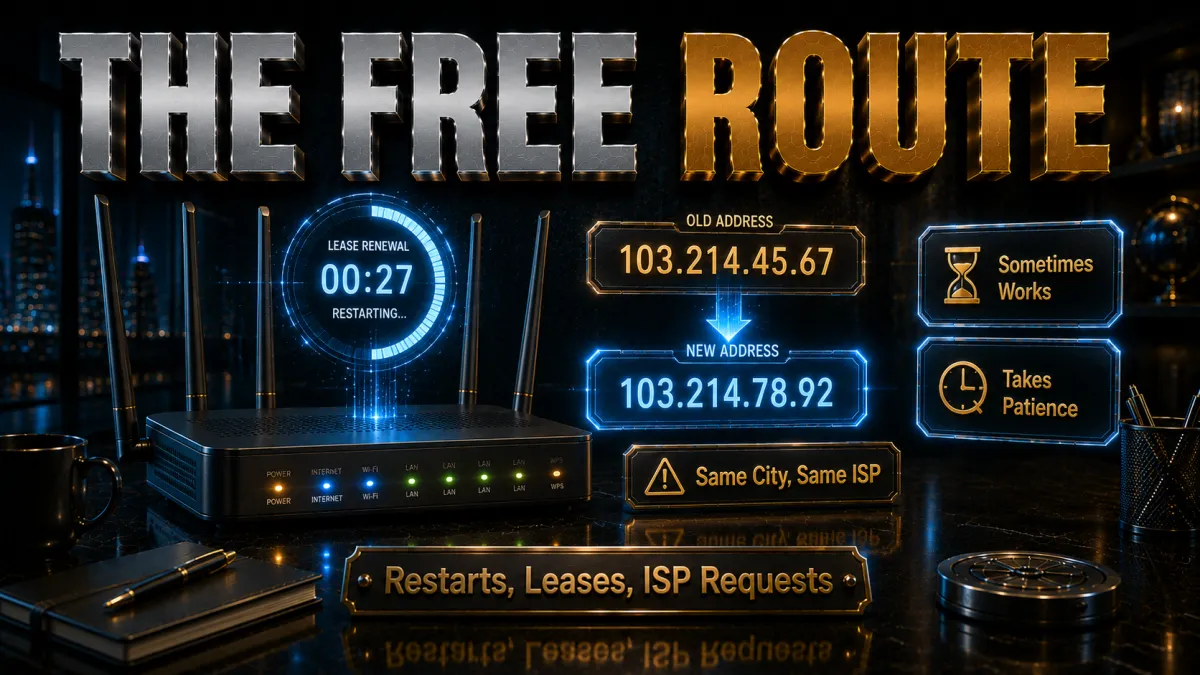
Before spending anything, exhaust the free lever properly.
- Do the restart correctly. Power off the router and modem, wait at least five to ten minutes rather than seconds, then reconnect and check your IP on any what-is-my-IP page. Short waits often renew the same lease; longer gaps make the pool likelier to hand you a different address. Overnight unplugging maximises the odds on stubborn ISPs.
- Understand why it sometimes never works. Some ISPs bind addresses to your modem’s hardware identifier for long periods, and business or fibre plans often use effectively static assignments. If two or three proper restarts return the same address, your ISP is telling you which kind of plan you have, and further unplugging is superstition.
- The ISP request is the direct version. Explain that you need a new IP address, flagged address and troubleshooting are perfectly normal reasons, and support can usually release and reassign. Some ISPs sell static IPs as an add-on, which is the opposite service but confirms they control assignment fully.
- Know what the free route cannot do. Every address it produces is still your ISP, your city, your traffic unencrypted. It solves flagged-address and simple ban problems and nothing else on the reasons list, which is exactly the boundary where the VPN method begins.
The VPN method in detail: why it wins for most people
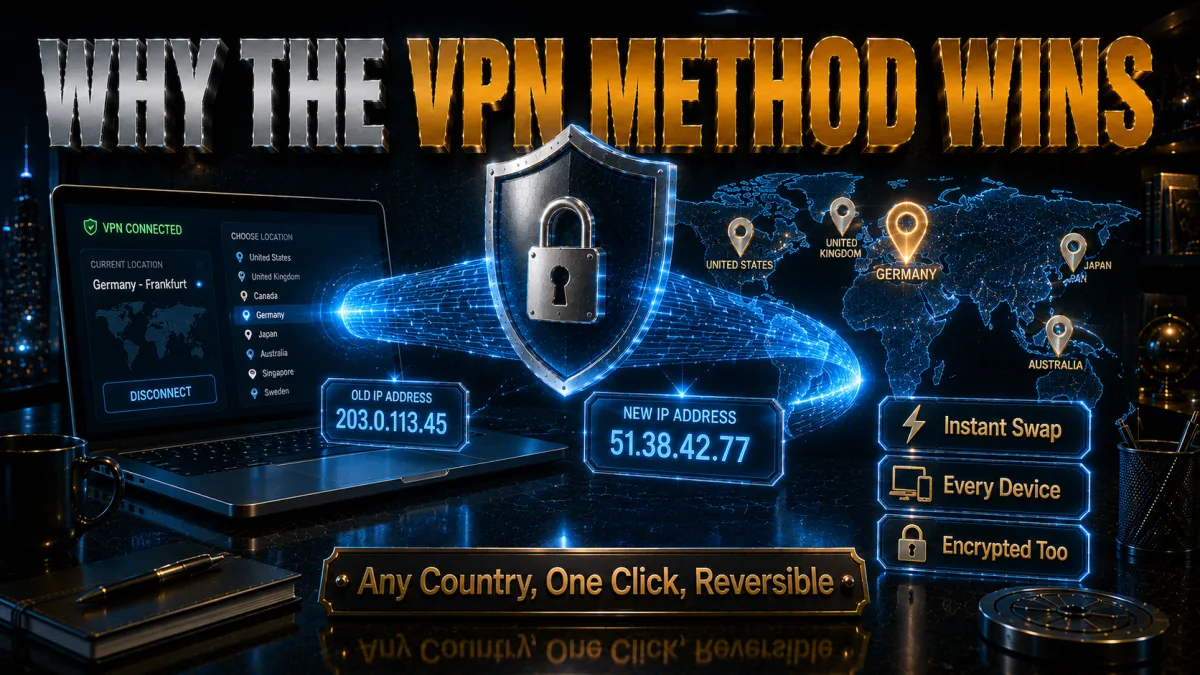
One method covers the whole reasons list; here is what that looks like in practice.
- The mechanics are one click. Install the app, sign in, connect: your visible address is now the server’s, in any of dozens of countries, and disconnecting restores normality instantly. No lease lotteries, no hold music, no per-browser configuration, and the same flow works on phones, computers, TVs, and routers.
- Encryption rides along free. The same connection that changes your address also encrypts your traffic, hiding activity from the ISP whose address you just stopped using and protecting you on public Wi-Fi. None of the other five methods bundles this, and for many people it quietly becomes the more valuable half.
- Address variety is the practical superpower. Need a fresh address? Switch servers. Need a specific country? Pick it from a list. Flagged by some overzealous blocklist? A provider with a large network has thousands of alternatives, which is why network size is a ranking criterion in the picks below.
- The costs, stated honestly. Good VPNs cost money, a few euros monthly on long plans, and add a small speed overhead that modern protocols keep near-invisible. Free VPNs are not the workaround: their business models monetise your traffic, the exact thing an IP change is usually meant to protect.
IPv4 vs IPv6: the wrinkle worth two minutes
Modern connections often run two addresses at once, and forgetting the second undoes the first.
- You may have both address types live. IPv4 is the classic format and IPv6 the newer, longer one, and many ISPs now assign both simultaneously. A what-is-my-IP page that shows both is telling you that you have two public faces, and a method that changes only one leaves the other announcing you as before.
- The free methods handle them unevenly. Router restarts may renew the IPv4 lease while the IPv6 assignment persists, since IPv6 allocation often follows different rules. If your goal is escaping a flagged address, check both after any change; the flag may live on the address you did not renew.
- VPNs must handle IPv6 explicitly. A VPN that tunnels IPv4 but ignores IPv6 leaks your real IPv6 address around the tunnel, the classic IPv6 leak covered in our leak-testing guide. The picks below handle IPv6 by tunnelling or safely disabling it, which is a selection criterion precisely because of this page’s topic.
- Verification is one page away. After any method, load an IP checker that reports both protocols and confirm both addresses changed or that IPv6 is absent. Thirty seconds here is the difference between changed and half-changed.
How to choose a VPN for changing your IP
If the VPN route is yours, these criteria separate the good tools from the logos.
- Network size and address freshness. More servers and larger address pools mean more alternatives when any single address is crowded or flagged. Providers that rotate and refresh their address ranges keep you ahead of stale blocklists, which matters for every access-related reason on this page.
- Country coverage that includes yours. Travellers and expats need the home country on the list, and anyone comparing regional experiences needs breadth. All five picks cover the major map; the differences show at the edges, so check your specific needs against the provider’s location list during the refund window.
- Audited no-logs behind the new address. Changing your visible address while the provider logs everything behind it just relocates the diary. Independent audits of no-logs claims are the difference between marketing and architecture, and they order the list below.
- Leak protection as standard. Kill switch, DNS leak protection, and explicit IPv6 handling keep the changed address the only one visible. A VPN that leaks defeats the entire purpose of this page, so treat these as requirements rather than features.
- Speed you will not notice. WireGuard-class protocols keep the changed-address connection feeling like the normal one, which decides whether the VPN stays on. An IP change you disable for speed reasons protects nothing.
The 5 best VPNs for changing your IP in 2026
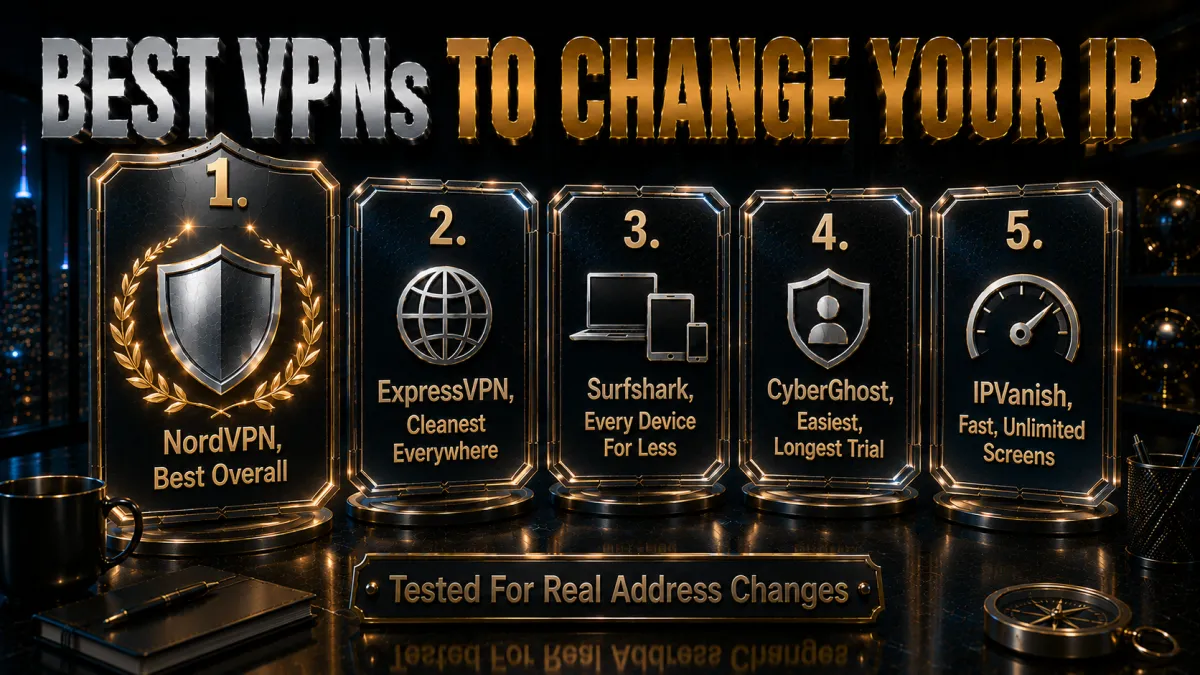
Ranked for network depth and address freshness first, then audited privacy, leak protection, speed, and value.
1. NordVPN – Best overall for IP changing
NordVPN turns IP changing into a solved problem: thousands of servers across a wide country map mean a fresh address is always one click away, load indicators show which servers are quiet, and NordLynx keeps the borrowed address as fast as the real one felt. Dedicated IP addresses are available as an add-on for the opposite need, one address that stays yours.
The privacy behind the new address is the market’s most verified: multiple independent no-logs audits on RAM-only servers, with sealed-tunnel leak protection keeping the changed address the only one visible. Settings run denser than minimalist rivals, though nothing IP-related needs touching after day one.
✔ Pros
- Huge network, fresh addresses on demand
- Server load shown in-app
- Multiple independent no-logs audits
- Full leak protection incl. IPv6
- Dedicated IP available if needed
✘ Cons
- Denser settings than minimalist apps
- Best price needs a longer plan
| Countries | Wide coverage |
| Fast protocol | NordLynx |
| Dedicated IP option | Yes, add-on |
| Audited no-logs | Yes, multiple audits |
| Devices | 10 |
| Money-back | 30 days |
2. ExpressVPN – Cleanest experience, everywhere
ExpressVPN makes the address change disappear into a single button across the broadest country list here, with Lightway connecting near-instantly and holding on networks that break lesser tools. For travellers changing IPs from hotels and airports, the automatic obfuscation gets through where VPN traffic is blocked outright.
Every server resolves DNS itself and Network Lock seals drops, so the changed address never leaks its real companion. The trade stays the familiar one: the highest price of the five and an eight-device cap, softened by router support counting the whole house as one.
✔ Pros
- Broadest country coverage here
- Lightway connects instantly, holds anywhere
- RAM-only fleet, audited no-logs
- Network Lock kill switch
- Best hostile-network behaviour
✘ Cons
- Most expensive of the five
- 8-device cap is the tightest here
| Countries | Broadest here |
| Fast protocol | Lightway |
| Dedicated IP option | No |
| Audited no-logs | Yes, audited |
| Devices | 8 |
| Money-back | 30 days |
3. Surfshark – Every device’s IP changed, for less
Surfshark brings a feature built precisely for this page: its rotating-IP mode changes your visible address periodically without dropping the connection, automating what others do manually, on top of standard server switching across a wide map. Unlimited devices at the lowest long-term price puts a changed IP on every screen in the house.
Peak speeds sit a step behind the top two and the Netherlands base is inside the EU, both stated plainly. The audited no-logs policy holds the trust floor, and for households the per-device arithmetic is untouchable.
✔ Pros
- Rotating-IP mode automates address changes
- Unlimited simultaneous devices
- Lowest long-term price of the five
- Audited no-logs policy
- Wide country coverage
✘ Cons
- Peak speeds behind the top two
- Netherlands base, inside the EU
| Countries | Wide coverage |
| Fast protocol | WireGuard |
| Dedicated IP option | Yes, add-on |
| Audited no-logs | Yes, audited |
| Devices | Unlimited |
| Money-back | 30 days |
4. CyberGhost – The easiest new address, longest trial
CyberGhost hands first-timers a new address in the plainest language of the five: one big connect button, purpose-labelled servers, and one of the largest networks in the market so a nearby quiet address is always available. A dedicated IP option covers the stable-address need too.
The 45-day money-back guarantee is the longest evaluation window anywhere, six full weeks to confirm the changed address does everything you needed. Speeds rank good rather than leading, and advanced controls run lighter than NordVPN’s, which beginners will read as a feature.
✔ Pros
- 45-day refund, longest trial here
- Huge server network
- Plainest-language apps of the five
- Audited no-logs with transparency reports
- Dedicated IP option available
✘ Cons
- Speeds good rather than leading
- Lighter advanced controls
| Countries | Wide coverage |
| Fast protocol | WireGuard |
| Dedicated IP option | Yes, add-on |
| Audited no-logs | Yes, audited |
| Devices | 7 |
| Money-back | 45 days |
5. IPVanish – Fast address changes, unlimited screens
IPVanish delivers the core of this page briskly: connect, address changed, at WireGuard speeds on unlimited simultaneous connections for a fair price. The server map covers the mainstream needs, and the apps keep the switch-server gesture front and centre where this topic wants it.
Fifth for the standing honest reason: US jurisdiction and a lighter independent audit history than the four above, which weighs on this page because the privacy behind a changed address is half the point. Ordinary needs are well served; privacy maximalists should climb the list.
✔ Pros
- Brisk WireGuard speeds
- Unlimited simultaneous connections
- Fair pricing
- Simple server-switch flow
- Kill switch and leak protection included
✘ Cons
- US jurisdiction
- Lighter audit history than the leaders
| Countries | Mainstream coverage |
| Fast protocol | WireGuard |
| Dedicated IP option | No |
| Audited no-logs | Policy in place, lighter audit history |
| Devices | Unlimited |
| Money-back | 30 days |
| Feature | NordVPN | ExpressVPN | Surfshark | CyberGhost | IPVanish |
|---|---|---|---|---|---|
| Network depth | Excellent | Excellent | Strong | Excellent | Good |
| Rotating IP mode | No | No | Yes | No | No |
| Dedicated IP option | Yes | No | Yes | Yes | No |
| Audited no-logs | Multiple audits | Audited | Audited | Audited | Lighter history |
| Devices | 10 | 8 | Unlimited | 7 | Unlimited |
| Money-back | 30 days | 30 days | 30 days | 45 days | 30 days |
Per-platform quick steps
The concrete gestures per device, whichever method you chose.
- Windows. VPN route: install the app, connect, done. Free route: restart the router as described, or release and renew via ipconfig /release then ipconfig /renew in a command prompt, which refreshes the local lease and occasionally nudges a new public address on some setups.
- macOS. VPN apps work identically; the free lever is the router restart, since macOS’s renew-lease button in network settings affects the local address. Verify the public result on an IP checker page rather than trusting the settings panel.
- Android. VPN apps from the Play Store connect in two taps. The instant free change is switching between Wi-Fi and mobile data, since each network carries its own public address; airplane-mode cycling on mobile data often pulls a fresh carrier address too.
- iPhone and iPad. Same story as Android: App Store VPN apps for the reliable route, network switching for the free instant one. iOS’s Private Relay is not a general IP changer; it masks browsing in Safari specifically and is not a substitute for either method.
- Router-level. Running the VPN on the router changes the visible address for every device behind it at once, TVs and consoles included. Pair this with the per-device methods for the mixed setups covered in our smart TV guide.
- Verify, always. Whatever the platform, finish on an IP checker showing both IPv4 and IPv6, confirm the change took, and run a quick DNS leak test if privacy was the goal. The verification habit is what separates changed from probably changed.
Verifying the change and checking for leaks
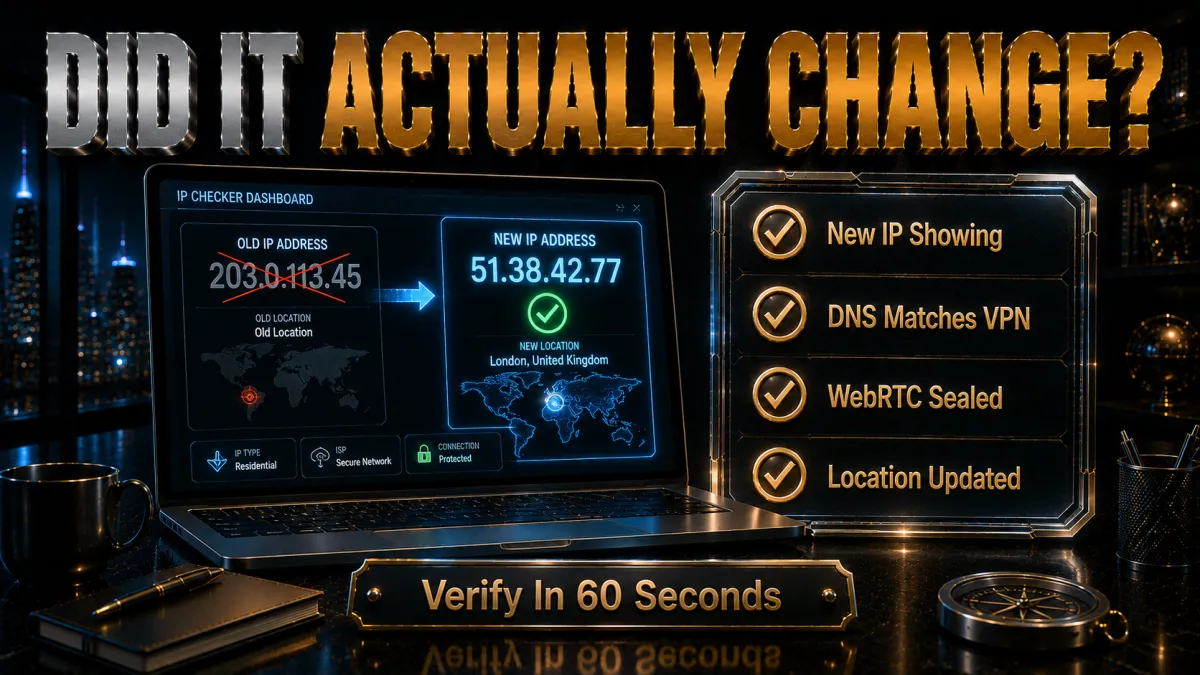
Two minutes of confirmation makes the change real.
- Check before and after. Note your address on any what-is-my-IP page before the change, then reload after: different number, job done. Keeping the before number matters because some free methods fail silently, and without the comparison you are trusting rather than verifying.
- Check both protocols. Use a checker that reports IPv4 and IPv6 together, for the reasons the versions section covered. A changed IPv4 with a persistent IPv6 is a half-change that behaves like no change against services that prefer IPv6.
- Add the leak tests when privacy is the goal. DNS and WebRTC leak tests confirm that lookups and browser channels follow the new address rather than announcing the old one. Our dedicated leak-testing guide walks all four tests in about a minute total.
- Re-verify after network events. Sleep-wake cycles, network switches, and VPN reconnections are the moments half-changes sneak back in. The thirty-second recheck after such events keeps the changed state honest, especially on laptops that roam between networks.
Static, dynamic, and dedicated IPs: which you have and which you want
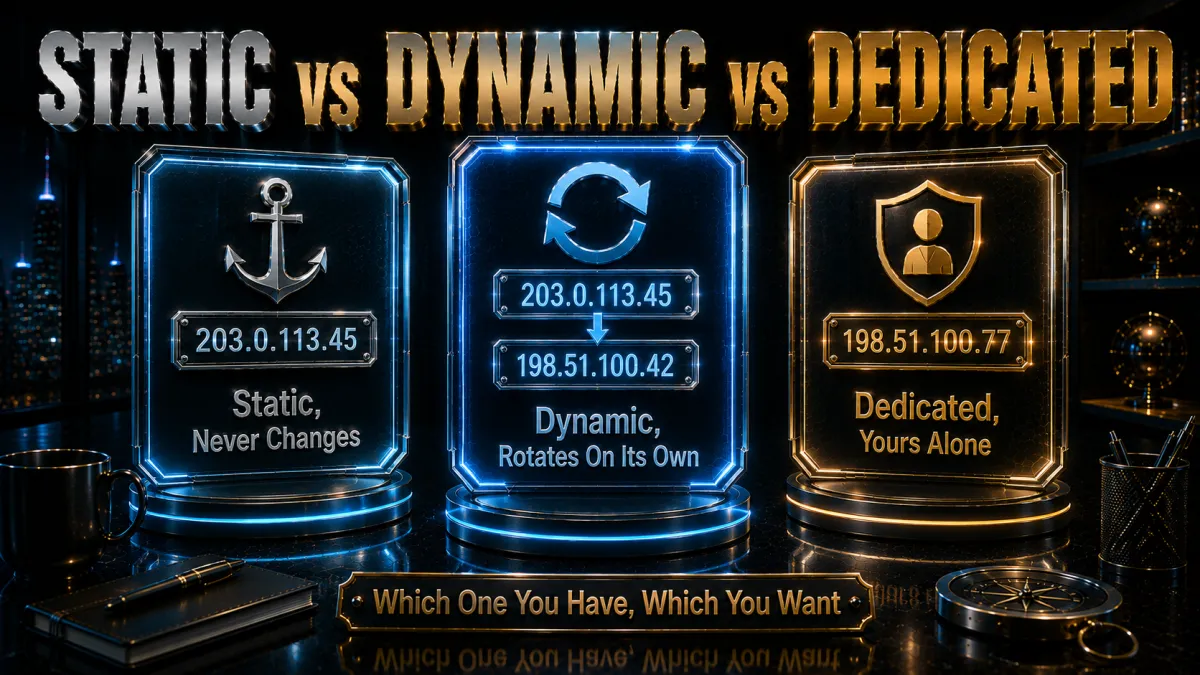
The vocabulary that decides which methods can even work for you.
- Dynamic is the home default. Most residential plans lease addresses that can change on reconnection, which is what makes the router-restart method possible at all. If restarts never change your address, you are effectively static, and the free lever does not exist on your plan.
- Static is a feature, not a punishment. Servers, remote-access setups, and some business plans want an unchanging address, and ISPs sell static assignment for exactly that. People running home services sometimes need the opposite of this page, which is worth knowing before fighting your ISP’s stability.
- Dedicated VPN IPs split the difference. A dedicated IP from a VPN provider gives you one stable address that is yours alone, in a country you choose, separate from your ISP identity. It solves the shared-address problems, other users’ behaviour getting your address flagged, while keeping the VPN’s privacy layer.
- Match the type to the task. Escaping flags and rotating identity wants dynamic behaviour and deep server pools; remote access and allowlisted services want dedicated stability. NordVPN, Surfshark, and CyberGhost offer dedicated options alongside their standard rotating pools, covering both directions.
Common mistakes when changing your IP

Five habits that turn a simple change into a confusing afternoon.
- Changing the local IP and expecting the world to notice. Renewing the 192.168.x.x lease in device settings changes nothing the internet sees, since websites only ever meet your router’s public address. The public checker page is the only scoreboard that counts.
- Ten-second router restarts. Brief power cycles overwhelmingly renew the same lease, then get reported as the method not working. Minutes to hours of downtime is what gives the ISP’s pool a chance to reassign, and some ISPs still will not; know when the plan, not the technique, is the obstacle.
- Ignoring IPv6. The forgotten second address undoes flag-escapes and privacy changes silently, because services that see both addresses happily use the one you did not change. Every verification step on this page repeats the both-protocols check for this reason.
- Using free proxies for anything that matters. An unencrypted middleman that sees your traffic, run by strangers with a monetisation model, is a poor trade for a borrowed address. The risks multiply exactly when logins and personal data are involved, which is most real usage.
- Changing the address and keeping the cookies. Sites recognise returning visitors by cookies and browser fingerprints regardless of IP, so an address change with the same logged-in browser changes little. Pair the new IP with a private window or cleared site data when the goal is a genuinely fresh start.
Is changing your IP address legal?
The reassuring answer, with its honest edges.
- The act itself is ordinary and lawful. In most countries, changing your IP by any method on this page, restarts, VPNs, network switches, is entirely legal, and businesses do it constantly through the same tools. There is nothing inherently suspicious about controlling your own network identity.
- Purpose is what law cares about. Fraud, harassment, and evading law-enforcement measures remain illegal from any address, changed or not. The method never launders the act; a new IP is a privacy tool, not an immunity.
- Terms of service are the softer boundary. Circumventing platform bans or region rules can breach a service’s terms even where no law is touched, with consequences on the account level. Know which rule you are bending, and weigh the account you might lose.
- A minority of countries restrict the tools. A handful of jurisdictions regulate or restrict VPN use generally, independent of purpose. Travellers should check local rules; our country-specific guides cover the notable cases in detail.
Related reading:
Frequently Asked Questions
How do I change my IP address for free?
Three free levers: restart your router with a genuinely long power-off gap and hope your ISP’s dynamic pool reassigns, switch networks such as moving from Wi-Fi to mobile data, or ask your ISP support to assign a new address. All three produce an address from the same ISP in the same city and encrypt nothing, which is where their usefulness ends.
What is the fastest way to change my IP address?
A VPN: connecting to any server swaps your visible address in seconds, in a country of your choosing, reversibly, with encryption included. No other method combines instant effect with location choice, and switching servers gives you a further fresh address any time one is crowded or flagged.
Does restarting my router change my IP?
Sometimes: on dynamic-IP plans, a long enough power-off can prompt the ISP’s pool to hand you a different address, while short restarts usually renew the same lease. Some ISPs bind addresses to your modem for weeks regardless, and effectively static plans never change this way; two or three proper attempts tell you which kind you have.
Will changing my IP address change my location online?
Only the borrowed-address methods do that: a VPN or proxy makes you appear wherever the server sits, which is how travellers reach home services. ISP-reassignment methods give you a different address in the same city on the same ISP, so your apparent location barely moves.
Does changing my IP make me anonymous?
No single change does: websites also recognise cookies, accounts, and browser fingerprints, and your ISP still knows its own assignments. A changed IP breaks one linkage layer; pairing it with a VPN’s encryption, private browsing, and sensible account hygiene is what meaningful privacy actually looks like.
How often does my IP address change on its own?
Entirely up to your ISP’s lease policy: some rotate addresses every few days or on every reconnection, others hold the same address for months. Mobile carriers rotate more aggressively than home ISPs as a rule. An IP checker visited weekly for a month reveals your own connection’s rhythm accurately.
Can two devices have the same IP address?
Behind one router, all your devices share the same public IP while holding different local addresses, which is normal address translation at work. On the wider internet, mobile carriers and some ISPs also pool many customers behind shared public addresses, one reason a stranger’s behaviour can get an address you inherit flagged.
What is the difference between changing IPv4 and IPv6 addresses?
They are separate assignments that change under separate rules: a router restart may renew your IPv4 lease while the IPv6 allocation persists, and a VPN must handle IPv6 explicitly or it leaks around the tunnel. Always verify both on a checker that shows the pair, or a half-change will quietly behave like no change.
Will a new IP address get me around a website ban?
Mechanically it can, if the ban targeted the address, though bans tied to accounts, cookies, or device fingerprints survive the change untouched. Evading a ban may also breach the platform’s terms even where it breaks no law, so weigh the account consequences before treating a fresh address as a clean slate.
Should I use a proxy or a VPN to change my IP?
A VPN, for anything beyond throwaway single-app use: it changes the address and encrypts the traffic system-wide, while proxies reroute without encryption and free ones monetise their position in ways that defeat the purpose. Proxies retain a niche for quick low-stakes swaps; daily use belongs to the encrypted tool.
What is a dedicated IP and who needs one?
A dedicated IP is a stable address that is yours alone, offered by providers like NordVPN, Surfshark, and CyberGhost as an add-on, useful for remote access allowlists, avoiding shared-address flags, and services that distrust changing addresses. It is the opposite tool to rotation, and some people legitimately need both at different times.
Does switching to mobile data change my IP?
Yes, immediately: mobile data uses your carrier’s address pool, entirely different from your home ISP’s, and cycling airplane mode often pulls a fresh carrier address on top. The change lasts only while you stay on mobile data, and carrier addresses are heavily shared, but as a free instant lever it is the quickest one there is.
Can my ISP see that I changed my IP with a VPN?
Your ISP sees that you connected to a VPN server and how much traffic flows, not what you do inside the tunnel or which sites you visit. The websites you use see the VPN’s address rather than yours. That split, ISP sees the tunnel, sites see the borrowed address, is precisely the privacy the method buys.
The Bottom Line
Changing your IP address is a small act with an outsized range of uses, and the method should match the reason: the free levers, proper router restarts, network switches, and a polite ISP request, genuinely solve flagged-address and simple-ban problems at zero cost, while everything involving location choice, encryption, or reliability points at the VPN route. Verify every change on a checker that shows both IPv4 and IPv6, pair privacy-motivated changes with the leak tests, and remember that cookies and accounts identify you across any address, so the new IP is one layer of a sensible privacy posture rather than the whole of it.
The five picks in one line each:
- NordVPN offers the deepest bench of fresh addresses with the most audited privacy behind them.
- ExpressVPN changes your address reliably on every network a traveller meets.
- Surfshark automates rotation and covers unlimited devices for the least money.
- CyberGhost makes the new address a one-button job with 45 days to be sure.
- IPVanish swaps addresses briskly across unlimited screens at a fair price.
Try the free lever once for the education, keep a paid pick for the capability, and let your address become something you control rather than something you were assigned.
Jyoti VPN Expert leads VPN testing at VPN Expert Guide, covering streaming and regional access, speed and latency testing, and leak checks on Windows, Android and router-level setups. Our guides are built from vendor documentation, provider terms and our own connection testing on a residential line in India, and we publish those measurements in full so readers can check them. Every guide is reviewed before publication and dated so you can see how current it is.
Meet our testing team →Last updated: August 24, 2026