
Best VPN for IPTV in 2026: Legal Streams, TV Apps and Setup
A properly connected VPN can hide your streaming destination from your internet provider and protect traffic on shared Wi-Fi, but only if it runs on the device you actually watch on. This guide explains what a VPN can and cannot do for IPTV, where the legal line sits, how to get a VPN onto Fire TV, Android TV, Apple TV and smart TVs, and which five providers fit which setup. We compared them on their official pages on 6 October 2026. No invented speed or unblocking tests.
Why people use a VPN with IPTV (and what it can’t do)
IPTV simply means TV delivered over the internet instead of cable or satellite. For example, that covers licensed apps and live-TV services as well as the unlicensed “IPTV subscriptions” sold online. In contrast, a VPN sits between your device and the internet. It encrypts your traffic and gives you the IP address of a VPN server, so your internet provider sees a VPN connection rather than the streaming service you are using.
- Privacy from your internet provider. Your ISP can still see that you use a VPN and how much data you move, but not which streaming service you are watching.
- Possible help with throttling. NordVPN and Surfshark both say a VPN may reduce slowdowns when an internet provider throttles traffic based on activity such as streaming. That is the providers’ claim, not a test result from us.
- Safer viewing on shared networks. Hotel, campus and café Wi-Fi is shared with strangers. Our public Wi-Fi VPN guide covers the basics.
- Travel with services you already pay for. Connecting to a server at home can help you keep using a subscription abroad, as long as the service’s own terms allow it.
IPTV and the law: licensed vs unlicensed

Using a VPN is legal in the UK, US and Canada. However, the legal question is about the IPTV service, not the VPN.
- Licensed services are fine. Apps from broadcasters and paid live-TV services that hold the rights to what they show are legal to use, with or without a VPN, subject to their own terms.
- Adapted boxes and sticks are not. The UK Intellectual Property Office’s guidance on illicit streaming devices says devices such as Fire TV sticks and Android TV boxes are legal for legitimate content but become illegal once they are adapted to stream TV programmes, films or subscription sport without paying for them.
- Using those apps is against the law too. The UK government says using apps or add-ons that give free access to paid-for material is against the law.
- A VPN changes none of this. NordVPN and Surfshark both prohibit illegal use in their terms and say so on their IPTV pages.
Getting a VPN onto your IPTV device
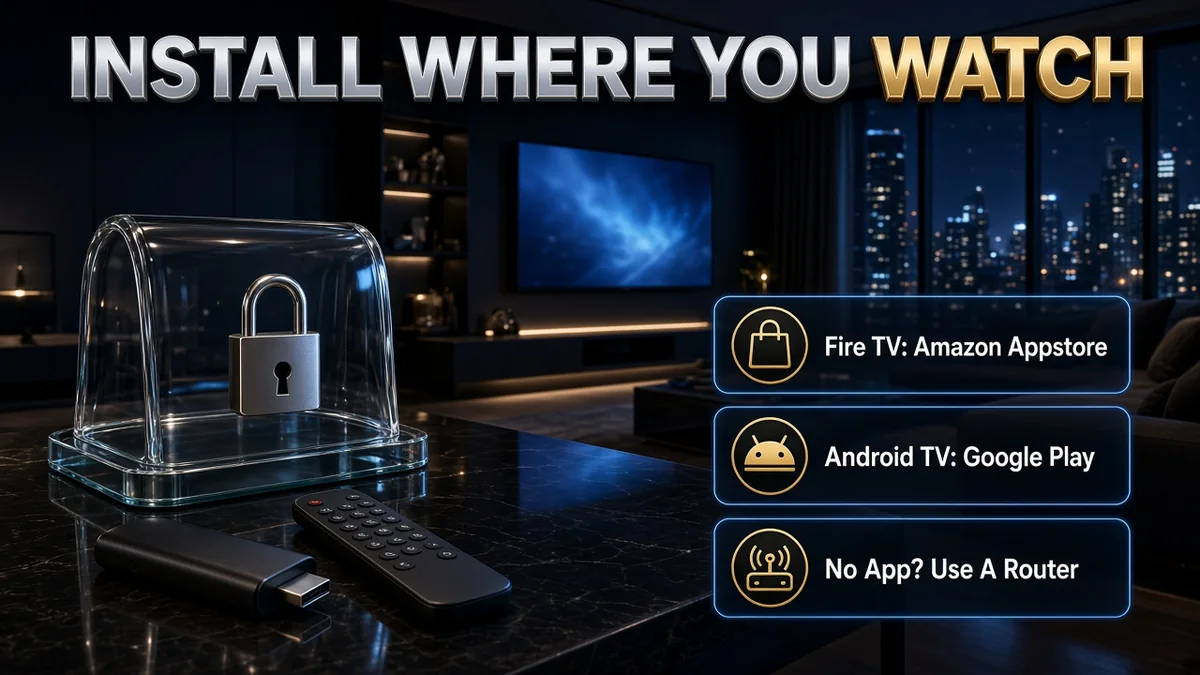
The right VPN is the one that runs where you watch. For example, here is how each type of IPTV device works.
- Amazon Fire TV and Vega OS. Amazon’s newest sticks, such as the Fire TV Stick 4K Select, run Vega OS instead of Android-based Fire OS. NordVPN notes that Amazon may restrict VPN use if it detects a sideloaded VPN app, and that apps officially supported in the Amazon Appstore should not be blocked. ExpressVPN and Proton VPN use a separate app for Vega OS. Our best VPN for Firestick guide goes deeper.
- Android TV, Google TV and Android boxes. All five have an Android TV app. NordVPN and ExpressVPN also offer an APK for boxes without Google Play.
- Apple TV. All five list a tvOS app. Surfshark says Apple TVs need tvOS 17 or later to run VPN apps.
- Samsung, LG and other smart TVs. Surfshark, NordVPN and CyberGhost say Samsung (Tizen) and LG (webOS) TVs cannot run their VPN apps and point to a router setup instead. ExpressVPN lists Fortify, a router from the family behind ExpressVPN, or MediaStreamer smart DNS for these TVs. The other option is a Fire TV or Android TV stick that runs a VPN app. Our smart TV VPN guide covers these TVs in more detail.
- Routers. A VPN router covers every device behind it but applies one location to all of them. Proton VPN allows router connections on all plans and NordVPN supports manual setup on most routers. ExpressVPN’s router page now says it no longer offers a router app and recommends its apps instead, though its smart TV page points to Fortify, a VPN router from the same company family.
Split tunnelling for IPTV
Split tunnelling lets you choose which apps go through the VPN. For example, IPTV viewers can use it in two ways: keep the IPTV app on your normal connection when a service does not like VPN traffic, or send only the IPTV app through the VPN and leave everything else alone.
- On the TV itself: NordVPN lists Android TV. Proton VPN lists Android TV on paid plans, with standard and inverse modes.
- On Android phones and boxes: CyberGhost, ExpressVPN (Android 7.0+), NordVPN, Proton VPN and Surfshark all list Android split tunnelling.
- On iPhone and iPad: ExpressVPN and Surfshark list iOS split tunnelling.
- Fire TV: none of the five Fire TV pages clearly listed split tunnelling as a feature of the Fire TV app (Surfshark’s page mentions it only as a general speed tip), so check inside the app before relying on it.
Which IPTV VPN fits you
First, check your device. Next, consider how many screens your household uses. Finally, compare the refund windows.
- New Fire TV Stick (Vega OS): NordVPN, Surfshark, ExpressVPN or Proton VPN, which all state Vega OS support.
- Several TVs and sticks in one home: Surfshark (unlimited devices), or a VPN router.
- Split tunnelling on an Android TV: NordVPN or Proton VPN (paid plans).
- Samsung or LG TV: a router setup with NordVPN, Proton VPN, CyberGhost or Surfshark. ExpressVPN has no router app of its own and points to Fortify, a separate router product.
- Want the longest time to test: CyberGhost (45 days on long plans).
- Want to start at $0: Proton VPN Free on one device or one router.
How we compared them (official pages only)
IPTV happens on TV hardware, so we started with devices rather than speed claims. For each provider we opened its official download, device, router, split-tunnelling, pricing and no-logs pages on 6 October 2026 from a US connection and recorded what each page states.
- Included: Fire TV apps and Vega OS support, Android TV and Apple TV apps, router options, split-tunnelling platforms, device limits, refund windows, published audits and US prices.
- Not included: speed tests, IPTV app compatibility checks and unblocking results. We did not run them, so we do not report them.
- Why these five: all five publish TV apps for at least Fire TV, Android TV and Apple TV, a written refund window and an outside audit of their no-logs claims.
IPTV VPN features compared
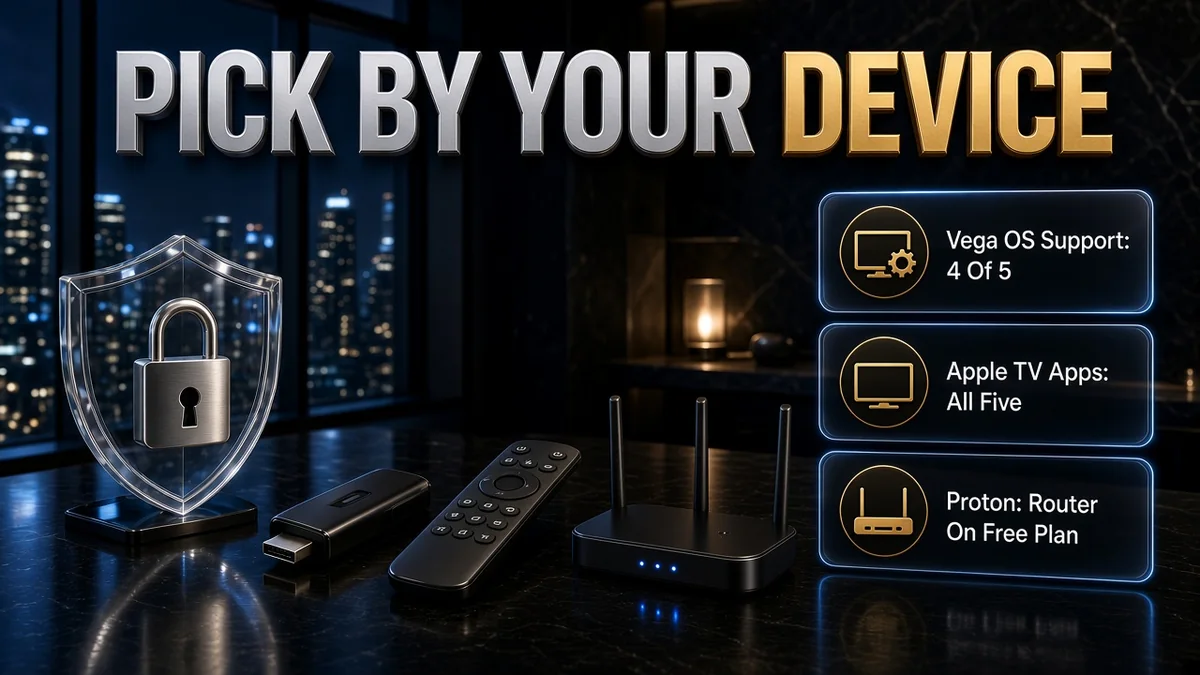
Here are the five providers side by side before the detailed cards below. Specifically, each cell summarises what the provider’s own page said on 6 October 2026. Therefore, compare app support for your TV, router options, device limits and refund terms.
| VPN | Fire TV | Android TV | Apple TV | Router | Split tunnelling | Devices | Refund window |
|---|---|---|---|---|---|---|---|
| CyberGhost | Amazon Appstore app (Vega OS not mentioned) | Google Play app | tvOS app | Manual setup on a VPN-compatible router | Android (apps); Windows (website exceptions) | 7 | 45 days (14 on monthly) |
| ExpressVPN | Separate Fire OS and Vega OS apps | Google Play or APK | tvOS 17/18 app | No router app or hardware now (app-first) | Windows, Linux, Android 7.0+, iOS | 10 / 12 / 14 by plan | 30 days (first-time users) |
| NordVPN | Amazon Appstore app; supports Vega OS | Google Play app or APK | tvOS app | Manual setup on most routers; pre-configured routers | Android, Android TV, Windows | 10 | 30 days |
| Proton VPN | Android app on Fire OS; Vega OS app | Google Play app | tvOS app | All plans, incl. Free (1 connection on Free) | Windows, macOS, Linux, Android, Android TV (paid plans) | 10 (Free: 1) | 30 days |
| Surfshark | Amazon Appstore app; Fire OS 5+ and Vega OS | Android TV app | tvOS 17+ app | Router setup guide | Windows, macOS, Android, iOS (Bypasser) | Unlimited | 30 days |
Official sources for this table are listed in Sources below. On narrow screens, scroll sideways to see every column.
5 VPNs to consider for IPTV
These five cover the main IPTV needs: apps for old and new Fire TV Sticks, split tunnelling on the TV, router options, many devices at once and a long refund window. For clarity, they are listed alphabetically. In other words, the numbers show list position only, not scores or a winner. We checked the facts on official pages on 6 October 2026 and did not run speed or streaming tests.
1. CyberGhost – long refund window for TV apps
CyberGhost has a native Fire TV app in the Amazon Appstore, an Android TV app on Google Play and a tvOS app for Apple TV. However, its Fire TV page did not mention Vega OS when we checked, so check compatibility if you own a newer Fire TV Stick. Instead, for TVs without apps, it explains setup on a VPN-compatible router. Split tunnelling works by app on Android, while Windows offers website exceptions. In addition, plans cover 7 devices, longer plans get a 45-day refund and monthly plans 14 days. CyberGhost says Deloitte checked its servers against its no-logs policy.
✔ Pros
- Native apps for Fire TV, Android TV and Apple TV
- 45-day refund on 6-month and longer plans
- App-based split tunnelling on Android, including Android TV boxes that run the Android app
- Lowest published renewal of these five ($56.94/yr in our US price check)
✘ Cons
- Vega OS support not stated on its Fire TV page
- 7 devices, the lowest limit here
- Windows split tunnelling is website-based only
| Fire TV | Amazon Appstore app |
| Android TV / Apple TV | Google Play app / tvOS app |
| Router | Manual setup (VPN-compatible router needed) |
| Devices | 7 |
| Money-back | 45 days (14 on monthly) |
| Price (US, 6 Oct 2026) | $2.19/mo for 26 months, renews $56.94/yr |
2. ExpressVPN – separate apps for old and new Fire TV
ExpressVPN offers separate apps for Fire OS and Vega OS Fire TV devices, and lists the Fire TV Stick 4K Select (Vega OS) as compatible. Android TV gets an app on Google Play or as an APK, and Apple TV gets a tvOS app. However, its router page says ExpressVPN no longer offers a router app or router hardware and has moved to an app-first approach. Instead, for Samsung and LG TVs, its smart TV page points to Fortify, a VPN router from the family behind ExpressVPN, or MediaStreamer smart DNS. Split tunnelling is listed for Windows, Linux, Android 7.0+ and iOS. In addition, plans cover 10, 12 or 14 devices by tier, with a 30-day money-back guarantee for first-time users. Its Trust Center lists KPMG audits of its no-logs policy (September 2022) and privacy commitments (June 2025).
✔ Pros
- Dedicated apps for both Fire OS and Vega OS
- Up to 14 devices on the top tier
- Split tunnelling on iOS as well as Windows, Linux and Android
- Long published audit list
✘ Cons
- No router app or hardware any more, so TVs without apps need your own router setup
- Renewal jumps to $99.95/yr on Basic (US price check)
- Two different Fire TV apps can confuse first-time setup
| Fire TV | Separate Fire OS and Vega OS apps |
| Android TV / Apple TV | Google Play or APK / tvOS 17/18 app |
| Router | No ExpressVPN router app or hardware now |
| Devices | 10 / 12 / 14 by plan |
| Money-back | 30 days (first-time users) |
| Price (US, 6 Oct 2026) | Basic $2.99/mo for 28 months, renews $99.95/yr |
3. NordVPN – TV split tunnelling and router options
NordVPN’s Fire TV app is in the Amazon Appstore, and its Fire TV page says the TV app supports Vega OS devices such as the Fire TV Stick 4K Select. In addition, the same page lists 10 devices at once and servers in 150 countries. Meanwhile, Android TV owners can install from Google Play or an APK, and there is a tvOS app. Split tunnelling is available on Android, Android TV and Windows, and most routers can be set up manually or bought pre-configured. NordVPN says its no-logs policy has passed six independent reviews, the latest by Deloitte in 2025.
✔ Pros
- Vega OS support stated on its Fire TV page
- Split tunnelling on Android TV, not just phones
- Manual or pre-configured router options
- Six no-logs reviews, latest by Deloitte (2025)
✘ Cons
- Renewal jumps to $139.08/yr on Basic (US price check)
- 10-device limit; large homes may need a router
- No split tunnelling on macOS or iOS listed
| Fire TV | Amazon Appstore app; Vega OS supported |
| Android TV / Apple TV | Google Play or APK / tvOS app |
| Router | Manual setup or pre-configured routers |
| Devices | 10 |
| Money-back | 30 days |
| Price (US, 6 Oct 2026) | Basic $3.49/mo for 27 months, renews $139.08/yr |
4. Proton VPN – router use even on the Free plan
Proton VPN’s Fire TV guide points older Fire OS devices to its Android app and newer Vega OS sticks to a separate Vega OS app. Android TV gets a Google Play app and Apple TV a tvOS app. In addition, router connections are available on all plans, including Free, where the router counts as one connection however many devices sit behind it. However, split tunnelling, including on Android TV, needs a paid plan. By comparison, VPN Plus covers 10 devices with a 30-day refund, and the Free plan covers 1 device with no data cap. Securitum’s 2026 report is Proton’s fifth annual no-logs audit.
✔ Pros
- Router connections allowed on every plan, including Free
- Vega OS app plus Android app for older Fire TV
- Split tunnelling on Android TV (paid plans)
- Free plan with no data cap to try first
✘ Cons
- Free plan covers 1 device and no split tunnelling
- Renewal of $83.88/yr on 2-year Plus (US price check)
- Two Fire TV apps depending on your stick
| Fire TV | Android app (Fire OS) or Vega OS app |
| Android TV / Apple TV | Google Play app / tvOS app |
| Router | All plans, incl. Free (1 connection on Free) |
| Devices | 10 on Plus (Free: 1) |
| Money-back | 30 days (paid plans) |
| Price (US, 6 Oct 2026) | Plus $3.49/mo for 24 months, renews $83.88/yr |
5. Surfshark – unlimited devices for multi-TV homes
Surfshark says it works on both Android-based Fire OS (version 5 or later) and the newer Vega OS, with its app in the Amazon Appstore. Its smart TV page covers Android TV and Google TV apps and suggests a router for systems without native apps, such as Samsung TVs. Meanwhile, Apple TVs on tvOS 17 or later can run its App Store app, and there is a router setup guide. Split tunnelling, called Bypasser, is listed for Windows, macOS, Android and iOS. In addition, the pricing page lists unlimited devices and a 30-day money-back guarantee, and its no-logs page cites Deloitte assurance in 2023 and 2025.
✔ Pros
- Unlimited simultaneous devices
- Fire OS 5+ and Vega OS both supported
- Bypasser split tunnelling on Android and iOS
- Low 2-year intro price ($2.49/mo, US price check)
✘ Cons
- Renewal price not published on the pricing page
- Android TV not listed among Bypasser platforms
- Monthly plan is the priciest here ($18.95, US price check)
| Fire TV | Amazon Appstore app; Fire OS 5+ and Vega OS |
| Android TV / Apple TV | Android TV app / tvOS 17+ app |
| Router | Router setup guide |
| Devices | Unlimited |
| Money-back | 30 days |
| Price (US, 6 Oct 2026) | Starter $2.49/mo for 27 months; renewal not shown |
How to set up a VPN for IPTV
First, confirm your device model. Then follow these steps, which apply to most providers and devices.
- Pick by device first. Check that the provider has an app for your exact TV device. On a Fire TV Stick, look for Vega OS support if your stick is new.
- Buy on the official site. Note the refund window and the renewal price.
- Install from the official store. Use the Amazon Appstore, Google Play or the tvOS App Store. Only sideload a provider’s own APK from its own site.
- Choose a nearby server. A closer server usually adds less delay. If you travel, pick a server in the country where your subscription is valid and allowed.
- Set split tunnelling if you need it. Exclude or include the IPTV app, then reconnect so the change takes effect.
- Test inside the refund window. Watch the channels you care about at the times you usually watch. If it does not work well, ask for a refund.
When IPTV won’t play with the VPN on
If a stream fails or buffers only when the VPN is on, work through these in order.
- Switch server. NordVPN says some ISPs restrict IPTV and VPN traffic and suggests reconnecting or switching server location. Try a nearer server first.
- Exclude the IPTV app. Use split tunnelling to let the IPTV app bypass the VPN while other apps stay protected.
- Check the basics. Test speed with the VPN off, restart the stick and router, and move to wired Ethernet if possible. Our why is my VPN slow? guide lists more fixes.
- Check the service. Some services block VPN IP addresses or limit where you can watch. That is their rule, and a VPN cannot override a licence.
Free VPNs and IPTV
Free VPNs can protect a single device. However, live TV quickly runs into their limits.
- Proton VPN Free: no data cap, no ads and 1 device. Router use is allowed, and the router counts as one connection on the Free plan. Split tunnelling needs a paid plan.
- Data-capped free plans: a monthly data cap runs out fast with hours of live TV, so treat these as a test rather than a daily IPTV setup.
- Unknown free apps: skip VPN apps that do not say who runs them or how they make money, especially on a device where you sign in to paid services. Our best free VPN guide explains the trade-offs.
Related reading:
Frequently Asked Questions
Do I need a VPN for IPTV?
Not to watch a licensed IPTV service at home. A VPN is useful if you want your internet provider to stop seeing which streaming services you connect to, if you watch on hotel or public Wi-Fi, or if you travel and want to keep using a service you already pay for where its terms allow it. However, it does not make a stream legal and it cannot add bandwidth your line does not have.
Is it legal to use a VPN with IPTV?
Using a VPN is legal in the UK, US and Canada. Instead, what matters is the IPTV service. The UK Intellectual Property Office says streaming boxes and sticks are legal for legitimate content but become illegal once adapted to stream paid TV, films or sport without the right subscription. A VPN does not change that, and VPN providers’ own terms ban illegal use.
Which VPNs work on the new Fire TV Stick with Vega OS?
On 6 October 2026, NordVPN, Surfshark, ExpressVPN and Proton VPN all said on their own Fire TV pages that they support Vega OS Fire TV devices. However, CyberGhost’s Fire TV page described its Amazon Appstore app but did not mention Vega OS when we checked.
Can I use a VPN for IPTV on a Samsung or LG TV?
Usually not with an app. Surfshark, NordVPN and CyberGhost say Samsung’s Tizen and LG’s webOS TVs do not run their VPN apps and suggest setting the VPN up on your router instead. For these TVs, ExpressVPN lists Fortify, a VPN router from the family behind ExpressVPN, or its MediaStreamer smart DNS, which does not encrypt traffic. However, its router page also says ExpressVPN no longer offers a router app. Proton VPN allows router connections on all plans, including Free.
Will a VPN stop IPTV buffering?
Sometimes, but not always. NordVPN and Surfshark say a VPN may reduce slowdowns if your internet provider throttles streaming traffic. However, it will not fix a slow line, weak Wi-Fi or an overloaded IPTV server, and the extra encryption step can lower speed. We did not run speed tests, so try a nearby server inside the refund window.
Should I use split tunnelling with IPTV?
It can help. Split tunnelling lets you choose which apps use the VPN, so you can keep the IPTV app on your normal connection and protect everything else, or the reverse. NordVPN offers it on Android, Android TV and Windows, and Proton VPN lists Android TV among its split-tunnelling platforms on paid plans.
Can I use a free VPN for IPTV?
Only in a limited way. Proton VPN Free has no data cap but covers 1 device, and on a router the Free plan counts as one connection however many devices are behind it. In contrast, free plans with monthly data caps run out quickly with live TV. Therefore, avoid free VPN apps from unknown developers on the same device you use for payments.
How many devices can one VPN account cover for IPTV?
It depends on the provider. Surfshark lists unlimited devices. NordVPN and Proton VPN Plus allow 10, ExpressVPN allows 10, 12 or 14 depending on the plan, and CyberGhost allows 7. By comparison, a VPN router usually counts as one device and covers everything connected to it.
Sources
Official pages checked on 6 October 2026 (IST) from a US connection. They support the table, provider cards and FAQs above.
IPTV, the law and throttling
- GOV.UK: Illicit streaming devices: Intellectual Property Office guidance on legal and adapted streaming devices
- GOV.UK: Pressure grows on producers of illegal streaming devices: using apps or add-ons for free access to paid-for material is against the law
- NordVPN: VPN for IPTV: throttling, ISP restrictions and illegal-use terms
- Surfshark: IPTV VPN: throttling, licensed and unlicensed services, illegal-use terms
- ExpressVPN: IPTV VPN: ExpressVPN’s own IPTV overview
CyberGhost sources
- Fire TV page: Amazon Appstore app; Vega OS not mentioned
- Android TV page: Google Play app
- Apple TV page: tvOS app
- Smart TV page: Samsung and LG TVs need a router setup
- Router page: manual setup on a VPN-compatible router
- Split tunnelling guide: Android apps; website exceptions on Windows
- Pricing: 7 devices and US prices
- Money-back guarantee: 45 days on longer plans, 14 days on monthly
- No-logs page: Deloitte check
ExpressVPN sources
- Fire TV page: separate Fire OS and Vega OS apps
- Android TV page: Google Play or APK
- Apple TV page: tvOS app
- Smart TV page: Samsung and LG: Fortify router or MediaStreamer smart DNS
- Router page: no router app or router hardware now
- Split tunnelling: Windows, Linux, Android 7.0+ and iOS
- Devices page: 10, 12 or 14 devices by plan
- Pricing: US prices and renewal
- Trust Center: KPMG audits, 2022 and 2025
NordVPN sources
- Fire TV page: Vega OS support, 10 devices, 150 countries, sideloading note
- Android TV page: Google Play or APK; Samsung and LG TVs need a router
- Apple TV page: tvOS app
- Router page: manual setup and pre-configured routers
- Split tunnelling: Android, Android TV and Windows
- Pricing: US prices and renewal
- No-logs page: six independent reviews, latest by Deloitte in 2025
Proton VPN sources
- Fire TV guide: Android app for Fire OS, separate Vega OS app
- Android TV page: Google Play app
- Apple TV page: tvOS app
- Router guide: all plans including Free; one connection on Free
- Split tunnelling guide: paid plans, including Android TV
- Pricing: Plus: 10 devices, 30-day refund, US prices
- Free plan: 1 device, no data cap
- No-logs audit: Securitum, 2026
Surfshark sources
- Fire TV page: Fire OS 5+ and Vega OS
- Smart TV page: Android TV and Google TV apps; router for Samsung and LG
- Apple TV page: tvOS 17 or later
- Router guide: router setup
- Split tunnelling (Bypasser): Windows, macOS, Android and iOS
- Pricing: unlimited devices, 30-day refund, US prices
- No-logs page: Deloitte, 2023 and 2025
The Bottom Line
The best VPN for IPTV is one that runs on the device you watch on, covers every screen in your home and gives you time to test it with the channels you actually watch. On 6 October 2026, four of these five stated Vega OS support for the newest Fire TV Sticks, Surfshark was the only one with unlimited devices, and Proton VPN allowed router use even on its Free plan.
Practical move:
- CyberGhost: native Fire TV, Android TV and Apple TV apps, 7 devices, 45-day refund on long plans.
- ExpressVPN: separate Fire OS and Vega OS apps, up to 14 devices, no router app any more.
- NordVPN: Vega OS app, split tunnelling on Android TV, 10 devices.
- Proton VPN: Vega OS app, router use on every plan, Free plan for 1 device.
- Surfshark: Fire OS 5+ and Vega OS, unlimited devices, Bypasser split tunnelling.
Use a VPN only with licensed IPTV services, check the renewal price at checkout, and test on your own TV inside the refund window. This article is general information. It does not include invented speed or unblocking results.
Saurabh VPN Expert writes and reviews VPN guides for VPN Expert Guide, covering privacy, streaming, regional access, and device setup. Our articles draw on provider documentation and published product information, with updates when important details change.
Meet our testing team →Last updated: October 9, 2026