
Best VPN for UK in 2026: Privacy, BBC iPlayer, Travel & Speed
Surveillance laws, Online Safety Act age checks, and geo-blocked BBC iPlayer abroad: UK users have never had more reasons to run a VPN. Here is what one does for you, the law you should know, and the services that actually deliver.
What a VPN Actually Does for UK Users
A VPN (virtual private network) builds an encrypted tunnel between your device and a server run by the provider. Everything you do online travels through that tunnel, so your internet provider only ever sees that you are connected to a VPN, never what you actually do inside it. At the other end, the website you visit sees the server’s IP address instead of yours, which masks your real location and identity.
That one piece of redirection is what powers every benefit below. Here is what it means in practice for someone living in Britain:
- Privacy from your ISP. Your broadband or mobile provider can no longer see the domains you visit, so there is no browsing profile to build, retain, or hand over to anyone who asks.
- Safety on public Wi-Fi. On an untrusted network in a cafe, hotel or airport, a VPN encrypts everything, so no one nearby can intercept your logins, messages or banking sessions.
- Your UK subscriptions abroad. Connect to a UK server and BBC iPlayer, ITVX and other home services treat you as a domestic viewer, so travel no longer locks you out of what you already pay for.
- No sneaky throttling. Because your provider cannot see the type of traffic you send, it cannot single out and slow your streaming, gaming or downloads the way many quietly do.
- One-tap simplicity. A modern VPN app connects with a single tap and needs no technical knowledge, so the protection is genuinely effortless once it is installed.
- Better prices on some services. Airlines, hotels and retailers sometimes vary prices by location, and switching your apparent region can occasionally reveal a cheaper deal.
Who benefits most in the UK? Almost everyone, but a few groups get outsized value:
- Remote workers connecting to company systems from home or a cafe, who need those sessions kept private.
- Travellers and expats reaching UK banking, shopping and streaming accounts that sometimes behave oddly or block access when they see a foreign IP.
- Shared and student households who do not want a landlord, flatmate or network administrator watching their traffic.
- Privacy-minded readers who simply want their research, reading and viewing kept out of their provider’s reach.
Do You Really Need a VPN in the UK?
A VPN is not compulsory, but it is useful for many UK users: public WiFi protection, reducing ISP-level visibility, safer travel browsing, and testing access to UK services while abroad. Here is a quick way to decide.
If the problem is a university or school network, see our school WiFi VPN connection guide for safer troubleshooting steps.
You will get a lot from a VPN if you:
- Care about ISP privacy. You would rather reduce what your provider can see about the sites and services you use under the UK’s wider data-retention and investigatory powers framework.
- Travel or live abroad. You want BBC iPlayer, ITVX and UK sport to keep working when you leave the country.
- Use public Wi-Fi often. You log into banking, email or work systems from cafes, trains, hotels or airports.
- Share a network. You live in student halls or a house share where you would rather your traffic stayed private.
- Want fewer age-check trails. You would prefer not to hand ID or face scans to every site that asks.
You may need it less if you only ever browse at home on your own line, never travel, and are comfortable with your provider’s visibility into your activity. Even then, the low cost and one-tap convenience make it easy to justify as a background layer of protection.
UK Privacy Laws: What Your ISP and the Government Can See
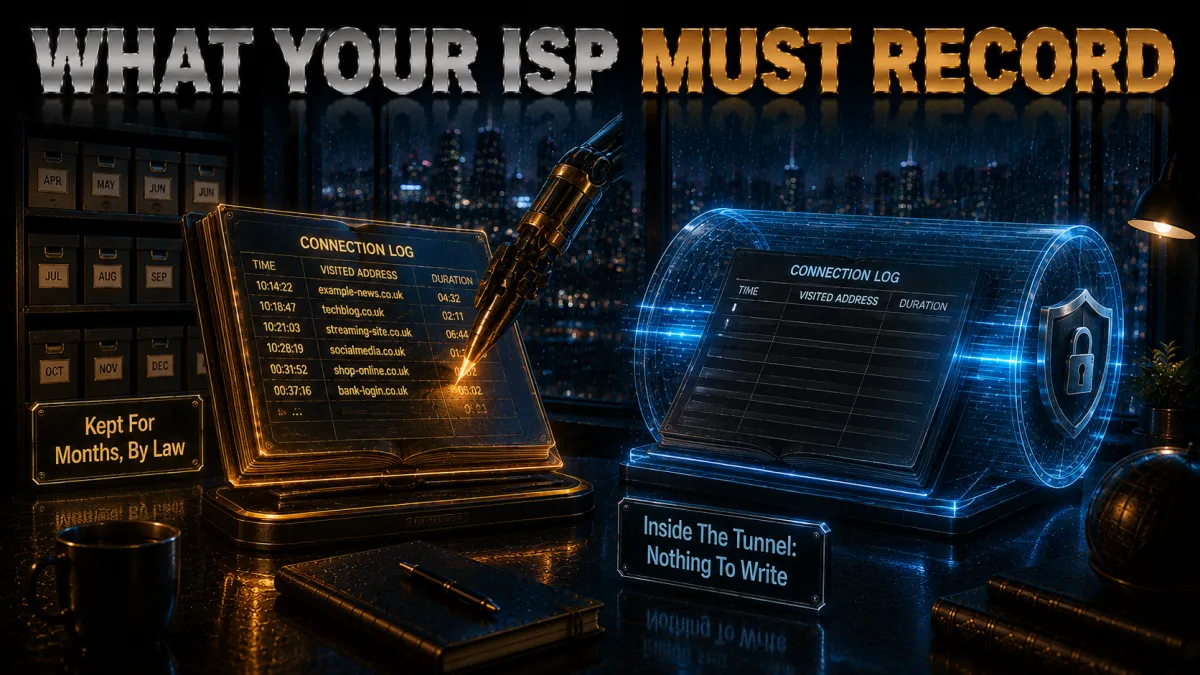
Britain has some of the most far-reaching surveillance legislation of any democracy, and understanding it is the single best reason to take your privacy seriously. The centrepiece is the Investigatory Powers Act 2016, nicknamed the “Snoopers’ Charter” by the campaigners who opposed it.
Here are the key facts, without the legal jargon:
- Up to 12 months of records. Providers can be required to keep “Internet Connection Records,” a log of which sites and services you connected to, when, and from which IP address, for up to a year.
- It is not fully automatic. The Act lets the Home Secretary issue retention notices to providers rather than forcing every ISP to log everyone by default, which is an important and often-missed distinction.
- Access is surprisingly wide. A broad range of public bodies can request those records, and in many cases without the kind of court warrant most people would assume is required.
- Commercial tracking runs alongside it. Even without a notice, providers can see your DNS lookups and the domains you connect to, and they have incentives to profile that activity or throttle heavy traffic.
HTTPS helps a little, because it hides the content of the pages you load, but it does not hide the domain name of the site you connect to. That name is still handed over in the clear, which is enough to reconstruct a detailed map of your online life.
A VPN closes this gap completely. Once your traffic is inside the tunnel, your provider sees a single encrypted connection to a VPN server and nothing more. There is no meaningful list of domains to log, retain or disclose, because the record simply is not there to collect.
The Online Safety Act and Age Verification
The biggest recent change to the UK internet is the Online Safety Act. Its age-verification rules began to bite in 2025 and are now a routine part of using many sites. Platforms hosting adult content, and some social and user-generated platforms, must run highly effective age checks on UK visitors.
The goal, protecting children online, is one very few people would argue with. The privacy concern is about the method. ID uploads, live face scans and card or bank checks each create a fresh pool of highly personal data, tied to your identity and your browsing, sitting on servers that can be breached, leaked or subpoenaed. That is why VPN interest surged in the UK as the checks rolled out.
Watching BBC iPlayer and UK TV from Abroad
One of the most popular reasons Britons test a VPN is television while travelling. BBC iPlayer, ITVX, Channel 4 and UK sports platforms use your IP address and account signals to decide availability, so access can change. If this is your main goal, test your own account and device during the VPN refund window.
Connecting to a UK server gives your device a UK IP address, so the service sees a viewer inside Britain and your programmes load as they would at home. This is the everyday, legitimate case: watching content you already have a right to watch, from wherever you happen to be. Pick a provider with a current record of unblocking UK services, use a UK or streaming-optimised server, and prefer a fast protocol such as WireGuard.
Watching Premier League Football from Abroad

Live sport is the other great motivator. Coverage is split across several UK subscriptions and carved up differently in every country, so a fan abroad often needs a VPN to follow their team through the UK subscription they already pay for. The mechanics match on-demand television: connect to a UK server and a UK sports service treats you as a domestic viewer. Because live sport is unforgiving of buffering, speed matters more here than anywhere else, so connect a few minutes before kickoff, keep a second UK server in reserve, and use a wired connection where you can.
Will a VPN Slow Your UK Connection?
Every VPN adds a little overhead, because your traffic is encrypted and routed through a server. With the top providers and a modern protocol, though, the difference is usually too small to notice for everyday use. A few things decide how fast your connection feels.
What affects your VPN speed:
- Server distance. A UK or nearby European server is far faster than one on the other side of the world, so pick close for the best results.
- The protocol. WireGuard-based options (NordLynx, Lightway, WireGuard) are quicker and more stable than older protocols.
- Server load. A quieter server performs better than an overloaded one; switching servers often restores speed instantly.
- Your base connection. A VPN can only ever be as fast as the underlying line, so a strong 5GHz Wi-Fi signal or a wired link helps.
- Time of day. Peak evening hours can congest both your provider and the most popular servers, so connecting off-peak, or simply choosing a quieter server, often feels noticeably faster.
For streaming BBC iPlayer or a Premier League match in HD, any of the three recommended providers has more than enough headroom on a UK server. If a stream ever stutters, switch to another UK or streaming-optimised server and it usually clears immediately.
Public Wi-Fi, Mobile Data and Everyday Privacy
Beyond surveillance and streaming, the most practical daily benefit of a VPN is protection on networks you do not control. Public Wi-Fi in UK cafes, trains, airports and hotels is convenient but rarely secure, and it is used for far more sensitive things than most people realise.
The everyday risks a VPN removes:
- Snooping on open networks. On an unsecured hotspot, other users or the operator can potentially observe traffic that is not encrypted.
- Fake hotspots. Rogue networks set up to imitate a legitimate one are a real risk in busy places, and they exist purely to harvest your data.
- Exposed everyday tasks. Checking your bank, logging into work email, or making a purchase over cafe Wi-Fi all leak information if the connection is not encrypted.
The case holds even at home. Your home provider is still your provider, with the same visibility and the same legal framework around it, and your mobile carrier logs your activity in much the same way on 4G or 5G. Leaving a VPN connected across your devices gives you one consistent layer of privacy wherever you are.
VPN, Proxy or Tor: Which Should You Use?
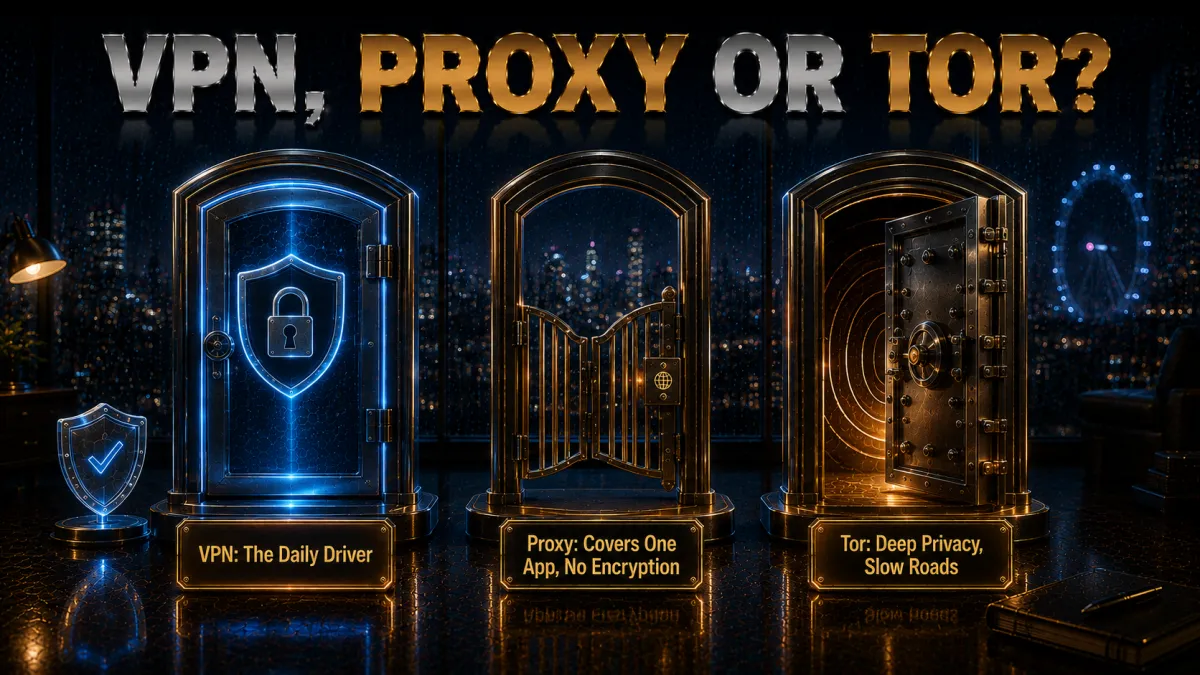
A VPN is not the only privacy tool, but for UK users it is usually the most practical. Here is how the three common options compare, so you can see why a VPN is the everyday choice.
- VPN. Encrypts all your traffic and routes it through a server, hiding your activity from your provider while keeping speeds high. It is the best all-round balance of privacy, speed and ease, and the only one of the three that reliably unblocks UK streaming.
- Proxy. Changes your apparent location for a single app or browser, but usually without real encryption. It offers weak protection, your provider can often still see the domains you visit, and it is not recommended for privacy.
- Tor. Routes your traffic through several volunteer relays for strong anonymity, which is genuinely powerful, but it is slow and impractical for streaming, gaming or everyday browsing.
For the vast majority of people in Britain, a reputable VPN covers the privacy and access needs that matter without the downsides of the other two. You can even layer encrypted DNS or a privacy browser on top for extra peace of mind.
How to Choose the Best VPN for the UK
With hundreds of VPNs on the market, it helps to know which features genuinely matter for a UK user and which are marketing noise. Two are non-negotiable, and the rest shape your day-to-day experience. Here is the checklist, then the comparison.
| What to look for | Why it matters in the UK | Deal-breaker? |
|---|---|---|
| Audited no-logs policy | A provider that keeps nothing has nothing to hand over | Yes |
| Kill switch | Stops your real IP leaking if the tunnel drops | Yes |
| UK streaming record | Reliable BBC iPlayer, ITVX and sports unblocking | Important |
| Fast protocol (WireGuard) | Smooth HD and live-sport streaming | Important |
| Nearby servers | UK and European servers keep speeds high | Important |
| Free VPNs | Often log or sell data, throttle, and fail to unblock | Avoid |
The two must-haves:
- An independently audited no-logs policy. In a country with the UK’s surveillance powers, the value is simple: if there is no record of your activity, there is nothing meaningful to retain, request or disclose.
- A reliable kill switch. This is the safety net that blocks all traffic the instant the VPN connection drops, so your real IP address can never slip out during a brief reconnection.
Then weigh the things that shape daily use:
- A proven UK-streaming track record, so iPlayer, ITVX and sport actually unblock and keep working.
- A fast, modern protocol such as WireGuard for smooth HD and live sport.
- A dense server network in the UK and nearby Europe to keep speeds high.
- Easy apps for every device, so the whole household is covered across phones, laptops, tablets and TVs.
The Best VPNs for the UK in 2026
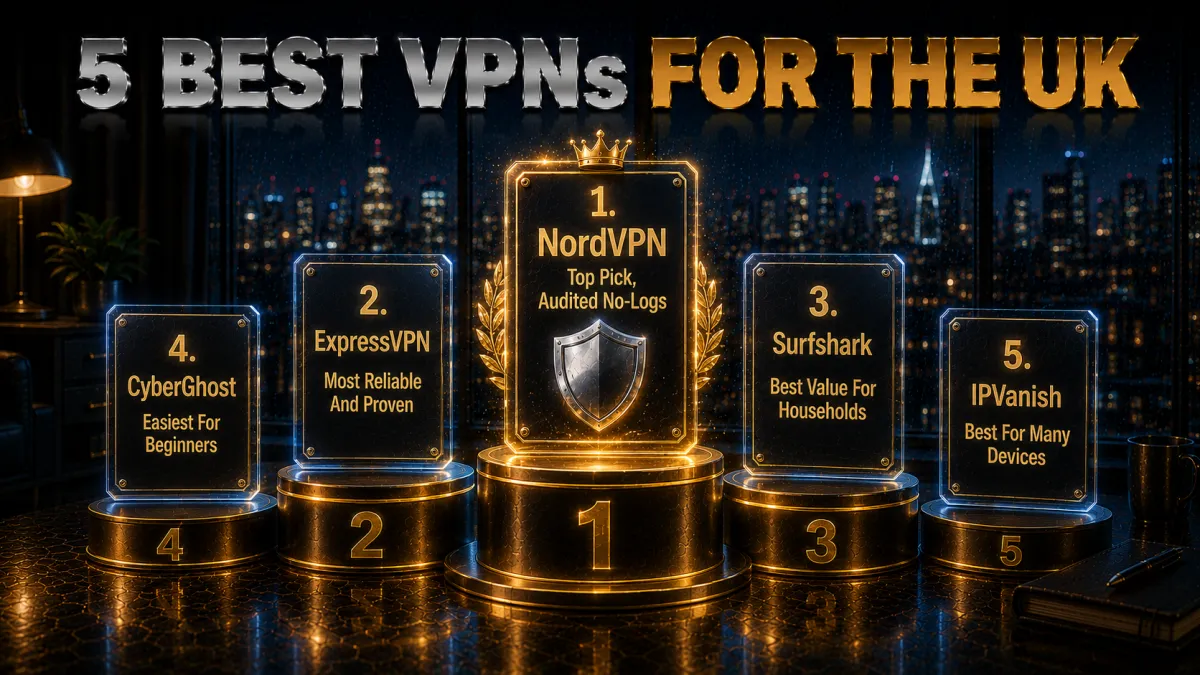
Every service below meets the two non-negotiables (an audited no-logs policy and a reliable kill switch) and has a strong, current record of unblocking UK streaming. They differ mainly in how they balance speed, features and price. All three offer a 30-day money-back guarantee, so you can run your own tests, including BBC iPlayer, before deciding.
1. NordVPN, Best Overall for the UK
NordVPN is the pick we recommend first for most UK users. It pairs a large network of UK and European servers with the fast NordLynx protocol and a consistently strong record of unblocking BBC iPlayer, ITVX and the major streaming and sports services. Its no-logs policy has been independently audited multiple times, and the kill switch, DNS-leak protection and Threat Protection tracker-blocking are all built in and easy to use.
✔ Pros
- Reliable iPlayer, ITVX and UK sports unblocking
- Independently audited no-logs policy
- Fast NordLynx (WireGuard) protocol
- Kill switch and Threat Protection built in
✘ Cons
- Price rises at renewal
- Obfuscated servers need a manual toggle
| Price from | ~£3/mo (long plan) |
| No-logs | Independently audited |
| Best feature | UK streaming + speed |
| Money-back | 30 days |
2. ExpressVPN, Most Reliable and Proven
ExpressVPN is the choice for users who value a long, proven track record above all else. Its Network Lock kill switch is among the most dependable in the industry, its Lightway protocol is fast and stable, and TrustedServer technology runs every server entirely in RAM, so no data is written to disk. It unblocks UK services reliably and is famously simple to use across every device.
✔ Pros
- Rock-solid Network Lock kill switch
- RAM-only TrustedServer infrastructure
- Consistent UK streaming unblocking
- Very easy apps on all platforms
✘ Cons
- More expensive than rivals
- Fewer simultaneous connections
| Price from | ~£5/mo (long plan) |
| No-logs | Audited + RAM-only |
| Best feature | Reliability + kill switch |
| Money-back | 30 days |
3. Surfshark, Best Value for Households
Surfshark delivers the same core essentials as the pricier options, an audited no-logs policy, a kill switch, WireGuard speeds and reliable UK streaming, at a noticeably lower price, and it allows unlimited simultaneous devices on a single subscription. That makes it the standout value pick for families covering every phone, laptop, tablet and TV in the house. It runs a RAM-only server fleet and is genuinely easy to use.
✔ Pros
- Unlimited simultaneous device connections
- Audited no-logs, RAM-only servers
- Reliable UK streaming and WireGuard speeds
- Excellent price on longer plans
✘ Cons
- Speeds slightly behind the top two
- Short plan is comparatively pricey
| Price from | ~£2/mo (long plan) |
| No-logs | Audited + RAM-only |
| Best feature | Unlimited devices |
| Money-back | 30 days |
4. CyberGhost, easiest for beginners
CyberGhost is a streaming-friendly choice for the UK. Its apps carry servers labeled by service and country, so reaching UK catalogs like BBC iPlayer from abroad, or home services while traveling, is a one-tap affair rather than a hunt through a server list. For anyone whose main goal is watching what they already pay for wherever they are, that focus pays off.
It runs WireGuard for the bandwidth HD and 4K streaming needs, includes a kill switch and DNS-leak protection, and is based in Romania under a strict no-logs policy with no data-retention law, which is notable given the UK itself is a Five Eyes member with data-retention rules. Your traffic is handled outside that framework.
The 45-day money-back guarantee is the longest here and useful for a streamer who wants to line the VPN up against the shows and services they actually use before committing. Its large, purpose-tagged fleet keeps a working option available even during peak evening demand.
✔ Pros
- Streaming servers labelled for UK services
- Beginner-friendly apps
- Romania-based, no data-retention law
- Longest 45-day money-back window
- Reliable UK streaming
✘ Cons
- Slower under heavy peak load
- Fewer devices than the value picks
| UK streaming | Yes, labelled servers |
| Privacy base | Romania |
| Ease of use | Easy |
| Price from | ~$2 to $3/mo (long-term plan) |
| Simultaneous devices | 7 |
| Money-back guarantee | 45 days |
5. IPVanish, best for many devices
IPVanish is a speed-focused UK option for users who want fast, reliable performance and coverage for every device. Owning its own network keeps throughput steady for streaming and general use, and unlimited simultaneous connections let one account protect the whole household without a device cap.
The apps are straightforward, with WireGuard, a kill switch, and split tunneling, so it settles into everyday use as a quiet background tool. For people who value raw speed and simple operation over a long feature list, it covers the essentials well.
The honest caveat is jurisdiction: IPVanish is US-based inside the Five and Nine Eyes alliances, the same intelligence-sharing framework the UK belongs to, so the privacy-focused may prefer an offshore provider. It counters with an independently audited no-logs policy and a 30-day money-back guarantee, and for dependable speed across unlimited devices at a fair price, it remains a solid pick.
✔ Pros
- Owns its network for steady UK streaming
- Unlimited simultaneous devices
- Simple, uncluttered apps
- Strong long-term value
- Reliable everyday speeds
✘ Cons
- US-based, inside the 9 Eyes alliance
- Smaller server network than the top picks
| UK streaming | Yes |
| Privacy base | United States |
| Ease of use | Simple |
| Price from | ~$3 to $4/mo (long-term plan) |
| Simultaneous devices | Unlimited |
| Money-back guarantee | 30 days |
How to Set Up a VPN in the UK (Step by Step)
Getting started is genuinely quick, and the process is the same whether you want privacy, safety on public Wi-Fi, or your home channels while travelling. It takes about five minutes from start to finish.
- Choose a VPN and start a plan. Pick based on your priority: NordVPN for all-round UK performance, ExpressVPN for simplicity, Surfshark for many devices, CyberGhost for labelled streaming servers, or IPVanish for unlimited device use.
- Download the official app. Install it from the provider’s own website or your device’s app store, for your phone, laptop, tablet or smart TV.
- Sign in and connect. Tap Quick Connect for the fastest nearby server, or pick a specific UK server if you want a British IP address for streaming.
- Turn on the kill switch. Enable it, and DNS-leak protection if it is not already on, so your real IP can never leak if the connection drops.
- For streaming, choose a UK server. Then open BBC iPlayer, ITVX or your service as normal, and switch to another UK server if one is blocked.
- Verify it works. Confirm your IP has changed, and run a quick leak test if privacy is your main goal.
That is it. You can leave the VPN connected all the time for continuous privacy, or set it to connect automatically on untrusted networks and forget about it.
Common Mistakes UK VPN Users Make
A VPN is only as good as the way you use it, and a few avoidable mistakes trip people up. Steer clear of these and you dodge almost every pitfall:
- Using a free VPN. Many free services monetise your data, throttle speeds and fail to unblock UK streaming, which defeats the whole point of using one.
- Leaving the kill switch off. Without it, a brief drop in the connection exposes your real IP, and in a country with the UK’s surveillance framework that is exactly the gap you want closed.
- Forgetting that real logins identify you. A VPN hides your location and traffic, but signing into an account tied to your name still tells that service exactly who you are.
- Choosing a distant server. A nearby UK or European server gives the best balance of speed and access; a faraway one just adds lag.
- Never updating the app. Updates bring security and reliability fixes, so keeping the app current quietly prevents a lot of problems.
Related reading:
Frequently Asked Questions
Are VPNs legal in the UK?
Yes. Using a VPN is legal for normal use in the United Kingdom, and millions of people and businesses use them every day for privacy and security. What remains illegal is any underlying activity that would be illegal without a VPN. It is a legitimate privacy tool, not a loophole.
Can my UK internet provider see what I do with a VPN on?
No. Once a VPN is active, your provider can only see that you are connected to a VPN server. The websites you visit and the content of your traffic are encrypted inside the tunnel, so there is no meaningful browsing record for them to log, retain or hand over.
Does a VPN work with BBC iPlayer and ITVX?
The best VPNs do. Connect to a UK server and the service sees a UK IP address, letting you watch as if you were at home. Not every VPN manages it because platforms actively block VPNs, so choose a provider with a strong, current UK streaming record.
Will a VPN let me get around UK age verification?
Connecting to a non-UK server changes the location a site sees, so UK age gates are often not shown. However, deliberately bypassing a check to reach content you are not permitted to access, or doing so as a minor, may breach a site’s terms and runs against the law. The legitimate use is protecting your identity and data as an adult.
What is the best VPN for the UK overall?
For most UK users, NordVPN is the strongest all-round choice, combining reliable UK streaming, fast NordLynx speeds and an audited no-logs policy. ExpressVPN is the most proven and dependable, and Surfshark is the best value, especially for households.
Should I use a free VPN in the UK?
Generally no. Free VPNs often log or sell the very data you are trying to protect, throttle your speeds, cap usage and fail to unblock UK streaming. For only a few pounds a month on a longer plan, a reputable paid VPN with an audited no-logs policy does the job properly and safely.
Does a VPN slow down my internet?
A little, because your traffic is encrypted and routed through a server, but with a fast provider and WireGuard the drop is usually too small to notice for browsing, HD streaming or gaming. Connecting to a nearby UK or European server keeps speeds highest.
Can I use one VPN on all my devices?
Yes. Every recommended provider offers apps for Windows, macOS, iOS, Android and smart TVs, and covers several devices at once. Surfshark goes furthest with unlimited simultaneous connections, so one subscription can protect an entire household.
Does the Investigatory Powers Act mean my provider logs everything?
Not automatically. The Act lets the Home Secretary require providers to keep Internet Connection Records for up to 12 months, and a broad range of public bodies can request them. A VPN removes that browsing record from your provider’s reach in the first place.
Can I use a VPN on public Wi-Fi in the UK?
Yes, and it is one of the best times to use one. Public Wi-Fi in cafes, trains, airports and hotels is often insecure, so a VPN’s encryption protects your logins, messages and banking from snoopers and fake hotspots. Set it to connect automatically on untrusted networks.
How much does a good VPN cost in the UK?
On a longer plan, the leading VPNs work out to only a few pounds a month, which is far cheaper than the monthly price. Short one-month plans cost more, so the best value comes from a one or two-year subscription, and all three of our picks include a 30-day money-back guarantee.
Can I use a VPN on my smart TV or Fire Stick to watch UK TV?
Yes. NordVPN, ExpressVPN and Surfshark all offer apps for Amazon Fire TV and other smart-TV platforms, or you can run the VPN on your router to cover every device. Connect to a UK server and your TV apps will treat you as a viewer inside Britain.
Is a VPN enough to stay private in the UK, or do I need more?
A VPN is the strongest single layer for most people, covering your ISP, public Wi-Fi and location. For extra privacy you can add encrypted DNS and a privacy-focused browser, and always use strong passwords and two-factor authentication, since a VPN cannot protect an account you sign into with your real details.
Will a VPN affect my online banking in the UK?
Usually not, and it adds a useful layer of encryption, which is especially valuable on public Wi-Fi. Occasionally a bank flags a login from an unexpected location, so if that happens, connect to a UK server so your bank sees a domestic IP address, and the issue normally clears.
Do I need a VPN if I only browse at home?
You can still benefit. Your home provider has the same visibility and sits under the same UK retention framework as anywhere else, so a VPN keeps your browsing private even on your own line. Given the low cost and one-tap convenience, many people leave one running at home as a background layer.
The Bottom Line
Between the Investigatory Powers Act, the Online Safety Act’s identity-heavy age checks, and the geo-blocks that lock travelling Britons out of their own subscriptions, the case for a VPN in the UK has rarely been clearer. A good one restores real privacy from your provider, keeps you safe on public networks, and reconnects you to iPlayer, ITVX, Sky and live sport, all for a few pounds a month.
Our quick recommendation:
- NordVPN for the best all-round balance of privacy, speed and reliable UK streaming.
- ExpressVPN if a long, proven track record and the most dependable kill switch matter most to you.
- Surfshark to protect an entire household for the lowest price.
- CyberGhost for the easiest start, with labelled UK streaming servers and a 45-day money-back window.
- IPVanish for steady UK streaming across unlimited devices, though it is US-based.
All three back themselves with a 30-day money-back guarantee, so the smartest move is to try one, run your own streaming and privacy tests, and keep it only if it delivers. Whatever you choose, use it legally and responsibly, and you will get the privacy and freedom a UK internet user deserves in 2026.
Jyoti VPN Expert leads VPN testing at VPN Expert Guide, covering streaming and regional access, speed and latency testing, and leak checks on Windows, Android and router-level setups. Our guides are built from vendor documentation, provider terms and our own connection testing on a residential line in India, and we publish those measurements in full so readers can check them. Every guide is reviewed before publication and dated so you can see how current it is.
Meet our testing team →Last updated: September 22, 2026