
Best VPN for Warzone in 2026
An honest, no-hype guide to using a VPN for Call of Duty: Warzone. What it can actually do for your ping, your safety, and your lobbies, and which providers hold up under real play.
Why Warzone players use a VPN
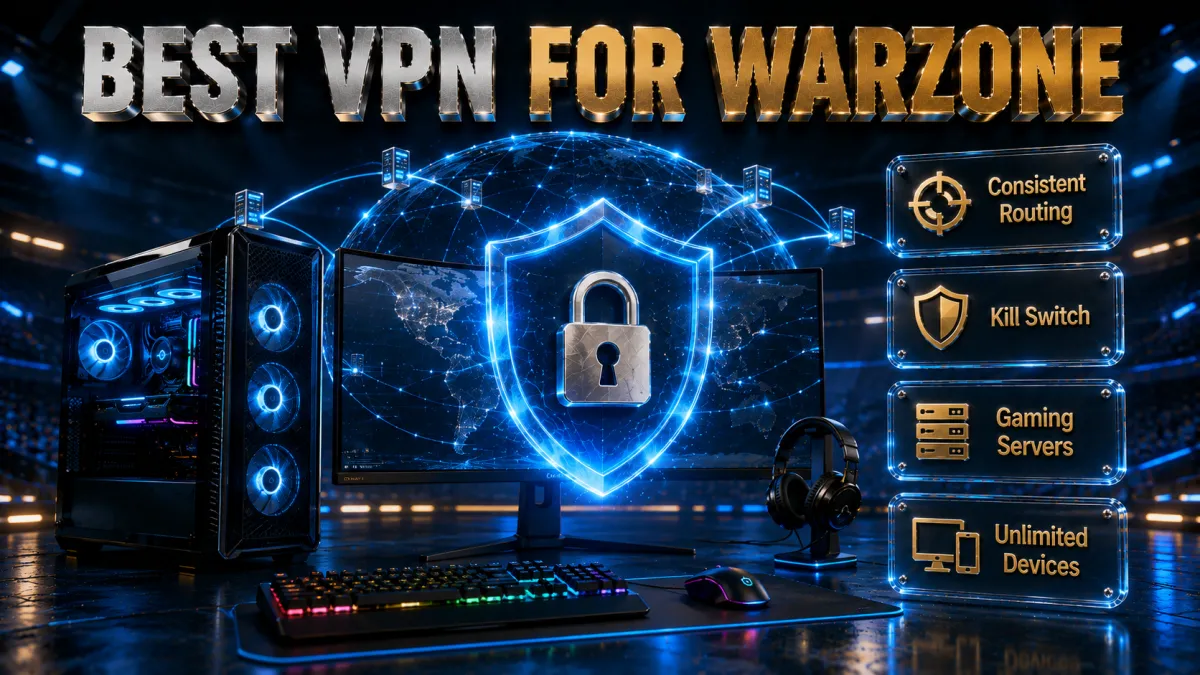
Warzone is fast, competitive, and unforgiving of a bad connection. A VPN cannot rewrite the laws of physics, but it can change three things that matter to how the game feels and how safe you are.
- Protecting your real IP address. Warzone is a peer-heavy game, and toxic opponents sometimes try to pull IP addresses to launch DDoS attacks or worse. A VPN hides your home IP behind the provider’s server, so attackers see the server, not you.
- Working around bad ISP routing. If your internet provider sends your game traffic on a congested or roundabout path, a VPN can sometimes route you more directly to the game servers, which smooths out spikes.
- Reaching different regional lobbies. Some players connect through servers in quieter regions to change the pool of opponents they are matched against. This is popular but comes with caveats we cover below.
- Avoiding bandwidth throttling. A few ISPs slow down sustained gaming or streaming traffic. Because a VPN encrypts your connection, the ISP can no longer single out game packets to throttle.
- Playing safely on public or shared networks. If you game from a dorm, a hotel, or a shared house, a VPN keeps your session private on networks you do not control.
Can a VPN actually lower your ping in Warzone?
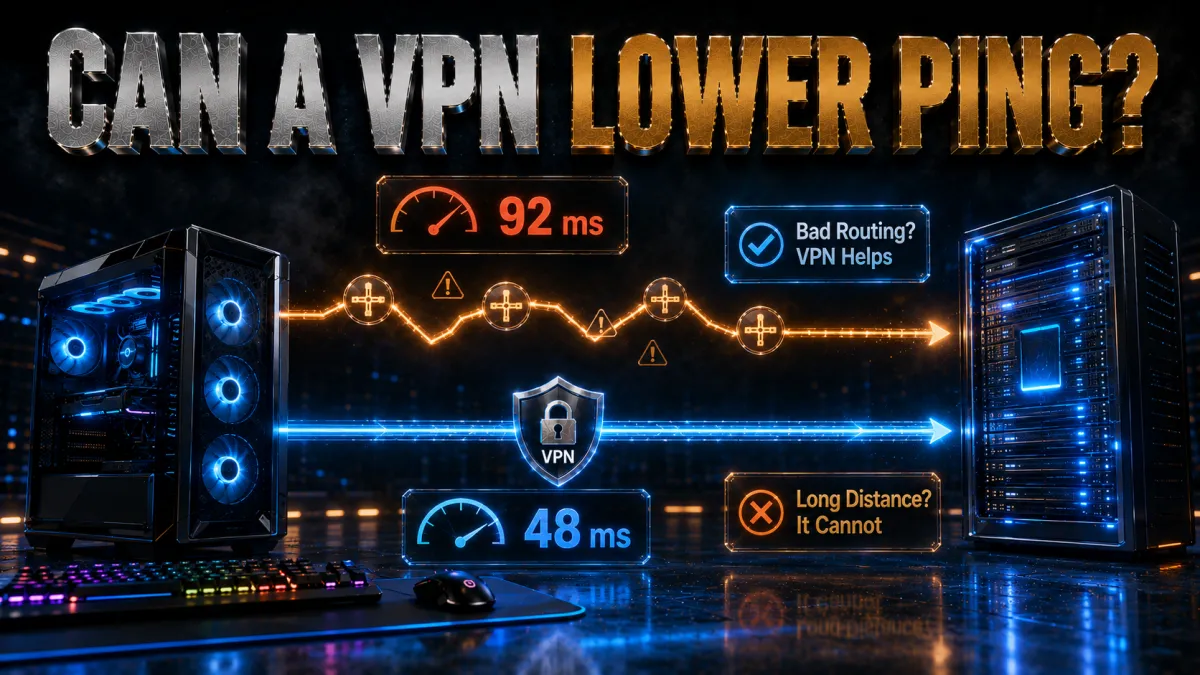
This is the question everyone asks, and the honest answer is: sometimes, but not the way marketing suggests. Ping is mostly a function of physical distance and network path quality. Here is when a VPN helps and when it hurts.
- It can help when your ISP routes poorly. If your provider takes a long, congested path to the game server, a VPN with better peering can shorten that path and reduce jitter, even if the raw distance is similar.
- It can help against throttling. When an ISP is actively slowing your traffic, encrypting it can restore normal speeds and stabilize your ping.
- It usually hurts when you add distance. Connecting to a far-away server to chase easier lobbies almost always raises ping, because your packets now travel farther in both directions.
- It does nothing for a slow local line. If your home connection is the bottleneck, no VPN will fix it. Wired ethernet and a decent router matter far more.
The realistic goal is stability, not a lower number on a good day. A steady 45 ms beats a jumpy connection that swings between 30 and 90 ms, because Warzone punishes inconsistency more than a modestly higher stable ping.
VPNs and bot lobbies: what really happens

The most hyped use of a Warzone VPN is reaching so-called bot lobbies by connecting through a quieter region. It is worth being clear-eyed about what this does and does not deliver.
- Region affects your match pool. Connecting through a server in a low-population region can change the set of players you are grouped with, which some people experience as easier matches.
- It is never guaranteed. Matchmaking weighs many factors, and the effect of region changes over time as the game is updated. Anyone promising guaranteed easy lobbies is overselling it.
- Higher ping is the trade-off. Quieter regions are usually farther away, so you often swap match difficulty for a laggier connection, which can hurt your aim and movement.
- It sits in a grey area. Deliberately manipulating matchmaking runs against the spirit of fair play and can draw scrutiny, so it carries more risk than using a VPN purely for protection.
DDoS protection: the real safety case
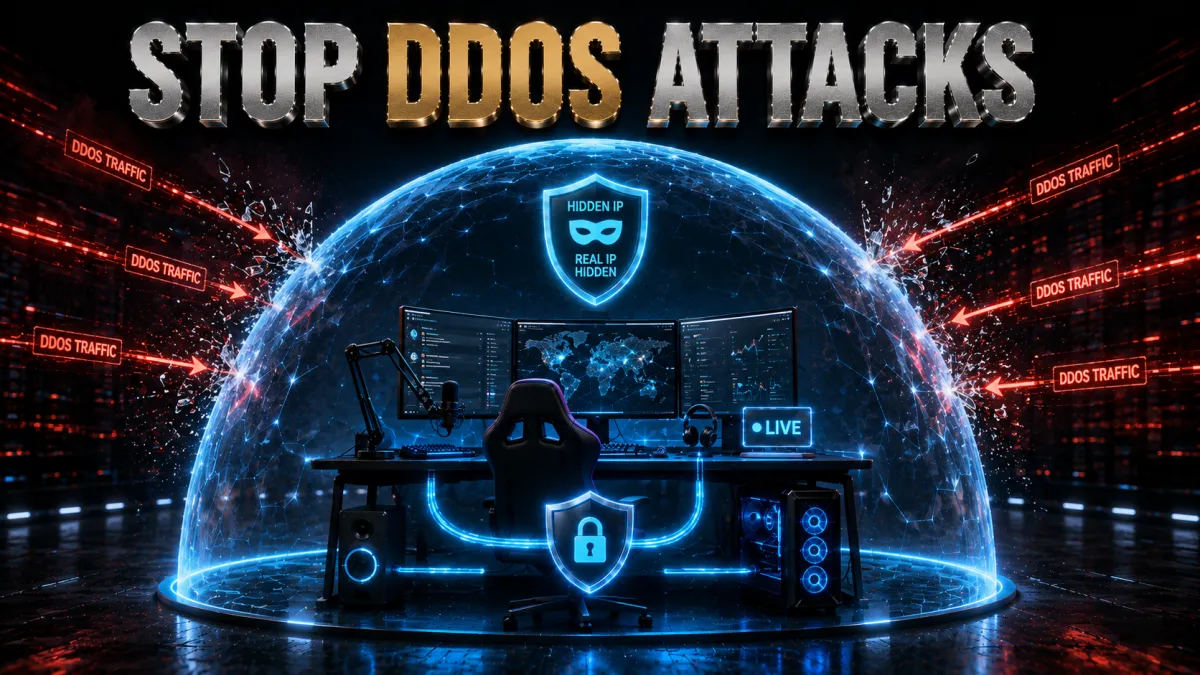
If there is one benefit of a Warzone VPN that is concrete and hard to argue with, it is protection against denial-of-service attacks. Competitive lobbies attract bad actors, and this is where a VPN earns its keep.
- Your home IP stays hidden. Opponents and third-party tools only see the VPN server address, so they cannot target your actual connection.
- Attacks hit the provider, not you. Reputable VPNs run hardened infrastructure designed to absorb junk traffic, so a flood aimed at the server rarely knocks you offline.
- It reduces the risk of harassment escalation. Because an exposed IP can sometimes be tied to a rough location, masking it lowers the chance of off-platform harassment.
- It matters most for streamers and high-profile players. If people know your username and you play publicly, you are a bigger target, and IP masking is close to essential.
For most players this is the single most defensible reason to keep a VPN running: it is quiet insurance that costs you almost nothing in performance when you use a nearby server.
Best VPNs for Warzone in 2026
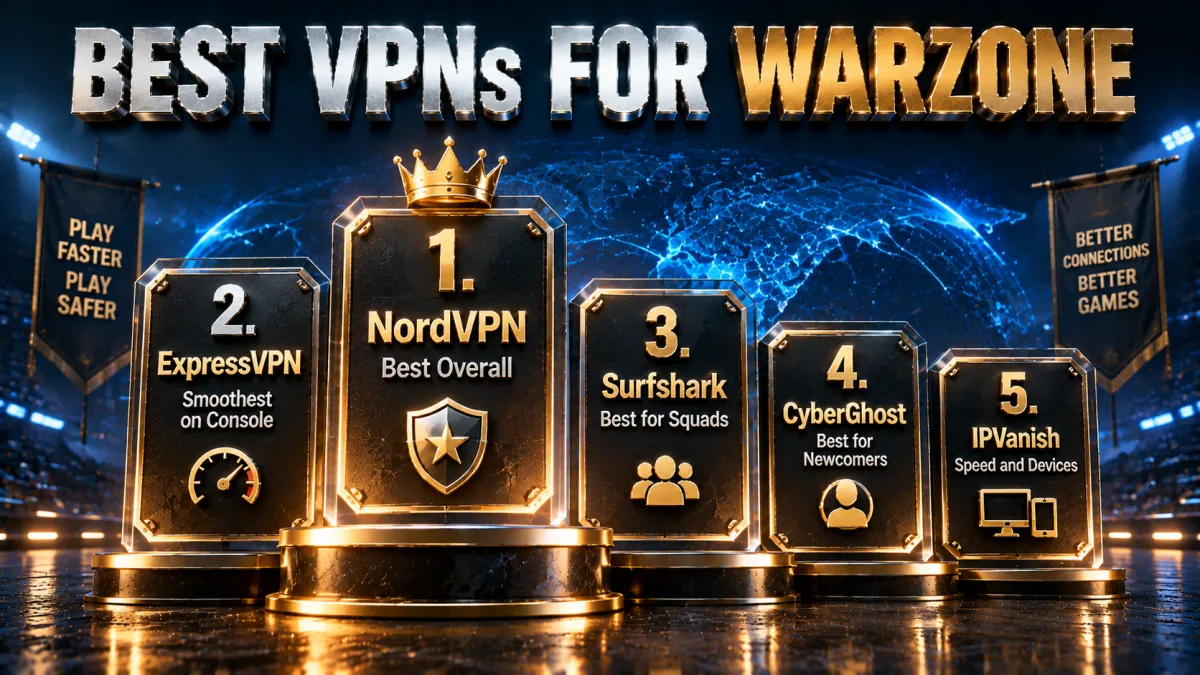
These five providers consistently deliver the combination Warzone players actually need: stable routing, strong IP protection, and easy setup across PC and consoles. Ratings reflect our established review framework, not one-off benchmarks.
1. NordVPN, best overall for Warzone
NordVPN is the pick we reach for first when the priority is a connection that stays steady round after round. Its NordLynx protocol, built on WireGuard, keeps encryption overhead low, and an unusually large server network gives you plenty of nearby options, so you rarely have to trade ping for a working route. For the DDoS-protection use case its infrastructure is among the most battle-tested in the industry, which matters most in ranked or wager lobbies where a rival who has grabbed your IP might try to boot you offline mid-match.
For Warzone specifically, the value is consistency. You pin a server close to home, keep your real IP masked from the peer-to-peer exposure that lobby-hosting can leak, and get on with the game without babysitting the connection. Threat Protection blocks known malicious domains and trackers as a bonus for anyone who also browses or streams on the same machine.
Rounding it out are the practical touches that keep a VPN out of your way: split tunneling routes only the game through the tunnel while downloads stay direct, the apps hold stable on Windows and mobile, and an independently audited no-logs policy under Panama jurisdiction sits behind a 30-day money-back guarantee if it does not help your line.
✔ Pros
✘ Cons
- No native console app, router setup needed for consoles
- Best pricing requires a longer plan
| Best protocol | NordLynx (WireGuard) |
| Console method | Router or PC sharing |
| DDoS protection | Yes, IP masking |
| Price from | ~$3 to $4/mo (long-term plan) |
| Simultaneous devices | 10 |
| Money-back guarantee | 30 days |
2. ExpressVPN, smoothest for console players
ExpressVPN earns its place with polish. Its Lightway protocol is engineered to reconnect quickly and stay light on system resources, which translates into fewer hiccups mid-match and a faster recovery if your network blips between gunfights. If you play Warzone mainly on a PS5 or Xbox, its clear router guides and MediaStreamer feature make it the least painful provider to get running on a console, where native VPN apps do not exist.
Beyond raw performance, the appeal is reliability under pressure. Servers stay responsive at busy evening hours when everyone piles online, and a broad spread of locations means there is usually one close enough to keep ping low without hunting. The apps are among the simplest to live with day to day, so a squadmate who just wants it to work can install and forget it.
On the trust side, every server runs on RAM-only TrustedServer infrastructure that wipes with each reboot, and the company operates from the British Virgin Islands outside major surveillance alliances. It is the priciest pick here, but the 30-day money-back guarantee lets you confirm it smooths your specific connection before committing.
✔ Pros
- Lightway protocol reconnects fast and stays stable
- Best-in-class router support for PS5 and Xbox
- Consistent performance at peak hours
- Very simple, reliable apps
- Strong privacy track record
✘ Cons
- Costs more than most rivals
- Fewer devices per plan than some competitors
| Best protocol | Lightway |
| Console method | Router or MediaStreamer |
| DDoS protection | Yes, IP masking |
| Price from | ~$6 to $7/mo (long-term plan) |
| Simultaneous devices | 8 |
| Money-back guarantee | 30 days |
3. Surfshark, best value for squads
Surfshark is the pick when the whole squad wants protection without everyone buying a plan. A single subscription covers unlimited devices, so you can secure your gaming PC, your phone, and a friend laptop at the same time under one login. It supports WireGuard for low-overhead performance and holds up well for the core IP-masking and DDoS-shielding use case that matters most in competitive lobbies.
For Warzone, the story is value plus solid fundamentals. You will not get the very largest server fleet, but the routing is dependable, the IP masking does its job of keeping your home address off the peer-to-peer layer, and the price per month is hard to beat once you are covering several devices. CleanWeb blocks ads and known malware domains on top, which is handy on shared machines.
The company is based in the Netherlands with an audited no-logs stance, and features like rotating IP and a kill switch add margin for the security-minded. If you are cost-conscious or gaming across a house full of devices, Surfshark stretches the furthest, and a 30-day money-back guarantee removes the risk of trying it.
✔ Pros
- Unlimited simultaneous devices on one plan
- WireGuard support for low-overhead routing
- Solid IP masking for DDoS protection
- Among the cheapest long-term pricing
- CleanWeb blocks ads and known bad domains
✘ Cons
- Smaller server network than the top two
- Console setup needs a router like the others
| Best protocol | WireGuard |
| Console method | Router or PC sharing |
| DDoS protection | Yes, IP masking |
| Price from | ~$2 to $3/mo (long-term plan) |
| Simultaneous devices | Unlimited |
| Money-back guarantee | 30 days |
4. CyberGhost, best for newcomers
CyberGhost is the easiest entry point for players who have never touched a VPN before. Its apps label servers by purpose, including options tuned for gaming, so you are not left guessing which one to pick for Warzone; you tap a category and connect. That hand-holding makes it the fastest way to get protected and into a match without reading a manual or comparing protocol menus.
Under that friendly surface the fundamentals are sound. It runs WireGuard for efficient routing, masks your IP to keep booters and DDoS attempts off your line, and operates from Romania outside the major intelligence-sharing alliances with a no-logs policy. Optional NoSpy servers, run in-house, add a layer for anyone who wants extra separation from third-party data centers.
The standout, though, is the trial window: a 45-day money-back guarantee, far longer than the usual 30, gives you a genuinely low-pressure way to test whether a VPN helps your specific connection across a full stretch of play. Performance is solid rather than class-leading, which is a fair trade for how approachable the whole package is.
✔ Pros
- Beginner-friendly apps with clearly labelled servers
- Longest money-back window at 45 days
- Large server network for nearby options
- Solid IP masking for DDoS protection
- Works via router for PS5 and Xbox
✘ Cons
- Not the fastest under heavy load
- Fewer devices than the value picks
| Best protocol | WireGuard |
| Console method | Router or PC sharing |
| DDoS protection | Yes, IP masking |
| Price from | ~$2 to $3/mo (long-term plan) |
| Simultaneous devices | 7 |
| Money-back guarantee | 45 days |
5. IPVanish, best for speed and multiple devices
IPVanish owns and operates its own server network rather than renting from third parties, which gives it tight control over routing and consistent throughput. For a fast-paced game like Warzone that translates into a connection that holds up when you need raw speed and low latency rather than a pile of extra features. It runs WireGuard alongside a SOCKS5 proxy option that some players prefer for shaving overhead.
It also allows unlimited simultaneous connections, so a full squad or a house of gamers can run it on every device for one price without juggling seats. The apps are more utilitarian than the top picks, but the core protection, IP masking and kill switch are all present and reliable.
The honest caveat is jurisdiction: IPVanish is based in the United States, a member of the Five and Nine Eyes alliances, so privacy purists may prefer a provider offshore. It counters that with an independently audited no-logs policy and a 30-day money-back guarantee, and for pure gaming performance on a budget it remains a strong, no-nonsense option.
✔ Pros
- Self-owned network for consistent speed
- Unlimited simultaneous devices on one plan
- Reliable throughput for fast-paced gaming
- Solid IP masking for DDoS protection
- Quick per-session server switching
✘ Cons
- Interface feels dated next to rivals
- Smaller network than the top three
| Best protocol | WireGuard |
| Console method | Router or PC sharing |
| DDoS protection | Yes, IP masking |
| Price from | ~$3 to $4/mo (long-term plan) |
| Simultaneous devices | Unlimited |
| Money-back guarantee | 30 days |
Warzone VPN comparison at a glance
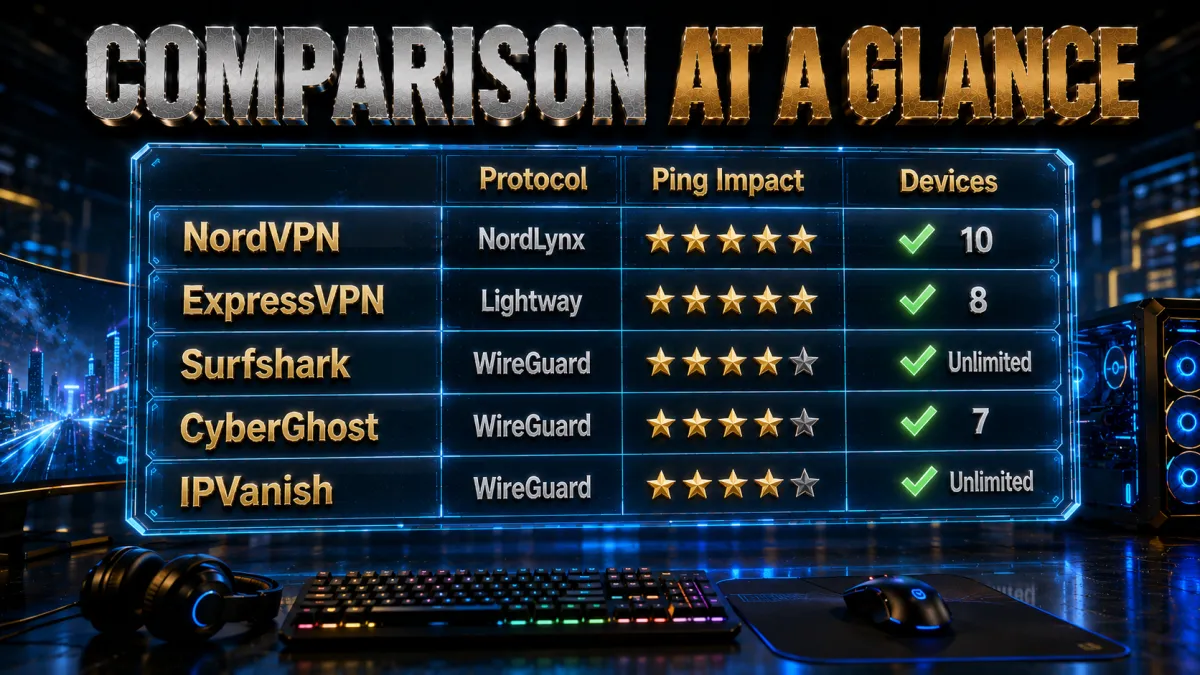
The quick side-by-side below shows where each provider leads for Warzone.
| Feature | NordVPN | ExpressVPN | Surfshark | CyberGhost | IPVanish |
|---|---|---|---|---|---|
| Ping stability | Excellent | Excellent | Very good | Good | Very good |
| Console setup ease | Good, via router | Best, router plus guides | Good, via router | Good, labelled servers | Basic, via router |
| Server network size | Very large | Large | Medium | Large | Smaller |
| DDoS protection | Top tier | Strong | Strong | Good | Good |
| Devices per plan | 10 | 8 | Unlimited | 7 | Unlimited |
| Long-term price | Low | Higher | Lowest | Low | Low |
| Money-back guarantee | 30 days | 30 days | 30 days | 45 days | 30 days |
| Best protocol | NordLynx | Lightway | WireGuard | WireGuard | WireGuard |
How to choose a Warzone VPN
Not every fast VPN is a good gaming VPN. When you compare options, weight these factors in roughly this order.
- A modern lightweight protocol. WireGuard, NordLynx, or Lightway add far less overhead than older protocols, which matters when every millisecond counts.
- Nearby server density. The more servers close to you, the easier it is to keep protection without adding distance and ping.
- Proven IP protection. For DDoS defense you want a provider with hardened infrastructure and a clean privacy record, not a bargain service of unknown origin.
- Console support. If you play on PS5 or Xbox, router compatibility or a smart-DNS feature is essential, since consoles cannot run VPN apps directly.
- A real money-back guarantee. A 30-day window lets you test on your own connection and refund if it does not help your specific setup.
How to set up a VPN for Warzone on PC
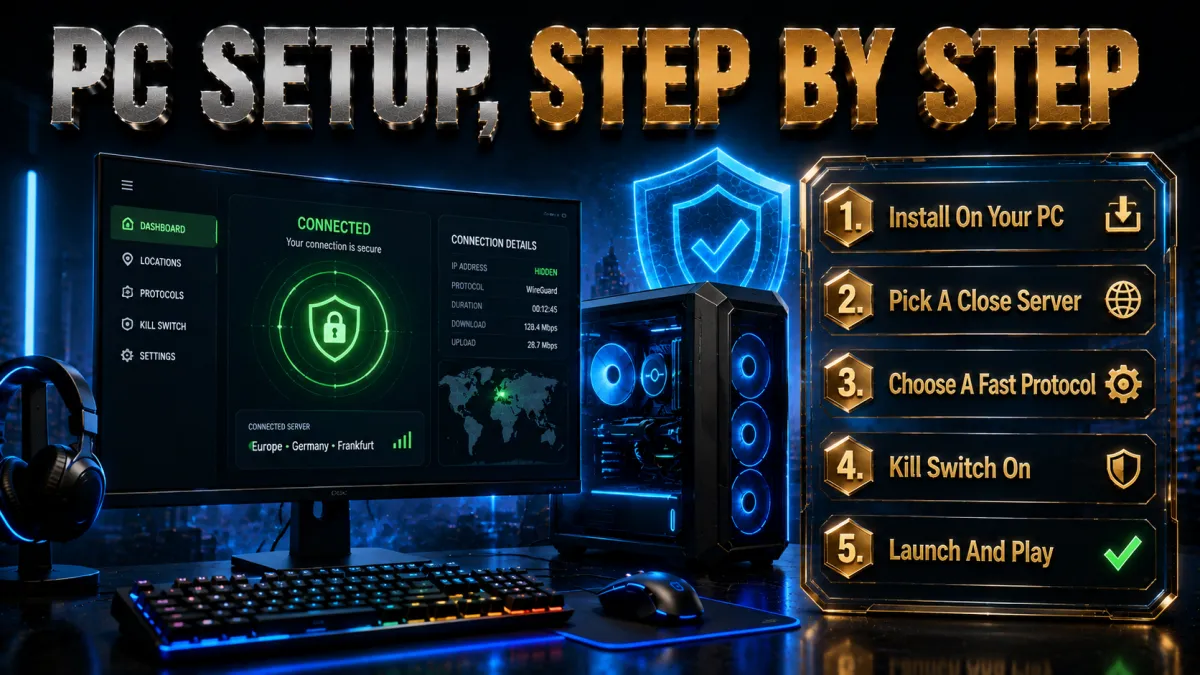
On PC the process is quick. Follow these steps and you will be protected in a couple of minutes.
- Install and sign in. Download your chosen VPN’s official app for Windows, install it, and log in with your account. Avoid third-party mirrors, always get the app from the provider.
- Pick the fastest protocol. In settings, choose NordLynx, Lightway, or WireGuard depending on your provider. This gives you the lowest overhead for gaming.
- Connect to a nearby server. Select a server close to your real location so you protect your IP without adding distance and ping.
- Run a quick ping test. Launch Warzone, check your in-game latency, and compare it to how the game feels with the VPN off. Keep the setup only if it is as good or better.
- Enable the kill switch. Turn on the kill switch so that if the VPN ever drops, your real IP is not briefly exposed mid-match.
Using a VPN on PS5 and Xbox
Consoles cannot run VPN apps directly, so you protect them at the network level. There are two reliable methods, and the router approach is the cleanest.
- Choose your method. The best option is installing the VPN on a compatible router, which then covers every device on your network including the console. The alternative is sharing a VPN-protected connection from a PC.
- Set up the router. If your router supports VPN firmware, follow your provider’s router guide to install the VPN and log in. This is a one-time job.
- Select a nearby server. On the router, connect to a server close to home so your console traffic stays fast while the IP is protected.
- Connect the console normally. Your PS5 or Xbox does not need any special settings, it simply uses the protected network like any other device.
- Test in a match. Load into Warzone and confirm the connection is stable. If ping climbs too much, switch to a closer router server.
Router VPN versus app: which is better
Both approaches protect you, but they suit different players. Here is how they compare for Warzone.
- Router VPN covers everything. Once configured, it protects your PC, console, and every other device automatically, which is ideal for a household of gamers.
- App VPN is more flexible. On PC you can switch servers and toggle protection per session in seconds, without touching your whole network.
- Router setup is a one-time effort. It takes longer to configure but then runs quietly in the background with no per-device work.
- App setup is instant. If you only game on PC, the app is faster to start with and easier to fine-tune.
The simple rule: use the app if you are PC-only, and use the router if you play on a console or want the whole home protected at once.
Best VPN protocol and settings for Warzone
Protocol choice has a real effect on how a VPN feels in a fast game. These settings give you the best chance of a smooth session.
- Prefer a modern protocol. NordLynx, Lightway, and WireGuard are built for speed and low overhead, so choose one of them over older options like OpenVPN when gaming.
- Keep the kill switch on. This ensures your real IP is never exposed if the tunnel drops, which is the whole point of running a VPN in a hostile lobby.
- Use a wired connection. Ethernet removes a huge source of jitter, and it matters more than any VPN tweak.
- Turn off unneeded extras. Features like double-hop or heavy filtering add latency, so leave them off for gaming and keep only the core tunnel plus kill switch.
- Pick a lightly loaded server. A nearby but busy server can feel worse than a slightly farther quiet one, so try a couple and keep the steadier one.
Which server locations work best
The right server depends on your goal. For most people the answer is simple, and only region-hoppers should stray from it.
- For protection and stability, stay close. A server in or near your own city or country gives you IP masking with almost no ping penalty. This is the correct default for nearly everyone.
- For throttling issues, try a different nearby route. If your ISP throttles, a couple of nearby servers may route around the slowdown, so test which one holds up best.
- For region experiments, expect a ping cost. Connecting far away to change your match pool will raise latency, so only do it if you accept the trade-off.
- Avoid heavily loaded hubs. Popular data-center cities can be congested at peak times, so a slightly smaller nearby location often feels smoother.
Will a VPN get your Warzone account banned?
This is a common fear, and the honest answer needs nuance rather than a flat yes or no.
- Using a VPN is not automatically bannable. Plenty of players run one purely for privacy and DDoS protection without any issue, and connecting from near your real location looks like normal traffic.
- Abuse increases risk. Aggressive region-hopping to manipulate matchmaking is the behavior most likely to draw attention, because it works against fair play.
- Terms of service can change. Publishers update their rules over time, so what is tolerated today may be treated differently later. Read the current terms rather than trusting old forum posts.
- Reputable VPNs are safer than sketchy ones. Shared or blacklisted server IPs from low-quality providers are more likely to be flagged than clean addresses from a major VPN.
Is using a VPN for Warzone legal and fair?
Legality and fairness are two different questions, and it helps to separate them clearly.
- It is legal in most countries. Running a VPN is lawful in the large majority of places, and using one to protect your connection is a normal, legitimate activity.
- Fair play is about intent. Using a VPN to hide your IP and stay safe is well within the spirit of the game. Using it to deliberately farm easier opponents is where the fairness question gets uncomfortable.
- Local law still applies. A few countries restrict or regulate VPN use, so check the rules where you live before relying on one.
- Provider terms matter too. Even where VPNs are legal, the game’s own terms govern how you may use one inside Warzone, so those are the rules that decide your account’s fate.
Common mistakes that ruin VPN performance
Most people who say a VPN made Warzone worse made one of these avoidable errors. Fix them and the experience changes completely.
- Picking a distant server for no reason. Chasing a far-off location adds ping. Unless you are deliberately region-hopping, always connect nearby.
- Leaving an old protocol selected. Defaulting to a heavy legacy protocol adds overhead, so switch to WireGuard, NordLynx, or Lightway.
- Gaming over wifi. Wireless jitter gets blamed on the VPN when the real culprit is the connection type. Go wired whenever you can.
- Using a free VPN. Overloaded free servers add latency and often lack real DDoS protection, which defeats the purpose.
- Never testing with it off. If you do not compare, you cannot know whether the VPN helps. Always benchmark both ways on your own line.
Should you use a free VPN for Warzone?
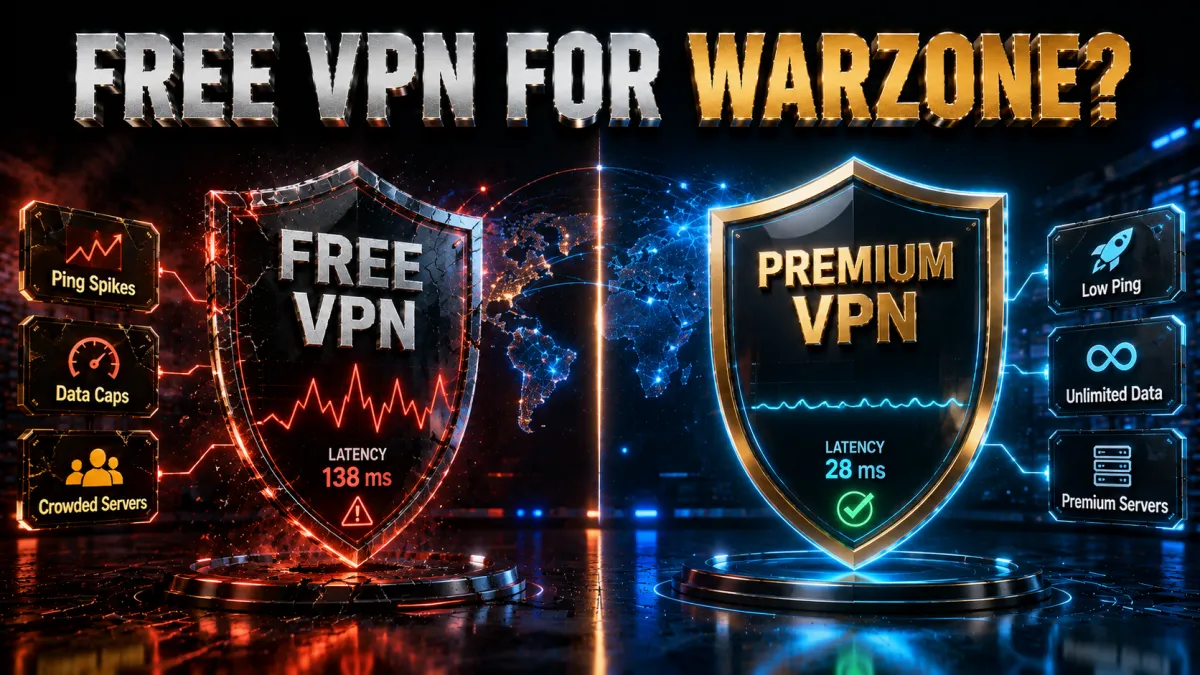
Free VPNs are tempting, but for a fast competitive game they usually cost you more than they save. Here is the reality.
- Crowded servers add lag. Free tiers pack many users onto few servers, which is the opposite of what a gamer needs.
- Data caps get in the way. Many free plans limit usage, and a few Warzone sessions can blow through a monthly cap quickly.
- Weaker protection. Free services rarely offer the hardened infrastructure that makes DDoS protection meaningful.
- Privacy trade-offs. Some free providers monetize your data, which undermines the very privacy you wanted.
If budget is the concern, a low-cost long-term plan from a reputable paid provider, backed by a 30-day refund, is a far better bet than a free service that quietly hurts your connection.
Warzone Mobile and playing on the go
More players now jump into Warzone from a phone or over travel networks, and a VPN behaves a little differently in those situations. Here is what to keep in mind when you are not at your home desk.
- Mobile networks route unpredictably. Cellular and public wifi paths change often, so a nearby VPN server can actually steady a connection that would otherwise jump around between towers or access points.
- Protection matters more away from home. On hotel, cafe, or airport wifi you have no control over the network, so IP masking and encryption are genuinely worth having rather than optional.
- Battery and overhead are real. A VPN adds a small amount of processing, so on a phone pick a lightweight protocol and a close server to keep both latency and battery drain low.
- Native apps make it easy. All three of our picks offer polished Android and iOS apps, so protecting a phone is a one-tap job unlike the router work consoles need.
- Test on your actual data plan. Some carriers shape traffic differently, so run a quick match on your real mobile connection before deciding whether the VPN helps or hurts there.
The short version is that a VPN is often more useful on mobile and travel networks than on a stable home line, because the thing it fixes best, an unpredictable or untrusted path, is exactly what you get away from home.
Troubleshooting: VPN not connecting or high ping
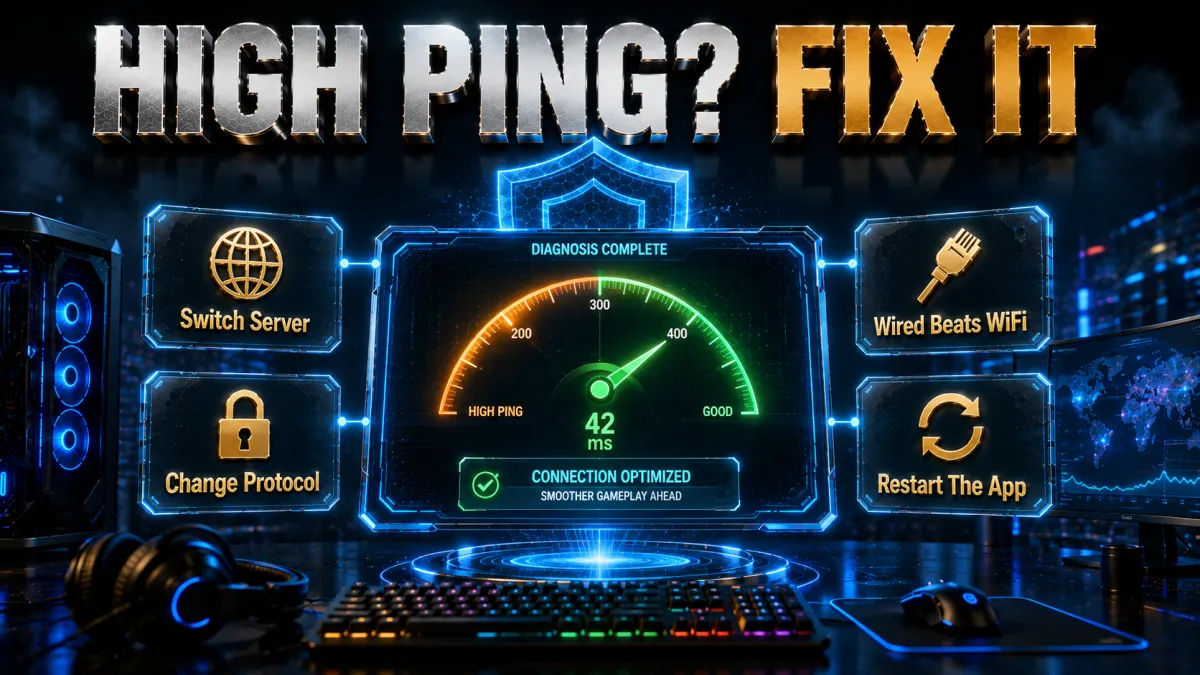
If something feels off, work through these fixes before giving up on the setup.
- Switch to a closer server. High ping is most often a distance problem, so pick the nearest available location first.
- Change the protocol. If one protocol stutters, try another modern option, since server load can vary by protocol.
- Restart the tunnel. Disconnect and reconnect, or restart the app, to clear a stale session that is dragging performance.
- Check for conflicts. Other network tools, a second VPN, or aggressive firewall rules can clash with the tunnel, so disable extras and retest.
- Update everything. Keep the VPN app, your router firmware, and the game itself current, because outdated software causes odd connection issues.
Related reading:
Frequently Asked Questions
Does a VPN actually lower ping in Warzone?
Sometimes, but not by magic. A VPN can reduce ping when your ISP routes traffic poorly or throttles gaming, because a better path or encryption can help. If you connect to a distant server, it usually raises ping. The realistic benefit is stability, not a guaranteed lower number.
Can you get banned for using a VPN in Warzone?
Using a VPN is not automatically bannable, and many players run one for privacy and DDoS protection without any problem. The higher-risk behavior is aggressive region-hopping to manipulate matchmaking. Terms of service can change over time, so read the current rules rather than old forum advice.
Are Warzone bot lobbies real, and do VPNs guarantee them?
Connecting through a quieter region can change the pool of players you are matched with, which some people experience as easier lobbies. It is never guaranteed, the effect shifts as the game updates, and it usually comes with higher ping. No honest VPN can promise easy lobbies.
Is it legal to use a VPN for Warzone?
In most countries, yes, running a VPN is legal and using one to protect your connection is a normal activity. A few countries restrict VPN use, so check your local law. Separately, the game’s own terms govern how you may use a VPN inside Warzone.
What is the best VPN server location for Warzone?
For nearly everyone the best location is a server close to your real location, which protects your IP with almost no ping penalty. Only choose a distant server if you are deliberately experimenting with region matchmaking and accept the added latency.
Can I use a VPN for Warzone on PS5 or Xbox?
Yes, but consoles cannot run VPN apps directly. You protect them by installing the VPN on a compatible router or by sharing a VPN-protected connection from a PC. The router method is the cleanest because it covers every device at once.
Will a VPN protect me from DDoS attacks in Warzone?
Yes, this is one of the strongest reasons to use one. A VPN hides your real IP behind the provider’s server, so attackers cannot target your home connection. Reputable providers also run hardened infrastructure designed to absorb junk traffic.
Does a free VPN work for Warzone?
It rarely works well. Free VPNs crowd many users onto few servers, add lag, often cap data, and usually lack real DDoS protection. A low-cost paid plan with a 30-day refund is a far better choice for a fast competitive game.
Which VPN protocol is best for Warzone?
Choose a modern lightweight protocol such as NordLynx, Lightway, or WireGuard. These add far less overhead than older protocols like OpenVPN, so they give you the smoothest connection for a fast-paced game.
Will a VPN increase my ping instead of lowering it?
It can, mainly if you connect to a distant server or if your local connection is already the bottleneck. To avoid this, use a nearby server, a modern protocol, and a wired connection, then test with the VPN on and off to compare.
How many devices can I protect with one VPN?
It depends on the provider. NordVPN covers ten devices and ExpressVPN covers eight, while Surfshark allows unlimited simultaneous devices on a single plan, which is ideal for a whole squad or household.
Do I need a VPN if I only play Warzone casually?
You do not strictly need one, but even casual players benefit from IP protection against DDoS and from privacy on shared networks. If you never stream and play on a trusted home network, it is optional, and a nearby server keeps the performance cost minimal.
The Bottom Line
The most useful thing a VPN does for Warzone is not what the ads promise. It will not hand you lower ping on demand, and it cannot guarantee easy lobbies. What it reliably delivers is protection: your real IP stays hidden, DDoS attacks hit the server instead of your home connection, and a bad ISP route or throttling can sometimes be smoothed out.
Once you accept that framing, the choice gets simple, because you are picking the provider that protects best while costing you the least performance.
- NordVPN is the safest all-round pick, with the most stable routing and top-tier DDoS resistance for players who want one dependable choice.
- ExpressVPN is the console specialist, since its Lightway protocol and router support make PS5 and Xbox setups the smoothest.
- Surfshark is the value winner, covering your entire squad on unlimited devices for the lowest long-term price.
- CyberGhost is the easiest pick for first-timers, with labelled gaming servers and the longest 45-day money-back guarantee.
- IPVanish is the speed-and-devices choice, running its own network with unlimited simultaneous connections.
Here is the practical move: install your pick, connect to the server nearest your home, turn on the kill switch, and play one full session before you judge it. If your ping stays steady and your IP is protected, you have set it up correctly. If a distant server tempts you with easier lobbies, remember that you are trading real connection quality and some account risk for it, and in a game this twitchy, a stable connection wins gunfights more often than a soft lobby does.
Jyoti VPN Expert leads VPN testing at VPN Expert Guide, covering streaming and regional access, speed and latency testing, and leak checks on Windows, Android and router-level setups. Our guides are built from vendor documentation, provider terms and our own connection testing on a residential line in India, and we publish those measurements in full so readers can check them. Every guide is reviewed before publication and dated so you can see how current it is.
Meet our testing team →Last updated: August 25, 2026