
How to Unblock Websites on WiFi in 2026: Methods, Limits, and Honest Rules
Every WiFi network you join comes with someone else’s opinions about the internet: the cafe that blocks streaming, the hotel that filters by clumsy category lists, the office that draws its own lines. Sometimes the block is sensible, often it is overbroad, and either way it is worth understanding rather than just fighting. This guide explains how WiFi blocking works, every method that gets around it, the honest rules on networks you do not own, and the five VPNs that handle restrictive WiFi best.
Why WiFi networks block websites at all

Knowing the motive predicts the method, and the method predicts the fix.
- Bandwidth protection. Cafes, hotels, and airports often block streaming and large downloads because a shared connection dies when three guests start 4K sessions. These blocks target categories rather than you, tend to be crude, and fall to almost any method below because nobody invested much in them.
- Policy and liability. Schools filter by legal requirement and workplaces by acceptable-use policy, covering categories from games to social media, and public venues block content they would rather not host on their name. These are deliberate blocks with actual administrators behind them, which raises both the technical sophistication and the consequences of bypassing them.
- Commercial upsells. Some hotel and airline WiFi tiers block video precisely to sell you the premium tier that allows it. The block is the product, which explains both its firmness and the guilt-free feeling most travellers have about tunnelling past it on a service they already paid for.
- Clumsy category lists. Much filtering runs on third-party category databases that misfile sites constantly, blocking a developer’s documentation as gaming or a news site as social media. Overblocking is the norm rather than the exception, and it is the reason perfectly reasonable people end up on pages like this one.
How WiFi blocking actually works
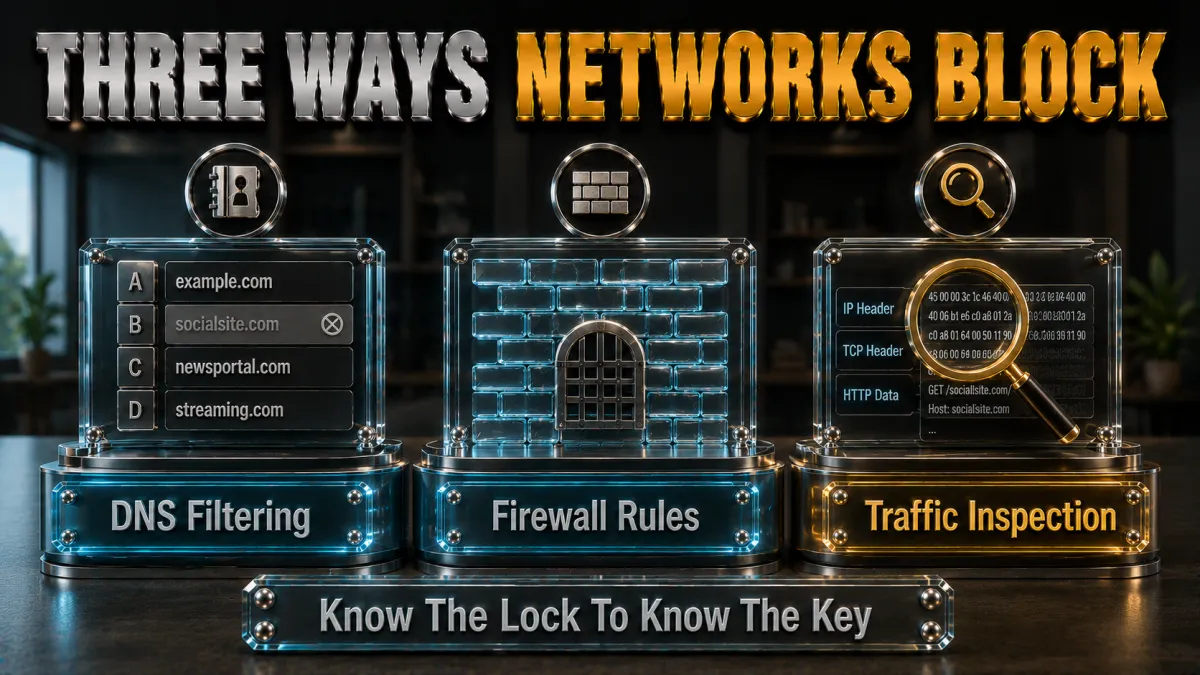
Four mechanisms cover nearly every blocked-site experience you have had.
- DNS filtering: the cheap lock. The network’s DNS resolver simply refuses to answer lookups for blocked domains, or answers with a block page instead. It is the most common mechanism because it is nearly free to run, and it is also the weakest: any method that moves your DNS elsewhere, or encrypts it, walks straight past.
- Firewall rules: the port gate. The router or gateway drops traffic to specific addresses, address ranges, or ports, which is how networks kill entire services and non-web protocols. Firewalls that allow only web ports are why VPN protocols with TCP-443 modes exist, ordinary tunnels knock on ports the gate never opens.
- Traffic inspection: reading the envelope. Even encrypted connections announce the destination hostname during setup, via the SNI field, and inspecting equipment blocks by that name regardless of DNS tricks. This defeats DNS-level workarounds entirely and is increasingly standard on managed networks, which is precisely where the VPN’s full encryption becomes the only working answer.
- VPN detection: blocking the workaround. Stricter networks additionally recognise and drop known VPN protocols and endpoints, the arms-race layer. Obfuscated servers exist for exactly this: they wrap the tunnel so it reads as ordinary HTTPS, and the obfuscation section below covers when and how to use them.
Every unblocking method, honestly ranked
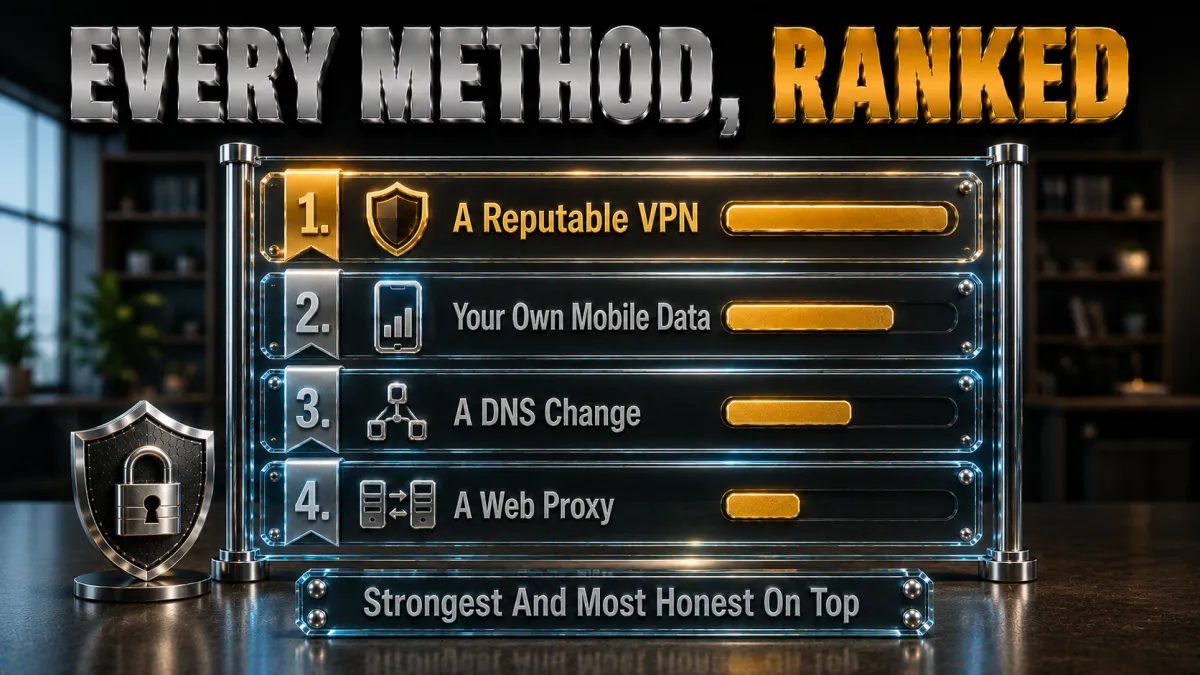
From lightest to strongest, with what each actually defeats.
- Method 1: try HTTPS and alternate addresses. Occasionally a network blocks the plain version of a site or one specific domain while the secure version or a regional mirror loads fine. Ten seconds to try, defeats only the laziest blocks, worth exactly one attempt before moving on.
- Method 2: switch DNS servers. Pointing your device at a public resolver instead of the network’s own defeats pure DNS filtering, the most common mechanism on casual networks. It fails completely against firewall rules and SNI inspection, and managed networks often force their own DNS anyway, which the DNS section below unpacks.
- Method 3: mobile data fallback. Switching off WiFi entirely sidesteps the network’s rules by leaving the network, at the cost of your data allowance. For a two-minute task on a hostile network, it is frequently the fastest honest answer, and it doubles as a diagnostic: if the site works on data, the WiFi was the problem.
- Method 4: a VPN. Full encryption hides your destinations from DNS filters, firewalls, and SNI inspection simultaneously, which is why it is the general answer rather than a trick. The network sees one encrypted connection to a VPN server and nothing else, and your browsing happens beyond its reach.
- Method 5: obfuscated VPN modes. Where the network blocks VPN protocols themselves, obfuscated servers and OpenVPN-TCP-443 wear the costume of ordinary web traffic. This is the strongest tier short of leaving the network, and the dedicated section below covers it properly.
- What this page will not recommend. Free web proxies and random unblocker sites sit in the traffic path of everything you do while monetising unknown ways; using them for anything involving logins trades a blocked site for a compromised account. The pattern repeats across this site: free middlemen are the expensive option.
The VPN method: why it beats all four mechanisms
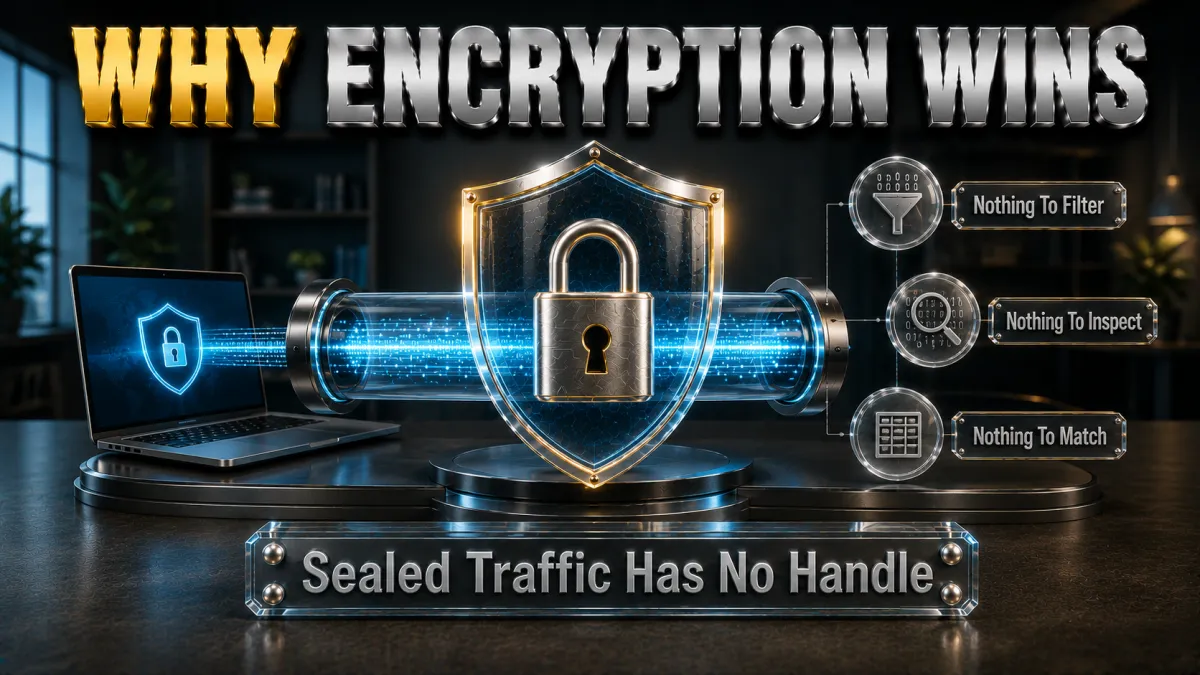
One tool against the whole blocking stack, explained mechanism by mechanism.
- Against DNS filtering: your lookups leave the building. With the tunnel up, DNS queries travel encrypted to the VPN’s own resolvers, so the network’s filter never sees a lookup to refuse. The blocked-domain list becomes irrelevant because the list is never consulted.
- Against firewall rules: one connection, standard ports. The network sees a single encrypted session to one server rather than connections to each site you visit, so per-site and per-service rules have nothing to grab. Modern protocols run on common ports, and TCP-443 modes exist for gates that allow web traffic only.
- Against SNI inspection: the envelope is blank. Destination hostnames are negotiated inside the tunnel, invisible to inspecting equipment, which defeats the mechanism that breaks every DNS-level trick. This is the specific capability that separates the VPN from the lighter methods, and it is why managed networks force the arms race to the next layer.
- The bonus nobody ordered: safety on strange WiFi. The same encryption that defeats filtering also protects your traffic from the network itself, which on public WiFi is worth more than the unblocking. Our public-WiFi guide covers that side fully; here it rides along free.
The DNS switch: the free method and its honest limits

Worth knowing, worth trying on casual networks, worth understanding when it fails.
- The mechanics are two minutes. In your device’s WiFi settings, replace the automatic DNS with a public resolver’s addresses, reconnect, retry the site. Every OS supports it, no software installs, fully reversible, and against pure DNS filtering it simply works.
- Where it fails, and why. Firewalls and SNI inspection never consult DNS, so they block on regardless; managed networks often intercept DNS traffic wholesale, forcing their resolver whatever you configured; and encrypted-DNS options that resist interception still leave the SNI envelope readable. The method’s ceiling is the casual network.
- The diagnostic value is real. If a DNS switch unblocks the site, you learned the network runs the cheapest filter and nothing more; if it changes nothing, you learned the block lives deeper and the VPN tier is the answer. Two minutes either way, and the result tells you which page section you needed.
- Encrypted DNS deserves a mention. DNS-over-HTTPS in modern browsers resists network interception better than plain resolver switches and defeats some middle-tier filtering. It remains DNS-layer only, with the same structural ceiling, and enterprise networks increasingly account for it.
Obfuscated servers: when the network blocks the VPN itself
The strongest tier, for the networks that fight back.
- What obfuscation actually does. Obfuscated servers wrap VPN traffic so inspection equipment reads it as ordinary HTTPS instead of a recognisable VPN protocol, removing the signature that VPN-blocking rules match on. The tunnel underneath is unchanged; the costume is the feature.
- When you need it. The tell is a VPN that connects nowhere or dies instantly on one specific network while working everywhere else: that network is dropping VPN protocols by signature. Hotels, campuses, some workplaces, and certain countries run exactly this, and standard WireGuard‘s recognisable profile is the first casualty.
- How to turn it on. NordVPN lists obfuscated servers as a category once OpenVPN is selected; ExpressVPN applies obfuscation automatically when its app detects hostile conditions; others expose a stealth or camouflage toggle. One setting, reconnect, and the previously dead connection typically walks through.
- The honest cost. Obfuscation adds overhead, so speeds drop below the clean-protocol norm, acceptable for browsing and video, noticeable in large transfers. Use it on the networks that require it and switch back to the fast protocols everywhere else, the same division of labour our protocol guides describe.
How to choose a VPN for restrictive WiFi
The selection criteria this specific battlefield imposes.
- Obfuscation that actually ships. The decisive feature for hostile networks is a working stealth mode, automatic or one toggle away, tested on the kinds of networks you actually frequent during the refund window. All five picks below carry an answer here; their styles differ.
- A TCP-443 fallback in the lineup. OpenVPN over the universal web port is the classic passage through port-restricted gates, and its presence in the protocol menu is the difference between stuck and slow-but-connected. Our protocol guides cover why this old workhorse keeps its job.
- Quick reconnection behaviour. Captive portals and flaky venue WiFi drop connections constantly, so fast reconnects and a kill switch that holds during gaps decide the daily experience. Modern protocols with instant handshakes shine exactly here.
- Audited privacy underneath. Routing all your traffic through a provider to escape a network’s filter only makes sense if the provider deserves the position: independent no-logs audits are the qualifying bar, unchanged from every other page on this site.
The 5 best VPNs for restrictive WiFi in 2026

Ranked for hostile-network passage first: obfuscation, TCP fallbacks, reconnect behaviour, then audits, speed, and value.
1. NordVPN – Best overall for blocked networks
NordVPN carries the full toolkit this page described: NordLynx for everyday speed, OpenVPN TCP for port-restricted gates, and a dedicated obfuscated-server category for networks that hunt VPN signatures, all with the quick reconnects that flaky venue WiFi demands. The layered lineup means some mode gets through nearly anywhere.
Multiple independent no-logs audits and RAM-only servers justify the traffic-routing trust this whole method requires, and the leak protection keeps the escape sealed while it runs.
✔ Pros
- Dedicated obfuscated-server category
- OpenVPN TCP fallback in the lineup
- Fast reconnects on flaky WiFi
- Multiple independent no-logs audits
- NordLynx speed when networks permit
✘ Cons
- Obfuscation requires selecting OpenVPN first
- Best price needs a longer plan
| Obfuscation | Yes, dedicated servers |
| TCP-443 option | Yes, OpenVPN TCP |
| Audited no-logs | Yes, multiple audits |
| Jurisdiction | Panama |
| Devices | 10 |
| Money-back | 30 days |
2. ExpressVPN – Automatic passage, zero fiddling
ExpressVPN’s signature on this topic is automation: the app detects hostile conditions and applies obfuscation itself, no server categories or toggles, which makes it the pick for people who want blocked networks to just start working. Its record on the world’s most restrictive networks is the strongest in the consumer market.
Lightway keeps clean-network speeds premium, the RAM-only audited infrastructure carries trust, and the price remains the highest of the five with the tightest device cap, the standing trade.
✔ Pros
- Obfuscation applies automatically
- Best restrictive-network record here
- RAM-only fleet, audited no-logs
- Simplest experience of the five
- Lightway speed on clean networks
✘ Cons
- Most expensive of the five
- 8-device cap is the tightest here
| Obfuscation | Yes, automatic |
| TCP-443 option | Yes |
| Audited no-logs | Yes, audited |
| Jurisdiction | British Virgin Islands |
| Devices | 8 |
| Money-back | 30 days |
3. Surfshark – Camouflage on every device, cheaply
Surfshark’s Camouflage mode applies automatically on OpenVPN connections, giving every device on its unlimited plan a passage mode at the lowest long-term price here. For students, families, and multi-device travellers, the per-screen arithmetic of unblocking is untouchable.
The audited no-logs policy holds the trust bar, with the honest placements unchanged: passage record and polish a step behind the top two, Netherlands base inside the EU.
✔ Pros
- Camouflage mode on OpenVPN automatically
- Unlimited simultaneous devices
- Lowest long-term price of the five
- Audited no-logs policy
- CleanWeb blocking rides along
✘ Cons
- Passage record behind the top two
- Netherlands base, inside the EU
| Obfuscation | Yes, Camouflage mode |
| TCP-443 option | Yes |
| Audited no-logs | Yes, audited |
| Jurisdiction | Netherlands |
| Devices | Unlimited |
| Money-back | 30 days |
4. CyberGhost – The gentle unblocking start
CyberGhost handles the everyday tier of this topic, cafe, hotel, and airport filters, in the plainest apps of the five, with its huge network keeping nearby fast servers plentiful. OpenVPN TCP covers port-restricted gates, and the 45-day refund gives six weeks to test your actual venues.
Honest limit: it lacks a dedicated obfuscation mode, so the hardest VPN-hunting networks are better served by the three above. For the common case, the friendliness wins.
✔ Pros
- Plainest-language apps of the five
- 45-day refund, longest test window
- Huge server network
- OpenVPN TCP for port gates
- Audited no-logs with transparency reports
✘ Cons
- No dedicated obfuscation mode
- Speeds good rather than leading
| Obfuscation | No dedicated mode |
| TCP-443 option | Yes, OpenVPN TCP |
| Audited no-logs | Yes, audited |
| Jurisdiction | Romania |
| Devices | 7 |
| Money-back | 45 days |
5. IPVanish – The budget passage kit
IPVanish brings the essentials, WireGuard speed for clean networks, OpenVPN TCP with a scramble option for hostile ones, on unlimited connections at a fair price. For casual venue filters across many devices, it does the job briskly.
Fifth for the standing reasons: US jurisdiction and a lighter audit history than the four above, plus passage tooling a tier below the leaders. The budget-and-many-screens case is where it fits.
✔ Pros
- Scramble option on OpenVPN
- Brisk speeds on clean networks
- Unlimited simultaneous connections
- Fair pricing
- Kill switch and leak protection included
✘ Cons
- US jurisdiction, lighter audit history
- Passage tooling behind the leaders
| Obfuscation | Scramble option |
| TCP-443 option | Yes |
| Audited no-logs | Policy in place, lighter audit history |
| Jurisdiction | United States |
| Devices | Unlimited |
| Money-back | 30 days |
| Feature | NordVPN | ExpressVPN | Surfshark | CyberGhost | IPVanish |
|---|---|---|---|---|---|
| Obfuscation | Dedicated servers | Automatic | Camouflage | None dedicated | Scramble |
| TCP-443 fallback | Yes | Yes | Yes | Yes | Yes |
| Hostile-network record | Excellent | Best here | Strong | Good | Good |
| Audited no-logs | Multiple audits | Audited | Audited | Audited | Lighter history |
| Devices | 10 | 8 | Unlimited | 7 | Unlimited |
| Money-back | 30 days | 30 days | 30 days | 45 days | 30 days |
Setting up for restrictive WiFi, step by step
The preparation that makes hostile networks a non-event.
- Install and log in before you travel. App stores and VPN sites are themselves sometimes blocked on restrictive networks, so the tooling must exist on the device before you meet the filter. Five minutes at home saves the classic locked-out-of-the-solution loop.
- Handle the captive portal first. Venue WiFi usually wants its login page before anything else works, and a VPN can prevent that page loading. Connect to the WiFi, complete the portal, then start the VPN, and if the portal will not appear, briefly toggle the VPN off for it.
- Try the fast protocol, then step down. Connect on the app’s default first; if it fails or dies, switch to OpenVPN TCP or the obfuscated mode and retry. This two-step ladder resolves the overwhelming share of hostile networks in under a minute.
- Verify the tunnel took. A quick IP-check page confirms traffic actually rides the tunnel, and on networks that matter, the fuller leak suite from our leak guide is ninety seconds well spent. Filters that half-work are how surprises happen.
- Save the winning configuration. Favourite the server and note which mode passed that venue; repeat visits then start from the known-good setup. Regulars at one stubborn cafe solve this problem exactly once.
- Keep the mobile-data fallback in mind. When a network defeats everything or the stakes are low, switching to data for two minutes is the honest shortcut. The best unblocking method is sometimes not needing the network at all.
The rules on networks you do not own: the honest section

The technique and the permission are separate questions, and this page answers both.
- Workplaces: policy has teeth. Corporate acceptable-use policies commonly restrict bypassing network controls, and violations are employment matters, sometimes serious ones, regardless of whether the block itself was silly. On managed devices especially, monitoring exists beyond the network layer, and the calculated answer is usually personal tasks on personal data plans rather than tunnels through the office filter.
- Schools and universities: consequences scale with context. Educational filters exist partly by legal mandate, and circumventing them can breach codes of conduct with real disciplinary weight. Adults on university networks face different stakes than minors on school ones, and this site’s standing position is blunt: understanding the technology is legitimate; students should not use it to break school rules.
- Venues: the soft-rules zone. Cafes, hotels, and airports set terms nobody reads, and tunnelling past a bandwidth filter on WiFi you paid for sits at the mild end of rule-bending, an equilibrium the venues themselves rarely police. Judgement and moderation, particularly on shared bandwidth, keep this zone as relaxed as it is.
- The general principle. The more institutional the network and the more explicit its policy, the higher the cost of bypassing it, entirely independent of technical success. Read the room, know the policy where it matters, and choose which rules you bend with open eyes rather than by accident.
The safety angle: unblocking is half the story

The same tool that defeats filters protects you from the network, which on public WiFi matters more.
- Strange WiFi deserves suspicion by default. Public networks put your traffic through equipment you cannot vet, run by parties from competent to careless to actively malicious, and fake hotspots imitating venue names remain a real pattern. The unblocking VPN encrypts everything against all of it, turning the open network into a mere carrier.
- The kill switch earns its keep here. Venue WiFi drops constantly, and each gap is a moment traffic could flow open; the kill switch converts those gaps into safe pauses. Enable it before the trip, not after the anecdote.
- Logins and payments set the bar. Anything with credentials or money on strange WiFi wants the tunnel up first, unblocking or not. Our public-WiFi guide covers the full posture; the one-line version is that the VPN is the price of admission for sensitive tasks on shared networks.
- Auto-connect rules remove the human error. Good apps can auto-engage on untrusted WiFi, making protection the default rather than a memory test. Set it once and the cafe network never catches you undressed.
Common mistakes when unblocking on WiFi
Five habits that turn a solvable problem into a bad afternoon.
- Reaching for free proxy sites. The blocked page loads and every keystroke transits a stranger’s monetised middlebox: accounts, sessions, and personal data included. The consistent rule across this site holds here hardest, because unblocking contexts are exactly where people log into things.
- Installing the VPN after meeting the block. Restrictive networks often block the app stores and VPN sites themselves, locking you out of the remedy. Preparation beats improvisation by the width of an entire category of failure.
- Fighting the captive portal with the tunnel up. The portal needs to load before the VPN takes the network over; the toggle-portal-connect sequence solves what looks like a broken hotspot. This single ordering mistake explains a remarkable share of hotel WiFi complaints.
- Concluding failure after one protocol. A dead default connection on hostile WiFi is information, not defeat: the TCP and obfuscated rungs exist for precisely that network. The ladder is the method; stopping on rung one is the mistake.
- Forgetting the context section above. Technical success on a workplace or school network is not permission, and the consequences operate on a separate layer from the technology. The most avoidable mistakes on this page are not technical at all.
Is unblocking websites on WiFi legal?
The legal layer, separated cleanly from the policy layer.
- The tools are lawful almost everywhere. Using a VPN or changing DNS settings is legal in most countries, the same tools businesses run daily, and nothing about a coffee shop’s filter changes that. A short list of countries restricts VPN use generally, which travellers should check per our country guides.
- Network policies are contracts, not statutes. Breaching a venue’s terms or an employer’s AUP is a civil and disciplinary matter rather than a criminal one in ordinary cases, which is precisely why the consequences arrive as revoked access, HR conversations, or academic discipline rather than anything grander. Distinct layers, distinct stakes.
- Content legality never changes. Whatever is illegal to access remains illegal through any tunnel; the VPN changes visibility, not law. The unblocking conversation on this page concerns filtered-but-lawful content, and the distinction deserves stating once, plainly.
- Institutional networks can carry statutory overlays. Some jurisdictions attach legal weight to circumventing controls on certain institutional or government systems, a category apart from cafe WiFi. Where a network is clearly institutional and clearly serious, the cautious reading of local rules is the correct one.
Related reading:
Frequently Asked Questions
How do I unblock websites on WiFi?
A VPN is the reliable answer: it encrypts your traffic so the network’s DNS filters, firewall rules, and inspection cannot see or block your destinations. Lighter options, switching DNS servers or using mobile data, work against casual filters, and obfuscated VPN modes handle networks that block VPNs themselves.
Why are websites blocked on this WiFi at all?
Usually one of four reasons: bandwidth protection on shared connections, policy and liability on school and workplace networks, commercial upsells on hotel and airline tiers, and clumsy third-party category lists that misfile sites constantly. The motive predicts the sophistication, and casual venue blocks fall to almost any method.
Does changing DNS unblock websites?
Only against pure DNS filtering, the cheapest and most common mechanism on casual networks: pointing your device at a public resolver walks past it in two minutes. It does nothing against firewall rules or SNI inspection, and managed networks often force their own DNS regardless, which is where the VPN tier takes over.
What if the WiFi blocks VPNs too?
Step down the ladder: OpenVPN over TCP port 443 wears the costume of ordinary HTTPS and passes port-restricted gates, and obfuscated modes, NordVPN’s dedicated servers, ExpressVPN’s automatic obfuscation, Surfshark’s Camouflage, disguise the tunnel from signature-hunting equipment. Some mode in that sequence passes nearly every network.
Is it legal to unblock websites on WiFi?
The tools are lawful in most countries, and bypassing a venue filter is typically a terms-of-service matter rather than a legal one. Workplace and school policies carry real disciplinary consequences on their own layer, a minority of countries restrict VPNs generally, and illegal content stays illegal through any tunnel; the layers are worth keeping distinct.
Can I unblock websites on school WiFi?
Technically the methods are the same, and honestly the answer comes with this site’s standing position: school filters exist partly by legal mandate, circumventing them breaches codes of conduct with real disciplinary weight, and students should not use these techniques to break school rules. Adults on university networks face their own policies and should read them before deciding.
Will my employer know if I use a VPN on office WiFi?
Assume yes: the network sees an encrypted connection to a VPN endpoint even though it cannot read the contents, VPN use is exactly the pattern monitoring flags, and managed devices can observe far more than the network layer. Policy consequences do not require anyone reading your traffic, which is why the personal-tasks-on-personal-data advice keeps recurring.
Why does hotel WiFi block streaming sites?
Bandwidth economics and upsells: shared connections collapse under simultaneous streams, and some venues sell a premium tier whose entire product is the absence of the block. A VPN typically restores access since the filter reads categories rather than tunnels, with shared-bandwidth judgement left to the guest.
What is a captive portal and why does my VPN fight it?
The venue login page that must load before the network grants access: a VPN engaged too early prevents exactly that page from appearing, which looks like broken WiFi. The sequence is join the network, complete the portal, then connect the VPN, toggling the tunnel off briefly if the portal refuses to show.
Are free proxy sites safe for unblocking?
No: they sit unencrypted in the path of everything you do while monetising the position in ways you cannot see, and unblocking contexts are precisely where people type credentials. A reputable VPN’s refund window is the honest free option; the free middlebox is the expensive one.
Does HTTPS mean the network cannot see my browsing anyway?
HTTPS hides page contents but not destinations: the hostname travels readable in the connection setup, which is precisely what SNI-inspecting filters block on, and DNS lookups leak the same information earlier. A VPN hides both, which is the difference between encrypted pages and private browsing on a filtered network.
Which VPN works best on restrictive WiFi?
NordVPN for the fullest toolkit of modes under the strongest audits, ExpressVPN for automatic obfuscation with the best hostile-network record, Surfshark for camouflaged passage on unlimited devices cheaply. The deciding features are obfuscation, a TCP-443 fallback, and quick reconnects, tested on your actual venues inside the refund window.
Why does my VPN work at home but not on public WiFi?
The public network is blocking VPN protocols or ports: casual filters kill the well-known UDP ports first, and stricter equipment drops recognised VPN signatures. Switch to OpenVPN TCP or your app’s obfuscated mode and reconnect; that ladder exists precisely for this situation and resolves it in under a minute.
The Bottom Line
Unblocking websites on WiFi is a solved technical problem with an unsolved judgement layer: the VPN answers DNS filters, firewalls, and inspection in one move, the obfuscated modes answer the networks that fight back, and the two-minute preparation before travel makes all of it boring. What no tool answers is whose network you are on and what the rules there cost to break, which is why this page spent a full section on exactly that. Master the ladder, respect the contexts, and blocked WiFi becomes a category of problem you used to have.
The five picks in one line each:
- NordVPN carries every passage mode, fast, obfuscated, and TCP, under the strongest audits.
- ExpressVPN makes hostile networks a silent non-event with automatic obfuscation.
- Surfshark puts camouflaged passage on unlimited devices for the least money.
- CyberGhost handles everyday venue filters in the plainest language with 45 days to verify.
- IPVanish covers the essentials briskly across unlimited screens on a budget.
Prepare before the trip, climb the ladder when networks resist, and save the winning setup: the filter that ruined this afternoon should never get a second one.
Jyoti VPN Expert leads VPN testing at VPN Expert Guide, covering streaming and regional access, speed and latency testing, and leak checks on Windows, Android and router-level setups. Our guides are built from vendor documentation, provider terms and our own connection testing on a residential line in India, and we publish those measurements in full so readers can check them. Every guide is reviewed before publication and dated so you can see how current it is.
Meet our testing team →Last updated: August 24, 2026