
Best VPN for USA in 2026: Privacy, Streaming, Travel & Speed
Which VPNs are genuinely best for the United States, for streaming US libraries, keeping your ISP out of your browsing, and staying fast on a big network. An honest, no-hype guide with zero fabricated benchmarks.
Why you need a VPN in the USA
The United States has strong internet services but weak default privacy for everyday browsing. A VPN can reduce ISP profiling, protect public WiFi sessions, help travelers reach their home subscriptions, and keep work or school browsing safer on shared networks.
If your main issue is a campus or school network, also read our VPN not connecting on school WiFi guide before changing VPN settings.
- Your ISP can collect and monetize browsing data. Since federal broadband privacy rules were rolled back in 2017, US internet providers have had broad room to use browsing and app-usage data for advertising and analytics. A VPN reduces what your ISP can see by encrypting traffic between your device and the VPN server.hat history for advertisers and data brokers, all without asking your consent. A VPN encrypts everything your device sends, so your provider sees only that you are connected to a VPN and nothing about what you actually do online. That single change quietly takes you off the data-broker conveyor belt that most Americans do not even realise they are riding.
- There is no longer any federal net neutrality. After the courts struck down the FCC rules, US providers are legally free to slow down or deprioritise specific kinds of traffic, such as video from a streaming service they do not own. Because a VPN wraps all of your traffic in the same encryption, your provider can no longer tell a movie stream from an email, which removes its ability to single out one service and throttle it. It is not a magic speed boost, but it does close the door on that kind of targeted slowdown.
- Public wifi is everywhere, and most of it is wide open. Coffee shops, airports, hotels, and campuses run networks that are easy for someone else on the same connection to snoop on, and you rarely know how well any of them are actually secured. A VPN encrypts your session from your device outward, so even a completely open hotspot cannot read your logins, messages, or card details. Turning it on before you join any unfamiliar network is the single simplest habit that removes most of that everyday risk.
- Streaming access at home and while you travel. Connecting through a US server lets you reach American libraries and regional catalogues, and when you leave the country it gives your devices a US IP so the services you already pay for keep working instead of showing a regional block. This is one of the most common everyday reasons US users install a VPN, and it behaves the same whether you are on the road for work, visiting family, or abroad on holiday for a couple of weeks.
- The United States is a Five Eyes country. The US shares intelligence with a group of allied nations and has broad legal tools to request data, which is exactly why the jurisdiction of your VPN provider matters as much as its raw speed. A provider headquartered offshore, such as NordVPN in Panama or Surfshark in the Netherlands, backed by an independently audited no-logs policy, gives your data a friendlier legal home than your bare connection or a US-based service ever could.
Your ISP, your data, and how a VPN helps
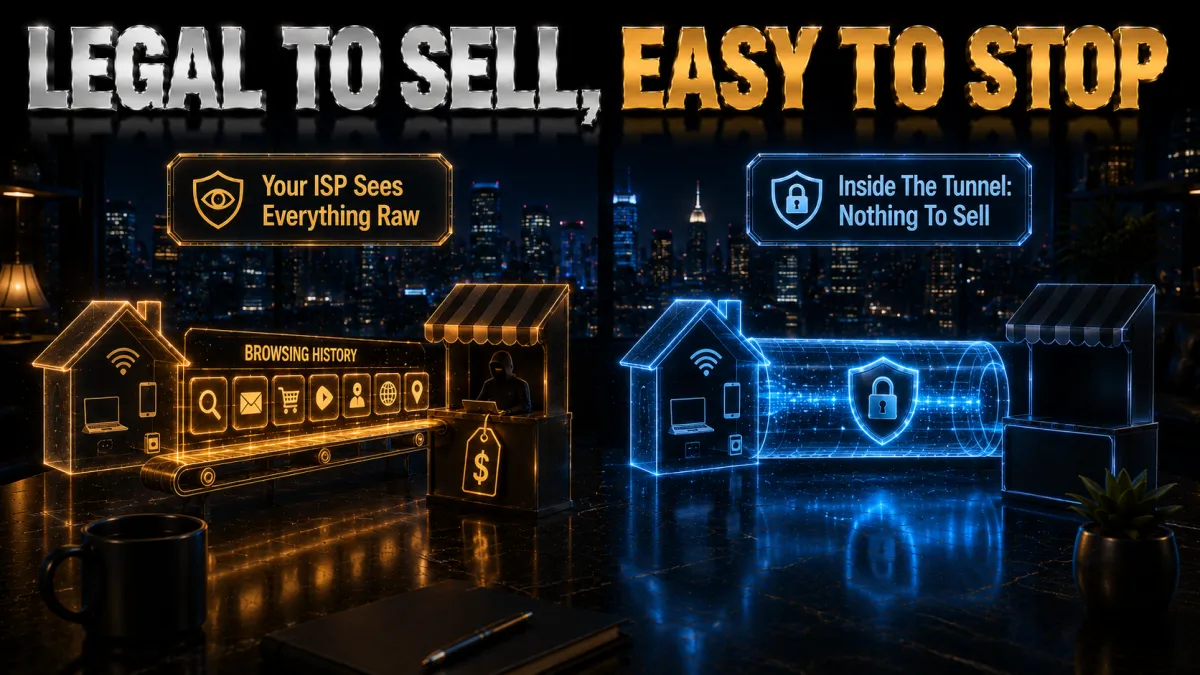
US privacy law is unusually weak at the provider level, which is the single strongest practical reason to run a VPN at home rather than only on public networks.
- ISPs can sell your history, and many do. Since 2017, US providers have been permitted to collect and sell customer browsing data, turning your everyday activity into a revenue stream for the company you already pay each month. A VPN encrypts your traffic end to end, so there is simply nothing readable for your ISP to log, package, and sell on to third parties. It is the most direct way an ordinary user can opt out of a system that otherwise treats their browsing as a product.
- Encrypted DNS closes a second, sneaky leak. Even with a VPN running, the requests that translate a website name into an address can sometimes slip outside the tunnel and reveal which sites you visit. Using your provider’s private or encrypted DNS keeps those lookups inside the protected connection, so the full picture of your browsing stays hidden. It is a small setting that most people never touch, but it meaningfully tightens the privacy a VPN gives you.
- A genuine no-logs policy is what makes it work. A VPN only protects you if it does not quietly keep its own records of what you do, so the provider’s logging stance is as important as its encryption. Favour a service whose no-logs claims have been checked in an independent audit rather than simply asserted in marketing copy. Several of our picks have been through exactly that kind of external review, which is a big part of why they rank where they do.
- Jurisdiction is part of privacy, not a technicality. The US sits inside the Five Eyes alliance and has broad powers to compel data, so where your provider is legally based genuinely affects how exposed your information is. A company headquartered offshore is harder to lean on than one on US soil, which is why we weight jurisdiction heavily in the rankings below. Speed and features matter, but for an American user this is the factor that quietly matters most.
Net neutrality, throttling, and a VPN
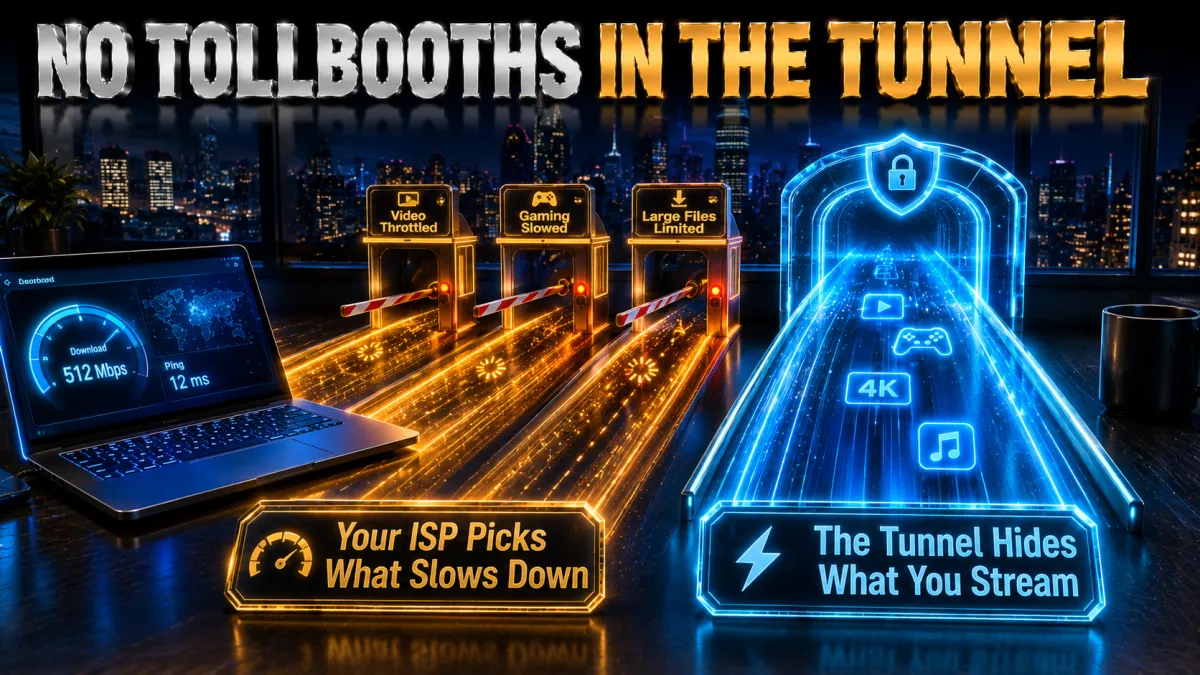
With federal net neutrality rules struck down, throttling is a live concern for US users, and a VPN offers a real, if partial, defence against it.
- Throttling only works on traffic an ISP can identify. A provider can only slow a specific service if it can see what that traffic actually is as it passes through the network. A VPN encrypts everything into one indistinguishable stream, so your ISP cannot tell a video service from a video call or a large download, which removes its ability to target any one of them. In practice that means the crude tactic of quietly throttling a rival’s streaming app stops working while you are connected.
- It can restore a stream that is being slowed. If you notice one particular service buffering while everything else runs fine, that pattern often points to targeted throttling rather than a weak connection. Routing that service through a VPN frequently brings its speed back to normal, because the provider can no longer single it out for special treatment. It is one of the clearest, most testable benefits a VPN delivers on a modern US connection.
- State rules exist, but they are patchy. A handful of states passed their own net neutrality laws after the federal ones fell, yet the protections vary widely depending on where you live and are far from universal. Relying on your specific state’s rules is a gamble, whereas a VPN gives you a consistent layer of protection that travels with you across state lines. For most people that portability is worth more than a local law they cannot count on.
- It is a shield, not a speed upgrade. A VPN can undo targeted throttling, but it cannot make your connection faster than the plan you actually pay for, and a distant server can even cost a little speed. The honest way to think about it is as insurance against artificial slowdowns rather than a performance boost. Pick a nearby server on a modern protocol and the overhead is small enough that most people never notice it during normal use.
The features that matter most in the US
Not every fast VPN is a good US VPN. These are the features we weight most heavily in the rankings, because they are the ones that genuinely change the experience for an American user.
- A large, well-distributed US server network. More US locations mean fewer people crowded onto each server at peak evening hours and a better chance of a fast node close to you, which directly affects both speed and how reliably you can stream. It is one of the clearest ways the top providers separate themselves, and it is easy to overlook when you only compare headline prices. A provider with servers in many US cities simply gives you more room to find a connection that performs.
- An offshore base with an audited no-logs policy. Because the US is a Five Eyes country with broad data-request powers, a provider legally based outside that alliance and independently audited protects your data far more than jurisdiction or marketing claims alone. This is the factor most buyers underweight and the one that matters most for privacy on a US connection. When two providers look similar on speed, their base and audit history are what should break the tie.
- Reliable, actively maintained streaming unblocking. If reaching US libraries is part of why you want a VPN, you need a provider with a strong and current record against detection, because streaming services block VPN server addresses constantly and a service that worked last year may not today. The best providers rotate and refresh their IPs to keep access working, which is invisible from a spec sheet but obvious the first time a rival throws a proxy error. Consistency here is worth paying a little more for.
- A proper kill switch you can trust. A kill switch cuts your internet the instant the VPN tunnel drops, so your real IP and traffic are never briefly exposed during a reconnect, which matters most on the flaky public wifi you find while travelling. Without it, a momentary disconnect can quietly leak exactly the information you installed the VPN to hide. Treat a reliable, well-tested kill switch as a requirement rather than a nice-to-have, and turn it on by default.
- Enough device slots for a real household. American homes run a lot of connected devices, from phones and laptops to smart TVs and consoles, so a plan with unlimited connections, a high device limit, or router support saves you constantly juggling logins. Matching the plan to how many screens you actually use is the difference between a VPN that protects the whole house and one that only ever covers a single laptop. Think about your household, not just yourself, when you choose.
US server coverage and speed
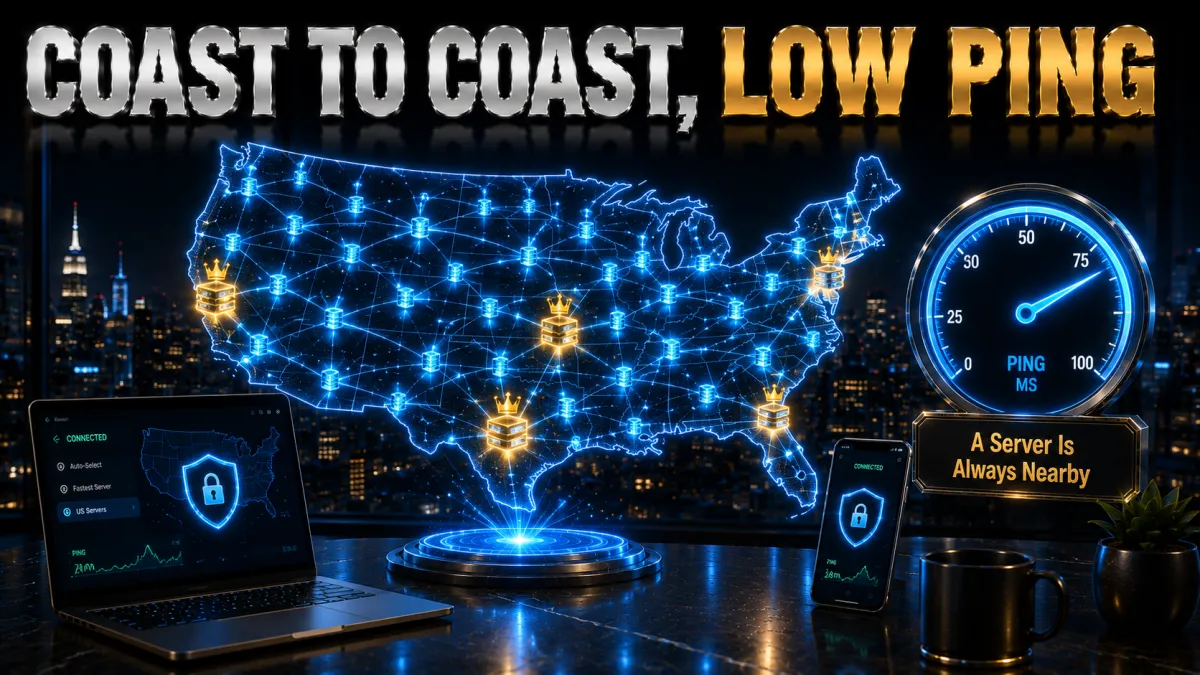
A big, well-spread US network is one of the clearest ways a top provider separates itself for American users, and it affects your daily experience more than most people expect.
- More cities mean less congestion. A provider with servers in many US cities spreads its users across far more machines, so you are much less likely to land on an overloaded node during the busy evening streaming rush. Congestion, not distance, is often the real reason a VPN feels slow, and a large fleet is the simplest cure. When you can choose between several nearby servers, you can always move off a crowded one and onto a quieter, faster alternative.
- Nearby servers are simply faster. The closer the server you connect to, the lower your latency and the more of your bandwidth survives the trip, which is why a local US server almost always beats a distant one for everyday use. Chasing a faraway location only makes sense when a specific library or service requires it. For browsing, calls, and streaming from home, picking the closest fast server is the single easiest way to keep the VPN out of your way.
- Modern protocols shrink the speed cost. WireGuard-based options such as NordLynx and Lightway add far less overhead than the older protocols, so on a good provider the difference between VPN-on and VPN-off is small enough to ignore for most tasks. If a connection feels sluggish, the protocol setting is the first thing to check before blaming the VPN itself. Sticking with a WireGuard-based option is the safe default that keeps speeds high without any tuning.
- A wired connection removes hidden buffering. For a smart TV or a desktop, plugging in with an ethernet cable eliminates a common source of stutter that people frequently misattribute to the VPN. Wifi interference and weak signal cause far more buffering than a nearby VPN server ever will, especially for 4K video. If a stream struggles, test the same server over a cable before assuming the VPN is the problem, and you will often find the real culprit was the wireless link.
Staying safe on US public wifi
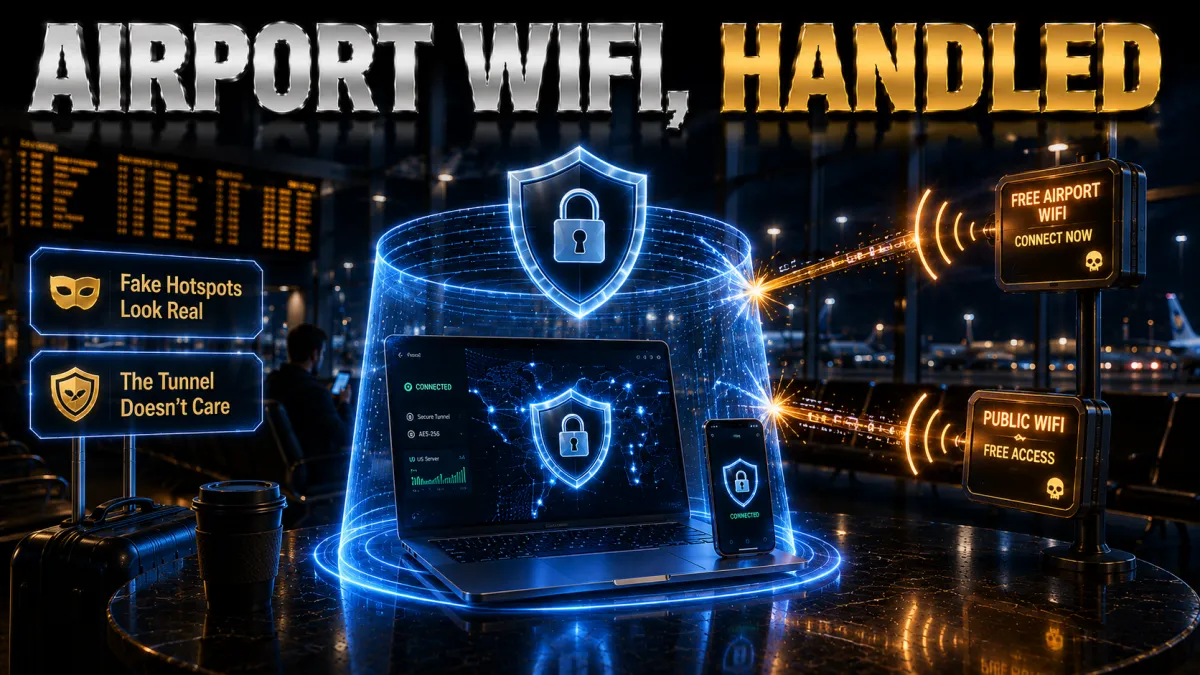
Free wifi is everywhere in the US, and it is one of the easiest places for your data to be exposed. A VPN is the simplest and most effective fix, and it takes no ongoing effort once set up.
- Open networks are readable by design. Many public hotspots use little or no encryption, which means another person on the same network can potentially watch the traffic you send across it. A VPN wraps your connection in its own strong encryption, so a shared or unsecured network sees only scrambled data instead of your logins and activity. That protection is exactly what turns a risky airport or cafe connection into one you can use for sensitive tasks without a second thought.
- Auto-connect protects you when you forget. The strongest privacy habit is the one you do not have to remember, and the best apps can bring the tunnel up automatically the moment you join an unknown network. That matters because the riskiest moment, connecting to a new hotspot, is also the one you are least likely to think about. Switching on auto-connect for untrusted networks means your phone is protected before you have even opened the browser.
- Save sensitive logins for inside the tunnel. Banking, shopping, and email are all far safer when they happen inside a VPN connection rather than over raw public wifi, where credentials can be exposed. Making a habit of connecting the VPN before you sign into anything important removes the temptation to take a shortcut on a network you do not control. It is a tiny change in routine that closes off one of the most common ways account details leak.
- A kill switch backs the whole thing up. Public wifi is often flaky, and if the tunnel drops for even a moment your device can silently fall back onto the open network unprotected. A kill switch stops that by cutting all traffic until the VPN reconnects, so a brief disconnect never becomes a brief exposure. On travel connections in particular, leaving the kill switch on is what makes the protection genuinely reliable rather than merely usual.
Best VPN protocols for US users
The protocol decides your speed, your battery use, and how well the connection survives moving between networks. You rarely need to think about it, but knowing the basics helps you pick well.
- WireGuard and its variants are the default. WireGuard, NordVPN’s NordLynx, and ExpressVPN’s Lightway are the modern standard: fast to connect, efficient on battery, and quick to recover if the connection blips. For the overwhelming majority of US users this is simply the right choice, and there is rarely a reason to switch away from it. If your app offers one of these, select it and leave the rest of the protocol menu alone.
- IKEv2 is the mobile specialist. IKEv2 is unusually good at holding a connection steady as you move between wifi and mobile data, which makes it a solid choice on a phone that changes networks throughout the day. If a WireGuard-based option ever behaves oddly on a particular carrier, IKEv2 is the first fallback worth trying. Most people will not need it, but it is a genuinely useful backup to know exists when a connection keeps dropping on the move.
- OpenVPN is the compatible workhorse. OpenVPN is older, slower, and heavier on the battery, but it is heavily audited and works on restrictive networks where newer protocols are blocked. Keep it in reserve for the occasional network that refuses everything else rather than using it as your daily driver. Its reliability under difficult conditions is exactly why every serious provider still ships it alongside the faster modern options.
- Obfuscation is a special-case tool. Inside the US you rarely need it, but on networks that actively block VPNs, such as some workplaces, hotels, or campuses, an obfuscation mode disguises your traffic as ordinary secure web browsing so it slips through. Turning it on everywhere just adds overhead for no benefit, so reach for it only when a network is clearly interfering with your connection. Used in the right place, it is the difference between a VPN that connects and one that cannot.
The 5 best VPNs for the USA in 2026
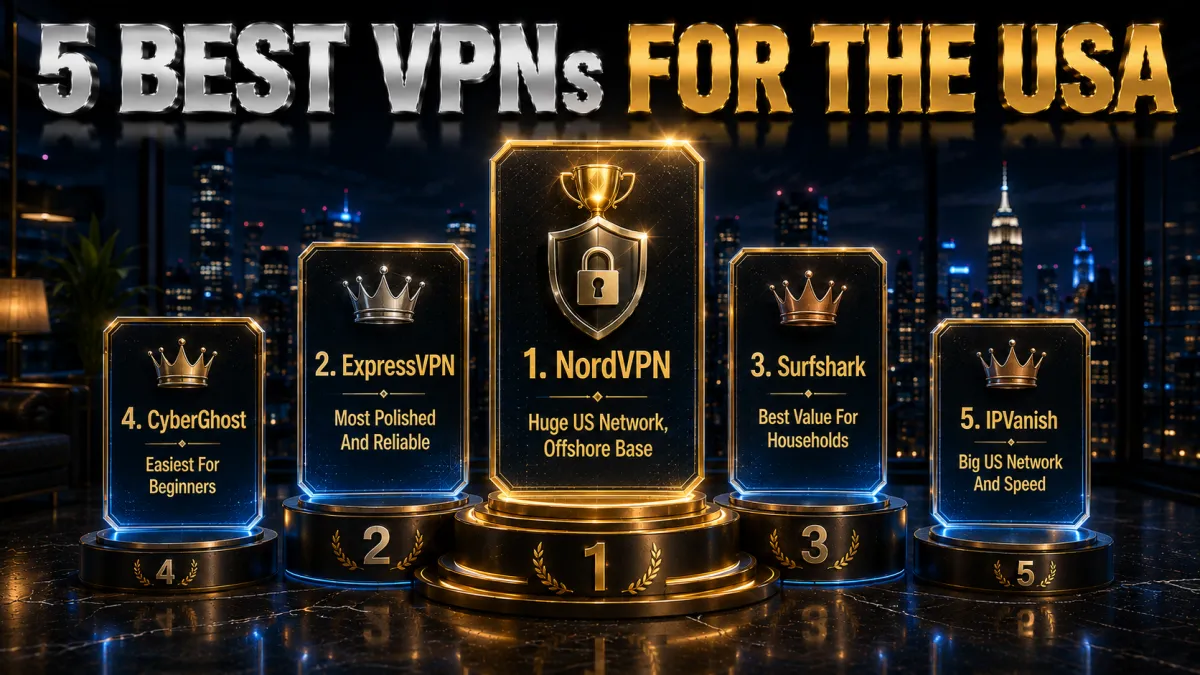
Now that the context is clear, here are the five providers that best balance a large US network, reliable streaming, and honest privacy credentials. Ratings reflect our established review framework, not one-off benchmarks.
1. NordVPN, best VPN for the USA overall
NordVPN is the strongest all-round choice for the USA, and a lot of that comes down to reach. It runs one of the largest US server networks of any provider, with locations in many cities coast to coast, so you can almost always find a fast, uncongested server near you or near the content you want. NordLynx, its WireGuard-based protocol, keeps speeds high for streaming, downloads, and video calls alike.
For American users the privacy angle matters as much as speed. US ISPs can legally sell your browsing data and there are no longer federal net neutrality protections, so encrypting your traffic stops your provider from profiling or throttling it. Threat Protection blocks ads, trackers, and known malicious domains at the system level as a useful bonus.
Crucially, although it serves the US heavily, NordVPN is based in Panama, outside the Five Eyes alliance, and backs that with an independently audited no-logs policy and RAM-only servers. Paired with ten simultaneous connections and a 30-day money-back guarantee, it is the safest single pick whether your priority is streaming, privacy, or raw performance.
✔ Pros
- One of the largest US server networks
- Fast NordLynx protocol for streaming
- Threat Protection blocks ads and malware
- Panama base, outside Five Eyes
- Audited no-logs, ten devices
✘ Cons
- Best price needs a longer plan
- A few more settings than minimalists want
| US servers | Very large network |
| Fastest protocol | NordLynx (WireGuard) |
| US streaming | Excellent |
| Simultaneous devices | 10 |
| Jurisdiction | Panama |
| Money-back guarantee | 30 days |
2. ExpressVPN, most polished and reliable
ExpressVPN is the most polished option for US users who want something that simply works. Its app is clean on every platform, its Lightway protocol connects fast and stays stable, and it maintains US servers across numerous cities, which keeps latency low and streaming smooth from wherever you are. For a less technical household it is the easiest to set up and forget.
It is also one of the most dependable for reaching US streaming libraries, holding up well against detection on the major services during busy evening hours. Network Lock, its kill switch, and split tunnelling are all present, and the apps cover everything from a phone to a router without fuss.
On trust it is hard to beat: every server runs on RAM-only TrustedServer infrastructure, and the company operates from the British Virgin Islands outside intelligence-sharing alliances, which matters given the US sits inside the Five Eyes. It is the priciest pick here, but eight devices and a 30-day money-back guarantee make it easy to try risk-free.
✔ Pros
- Cleanest, most reliable apps
- Lightway is fast and stable
- Strong US streaming unblocking
- RAM-only servers, BVI jurisdiction
- Network Lock kill switch
✘ Cons
- Costs more than most rivals
- Fewer devices than the value picks
| US servers | Many cities |
| Fastest protocol | Lightway |
| US streaming | Excellent |
| Simultaneous devices | 8 |
| Jurisdiction | British Virgin Islands |
| Money-back guarantee | 30 days |
3. Surfshark, best value for households
Surfshark is the best value for American households because one subscription covers unlimited devices. Every phone, laptop, smart TV, and tablet in the home is protected for a single low price, and it maintains a solid spread of US servers with WireGuard for quick, stable connections whether you are streaming or just browsing.
The feature set punches well above the price. CleanWeb strips ads and blocks known malicious domains, a kill switch guards against leaks, and rotating IP and multi-hop options are there for the privacy-minded. It reliably reaches the main US streaming services, so a whole family can watch on different screens at once.
The company is based in the Netherlands with an independently audited no-logs policy, outside the Five Eyes, which is a genuine plus in a country where ISPs can sell your data. Its server network is not the very largest, so an occasional server switch helps, but the mix of unlimited devices, strong features, and the lowest long-term price of the five is hard to beat, backed by a 30-day money-back guarantee.
✔ Pros
- Unlimited devices on one plan
- WireGuard keeps speeds quick
- CleanWeb blocks ads and malware
- Netherlands base, outside Five Eyes
- Lowest long-term price of the five
✘ Cons
- Smaller server network than the top two
- Occasional server switching needed
| US servers | Good coverage |
| Fastest protocol | WireGuard |
| US streaming | Very good |
| Simultaneous devices | Unlimited |
| Jurisdiction | Netherlands |
| Money-back guarantee | 30 days |
4. CyberGhost, easiest for beginners
CyberGhost is the friendliest entry point for a first-time US user. Its apps label servers by purpose, including streaming-optimised US locations for specific services, so you tap what you want to watch and connect without decoding a server list. It also runs a very large US server fleet, which means plenty of nearby options and less congestion at peak times.
Behind the simple interface the fundamentals are sound. It uses WireGuard for efficient speed, includes a kill switch and DNS-leak protection, and is based in Romania, which has no mandatory data-retention law, behind a strict no-logs policy with optional in-house NoSpy servers for the extra-cautious.
The standout is the trial window: a 45-day money-back guarantee, far longer than the usual 30, which gives you weeks to confirm the US streaming services and speeds you care about work on your own connection before paying. Performance is dependable rather than the outright fastest, a fair trade for how approachable it is.
✔ Pros
- Streaming servers labelled by service
- Very large US server fleet
- Beginner-friendly one-tap apps
- Longest 45-day money-back window
- Romania base, no data-retention law
✘ Cons
- Slower under heavy peak load
- Fewer devices than the value picks
| US servers | Very large fleet |
| Fastest protocol | WireGuard |
| US streaming | Good, labelled |
| Simultaneous devices | 7 |
| Jurisdiction | Romania |
| Money-back guarantee | 45 days |
5. IPVanish, big US network and speed
IPVanish is worth a look for US users who prioritise speed and device count, and it has a natural home-field advantage. As a US company it owns and operates an extensive US server network, giving it steady, predictable throughput across the country. It allows unlimited simultaneous connections, so every device in the house runs on one account without a seat limit.
The apps are straightforward and functional, with WireGuard, a kill switch, split tunnelling, and a SOCKS5 proxy option some users prefer. For people who want fast, no-nonsense performance and a big US server presence rather than a long list of extras, it delivers the essentials reliably.
The honest caveat is exactly that home base: IPVanish is headquartered in the United States, inside the Five and Nine Eyes alliances, so the privacy-focused may prefer an offshore provider even though its no-logs policy has been independently audited. For pure US speed, unlimited devices, and value, backed by a 30-day money-back guarantee, it remains a strong option as long as the jurisdiction fits your threat model.
✔ Pros
- Extensive US-owned server network
- Unlimited simultaneous devices
- Steady, predictable speed
- WireGuard and SOCKS5 support
- Strong long-term value
✘ Cons
- US-based, inside the 9 Eyes alliance
- Unblocks fewer services than rivals
| US servers | Extensive, self-owned |
| Fastest protocol | WireGuard |
| US streaming | Good |
| Simultaneous devices | Unlimited |
| Jurisdiction | United States |
| Money-back guarantee | 30 days |
USA VPN comparison at a glance
The side-by-side below shows where each provider leads for the United States.
| Feature | NordVPN | ExpressVPN | Surfshark | CyberGhost | IPVanish |
|---|---|---|---|---|---|
| US server network | Very large | Large | Good | Very large | Extensive |
| US streaming | Excellent | Excellent | Very good | Good, labelled | Good |
| Speed (WireGuard) | Excellent | Very good | Very good | Good | Very good |
| Jurisdiction | Panama | BVI | Netherlands | Romania | United States |
| Devices per plan | 10 | 8 | Unlimited | 7 | Unlimited |
| Money-back guarantee | 30 days | 30 days | 30 days | 45 days | 30 days |
Streaming US services with a VPN
Reaching American libraries is one of the top reasons US users and travellers install a VPN. Streaming access can change by service and account location, so test your own subscriptions during the refund window instead of trusting generic speed claims.
- Match the server to the service you want. For a US library, connect to a US server before you open the app, and if you are abroad this restores the services you already pay for at home instead of a regional block. Choosing a server in the right country is the single most important step, and it is the one people most often skip. Get that right first and most streaming problems simply never appear.
- Switch servers the moment you see a proxy error. Detection almost always targets specific server addresses rather than the whole provider, so if one server is flagged, changing to another in the same country usually clears the block right away. There is no need to give up after a single error, because the next server along often works perfectly. Treat a proxy warning as a prompt to hop servers, not as a sign the VPN cannot do the job.
- Use a nearby, uncongested server for 4K. High-resolution video needs a steady, generous flow of bandwidth, so a close server on a WireGuard-based protocol keeps the picture sharp and the buffering wheel away. A distant or overloaded server is the usual reason a stream stutters, and moving to a quieter local one fixes it more often than not. For the smoothest picture, pair a nearby server with a wired connection wherever the device allows it.
- Try the streaming-optimised servers when they exist. Providers like CyberGhost label servers for specific services, and those are tuned and maintained to keep working against detection, which saves you the trial and error of hunting through a plain list. When a provider offers them, they are almost always your fastest route to a working stream. Reaching for a labelled server first is the low-effort way to skip most streaming headaches entirely.
How to watch a US streaming service abroad
If you travel outside the US and your services stop working, a VPN restores them in a few quick steps.
- Connect before you open the app. Launch your VPN and connect to a US server first, so the streaming app sees a US location from the start.
- Clear the app cache if needed. A stale location can stick, so clearing the streaming app data or reinstalling it forces a fresh location check.
- Pick a major US city server. Large-city servers tend to be fastest and least likely to be flagged, which keeps playback smooth.
- Switch servers on an error. If you see a proxy warning, change to another US server and reload, since detection targets individual IPs.
- Log in and play. Sign into your own account and start watching; you are accessing services you already pay for, from your home region.
How to set up a VPN in the USA
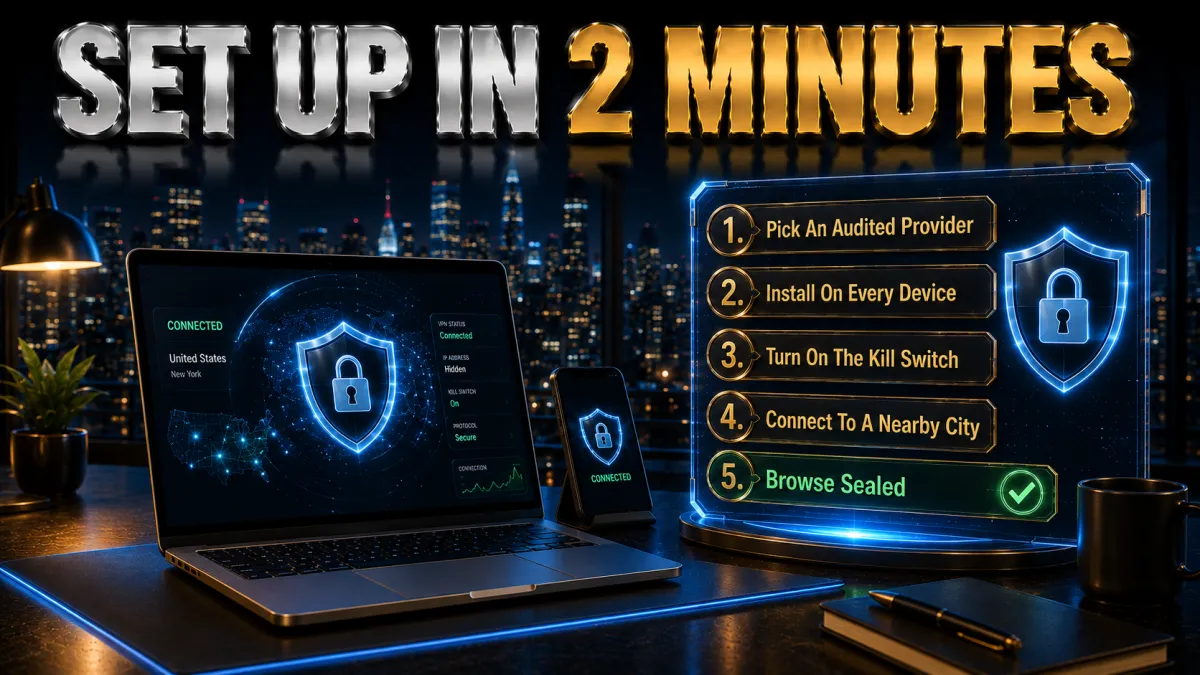
Getting a VPN running on any device takes only a couple of minutes and needs no technical knowledge.
- Choose a provider and plan. Pick based on your priority: NordVPN for all-round privacy and speed, ExpressVPN for simplicity, Surfshark for many devices, CyberGhost for beginner-friendly apps, or IPVanish for everyday US privacy.
- Install the official app. Download it from the provider’s site or your device’s official app store, never a third-party copy, and sign in.
- Pick the fastest protocol. In settings, select the WireGuard-based option (NordLynx, Lightway, or WireGuard) for the best speed and battery life.
- Connect to a US server. Choose a server near you for everyday speed and privacy, or a specific US city if a service or library needs it.
- Turn on the safety toggles. Enable the kill switch and auto-connect on untrusted wifi so protection is always on when you need it.
Should you use a free VPN in the USA?
Free VPNs are tempting, but in a country where data is already weakly protected they are usually a poor trade. Here is the honest picture before you install one.
- Many free apps monetise the very data you are protecting. Running a server network is expensive, and free providers frequently cover the cost by logging your activity and selling it on, which is the exact opposite of what a VPN is supposed to do. In the US, where your ISP can already sell your browsing, handing the same data to a free app just doubles the exposure. If you cannot see how a service makes money, it is wise to assume your data is the product.
- Data caps and crowded servers make them frustrating. Free tiers almost always limit how much you can use and pack everyone onto a small number of overloaded servers, so streaming stalls and even ordinary browsing can feel slow. The result is a tool you end up switching off exactly when you need it most. A modest paid plan removes both limits and gives you the whole network instead of a throttled corner of it.
- Unblocking rarely works when it counts. Streaming services block free VPN addresses quickly and aggressively, so the moment you try to watch something you are likely to hit a proxy error. Paying a little for a provider that actively maintains its IPs is the difference between reliably reaching a US library and constantly fighting with it. For the streaming use case in particular, free VPNs tend to fail at the one job you wanted them for.
- A cheap paid plan is the genuinely safe budget route. A reputable low-cost provider with a money-back guarantee gives you real speed, an audited no-logs policy, and a refund if it does not suit you, none of which a random free app can promise. Spread over a year, the cost is small next to the privacy and reliability you get in return. When budget is the concern, the answer is a well-reviewed paid plan on a long term, not a free download with no track record.
Is using a VPN legal in the United States?
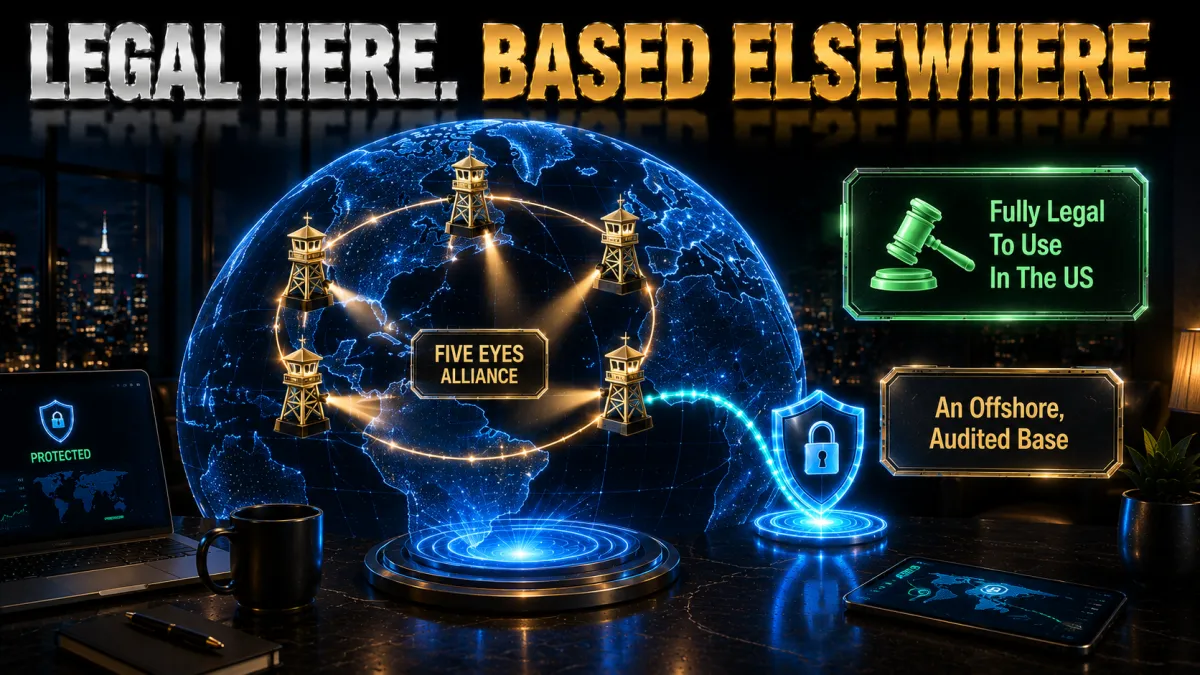
This is a common worry, and the answer is reassuringly simple, with one sensible caveat worth understanding.
- VPNs are legal for normal use in the US. Using a VPN is entirely lawful across the United States, and businesses, journalists, remote workers, and everyday people rely on them daily for security and privacy. There is nothing suspicious or borderline about running one, and you do not need any special permission to do so. It is simply a standard privacy tool, as ordinary as locking your front door.
- Legal does not mean consequence-free. A VPN hides your activity from your ISP, but it does not make an otherwise illegal act lawful, and you remain fully responsible for what you actually do while connected. Using a VPN for privacy and access is fine; using it as cover for something illegal is not, and the tool itself will not shield you from that. The honest framing is that a VPN protects your privacy, not your accountability.
- Respect the terms of the services you use. Streaming platforms set their own rules about regional access, and those terms govern your account rather than any law, so use a VPN within them to avoid problems with a specific service. This is a contractual matter between you and the platform, not a legal one, but it is still worth taking seriously. Staying inside each service’s terms keeps your access smooth and your accounts in good standing.
- Private networks can block VPNs by policy. A workplace, school, or other network you do not own is within its rights to restrict VPN use on its own wifi, which is a policy decision rather than a question of legality. If a network blocks your VPN, that is the network owner’s choice, not a sign you are doing anything wrong. On your own home connection and your own devices, you are always free to use one.
How to choose the right US VPN
With the basics covered by all five picks, the right choice comes down to how you weight these factors for your own needs and household.
- Jurisdiction and independent audits come first. Because the US legal environment is so provider-friendly, favour a VPN based outside the Five Eyes with a no-logs policy that has actually been checked by an outside auditor, not merely claimed. This is the factor most buyers underrate and the one that matters most for genuine privacy on a US connection. When you are torn between two similar options, let their base and audit history make the decision for you.
- US network size and modern speed. A large US footprint paired with a WireGuard-based protocol keeps you fast and uncongested whether you are streaming in the evening or working during the day. A big, well-distributed network gives you room to move off a crowded server, which is where real-world speed problems usually come from. Treat network size and protocol together as your practical performance test, rather than trusting a single headline number.
- Streaming reliability if that is your goal. If reaching US libraries is part of the plan, choose a provider with a strong and current record against detection rather than one that only unblocks intermittently. The services you actually watch are what matter, so pick a provider known to keep them working and, ideally, one that offers streaming-optimised servers. A little extra spend here buys a lot less frustration later.
- Device count that fits your home. Match the plan to how many phones, laptops, TVs, and consoles you really run, using unlimited connections or a router setup if the number is high. A plan that covers your whole household protects everyone at once, while a tight device limit leaves gaps you will not notice until something is exposed. Count your devices honestly before you buy, not just the one you are reading this on.
- A real money-back guarantee. A 30 to 45-day refund window lets you confirm speed, streaming, and reliability on your own connection and daily routine before you commit any real money. This is the closest thing to a risk-free test, so use it properly by trying the VPN on your actual home and mobile networks. If it does not perform for you in that window, you get your money back and move on.
Common US VPN mistakes
Most people who feel a VPN let them down made one of these avoidable errors. Fix them and the experience changes completely.
- Choosing on speed alone. A blisteringly fast VPN based inside the Five Eyes with no independent audit is weaker on the thing that matters most for a US user, which is genuine privacy. Speed is easy to market and easy to notice, so it tends to dominate buying decisions unfairly. Weigh jurisdiction and audit history alongside performance, and you will end up with a VPN that protects you as well as it pleases you.
- Leaving an old protocol selected. A legacy protocol quietly slows you down and drains battery, and many people never realise the setting is even there to change. Switching to WireGuard, NordLynx, or Lightway is usually a one-tap fix that transforms how the VPN feels day to day. If your connection seems sluggish, check the protocol before you blame the provider, because this is the most common self-inflicted slowdown.
- Picking a distant server for no reason. Connecting to a faraway city adds latency and buffering with no benefit unless you specifically need that region’s content. A nearby US server is almost always the faster, smoother choice for everyday use. Reserve distant connections for the moments a particular library requires one, and default to the closest fast server the rest of the time.
- Trusting a random free VPN. A free app with no track record can log and sell the very data you were trying to protect, which is a real risk in a country where your ISP can already do the same. The apparent saving is often paid for with your privacy. A cheap, well-reviewed paid plan with a refund window is the far safer budget choice, and it actually does the job.
- Skipping the kill switch on public wifi. Without a kill switch, a brief disconnect on flaky public wifi silently drops you back onto the open network and exposes your real IP. It is exactly the moment you most need protection, and it is easy to miss because nothing obviously breaks. Turn the kill switch on, leave it on, and that failure mode simply disappears.
Related reading:
Frequently Asked Questions
Do I need a VPN in the USA?
For most people it is a strong idea. In the US, ISPs can legally collect and sell your browsing data, there are no longer federal net neutrality protections, and public wifi is everywhere. A VPN encrypts your traffic so your provider cannot profile or throttle it, and it helps you reach content while travelling.
Which is the best VPN for the USA in 2026?
NordVPN is our top pick for its huge US server network, fast NordLynx protocol, and Panama jurisdiction outside the Five Eyes. ExpressVPN is the most polished, Surfshark is the best value with unlimited devices, CyberGhost is the friendliest for beginners, and IPVanish has a large US-owned network.
Is it legal to use a VPN in the United States?
Yes. Using a VPN is legal for normal use in the USA, and businesses and individuals use them every day for privacy and security. A VPN does not make otherwise illegal activity legal, though, and you remain responsible for how you use it, including respecting the terms of streaming services.
Can a VPN stop my ISP from selling my browsing data?
Largely, yes. Since a 2017 law let ISPs collect and sell customer browsing data without consent, this has been a real US privacy concern. A VPN encrypts your traffic so your ISP can no longer see which sites you visit, which stops it from building or selling a profile of your browsing.
Will a VPN help with ISP throttling?
It can. With no federal net neutrality rules in place, some ISPs may slow specific traffic like streaming video. Because a VPN encrypts your connection, the provider can no longer identify which traffic is which, so it cannot single out and throttle a particular service or app.
Can I watch US Netflix, Hulu, and Max with a VPN?
Yes. Connect to a US server in your VPN app and open the service. If you are travelling abroad, this restores access to your US libraries; if a service shows a proxy error, switch to another US server, since detection usually targets specific server IPs rather than all of them.
Does a VPN work for US sports blackouts?
It can help with regional blackouts by letting you connect through a server outside the blacked-out region, though results vary by service and you must respect each platform’s terms. A VPN changes your apparent location, but leagues and broadcasters actively work to detect and limit this.
Will a VPN slow my internet in the USA?
A good VPN on a nearby US server and a modern protocol like WireGuard causes only a small drop most people never notice. Speed loss grows with distant servers or older protocols, so for the fastest experience pick a close server and a WireGuard-based option.
Are free VPNs safe to use in the USA?
Most are not worth the risk. Free apps often log and sell your data to cover costs, cap bandwidth, and crowd users onto slow servers, and some carry trackers or malware. In a country where data privacy is already weak, a low-cost paid plan with a refund window is far safer.
Which VPN has the most US servers?
NordVPN, CyberGhost, and IPVanish all run very large US networks with locations in many cities. A big US footprint matters because it means less congestion at peak times and a better chance of a fast server near you, which helps both speed and streaming reliability.
Does the VPN provider’s country matter if I am in the USA?
Yes, more than many realise. The US is part of the Five Eyes intelligence alliance, so a provider based outside that group, like NordVPN in Panama or Surfshark in the Netherlands, gives your data a friendlier legal home. Pair that with an independently audited no-logs policy.
Can I use one VPN for my whole household in the USA?
Yes. Surfshark and IPVanish allow unlimited simultaneous connections, so a single plan covers every device in the home. NordVPN allows ten and ExpressVPN eight, and installing a VPN on your router protects every device on the network at once, including ones that cannot run an app.
The Bottom Line
Choosing a VPN for the USA is less about finding the flashiest app and more about matching two things that genuinely matter here: a big, fast US network and a privacy setup that holds up in a Five Eyes country where your ISP can sell your data. All five picks cover the basics, so the right one follows from what you value most.
Whichever you choose, the setup that pays off is the same: connect to a nearby US server, use a WireGuard-based protocol, and keep the kill switch on, especially on public wifi.
- NordVPN is the safest all-round choice, with a huge US network, fast speeds, and a Panama base outside the Five Eyes.
- ExpressVPN is the polish and reliability pick, and one of the best for US streaming.
- Surfshark is the value winner, covering unlimited devices for the lowest price from a Netherlands base.
- CyberGhost is the easiest for first-timers, with labelled US streaming servers and the longest 45-day refund.
- IPVanish is the big-network speed pick, a US company with an extensive self-owned fleet and unlimited devices.
Here is the practical move: pick your provider for the priority that matters most to you, install it, connect to a US server on a WireGuard-based protocol, and use it on your own home and mobile connections for a week. If it stays fast, keeps your streaming working, and hides your activity from your ISP, you have found your US VPN, and the money-back window means it cost you nothing to be sure.
Jyoti VPN Expert leads VPN testing at VPN Expert Guide, covering streaming and regional access, speed and latency testing, and leak checks on Windows, Android and router-level setups. Our guides are built from vendor documentation, provider terms and our own connection testing on a residential line in India, and we publish those measurements in full so readers can check them. Every guide is reviewed before publication and dated so you can see how current it is.
Meet our testing team →Last updated: September 22, 2026