
Best VPN for Android in 2026: Tested and Ranked
Which Android VPNs are genuinely worth installing, which features actually matter on a phone, and how to set one up the right way. An honest, no-hype guide with zero fabricated benchmarks.
Why you need a VPN on Android
Your phone goes everywhere, joins every network, and holds more of your life than any other device. A VPN changes what it exposes and what others can see.
- Safety on public and untrusted wifi. Cafes, airports, and hotels are easy places for someone to snoop on an open network. A VPN encrypts everything your phone sends, so a shared connection cannot be read even if it is not properly secured.
- Stop your carrier and network owner profiling you. Your mobile provider can log the sites and services you use. Encrypting the connection hides that activity, so your browsing is not quietly built into an advertising profile.
- Reach region-locked apps and content. A VPN lets your phone appear in another country, which unlocks streaming libraries, apps, and services that are otherwise blocked where you are or while you travel.
- Protect banking and shopping on the move. When you tap your card details in on the go, a VPN adds a layer of encryption around that session, which matters most on networks you do not control.
- Beat throttling on mobile data. Some carriers slow specific video or app traffic. Because a VPN hides what the traffic is, the network can no longer single it out to throttle.
The 5 best Android VPNs in 2026
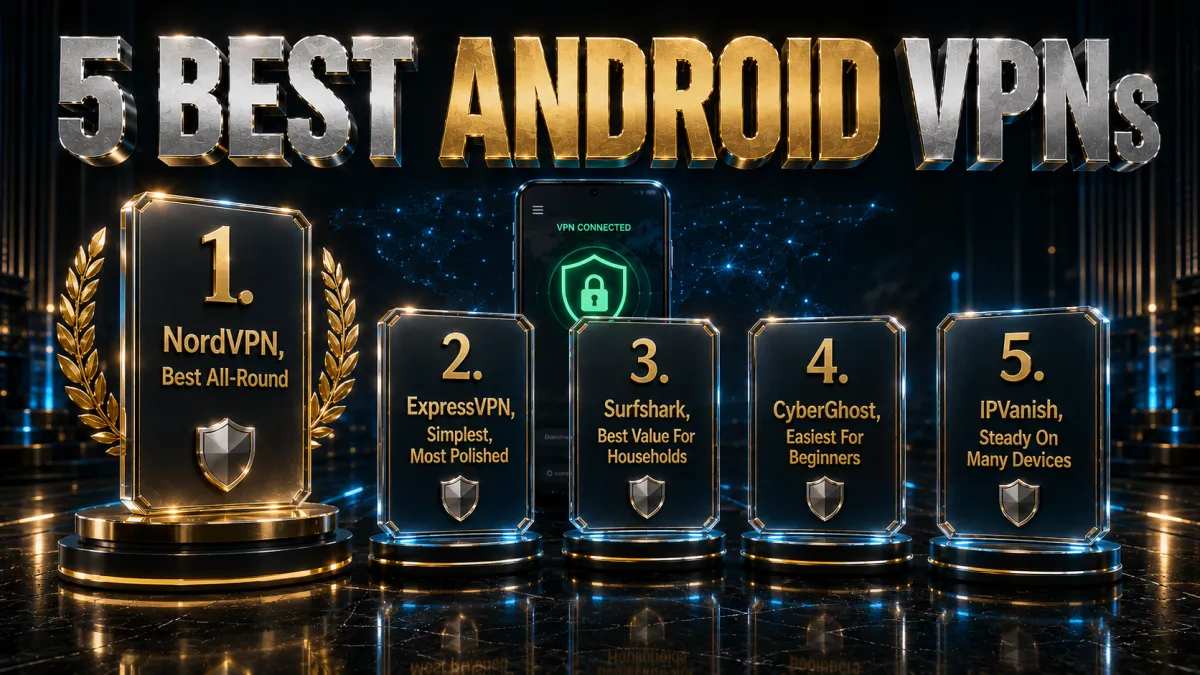
These five providers combine a polished Play Store app, the Android features that actually matter, and honest privacy credentials. Ratings reflect our established review framework, not one-off benchmarks.
1. NordVPN, best Android VPN overall
NordVPN is the app we reach for first on Android because it does everything well without asking you to think about it. The Google Play app is genuinely one-tap, NordLynx (its WireGuard-based protocol) keeps speeds high while being light on the battery, and the same account covers your phone, tablet, and Android TV. Auto-connect can bring the tunnel up the moment you join an untrusted wifi network, which is exactly when a phone is most exposed.
On the Android side the feature set is deep. The app has its own kill switch and works with the system Always-on VPN setting, split tunneling lets you route banking or local apps outside the tunnel, and Threat Protection blocks ads, trackers, and known malicious domains at the system level rather than in a single browser. One subscription covers ten devices at once.
The trust footing is the strongest here: an independently audited no-logs policy, RAM-only servers that wipe on reboot, and Panama jurisdiction outside the major surveillance alliances. It also has the widest reliable unblocking of the five for streaming on the move, and a 30-day money-back guarantee lets you confirm it fits your phone before committing.
✔ Pros
- Genuinely one-tap Google Play app
- Fast, battery-friendly NordLynx protocol
- System-level Threat Protection blocks ads and malware
- Works with Android Always-on VPN
- Audited no-logs, ten devices
✘ Cons
- Best price needs a longer plan
- Slightly more settings than minimalists want
| Play Store app | Yes, plus Android TV |
| Fastest protocol | NordLynx (WireGuard) |
| Kill switch | App plus Always-on |
| Split tunneling | Yes |
| Simultaneous devices | 10 |
| Money-back guarantee | 30 days |
2. ExpressVPN, simplest and most polished
ExpressVPN has the cleanest, least fiddly Android app of the group. It is built so you can install it, sign in, and connect without ever opening a settings menu, which makes it the easiest recommendation for someone who just wants protection to work. Its Lightway protocol is quick to connect and, crucially on a phone, reconnects fast and stays stable when you move between wifi and mobile data.
The Android essentials are all present and well implemented. Network Lock is its kill switch, split tunneling lets you choose which apps use the VPN, and there is an Android TV app for the living room. Protocol support is broad if you ever need to change it, and the app handles Android version quirks gracefully across phones and tablets.
On trust it is hard to fault: every server runs on RAM-only TrustedServer infrastructure, the company is based in the British Virgin Islands outside intelligence-sharing alliances, and its no-logs claims have held up in independent audits and a real-world server seizure. It is the priciest pick, but eight devices and a 30-day money-back guarantee soften that.
✔ Pros
- Cleanest, most beginner-friendly app
- Lightway reconnects fast on network switches
- Network Lock kill switch and split tunneling
- RAM-only servers, strong audit history
- Android TV app included
✘ Cons
- Costs more than most rivals
- Fewer devices than the value picks
| Play Store app | Yes, plus Android TV |
| Fastest protocol | Lightway |
| Kill switch | Network Lock |
| Split tunneling | Yes |
| Simultaneous devices | 8 |
| Money-back guarantee | 30 days |
3. Surfshark, best value for households
Surfshark is the obvious pick when more than one person or device needs covering, because a single subscription protects unlimited devices. Every Android phone, tablet, and TV in the house runs on one login for a single low price, and the Play Store app supports WireGuard so speeds stay quick for browsing and streaming alike.
It packs an unusually generous feature list for the money, including some genuinely Android-specific tools. CleanWeb strips ads and blocks known malware domains, Bypasser handles split tunneling, rotating IP changes your address periodically, and an override-GPS-location option can make your phone report the same country as your VPN server, which apps that read location cannot normally see through. A kill switch guards against leaks if the tunnel drops.
The company is based in the Netherlands with an independently audited no-logs policy. Its server network is not the largest, so an occasional server switch helps, but the value is unmatched: it is the cheapest long-term pick of the five, and a 30-day money-back guarantee means covering a whole household of Android devices carries no real risk in trying it.
✔ Pros
- Unlimited devices on one plan
- WireGuard keeps speeds quick
- Override-GPS-location is Android-specific
- CleanWeb blocks ads and malware
- Lowest long-term price of the five
✘ Cons
- Smaller server network than the top two
- Occasional server switching needed
| Play Store app | Yes, plus Android TV |
| Fastest protocol | WireGuard |
| Kill switch | Yes |
| Split tunneling | Bypasser |
| Simultaneous devices | Unlimited |
| Money-back guarantee | 30 days |
4. CyberGhost, easiest for beginners
CyberGhost is the friendliest way onto a VPN for a first-time Android user. Its Play Store app labels servers by purpose, including streaming and gaming categories, so you tap a use case and connect rather than decoding a list of city names. For someone who has never installed a VPN before, that guidance removes almost all of the guesswork.
Under the approachable surface the fundamentals are sound. It runs WireGuard for efficient speed and light battery use, includes a kill switch and DNS-leak protection, and can auto-connect on untrusted wifi. It covers seven devices on one plan and has an Android TV app, and it is based in Romania, which has no mandatory data-retention law, behind a strict no-logs policy with optional in-house NoSpy servers.
The standout is the trial window: a 45-day money-back guarantee, far longer than the usual 30, which gives you a genuinely low-pressure way to confirm it behaves on your specific phone and networks before paying. Performance is dependable rather than the outright fastest, a fair trade for how simple the whole package is to live with.
✔ Pros
- Servers labelled by purpose in-app
- Beginner-friendly one-tap connect
- WireGuard with light battery use
- Longest 45-day money-back window
- Romania-based, no data-retention law
✘ Cons
- Slower under heavy peak load
- Fewer devices than the value picks
| Play Store app | Yes, plus Android TV |
| Fastest protocol | WireGuard |
| Kill switch | Yes |
| Split tunneling | Yes |
| Simultaneous devices | 7 |
| Money-back guarantee | 45 days |
5. IPVanish, steady speed on many devices
IPVanish owns and runs its own server network rather than renting capacity, which gives it steady, predictable throughput on an Android connection and tight control over routing. It allows unlimited simultaneous connections, so every phone, tablet, and Android TV in the house can run it on a single account without counting seats.
The Android app is straightforward and functional rather than flashy, with WireGuard support, a kill switch, split tunneling, and a SOCKS5 proxy option that some users prefer for trimming overhead. It is easy to navigate, and the core protections are all present, which suits people who want the VPN to work quietly in the background rather than demand attention.
The honest caveat is jurisdiction: IPVanish is based in the United States, a member of the Five and Nine Eyes alliances, so privacy purists may prefer an offshore provider. It offsets that with an independently audited no-logs policy and a 30-day money-back guarantee, and for an Android user who prioritises dependable speed and unlimited devices on a budget, the value is strong.
✔ Pros
- Owns its network for steady speed
- Unlimited simultaneous devices
- WireGuard and SOCKS5 support
- Simple, uncluttered app
- Strong long-term value
✘ Cons
- Unblocks fewer services than rivals
- US-based, inside the 9 Eyes alliance
| Play Store app | Yes, plus Android TV |
| Fastest protocol | WireGuard |
| Kill switch | Yes |
| Split tunneling | Yes |
| Simultaneous devices | Unlimited |
| Money-back guarantee | 30 days |
Android VPN comparison at a glance
The side-by-side below shows where each provider leads for Android.
| Feature | NordVPN | ExpressVPN | Surfshark | CyberGhost | IPVanish |
|---|---|---|---|---|---|
| Android app quality | Excellent | Excellent | Very good | Good, labelled | Basic |
| Speed (WireGuard) | Excellent | Very good | Very good | Good | Very good |
| Split tunnelling | Yes | Yes | Yes | Yes | Yes |
| Always-on support | Yes | Yes | Yes | Yes | Yes |
| Devices per plan | 10 | 8 | Unlimited | 7 | Unlimited |
| Long-term price | Low | Higher | Lowest | Low | Low |
| Money-back guarantee | 30 days | 30 days | 30 days | 45 days | 30 days |
The Android VPN features that actually matter
A phone has different priorities from a laptop. When you compare Android VPNs, weight these features, which are the ones that change the day-to-day experience.
- A modern protocol. WireGuard and its variants (NordLynx, Lightway) are fast and light on the battery, which matters far more on a phone than on a plugged-in computer. Treat this as the baseline, not a bonus.
- A working kill switch. Your VPN app should block traffic if the tunnel drops, and it should also support Android’s own Always-on setting, so a leak cannot slip through during a reconnect on patchy mobile signal.
- Split tunnelling. Being able to exclude specific apps, such as your bank or a local service, keeps them working normally while everything else stays protected. This is standard on Android and genuinely useful.
- Auto-connect on untrusted wifi. The best apps bring the tunnel up automatically when you join an unknown network, which is exactly the moment you are most exposed and least likely to remember.
- An Android TV app. If you also want protection in the living room, a provider with a real Android TV app saves you the router route. All five picks here have one.
Kill switch on Android: app-level vs system-level
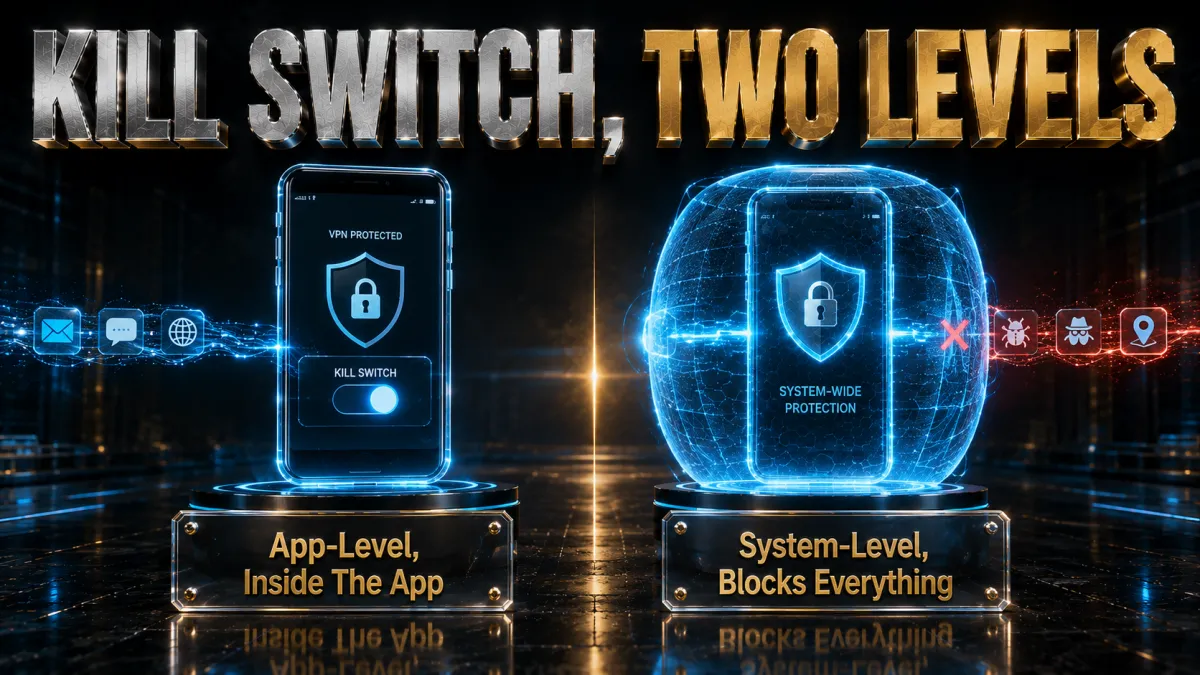
Android gives you two layers of leak protection, and using both is stronger than relying on either alone. It is worth understanding the difference.
- The app kill switch. Built into your VPN app, it cuts internet access if the tunnel drops while the app is running. It is quick to toggle and covers the common case of a server hiccup.
- The system Always-on backstop. Android’s own Always-on VPN with Block connections without VPN works at the operating-system level, so nothing reaches the internet unless the tunnel is up, even if the VPN app itself crashes or is killed by the system.
- Why use both. On mobile data your connection flickers as you move, so the app switch handles routine drops while the system setting catches the rare case where the app is not running. Together they close nearly every accidental-leak path.
How to set up a VPN on Android
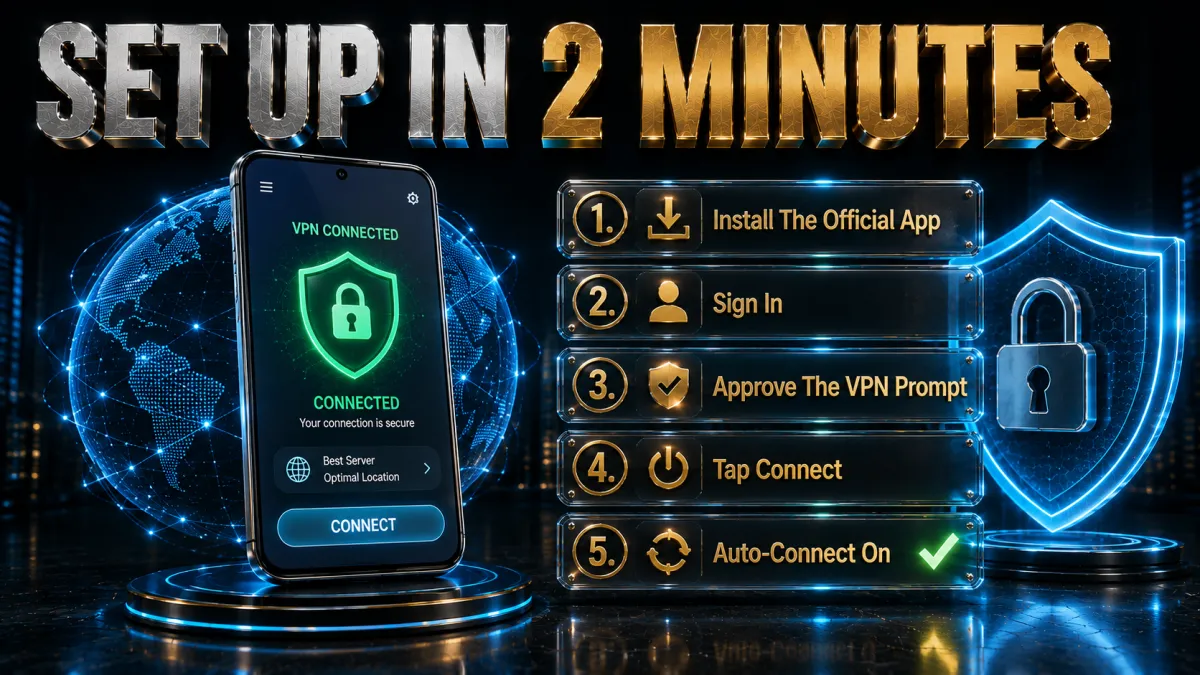
Installing a VPN on an Android phone or tablet takes only a couple of minutes and needs no technical knowledge.
- Install the official app. Open the Google Play Store, search for your VPN by name, and install the provider’s own app, never a third-party copy.
- Sign in. Open the app and log in with your account, or start the free trial or plan if you are new.
- Choose the fastest protocol. In settings, select the WireGuard-based option (NordLynx, Lightway, or WireGuard) for the best speed and battery life.
- Connect to a nearby server. Tap connect and pick a server close to you for everyday speed, or one in another country to unblock its content.
- Turn on the safety toggles. Enable the kill switch and auto-connect so the tunnel comes up on untrusted wifi without you thinking about it.
How to turn on Always-on VPN and block leaks
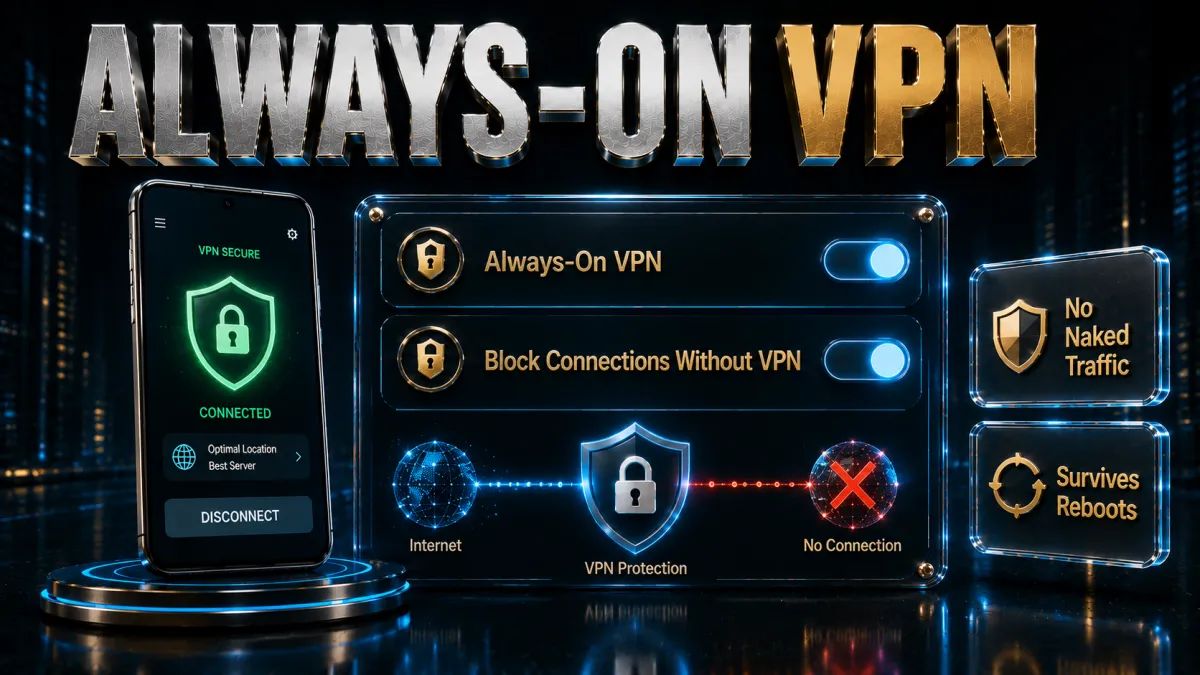
This built-in Android setting turns your VPN into an operating-system-level kill switch. The exact path varies slightly by phone, but the steps are the same.
- Connect your VPN app once. Set up and connect your VPN app first, so Android recognises it as an available VPN profile.
- Open the VPN settings. Go to Settings, then Network and internet or Connections, then VPN, and tap the gear next to your VPN app.
- Enable Always-on VPN. Turn on the Always-on VPN toggle so Android keeps the tunnel connected and restarts it if it drops.
- Enable Block connections without VPN. Turn this on too, so no app can reach the internet unless the VPN is active.
- Test it. Force-close the VPN app and try to load a page; if nothing loads until the tunnel is back, the backstop is working.
Split tunnelling: keep the right apps off the VPN
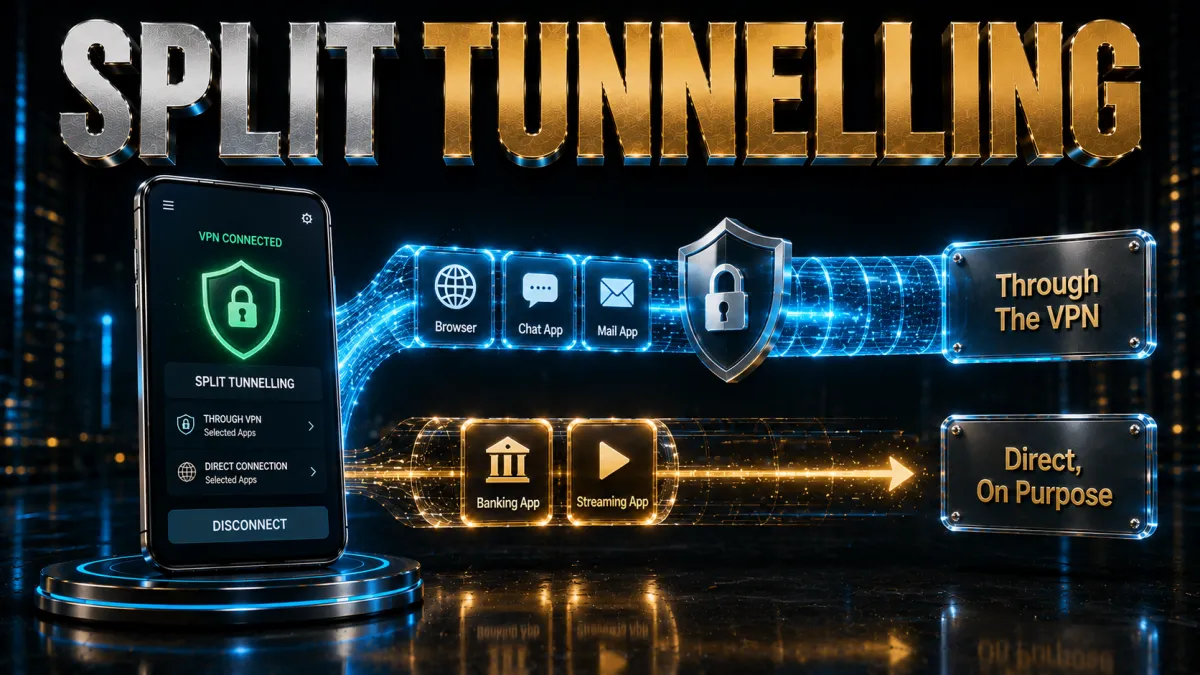
Split tunnelling lets you decide, app by app, what goes through the tunnel. On Android it is widely supported and genuinely handy.
- Keep banking apps direct. Some banks flag logins from a VPN server IP as suspicious. Excluding the banking app keeps it on your normal connection while everything else stays protected.
- Let local services work. Home devices, local streaming, or a work app that expects your real network can be excluded, so they behave normally without you toggling the VPN off.
- Route only what needs it. You can also flip the logic and send just a browser or a single app through the VPN, which is useful when you want protection for one task and full speed elsewhere.
- Casting and smart-home apps. Excluding a casting or smart-home app can fix a device that refuses to connect while the VPN is on, without dropping protection for the rest of the phone.
Best VPN protocols on Android
The protocol decides your speed, battery use, and how well the connection survives moving between networks. On a phone these choices matter.
- WireGuard and its variants. WireGuard, NordVPN’s NordLynx, and ExpressVPN’s Lightway are the modern default. They are fast, connect quickly, and use less battery than older options, so pick one unless you have a reason not to.
- IKEv2. IKEv2 is very good at surviving network switches, so it can hold a connection smoothly as you move from wifi to mobile data. It is a solid fallback if a WireGuard option misbehaves on your carrier.
- OpenVPN. The older, heavily audited workhorse. It is more compatible on restrictive networks but slower and harder on the battery, so keep it as a backup rather than a daily driver.
- Obfuscated modes. On networks that block VPNs, an obfuscation setting disguises the traffic as ordinary HTTPS. You only need it in restrictive environments, and turning it on elsewhere just adds overhead.
VPNs, battery, and mobile data
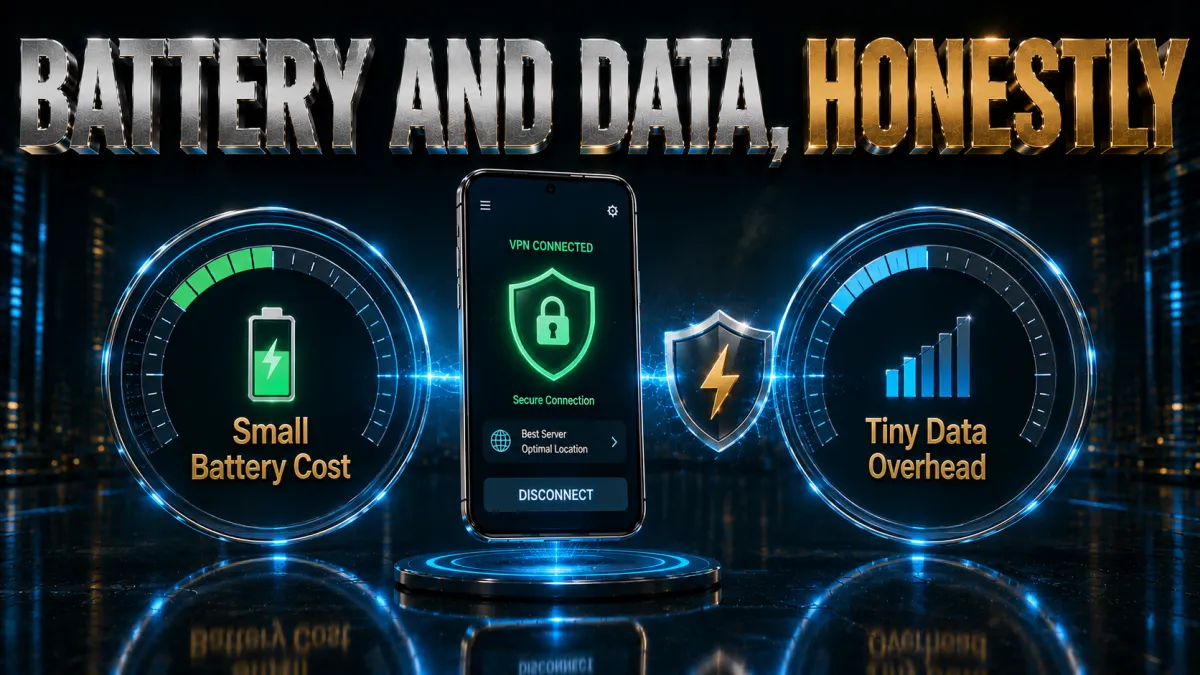
A VPN does use some extra power and a little data, but the impact is smaller than most people expect if you set it up sensibly.
- Protocol choice dominates. WireGuard-based protocols are efficient, so the battery hit across a normal day is usually minor. An old protocol like OpenVPN is noticeably heavier and worth avoiding for daily use.
- Always-on costs a little more. Keeping the tunnel up at all times uses slightly more battery than connecting on demand, but the leak protection is usually worth the small trade for a phone.
- Data overhead is small. Encryption adds a few percent of overhead to your traffic, which is negligible for browsing and messaging and only worth a thought on a very tight data cap.
- Simple ways to save. Use auto-connect on untrusted networks rather than everywhere, pick a nearby server, and let the phone sleep normally; background battery use drops when the screen is off.
Using a VPN on Android TV and Fire TV
The same account that protects your phone usually covers the television too, which is one of Android VPN’s quiet advantages.
- Install straight from the store. On Android TV or Google TV, search the Google Play Store on the TV for your VPN, install it, and sign in. On Fire TV, use the Amazon Appstore instead.
- Use a remote-friendly app. A TV is driven by a d-pad, so a clean big-button interface matters. All five picks here offer a proper TV app rather than a stretched phone layout.
- Pick a nearby server for 4K. High-resolution video needs sustained bandwidth, so a close server and a WireGuard-based protocol keep streams smooth on the big screen.
- Fall back to a router if needed. If a specific TV cannot run the app, install the VPN on your router instead, which protects the TV and every other device at once.
Should you use a free VPN on Android?
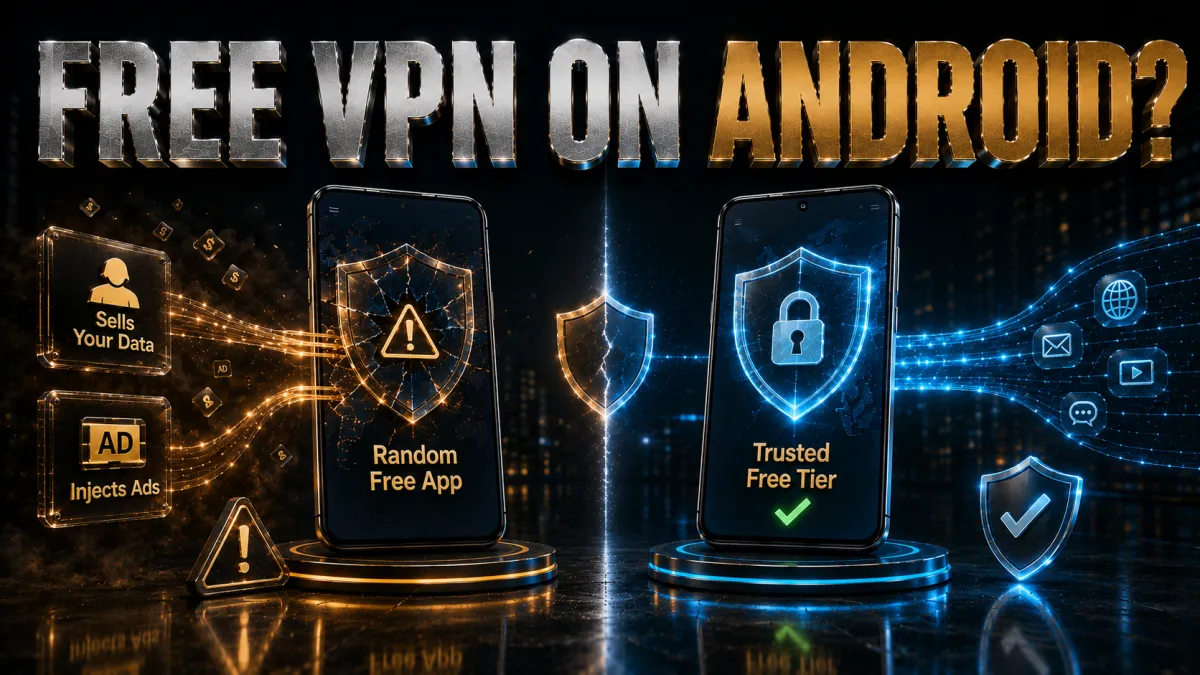
The Play Store is full of free VPNs, and most of them are a poor trade. Here is the honest picture before you install one.
- Many monetise your data. Running servers costs money, and free apps often recoup it by logging and selling your activity, which is the opposite of what a VPN is for.
- Data caps and slow servers. Free tiers usually limit how much you can use and crowd everyone onto a few overloaded servers, so streaming and even browsing can crawl.
- Some carry real risks. A minority of free VPN apps have shipped intrusive trackers or malware, and permissions can be excessive, so vetting them takes more effort than most people give.
- The safer budget route. A reputable low-cost plan with a money-back guarantee gives you real speed, real privacy, and a refund if it does not suit you, which a free app cannot match.
Privacy, app permissions, and the Android 16 leak
A VPN is one layer of Android privacy, not the whole story. A little app hygiene makes it far more effective, and one 2026 issue is worth knowing about.
- Review app permissions. A VPN hides your network activity, but an app you granted location or contacts access can still collect data directly. Audit permissions in Settings and revoke anything an app does not need.
- Install from trusted sources. Sideloaded apps from outside the Play Store are the most common way malware reaches a phone, and no VPN can protect you from software you installed yourself.
- Keep the VPN app updated. Providers patch bugs and improve leak protection over time, so an out-of-date app is weaker than a current one. Turn on automatic updates for it.
- Know the Android 16 VPN bypass. In 2026, researchers showed a malicious app on Android 16 could sidestep the VPN tunnel and probe your real IP, an operating-system flaw Google did not fully fix. A VPN still protects your normal traffic; the defence is to install only trusted apps and keep everything updated.
Common Android VPN mistakes
Most people who feel a VPN made their phone worse made one of these avoidable errors. Fix them and the experience changes.
- Skipping the Always-on setting. Relying only on the app kill switch leaves a gap if the app is killed in the background. Enabling Always-on VPN closes it in two minutes.
- Leaving an old protocol selected. A legacy protocol drains battery and slows things down. Switch to WireGuard, NordLynx, or Lightway for daily use.
- Chasing a distant server for no reason. A far-off location adds latency and buffering. Only go distant when you specifically need that country’s content.
- Trusting a random free VPN. Free apps with no track record can log or sell your data. A cheap paid plan with a refund is a far safer budget choice.
- Forgetting split tunnelling for your bank. If a banking or local app misbehaves on the VPN, exclude just that app rather than turning protection off entirely.
How to choose the right Android VPN
Not every fast VPN is a good phone VPN. Weight these factors in roughly this order for Android.
- App quality and features. You will live in this app daily, so a clean interface with a kill switch, split tunnelling, and auto-connect matters more than a long marketing feature list.
- Speed on a modern protocol. A WireGuard-based option keeps browsing and streaming quick while sparing the battery, so treat it as a requirement.
- Device count for your household. If you have several phones, tablets, and a TV, unlimited connections or a high device limit save you juggling logins.
- Genuine privacy credentials. Favour an independently audited no-logs policy and a jurisdiction outside the major surveillance alliances, and treat honest disclosure of weaknesses as a good sign.
- A real money-back guarantee. A 30 to 45-day refund window lets you confirm speeds, unblocking, and battery use on your own phone and networks before you commit.
Related reading:
Frequently Asked Questions
Do I really need a VPN on my Android phone?
For most people, yes. A VPN encrypts your traffic on public and untrusted wifi, hides your browsing from your mobile carrier and network owner, and lets you reach region-locked apps and content. It will not make you anonymous, but it closes the most common everyday privacy gaps on a phone that travels everywhere with you.
Which is the best VPN for Android in 2026?
NordVPN is our top all-round pick for its fast NordLynx protocol, system-level Threat Protection, and polished Play Store app. ExpressVPN is the simplest to use, Surfshark is the best value with unlimited devices, CyberGhost is the friendliest for beginners, and IPVanish offers steady speed on unlimited connections.
Are free VPNs safe to use on Android?
Most are not worth the risk. Free apps often log and sell your data to cover their costs, cap your bandwidth, and crowd users onto slow servers, and a few have shipped malware or intrusive trackers. If budget matters, a low-cost paid plan with a money-back guarantee is far safer than a free service.
How do I set up a VPN on my Android phone?
Install the provider’s official app from the Google Play Store, open it and sign in, choose the WireGuard-based protocol for the best speed, then tap connect and pick a nearby server. Turn on the kill switch and auto-connect in settings so protection comes up automatically on untrusted networks.
What is Always-on VPN on Android?
Always-on VPN is a built-in Android setting that keeps your chosen VPN connected at all times and restarts it if it drops. Paired with the Block connections without VPN option, it acts as an operating-system-level kill switch, so no app can reach the internet unless the tunnel is up, even if the VPN app itself crashes.
Does a VPN drain my Android battery?
There is a small, usually modest impact because encryption and an active connection use some power. Modern protocols like WireGuard, NordLynx, and Lightway are efficient and minimise the drain. Always-on VPN uses slightly more because the tunnel stays up, but for most phones the difference across a day is minor.
Can I use a VPN on Android TV?
Yes. All five of our picks have a dedicated Android TV app you install from the Google Play Store on the TV, sign in, and connect, just like on a phone. If your specific TV cannot run the app, you can protect it by installing the VPN on your router instead.
Does Android have a built-in kill switch?
Effectively yes. In Settings under Network and VPN, turning on Always-on VPN with Block connections without VPN stops all traffic whenever the tunnel is down. This is separate from the kill switch inside your VPN app, and using both together gives the strongest protection against accidental leaks.
What is split tunnelling on Android?
Split tunnelling lets you choose which apps use the VPN and which use your normal connection. It is useful for keeping banking apps, local streaming, or a casting app off the tunnel while everything else stays protected. It is a standard feature in Android VPN apps and, unlike on iPhone, is widely available.
Will a VPN slow down my Android phone?
A good VPN on a modern protocol and a nearby server causes only a small drop that most people never notice for browsing or streaming. Speed loss grows with distant servers or older protocols. If a stream buffers, switch to a closer server and confirm you are using WireGuard or its equivalent.
Is it legal to use a VPN on Android?
In most countries, yes, using a VPN on any device is legal and normal. A small number of countries restrict or ban VPNs, so check your local law before travelling. Whatever the law, a VPN does not make illegal activity legal, and you remain responsible for what you do online.
What is the Android 16 VPN bug, and does a VPN still help?
In 2026, researchers found that a malicious app on Android 16 could bypass the VPN tunnel and probe your real IP address, an operating-system issue Google did not fully fix. A VPN still protects your normal traffic and is worth using; the practical defence is to install only trusted apps, keep your VPN app updated, and enable Always-on VPN.
The Bottom Line
The best Android VPN is the one whose app you will actually keep on, and all five here clear that bar with fast protocols, real kill switches, and honest privacy policies. The differences come down to what you value most once the basics are covered.
Whichever you choose, the setup move that matters most on Android is the same: turn on your app’s kill switch and the system Always-on backstop together, because that pairing is what actually stops leaks on a phone that hops between networks all day.
- NordVPN is the safest all-round choice, with the fastest protocol, system-level ad and malware blocking, and the widest unblocking.
- ExpressVPN is the simplicity pick, with the cleanest app and the smoothest reconnects between wifi and mobile data.
- Surfshark is the value winner, protecting unlimited Android devices for the lowest price with genuinely Android-specific extras.
- CyberGhost is the easiest for first-timers, with labelled servers and the longest 45-day money-back window.
- IPVanish is the many-devices choice, running its own network for steady speed on unlimited connections.
Here is the practical move: install your pick from the Play Store, choose the WireGuard-based protocol, enable both the app kill switch and Android’s Always-on VPN, and then use it on your real commute and home wifi for a week. If it stays fast, holds the connection as you move, and keeps your streaming working, you have found your Android VPN, and the refund window means it cost you nothing to be sure.
Jyoti VPN Expert leads VPN testing at VPN Expert Guide, covering streaming and regional access, speed and latency testing, and leak checks on Windows, Android and router-level setups. Our guides are built from vendor documentation, provider terms and our own connection testing on a residential line in India, and we publish those measurements in full so readers can check them. Every guide is reviewed before publication and dated so you can see how current it is.
Meet our testing team →Last updated: August 24, 2026