
Dedicated IP VPN: Is It Worth It for Canadians?
A dedicated IP VPN gives you one fixed VPN exit address that only your account uses. However, most Canadian households never need that add-on. By comparison, people who hit banking friction, corporate allowlists, school portals, or endless CAPTCHAs on shared VPN IPs sometimes do. This guide explains dedicated versus shared IPs in plain language, when the extra fee is worth it in Canada, and which major providers officially sell dedicated IP (and which of them list Canadian locations) — without invented speed tests or bank unblock scores.
What a dedicated IP VPN actually is
Strip the marketing: a dedicated IP is a VPN exit address reserved for your subscription for the term you paid. In other words, it usually stays static: the address remains the same each time you connect. In contrast, that is different from the shared pool most VPN plans use by default.
- Shared IP (default). Many customers exit through the same address on a busy server. Great for crowd anonymity; weak when that address collects CAPTCHAs or blocklist hits from strangers.
- Static IP. An address that does not rotate often. However, more than one customer can still share it — so “static” alone is not the same as exclusive.
- Dedicated IP. Static and reserved for you (for that term). Ask providers for “dedicated / exclusive” wording if sole use matters.
- Still a VPN exit. Encryption still wraps your traffic to the VPN. However, websites see the VPN’s datacenter IP, not your home ISP path. The add-on changes who else shares the exit, not the fact that it is a VPN.
- Not invisibility. A unique exit is easier for sites and networks to recognize as “you” than a crowded shared address. Therefore, use dedicated for stability; switch back to shared when you want crowd cover.
Dedicated IP VPN vs shared addresses
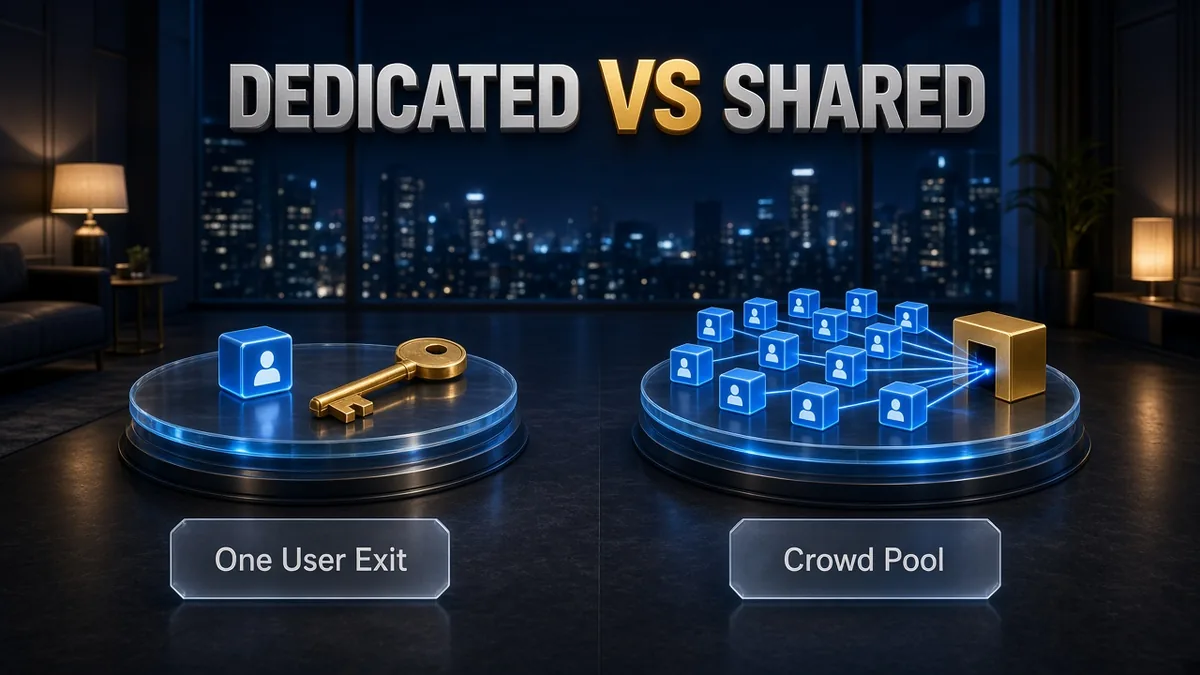
Use this side-by-side when you are deciding whether the add-on solves a real problem.
| Feature | Dedicated IP | Shared IP |
|---|---|---|
| Who uses it | Only you (for that subscription term) | Many VPN users on the same server |
| Does it change? | Same address each time you connect to it | Often rotates between sessions or peers |
| Typical strengths | Allowlists, fewer “bad neighbour” blocks, fewer CAPTCHAs for some sites | Stronger crowd anonymity; included in the plan |
| Typical trade-offs | Extra cost; more uniquely tied to you | Other users can taint the IP’s reputation |
| Best for | Remote work, banking friction, fewer CAPTCHAs | Everyday privacy, streaming, general browsing |
If the vocabulary still feels slippery, remember: every dedicated IP is static, but not every static IP is dedicated. Providers sometimes blur the wording — confirm exclusive use before you pay.
When a dedicated IP VPN is worth it in Canada
Canadian use cases that justify the fee are narrow and practical.
- Remote work and school allowlists. Employers and universities often accept traffic only from approved IPs. Because shared exits change and other customers also use them, IT cannot reliably allowlist one for you. A dedicated Canada IP — or a US/UK one if that is what IT asked for — lets them allow one fixed address while you keep VPN encryption on café and hotel Wi-Fi.
- Banking and “suspicious login” friction. Big-five banks, credit unions and fintech apps often challenge logins from new countries or rapidly changing IPs. A dedicated Toronto, Montreal or Vancouver exit can make VPN sessions look more consistent when you travel or hop networks — if the bank accepts that address at all.
- Fewer CAPTCHAs from “bad neighbours.” Shared VPN IPs collect human-verification prompts because hundreds of strangers hammer the same address. By comparison, your own IP avoids that neighbour effect for some IP blocklists and bot filters.
- Self-hosted gear and remote admin. Home labs, cameras and admin panels that whitelist a single address are a natural fit for a fixed exit.
- Router-wide fixed identity. If you protect a whole home office through a router, confirm the provider’s dedicated IP works on that platform first — see our VPN router install guide.
When to skip a dedicated IP VPN add-on
Most Canadian buyers should keep their money on the shared network.
- Streaming Crave, Netflix, Disney+ or sports apps. Instead, shared specialty servers suit most people. However, services can still flag dedicated IPs as VPN/datacenter, and ExpressVPN’s FAQ notes dedicated IPs may not work as well as shared IPs for streaming.
- Maximum anonymity. By comparison, shared is usually better. For multi-hop ideas see what Double VPN is.
- Torrenting for privacy. You want crowd cover and a clear P2P policy — start with our torrenting VPN guide, not a unique static exit.
- “Make me invisible.” A dedicated IP does the opposite of blending in. Therefore, use it for stability; switch back to shared for everyday browsing.
- Slow speeds after you add it. However, distance and protocol usually matter more than dedicated versus shared. Our why is my VPN slow checklist covers the usual fixes.
Dedicated IP VPN in Canada: cities and currency

For Canadian readers, prioritize providers that officially list Canada dedicated IP cities on public pages.
| Provider | Official Canada dedicated IP cities (checked 5 Oct 2026) |
|---|---|
| NordVPN | Toronto, Vancouver, Montreal (source) |
| ExpressVPN | Toronto (source) |
| CyberGhost | Canada listed among dedicated IP countries; confirm city at checkout (source) |
| Private Internet Access (PIA) | Vancouver, Toronto, Montreal (source) |
| Surfshark | Not shown on current public dedicated IP list (source) |
- Pick the city that matches the job. Closest city for latency, or the city your IT/bank expects.
- Location is often locked. ExpressVPN and Surfshark say the location is fixed after setup. NordVPN says you may change dedicated IP once per subscription via support.
- Currency honesty. Official storefronts we checked show dedicated IP and plan prices primarily in USD. CAD may appear at checkout depending on payment method and billing country — confirm tax before you pay. However, we do not invent CAD conversions.
- Availability moves. Dedicated IPs are finite inventory. Confirm the city is still offered at purchase time.
Dedicated IP VPN providers compared alphabetically
Five mainstream providers document a dedicated IP product. For clarity, cards are alphabetical — list order is not a performance ranking. Figures are what official pages showed on 5 October 2026. However, where a public sticker was missing, we say “at checkout.”
CyberGhost – token-based add-on with Canada listed
CyberGhost sells Dedicated IP as a paid add-on. Specifically, its dedicated IP page lists Canada among available countries and describes a token-based system that is not linked to your account; keep the token safe because it is not recoverable if lost (CyberGhost dedicated IP page, checked 5 Oct 2026).
In addition, plans cover up to 7 devices. Money-back is 45 days on 6-month and 2-year plans and 14 days on monthly plans (CyberGhost money-back page, checked 5 Oct 2026). However, that page does not explain whether it refunds the Dedicated IP add-on, so confirm before you buy. Therefore, check the exact add-on pricing at checkout — confirm USD amounts there.
✔ Pros
- Token system keeps the IP separate from the account per CyberGhost
- Canada listed among dedicated IP countries
- Long 45-day refund window on longer plans
✘ Cons
- Only up to 7 devices
- Lost token means buying again
- Confirm exact Canada city and add-on price at checkout
| Canada dedicated | Country listed; confirm city at checkout |
| Devices | Up to 7 |
| How you get DIP | Paid add-on; redeem token in app |
| Privacy model | Token-based; not linked to account (provider claim) |
| Money-back | 45 days (6mo/2yr) / 14 days (monthly) |
ExpressVPN – Toronto IP with Pro inclusion
ExpressVPN sells dedicated IP in locations that include Canada – Toronto. Express Pro includes it; Basic/Advanced users can buy the add-on at checkout or later from the My subscription page (ExpressVPN buy guide, updated 24 Aug 2026, checked 5 Oct 2026). However, you cannot change the location after choosing it; each account gets one dedicated IP (dedicated IP FAQ, checked 5 Oct 2026).
In addition, device limits follow the plan: 10 (Basic) / 12 (Advanced) / 14 (Pro) on the pricing table we checked. Express Pro’s 2-year + 4-month intro showed $7.49/mo ($209.72 for the first 28 months, then $199.95/yr) in USD (ExpressVPN pricing, checked 5 Oct 2026). However, you cannot buy it if your subscription came through the Apple App Store or Google Play. Zero-knowledge / blind-token allocation — ExpressVPN says it cannot retrieve your access code if you lose it.
✔ Pros
- Toronto dedicated IP on the public list
- Included on Express Pro (no separate add-on on that tier)
- Strong privacy engineering claims (blind tokens)
✘ Cons
- Only Toronto in Canada on the public list
- Premium pricing — confirm renewal before you buy
- Not available on App Store / Play subscriptions
| Canada dedicated | Toronto |
| Devices | 10 / 12 / 14 by plan tier |
| How you get DIP | Included on Pro; add-on on Basic/Advanced |
| Privacy model | Blind tokens / zero-knowledge (provider claim) |
| Money-back on DIP | 30 days new purchase; 14 days on renew (FAQ) |
NordVPN – three Canadian cities
NordVPN lists dedicated IP cities in Toronto, Vancouver and Montreal — one of the widest Canada sets here. In addition, you can use dedicated IP on up to 10 devices over OpenVPN TCP/UDP. However, NordLynx supports only one simultaneous dedicated-IP connection; IKEv2 is not supported (NordVPN dedicated IP support, checked 5 Oct 2026).
Dedicated IP is an optional add-on priced at checkout (no fixed public sticker on the pricing page). However, purchasing links that IP with your email. In addition, you may change the dedicated IP once per subscription via support.
✔ Pros
- Three Canadian cities on the public list
- Matches Nord’s 10-device plan cap on OpenVPN
- Dedicated IP can be changed once per subscription via support
✘ Cons
- Email is linked to the dedicated IP
- NordLynx limited to one simultaneous DIP connection
- Exact add-on price only at checkout
| Canada dedicated | Toronto, Vancouver, Montreal |
| Devices | Up to 10 (OpenVPN); NordLynx = 1 simultaneous |
| How you get DIP | Paid add-on at checkout |
| Privacy model | IP linked with email (support docs) |
| Money-back | 30 days on new NordVPN plans (base plan page) |
Private Internet Access – three Canadian cities, unlimited devices
PIA lists dedicated IPs in Vancouver, Toronto and Montreal, plus many US/EU/APAC cities. Specifically, assignment uses an anonymous token-based system that PIA says keeps the IP separate from your account and email (PIA dedicated IP page, checked 5 Oct 2026).
The base subscription markets unlimited simultaneous connections, which helps large households share one fixed exit without counting seats. Therefore, select the add-on at checkout and confirm its dollar price there. In addition, the feature page cites a 30-day money-back guarantee for new subscribers.
✔ Pros
- Toronto, Montreal and Vancouver listed
- Token-based privacy model (provider claim)
- Unlimited devices on the base plan
✘ Cons
- Exact DIP add-on sticker not on the public feature page
- Feature page does not say whether a lost token can be recovered
| Canada dedicated | Vancouver, Toronto, Montreal |
| Devices | Unlimited (base plan marketing) |
| How you get DIP | Paid add-on; token in app |
| Privacy model | Anonymous token-based (provider claim) |
| Money-back | 30 days for new subscribers (feature page) |
Surfshark – unlimited devices; Canada not on public list
Surfshark sells Dedicated IP as a paid add-on available on every Surfshark VPN plan, one per account, with unlimited devices and all Surfshark protocols including WireGuard (Surfshark Dedicated IP page, checked 5 Oct 2026). However, the public location list we saw showed 15 locations and no Canada entry, while FAQ copy on the same page still says 20 locations — treat Canada as unconfirmed until it appears in your account.
The page lists pricing from $3.75/mo (USD; term not stated) and a 30-day money-back guarantee. Furthermore, it says the IP is more closely associated with your account and email by default. However, you cannot change the location after purchase.
✔ Pros
- Unlimited devices
- Works with all Surfshark protocols incl. WireGuard
- Clear “from $3.75/mo” public teaser
✘ Cons
- Canada not on the current public dedicated IP list
- Associated with account/email by default
- Location fixed; one DIP per account
| Canada dedicated | Not shown on public list — confirm in account |
| Devices | Unlimited |
| How you get DIP | Paid add-on in account dashboard |
| Privacy model | Associated with account/email by default |
| Money-back | 30 days (Dedicated IP page) |
For comparison, these are side-by-side facts from the same official pages. No highlighted “winner” column.
| Feature | CyberGhost | ExpressVPN | NordVPN | PIA | Surfshark |
|---|---|---|---|---|---|
| Canada dedicated cities | Confirm at checkout | Toronto | Toronto, Vancouver, Montreal | Vancouver, Toronto, Montreal | Not on public list |
| Devices (base plan) | Up to 7 | 10 / 12 / 14 | 10 | Unlimited | Unlimited |
| How DIP is sold | Add-on | Included Pro; add-on Basic/Advanced | Add-on at checkout | Add-on at checkout | Add-on (any plan) |
| Privacy approach | Token-based | Blind tokens | Email linked | Token-based | Account/email associated |
| Public DIP price | At checkout | Included on Pro; add-on price at checkout | At checkout | At checkout | From $3.75/mo (term unclear) |
Dedicated IP VPN privacy trade-offs
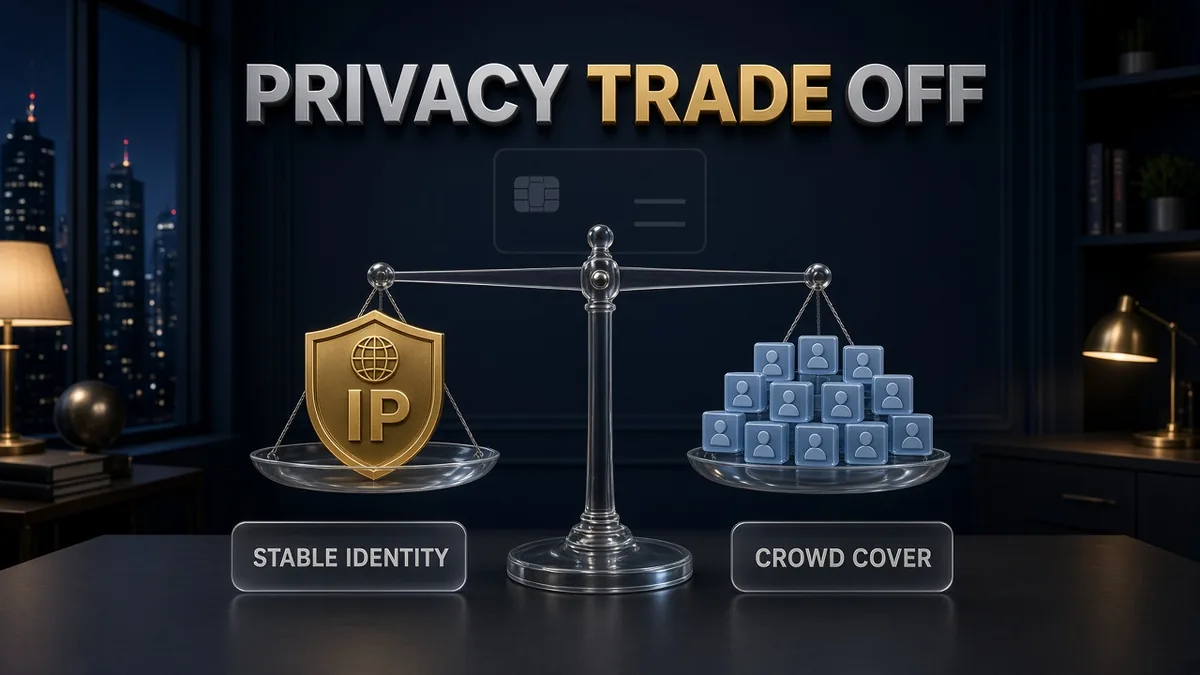
Encryption still protects the path to the VPN. However, the trade-off is how identifiable the exit is.
- Crowd cover shrinks. On a shared IP you are one of many. On a dedicated IP, websites and allowlists see an address only you use.
- Provider mapping differs. ExpressVPN, CyberGhost and PIA describe token or zero-knowledge systems that avoid tying the IP to your account. NordVPN’s support docs state purchasing a dedicated IP links that IP with your email. Surfshark says the IP is more closely associated with your account and email by default.
- Read the policy before you pay. Token systems usually warn that a lost token cannot be recovered. Email-linked systems are simpler to restore but more explicit about the account link.
- Switch modes when the job changes. Use dedicated for the allowlist or banking session; reconnect to shared servers for everyday browsing when you want the crowd again.
- Leaks are a separate problem. A dedicated IP does not fix DNS or WebRTC leaks — see how to fix a VPN IP leak if tests fail.
Dedicated IP VPN: a five-minute decision checklist

First, run this checklist before you open checkout.
- Write down the use case. Work allowlist? Bank app? CAPTCHAs? If the answer is “general privacy,” stop — shared IP is enough.
- Ask whether Canada is required. For Canadian banks and local remote-desktop rules, prefer Toronto / Montreal / Vancouver dedicated IP.
- Check device limits. Households with many devices lean PIA or Surfshark; Nord’s 10 and Express’s up to 14 are usually enough for one person plus a phone and tablet.
- Read the privacy model. Need token/zero-knowledge? Look at ExpressVPN, CyberGhost or PIA. Comfortable with email linkage? NordVPN still works and, with PIA, lists the most Canada cities here (three).
- Confirm currency and tax. Expect USD on public pages; verify CAD and tax at checkout.
- Use the refund window. Buy, whitelist or test banking/work, and cancel if it fails. Do not skip that step.
Travelling between Canada and the US with the same account? A US dedicated IP can help with US-only portals; our best VPN for USA roundup covers general US VPN picks (shared servers). However, dedicated IP is a separate add-on decision on top. For banking context without dedicated IP, see best VPN for online banking security.
Dedicated IP VPN setup after purchase
Once you have chosen a provider, the pattern is similar across brands:
- Buy on the official site. Avoid App Store / Play for ExpressVPN if you need dedicated IP — that purchase path does not include it.
- Choose the Canada city carefully. Many providers lock the location after setup.
- Save tokens or access codes offline. ExpressVPN and CyberGhost say they cannot recover lost access codes/tokens; treat any provider’s token the same way.
- Install the official app and redeem or unlock dedicated IP per the provider’s guide.
- Turn on the kill switch so a drop does not expose your real IP on public Wi-Fi.
- Test the exact apps that justified the purchase (work portal, bank, school) inside the money-back window.
- Keep shared servers bookmarked for everyday browsing when you want crowd cover again.
Common mistakes Canadian buyers make
- Buying dedicated IP for streaming hype. Shared specialty servers usually matter more; dedicated can still look like a VPN.
- Assuming any Canada IP equals a home ISP. Datacenter ranges can still trip banks. Test, then decide.
- Ignoring the privacy model. Email-linked versus token-based assignment is a real difference — read it before you pay.
- Skipping the refund calendar. Put the money-back deadline in your phone the day you buy.
- Choosing a far city “just in case.” Latency and some services prefer the city that matches your life or IT policy.
- Leaving dedicated IP on for everything. Use it for the job that needs stability; switch to shared when you want anonymity in a crowd.
Related reading:
Frequently Asked Questions
Is a dedicated IP VPN worth it in Canada?
Yes for a minority of users: remote workers on IP allowlists, people fighting repeated bank or CAPTCHA friction on shared VPN exits, and anyone who needs a stable address for services they control. No for most streaming and privacy-first buyers — shared Canadian or nearby servers are usually enough.
Does a dedicated IP make me more private?
Usually less anonymous toward websites, because only you use that exit. However, encryption and no-logs policies still matter; you are not unprotected. Instead, sites can more easily recognize that specific IP. Therefore, switch to shared servers when you want crowd cover again.
Will a dedicated IP fix Canadian banking blocks?
Sometimes it reduces new-IP challenges if you keep a Canada city exit. However, it will not convert a VPN datacenter IP into a residential Bell, Rogers or Telus line. Therefore, always test with your own bank during the money-back period. However, we did not run bank unblock tests.
Can I get a dedicated IP in Toronto, Montreal or Vancouver?
NordVPN and Private Internet Access list all three. By comparison, ExpressVPN lists Toronto. Meanwhile, CyberGhost lists Canada among dedicated IP countries (confirm the city at checkout). However, Surfshark’s current public dedicated IP location list does not show Canada, so confirm inside your Surfshark account before buying. In addition, availability can change.
Is NordVPN’s dedicated IP limited to six devices?
No. NordVPN’s current simultaneous device limit is 10, and you can use dedicated IP on up to 10 devices over OpenVPN. However, NordLynx supports only one simultaneous dedicated-IP connection. Therefore, do not rely on older six-device figures.
Dedicated IP vs installing a VPN on my router?
Router install protects every device on your Wi-Fi with one connection slot. Dedicated IP gives those devices — or your laptop apps — a fixed exit identity. In addition, you can combine both if the provider supports dedicated IP on that platform.
Is ExpressVPN dedicated IP included or an add-on?
Express Pro includes it, while Basic and Advanced offer it as a paid add-on. However, you cannot buy it if your subscription came through the Apple App Store or Google Play.
Do I pay in CAD or USD?
Official storefronts we checked display dedicated IP and plan prices primarily in USD. CAD may appear at checkout depending on payment method and billing country. Therefore, confirm currency and tax before you pay. We do not invent CAD conversions.
Should I buy dedicated IP for streaming Crave or Netflix?
Usually no. Shared specialty servers are what most people need. However, services can still flag dedicated IPs as VPN or datacenter, and ExpressVPN’s own FAQ notes dedicated IPs may not work as well as shared IPs for streaming.
The Bottom Line
A dedicated IP VPN is worth it for Canadians who need consistency — especially remote-work allowlists and stubborn verification loops — and who can place that IP in Toronto, Montreal or Vancouver. However, it is not worth it as a default privacy or streaming upgrade.
The five documented options in one line each:
- CyberGhost — token-based add-on, Canada listed, up to 7 devices.
- ExpressVPN — Toronto dedicated IP, included on Express Pro, blind-token design.
- NordVPN — Toronto, Montreal and Vancouver, email-linked, up to 10 devices on OpenVPN.
- Private Internet Access — three Canadian cities, token-based, unlimited devices.
- Surfshark — unlimited devices, but Canada not on the current public dedicated IP list.
If you buy: prefer a Canada city, understand you are more identifiable on that exit than on a shared server, confirm USD versus CAD and tax at checkout, and switch back to shared IPs for everyday browsing. If you do not have a concrete allowlist or friction problem, keep your money and stay on the shared network.
Saurabh VPN Expert writes and reviews VPN guides for VPN Expert Guide, covering privacy, streaming, regional access, and device setup. Our articles draw on provider documentation and published product information, with updates when important details change.
Meet our testing team →Last updated: October 9, 2026