
Free VPN for Linux in 2026: Two Real Plans Compared
Searching for a free VPN for Linux? The clearest documented options are Proton VPN Free and Windscribe Free. This guide compares their actual data limits, server controls, Linux apps and supported systems using current provider documentation, without invented speed-test claims.
Two permanent free VPN plans for Linux
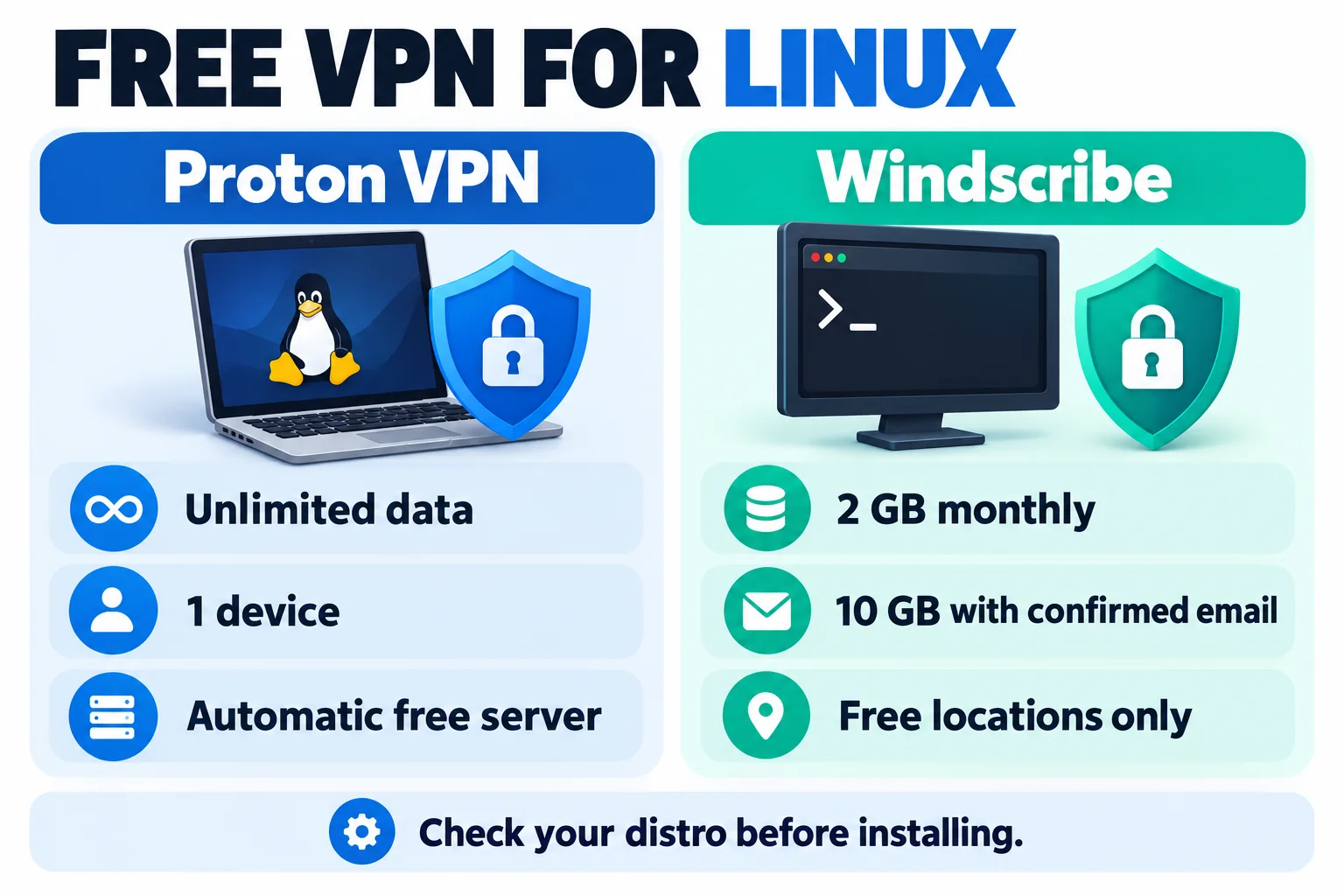
We count a plan as free only when it stays free without a paid subscription or a refund request. A trial and a money-back period are different products, so they do not count as permanent free plans here. We reviewed official provider documentation on 14 October 2026; we did not run speed, leak or streaming tests.
1. Proton VPN Free: unlimited data, automatic location
Proton’s permanent free plan has no monthly data or time limit and includes an official Linux app with both graphical and command-line options. The free account connects automatically to the available free server pool; you do not get the same manual location choice as a paid plan. Proton lists free servers in ten countries, but the app selects the connection for you.
The provider’s current support page lists Debian GNOME, Ubuntu GNOME and Fedora GNOME for its official GUI and CLI support. Other distributions may work, but Proton says support is not guaranteed; its Flatpak and Arch GUI packages are maintained by third parties. The account plan covers one device, so this is a sensible fit for one Linux computer rather than a household’s full device list.
Choose another option if: you need a particular country, more than one simultaneous device, or a paid-only feature. Proton does not guarantee streaming access on its free tier.
✔ Pros
- No monthly data cap or trial expiry
- Official GUI and CLI options for supported systems
- Open-source Linux app
✘ Cons
- Free server is selected automatically
- One device on the free plan
- Official distro support is narrower than community package availability
| Free data | Unlimited; no time limit |
| Free locations | Ten countries; automatic server selection |
| Linux app | GUI and CLI; official support for Debian, Ubuntu and Fedora GNOME |
| Devices | One |
| Account | Free Proton account required |
2. Windscribe Free: more location control, a monthly cap
Windscribe’s free tier is ongoing rather than a timed trial. A new free account starts with 2 GB of data per month; confirming an email address raises the documented allowance to 10 GB. Free accounts can connect to free locations only, and the available list can change, so check it in the app before choosing the service for a country-specific task.
Windscribe publishes both a Linux desktop app and a CLI for command-line or headless setups. Its current GUI guide lists Ubuntu 22.04 or newer, Fedora 36 or newer, openSUSE Leap 15.6, Arch Linux with glibc 2.35 or newer, and supported immutable distributions. Download the package that matches your distribution and CPU architecture from Windscribe’s own site.
Choose another option if: you expect regular video calls, large downloads or all-day browsing that could exceed the monthly allowance. Track usage in the account instead of assuming the free tier is unlimited.
✔ Pros
- Permanent free plan, not a short trial
- GUI and CLI options, including headless use
- Email confirmation raises the documented allowance to 10 GB
✘ Cons
- Monthly data cap
- Free accounts are limited to free locations
- Check the package and system requirements for your distro
| Free data | 2 GB monthly; 10 GB after email confirmation |
| Free locations | Free locations only; check the current app list |
| Linux app | Desktop GUI and CLI/headless app |
| Documented systems | Ubuntu 22.04+, Fedora 36+, openSUSE Leap 15.6, Arch with glibc 2.35+, and supported immutable distributions |
| Account | Free Windscribe account; confirm email for 10 GB |
Free Linux VPN plans compared
The table focuses on what each free tier includes. Paid-network sizes, premium features and a provider’s entire distro list are not free-plan benefits.
| Provider | Free data | Location control | Linux interface | Account and device notes |
|---|---|---|---|---|
| Proton VPN Free | Unlimited | Automatic selection from the free pool | GUI and CLI; official support for Debian, Ubuntu and Fedora GNOME | Free account; one device |
| Windscribe Free | 2 GB monthly, or 10 GB with confirmed email | Free locations only | Desktop GUI and CLI/headless app | Free account; confirm email for 10 GB |
Which free VPN for Linux fits your use?
- Choose Proton VPN Free if you prefer not to track monthly VPN data and automatic free-server selection suits you. It is the simpler fit for a single supported Linux desktop used regularly.
- Choose Windscribe Free if you want a GUI or CLI option with a defined allowance and can work within 2 GB, or 10 GB after confirming your email. Check the current free location list first.
- Choose neither as your only option if you need a specific paid server, guaranteed streaming, more free-plan devices or an allowance above Windscribe’s limit. Compare the provider’s paid plan terms before paying.
On Linux, a package being available does not always mean the provider officially supports that distribution. Prefer a package linked from the provider’s own documentation, check the CPU architecture and release requirement, and avoid commands copied from an unknown repository.
Install a Linux VPN safely
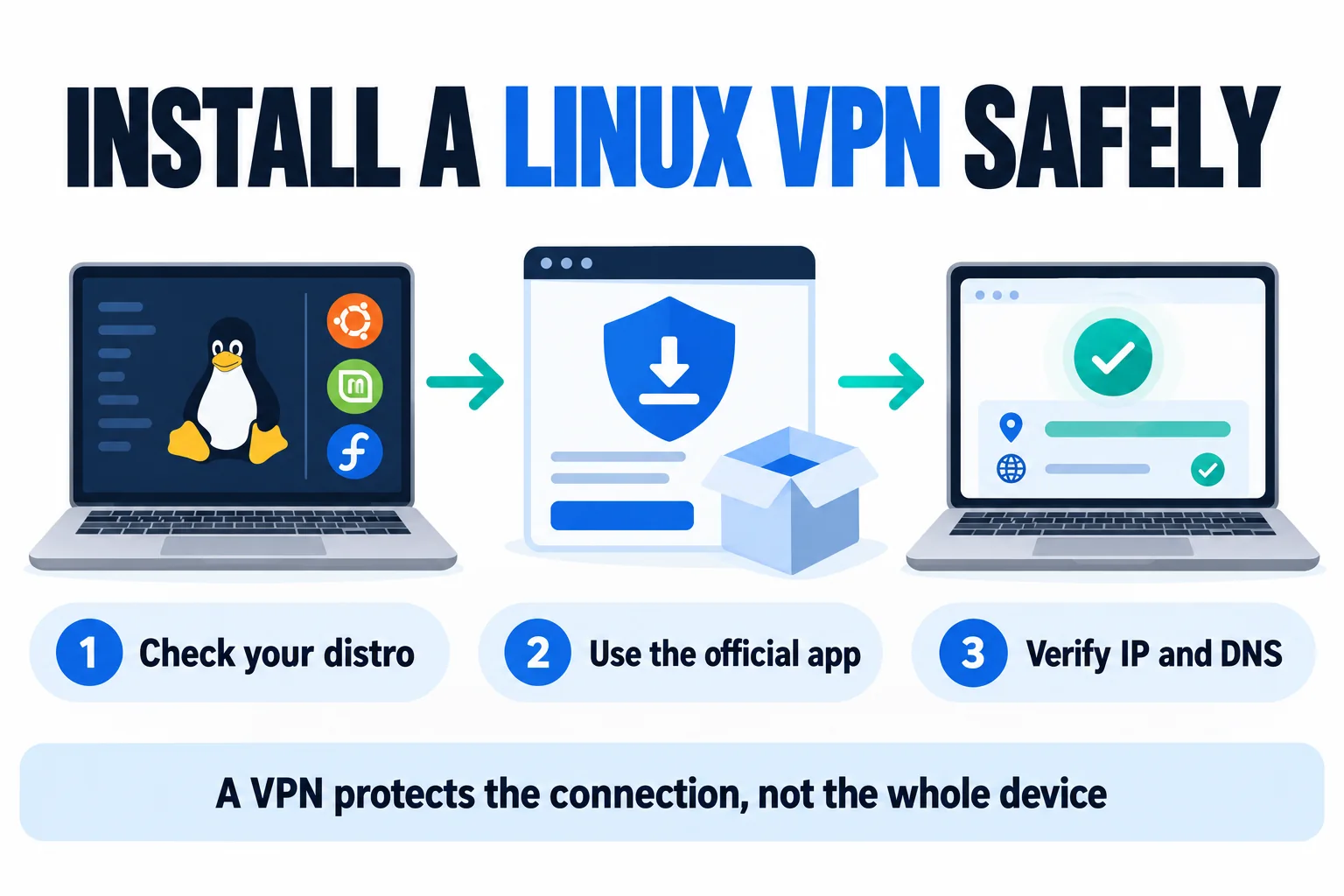
- Check your system. Note your distribution, release, desktop environment and CPU architecture. Compare them with the provider’s current support page.
- Use the provider’s download page. Choose the official repository or package for your system. Do not download a random repackaged client or run an unfamiliar script with administrator access.
- Create the free account and read its limits. Proton requires an account; Windscribe’s email-confirmation step changes its monthly data allowance. Confirm the plan shown in your own account.
- Connect and check the result. Use the app’s connection status, then check your public IP and DNS using a reputable leak-test page. A changed IP alone does not prove that every app or DNS request is protected.
- Enable the kill switch if available. Read what the Linux app’s setting does and test reconnect behaviour before relying on it for sensitive work.
A VPN encrypts traffic between your device and the VPN endpoint, but it does not make you anonymous, protect files from malware or replace system updates. The provider still operates the VPN endpoint, so read its current privacy policy and threat model.
A free plan is not a trial or refund
A permanent free tier keeps working within its stated limits without requiring a purchase. A free trial may start billing automatically unless you cancel under its terms. A money-back guarantee requires an upfront purchase and a refund request. Since this guide answers the “free VPN for Linux” question, only permanent free tiers appear in the comparison above; see our VPN free-trial guide for offers that use a trial or refund window.
Related reading:
Frequently Asked Questions
Is there a genuinely free VPN for Linux?
Yes. Proton VPN and Windscribe document permanent free plans with Linux apps. Proton has unlimited data but automatic free-server selection and a one-device limit. Windscribe has a 2 GB monthly allowance, or 10 GB after email confirmation, and free locations only. Check current eligibility and system support before installing.
Which free Linux VPN has unlimited data?
Proton VPN Free states that it has no data or time limit. Its free Linux app connects automatically to the free server pool, and the free plan is limited to one device. Unlimited data does not mean unlimited paid features, manual server choice or guaranteed streaming.
Does Windscribe have a free Linux app?
Yes. Windscribe documents both a desktop GUI and a CLI/headless app for Linux. Its free account starts at 2 GB per month, increasing to 10 GB after email confirmation. Supported distributions and package requirements vary, so check the current installation guide for your system.
Can I install Proton VPN on Arch Linux?
Proton says its official Linux app supports Debian GNOME, Ubuntu GNOME and Fedora GNOME. It also notes that Arch and Flatpak GUI packages are developed by third parties and may have limited support. Do not treat a community package as an officially supported Proton build.
Will a free Linux VPN unblock streaming sites?
Do not assume so. A free server can be blocked or lack the location you need, and Proton says streaming access is not guaranteed on the free plan. We did not run streaming tests for this guide.
Sources and update notes
Official plan limits and supported systems were checked on 14 October 2026. This guide does not claim measured speeds or hands-on testing. App availability, system support and free-plan terms can change.
- Proton VPN Free for Linux
- Proton VPN Free plan details
- Proton VPN Linux app support
- Windscribe Linux GUI and free-plan guide
- Windscribe Linux CLI guide
Confirm current eligibility and package requirements on the provider site before installing or relying on a specific free location.
The Bottom Line
A free VPN can be useful on Linux when the plan’s actual limits match your use. Proton VPN Free removes the monthly data meter but chooses the free server automatically and covers one device; Windscribe Free gives a defined 2–10 GB allowance and access to free locations only.
The two options in one line each:
- Proton VPN Free fits one Linux device that needs unlimited data and can accept automatic location selection.
- Windscribe Free fits occasional use when its monthly cap and free locations are enough.
Check the official package for your exact distro, verify the connection after setup, and upgrade only if you need a feature the free plan does not include.
Saurabh VPN Expert writes and reviews VPN guides for VPN Expert Guide, covering privacy, streaming, regional access, and device setup. Our articles draw on provider documentation and published product information, with updates when important details change.
Meet our testing team →Last updated: October 15, 2026