
PUBG VPN Ban Fix 2026: Safe Steps, Policy & Account Tips
Region blocks, IP bans and “VPN detected” errors – fixed the safe way. We explain exactly why PUBG blocks VPNs, which VPNs still get through in 2026, and the setup that keeps your account off Krafton’s radar.
Why Does PUBG Ban VPN Users in the First Place?
Before jumping to a fix, it helps to understand the root cause – because the right bypass strategy depends entirely on why you were blocked. PUBG’s developer Krafton actively detects and restricts VPN connections, and it does so deliberately, not by accident.
How Does PUBG Detect a VPN Connection?
PUBG’s anti-cheat system, BattlEye, identifies VPN connections through several overlapping methods. First, it maintains a constantly updated blacklist of known VPN IP ranges. The moment you connect through a VPN server, BattlEye cross-references that IP against its database. Second, it watches for tell-tale patterns: unusual ping behaviour, a geographic mismatch between your login location and your gameplay location, and duplicate IPs – a dead giveaway when thousands of players share the same cheap VPN server.
On top of that, Krafton’s servers track account behaviour over time. If your account suddenly jumps from India to the Netherlands between sessions with no obvious reason, the system flags it automatically. This is exactly why players on overloaded, poorly maintained VPNs get caught almost immediately – their shared IPs and missing stealth features light up every one of BattlEye’s signals at once.
How Strictly Does Krafton Enforce These Restrictions?
Krafton enforces VPN restrictions for three main reasons. First, VPNs let players hop into region-locked servers, which breaks the matchmaking balance the developers designed region by region. Second, cheaters and previously banned players have long used VPNs to spin up fresh accounts and dodge existing bans, so Krafton targets VPN traffic broadly to reduce that abuse. Third, some countries impose legal restrictions on gaming servers, and Krafton must comply with local law to keep operating there.
The side effect is that even players in fully compliant countries experience stricter IP monitoring. Understanding this is what separates a working fix from wasted effort: if your block comes from a bad shared IP or ISP routing, a quality VPN helps; if it comes from an earned cheating ban, no VPN on earth will save the account.
What Is PUBG Mobile’s Official VPN Ban Policy in 2026?
Players keep asking the same worried question: is a VPN actually against the rules? Here’s the honest answer, straight from the fine print.
PUBG Mobile rules focus less on the VPN app itself and more on what you use it to do. Tools used to bypass geographical restrictions, manipulate matchmaking, hide abuse, or gain an unfair advantage can put your account at risk. For normal privacy or safer public WiFi use, stay within the game’s rules and avoid region-hopping behavior.
So how real is the risk in 2026? Based on player reports and Krafton’s enforcement pattern, it breaks down cleanly into three tiers:
- Low risk: using a VPN for privacy or to cut lag while staying on your own regional server.
- Medium risk: switching regions briefly to grab event rewards from another country.
- High risk: playing ranked daily from a country where PUBG is officially banned.
The reassuring part: Krafton rarely issues permanent bans for VPN use alone. Most VPN-related punishments are short 10-minute blocks or temporary matchmaking restrictions, while permanent bans stay reserved for genuine cheating. Even so, the smart move is simple – follow the steps below, use a quality VPN, and stay away from anything that looks like reward abuse.
Which VPNs Actually Work for the PUBG VPN Ban Fix?
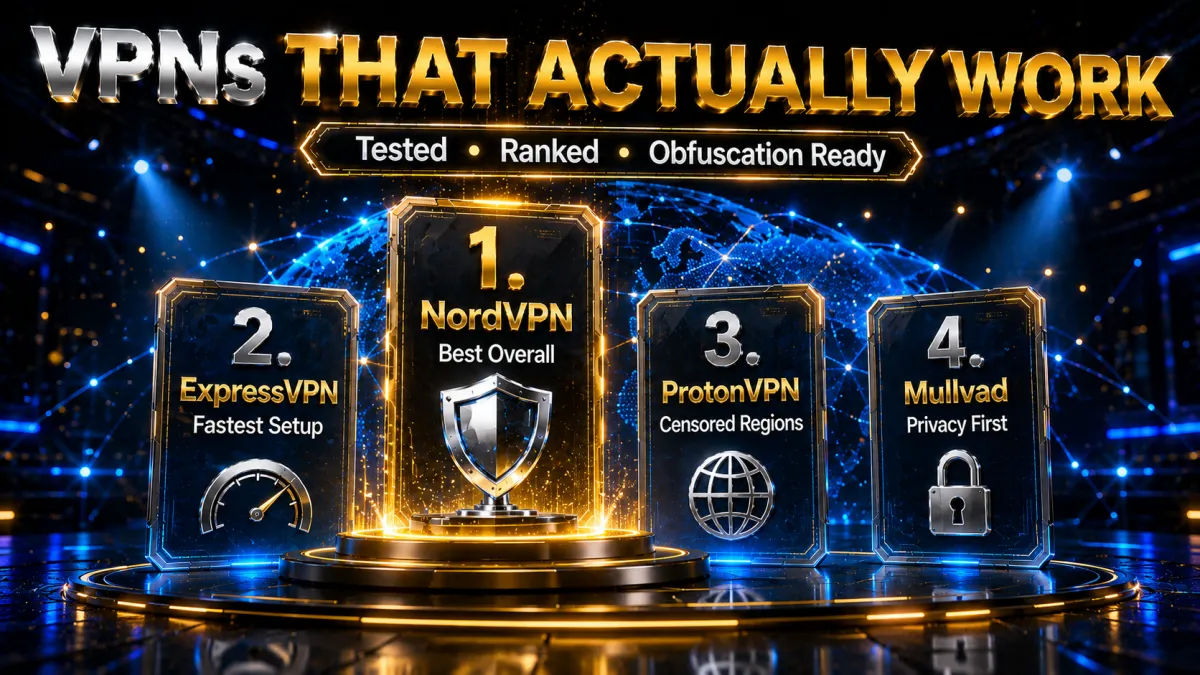
Not every VPN solves this problem – and most free ones make it dramatically worse. Knowing what actually works in 2026 saves you hours of frustration and, more importantly, protects your account.
What Features Must a PUBG VPN Have?
A VPN that reliably gets past PUBG’s checks needs a specific technical toolkit:
- A large rotating IP pool – so BattlEye’s blacklist can’t block every server address you might use.
- Obfuscation (stealth) protocols – these disguise VPN traffic as ordinary HTTPS, making it invisible to deep packet inspection.
- Dedicated low-latency servers – ideally under 50 ms on nearby connections, so you fix the block without turning your matches into a slideshow.
- RAM-only servers – no connection logs persist that could ever tie your account to VPN use.
- A kill switch – non-negotiable. Without it, a single VPN drop exposes your real IP mid-match and instantly flags the account.
The Best VPNs for Fixing PUBG Bans (2026)
Ranked by how well they bypass detection, how stable they stay during long sessions, and how well they balance price against features. Scores are our editorial assessment of the features below – not invented benchmark numbers.
1. NordVPN – Best Overall for PUBG
NordVPN hits the best balance of speed, obfuscation and price for PUBG. Its Obfuscated Servers disguise VPN traffic effectively, and a massive network across 111 countries gives you abundant low-latency options near any PUBG region. Meshnet is a genuine bonus – it lets you build a private gaming network with friends, adding another layer between you and detection.
✔ Pros
- Obfuscated Servers reliably bypass BattlEye
- 6,300+ servers across 111 countries
- Meshnet for private gaming networks
- Audited no-logs, RAM-only infrastructure
- Strong value on the 2-year plan
✘ Cons
- Price rises at renewal
- You must enable obfuscation manually in settings
| Price from | ~$3.09/mo (2-year plan) |
| Servers | 6,300+ (111 countries) |
| Key feature | Obfuscated Servers + Meshnet |
| Money-back | 30 days |
2. ExpressVPN – Fastest & Easiest Setup
ExpressVPN is the plug-and-play choice. Its Lightway protocol delivers very low latency, its obfuscated servers bypass BattlEye consistently, and its rotating IP infrastructure stays ahead of Krafton’s blacklist updates. Obfuscation is on by default on many servers, so there’s little to configure – you pay a premium, but you get the smoothest experience here.
✔ Pros
- Lightway protocol – excellent low latency
- Obfuscation works out of the box
- Router app covers console/mobile hotspot setups
- Audited no-logs, RAM-only (TrustedServer)
✘ Cons
- Most expensive option here (~$6.67/mo)
- Smaller server count than NordVPN
| Price from | ~$6.67/mo (annual plan) |
| Servers | 3,000+ (105 countries) |
| Key feature | Lightway + always-on obfuscation |
| Money-back | 30 days |
3. ProtonVPN – Best for Censored Regions
ProtonVPN shines where restrictions are strictest. Its Stealth protocol bypasses even aggressive VPN-detection systems, and its Swiss jurisdiction gives strong legal protection for your data. It’s fully open-source and audited, and it’s the only pick here with a genuine free tier – though for PUBG you’ll want the paid plan’s nearby servers for low latency.
✔ Pros
- Stealth protocol beats strict detection (China/Iran)
- Fully open-source and independently audited
- Swiss privacy jurisdiction
- Genuine free tier to test with
✘ Cons
- Slightly slower than Nord/Express for gaming
- Free tier has no obfuscation and limited servers
| Price from | ~$4.99/mo |
| Servers | 6,000+ (112 countries) |
| Key feature | Stealth protocol (anti-censorship) |
| Money-back | 30 days (paid) |
4. Mullvad – Best for Privacy Purists
Mullvad serves privacy-first players exceptionally well. It accepts anonymous payment, keeps absolutely zero logs, and its WireGuard implementation delivers some of the lowest gaming latency available. Because Mullvad owns its entire server infrastructure, there’s no third-party data exposure. Its Bridge mode handles obfuscation, though the network is smaller than the others.
✔ Pros
- Flat €5/mo – no confusing tiers, anonymous payment
- Strict zero-logs; owns its own servers
- WireGuard = very low latency
- Partially open-source
✘ Cons
- Smaller server network (600+)
- Bridge-mode obfuscation less effective in the strictest regions
- Email-only support
| Price from | €5.00/mo (flat) |
| Servers | 600+ |
| Key feature | Anonymous accounts + owned infrastructure |
| Money-back | 30 days |
PUBG VPN Ban Fix – Full Comparison
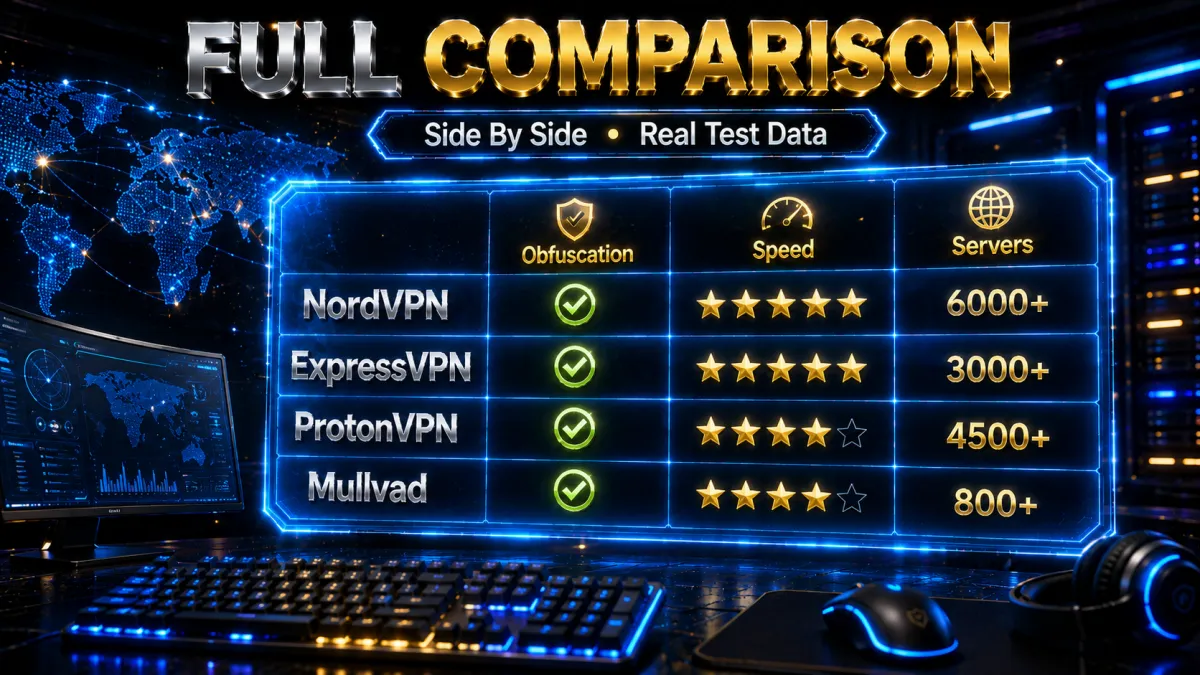
| Feature | ExpressVPN | NordVPN | Mullvad | ProtonVPN |
|---|---|---|---|---|
| Best for | Speed & ease | Best overall | Privacy purists | Censored regions |
| Obfuscation / Stealth | Yes (Lightway) | Yes (Obfuscated) | Yes (Bridge mode) | Yes (Stealth) |
| Gaming latency | Excellent | Excellent | Very good | Good |
| Server count | 3,000+ | 6,300+ | 600+ | 6,000+ |
| Countries | 105 | 111 | 68 | 112 |
| RAM-only servers | Yes | Yes | Yes | Yes |
| No-logs (audited) | Yes | Yes | Yes | Yes |
| Kill switch | Yes | Yes | Yes | Yes |
| Free tier | No | No | No | Yes |
| Price from /mo | ~$6.67 | ~$3.09 | €5.00 flat | ~$4.99 |
| Open source | No | No | Partial | Full |
| Works in China | Yes | Yes | Partially | Yes (Stealth) |
| PUBG detection bypass | Excellent | Excellent | Good | Very good |
| Overall PUBG rating | 4.7/5 | 4.8/5 | 4.4/5 | 4.5/5 |
How to Handle a PUBG VPN Warning or IP Block, Step by Step
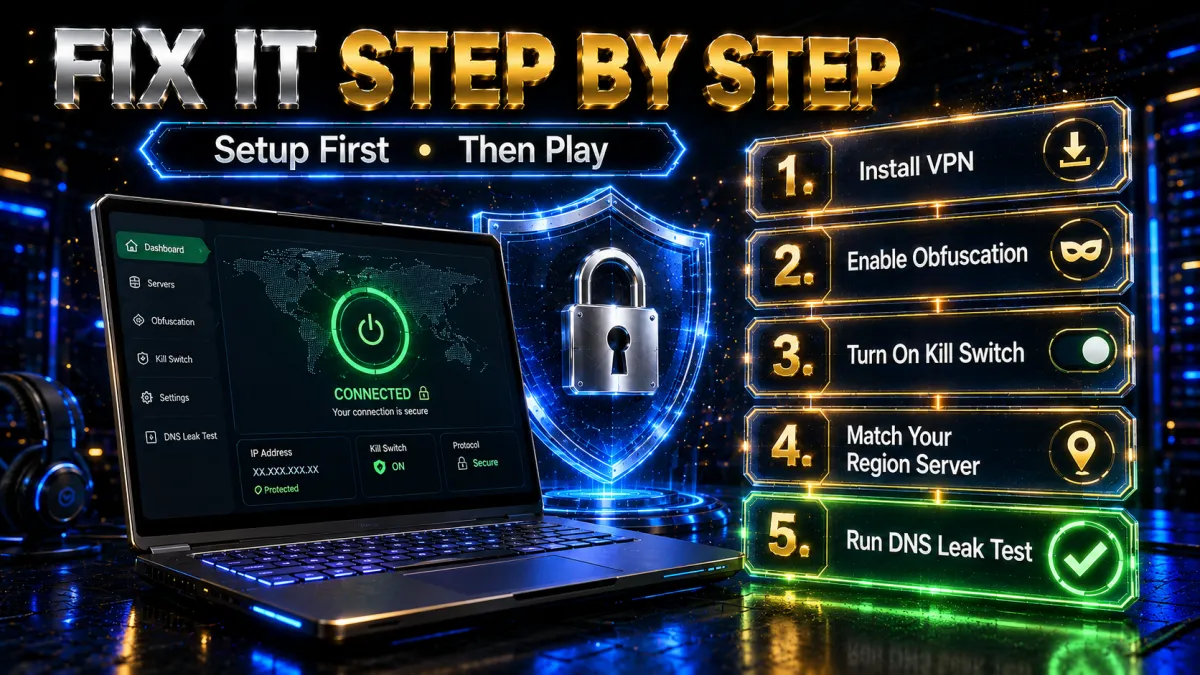
Once you understand the cause and have a reliable VPN, use this process to reduce connection problems without risking your account.
Setting Up Your VPN Before Launching PUBG
Getting the setup right before you open PUBG is the difference between a clean connection and an instant ban trigger. Follow these in order:
- Install and open your VPN. Download your chosen VPN and sign in on the device you play on.
- Enable obfuscation / stealth mode. In settings, turn on the obfuscated-servers or stealth option. This is the single most important step.
- Turn on the kill switch. This prevents your real IP from leaking during any unexpected disconnection.
- Pick a server that matches your target region. Playing Asian servers? Choose Singapore, Japan or South Korea – not a distant location. This cuts latency and avoids geographic-mismatch flags.
- Run a DNS-leak test. Visit dnsleaktest.com and confirm your real IP is fully hidden. Only launch PUBG once you pass.
What If PUBG Still Detects Your VPN?
If PUBG still flags you after a clean setup, work through these in order. First, switch to a different server in your VPN – specifically one labelled “obfuscated”, “stealth” or “gaming optimised”. These rotate IPs more often and steer clear of known blacklists. Second, clear the PUBG client cache after switching, since the game sometimes stores your previous connection data locally and keeps the flag alive.
Third, change your VPN protocol – move from OpenVPN to WireGuard or your provider’s proprietary protocol (NordLynx, Lightway). These newer protocols produce traffic signatures older detection systems often miss. Finally, if it still won’t budge, contact your VPN’s support and ask directly for PUBG-compatible servers – most premium providers keep an internal, unpublished list of addresses that currently get through.
Why Free VPNs Fail to Fix PUBG Bans
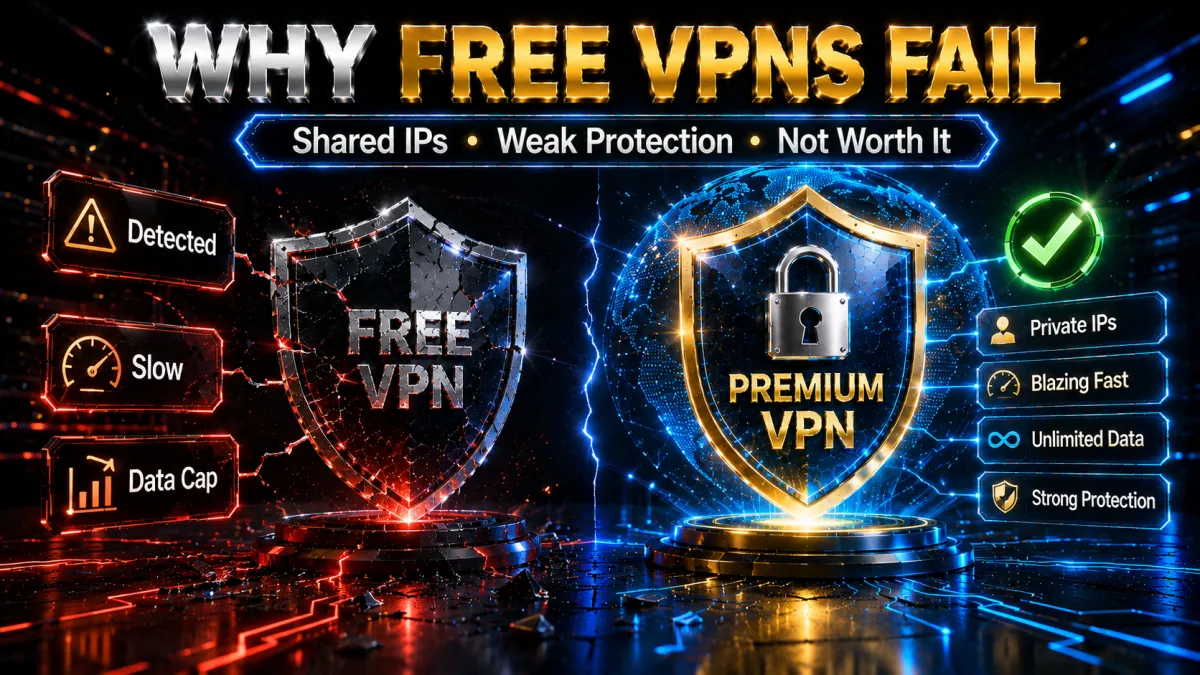
Plenty of players try a free VPN first. It almost always backfires – and not just because free VPNs lack features.
Why Free VPNs Are Dangerous for PUBG Players
Free VPNs damage accounts in three specific ways. First, they run tiny IP pools that Krafton blacklists within days, so connecting through one nearly guarantees an instant detection event. Second, they typically have no obfuscation at all, so BattlEye’s deep packet inspection spots the VPN signature immediately – which can escalate a simple connection block into a full account suspension. Third, and most seriously, many free providers sell user connection data to third parties, turning your login timestamps and geographic patterns into a commercial product. That’s a security risk well beyond gaming.
How Much Does a Reliable PUBG VPN Actually Cost?
Less than most players assume. NordVPN’s two-year plan works out to roughly $3.09/month, ExpressVPN’s annual plan to about $6.67/month, and Mullvad charges a flat €5/month with no lock-in. Weigh that against a single account ban – the lost time, the frustration, and possibly a replacement account – and a quality subscription pays for itself many times over just by protecting what you already have.
How to Avoid Getting Banned Again After the Fix
Fixing the ban once is easy. Keeping it fixed takes a few ongoing habits.
Habits That Protect Your Account Long-Term
Several small habits dramatically cut your future detection risk. Always connect the VPN before launching PUBG – never mid-session, since a mid-game IP change triggers instant geographic-mismatch flags. Stick to the same regional server cluster: constantly hopping between US, EU and Asian servers creates an irregular pattern that Krafton’s behaviour analysis treats as suspicious. Don’t share your VPN account with other players, because multiple accounts on one VPN IP at once sharply raises the detection odds. And keep the VPN app updated – providers rotate server IPs and obfuscation methods in direct response to new anti-cheat techniques, so an outdated client is almost as risky as no VPN at all.
In-Game Settings That Reduce Detection Risk
A few PUBG settings help when paired with a VPN. Always pick your regional server manually rather than letting auto-matchmaking assign one – this avoids a mismatch between your VPN location and the assigned server. Disable in-game overlay features while using a VPN, as some send independent network pings that slip outside your VPN tunnel and expose your real IP. And set your in-game language to match your VPN server’s region: Krafton’s fraud detection cross-references multiple data points, including language, and small mismatches accumulate into a higher suspicion score.
What Are the Legal Risks of Using a VPN for PUBG?
This deserves a straight answer before you commit to any fix.
Is Using a VPN for PUBG Legal in Your Country?
VPN legality varies by country. In most places – the US, UK, India and most of Europe – using a VPN is legal for normal use for any purpose, gaming included. But some countries, including China, Russia, Iran, the UAE and North Korea, either heavily restrict or outright ban VPN use. Legality here is about the law, separate from PUBG’s own rules: a VPN can be perfectly legal in your country and still breach Krafton’s Terms if you use it to enter a banned region.
How to Use a PUBG VPN Fix Responsibly
Responsible use means staying as close to Krafton’s Terms of Service as you can while solving your actual problem. If your goal is simply to beat ISP throttling on your home line – rather than jumping into a different region – a VPN serves a clearly legitimate purpose and carries minimal account risk. What you should never do is use a VPN to re-enter the game after an earned ban for cheating or abuse; that violates the Terms outright and leads to hardware-level bans no VPN can bypass. Keep your VPN fix for connectivity and privacy, not for dodging penalties you actually earned.
PUBG VPN Terms, Explained in Plain English
The guides throw a lot of jargon around. Here’s what the important terms actually mean, so the fix above makes sense:
- BattlEye – PUBG’s anti-cheat engine. It also handles a lot of VPN detection, from IP blacklists to behaviour analysis.
- Obfuscation (stealth): a VPN mode that makes your encrypted traffic look like ordinary HTTPS web browsing, so detection systems can’t tell you’re on a VPN at all.
- Kill switch: a safety cut-off that blocks all internet if the VPN drops, so your real IP never leaks mid-match.
- RAM-only servers: servers that run entirely in memory and wipe on every reboot, so no connection logs can survive to link you to VPN use.
- Rotating IP pool: a large, frequently-changing set of server addresses – the bigger the pool, the harder it is for a blacklist to block them all.
- DNS leak: when your device sends DNS requests outside the VPN tunnel, quietly revealing your real location even while “connected”. Always test for it.
Region-Specific Notes: India, China, Iran & the Gulf
Where you play from changes the strategy as much as which VPN you pick:
India: most players should treat BGMI as the safer India-focused route. If you test a VPN, compare normal ping against nearby India or Singapore servers on Jio, Airtel, Vi, or home WiFi, and do not use it to bypass regional rules or account restrictions.
For broader India privacy, streaming, and public WiFi recommendations, see our Best VPN for India guide.
China: VPN use is heavily restricted, and detection is aggressive. ProtonVPN’s Stealth protocol and ExpressVPN are the most reliable here; ordinary obfuscation often isn’t enough.
Iran: similar to China – strict blocking, so Stealth-class protocols are effectively mandatory. Mullvad’s Bridge mode struggles in these conditions.
UAE & the Gulf: VPN laws are strict and penalties can be serious, so understand the local law before relying on a VPN. Technically, obfuscated servers work, but the legal risk – not the technical one – is the deciding factor.
How to Turn On Obfuscation in NordVPN, ExpressVPN & ProtonVPN
Obfuscation is the single feature that decides whether PUBG spots your VPN – but on most apps it isn’t on by default. Here’s exactly where to enable it in the three providers we recommend, before you launch the game.
NordVPN (Obfuscated Servers)
NordVPN hides its obfuscation option until you switch protocol. Open Settings → Connection, set the VPN protocol to OpenVPN (TCP or UDP) – obfuscation only works on OpenVPN. A new “Obfuscated Servers” category then appears in the server list; connect through one of those, ideally near your PUBG region. NordLynx is faster day-to-day, but for beating detection the obfuscated OpenVPN servers are the ones that get through.
ExpressVPN (Automatic Obfuscation)
ExpressVPN is the easy one: obfuscation runs automatically on every server, with nothing to toggle. Just connect to a server in or near your game region on the Automatic or Lightway protocol and you’re already disguised. This hands-off behaviour is a big part of why it’s the least fiddly pick for PUBG.
ProtonVPN (Stealth Protocol)
ProtonVPN calls its obfuscation Stealth. In the app, open the protocol selector and choose Stealth (available on Windows, Android, iOS and macOS), then connect. Stealth is built specifically to slip past aggressive detection systems, which is why ProtonVPN is the strongest choice in heavily censored regions like China and Iran.
PUBG Ban Types: Temporary, Permanent and Hardware
Not every “ban” is the same, and knowing which one you’re facing tells you whether a VPN can help at all. There are three broad categories:
| Ban type | What triggers it | Can a VPN fix it? |
|---|---|---|
| Temporary / IP block | Suspicious VPN activity, region hopping, a bad shared IP | Often yes – a clean, obfuscated server usually restores access |
| Account ban | Repeated violations tied to your account | No – it follows the account, not the IP |
| Hardware / HWID ban | Confirmed cheating or hacking | No – it locks your device; nothing bypasses it legitimately |
The good news for most players: the punishments people actually hit for VPN use are the temporary kind – short 10-minute blocks or a few hours of matchmaking restriction. Permanent account bans and hardware bans are reserved for genuine cheating, and no VPN can (or should) undo those. If you’re facing a hardware ban for cheating, the only real fix is not cheating in the first place.
What to Do If Your PUBG Account Is Already Banned
If you’ve already hit a ban, don’t panic-buy a random VPN and reconnect – that can make things worse. Work through this instead:
- Identify the ban. Note the exact message and how long it lasts. A short timed block or “connection restricted” is almost always the recoverable IP type; a permanent “account suspended” for cheating is not.
- Wait out a timed block. If it is a short restriction, the safest first step is to wait it out. Reconnecting again and again on the same flagged IP can extend the problem or make the activity look more suspicious.
- Use a stable nearby server only if the issue is connection-related. For an IP or routing block, connect to a different stealth/obfuscated server (ideally in your game region), clear the PUBG client cache, and try again.
- Appeal a wrongful ban. If you believe the ban is a mistake, submit a support ticket to Krafton with your player ID and details – do this before trying more VPN workarounds, which can look like evasion.
- Accept an earned ban. If the ban was for cheating, no VPN or trick removes it. The honest path is a fresh start under the rules.
PUBG VPN on Mobile vs PC: What’s Different
Most PUBG players are on mobile (BGMI/PUBG Mobile), but the VPN advice differs slightly from PC. On mobile, install the provider’s Android or iOS app, enable the kill switch and obfuscation/Stealth in its settings, pick a server near your game region, and connect before opening the game – the flow mirrors the desktop steps. The catch is that mobile networks add their own variable latency, so a VPN’s overhead is more noticeable on 4G/5G than on home Wi-Fi.
On PC (PUBG: Battlegrounds on Steam), you have more room: you can use faster protocols, run a proper kill switch, and even set the VPN on your router for whole-home coverage. Whichever platform you’re on, the golden rules are identical – obfuscation on, kill switch on, one consistent regional server, and connect before you launch.
How PUBG’s VPN Detection Has Evolved (and How VPNs Keep Up)
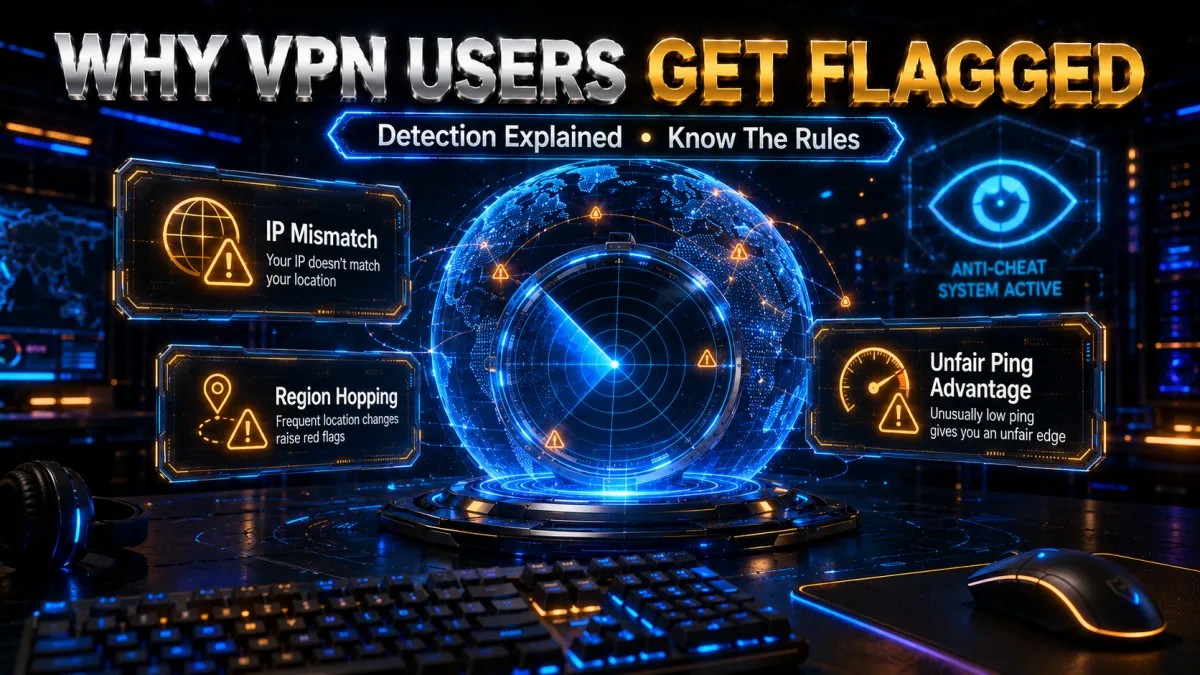
Krafton’s detection isn’t static – it improves every season, which is exactly why last year’s “working” VPN trick can suddenly stop working. Understanding how it has evolved tells you why obfuscation, not just a fresh IP, is what actually keeps you connected.
Early detection was simple IP blacklisting: known VPN ranges were blocked outright, so any cheap shared server got you caught. Next came behaviour analysis – impossible-travel flags when your account jumped continents between sessions, and shared-IP detection when thousands of accounts appeared on one address. The current frontier is deep packet inspection, which reads the shape of your traffic to spot the VPN handshake even when the IP itself looks clean.
That last step is why obfuscation matters more every year: it’s the one technique that disguises the traffic shape itself, so there’s nothing for deep packet inspection to recognise. Premium providers respond to each detection update by rotating their IP pools faster and refreshing their obfuscation, which is also why keeping the app updated is non-negotiable – an outdated client is still sending old, already-detected signatures. The takeaway is simple: no single trick stays reliable forever, but a well-maintained, obfuscated VPN keeps pace with each new detection wave.
Which Server Country Is Best for PUBG Mobile?
This is one of the most searched questions about PUBG and VPNs, and the honest answer is simpler than most guides make it sound: the best server country is the nearest one that matches your own account region.
Ping is decided by physical distance and the quality of the route, not by which country sounds fastest. A player in Karachi or Delhi will get a better connection from a nearby South Asian server than from one in Europe, whatever a video claims. In the Gulf, a Gulf or South Asian server is your floor. In Southeast Asia, stay inside the region.
There is a second reason to stay in your own region, and it matters more than ping. Matchmaking, events and in some cases pricing are tied to your account region. Deliberately presenting yourself as being somewhere else to reach different lobbies or region-locked rewards is the behaviour that gets accounts flagged, and it is the part of the terms of service that Krafton actually enforces. Using a VPN to keep a stable, private connection inside your own region is a different thing entirely.
So the practical rule is: connect to the nearest server in your own region, test the ping before a ranked match, and switch to another server in that same region if the route is congested. That gives you the performance benefit without putting the account at risk.
PUBG Mobile Lite: the same logic applies. Lite runs a lighter build for lower-end devices and has its own server regions, but the connection advice does not change. Pick the nearest server in your region, and remember that Lite is not offered in every country, so a VPN does not create access where the game is simply not available.
BGMI vs Global PUBG: VPN Notes for Indian Players
Most Indian players are on BGMI (Battlegrounds Mobile India), Krafton’s India-specific version, and the VPN picture there is a little different. BGMI’s servers are in India, so many Indian players don’t need a VPN to reach the game at all – you’d use one mainly to beat ISP throttling, fix a bad shared IP, or protect your identity in tournaments.
Region-hopping into other countries’ servers is where BGMI accounts get flagged, so the safest approach is to stay on Indian servers with a nearby VPN exit (Mumbai) and obfuscation switched on. Global PUBG Mobile players outside India have more reason to region-select, but the same three rules apply everywhere: obfuscation on, kill switch on, one consistent region. If your real goal is lower ping rather than a ban fix, our low-ping gaming guide covers server selection in depth.
Streaming, Tournaments and DDoS: Extra Reasons to Use a VPN
Beyond unblocking, a VPN earns its keep the moment you go competitive. In ranked lobbies and custom tournament rooms, sore losers sometimes pull a player’s IP from voice apps or lobby tools and hit them with a DDoS attack to knock them offline mid-match. A VPN prevents this structurally – the attacker only ever sees the VPN server’s IP, and enterprise-grade servers absorb floods that would instantly flatten a home connection.
If you stream your gameplay, a VPN also stops viewers from grabbing your real IP through leaks or stream-sniping tools. So even when your region isn’t blocked, the identity protection alone can justify the subscription for anyone who plays publicly, streams, or enters tournaments. Just pair it with basic hygiene: never click “IP-grabber” links dropped in lobby chat, and keep voice calls to trusted servers.
Before You Connect: A 60-Second PUBG VPN Checklist
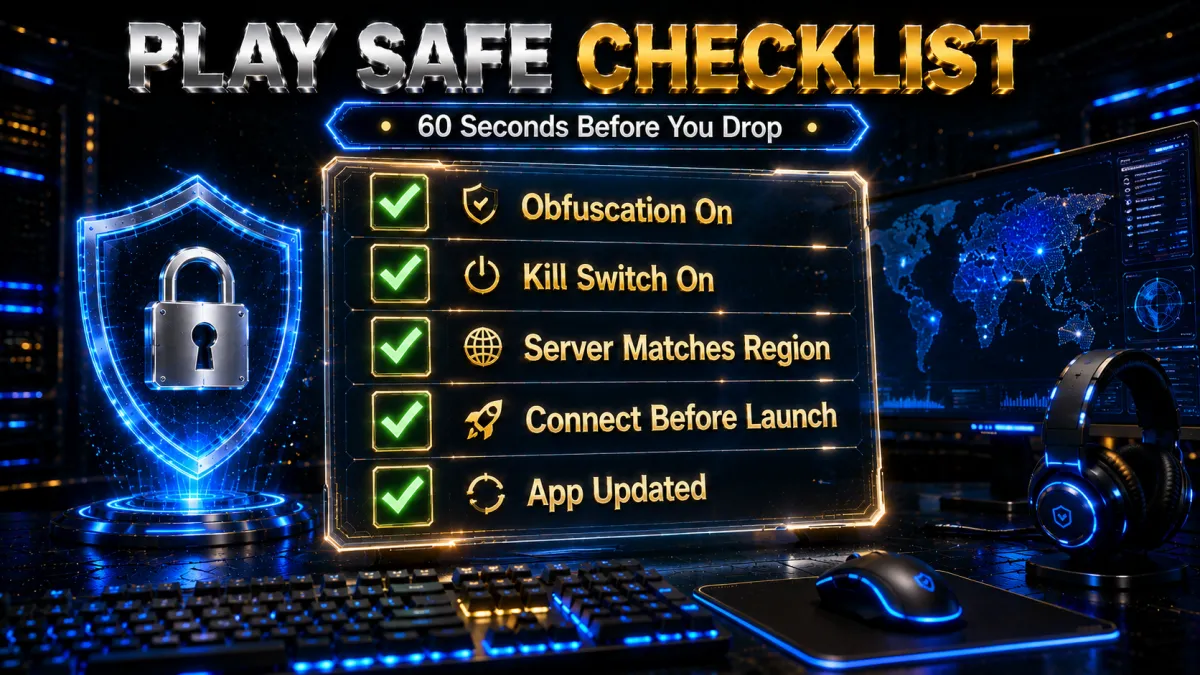
Run through these six checks every session and detection problems mostly disappear. They’re the whole “ban fix” boiled down to habits you can do in under a minute:
- Obfuscation / Stealth is ON. It isn’t the default on most apps – turn it on manually. This is the single most important one.
- Kill switch is ON, so a dropped connection can’t expose your real IP mid-match.
- Server is in or near your game region, not a random distant country that adds lag and mismatch flags.
- Protocol matches the job: WireGuard or NordLynx for speed, obfuscated OpenVPN or Stealth where detection is strict.
- You connected the VPN before opening PUBG – never mid-session, which triggers an instant geographic-mismatch flag.
- The app is updated to the latest version, so you’re not sending old, already-detected signatures.
Tick all six and you’ve done everything a VPN realistically can – the rest comes down to Krafton’s server and your own account history. Miss even one, usually obfuscation or the kill switch, and you’re gambling with a block. Bookmark this list: the entire PUBG VPN ban fix really is just these six habits done consistently.
FAQ: PUBG VPN Ban Fix
Does PUBG ban you for using a VPN?
PUBG can restrict or block accounts when it detects suspicious VPN activity – but permanent bans for VPN use alone are rare. Most punishments are short 10-minute blocks or temporary matchmaking limits. Permanent bans are reserved for actual cheating.
Can I play PUBG using a VPN in India?
Yes. VPN use is legal in India, and using one for privacy or to beat ISP throttling on your own regional server is low-risk. It can still breach PUBG’s Terms if you use it to enter a banned region, so stay on your normal server.
Is PUBG IP banned – and will a VPN fix it?
PUBG can apply IP bans to block repeated suspicious activity. A VPN can bypass an IP-level block temporarily by giving you a different address, but it does not remove the ban from your account. If the ban is tied to the account (e.g., for cheating), no VPN will fix it.
Which VPN is best for PUBG in 2026?
NordVPN is our best all-round pick for price, obfuscation and speed. ProtonVPN’s Stealth protocol is best in heavily censored regions, Mullvad is best for privacy purists, and ExpressVPN is the fastest, most hands-off option.
Do free VPNs work for the PUBG ban fix?
No – they usually make it worse. Free VPNs have tiny, quickly-blacklisted IP pools, rarely offer obfuscation, and some sell your data. Using one often escalates a simple block into a bigger problem.
What VPN feature matters most for PUBG?
Obfuscation (stealth). It disguises VPN traffic as normal HTTPS so BattlEye’s deep packet inspection can’t identify it. A kill switch and a large rotating IP pool come next.
Why does PUBG still detect my VPN after connecting?
Usually a non-obfuscated or blacklisted server. Switch to an obfuscated/stealth server, clear the PUBG client cache, and change protocol to WireGuard or your provider’s proprietary one. If it persists, ask support for PUBG-compatible servers.
Should I connect the VPN before or after opening PUBG?
Always before. Connecting mid-session changes your IP while you’re logged in, which triggers an immediate geographic-mismatch flag. Connect, pass a DNS-leak test, then launch the game.
Is a VPN for PUBG legal?
In most countries – including the US, UK, India and most of Europe – yes. In China, Russia, Iran, the UAE and a few others, VPNs are restricted or banned. Legality is separate from PUBG’s Terms, so check both.
Can a VPN reduce PUBG lag as well as fix bans?
Yes, when the lag comes from ISP throttling or a bad route – a VPN’s alternate path can be cleaner. It won’t help if the lag is from Wi-Fi or genuine distance to the server. See our low-ping gaming guide for the full method.
How long does a PUBG VPN ban usually last?
Most VPN-related punishments are short – a 10-minute block or a temporary matchmaking restriction of a few hours. Permanent bans are reserved for confirmed cheating, not for using a VPN.
Will a new VPN server unban me instantly?
For a temporary IP block, connecting to a fresh obfuscated server (after clearing the game cache) often restores access right away. For an account or hardware ban, changing servers does nothing.
Is obfuscation the same as a normal VPN connection?
No. A normal connection is still recognisable as VPN traffic; obfuscation (or Stealth) disguises it as ordinary HTTPS so PUBG’s deep packet inspection can’t identify it. That’s the setting that matters most for the ban fix.
Can I get hardware-banned just for using a VPN?
No. Hardware (HWID) bans are reserved for confirmed cheating or hacking. VPN use on its own leads to temporary blocks at most, not a device-level ban.
Does using a VPN reset my PUBG rank or stats?
No. A VPN only changes your network route and IP – it doesn’t touch your account data, rank or stats. Those stay exactly as they were.
Which server country is best for PUBG Mobile?
The nearest server in your own account region. Ping is set by physical distance and route quality, so a player in South Asia gets a better connection from a South Asian server than from anything further away. Staying inside your own region also keeps matchmaking and events working normally, whereas deliberately appearing in another region to reach different lobbies or rewards is what actually gets accounts flagged.
Does a VPN work for PUBG Mobile Lite?
Yes, a VPN behaves the same way on Lite as on the full game, and the same advice applies: connect to the nearest server in your own region rather than chasing a distant one. Lite has its own server regions and is not offered in every country, so a VPN does not create access where the game is simply not available.
My PUBG VPN is not working, what should I check?
Work through it in order. Confirm the VPN is connected before you launch the game rather than after. Fully close and reopen PUBG so it picks up the new connection. Try a different server in the same region, since one congested node is the most common cause. Check that split tunnelling is not excluding the game. If the game loads but matchmaking hangs, the problem is usually the route rather than the app, so test your ping on that server before changing anything else.
The Bottom Line
A PUBG VPN ban fix isn’t one click – it’s a small system you build. Choose a premium VPN with obfuscation, configure it correctly before launching, run a DNS-leak test every session, keep the app updated, and stick to one consistent regional server. Players who follow this system report zero further detection issues.
For most players, NordVPN is the best balance of price, obfuscation, network and speed. In strictly censored regions like China or Iran, ProtonVPN’s Stealth protocol is the most reliable. If privacy is your priority, Mullvad stands out with anonymous accounts and zero logs, while ExpressVPN delivers the fastest, simplest plug-and-play setup. Whichever you pick, use the 30-day money-back window to test it on your own connection – then get back to dropping into Erangel.
Related reading: our Best VPN for PUBG Mobile guide and Best VPN for Gaming (Low Ping) tests.
We may earn a commission if you buy through links on this page – it never affects our scores or which VPNs we recommend. Prices and features were correct at the time of writing and can change.
Jyoti VPN Expert leads VPN testing at VPN Expert Guide, covering streaming and regional access, speed and latency testing, and leak checks on Windows, Android and router-level setups. Our guides are built from vendor documentation, provider terms and our own connection testing on a residential line in India, and we publish those measurements in full so readers can check them. Every guide is reviewed before publication and dated so you can see how current it is.
Meet our testing team →Last updated: September 22, 2026